Search icon CANCEL
Subscription
0
Cart icon
Your Cart (0 item)
Close icon
You have no products in your basket yet
Save more on your purchases! discount-offer-chevron-icon
Savings automatically calculated. No voucher code required.
Arrow left icon
Explore Products
Best Sellers
New Releases
Books
Videos
Audiobooks
Learning Hub
Newsletter Hub
Free Learning
Arrow right icon
timer SALE ENDS IN
0 Days
:
00 Hours
:
00 Minutes
:
00 Seconds
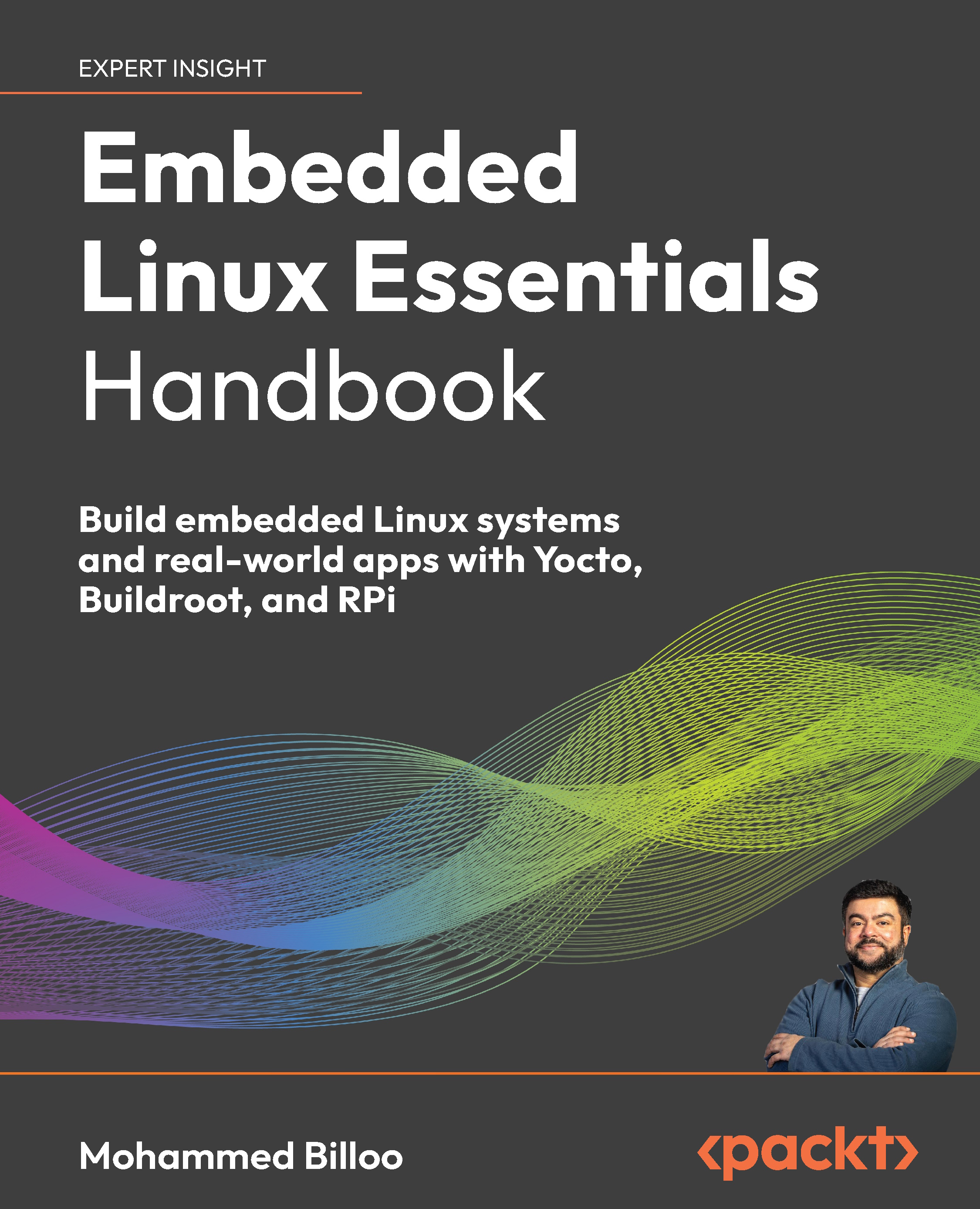
Embedded Linux Essentials Handbook

Embedded Linux Essentials Handbook: Build embedded Linux systems and real-world apps with Yocto, Buildroot, and RPi

Arrow left icon
Profile Icon Mohammed Billoo
Arrow right icon
$32.39 $35.99
eBook Jan 2026 450 pages 1st Edition
eBook
$32.39 $35.99
Paperback
$35.99 $44.99
Subscription
Free Trial
Renews at $19.99p/m
Arrow left icon
Profile Icon Mohammed Billoo
Arrow right icon
$32.39 $35.99
eBook Jan 2026 450 pages 1st Edition
eBook
$32.39 $35.99
Paperback
$35.99 $44.99
Subscription
Free Trial
Renews at $19.99p/m
eBook
$32.39 $35.99
Paperback
$35.99 $44.99
Subscription
Free Trial
Renews at $19.99p/m

What do you get with eBook?

Product feature icon Instant access to your Digital eBook purchase
Product feature icon Download this book in EPUB and PDF formats
Product feature icon Access this title in our online reader with advanced features
Product feature icon DRM FREE - Read whenever, wherever and however you want
Product feature icon AI Assistant (beta) to help accelerate your learning
Modal Close icon
Payment Processing...
tick Completed

Billing Address

Table of content icon View table of contents Preview book icon Preview Book

Embedded Linux Essentials Handbook

Exploring Embedded Linux’s Architecture and Its Use Cases

With the recent massive increase in processor density, embedded Linux is becoming an increasingly popular operating system (OS) for embedded systems. Silicon vendors have recognized this increased popularity and provide reference implementations of embedded Linux to run on their hardware.

Embedded Linux offers a paradigm different from those that traditional embedded software engineers are accustomed to, such as bare-metal development or using a real-time operating system (RTOS). Traditional embedded software development usually involves 2–3 steps to allow an embedded software engineer to get up and going. Typically, they connect a debugger to their board, write embedded software in an IDE provided by the silicon vendor, and use a debugger to flash and debug their application. However, the development workflow when working with an embedded Linux system is usually more complicated.

In this chapter, we will...

Technical requirements

This chapter assumes that you are familiar with and have hands-on experience with embedded software. You should also be familiar with relevant terminology, such as bare-metal and RTOS. You should also know about common peripherals used in embedded systems, such as GPIO, I2C, SPI, and UART.

Understanding embedded Linux use cases

In this section, we will learn when embedded Linux is applicable to embedded systems. As mentioned earlier, embedded Linux usually involves a different development strategy and workflow from other embedded software patterns. Thus, it’s important to understand the types of systems and applications that are ideal to use and when not to use them.

When to use embedded Linux

To best understand when to use embedded Linux, I’d like to present the following figure, which represents a block diagram of a scientific instrument that I worked on:

Figure 1.1 – Typical embedded Linux system

Figure 1.1 – Typical embedded Linux system

The system consists of the following relevant hardware elements:

  • A system-on-module (SoM), which contains a system-on-chip (SoC) along with other components to facilitate the operation of the SoC. For example, the SoM usually contains flash storage and RAM external to the SoC. The SoC, containing the CPU and other peripheral...

Understanding the hardware requirements

As embedded software engineers, we usually work in tandem with hardware engineers when designing and bringing up the custom hardware for our system. Typically, the hardware engineering team selects the components based on the system’s overall SWaP-C requirements. Once they have completed their initial selection, they work with us to confirm the selection and plan out design details, such as pin selection.

We must know whether the SoM/SoC selected by the hardware will support embedded Linux. The processor must be 32- or 64-bit. Extremely low-cost and low-power microcontrollers that use an 8- or 16-bit instruction set architecture generally won’t be able to run embedded Linux.

RAM and storage are also important requirements of an embedded Linux system. The minimum RAM requirement for embedded Linux is usually around 4 MB to 8 MB. However, for typical embedded applications requiring more robust networking, filesystem support...

Reviewing embedded Linux’s architecture

In this section, we will review the architecture of embedded Linux. Specifically, we will briefly learn about the different software components that are typically part of an embedded Linux system. In future chapters, we will discuss each element in more detail.

Architecture

There are four distinct software elements in most embedded Linux systems, as shown in the following figure.

Figure 1.4 – embedded Linux components

Figure 1.4 – embedded Linux components

Let us understand each of the components in detail:

  • The first software component of embedded Linux is the bootloader, shown as BLD in the preceding figure. The bootloader is responsible for initializing the CPU and the necessary peripherals before launching the kernel. This can include clock configurations and RAM, which the Linux kernel may need to run correctly. The bootloader is also responsible for configuring the kernel itself, such as passing arguments to the kernel during boot...

Booting embedded Linux

In this section, we will learn about the embedded Linux boot process. Due to the different software components of an embedded Linux system and their complex structure, the boot process requires a detailed review. By the end of this section, we will have a comprehensive understanding of the Linux boot process, from power-up to a console terminal.

From power-up to kernel loading

The following diagram shows one variant of the first stage of the embedded Linux boot process:

Figure 1.6 – Bootloader operations during boot

Figure 1.6 – Bootloader operations during boot

When power is applied to the processor, it usually launches an initial bootloader in the read-only portion of its memory. Depending on the SoC, the ROM-based bootloader jumps to a fixed location in flash. This location contains another bootloader, usually U-Boot.

Another variant of this process involves another bootloader, the secondary program loader (SPL), which runs after the ROM-based bootloader and before U-Boot...

Learning about U-Boot

U-Boot is the most popular bootloader used on embedded Linux systems. It borrows a good deal of source code from the Linux kernel. U-Boot and the Linux kernel have header files in common, and U-Boot supports loading different variants of the Linux kernel.

Let’s briefly dive into U-Boot’s source code since I firmly believe we can truly understand how any application works by understanding the source code behind the implementation. We can retrieve U-Boot’s source code by executing the following command:

$ git clone git://git.denx.de/u-boot.git

We can retrieve version 2024.07 by executing the following command:

$ git checkout tags/v2024.07

Finally, we can use the ls command to view the directory structure of U-Boot’s source code, which is shown here:

Figure 1.9 – U-Boot source tree (version 2024.07)

Figure 1.9 – U-Boot source tree (version 2024.07)

Let’s review some of the more interesting directories:

  • The api directory contains...

Reviewing the Linux kernal

The Linux kernel has over 30 million lines of code, and its development has spanned nearly 35 years.

We can retrieve version 6.9 of the Linux kernel by executing the following commands:

$ git clone https://git.kernel.org/pub/scm/linux/kernel/git/torvalds/linux.git/
$ cd linux
$ git checkout tags/v6.9

The following figure shows the structure of the Linux kernel source code:

Figure 1.10 – Linux kernel code base

Figure 1.10 – Linux kernel code base

Similar to the previous section, we will review some of the more exciting directories:

  • The arch directory contains source code specific to a particular CPU and SoC. For example, arch/arm/boot contains source files relevant to the boot process of ARM CPUs, and arch/arm/boot/dts contains Devicetree files for platforms with ARM-based processors. arch/arm/crypto contains hardware-accelerated cryptographic implementations, and arch/arm/kernel contains hardware-specific implementations of certain kernel functions...

Understanding the Devicetree

The Devicetree allows the Linux kernel to learn about the hardware present on the system. The Linux kernel uses the information in the Devicetree to make the necessary function calls to initialize the underlying hardware.

The Devicetree is not specific to the Linux kernel. The Devicetree, abbreviated as DTS and more formally known as the Open Firmware Device Tree, is a construct initially conceived to describe hardware. It is both a data structure and a language, and is meant to be read by any OS, not just Linux, so that it can identify hardware during runtime and configure itself appropriately.

The Linux kernel uses the Devicetree for three main reasons:

  • The first is to identify the system. Ideally, the devicetree could consistently describe all system details. However, there are some nuanced differences across systems. Thus, the kernel must be able to identify the machine early in the boot process to execute code specific to the machine...

QEMU: simulating an embedded Linux system

While I firmly believe that embedded software engineers function best when they are running their software on real hardware, that may not always be the case. The examples in this book are intended to be executed on a Raspberry Pi 5. However, not everyone may have access to the Raspberry Pi 5 and may not be able to take advantage of the examples.

As an alternative, we can use the Quick Emulator (QEMU). QEMU is an open source virtualization application that allows us to run an embedded Linux system targeting an architecture or platform different from our development PC. We can use QEMU to simulate a good deal of the Raspberry Pi hardware to run our embedded Linux system. This will allow us to learn about the different components, even U-Boot, without having hardware. We will learn how to use QEMU to learn about the relevant component in future chapters.

Important note

Unfortunately, Ubuntu 24.04, the version of Ubuntu that...

Summary

In this chapter, we learned about the use cases where embedded Linux is appropriate for our system and the hardware requirements needed to run it adequately. Equally important, we learned when not to use embedded Linux. As we continue throughout the book, we will dive deeper into the subsystems covered in this chapter. Towards the middle of this book, we will see examples of applications that are perfectly suited for embedded Linux. As we learn about these applications in Chapter 9, 10, and 11, it’s important to refer to the lessons learned in this chapter to understand which elements are relevant for embedded Linux. We also learned about and built QEMU to simulate an embedded Linux system in case we don’t have access to the hardware used in the rest of the book, due to cost and availability in certain regions.

In the next chapter, we will learn about U-Boot.

Get this book’s PDF version and more

Scan the QR code (or go to packtpub.com/unlock...

Left arrow icon Right arrow icon
Download code icon Download Code

Key benefits

  • Learn by coding with real examples on Raspberry Pi 5 and QEMU (for those who don’t have access to hardware)
  • Get introduced to Rust and see how it fits within an embedded Linux system
  • Use Qt, a modern GUI framework, to create applications like a scientific instrument with live temperature sensor data
  • Purchase of the print or Kindle book includes a free PDF eBook

Description

Embedded Linux now powers everything from IoT devices to industrial systems, making it essential for embedded software engineers to be skilled at customizing, deploying, and developing for these platforms. This hands-on guide walks you through the core concepts of Embedded Linux using practical, real-world examples on Raspberry Pi 4 and 5. For those without access to hardware, it also demonstrates how to simulate embedded Linux systems using QEMU. This book contains code samples that you can follow along and build three real-world projects: a Python web-based dashboard that retrieves and displays data from a temperature sensor and two GUI applications demonstrating how to use the Qt framework on Embedded Linux using two different development paradigms. You’ll also step into advanced territory with Linux kernel debugging techniques and discover how to harness eBPF, building the experience employers want and the confidence to tackle complex embedded challenges. By the end of this book, you'll have a solid grasp of Embedded Linux development and the skills to build and deploy production-ready, modern embedded applications.

Who is this book for?

This book is for beginner to intermediate embedded systems engineers, software developers, and enthusiasts seeking hands-on experience with Embedded Linux. It’s ideal for those eager to build real-world projects using accessible hardware like the Raspberry Pi. To get the most out of this book, you should understand basic embedded systems concepts, be comfortable writing simple programs in C, C++, or Python, and feel confident using the terminal and working with basic hardware.

What you will learn

  • Understand the architecture, components, and use cases of embedded Linux systems
  • Debug and secure the Linux kernel and modern tools like eBPF
  • Build custom embedded Linux images using Yocto and Buildroot
  • Simulate custom embedded Linux images using QEMU
  • Flash, boot, and validate images on Raspberry Pi hardware
  • Develop, deploy, and debug applications using C/C++, Python, and Qt
  • Automate image and application builds with Docker and GitHub Actions
  • Apply your skills through hands-on projects such as web interfaces and complex GUI-based instruments

Product Details

Country selected
Publication date, Length, Edition, Language, ISBN-13
Publication date : Jan 30, 2026
Length: 450 pages
Edition : 1st
Language : English
ISBN-13 : 9781835461563
Category :
Languages :
Tools :

What do you get with eBook?

Product feature icon Instant access to your Digital eBook purchase
Product feature icon Download this book in EPUB and PDF formats
Product feature icon Access this title in our online reader with advanced features
Product feature icon DRM FREE - Read whenever, wherever and however you want
Product feature icon AI Assistant (beta) to help accelerate your learning
Modal Close icon
Payment Processing...
tick Completed

Billing Address

Product Details

Publication date : Jan 30, 2026
Length: 450 pages
Edition : 1st
Language : English
ISBN-13 : 9781835461563
Category :
Languages :
Tools :

Packt Subscriptions

See our plans and pricing
Modal Close icon
$19.99 billed monthly
Feature tick icon Unlimited access to Packt's library of 7,000+ practical books and videos
Feature tick icon Constantly refreshed with 50+ new titles a month
Feature tick icon Exclusive Early access to books as they're written
Feature tick icon Solve problems while you work with advanced search and reference features
Feature tick icon Offline reading on the mobile app
Feature tick icon Simple pricing, no contract
$199.99 billed annually
Feature tick icon Unlimited access to Packt's library of 7,000+ practical books and videos
Feature tick icon Constantly refreshed with 50+ new titles a month
Feature tick icon Exclusive Early access to books as they're written
Feature tick icon Solve problems while you work with advanced search and reference features
Feature tick icon Offline reading on the mobile app
Feature tick icon Choose a DRM-free eBook or Video every month to keep
Feature tick icon PLUS own as many other DRM-free eBooks or Videos as you like for just $5 each
Feature tick icon Exclusive print discounts
$279.99 billed in 18 months
Feature tick icon Unlimited access to Packt's library of 7,000+ practical books and videos
Feature tick icon Constantly refreshed with 50+ new titles a month
Feature tick icon Exclusive Early access to books as they're written
Feature tick icon Solve problems while you work with advanced search and reference features
Feature tick icon Offline reading on the mobile app
Feature tick icon Choose a DRM-free eBook or Video every month to keep
Feature tick icon PLUS own as many other DRM-free eBooks or Videos as you like for just $5 each
Feature tick icon Exclusive print discounts

Table of Contents

23 Chapters
Part I: Getting Started with Embedded Linux Chevron down icon Chevron up icon
Exploring Embedded Linux’s Architecture and Its Use Cases Chevron down icon Chevron up icon
Learning About U-Boot Chevron down icon Chevron up icon
Navigating the Linux Kernel Chevron down icon Chevron up icon
Describing Hardware Using the Devicetree Chevron down icon Chevron up icon
Part II: Building an Embedded Linux Image Chevron down icon Chevron up icon
Exploring Frameworks to Build an Image Chevron down icon Chevron up icon
Building an Image Using the Yocto Project Chevron down icon Chevron up icon
Building an Image Using Buildroot Chevron down icon Chevron up icon
Part III: Developing Applications Chevron down icon Chevron up icon
Building, Debugging, and Launching Applications on Startup Chevron down icon Chevron up icon
Project 1: Using Python to Build a Web Server to Display Sensor Data Chevron down icon Chevron up icon
Project 2: Using Qt to Build a Scientific Instrument Chevron down icon Chevron up icon
Project 3: Using Qt to Build a Medical Device Chevron down icon Chevron up icon
Part IV: Advanced Topics, Implementing CI/CD, Best Practices, and Looking Ahead Chevron down icon Chevron up icon
Debugging the Linux Kernel Chevron down icon Chevron up icon
Securing Code Execution with eBPF Chevron down icon Chevron up icon
Rust in Embedded Linux: The Kernel and Applications Chevron down icon Chevron up icon
Implementing Continuous Integration/Continuous Delivery (CI/CD) Chevron down icon Chevron up icon
Looking to the Future Chevron down icon Chevron up icon
Unlock Your Exclusive Benefits Chevron down icon Chevron up icon
Other Books You May Enjoy Chevron down icon Chevron up icon
Index Chevron down icon Chevron up icon
Get free access to Packt library with over 7500+ books and video courses for 7 days!
Start Free Trial

FAQs

How do I buy and download an eBook? Chevron down icon Chevron up icon

Where there is an eBook version of a title available, you can buy it from the book details for that title. Add either the standalone eBook or the eBook and print book bundle to your shopping cart. Your eBook will show in your cart as a product on its own. After completing checkout and payment in the normal way, you will receive your receipt on the screen containing a link to a personalised PDF download file. This link will remain active for 30 days. You can download backup copies of the file by logging in to your account at any time.

If you already have Adobe reader installed, then clicking on the link will download and open the PDF file directly. If you don't, then save the PDF file on your machine and download the Reader to view it.

Please Note: Packt eBooks are non-returnable and non-refundable.

Packt eBook and Licensing When you buy an eBook from Packt Publishing, completing your purchase means you accept the terms of our licence agreement. Please read the full text of the agreement. In it we have tried to balance the need for the ebook to be usable for you the reader with our needs to protect the rights of us as Publishers and of our authors. In summary, the agreement says:

  • You may make copies of your eBook for your own use onto any machine
  • You may not pass copies of the eBook on to anyone else
How can I make a purchase on your website? Chevron down icon Chevron up icon

If you want to purchase a video course, eBook or Bundle (Print+eBook) please follow below steps:

  1. Register on our website using your email address and the password.
  2. Search for the title by name or ISBN using the search option.
  3. Select the title you want to purchase.
  4. Choose the format you wish to purchase the title in; if you order the Print Book, you get a free eBook copy of the same title. 
  5. Proceed with the checkout process (payment to be made using Credit Card, Debit Cart, or PayPal)
Where can I access support around an eBook? Chevron down icon Chevron up icon
  • If you experience a problem with using or installing Adobe Reader, the contact Adobe directly.
  • To view the errata for the book, see www.packtpub.com/support and view the pages for the title you have.
  • To view your account details or to download a new copy of the book go to www.packtpub.com/account
  • To contact us directly if a problem is not resolved, use www.packtpub.com/contact-us
What eBook formats do Packt support? Chevron down icon Chevron up icon

Our eBooks are currently available in a variety of formats such as PDF and ePubs. In the future, this may well change with trends and development in technology, but please note that our PDFs are not Adobe eBook Reader format, which has greater restrictions on security.

You will need to use Adobe Reader v9 or later in order to read Packt's PDF eBooks.

What are the benefits of eBooks? Chevron down icon Chevron up icon
  • You can get the information you need immediately
  • You can easily take them with you on a laptop
  • You can download them an unlimited number of times
  • You can print them out
  • They are copy-paste enabled
  • They are searchable
  • There is no password protection
  • They are lower price than print
  • They save resources and space
What is an eBook? Chevron down icon Chevron up icon

Packt eBooks are a complete electronic version of the print edition, available in PDF and ePub formats. Every piece of content down to the page numbering is the same. Because we save the costs of printing and shipping the book to you, we are able to offer eBooks at a lower cost than print editions.

When you have purchased an eBook, simply login to your account and click on the link in Your Download Area. We recommend you saving the file to your hard drive before opening it.

For optimal viewing of our eBooks, we recommend you download and install the free Adobe Reader version 9.

Modal Close icon
Modal Close icon