Search icon CANCEL
Subscription
0
Cart icon
Your Cart (0 item)
Close icon
You have no products in your basket yet
Save more on your purchases! discount-offer-chevron-icon
Savings automatically calculated. No voucher code required.
Arrow left icon
Explore Products
Best Sellers
New Releases
Books
Videos
Audiobooks
Learning Hub
Newsletter Hub
Free Learning
Arrow right icon
timer SALE ENDS IN
0 Days
:
00 Hours
:
00 Minutes
:
00 Seconds
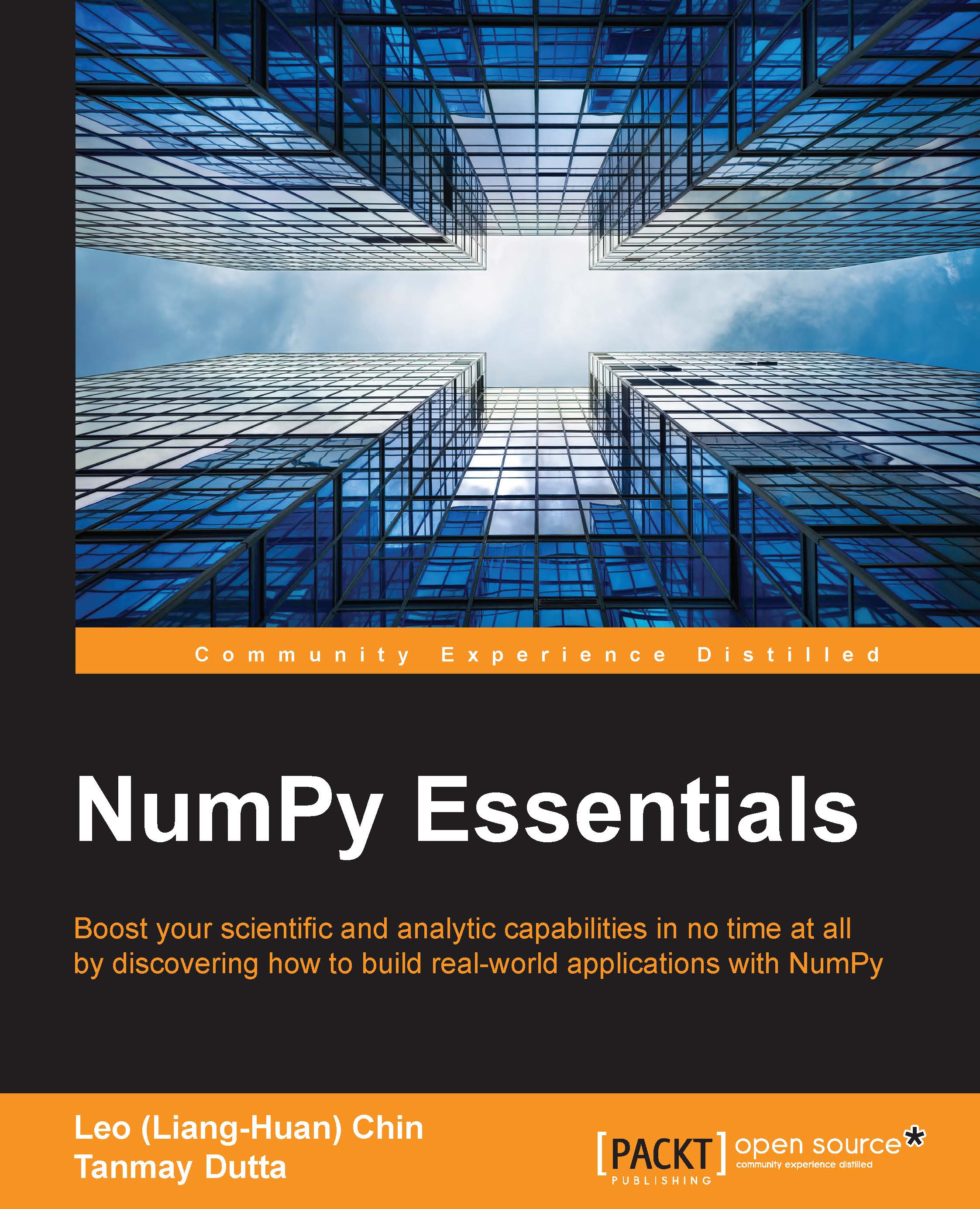
NumPy Essentials
NumPy Essentials

NumPy Essentials: Boost your scientific and analytic capabilities in no time at all by discovering how to build real-world applications with NumPy

Arrow left icon
Profile Icon Jaidev Deshpande Profile Icon Chin Profile Icon Tanmay Dutta Profile Icon Shane Holloway
Arrow right icon
$23.39 $25.99
Full star icon Full star icon Full star icon Half star icon Empty star icon 3.3 (3 Ratings)
eBook Apr 2016 156 pages 1st Edition
eBook
$23.39 $25.99
Paperback
$32.99
Subscription
Free Trial
Renews at $19.99p/m
Arrow left icon
Profile Icon Jaidev Deshpande Profile Icon Chin Profile Icon Tanmay Dutta Profile Icon Shane Holloway
Arrow right icon
$23.39 $25.99
Full star icon Full star icon Full star icon Half star icon Empty star icon 3.3 (3 Ratings)
eBook Apr 2016 156 pages 1st Edition
eBook
$23.39 $25.99
Paperback
$32.99
Subscription
Free Trial
Renews at $19.99p/m
eBook
$23.39 $25.99
Paperback
$32.99
Subscription
Free Trial
Renews at $19.99p/m

What do you get with eBook?

Product feature icon Instant access to your Digital eBook purchase
Product feature icon Download this book in EPUB and PDF formats

Product feature icon Access this title in our online reader with advanced features

Product feature icon DRM FREE - Read whenever, wherever and however you want
Modal Close icon
Payment Processing...
tick Completed

Billing Address

Table of content icon View table of contents Preview book icon Preview Book

NumPy Essentials

Chapter 2. The NumPy ndarray Object

Array-oriented computing is the very heart of computational sciences. It is something that most Python programmers are not accustomed to. Though list or dictionary comprehension is relative to an array and sometimes used similarly to an array, there is a huge difference between a list/dictionary and an array in terms of performance and manipulation. This chapter introduces a basic array object in NumPy. It covers the information that can be gleaned from the intrinsic characteristics of NumPy arrays without performing any external operations on the array.

The topics that will be covered in the chapter are as follows:

  • numpy.ndarray and how to use it-basic array-oriented computing
  • Performance of numpy.ndarray-memory access, storage, and retrieval
  • Indexing, slicing, views, and copies
  • Array data types

Getting started with numpy.ndarray

In this section, we will go over some of the internals of numpy ndarray, including its structure and behavior. Let's start. Type in the following statements in the IPython prompt:

In [1]: import numpy as np 
 
In [2]: x = np.array([[1,2,3],[2,3,4]]) 
 
In [3]: print(x)

NumPy shares the names of its functions with functions in other modules, such as the math module in the Python standard library. Using imports like the following there is not recommended:

from numpy import * 

As it may overwrite many functions that are already in the global namespace, which is not recommended. This may lead to unexpected behavior from your code and may introduce very subtle bugs in it . This may also create conflicts in the code itself, (example numPy has any and will cause conflicts with the system any keyword) and may cause confusion when reviewing or debugging a piece of code. Therefore, it is important and recommended to always follow the import numPy...

Array indexing and slicing

NumPy provides powerful indexing capabilities for arrays. Indexing capabilities in NumPy became so popular that many of them were added back to Python.

Indexing NumPy arrays, in many ways, is very similar to indexing lists or tuples. There are some differences, which will become apparent as we proceed. To start with, let's create an array that has 100 x 100 dimensions:

In [9]: x = np.random.random((100, 100)) 

Simple integer indexing works by typing indices within a pair of square brackets and placing this next to the array variable. This is a widely used Python construct. Any object that has a __getitem__ method will respond to such indexing. Thus, to access the element in the 42nd row and 87th column, just type this:

In [10]: y = x[42, 87] 

Like lists and other Python sequences, the use of a colon to index a range of values is also supported. The following statement will print the k th row of the x matrix.

In [11]: print(x[k, :]) 

The colon can be thought of...

Memory layout of ndarray

A particularly interesting attribute of the ndarray object is flags. Type the following code:

In [12]: x.flags 

It should produce something like this:

Out[12]: 
  C_CONTIGUOUS : True 
  F_CONTIGUOUS : False 
  OWNDATA : True 
  WRITEABLE : True 
  ALIGNED : True 
  UPDATEIFCOPY : False 

The flags attribute holds information about the memory layout of the array. The C_CONTIGUOUS field in the output indicates whether the array was a C-style array. This means that the indexing of this array is done like a C array. This is also called row-major indexing in the case of 2D arrays. This means that, when moving through the array, the row index is incremented first, and then the column index is incremented. In the case of a multidimensional C-style array, the last dimension is incremented first, followed by the last but one, and so on.

Similarly, the F_CONTIGUOUS attribute indicates whether the array is a Fortran-style array. Such an array is said to have column-major indexing...

Views and copies

There are primarily two ways of accessing data by slicing and indexing. They are called copies and views: you can either access elements directly from an array, or create a copy of the array that contains only the accessed elements. Since a view is a reference of the original array (in Python, all variables are references), modifying a view modifies the original array too. This is not true for copies.

The may_share_memory function in NumPy miscellaneous routines can be used to determine whether two arrays are copies or views of each other. While this method does the job in most cases, it is not always reliable, since it uses heuristics. It may return incorrect results too. For introductory purposes, however, we shall take it for granted.

Generally, slicing an array creates a view and indexing it creates a copy. Let us study these differences through a few code snippets. First, let's create a random 100x10 array.

In [21]: x = np.random.rand(100,10) 

Now, let us extract...

Getting started with numpy.ndarray


In this section, we will go over some of the internals of numpy ndarray, including its structure and behavior. Let's start. Type in the following statements in the IPython prompt:

In [1]: import numpy as np 
 
In [2]: x = np.array([[1,2,3],[2,3,4]]) 
 
In [3]: print(x)

NumPy shares the names of its functions with functions in other modules, such as the math module in the Python standard library. Using imports like the following there is not recommended:

from numpy import * 

As it may overwrite many functions that are already in the global namespace, which is not recommended. This may lead to unexpected behavior from your code and may introduce very subtle bugs in it . This may also create conflicts in the code itself, (example numPy has any and will cause conflicts with the system any keyword) and may cause confusion when reviewing or debugging a piece of code. Therefore, it is important and recommended to always follow the import...

Array indexing and slicing


NumPy provides powerful indexing capabilities for arrays. Indexing capabilities in NumPy became so popular that many of them were added back to Python.

Indexing NumPy arrays, in many ways, is very similar to indexing lists or tuples. There are some differences, which will become apparent as we proceed. To start with, let's create an array that has 100 x 100 dimensions:

In [9]: x = np.random.random((100, 100)) 

Simple integer indexing works by typing indices within a pair of square brackets and placing this next to the array variable. This is a widely used Python construct. Any object that has a __getitem__ method will respond to such indexing. Thus, to access the element in the 42nd row and 87th column, just type this:

In [10]: y = x[42, 87] 

Like lists and other Python sequences, the use of a colon to index a range of values is also supported. The following statement will print the k th row of the x matrix.

In [11]: print(x[k, :]) 

The colon can be...

Memory layout of ndarray


A particularly interesting attribute of the ndarray object is flags. Type the following code:

In [12]: x.flags 

It should produce something like this:

Out[12]: 
  C_CONTIGUOUS : True 
  F_CONTIGUOUS : False 
  OWNDATA : True 
  WRITEABLE : True 
  ALIGNED : True 
  UPDATEIFCOPY : False 

The flags attribute holds information about the memory layout of the array. The C_CONTIGUOUS field in the output indicates whether the array was a C-style array. This means that the indexing of this array is done like a C array. This is also called row-major indexing in the case of 2D arrays. This means that, when moving through the array, the row index is incremented first, and then the column index is incremented. In the case of a multidimensional C-style array, the last dimension is incremented first, followed by the last but one, and so on.

Similarly, the F_CONTIGUOUS attribute indicates whether the array is a Fortran-style array. Such an array...

Left arrow icon Right arrow icon

Key benefits

  • Optimize your Python scripts with powerful NumPy modules
  • Explore the vast opportunities to build outstanding scientific/ analytical modules by yourself
  • Packed with rich examples to help you master NumPy arrays and universal functions

Description

In today’s world of science and technology, it’s all about speed and flexibility. When it comes to scientific computing, NumPy tops the list. NumPy gives you both the speed and high productivity you need. This book will walk you through NumPy using clear, step-by-step examples and just the right amount of theory. We will guide you through wider applications of NumPy in scientific computing and will then focus on the fundamentals of NumPy, including array objects, functions, and matrices, each of them explained with practical examples. You will then learn about different NumPy modules while performing mathematical operations such as calculating the Fourier Transform; solving linear systems of equations, interpolation, extrapolation, regression, and curve fitting; and evaluating integrals and derivatives. We will also introduce you to using Cython with NumPy arrays and writing extension modules for NumPy code using the C API. This book will give you exposure to the vast NumPy library and help you build efficient, high-speed programs using a wide range of mathematical features.

Who is this book for?

If you are an experienced Python developer who intends to drive your numerical and scientific applications with NumPy, this book is for you. Prior experience or knowledge of working with the Python language is required.

What you will learn

  • * Manipulate the key attributes and universal functions of NumPy
  • * Utilize matrix and mathematical computation using linear algebra modules
  • * Implement regression and curve fitting for models
  • * Perform time frequency / spectral density analysis using the Fourier Transform modules
  • * Collate with the distutils and setuptools modules used by other Python libraries
  • * Establish Cython with NumPy arrays
  • * Write extension modules for NumPy code using the C API
  • * Build sophisticated data structures using NumPy array with libraries such as Panda and Scikits

Product Details

Country selected
Publication date, Length, Edition, Language, ISBN-13
Publication date : Apr 28, 2016
Length: 156 pages
Edition : 1st
Language : English
ISBN-13 : 9781784392185
Category :
Languages :
Concepts :
Tools :

What do you get with eBook?

Product feature icon Instant access to your Digital eBook purchase
Product feature icon Download this book in EPUB and PDF formats
Product feature icon Access this title in our online reader with advanced features
Product feature icon DRM FREE - Read whenever, wherever and however you want
Modal Close icon
Payment Processing...
tick Completed

Billing Address

Product Details

Publication date : Apr 28, 2016
Length: 156 pages
Edition : 1st
Language : English
ISBN-13 : 9781784392185
Category :
Languages :
Concepts :
Tools :

Packt Subscriptions

See our plans and pricing
Modal Close icon
$19.99 billed monthly
Feature tick icon Unlimited access to Packt's library of 7,000+ practical books and videos
Feature tick icon Constantly refreshed with 50+ new titles a month
Feature tick icon Exclusive Early access to books as they're written
Feature tick icon Solve problems while you work with advanced search and reference features
Feature tick icon Offline reading on the mobile app
Feature tick icon Simple pricing, no contract
$199.99 billed annually
Feature tick icon Unlimited access to Packt's library of 7,000+ practical books and videos
Feature tick icon Constantly refreshed with 50+ new titles a month
Feature tick icon Exclusive Early access to books as they're written
Feature tick icon Solve problems while you work with advanced search and reference features
Feature tick icon Offline reading on the mobile app
Feature tick icon Choose a DRM-free eBook or Video every month to keep
Feature tick icon PLUS own as many other DRM-free eBooks or Videos as you like for just $5 each
Feature tick icon Exclusive print discounts
$279.99 billed in 18 months
Feature tick icon Unlimited access to Packt's library of 7,000+ practical books and videos
Feature tick icon Constantly refreshed with 50+ new titles a month
Feature tick icon Exclusive Early access to books as they're written
Feature tick icon Solve problems while you work with advanced search and reference features
Feature tick icon Offline reading on the mobile app
Feature tick icon Choose a DRM-free eBook or Video every month to keep
Feature tick icon PLUS own as many other DRM-free eBooks or Videos as you like for just $5 each
Feature tick icon Exclusive print discounts

Frequently bought together


Stars icon
Total $ 126.97
Practical Data Analysis Cookbook
$54.99
Getting Started with Python Data Analysis
$38.99
NumPy Essentials
$32.99
Total $ 126.97 Stars icon

Table of Contents

10 Chapters
1. An Introduction to NumPy Chevron down icon Chevron up icon
2. The NumPy ndarray Object Chevron down icon Chevron up icon
3. Using NumPy Arrays Chevron down icon Chevron up icon
4. NumPy Core and Libs Submodules Chevron down icon Chevron up icon
5. Linear Algebra in NumPy Chevron down icon Chevron up icon
6. Fourier Analysis in NumPy Chevron down icon Chevron up icon
7. Building and Distributing NumPy Code Chevron down icon Chevron up icon
8. Speeding Up NumPy with Cython Chevron down icon Chevron up icon
9. Introduction to the NumPy C-API Chevron down icon Chevron up icon
10. Further Reading Chevron down icon Chevron up icon

Customer reviews

Rating distribution
Full star icon Full star icon Full star icon Half star icon Empty star icon 3.3
(3 Ratings)
5 star 33.3%
4 star 0%
3 star 33.3%
2 star 33.3%
1 star 0%
ABHIJIT Feb 28, 2019
Full star icon Full star icon Full star icon Full star icon Full star icon 5
Very GOOD book for scientific programmers.Requires some amount of background in mathematics .
Amazon Verified review Amazon
Salah Sep 27, 2021
Full star icon Full star icon Full star icon Empty star icon Empty star icon 3
I was surprised that there's no image processing or using numpy with pictures ,this book is very basic .
Amazon Verified review Amazon
A. Priest Feb 25, 2018
Full star icon Full star icon Empty star icon Empty star icon Empty star icon 2
This book contains numerous typos, omissions, and some of the stuff in it either doesn't work outright or are obsolete. I read every chapter except the final one, and although I learned a lot from the stuff that do work, and learned a lot from trying to make the things that don't work, finally work, I can't honestly give this book more than 2 stars.Here are some examples of typos:Pg 121, PyMethodDefApi_methods is really PyMethodDef Api_methods. I thought the data type is missing, but couldn't figure out which part is the variable name and which part is the type. This is by no means the only mistake of its kind in this book. There are many, and you must figure out where to insert the spaces to make the codes work. If you're a newbie and want to type along and run the codes as you go, which is pretty much how everyone learns Python from the beginning, you'll spend a lot of time doing this.The is a part of the book that refers to colored graphs, but this book is black and white. I don't remember which part, but I was disappointed the editor didn't correct that.If you want to build a C API, Py_InitModule3( ) is no longer supported. (My C compiler flagged it as a warning and I looked it up.) Python 3+ uses PyModuleDef(). This book was published in 2016, but Python 3 came out in 2008.You'd find many typos, grammatical mistakes and codes that don't work along the way. It's just frustrating to read this book if you actually repeat all the exercises.
Amazon Verified review Amazon
Get free access to Packt library with over 7500+ books and video courses for 7 days!
Start Free Trial

FAQs

How do I buy and download an eBook? Chevron down icon Chevron up icon

Where there is an eBook version of a title available, you can buy it from the book details for that title. Add either the standalone eBook or the eBook and print book bundle to your shopping cart. Your eBook will show in your cart as a product on its own. After completing checkout and payment in the normal way, you will receive your receipt on the screen containing a link to a personalised PDF download file. This link will remain active for 30 days. You can download backup copies of the file by logging in to your account at any time.

If you already have Adobe reader installed, then clicking on the link will download and open the PDF file directly. If you don't, then save the PDF file on your machine and download the Reader to view it.

Please Note: Packt eBooks are non-returnable and non-refundable.

Packt eBook and Licensing When you buy an eBook from Packt Publishing, completing your purchase means you accept the terms of our licence agreement. Please read the full text of the agreement. In it we have tried to balance the need for the ebook to be usable for you the reader with our needs to protect the rights of us as Publishers and of our authors. In summary, the agreement says:

  • You may make copies of your eBook for your own use onto any machine
  • You may not pass copies of the eBook on to anyone else
How can I make a purchase on your website? Chevron down icon Chevron up icon

If you want to purchase a video course, eBook or Bundle (Print+eBook) please follow below steps:

  1. Register on our website using your email address and the password.
  2. Search for the title by name or ISBN using the search option.
  3. Select the title you want to purchase.
  4. Choose the format you wish to purchase the title in; if you order the Print Book, you get a free eBook copy of the same title. 
  5. Proceed with the checkout process (payment to be made using Credit Card, Debit Cart, or PayPal)
Where can I access support around an eBook? Chevron down icon Chevron up icon
  • If you experience a problem with using or installing Adobe Reader, the contact Adobe directly.
  • To view the errata for the book, see www.packtpub.com/support and view the pages for the title you have.
  • To view your account details or to download a new copy of the book go to www.packtpub.com/account
  • To contact us directly if a problem is not resolved, use www.packtpub.com/contact-us
What eBook formats do Packt support? Chevron down icon Chevron up icon

Our eBooks are currently available in a variety of formats such as PDF and ePubs. In the future, this may well change with trends and development in technology, but please note that our PDFs are not Adobe eBook Reader format, which has greater restrictions on security.

You will need to use Adobe Reader v9 or later in order to read Packt's PDF eBooks.

What are the benefits of eBooks? Chevron down icon Chevron up icon
  • You can get the information you need immediately
  • You can easily take them with you on a laptop
  • You can download them an unlimited number of times
  • You can print them out
  • They are copy-paste enabled
  • They are searchable
  • There is no password protection
  • They are lower price than print
  • They save resources and space
What is an eBook? Chevron down icon Chevron up icon

Packt eBooks are a complete electronic version of the print edition, available in PDF and ePub formats. Every piece of content down to the page numbering is the same. Because we save the costs of printing and shipping the book to you, we are able to offer eBooks at a lower cost than print editions.

When you have purchased an eBook, simply login to your account and click on the link in Your Download Area. We recommend you saving the file to your hard drive before opening it.

For optimal viewing of our eBooks, we recommend you download and install the free Adobe Reader version 9.

Modal Close icon
Modal Close icon