

Using nested layouts
Very often, the interfaces that you'll want to create cannot be implemented with a single layout. In those cases, you'll need to nest layouts inside each other.
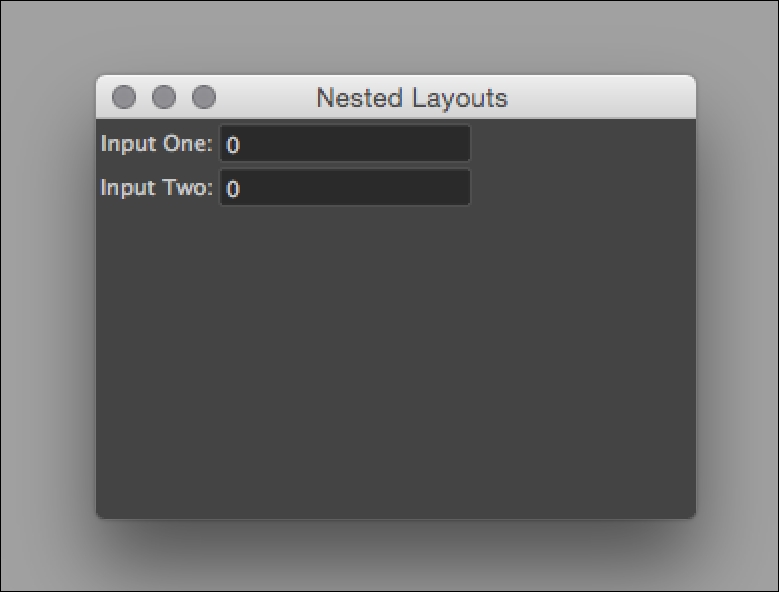
In this example, we'll create rowLayouts within a single columnLayout. Each rowLayout will allow us to have two controls (in this case, some text and intField) next to each other horizontally, and the parent columnLayout will stack the combined text/field pairs on top of each other vertically.
The end result will be something like this:
How to do it...
Make a new script and name it nestedLayouts.py. Add the following code:
import maya.cmds as cmds

class NestedLayouts:

    def __init__(self):
        self.win = cmds.window(title="Nested Layouts", widthHeight=(300,200))
        cmds.columnLayout()

        cmds.rowLayout(numberOfColumns=2)
        cmds.text(label="Input One:")
        self.inputOne = cmds.intField()
        cmds.setParent("..")

      ...