Search icon CANCEL
Subscription
0
Cart icon
Your Cart (0 item)
Close icon
You have no products in your basket yet
Arrow left icon
Explore Products
Best Sellers
New Releases
Books
Events
Videos
Audiobooks
Packt Hub
Free Learning
Arrow right icon
timer SALE ENDS IN
0 Days
:
00 Hours
:
00 Minutes
:
00 Seconds
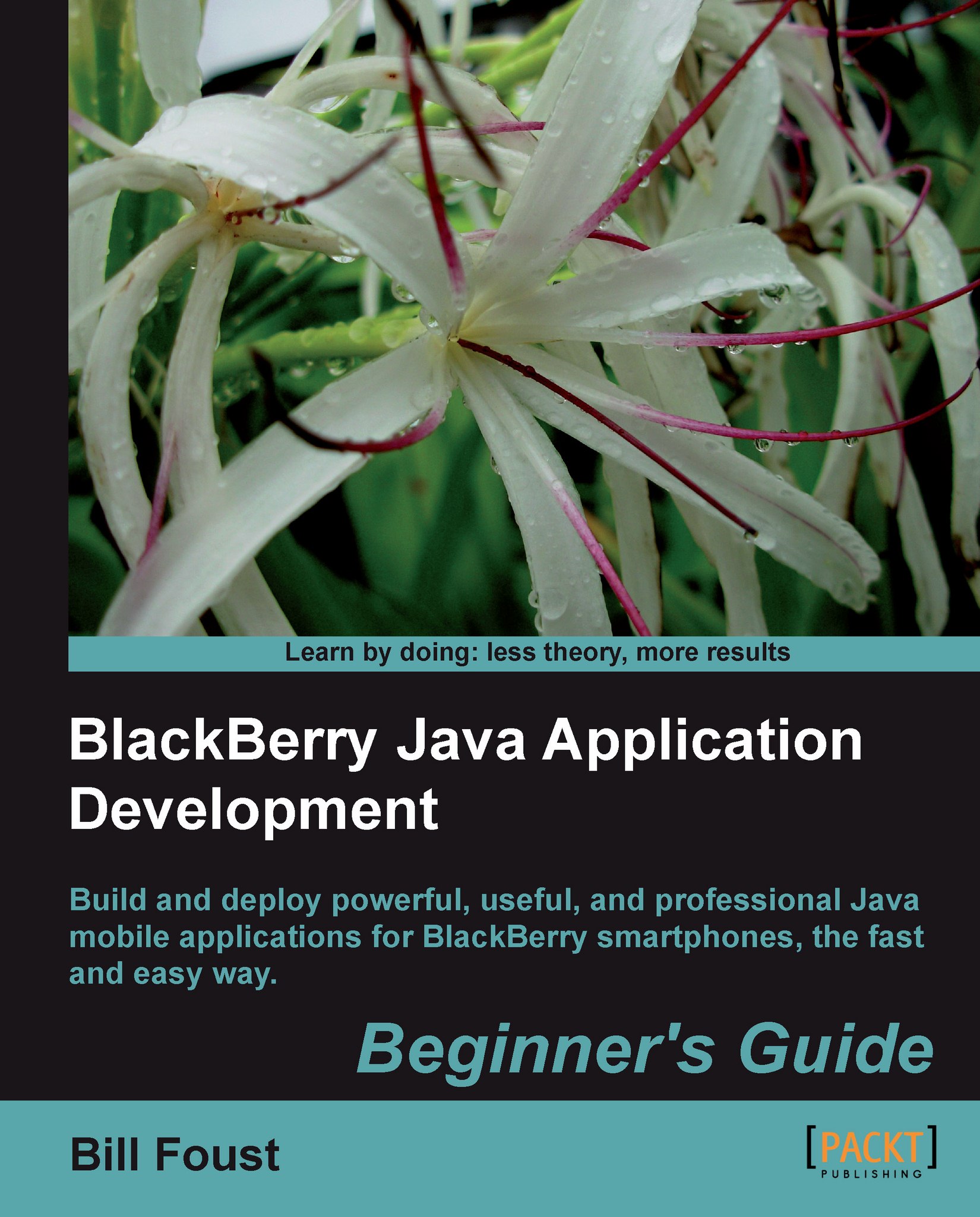
BlackBerry Java Application Development

BlackBerry Java Application Development: Build and deploy powerful, useful, and professional Java mobile applications for BlackBerry smartphones, the fast and easy way.

eBook
$22.49 $24.99
Paperback
$41.99
Paperback + Subscription
$29.99 Monthly

What do you get with a Packt Premium Subscription?

Subscribe today for full access to all titles. After checkout, you’ll receive an eBook credit that you can manually redeem on any title — including this one.
Product feature icon Access to the largest independent learning library in tech. Access this title and thousands more!
Product feature icon Weekly additions on emerging tech and exclusive early access to books as they are being written.
Product feature icon Innovative learning tools, including AI book assistants, code context explainers, and text-to-speech.
Product feature icon A monthly credit and 50% off any future digital purchases.
Table of content icon View table of contents Preview book icon Preview Book

BlackBerry Java Application Development

Chapter 1. Introducing BlackBerry Application Development

The BlackBerry family of devices has long been the undisputed king of e-mail for business professionals. In recent years, the company that makes BlackBerry handhelds, Research In Motion (RIM), has been making devices targeted more towards consumers with devices such as the Storm and Pearl. Because of this shift the demand for quality applications has exploded in recent years. The creation of the BlackBerry App World has only fueled this growth and the size of the opportunity. According to recent statistics, the BlackBerry App World has the fewest number of titles and the highest average cost, all of which means there is a big opportunity here!

Now, with more than 28 million subscribers and 60 million devices manufactured, it is hard to go anywhere and not see someone using a BlackBerry. Maybe you see these numbers as a fertile market for your application, or maybe your company has long ago standardized on BlackBerry handhelds and you want to leverage that existing investment. Either way, you will learn how to tap into that potential and create custom applications for BlackBerry handhelds by using the object-oriented development experience you already have.

In this chapter, we shall:

  • Learn about the two approaches to application development

  • Learn generally what features can be used by an application

  • Understand how the SDK version relates to target devices

  • Learn about the BlackBerry Developer Zone

So let's get on with it...

Expectations of this book


This book is part of the Basic series which means we will start at the very beginning of the learning curve. We start with the simplest task of getting the right tools downloaded and installed. We then take you through to the final stages of putting the last finishing touches on your application and then submitting it to the BlackBerry App World so that the world can use it. Along the way, we will cover each of the major areas of application development: user interface, storage, connectivity, and interfacing with other applications in ways that are clear and useful.

There are a few things that we assume and that you should be familiar with before starting down this road. The first is an understanding of an object-oriented programming language. BlackBerry development is done using Java, but you don't need to be a Java expert to get started. Experience in C#, C++, or some other object-oriented language is enough to get started.

Most of what we do will use the BlackBerry-specific APIs, but there are times when an understanding of basic Java framework is important, such as when we need to use threads. For this I recommend having a Java book available as well.

The second is an understanding of general operating system concepts such as a file system, messaging, events, processes, and threading. The BlackBerry APIs actually do a very good job of hiding many of these details, but they are there and understanding them will help to understand the big picture.

General device capabilities


BlackBerry handhelds, like many smartphones today, are very powerful in spite of their small size. The processing power and capabilities of these handhelds could accurately be described as smaller versions of our desktops or laptops. They have many strong capabilities yet have a small size that makes them convenient to carry around. This combination makes smartphones in general, and BlackBerry handhelds in particular, well suited for on-the-go applications.

But just what can they do? There are so many possibilities! Let's take a look at the general capabilities of BlackBerry handhelds.

  • Every handheld has a keyboard designed for typing on it. BlackBerry handhelds have always been specifically designed to send and receive e-mail, and as a result, the keyboards are well-suited for entering free-form data. The BlackBerry SDK offers no less than ten different kinds of text fields that can be used in nearly any kind of application. Plus, if you need something special, you can always create your own!

  • Another area that BlackBerry handhelds excel at is network connectivity. Again, this is by design in order to provide excellent e-mail service. This connectivity includes fully encrypted TCP/IP communication, and the ability to receive as well as send raw data. Whether it be HTTP or UDP, the BlackBerry SDK supports all of the major networking protocols and can handle receiving as well as sending data. Furthermore, you can leverage the same secure protocols that are used to deliver e-mail.

  • Most applications will need to store data on the local device. Applications can, of course, store data on the device in their own private stores, but they can also access and interface with other applications on the handheld. These include the pre-installed applications such as messages, address book, and calendar that come with the handheld.

  • Cameras are nearly ubiquitous on smartphones and can be accessed by an application as well.

  • Many newer devices include removable memory card slots for storage of large media files. Applications can access this storage as well to give applications with large storage needs the room to work.

  • Another feature that is extremely common on handhelds is a GPS receiver that enables location-based service (LBS). This is one area that many in the smartphone industry will say holds the most promise for the future.

Two different approaches to application development


If you've visited the BlackBerry Developer website you may have noticed that there are two recommended approaches to developing applications for BlackBerry handhelds—Java Application Development and BlackBerry Web Development. This book is focused on the Java Application Development approach, which is the more versatile of the two, but the other can be very useful in the right situation.

  • Java Application Development approach: This is the most powerful approach and it creates applications written in Java that are loaded onto and executed on a BlackBerry handheld. They will be the focus of this book and are one of the most common ways to deploy an application. Two different tools exist to support this approach—the BlackBerry Java Development Environment (JDE) and the BlackBerry JDE Component Plug-in for Eclipse. Both offer the ability to create full custom applications. The BlackBerry JDE is a custom application written in Java that can be used to develop applications. The latter leverages the Eclipse Integrated Development Environment (IDE), which is a common platform for Java developers.

  • BlackBerry Web Development approach: It is the other approach that runs completely within the BlackBerry Browser application and can use various standards such as HTML and AJAX. Applications created using the BlackBerry Web Development approach are similar to more common web applications and generally require network connectivity to work. More powerful features, including native API calls, aren't allowed natively but can be made using BlackBerry Widgets. BlackBerry Widgets is a separate SDK for creating small applets that can be leveraged by web applications. Overall, this approach can be powerful but it requires network connectivity, which potentially means data charges and/or delays for network communication.

Choosing an SDK version


Before we dive into developing an application we must choose the SDK version to work with. In most environments, this choice is very simple—just choose the most recent version and use that one. Unfortunately, things are not as simple for BlackBerry handhelds. In fact, it's the opposite.

There is a correlation between the handheld Operating System (OS) version and the SDK version. Each time a new version of the device OS is released, a new version of the SDK is released to go along with it. As new devices are released and more capabilities are added to them, the OS must grow to take advantage of the new capabilities. Similarly, the SDK must also grow. It makes sense that SDK version 4.2 won't be able to utilize features added in OS version 4.5. The downside to this is that applications written using version 4.5 of the SDK won't run on handhelds with a version 4.2 OS, but the opposite is true. Applications written using 4.2 will run just fine on a handheld running version 4.5 of the OS.

Therefore, choosing the SDK version to work with becomes a matter of choosing the lowest common OS version for the devices you want to support or, more commonly, the features that they support.

While it is possible for a handheld to upgrade the OS from one version to the other it is rarely done and should never be assumed. Also, unfortunately, this can mean multiple code bases if you wish to support each device in a way that is specific to that device. It all depends on the application you want to write.

For the majority of the applications that we will make we will be using SDK version 4.5 simply because this is the version that comes bundled with Eclipse.

The following table lists devices, the OS version they were released with, and what important features are new to that version:

Device released

SDK version

Features supported

BlackBerry 5810

BlackBerry 5820

3.3

Initial release

MIDP 1.0

CLDC 1.0

BlackBerry 6200 series

BlackBerry 6500 series

BlackBerry 6700 series

3.6

PIM API

Mail API

BlackBerry 7200 series

BlackBerry 7700 series

3.7

Color support

BlackBerry 7100

BlackBerry 7290

4.0

MIDP 2.0

CLDC 1.1

Invoke

BlackBerry 7510

BlackBerry 7520

4.0.2

JSR-179 (Location-based services)

BlackBerry 8700

BlackBerry 7130

BlackBerry 7100i

4.1

Smart Card APIs

BlackBerry Pearl

4.2

Multimedia Focus

JSR-75 (File APIs)

BlackBerry 8800 series

4.2.1

JSR-82 (Bluetooth)

BlackBerry Pearl 8110

BlackBerry Pearl 8120

BlackBerry Pearl 8130

4.3

JSR-172 (Web services)

JSR-205 (Multimedia SMS)

JSR-211 (Content Handler API)

JSR-238 (Internationalization)


4.5

Map Field

Spellcheck

HTML e-mail

BlackBerry Curve 8900

BlackBerry Bold

4.6

JSR-226 (SVG Support)


4.6.1

Accessibility API

BlackBerry Storm

4.7

Touch Screen

Accelerometer

BlackBerry Storm 2

BlackBerry Bold 9700

5.0

Widgets API

MIDP 2.1

What you can expect


This book is structured to take you from beginning to end in terms of application development and touch on all the most important topics along the way. You will learn about each aspect of application development from the very basics of simply installing the tools that you will need to the last steps of submitting your application to BlackBerry App World.

We do assume that you are familiar with an object-oriented programming language already. Syntactically and conceptually, Java is very similar to C# and even C++, so someone experienced in either of these languages should be able to make the transition to Java quickly.

This book starts at the very beginning with downloading and installing the tools necessary to start creating an application. This isn't quite as simple as performing a single install, but it's not too complex either.

In the next few chapters, we'll dive right in by loading and compiling one of the demo applications that comes with the tools. This gives you an opportunity to get more familiar with the development environment and by examining the typical "Hello World!" application in detail.

Then we start from scratch with a brand new empty project and create an application. This simple application is both very functional and very polished, which demonstrates how you can create applications quickly by leveraging the framework provided in the SDK.

We will look at this framework in detail by thoroughly examining all of the screen components available to you and by covering when each screen element is best employed. Many of these screen elements are common among all development languages and platforms, but many have behavior that is unique to BlackBerry and warrant the extra attention.

Once we have the screen elements well understood, it's time to branch out into other areas of the system and data storage is one of the most important areas to understand. One of the chapters focuses exclusively on data storage using each of the methods that are available for storing data on a handheld.

One thing that really makes developing for BlackBerry exciting is the ability to integrate with and leverage the existing applications that are present on every BlackBerry handheld. We will look at how to do this more closely, but this is an area so large that one chapter just isn't enough to do it justice. You will be well on your way by the end of it though!

Probably the most complicated and difficult area of the BlackBerry SDK is networking. We will tackle this topic head-on, giving both practical advice and examples for how to create networked applications.

We will also focus on a couple of areas that are interesting, but which aren't as applicable to some applications. The GPS receiver that is included in many new models of BlackBerry devices is one such area. Although both neat and powerful, not all applications can utilize this feature. The other area covered is truly an advanced topic called alternate entry point applications. These have many powerful uses though, one of which is demonstrated for a trivial but common effect that makes your application feel polished and professional.

Our next focus will be on getting your application ready for deployment by covering a number of topics such as localizing and code signing your application. As a final word, we look at what is needed to submit your application to the BlackBerry App World so that it can easily be used by the millions of BlackBerry users world-wide!

Summary


In this chapter, we covered some introductory topics about creating applications for BlackBerry handhelds in general. These will be the foundation as we move deeper into the topic on creating applications.

Specifically, we covered:

  • Even though there are multiple tools available, this book will focus on using Eclipse, which is both the most popular and the most powerful of the available tools.

  • You must choose the development environment and SDK to use based on the capabilities you need and the devices you want to support.

  • How this book is organized in steps that mimic the steps you will take when creating applications. You can follow these steps from the most basic of setting up the tools in Chapter 2 to the final steps before releasing an application in Chapter 11.

Now that we've covered some introductory topics, let's get started with installing the tools we need to use. The next chapter covers installing the tools and making sure they are configured correctly.

Left arrow icon Right arrow icon

Key benefits

  • Develop professional, rich, and smart Java applications using BlackBerry SDK
  • Discover the powerful components provided by the SDK to build a powerful user interface with a common look and feel
  • Explore the complex, but important, topic of network communications
  • Integrate with the standard applications on all BlackBerry Smartphone to make your application even more useful
  • Packed with hands-on examples and clear explanations for better understanding

Description

BlackBerry Smartphone was once the domain of jet-setting business users with power suits. Now you can hardly go anywhere without seeing someone using a BlackBerry to check their messages or make a call. It's this kind of explosive growth that makes the BlackBerry ecosystem a great place to develop and market applications through the BlackBerry App World store—this book shows you how to do just that! This step-by-step guide gives you a hands-on experience of developing innovative Java applications for your BlackBerry. With the help of this book, you will learn to build your own applications to illustrate the platform, and the various capabilities that developers can use in their programs. It explores the powers of Blackberry and helps you develop professional and impressive Java applications. The book teaches how to write rich, interactive, and smart BlackBerry applications in Java. It expects the readers to know Java but not Java Mobile or the BlackBerry APIs. We will learn to build rich, interactive, and smart Java applications for the BlackBerry. The book will cover UI programming, data storage, programming network, and internet API apps. As we move on, we will learn more about the BlackBerry's device features, such as messaging, GPS, multimedia, contacts and calendar, and so on.This book also helps you build your own applications to illustrate the platform, and the various capabilities that developers can use in their programs.

Who is this book for?

If you are a Java programmer who wants to build BlackBerry applications with Java, this book is for you.

What you will learn

  • Learn about the two approaches to develop BlackBerry applications
  • Understand how the SDK version relates to target devices and learn about the BlackBerry Developer Zone
  • Install the Java SDK, which is the foundation using the development environment
  • Install Eclipse with the BlackBerry Component Package and configure it with other Component Package versions
  • Import the existing HelloWorldDemo supplied with the software and compile and debug the application
  • Study PIM, create new PIM Items, and assign values to their fields
  • Set up a Screen with fields and create and use menus
  • Learn the usage of the Field styles and classes to the fullest
  • Study about a Layout Manager and create custom Dialogs on the fly to collect discrete pieces of information
  • Get to know the pros and cons for each record-based approach and pick the one that best meets your needs
  • Create new Personal Information Management (PIM) items and assign values to their fields
  • Understand the basics of HTTP and the correct usage of GET or POST
  • Learn the working of Global Position System and the three methods by which a BlackBerry handheld can get location information

Product Details

Country selected
Publication date, Length, Edition, Language, ISBN-13
Publication date : Jul 26, 2010
Length: 368 pages
Edition : 1st
Language : English
ISBN-13 : 9781849690201
Category :
Languages :

What do you get with a Packt Premium Subscription?

Subscribe today for full access to all titles. After checkout, you’ll receive an eBook credit that you can manually redeem on any title — including this one.
Product feature icon Access to the largest independent learning library in tech. Access this title and thousands more!
Product feature icon Weekly additions on emerging tech and exclusive early access to books as they are being written.
Product feature icon Innovative learning tools, including AI book assistants, code context explainers, and text-to-speech.
Product feature icon A monthly credit and 50% off any future digital purchases.

Product Details

Publication date : Jul 26, 2010
Length: 368 pages
Edition : 1st
Language : English
ISBN-13 : 9781849690201
Category :
Languages :

Packt Subscriptions

See our plans and pricing
Modal Close icon
$19.99 billed monthly
Feature tick icon Unlimited access to Packt's library of 7,000+ practical books and videos
Feature tick icon Constantly refreshed with 50+ new titles a month
Feature tick icon Exclusive Early access to books as they're written
Feature tick icon Solve problems while you work with advanced search and reference features
Feature tick icon Offline reading on the mobile app
Feature tick icon Simple pricing, no contract
$199.99 billed annually
Feature tick icon Unlimited access to Packt's library of 7,000+ practical books and videos
Feature tick icon Constantly refreshed with 50+ new titles a month
Feature tick icon Exclusive Early access to books as they're written
Feature tick icon Solve problems while you work with advanced search and reference features
Feature tick icon Offline reading on the mobile app
Feature tick icon Choose a DRM-free eBook or Video every month to keep
Feature tick icon PLUS own as many other DRM-free eBooks or Videos as you like for just $5 each
Feature tick icon Exclusive print discounts
$279.99 billed in 18 months
Feature tick icon Unlimited access to Packt's library of 7,000+ practical books and videos
Feature tick icon Constantly refreshed with 50+ new titles a month
Feature tick icon Exclusive Early access to books as they're written
Feature tick icon Solve problems while you work with advanced search and reference features
Feature tick icon Offline reading on the mobile app
Feature tick icon Choose a DRM-free eBook or Video every month to keep
Feature tick icon PLUS own as many other DRM-free eBooks or Videos as you like for just $5 each
Feature tick icon Exclusive print discounts

Frequently bought together


Stars icon
Total $ 41.99
BlackBerry Java Application Development
$41.99
Total $ 41.99 Stars icon

Table of Contents

11 Chapters
Introducing BlackBerry Application Development Chevron down icon Chevron up icon
Installing the Development Environment Chevron down icon Chevron up icon
Getting Familiar with the Development Environment Chevron down icon Chevron up icon
Creating your First BlackBerry Project Chevron down icon Chevron up icon
Learning the Basics About the UI Chevron down icon Chevron up icon
Going Deeper into the UI Chevron down icon Chevron up icon
Storing Data Chevron down icon Chevron up icon
Interfacing with Applications Chevron down icon Chevron up icon
Networking Chevron down icon Chevron up icon
Advanced Topics Chevron down icon Chevron up icon
Wrapping It All Up Chevron down icon Chevron up icon

Customer reviews

Rating distribution
Full star icon Full star icon Full star icon Full star icon Empty star icon 4
(1 Ratings)
5 star 0%
4 star 100%
3 star 0%
2 star 0%
1 star 0%
Ken T Feb 07, 2011
Full star icon Full star icon Full star icon Full star icon Empty star icon 4
It's a great book easy step by step Explain follow by Action. Even though you don't know Java, it's a book for you. Also, it give me a clear code explaination which when I read other dummies book this one was much worth for my money.
Amazon Verified review Amazon
Get free access to Packt library with over 7500+ books and video courses for 7 days!
Start Free Trial

FAQs

What is included in a Packt Premium subscription? Chevron down icon Chevron up icon

A subscription provides you with full access to view all Packt and licnesed content online, this includes exclusive access to Early Access titles. Depending on the tier chosen you can also earn credits and discounts to use for owning content

What are credits? Chevron down icon Chevron up icon

Credits can be used to buy books DRM free, the same way that you would pay for a book. Your credits can be found in the subscription homepage - subscription.packtpub.com - clicking on ‘the my’ library dropdown and selecting ‘credits’. You'll get one to use immediately after checkout, and then every time you renew. You require an active subscription to use your credits, once used you keep the title forever.

How can I cancel my subscription? Chevron down icon Chevron up icon

To cancel your subscription with us simply go to the account page - found in the top right of the page or at https://subscription.packtpub.com/my-account/subscription - From here you will see the ‘cancel subscription’ button in the grey box with your subscription information in. You can cancel at anytime, you will keep access for the remaining period you have paid for. On the date of cancellation you will lose all access to online content, along with any unused credits.

What happens if an Early Access Course is cancelled? Chevron down icon Chevron up icon

Projects are rarely cancelled, but sometimes it's unavoidable. If an Early Access course is cancelled or excessively delayed, you can exchange your purchase for another course. For further details, please contact us here.

Where can I send feedback about an Early Access title? Chevron down icon Chevron up icon

If you have any feedback about the product you're reading, or Early Access in general, then please fill out a contact form here and we'll make sure the feedback gets to the right team. 

Can I download the code files for Early Access titles? Chevron down icon Chevron up icon

We try to ensure that all books in Early Access have code available to use, download, and fork on GitHub. This helps us be more agile in the development of the book, and helps keep the often changing code base of new versions and new technologies as up to date as possible. Unfortunately, however, there will be rare cases when it is not possible for us to have downloadable code samples available until publication.

When we publish the book, the code files will also be available to download from the Packt website.

How accurate is the publication date? Chevron down icon Chevron up icon

The publication date is as accurate as we can be at any point in the project. Unfortunately, delays can happen. Often those delays are out of our control, such as changes to the technology code base or delays in the tech release. We do our best to give you an accurate estimate of the publication date at any given time, and as more chapters are delivered, the more accurate the delivery date will become.

How will I know when new chapters are ready? Chevron down icon Chevron up icon

We'll let you know every time there has been an update to a course that you've bought in Early Access. You'll get an email to let you know there has been a new chapter, or a change to a previous chapter. The new chapters are automatically added to your account, so you can also check back there any time you're ready and download or read them online.

I am a Packt subscriber, do I get Early Access? Chevron down icon Chevron up icon

Yes, all Early Access content is fully available through your subscription. You will need to have a paid for or active trial subscription in order to access all titles.

How is Early Access delivered? Chevron down icon Chevron up icon

Early Access is currently only available as a PDF or through our online reader. As we make changes or add new chapters, the files in your Packt account will be updated so you can download them again or view them online immediately.

How do I buy Early Access content? Chevron down icon Chevron up icon

Early Access is a way of us getting our content to you quicker, but the method of buying the Early Access course is still the same. Just find the course you want to buy, go through the check-out steps, and you’ll get a confirmation email from us with information and a link to the relevant Early Access courses.

What is Early Access? Chevron down icon Chevron up icon

Keeping up to date with the latest technology is difficult; new versions, new frameworks, new techniques. This feature gives you a head-start to our content, as it's being created. With Early Access you'll receive each chapter as it's written, and get regular updates throughout the product's development, as well as the final course as soon as it's ready.We created Early Access as a means of giving you the information you need, as soon as it's available. As we go through the process of developing a course, 99% of it can be ready but we can't publish until that last 1% falls in to place. Early Access helps to unlock the potential of our content early, to help you start your learning when you need it most. You not only get access to every chapter as it's delivered, edited, and updated, but you'll also get the finalized, DRM-free product to download in any format you want when it's published. As a member of Packt, you'll also be eligible for our exclusive offers, including a free course every day, and discounts on new and popular titles.

Modal Close icon
Modal Close icon