Search icon CANCEL
Subscription
0
Cart icon
Your Cart (0 item)
Close icon
You have no products in your basket yet
Save more on your purchases! discount-offer-chevron-icon
Savings automatically calculated. No voucher code required.
Arrow left icon
Explore Products
Best Sellers
New Releases
Books
Videos
Audiobooks
Learning Hub
Newsletter Hub
Free Learning
Arrow right icon
timer SALE ENDS IN
0 Days
:
00 Hours
:
00 Minutes
:
00 Seconds
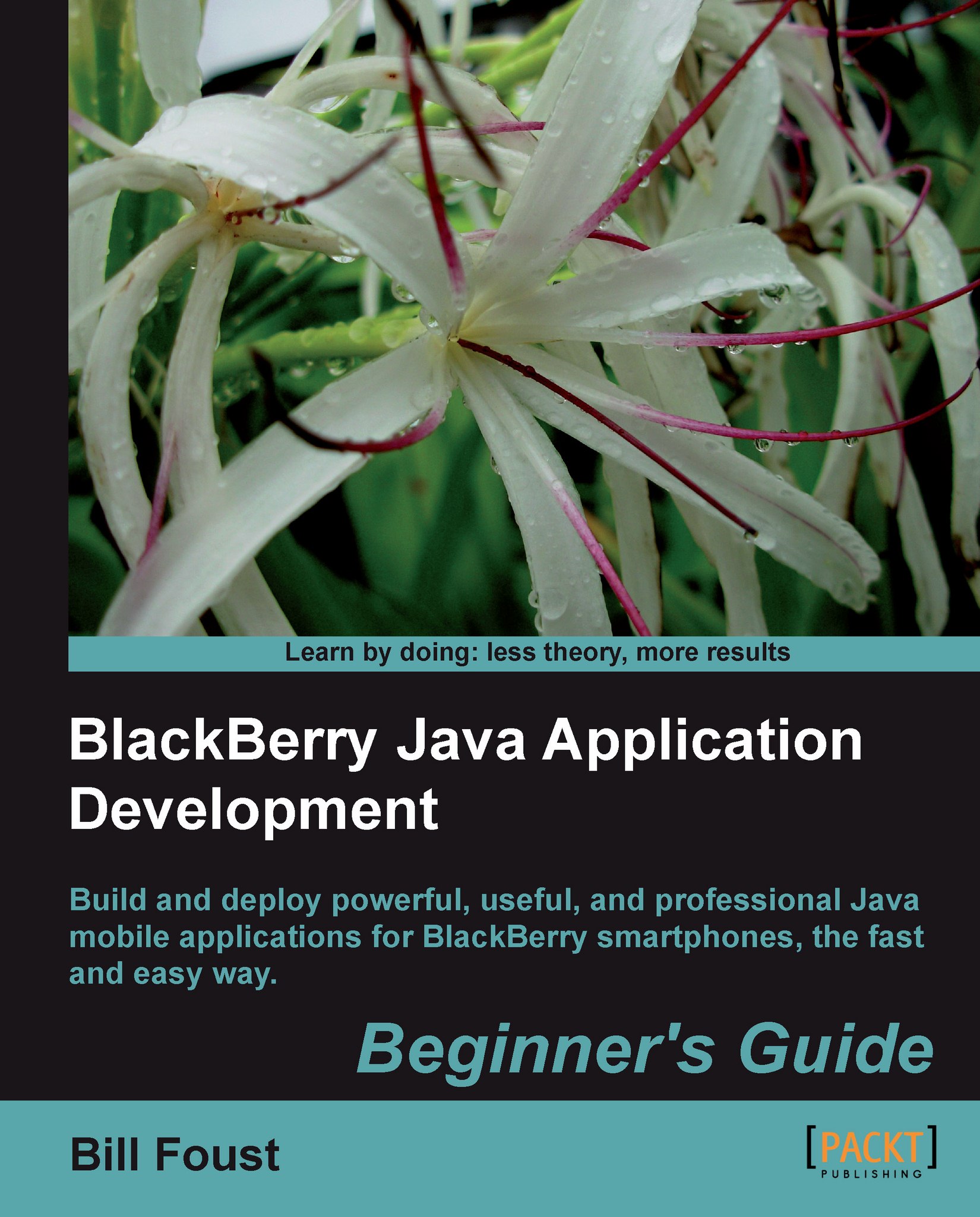
BlackBerry Java Application Development

BlackBerry Java Application Development: Build and deploy powerful, useful, and professional Java mobile applications for BlackBerry smartphones, the fast and easy way.

eBook
€22.49 €24.99
Paperback
€30.99
Subscription
Free Trial
Renews at €18.99p/m

What do you get with Print?

Product feature icon Instant access to your digital copy whilst your Print order is Shipped
Product feature icon Paperback book shipped to your preferred address
Product feature icon Redeem a companion digital copy on all Print orders
Product feature icon Access this title in our online reader with advanced features
Product feature icon DRM FREE - Read whenever, wherever and however you want
Modal Close icon
Payment Processing...
tick Completed

Shipping Address

Billing Address

Shipping Methods
Table of content icon View table of contents Preview book icon Preview Book

BlackBerry Java Application Development

Chapter 2. Installing the Development Environment

Every development task begins with setting up an environment with the right tools for creating applications. As we discussed in the previous chapter, this book will focus on the Java Development approach and this chapter will help you to get that environment set up.

In this chapter, we shall:

  • Reveal that there are two different development environments, both of which can be used to create BlackBerry applications

  • Install the Java SDK (which is the foundation) for using the development environment

  • Install Eclipse with the BlackBerry Component Package

  • Configure Eclipse with other Component Package versions

I can tell that you are ready to get on with it, so let's go!

System requirements


Even though most of the tools we will be using are written in Java, and the language we are using is Java, the system requirements still say that a Windows system is needed. This is because not ALL of the tools are written in Java and are therefore not portable. Specifically, the Simulators, which are an integral part of developing an application, are not portable and are Windows specific. We require:

  • Windows 2000 SP1, Windows XP, or Windows Vista

  • 512MB of RAM

  • 500MB of disk space

  • Java v6 update 16 (32-bit) (older versions of the JDE may work with older JDK versions, but it is best to get the latest version)

Development Environments


The title of this chapter is a little misleading because there isn't just one Integrated Development Environment (IDE), there are in fact two. They are both fully functional and either one can be used to create applications.

The first and original option is called the BlackBerry Java Development Environment or JDE for short. The JDE is a custom development environment created by RIM for the sole purpose of developing applications in Java for BlackBerry handhelds. This customized nature is both good and bad. On the one hand, you have an environment where you can do everything you need to do, and nothing more, which can lead to a concise and simple environment. On the other hand, simplicity also means lack of power, and some users may find this to be frustrating.

The second option is to use the BlackBerry Eclipse plugin. Eclipse is an open source IDE that has become the de facto industry standard for Java development. There is a large maintenance team and new features...

Time for action - downloading the Java Development Kit


  1. 1. There are many versions of Java, and if you are unfamiliar with the various flavors, this can be confusing. To be more specific, you need to download and install the Java SE SDK without any other bundles. You will need version 6 Update 20, which is the latest version at the time of this writing. The latest versions can be found at http://java.sun.com/javase/downloads/.

  2. 2. The next step is to select which version of the JDK is to be downloaded. The drop list offers choices for many common systems and environments. You want to make sure to select the "Windows" version. You must also check the I agree checkbox before continuing.

    Note

    You may be tempted to select the Windows x64 option if you are running Windows Vista x64 or Windows 7 x64. The BlackBerry SDK does not support 64-bit operating systems, so even if you have a 64-bit operating system, select the standard Windows 32-bit version. You can do development on 64-bit versions of Windows...

Time for action - installing the Java Development Kit (JDK)


  1. 1. The installation starts off with the End User License Agreement for the Java Development Kit. If you enjoy reading legalese, feel free to read through it, but if you are like most people, just click on the Accept button and go on.

  2. 2. The next screen shows several components that could be installed. All of the components are enabled by default, but you really need only the public JRE and the Development Tools. The Source Code can help with debugging at times, but in all honesty you probably won't ever use it. Demos and Samples can be helpful for understanding Java in general, but won't have any of the BlackBerry-specific topics in it. The Java DB definitely won't be used on any BlackBerry applications.

  3. 3. After this, the setup program does a lot of work before stopping at another screen asking where to put the install files. I recommend accepting the defaults.

  4. 4. This package is also installing the JRE, which does integrate with...

Introducing the BlackBerry Developer Zone


Before getting focused on creating applications, I think it's wise to present the official source for information, support, downloads, and forums for BlackBerry—the BlackBerry Developer Zone at http://www.blackberrydeveloper.com. Here you can find the official documentation, a knowledge base full of great articles, support forums, and much more. Specifically, here are some great resources to go for more information in the future:

Time for action - downloading Eclipse with the JDE plugin


  1. 1. On the BlackBerry website the pre-bundled version is called the Full Installer and has a large Download Now button, as shown in the following screenshot. Click on the Download Now button to get started.

  2. 2. When you click on the Download Now button, you will be shown another registration page. I know you already filled out all of that information, but you have to do it again, and again, and again. It's rather annoying really. Be sure to change the radio button at the bottom confirming that you are not lying to them because it defaults to No and won't proceed until changed to Yes.

  3. 3. Next, you will find one or two license agreements that you must accept (depends on which version you download). After all that, you can finally download the setup file.

What just happened?

The Eclipse Full Installer includes both the BlackBerry 4.5 components as well as the Eclipse installation already integrated together. We chose to install the Full Installer...

Time for action - installing the JDE plugin for Eclipse Full installer


  1. 1. Once the download is complete, begin the installation by running the setup program. As is typical with install programs, the first dialog in the setup program is a simple welcome screen reminding you what you are about to install. It is worth noting that this screen reminds you that you will need administrator privileges in order to install it. Click on the Next button to get started.

  2. 2. The next screen is the license agreement that you must accept. Like everyone else in the world, just accept the terms and move on. Click on the Next button after selecting the Accept radio button.

  3. 3. Following the "License Agreement" dialog is an "Install Location" dialog. I recommend using the defaults, but there will always be one person in the crowd who wants to do things differently. That's OK. That's what this page is for. You will need to come back to this location though, so be sure to remember it. Click on the Next button when...

Time for action - installing other JDE component packages over-the-air


  1. 1. Whether you want to install from a pre-downloaded package or use the over-the-air installer, you must use a wizard in Eclipse to do it. So to get started, launch Eclipse and navigate to Help | Software Updates....

  2. 2. The first tab of this dialog shows all of the component packages that are installed in Eclipse currently. The second tab, the Available Software tab, is where you go to add new component packages.

  3. 3. The provided list has a few packages that they think you might be interested in, but BlackBerry is not part of that list. Click on the Add Site button to add the site for BlackBerry updates manually. If you would like to use the on-the-fly installer enter the URL http://www.blackberry.com/go/eclipseUpdate into the Location field in the dialog. Note the capitalized U in Update! Using this site you can download all versions of the Eclipse plugin component packages, which can be very handy. Click on OK to return...

Summary


This chapter was devoted to learning how to set up and install the development environment used in creating BlackBerry applications. Even though there is more than one available, we've focused on using Eclipse as the tool of choice for this book.

Specifically, we covered:

  • Downloading and installing the JDK

  • Registering with the BlackBerry Developer Zone

  • Downloading and installing Eclipse, including how to add on other component packages

Now that we've gotten the necessary software installed, we can get started with looking at some code and getting familiar with using Eclipse. The first part of the next chapter covers the basics of using Eclipse and then dives right into an actual application by importing, compiling, and debugging one of the sample applications that comes with the SDK. This simple "Hello World" application is then dissected and explained practically line-by-line.

Left arrow icon Right arrow icon

Key benefits

  • Develop professional, rich, and smart Java applications using BlackBerry SDK
  • Discover the powerful components provided by the SDK to build a powerful user interface with a common look and feel
  • Explore the complex, but important, topic of network communications
  • Integrate with the standard applications on all BlackBerry Smartphone to make your application even more useful
  • Packed with hands-on examples and clear explanations for better understanding

Description

BlackBerry Smartphone was once the domain of jet-setting business users with power suits. Now you can hardly go anywhere without seeing someone using a BlackBerry to check their messages or make a call. It's this kind of explosive growth that makes the BlackBerry ecosystem a great place to develop and market applications through the BlackBerry App World store—this book shows you how to do just that! This step-by-step guide gives you a hands-on experience of developing innovative Java applications for your BlackBerry. With the help of this book, you will learn to build your own applications to illustrate the platform, and the various capabilities that developers can use in their programs. It explores the powers of Blackberry and helps you develop professional and impressive Java applications. The book teaches how to write rich, interactive, and smart BlackBerry applications in Java. It expects the readers to know Java but not Java Mobile or the BlackBerry APIs. We will learn to build rich, interactive, and smart Java applications for the BlackBerry. The book will cover UI programming, data storage, programming network, and internet API apps. As we move on, we will learn more about the BlackBerry's device features, such as messaging, GPS, multimedia, contacts and calendar, and so on.This book also helps you build your own applications to illustrate the platform, and the various capabilities that developers can use in their programs.

Who is this book for?

If you are a Java programmer who wants to build BlackBerry applications with Java, this book is for you.

What you will learn

  • Learn about the two approaches to develop BlackBerry applications
  • Understand how the SDK version relates to target devices and learn about the BlackBerry Developer Zone
  • Install the Java SDK, which is the foundation using the development environment
  • Install Eclipse with the BlackBerry Component Package and configure it with other Component Package versions
  • Import the existing HelloWorldDemo supplied with the software and compile and debug the application
  • Study PIM, create new PIM Items, and assign values to their fields
  • Set up a Screen with fields and create and use menus
  • Learn the usage of the Field styles and classes to the fullest
  • Study about a Layout Manager and create custom Dialogs on the fly to collect discrete pieces of information
  • Get to know the pros and cons for each record-based approach and pick the one that best meets your needs
  • Create new Personal Information Management (PIM) items and assign values to their fields
  • Understand the basics of HTTP and the correct usage of GET or POST
  • Learn the working of Global Position System and the three methods by which a BlackBerry handheld can get location information
Estimated delivery fee Deliver to Switzerland
Standard delivery 10 - 13 business days

€11.95

Premium delivery 3 - 6 business days

€16.95
(Includes tracking information)

Product Details

Country selected
Publication date, Length, Edition, Language, ISBN-13
Publication date : Jul 26, 2010
Length: 368 pages
Edition : 1st
Language : English
ISBN-13 : 9781849690201
Category :
Languages :

What do you get with Print?

Product feature icon Instant access to your digital copy whilst your Print order is Shipped
Product feature icon Paperback book shipped to your preferred address
Product feature icon Redeem a companion digital copy on all Print orders
Product feature icon Access this title in our online reader with advanced features
Product feature icon DRM FREE - Read whenever, wherever and however you want
Modal Close icon
Payment Processing...
tick Completed

Shipping Address

Billing Address

Shipping Methods
Estimated delivery fee Deliver to Switzerland

Standard delivery 10 - 13 business days

€11.95

Premium delivery 3 - 6 business days

€16.95
(Includes tracking information)

Product Details

Publication date : Jul 26, 2010
Length: 368 pages
Edition : 1st
Language : English
ISBN-13 : 9781849690201
Category :
Languages :

Packt Subscriptions

See our plans and pricing
Modal Close icon
€18.99 billed monthly
Feature tick icon Unlimited access to Packt's library of 7,000+ practical books and videos
Feature tick icon Constantly refreshed with 50+ new titles a month
Feature tick icon Exclusive Early access to books as they're written
Feature tick icon Solve problems while you work with advanced search and reference features
Feature tick icon Offline reading on the mobile app
Feature tick icon Simple pricing, no contract
€189.99 billed annually
Feature tick icon Unlimited access to Packt's library of 7,000+ practical books and videos
Feature tick icon Constantly refreshed with 50+ new titles a month
Feature tick icon Exclusive Early access to books as they're written
Feature tick icon Solve problems while you work with advanced search and reference features
Feature tick icon Offline reading on the mobile app
Feature tick icon Choose a DRM-free eBook or Video every month to keep
Feature tick icon PLUS own as many other DRM-free eBooks or Videos as you like for just €5 each
Feature tick icon Exclusive print discounts
€264.99 billed in 18 months
Feature tick icon Unlimited access to Packt's library of 7,000+ practical books and videos
Feature tick icon Constantly refreshed with 50+ new titles a month
Feature tick icon Exclusive Early access to books as they're written
Feature tick icon Solve problems while you work with advanced search and reference features
Feature tick icon Offline reading on the mobile app
Feature tick icon Choose a DRM-free eBook or Video every month to keep
Feature tick icon PLUS own as many other DRM-free eBooks or Videos as you like for just €5 each
Feature tick icon Exclusive print discounts

Frequently bought together


Stars icon
Total 30.99
BlackBerry Java Application Development
€30.99
Total 30.99 Stars icon

Table of Contents

11 Chapters
Introducing BlackBerry Application Development Chevron down icon Chevron up icon
Installing the Development Environment Chevron down icon Chevron up icon
Getting Familiar with the Development Environment Chevron down icon Chevron up icon
Creating your First BlackBerry Project Chevron down icon Chevron up icon
Learning the Basics About the UI Chevron down icon Chevron up icon
Going Deeper into the UI Chevron down icon Chevron up icon
Storing Data Chevron down icon Chevron up icon
Interfacing with Applications Chevron down icon Chevron up icon
Networking Chevron down icon Chevron up icon
Advanced Topics Chevron down icon Chevron up icon
Wrapping It All Up Chevron down icon Chevron up icon

Customer reviews

Rating distribution
Full star icon Full star icon Full star icon Full star icon Empty star icon 4
(1 Ratings)
5 star 0%
4 star 100%
3 star 0%
2 star 0%
1 star 0%
Ken T Feb 07, 2011
Full star icon Full star icon Full star icon Full star icon Empty star icon 4
It's a great book easy step by step Explain follow by Action. Even though you don't know Java, it's a book for you. Also, it give me a clear code explaination which when I read other dummies book this one was much worth for my money.
Amazon Verified review Amazon
Get free access to Packt library with over 7500+ books and video courses for 7 days!
Start Free Trial

FAQs

What is the digital copy I get with my Print order? Chevron down icon Chevron up icon

When you buy any Print edition of our Books, you can redeem (for free) the eBook edition of the Print Book you’ve purchased. This gives you instant access to your book when you make an order via PDF, EPUB or our online Reader experience.

What is the delivery time and cost of print book? Chevron down icon Chevron up icon

Shipping Details

USA:

'

Economy: Delivery to most addresses in the US within 10-15 business days

Premium: Trackable Delivery to most addresses in the US within 3-8 business days

UK:

Economy: Delivery to most addresses in the U.K. within 7-9 business days.
Shipments are not trackable

Premium: Trackable delivery to most addresses in the U.K. within 3-4 business days!
Add one extra business day for deliveries to Northern Ireland and Scottish Highlands and islands

EU:

Premium: Trackable delivery to most EU destinations within 4-9 business days.

Australia:

Economy: Can deliver to P. O. Boxes and private residences.
Trackable service with delivery to addresses in Australia only.
Delivery time ranges from 7-9 business days for VIC and 8-10 business days for Interstate metro
Delivery time is up to 15 business days for remote areas of WA, NT & QLD.

Premium: Delivery to addresses in Australia only
Trackable delivery to most P. O. Boxes and private residences in Australia within 4-5 days based on the distance to a destination following dispatch.

India:

Premium: Delivery to most Indian addresses within 5-6 business days

Rest of the World:

Premium: Countries in the American continent: Trackable delivery to most countries within 4-7 business days

Asia:

Premium: Delivery to most Asian addresses within 5-9 business days

Disclaimer:
All orders received before 5 PM U.K time would start printing from the next business day. So the estimated delivery times start from the next day as well. Orders received after 5 PM U.K time (in our internal systems) on a business day or anytime on the weekend will begin printing the second to next business day. For example, an order placed at 11 AM today will begin printing tomorrow, whereas an order placed at 9 PM tonight will begin printing the day after tomorrow.


Unfortunately, due to several restrictions, we are unable to ship to the following countries:

  1. Afghanistan
  2. American Samoa
  3. Belarus
  4. Brunei Darussalam
  5. Central African Republic
  6. The Democratic Republic of Congo
  7. Eritrea
  8. Guinea-bissau
  9. Iran
  10. Lebanon
  11. Libiya Arab Jamahriya
  12. Somalia
  13. Sudan
  14. Russian Federation
  15. Syrian Arab Republic
  16. Ukraine
  17. Venezuela
What is custom duty/charge? Chevron down icon Chevron up icon

Customs duty are charges levied on goods when they cross international borders. It is a tax that is imposed on imported goods. These duties are charged by special authorities and bodies created by local governments and are meant to protect local industries, economies, and businesses.

Do I have to pay customs charges for the print book order? Chevron down icon Chevron up icon

The orders shipped to the countries that are listed under EU27 will not bear custom charges. They are paid by Packt as part of the order.

List of EU27 countries: www.gov.uk/eu-eea:

A custom duty or localized taxes may be applicable on the shipment and would be charged by the recipient country outside of the EU27 which should be paid by the customer and these duties are not included in the shipping charges been charged on the order.

How do I know my custom duty charges? Chevron down icon Chevron up icon

The amount of duty payable varies greatly depending on the imported goods, the country of origin and several other factors like the total invoice amount or dimensions like weight, and other such criteria applicable in your country.

For example:

  • If you live in Mexico, and the declared value of your ordered items is over $ 50, for you to receive a package, you will have to pay additional import tax of 19% which will be $ 9.50 to the courier service.
  • Whereas if you live in Turkey, and the declared value of your ordered items is over € 22, for you to receive a package, you will have to pay additional import tax of 18% which will be € 3.96 to the courier service.
How can I cancel my order? Chevron down icon Chevron up icon

Cancellation Policy for Published Printed Books:

You can cancel any order within 1 hour of placing the order. Simply contact customercare@packt.com with your order details or payment transaction id. If your order has already started the shipment process, we will do our best to stop it. However, if it is already on the way to you then when you receive it, you can contact us at customercare@packt.com using the returns and refund process.

Please understand that Packt Publishing cannot provide refunds or cancel any order except for the cases described in our Return Policy (i.e. Packt Publishing agrees to replace your printed book because it arrives damaged or material defect in book), Packt Publishing will not accept returns.

What is your returns and refunds policy? Chevron down icon Chevron up icon

Return Policy:

We want you to be happy with your purchase from Packtpub.com. We will not hassle you with returning print books to us. If the print book you receive from us is incorrect, damaged, doesn't work or is unacceptably late, please contact Customer Relations Team on customercare@packt.com with the order number and issue details as explained below:

  1. If you ordered (eBook, Video or Print Book) incorrectly or accidentally, please contact Customer Relations Team on customercare@packt.com within one hour of placing the order and we will replace/refund you the item cost.
  2. Sadly, if your eBook or Video file is faulty or a fault occurs during the eBook or Video being made available to you, i.e. during download then you should contact Customer Relations Team within 14 days of purchase on customercare@packt.com who will be able to resolve this issue for you.
  3. You will have a choice of replacement or refund of the problem items.(damaged, defective or incorrect)
  4. Once Customer Care Team confirms that you will be refunded, you should receive the refund within 10 to 12 working days.
  5. If you are only requesting a refund of one book from a multiple order, then we will refund you the appropriate single item.
  6. Where the items were shipped under a free shipping offer, there will be no shipping costs to refund.

On the off chance your printed book arrives damaged, with book material defect, contact our Customer Relation Team on customercare@packt.com within 14 days of receipt of the book with appropriate evidence of damage and we will work with you to secure a replacement copy, if necessary. Please note that each printed book you order from us is individually made by Packt's professional book-printing partner which is on a print-on-demand basis.

What tax is charged? Chevron down icon Chevron up icon

Currently, no tax is charged on the purchase of any print book (subject to change based on the laws and regulations). A localized VAT fee is charged only to our European and UK customers on eBooks, Video and subscriptions that they buy. GST is charged to Indian customers for eBooks and video purchases.

What payment methods can I use? Chevron down icon Chevron up icon

You can pay with the following card types:

  1. Visa Debit
  2. Visa Credit
  3. MasterCard
  4. PayPal
What is the delivery time and cost of print books? Chevron down icon Chevron up icon

Shipping Details

USA:

'

Economy: Delivery to most addresses in the US within 10-15 business days

Premium: Trackable Delivery to most addresses in the US within 3-8 business days

UK:

Economy: Delivery to most addresses in the U.K. within 7-9 business days.
Shipments are not trackable

Premium: Trackable delivery to most addresses in the U.K. within 3-4 business days!
Add one extra business day for deliveries to Northern Ireland and Scottish Highlands and islands

EU:

Premium: Trackable delivery to most EU destinations within 4-9 business days.

Australia:

Economy: Can deliver to P. O. Boxes and private residences.
Trackable service with delivery to addresses in Australia only.
Delivery time ranges from 7-9 business days for VIC and 8-10 business days for Interstate metro
Delivery time is up to 15 business days for remote areas of WA, NT & QLD.

Premium: Delivery to addresses in Australia only
Trackable delivery to most P. O. Boxes and private residences in Australia within 4-5 days based on the distance to a destination following dispatch.

India:

Premium: Delivery to most Indian addresses within 5-6 business days

Rest of the World:

Premium: Countries in the American continent: Trackable delivery to most countries within 4-7 business days

Asia:

Premium: Delivery to most Asian addresses within 5-9 business days

Disclaimer:
All orders received before 5 PM U.K time would start printing from the next business day. So the estimated delivery times start from the next day as well. Orders received after 5 PM U.K time (in our internal systems) on a business day or anytime on the weekend will begin printing the second to next business day. For example, an order placed at 11 AM today will begin printing tomorrow, whereas an order placed at 9 PM tonight will begin printing the day after tomorrow.


Unfortunately, due to several restrictions, we are unable to ship to the following countries:

  1. Afghanistan
  2. American Samoa
  3. Belarus
  4. Brunei Darussalam
  5. Central African Republic
  6. The Democratic Republic of Congo
  7. Eritrea
  8. Guinea-bissau
  9. Iran
  10. Lebanon
  11. Libiya Arab Jamahriya
  12. Somalia
  13. Sudan
  14. Russian Federation
  15. Syrian Arab Republic
  16. Ukraine
  17. Venezuela
Modal Close icon
Modal Close icon