Search icon CANCEL
Subscription
0
Cart icon
Your Cart (0 item)
Close icon
You have no products in your basket yet
Save more on your purchases! discount-offer-chevron-icon
Savings automatically calculated. No voucher code required.
Arrow left icon
Explore Products
Best Sellers
New Releases
Books
Videos
Audiobooks
Learning Hub
Newsletter Hub
Free Learning
Arrow right icon
timer SALE ENDS IN
0 Days
:
00 Hours
:
00 Minutes
:
00 Seconds
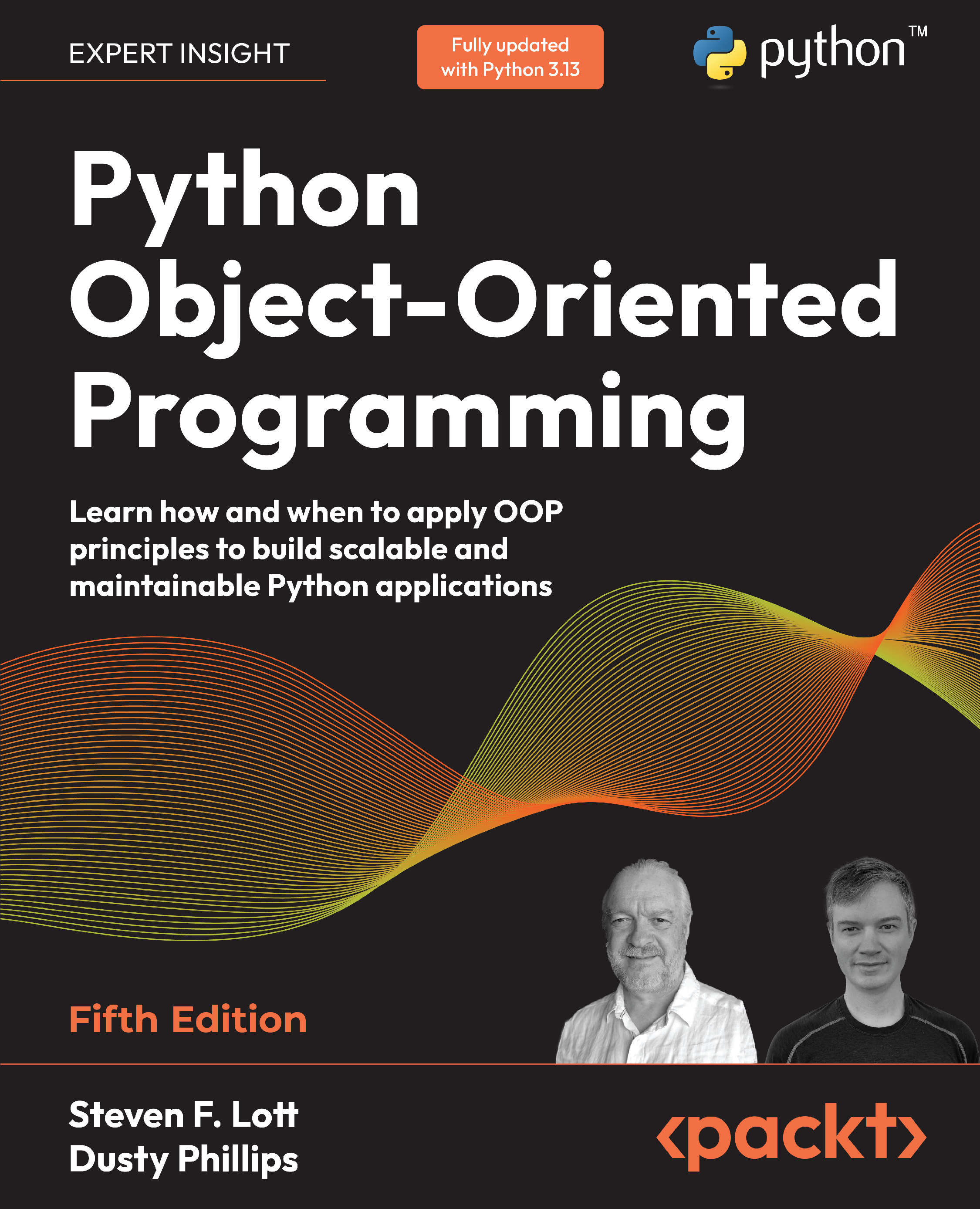
Python Object-Oriented Programming

Python Object-Oriented Programming: Learn how and when to apply OOP principles to build scalable and maintainable Python applications , Fifth Edition

Arrow left icon
Profile Icon Steven F. Lott Profile Icon Dusty Phillips
Arrow right icon
€18.99 per month
Paperback Nov 2025 542 pages 5th Edition
eBook
$26.99 $29.99
Paperback
$37.99
Subscription
Free Trial
Renews at €18.99p/m
Arrow left icon
Profile Icon Steven F. Lott Profile Icon Dusty Phillips
Arrow right icon
€18.99 per month
Paperback Nov 2025 542 pages 5th Edition
eBook
$26.99 $29.99
Paperback
$37.99
Subscription
Free Trial
Renews at €18.99p/m
eBook
$26.99 $29.99
Paperback
$37.99
Subscription
Free Trial
Renews at €18.99p/m

What do you get with a Packt Subscription?

Free for first 7 days. $19.99 p/m after that. Cancel any time!
Product feature icon Unlimited ad-free access to the largest independent learning library in tech. Access this title and thousands more!
Product feature icon 50+ new titles added per month, including many first-to-market concepts and exclusive early access to books as they are being written.
Product feature icon Innovative learning tools, including AI book assistants, code context explainers, and text-to-speech.
Product feature icon Thousands of reference materials covering every tech concept you need to stay up to date.
Subscribe now
View plans & pricing
Table of content icon View table of contents Preview book icon Preview Book

Python Object-Oriented Programming

Chapter 2
Objects in Python

We have a design in hand and are ready to turn that design into a working program! Of course, it doesn’t usually happen this way. We’ll be seeing examples and suggestions for good software design throughout the book, but our focus is on object-oriented programming. So, let’s have a look at the Python syntax that allows us to create object-oriented software.

After completing this chapter, we will understand the following:

  • Python’s type hints

  • Creating classes and instantiating objects in Python

  • Using composition techniques to create more complicated objects

  • Organizing classes into packages and modules

  • Accessing class members wisely, including ways to suggest that collaborating objects don’t clobber an object’s internal state

  • Working with third-party packages available from...

2.1 Technical requirements

The code for this chapter can be found in the PacktPublishing repository: https://github.com/PacktPublishing/Python-Object-Oriented-Programming-5E. Within that repository’s files, we’ll focus on the ch_02 directory.

This chapter will use the mypy tool, which is installed separately. Commands such as python -m pip install mypy will install this. If you’re using uv to manage your environment, then uvx tool install mypy will add mypy.

All of the examples were tested with Python 3.12 and 3.13. The uv tool can be used to test the code: uvx tox.

2.2 Introducing types and classes

Before we can look closely at creating classes, we need to talk a little bit about what a class is and how to be sure we’re using it correctly. One central idea is everything in Python is an object.

When we write literal values such as "Hello, world!" or 42, we’re actually creating objects that are instances of built-in classes. (Some languages have “primitive types” which aren’t objects; Python doesn’t have this complication.) We can fire up interactive Python and use the built-in type() function on the class that defines the properties of these objects:

>>> type("Hello, world!") 
<class ’str’> 
>>> type(42) 
<class ’int’>

The point of object-oriented programming is to solve a problem via a collaboration of objects. When we write 6 * 7, the multiplication of the two...

2.3 Creating Python classes

We don’t have to write much Python code to realize that Python is a very clean language. When we want to do something, we can just do it, without having to set up a bunch of prerequisite code. The ubiquitous hello world in Python, as you’ve likely seen, is only one line.

Similarly, the simplest class in Python 3 looks like this:

class MyFirstClass: 
    pass

There’s our first object-oriented program! For more information on the syntax, see section 9.3.1 (https://docs.python.org/3/tutorial/classes.html#class-definition-syntax) of the Python Tutorial. The class name must follow standard Python variable naming rules: it must start with a letter or underscore, and can only be comprised of letters, underscores, or numbers. In addition, the Python style guide PEP 8: ( https://peps.python.org/pep-0008/) recommends classes should be named using what PEP 8 calls CapWords notation: start with a capital...

2.4 Composition and decomposition

To see composition in action, we’ll look at a few, isolated elements of the design of a chess game.

A game of chess is played between two players, using a chess set featuring a board containing 64 positions in an 8× 8 grid. The board can have two sets of 16 pieces that can be moved in alternating turns by the two players in different ways. Each piece can capture other pieces. The board will be required to draw itself on the computer screen after each turn.

We’ve identified some of the possible objects in the description using italics, and a few key methods using bold. This is a common first step in turning an object-oriented analysis into a design. At this point, to emphasize composition, we’ll focus on the board, without worrying too much about the players or the different types of pieces.

The chess set is composed of a board and 32 pieces. The board further comprises 64 positions. The positions are commonly...

2.5 Who can access my data?

Object-oriented programming languages have a concept of access control. This is related to the concept of encapsulation. Some languages have a spectrum of access controls including private, protected, public, and final.

Python doesn’t do this. Instead, Python is kept very simple, and provides some guidelines and best practices. All methods and attributes on a class are publicly available. We often remind each other of this by saying “We’re all adults here.” There’s no need to declare a variable as private or protected when we can all see the source code.

If we want to suggest that a method should not be used publicly, we really need to put a note in docstrings indicating that the method is meant for internal use only. Ideally, we include an explanation of how the public-facing API works. We often supplement this with examples copied and pasted from REPL interaction; examples that can be tested by the...

2.6 Modules and packages

Now we know how to create classes and instantiate objects. You don’t need to write too many classes (or non-object-oriented code, for that matter) before you start to lose track of them. For small programs, we generally put all our classes into one file and add a little script at the end of the file to start them interacting. However, as our projects grow, it can become difficult to find the one class that needs to be edited among the many classes we’ve defined. This is where modules come in. Modules are Python files, nothing more. The single file in our small program is a module. Two Python files are two modules. If we have two files in the same folder, we can load a class from one module for use in the other module.

The Python module name is the file path’s stem; the name without the .py suffix. A file with the name model.py is a module named model. Module files are found by searching paths that includes the local directory...

2.7 Third-party libraries and virtual environments

Python ships with a lovely standard library, which is a collection of packages and modules that are available on every machine that runs Python. However, you’ll soon find that it doesn’t contain everything you need. When this happens, you have two options:

  • Write a supporting library yourself

  • Use somebody else’s code, a third-party library

We won’t be covering the details about turning your packages into libraries. If you have a problem you need to solve and you don’t feel like coding it (the best programmers are extremely lazy and prefer to reuse existing, proven code, rather than write their own), you can probably find the library you want on the Python Package Index (PyPI) at https://pypi.python.org/. Once you’ve identified a package that you want to install, you can use a tool called pip to install it.

...

2.8 Virtual environment management

There are several add-on tools for managing virtual environments more effectively. For example virtualenv, can be used instead of the built-in venv package.

In some cases, even more support and automation is required. If you’re working in a data science environment, you’ll probably want to use conda so you can install the complex statistical and scientific packages. The conda tool works with the Anaconda libraries. For more information, see https://docs.conda.io/en/latest/.

Tools such as uv and poetry can help with installing packages, creating packages, and managing virtual environments. For more information, see https://docs.astral.sh/uv/ and https://python-poetry.org, respectively.

When using a tool like uv, use the uv init command to initialize the project directory. The --app option sets up the common structure for building an application. The --lib option will prepare the kind of directory structure...

2.9 Recall

Some key points in this chapter are as follows:

  • Python has optional type hints to help describe how data objects are related and what the parameters should be for methods and functions.

  • We create Python classes with the class statement. We should initialize the attributes in the special __init__() method.

  • Modules and packages are used as higher-level groupings of classes.

  • We need to plan out the organization of module content. While the general advice is ”flat is better than nested,” there are a few cases where it can be helpful to have nested packages.

  • Python has no notion of ”private” data. We often say ”we’re all adults here”; we can see the source code, and private declarations aren’t very helpful. This doesn’t change our design; it simply removes the need for...

2.10 Exercises

Write some object-oriented code. The goal is to use the principles and syntax you learned in this chapter to ensure you understand the topics we’ve covered. If you’ve been working on a Python project, go back over it and see whether there are some objects you can create and add properties or methods to. If your Python project is large, try dividing it into a few modules or even packages and play with the syntax. While a ”simple” script may expand when refactored into classes, there’s generally a gain in flexibility and extensibility.

If you don’t have such a project, try starting a new one. It doesn’t have to be something you intend to finish; just stub out some basic design parts. You don’t need to fully implement everything; often, just print("this method will do something") is all you need to get the overall design in place. This is called top-down design, in which...

2.11 Summary

In this chapter, we learned how to create classes and assign properties and methods in Python. Unlike many languages, Python differentiates between a constructor and an initializer. It has a relaxed attitude toward access control. There are many different levels of scope, including packages, modules, classes, and functions. We understood the difference between relative and absolute imports, and how to manage third-party packages that don’t come with Python.

In the next chapter, we’ll learn more about sharing an implementation among classes using inheritance.

Join our community Discord space

Join our Python Discord workspace to discuss and know more about the book: https://packt.link/dHrHU

PIC

Left arrow icon Right arrow icon
Download code icon Download Code

Key benefits

  • Master OOP fundamentals with hands-on examples and expert insights
  • Learn design patterns and type hinting with real-world Python 3.13 code
  • Develop scalable programs using testing and concurrency best practices
  • Purchase of the print or Kindle book includes a free PDF eBook

Description

Learn to write effective, maintainable, and scalable Python applications by mastering object-oriented programming with this updated fifth edition. Whether you’re transitioning from scripting to structured development or refining your OOP skills, this book offers a clear, practical path forward. You’ll explore Python’s approach to OOP, from class creation and inheritance to polymorphism and abstraction, while discovering how to make smarter decisions about when and how to use these tools. You’ll apply what you learn through hands-on examples and exercises. Updated for Python 3.13, this edition simplifies complex topics such as abstract base classes, testing with unittest and pytest, and async programming with asyncio. It introduces a new chapter on Python’s type hinting ecosystem—crucial for modern Python development. Written by long-time Python experts Steven Lott and Dusty Phillips, this edition emphasizes clarity, testability, and professional software engineering practices. It helps you move beyond scripting to building well-structured, production-ready Python systems. By the end of this book, you’ll be confident in applying OOP principles, design patterns, type hints, and concurrency tools to create robust and maintainable Python applications.

Who is this book for?

Python developers who want to deepen their understanding of object-oriented programming to write maintainable, scalable, and professional-grade code. Ideal for developers transitioning from scripting to software engineering or those coming from other OOP languages looking to master Python’s idiomatic approach. Basic Python knowledge is required.

What you will learn

  • Write Python classes and implement object behaviors
  • Apply inheritance, polymorphism, and composition
  • Understand when to use OOP—and when not to
  • Use type hints and perform static and runtime checks
  • Explore common and advanced design patterns in Python
  • Write unit and integration tests with unittest and pytest
  • Implement concurrency with asyncio, futures, and threads
  • Refactor procedural code into well-designed OOP structures

Product Details

Country selected
Publication date, Length, Edition, Language, ISBN-13
Publication date : Nov 28, 2025
Length: 542 pages
Edition : 5th
Language : English
ISBN-13 : 9781836642596
Category :
Languages :
Tools :

What do you get with a Packt Subscription?

Free for first 7 days. $19.99 p/m after that. Cancel any time!
Product feature icon Unlimited ad-free access to the largest independent learning library in tech. Access this title and thousands more!
Product feature icon 50+ new titles added per month, including many first-to-market concepts and exclusive early access to books as they are being written.
Product feature icon Innovative learning tools, including AI book assistants, code context explainers, and text-to-speech.
Product feature icon Thousands of reference materials covering every tech concept you need to stay up to date.
Subscribe now
View plans & pricing

Product Details

Publication date : Nov 28, 2025
Length: 542 pages
Edition : 5th
Language : English
ISBN-13 : 9781836642596
Category :
Languages :
Tools :

Packt Subscriptions

See our plans and pricing
Modal Close icon
€18.99 billed monthly
Feature tick icon Unlimited access to Packt's library of 7,000+ practical books and videos
Feature tick icon Constantly refreshed with 50+ new titles a month
Feature tick icon Exclusive Early access to books as they're written
Feature tick icon Solve problems while you work with advanced search and reference features
Feature tick icon Offline reading on the mobile app
Feature tick icon Simple pricing, no contract
€189.99 billed annually
Feature tick icon Unlimited access to Packt's library of 7,000+ practical books and videos
Feature tick icon Constantly refreshed with 50+ new titles a month
Feature tick icon Exclusive Early access to books as they're written
Feature tick icon Solve problems while you work with advanced search and reference features
Feature tick icon Offline reading on the mobile app
Feature tick icon Choose a DRM-free eBook or Video every month to keep
Feature tick icon PLUS own as many other DRM-free eBooks or Videos as you like for just $5 each
Feature tick icon Exclusive print discounts
€264.99 billed in 18 months
Feature tick icon Unlimited access to Packt's library of 7,000+ practical books and videos
Feature tick icon Constantly refreshed with 50+ new titles a month
Feature tick icon Exclusive Early access to books as they're written
Feature tick icon Solve problems while you work with advanced search and reference features
Feature tick icon Offline reading on the mobile app
Feature tick icon Choose a DRM-free eBook or Video every month to keep
Feature tick icon PLUS own as many other DRM-free eBooks or Videos as you like for just $5 each
Feature tick icon Exclusive print discounts

Table of Contents

16 Chapters
Chapter 1 Object-Oriented Design Chevron down icon Chevron up icon
Chapter 2 Objects in Python Chevron down icon Chevron up icon
Chapter 3 When Objects Are Alike Chevron down icon Chevron up icon
Chapter 4 Expecting the Unexpected Chevron down icon Chevron up icon
Chapter 5 When to Use Object-Oriented Programming Chevron down icon Chevron up icon
Chapter 6 Abstract Base Classes and Operator Overloading Chevron down icon Chevron up icon
Chapter 7 Python Type Hints Chevron down icon Chevron up icon
Chapter 8 Python Data Structures Chevron down icon Chevron up icon
Chapter 9 The Intersection of Object-Oriented and Functional Programming Chevron down icon Chevron up icon
Chapter 10 The Iterator Pattern Chevron down icon Chevron up icon
Chapter 11 Common Design Patterns Chevron down icon Chevron up icon
Chapter 12 Advanced Design Patterns Chevron down icon Chevron up icon
Chapter 13 Testing Object-Oriented Programs Chevron down icon Chevron up icon
Chapter 14 Concurrency Chevron down icon Chevron up icon
Other Books You May Enjoy Chevron down icon Chevron up icon
Index Chevron down icon Chevron up icon
Get free access to Packt library with over 7500+ books and video courses for 7 days!
Start Free Trial

FAQs

What is included in a Packt subscription? Chevron down icon Chevron up icon

A subscription provides you with full access to view all Packt and licnesed content online, this includes exclusive access to Early Access titles. Depending on the tier chosen you can also earn credits and discounts to use for owning content

How can I cancel my subscription? Chevron down icon Chevron up icon

To cancel your subscription with us simply go to the account page - found in the top right of the page or at https://subscription.packtpub.com/my-account/subscription - From here you will see the ‘cancel subscription’ button in the grey box with your subscription information in.

What are credits? Chevron down icon Chevron up icon

Credits can be earned from reading 40 section of any title within the payment cycle - a month starting from the day of subscription payment. You also earn a Credit every month if you subscribe to our annual or 18 month plans. Credits can be used to buy books DRM free, the same way that you would pay for a book. Your credits can be found in the subscription homepage - subscription.packtpub.com - clicking on ‘the my’ library dropdown and selecting ‘credits’.

What happens if an Early Access Course is cancelled? Chevron down icon Chevron up icon

Projects are rarely cancelled, but sometimes it's unavoidable. If an Early Access course is cancelled or excessively delayed, you can exchange your purchase for another course. For further details, please contact us here.

Where can I send feedback about an Early Access title? Chevron down icon Chevron up icon

If you have any feedback about the product you're reading, or Early Access in general, then please fill out a contact form here and we'll make sure the feedback gets to the right team. 

Can I download the code files for Early Access titles? Chevron down icon Chevron up icon

We try to ensure that all books in Early Access have code available to use, download, and fork on GitHub. This helps us be more agile in the development of the book, and helps keep the often changing code base of new versions and new technologies as up to date as possible. Unfortunately, however, there will be rare cases when it is not possible for us to have downloadable code samples available until publication.

When we publish the book, the code files will also be available to download from the Packt website.

How accurate is the publication date? Chevron down icon Chevron up icon

The publication date is as accurate as we can be at any point in the project. Unfortunately, delays can happen. Often those delays are out of our control, such as changes to the technology code base or delays in the tech release. We do our best to give you an accurate estimate of the publication date at any given time, and as more chapters are delivered, the more accurate the delivery date will become.

How will I know when new chapters are ready? Chevron down icon Chevron up icon

We'll let you know every time there has been an update to a course that you've bought in Early Access. You'll get an email to let you know there has been a new chapter, or a change to a previous chapter. The new chapters are automatically added to your account, so you can also check back there any time you're ready and download or read them online.

I am a Packt subscriber, do I get Early Access? Chevron down icon Chevron up icon

Yes, all Early Access content is fully available through your subscription. You will need to have a paid for or active trial subscription in order to access all titles.

How is Early Access delivered? Chevron down icon Chevron up icon

Early Access is currently only available as a PDF or through our online reader. As we make changes or add new chapters, the files in your Packt account will be updated so you can download them again or view them online immediately.

How do I buy Early Access content? Chevron down icon Chevron up icon

Early Access is a way of us getting our content to you quicker, but the method of buying the Early Access course is still the same. Just find the course you want to buy, go through the check-out steps, and you’ll get a confirmation email from us with information and a link to the relevant Early Access courses.

What is Early Access? Chevron down icon Chevron up icon

Keeping up to date with the latest technology is difficult; new versions, new frameworks, new techniques. This feature gives you a head-start to our content, as it's being created. With Early Access you'll receive each chapter as it's written, and get regular updates throughout the product's development, as well as the final course as soon as it's ready.We created Early Access as a means of giving you the information you need, as soon as it's available. As we go through the process of developing a course, 99% of it can be ready but we can't publish until that last 1% falls in to place. Early Access helps to unlock the potential of our content early, to help you start your learning when you need it most. You not only get access to every chapter as it's delivered, edited, and updated, but you'll also get the finalized, DRM-free product to download in any format you want when it's published. As a member of Packt, you'll also be eligible for our exclusive offers, including a free course every day, and discounts on new and popular titles.

Modal Close icon
Modal Close icon