Search icon CANCEL
Subscription
0
Cart icon
Your Cart (0 item)
Close icon
You have no products in your basket yet
Arrow left icon
Explore Products
Best Sellers
New Releases
Books
Events
Videos
Audiobooks
Packt Hub
Free Learning
Arrow right icon
timer SALE ENDS IN
0 Days
:
00 Hours
:
00 Minutes
:
00 Seconds
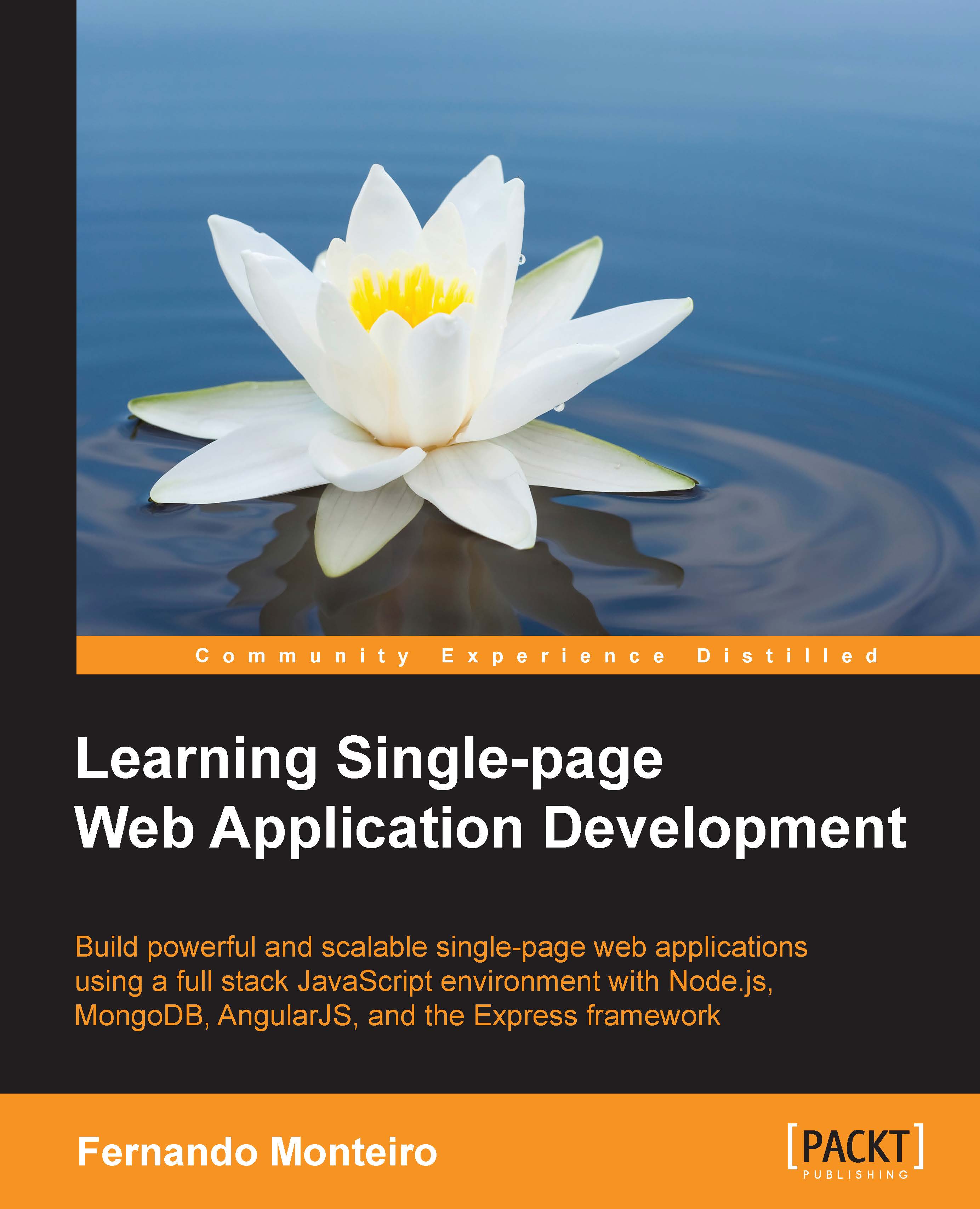
Learning Single-page Web Application Development

Learning Single-page Web Application Development: Build powerful and scalable single-page web applications using a full stack JavaScript environment with Node.js, MongoDB, AngularJS, and the Express framework

Arrow left icon
Profile Icon Fernando Monteiro
Arrow right icon
$26.99 $29.99
Full star icon Full star icon Full star icon Empty star icon Empty star icon 3 (1 Ratings)
eBook Dec 2014 214 pages 1st Edition
eBook
$26.99 $29.99
Paperback
$50.99
eBook + Subscription
$24.99 Monthly
Arrow left icon
Profile Icon Fernando Monteiro
Arrow right icon
$26.99 $29.99
Full star icon Full star icon Full star icon Empty star icon Empty star icon 3 (1 Ratings)
eBook Dec 2014 214 pages 1st Edition
eBook
$26.99 $29.99
Paperback
$50.99
eBook + Subscription
$24.99 Monthly
eBook
$26.99 $29.99
Paperback
$50.99
eBook + Subscription
$24.99 Monthly

What do you get with eBook?

Product feature icon Instant access to your Digital eBook purchase
Product feature icon Download this book in EPUB and PDF formats
Product feature icon Access this title in our online reader with advanced features
Product feature icon DRM FREE - Read whenever, wherever and however you want
Modal Close icon
Payment Processing...
tick Completed

Billing Address

Table of content icon View table of contents Preview book icon Preview Book

Learning Single-page Web Application Development

Chapter 1. Understanding Single Page Application

Single Page Application (SPA) is the greatest sensation at the moment. We have countless JavaScript frameworks available to ease our work. We cannot deny that JavaScript, as just a scripting language, has become the largest technology evolution since the rise of the Web, and of course, the browser's support is much better than the old times. Now, we can use the JavaScript language on both sides, that is, from the frontend to the backend (Node.js) and also include databases with MongoDB (we will talk about them briefly in the next chapters). Now, we focus on understanding the MVC/MVVM pattern on SPA. We will cover the following topics:

  • Getting acquainted with SPAs
  • Understanding the working of SPAs
  • Understanding the MVC/MVVM/MV* pattern
  • Peculiarities between SPA and traditional web development
  • Choosing a library or framework
  • Introducing the MEAN stack
  • The available tools
  • It's all about JavaScript
  • HTML, CSS, and the responsive way

Getting acquainted with SPA

SPA is a web application or website that fits on a single web page with the goal of providing a more fluid user experience and a rich interface. Also, only one page is not limited to only one file; we can have many templates in many different files.

Such applications can vary from a small simple create, read, update, and delete (CRUD), like a to-do list, until it reaches a more complex level with countless views, libraries, templates, scripts, and validations.

For a better example of a simple SPA, you can check out http://todomvc.com/; here, you can find a lot of information about many MVC frontend frameworks. The next paragraphs will show more about MVC on the client side.

The main goal about this kind of web application is to be able to update parts of an interface without sending or receiving a full-page request; this is perhaps the most interesting point about SPA.

SPA's popularity has been increasing in recent times, mainly because of its relative ease of development. This is because from the start, everything is done from the front-end of a web application using Ajax (to interacting with the server), HTML templates, a good MVC/MVVM framework, and of course, a lot of JavaScript.

Surely, we have a plethora of JavaScript frameworks that greatly facilitate our life as a developer, but how do we choose one from all these options? Which is the best option? What about the learning curve?

Throughout this chapter, we will understand the interaction models available between the most popular frameworks.

Before we begin our journey on SPAs, let's see the basic concept of the MVC/MVVM architecture.

Understanding the work of SPAs

What we see in this new world of web applications is an analogy to what had formerly been in software development on the server side, such as Model View Controller (MVC) or Model View Presenter (MVP). We will see Model View ViewModel (MVVM) in more detail in the next chapters.

Tip

Trygve Reenskaug introduced MVC into Smalltalk-76 while visiting Xerox Parc in the 1970s; In the 1980s, Jim Althoff et al implemented a version of MVC for the Smalltalk-80 class library. MVC was later expressed as a general concept in a 1988 article. More info can be found at https://heim.ifi.uio.no/~trygver/themes/mvc/mvc-index.html.

SPA has attracted a large number of developers lately, but what's so special or controversial in this development mode? What do these acronyms, MVC, MVP, and MVVM mean?

The answer to these questions is very simple; we can say this is all about JavaScript!

Wait a minute, JavaScript? You should be asking, "But what about HTML, CSS, server languages, and databases?" We'll understand it all and introduce what we call the full-stack developer using MEAN. However, we will take one step at a time.

Before we dive into the working of SPA, we need to learn about the MVC architecture.

Understanding the MVC/MVVM/MV* pattern

MVC is a software architecture pattern that emerged in the 1980s, and it separates the visual representation of information from the user's interaction.

However, we are talking about the MVC pattern on the client side, for example, JavaScript running on the client side, to be more specific, the web browser. Note that the majority of SPAs transfer to a web browser all the MVC logic used on the server with languages such as Java, C#, and Ruby.

We use JavaScript to model our application according to the standards of MVC on the client side and not on the server.

Another very important aspect is to understand what represents each development model, take a look at the following:

  • Presentation Model (PM)
  • Model View Presenter (MVP)
  • Model View Controller (MVC)
  • Model View ViewModel (MVVM)

Later in this chapter, we will see in more detail about these concepts. For now, let's take a look at the first appearance of MVVM.

In 2004, Martin Fowler published a small article about a design pattern called Presentation Model. The following is the pictorial representation of PM:

Understanding the MVC/MVVM/MV* pattern

Note

You can see the original article here: http://martinfowler.com/eaaDev/PresentationModel.html

Approximately one year later, in 2005, John Gossman, a Microsoft architect for Windows Presentation Foundation (WPF) and Silverlight, revealed a new pattern on his blog, this time named as Model View ViewModel.

Tip

John Gossman's original blog article can be found at http://blogs.msdn.com/b/johngossman/archive/2005/10/08/478683.aspx.

MVVM is very similar to Presentation Model; both patterns have an abstraction of a View (on the frontend, the view concept is what the client sees), which contains a View's state and behavior. The difference between them is that the MVVM model is more standardized and has been used in Silverlight for many years.

MVVM is based on MVC and MVP, which attempts to separate more clearly the development of User Interfaces (UIs/frontend) from that of the business logic and behavior in an application.

You might be asking, "but what does this have to do with SPA?"

Tip

An awesome resource on the emergence of the MVVM model is available at http://msdn.microsoft.com/en-us/magazine/dd419663.aspx.

Nowadays, we can clearly see this type of implementation applied to some JavaScript frameworks such as Durandal.js, Kendo UI, Ember.js, AngularJS, and Knockout.js among others. Each of these has its own way to implement it; however, they have the same concept. The following is the pictorial representation of MVP:

Understanding the MVC/MVVM/MV* pattern

Note

Backbone.js was the first MVC library to become popular, and it is an excellent alternative for the development of SPAs. For more information on it, check out http://backbonejs.org/.

Almost all the frameworks that we have today follows the standard MV* pattern. Now, let's review the concepts of MVVM:

  • Model: This represents domain-specific data or information that our application will be working with. Models hold information, but typically don't handle behavior. They don't format information or influence how data appears in the browser as this isn't their responsibility.
  • View: This is the only part of the application that the users actually interact with. It contains the data bindings and events and behaviors, it is an interactive UI that represents the state of a ViewModel. View isn't responsible for handling state—it keeps this in sync with ViewModel.
  • ViewModel: This can be considered as a specialized Controller that acts as a data converter. It changes Model information into View information, passing commands from View to Model.

Views and ViewModels communicate using data-bindings and events. The following is the pictorial representation of how MVVM works:

Understanding the MVC/MVVM/MV* pattern

For a better understanding of MVVM, let's take a look at the two-way data binding, which is the core concept and one of the most important pieces in SPA. Due to data binding, we can update the interface with the changes made in the model and vice versa.

The concept of data binding is simplified as the process that establishes a connection between the application UI and business logic. It can also mean that when data is changed, the underlying data will reflect that change.

Let's see a more practical example in analogy to a JavaScript object.

Two-way data binding refers to the ability to bind changes to an object's properties to changes in the UI and vice versa. In other words, if we have a user object with the name property, whenever we assign a new value to user.name, the UI should show the new name. In the same way, if the UI includes an input field for the user's name, entering a value should cause the name property of the user object variable to be changed accordingly:

var user = {
  name : "fernando",
  age : 25
}

Both MVP and MVVM are derivatives of MVC. The key difference between both is the dependencies each layer has on the other layers, as well as how tightly bound they are with regard to each other.

In MVC, the View sits on top of our architecture with the Controller below it. Models sit below the controller, and so our Views know about our Controllers, and Controllers know about Models. Here, our Views have direct access to Models. However, exposing the complete Model to the View might have security and performance costs, depending on the complexity of our application. MVVM attempts to avoid these issues.

In MVP, the role of the controller is replaced with a Presenter. Presenters sit at the same level as views, listening to events from both View and Model and mediating the actions between them. Unlike MVVM, there isn't a mechanism to bind Views to ViewModels, so we instead rely on each View to implement an interface and allow Presenter to interact with View.

Pretty simple, right? However, we must be very careful in choosing the best tool for our work, or we can further complicate the performance of our application. The following screenshot shows an overview of the MVC, MVVM, and MVP I/O flow:

Understanding the MVC/MVVM/MV* pattern

Of course, we have more names to care about such as Router, Collections, Events, and Sync but they are part of different implementations, as discussed in the book later.

There are numerous points to consider before building a new app; to make matters worse, the expansive web development landscape can be intimidating at the outset, but don't worry, we will detail everything.

Peculiarities between SPA and traditional web development

Let's now review some important points of employing the MVC/ MVVM pattern, to build web applications, instead of traditional web applications.

One of the important points is that the MVC pattern can be applied on the server side or client side. For example, we can use the MVC pattern that runs on the server using some JavaScript library as Express and build a SPA only on the server (in this case, Node.js). This is because MVC is a software architecture pattern and can be applied on both sides, frontend with MVC frontend frameworks and on server-side frameworks such as Ruby on Rails and .NET.

On SPA, everything happens on just one page; as mentioned before, there's no refresh on page request, such as in multipage applications where we have page reload on each request. All the necessary content is injected into the page through the use of Ajax and HTML templates to render the content.

We consider this the main difference between SPA and applications with multiple pages, where for each new page that is requested, we have a new request.

There are many other differences to consider, but the best tool is the one that makes you more productive. Then, the choice should be based on the project's scope, budget, and technical knowledge of the development team.

JavaScript MVVM or MV* facilitates easier parallel development of a UI and the building blocks that power it. You can have a frontend developer working on the UI, HTML templates, and data-bindings and another developer working on the server-side logic of the same page.

Note

On multipage applications, we have HTML code generated on the server, and this makes the job of styling and customization of the user interface more difficult. Generally, we cannot have simultaneous work on the same screen.

Also, on multipage applications, the template used is the server-side template, so the web page is parsed and sent to the browser. However, in the case of SPA, the HTML code is generated on the fly according to the view, using some templates such as Handlebars and Underscores.

Choosing a library or framework

Frameworks generally have a greater number of methods and functions than just a small library, and furthermore its work might become more complex as the application grows.

We need to look at other important points as well:

  • The community behind the tool: Often, there are active communities, and it is easy to find related stuff. However, obscure frameworks/libraries tend to have a small community behind them and a reduced number of online resources.
  • The frequency of updates: Outdated frameworks/libraries have a larger number of errors, and the lack of frequent updates lead to more problems than you can possibly have.
  • Learning curve: The higher the learning curve for a new tool, the greater the development time of your project. In a corporate environment, this can be very costly in the delivery of your project. A low learning curve lets you become more focused on building the application without having to worry about learning and solving problems at the same time.
  • Support to other libraries: This lets you remove and add things without breaking your current code. Here, you can easily replace a library or code snippet for another without affecting the application.
  • Dependencies: This shows how many dependent files you need to include in your project so that everything works and how all dependencies consume resources and transfer bandwidth. Successful applications tend to grow steadily, and consequently you will need to add some more dependencies.
  • Modularity: Modular applications can be easily manipulated and can be scaled progressively. Modular systems have greater flexibility and reduce development costs. A framework that enables the use of modules is strongly recommended and not limited only to SPA but for all web applications.

Choosing a framework is the first and the most important choice you will make in the planning stage of the application. For sure, you'll want to choose the best framework or at least the most popular.

But how to choose? Every day we have new options emerging from simple libraries, and we also have small plugins to complex frameworks to choose from; so, how to decide?

Here, we make a simple list to ease your decision; you must keep in mind the following concepts about frameworks and libraries before you start:

  • Libraries are snippets of codes, usually in the same file, and intended to solve a single problem. Often, they are fairly lightweight and have a very short learning curve.
  • Frameworks are more robust and sometimes more heavy than simple libraries; they have a directory structure and a lot of concepts, conventions, and rules to follow. They have a long learning curve.

We can cite the following alternatives as libraries, where each of them propose to solve a specific problem or set of problems without the need for you to follow very rigid patterns of organizing code:

  • Bootbox (simple alert messages)
  • Knockout (data binds and observables)
  • jQuery (DOM manipulation and effects)
  • Rivets (data binding and templates)

The following are some frameworks; they all adopt a standard MVC/MVVM, as already mentioned:

  • Ember
  • Angular
  • Kendo UI
  • Backbone
  • Meteor

Also, we need to mention some variations such as Durandal.js (Mixin jQuery, Knockout, Require.js), and Thorax.js (Mixin Backbone, Handlebars), which are widely used on the frontend, and others such as Express, Jade, and Handlebars (hbs) are used on the backend of the Node.js server.

Note

Handlebars is an incredible tool to build JavaScript templates on both the server and frontend; it is very lightweight and flexible and can be found at http://handlebarsjs.com/.

From the previous list, we can say that Kendo UI has all the peculiarities of MVVM frameworks with plus points such as UI components, data-bindings, and charts. Angular.js has the power to create your own directives and the most popularity with a huge community behind it.

So, what's best for your project? We need to answer some very important questions when choosing the right tool:

  • How big is your project?
  • Have you previously defined a structure or pattern?
  • What kind of tasks you need to solve and are they simple?
  • How short are the deadlines? Will you have time to learn a very complex framework?

These are the questions you should answer first. After this, when you're choosing, take into account how many applications are already in production that use your choice.

Trello, Foursquare, Code School, DocumentCloud, and Groupon are good examples of using some of the mentioned frameworks in real applications.

We believe that all tools have good and bad sides, the pros and cons, but we also believe that the best tool is one which best solves our problem. Thus, be careful when choosing the tool and analyze the mentioned facts well; some of them can make you save your time and money.

A very practical example is the need for nested views in templates; a precipitous choice cannot pay attention to this detail, and you will certainly have a lot of work if the chosen tool is not present in a similar default solution for nested views.

Now, for instance, you know how to use a particular library and try to integrate it with another and discover that there is no compatibility between them. In such cases, you will need more time to try to resolve this impediment.

Introducing the MEAN stack

Before we proceed, we need to know more about the MEAN concept.

MEAN stands for:

  • MongoDB, the database
  • Express, the server-side web framework
  • AngularJS, the frontend framework
  • Node.js, the server

Node.js has the ability to run JavaScript on the server and use the power of the Express framework to build an HTTP proxy and routes.

MongoDB is an open source database document oriented for high performance and scalability and is also known as NoSQL database.

Tip

All you need to know about Express can be found at http://expressjs.com/.

To know more about MongoDB, check out http://www.mongodb.org/.

The Node.js community is growing each day and the stack will fast become more and more stable, and with the number of Node and Express boilerplates growing, we have good options in our hands.

Thus, we can consider MEAN as a great way for the development of SPAs.

The opinions are certainly much divided when it comes to SPA, but SPA is about dealing with a lot of frontend development.

Of course, we can use any kind of server-side technology such as .Net, PHP, Python, and Ruby on Rails.

Most likely, the solutions and examples presented in the next chapters are not intended to be the final word nor establish new standards or criticize any form of development that exists.

The solutions found here were adapted to our sample application and the book proposal to show some ways to develop SPAs.

Tools to develop web applications

Today, we have a variety of tools to help us in developing web applications. The correct choice of the best tool can save time and money.

We will now see some indispensable tools and editors for agile frontend development of SPAs. All the following tools mentioned are open source, except the Visual Studio and WebStorm IDEs. Here, we list the characteristics that we use in our sample project, with AngularJS and Node.js.

Text editor

You can choose the editor of your choice; however, we recommend two of the most used editors in our community.

One is called WebStorm and provides a complete development environment; you can download the trial version at http://www.jetbrains.com/webstorm/. Webstorm has built-in tools, such as Terminal, RESTClient, Grunt.js support and Node Package Manager (NPM); they are at your fingertips for efficient development.

It also supports syntax highlight for languages such as HTML5, Node.js, Typescript, CoffeeScript, Dart, EJS, Handlebars, Mustache, Web Components, Stylus, Less, Sass, Jade, and JSLint/JSHint.

Until Version 7, it was possible to use an AngularJS plugin to facilitate the work. The plugin provides a number of advantages such as autocomplete, easy navigation between your modules, controllers, and directives.

The AngularJS plugin is very simple to use; just perform the following steps:

  1. Navigate to File | Settings | Plugins.
  2. Click on Browse Repositories.
  3. Select AngularJS.
  4. Double-click (or right-click) and when prompted, choose Yes.
  5. Restart WebStorm.

Remember that the preceding procedure applies to all versions until 8.0.2. From Version 8.0.4 the support is bundled with WebStorm. And to start using, you just need to include the AngularJS library in your project.

The other widely used text editor is Sublime Text; it is a very popular and powerful editor because it is lightweight and supports many languages. You can download it for free from http://www.sublimetext.com/2.

The Sublime Text editor has a great plugin to work with AngularJS, which is very similar to Webstorm.

You can find more information about the plugin at https://github.com/angular-ui/AngularJS-sublime-package/archive/master.zip.

Also, it can be installed directly from Sublime Package Control.

It provides autocompletion of core AngularJS directives, such as `ng-repeat`, `ng-click`, as well as any custom directives you create.

Text editor

Note

You must have the Package Control plugin installed so as to be able to install any other plugins. You can find more details about Package Control at http://wbond.net/sublime_packages/package_control.

AngularJS

AngularJS is a client-side framework for MVC/MVVM done in JavaScript. The standard adopted is the closest to the MVVM pattern and is very robust and highly suitable for SPA. Later, we will discuss more thoroughly the basic features that we will use on the sample application.

You can find the whole documentation about AngularJS at http://docs.angularjs.org/tutorial.

AngularJS lets you write client-side web applications as if you have a smarter browser. It lets you use good old HTML (or Haml, Jade, and others) as your template language and lets you extend HTML's syntax to express your application's components clearly and succinctly. It automatically synchronizes data from your UI (view) with your JavaScript objects (model) through two-way data binding. Furthermore, it is possible to extend it by creating directives and customized elements.

Debugging tools

We also have an important tool to debug SPAs built with AngularJS, the Chrome extension called Angular Batarang, and it can be found for free at https://github.com/angular/angularjs-batarang.

Batarang provides us with a Chrome-like Web Inspector. After installing, you can activate it by pressing F12 or clicking the right mouse button on the screen and selecting the last link, Inspect element.

The Batarang extension has five tabs: Model, Performance, Dependencies, Options, and Help, thus providing a complete environment to debug your application.

The following is a screenshot of the Batarang panel:

Debugging tools

There is an alternative to the Firefox browser known as AngScope. It is very useful to inspect $scope in your AngularJS project.

You can find it through the add-ons for Firefox or download it from https://addons.mozilla.org/pt-BR/firefox/addon/angscope-simple-angularjs-s/.

Generators and the task manager

Nowadays, to start developing a web application is a very laborious task. For this, a lot of settings are required, a well-defined directories structure, some frameworks and boilerplates, a compiler for preprocessors, such as Less, Sass, CoffeScript, among other things.

You can lose a lot of time in the initial configurations of the project. You'll certainly need to repeat it all with every new project.

The following are some common steps to every new application:

  1. Scaffolding folders.
  2. Download some libraries.
  3. Download some template engines.
  4. Download some frameworks.
  5. Configure a testing environment.
  6. Create a local web server to serve the contents during development.
  7. Minify and concatenate files.

After thinking about the solution of all these trivial tasks a tool emerged called Yeoman. This is a code generator, besides the Grunt task manager and Bower, and it promotes a new way of developing web applications.

These three tools have one thing in common: Node.js and the NPM.

Let's see more details about these tools.

Yeoman

Yeoman is an open source project that offers a program through the command line (yes, the console prompt/DOS on Windows and terminal on Linux/OSX), which is a platform for a web development environment for the Node.js world, including a set of libraries and generators.

In addition, there is a plethora of web generators for the main frameworks in the market such as Angular, Ember, and Backbone. It has an official repository that can be found at http://yeoman.io/generators/official.html, plus a repository of generators provided by the community too.

Yeoman is a tool that suggests an established workflow and can be incorporated into your projects. The installation is pretty simple, just open your terminal window and type the following command:

npm install -g yo

Tip

You need to have Node.js installed on your machine. Grunt and Bower will also be installed.

Bower

Bower is a manager dependency for the Web, but specifically for frontend packages. The idea is simple: you list the dependencies of the JavaScript example (AnglularJS, Pure CSS, Responsive boilerplate) in a file called bower.json at the root of your project, and with this, you can control the installation/upgrade of these packages through the command line.

Installing Bower globally on your system is very simple; just type the following command:

npm install -g bower 

Do not forget to use the sudo command if you are not the system administrator and are using Linux or Mac OS X.

You can find more information about Bower at http://bower.io/

If you have already installed Yeoman, you don't need to install Bower or Grunt.

Another configuration setup is the .bowerrc file placed in the root directory. Here, we can set up the folder name and destiny to the Bower packages:

{
    "directory": "public/lib"
}

If you don't do this, Bower will install the dependencies in the bower_components folder, in the root project by default.

Grunt

Grunt is a tool to automate build tasks done entirely in JavaScript. If you are following the best practices for performance, then you should worry about minifying CSS and JavaScript files to reduce the number of requests. You can also use a preprocessor to generate your CSS, like Less and Sass, or even make some CSS Sprites for your images.

A validation tool such as JSLint verifies errors on JavaScript files, CSSLint for consistence in CSS and many others actions, as mentioned before.

Using all this individually is insane if you want to automate this whole process. This is why Grunt.js is very useful and mandatory to any web project.

To install Grunt on your machine, just type the following command in your terminal window:

npm install grunt-cli

While these three tools represent the necessary triad for a fast web development environment, it is not obligatory. All tools can be installed one at a time as explained, or in general using Yeoman.

The SPA directory structure

There's lots of consensus among the main frameworks and libraries about how to do MVC architecture, declarative bindings, and so on. Your choice will deeply influence your architecture.

Some frameworks recommend a specific directory structure to be followed, but some others are more flexible.

We'll adopt a boilerplate to build our API in the next chapters, and we'll discuss more about server structure and code organization; we should always think with regard to maintenance and scalability of the application. For now, let's see an example of a basic structure in detail that is very common to all MVC patterns:

The SPA directory structure

A simple basic SPA folder structure consists of the following:

  • Basic-folder-example [SPA]: This folder is the root of our application and has our one main file, index.html.
  • CSS: This folder contains all stylesheets.
  • images: This folder contains all images.
  • js: This has all the subfolders and a file called app.js (our startup file).
  • controllers folder: This contains all controllers' files, but we can name this as Collections or ViewModels depending on what kind of library or framework we will be using.
  • models: This folder contains all model files.
  • views: This folder has all view files (only data, no HTML rendering here).
  • libs: This contains all third-party libraries such as jQuery, Handlebars, and Knockout.
  • templates: This folder has all script templates such as Handlebars, Underscore. Note that this folder contains all the templates we will use in our application.

Note that we don't have any folder to deal with routes, but from a basic application, we can put our routing logic in our app.js or server.js file.

Tip

In Node.js applications, often the initialization file is called app.js or server.js and is always in the root directory of the application.

Despite being a very basic structure, it is sufficient for understanding the basics of folder names. Of course, as things are getting complex, we need to re-evaluate this structure (maybe include a folder for Sass or Less files and also add some other things). However, in the course of the book, we will see some alternatives.

It's all about JavaScript

As mentioned before, all SPAs are made with JavaScript, and of course, where you have a lot of JavaScript you can easily get in trouble if you don't take notice of code organization.

We recommend that you use some validation tools such as JSLINT and JSHINT and also a validation tool for JSON files such as JSONLint. The following are the links for these validation tools:

The main difference between LINT and HINT is that LINT validates indentation and HINT doesn't.

HTML, CSS, and the responsive way

Now that we have seen a general overview about the tools to ease our life in MVVM/MV client-side development, we take a look at two tools that will help us on the interface with HTML and CSS.

As the goal of the book is not to be the absolute guide for interface design, we introduce here a simple library build with only HTML and CSS as its name makes clear, Pure CSS.

Pure CSS

This tool provides us with a complete user interface with several components for forms, tables, menus, buttons, and everything else we need to build robust interfaces. The main point here, is the ability to build the interface components without JavaScript behaviors and can be downloaded for free from http://purecss.io/.

Note

Pure is ridiculously tiny. The entire set of modules adds up to 4.5 KB when minified and zipped. Crafted with mobile devices in mind, it is important to us to keep our file sizes small, and every line of CSS was carefully considered (source: http://purecss.io/).

The important point here is that despite being directed to complete and responsive design, we can use it in a modular way and not have to depend on your responsive grid system, which although very useful in applications is not necessary for our examples.

With this in mind, we chose another responsive grid system called Responsive boilerplate; it is very simple to use with only three main classes and twelve columns. It can also be downloaded for free from http://www.responsiveboilerplate.com.

Responsive boilerplate is a lightweight (1.5 KB) cross-browser grid system, elegant and minimalist, made with only three main classes and 12 columns. It is built with mobile first in mind, fits any screen size, and is prepacked with some extra CSS helpers for mobile devices.

It also has a series of snippets for the Sublime Text editor, which can be downloaded from https://github.com/newaeonweb/ResponsiveBoilerplateSnippets.

It can also be simply installed via Package Control on Sublime Text. The package is very complete and makes our development process very fast, as we can see in the following screenshot:

Pure CSS

Also, we can install both Pure CSS and Responsive Boilerplate with Bower. It's very simple; just type the following commands in terminal:

bower install responsiveboilerplate
bower install purecss

We will cover this in practice in the upcoming chapters.

There is also a series of templates to develop SPAs provided by the community behind the Microsoft for IDE Visual Studio 2012, which can be downloaded for free from http://www.asp.net/single-page-application/overview/templates.

Note

All the tools mentioned in this chapter are open source and maintained by the community development, except the Visual Studio and WebStorm IDEs.

You should choose tools that are useful and productive for your development environment.

Summary

As we have seen, the development of applications of Single Page can be extremely complex and have countless resources at our disposal, from simple text editors to IDEs such as WebStorm and Visual Studio.

What happens in almost every SPA is that the data traffic from the database to the User interface is done through a common restful API using the JSON file format.

The next chapter will dive deep into RESTful applications with the MongoDB and Express frameworks running a Node.js server. We will also check the main concepts of Node, such as the event loop and callbacks.

Left arrow icon Right arrow icon

Description

This book is aimed at web developers who are familiar with frontend technologies like JavaScript, HTML, and CSS, and modern tools like Bower, Yeoman, and Grunt.

What you will learn

  • Streamline your development work with Bower, Yeoman, and Grunt.js
  • Configure an AngularJS application using modules
  • Test AngularJS applications with Karma and Protractor
  • Create a conference web application
  • Start from scratch and refactor your applications using Yo Express generator
  • Use the new features of Express 4 such as Router, static middleware, and more
  • Set up user authentication and store sessions with Passport

Product Details

Country selected
Publication date, Length, Edition, Language, ISBN-13
Publication date : Dec 24, 2014
Length: 214 pages
Edition : 1st
Language : English
ISBN-13 : 9781783552108

What do you get with eBook?

Product feature icon Instant access to your Digital eBook purchase
Product feature icon Download this book in EPUB and PDF formats
Product feature icon Access this title in our online reader with advanced features
Product feature icon DRM FREE - Read whenever, wherever and however you want
Modal Close icon
Payment Processing...
tick Completed

Billing Address

Product Details

Publication date : Dec 24, 2014
Length: 214 pages
Edition : 1st
Language : English
ISBN-13 : 9781783552108

Packt Subscriptions

See our plans and pricing
Modal Close icon
$19.99 billed monthly
Feature tick icon Unlimited access to Packt's library of 7,000+ practical books and videos
Feature tick icon Constantly refreshed with 50+ new titles a month
Feature tick icon Exclusive Early access to books as they're written
Feature tick icon Solve problems while you work with advanced search and reference features
Feature tick icon Offline reading on the mobile app
Feature tick icon Simple pricing, no contract
$199.99 billed annually
Feature tick icon Unlimited access to Packt's library of 7,000+ practical books and videos
Feature tick icon Constantly refreshed with 50+ new titles a month
Feature tick icon Exclusive Early access to books as they're written
Feature tick icon Solve problems while you work with advanced search and reference features
Feature tick icon Offline reading on the mobile app
Feature tick icon Choose a DRM-free eBook or Video every month to keep
Feature tick icon PLUS own as many other DRM-free eBooks or Videos as you like for just $5 each
Feature tick icon Exclusive print discounts
$279.99 billed in 18 months
Feature tick icon Unlimited access to Packt's library of 7,000+ practical books and videos
Feature tick icon Constantly refreshed with 50+ new titles a month
Feature tick icon Exclusive Early access to books as they're written
Feature tick icon Solve problems while you work with advanced search and reference features
Feature tick icon Offline reading on the mobile app
Feature tick icon Choose a DRM-free eBook or Video every month to keep
Feature tick icon PLUS own as many other DRM-free eBooks or Videos as you like for just $5 each
Feature tick icon Exclusive print discounts

Frequently bought together


Stars icon
Total $ 108.98
Learning Single-page Web Application Development
$50.99
AngularJS Web application development Cookbook
$57.99
Total $ 108.98 Stars icon

Table of Contents

9 Chapters
1. Understanding Single Page Application Chevron down icon Chevron up icon
2. Taking a Deep Dive into Node.js and MongoDB Chevron down icon Chevron up icon
3. API with MongoDB and Node.js Chevron down icon Chevron up icon
4. Creating a Conference Web Application Chevron down icon Chevron up icon
5. Starting with AngularJS Chevron down icon Chevron up icon
6. Understanding Angular Views and Models Chevron down icon Chevron up icon
7. Testing Angular SPA with Karma and Protractor Chevron down icon Chevron up icon
8. Deploying the Application to the Cloud Chevron down icon Chevron up icon
Index Chevron down icon Chevron up icon

Customer reviews

Rating distribution
Full star icon Full star icon Full star icon Empty star icon Empty star icon 3
(1 Ratings)
5 star 0%
4 star 0%
3 star 100%
2 star 0%
1 star 0%
Bharat C. Ruparel Mar 16, 2015
Full star icon Full star icon Full star icon Empty star icon Empty star icon 3
One really nice thing that author does before starting chapter 1 is that he provides a detailed list of his package.json file with the versions of various modules that make up the example application that he builds in the book. Similarly, he lists the version of WebStrom IDE that he used to write the code for the application. This avoids any ambiguities up-front.Chapter 1: The author goes into excruciating details about various architectural patterns MVM, MVVM, etc. etc. In my opinion, it is unnecessary in an introductory text like this. Less than a page would have been sufficient. On a positive note, the author does much better when he gets into discussing various software tools to create a Single Page Application (SPA).Chapter 2:It reviews the four technologies, Mongo DB, Express JS, Angular JS, and Node JS (i.e., the MEAN stack) from a 10,000 feet level. This is useful for someone with no experience in these software tools, but can be safely skipped by those with some experience or prior knowledge.Chapter3:One nice thing to know was the starter project Hackathon on Github. It is definitely something that I plan on looking at in more detail in near future. Next, he defines the sample project, Conference Speakers, that is used as a case study throughout the rest of the book and he does a fairly decent job. From hereon, the chapter dives into the code which is well-documented. A small disappointment is that the author chooses to use a third-party service for Mongo DB rather than walk through Mongo installation on his local machine. On the positive side, the use of Postman Google Chrome add-on is a nice touch.Chapter4:The author uses Embedded Javascript (EJS) instead of the Jade default server-side template engine. Personally, I much prefer Jade since I use HAML in my Ruby on Rails projects. Jade is similar to HAML, perhaps, better. What I found really confusing is his choice of Styling framework, called Responsive Boilerplate instead of Bootstrap which is what he uses for the client-side Angular JS templates. In my judgment, this was a poor choice and he would have been much better off keeping Bootstrap as the overall styling framework.Chapter5:It is a general and fast paced introduction to Angular. If you don't have any prior experience with Angular then it would be tough to get up to speed in it by reading just this chapter alone. You will need other resources for sure.Chapter6:It builds on the previous chapter and explains how to scaffold a starter application using Mean.js. The generated code is refactored and customized to create the final front-end code.Chapter7:This chapter deals with testing the code and provides detailed and useful configuration examples. Testing the MEAN stack is easier said than done, and therefore, the details are important.Chapter8:Finally, the author concludes with deploying the application on Heroku. This was the primary reason that I purchased the book. Frankly, I was a bit disappointed since the author races through it without providing much useful information. I am an experienced Heroku user and therefore approximately 80 percent of details were too basic for me. I was looking for more pertinent information on deploying a MEAN stack application on Heroku or at least links to appropriate articles.All in all, the book provides a fairly decent overview of how to build a Single Page Application using various tools with the following caveat: it is not the only book that you will need to learn to create Single Page Applications. Be prepared to invest into more books and/or video courses.
Amazon Verified review Amazon
Get free access to Packt library with over 7500+ books and video courses for 7 days!
Start Free Trial

FAQs

How do I buy and download an eBook? Chevron down icon Chevron up icon

Where there is an eBook version of a title available, you can buy it from the book details for that title. Add either the standalone eBook or the eBook and print book bundle to your shopping cart. Your eBook will show in your cart as a product on its own. After completing checkout and payment in the normal way, you will receive your receipt on the screen containing a link to a personalised PDF download file. This link will remain active for 30 days. You can download backup copies of the file by logging in to your account at any time.

If you already have Adobe reader installed, then clicking on the link will download and open the PDF file directly. If you don't, then save the PDF file on your machine and download the Reader to view it.

Please Note: Packt eBooks are non-returnable and non-refundable.

Packt eBook and Licensing When you buy an eBook from Packt Publishing, completing your purchase means you accept the terms of our licence agreement. Please read the full text of the agreement. In it we have tried to balance the need for the ebook to be usable for you the reader with our needs to protect the rights of us as Publishers and of our authors. In summary, the agreement says:

  • You may make copies of your eBook for your own use onto any machine
  • You may not pass copies of the eBook on to anyone else
How can I make a purchase on your website? Chevron down icon Chevron up icon

If you want to purchase a video course, eBook or Bundle (Print+eBook) please follow below steps:

  1. Register on our website using your email address and the password.
  2. Search for the title by name or ISBN using the search option.
  3. Select the title you want to purchase.
  4. Choose the format you wish to purchase the title in; if you order the Print Book, you get a free eBook copy of the same title. 
  5. Proceed with the checkout process (payment to be made using Credit Card, Debit Cart, or PayPal)
Where can I access support around an eBook? Chevron down icon Chevron up icon
  • If you experience a problem with using or installing Adobe Reader, the contact Adobe directly.
  • To view the errata for the book, see www.packtpub.com/support and view the pages for the title you have.
  • To view your account details or to download a new copy of the book go to www.packtpub.com/account
  • To contact us directly if a problem is not resolved, use www.packtpub.com/contact-us
What eBook formats do Packt support? Chevron down icon Chevron up icon

Our eBooks are currently available in a variety of formats such as PDF and ePubs. In the future, this may well change with trends and development in technology, but please note that our PDFs are not Adobe eBook Reader format, which has greater restrictions on security.

You will need to use Adobe Reader v9 or later in order to read Packt's PDF eBooks.

What are the benefits of eBooks? Chevron down icon Chevron up icon
  • You can get the information you need immediately
  • You can easily take them with you on a laptop
  • You can download them an unlimited number of times
  • You can print them out
  • They are copy-paste enabled
  • They are searchable
  • There is no password protection
  • They are lower price than print
  • They save resources and space
What is an eBook? Chevron down icon Chevron up icon

Packt eBooks are a complete electronic version of the print edition, available in PDF and ePub formats. Every piece of content down to the page numbering is the same. Because we save the costs of printing and shipping the book to you, we are able to offer eBooks at a lower cost than print editions.

When you have purchased an eBook, simply login to your account and click on the link in Your Download Area. We recommend you saving the file to your hard drive before opening it.

For optimal viewing of our eBooks, we recommend you download and install the free Adobe Reader version 9.

Modal Close icon
Modal Close icon