Search icon CANCEL
Subscription
0
Cart icon
Your Cart (0 item)
Close icon
You have no products in your basket yet
Arrow left icon
Explore Products
Best Sellers
New Releases
Books
Events
Videos
Audiobooks
Packt Hub
Free Learning
Arrow right icon
timer SALE ENDS IN
0 Days
:
00 Hours
:
00 Minutes
:
00 Seconds
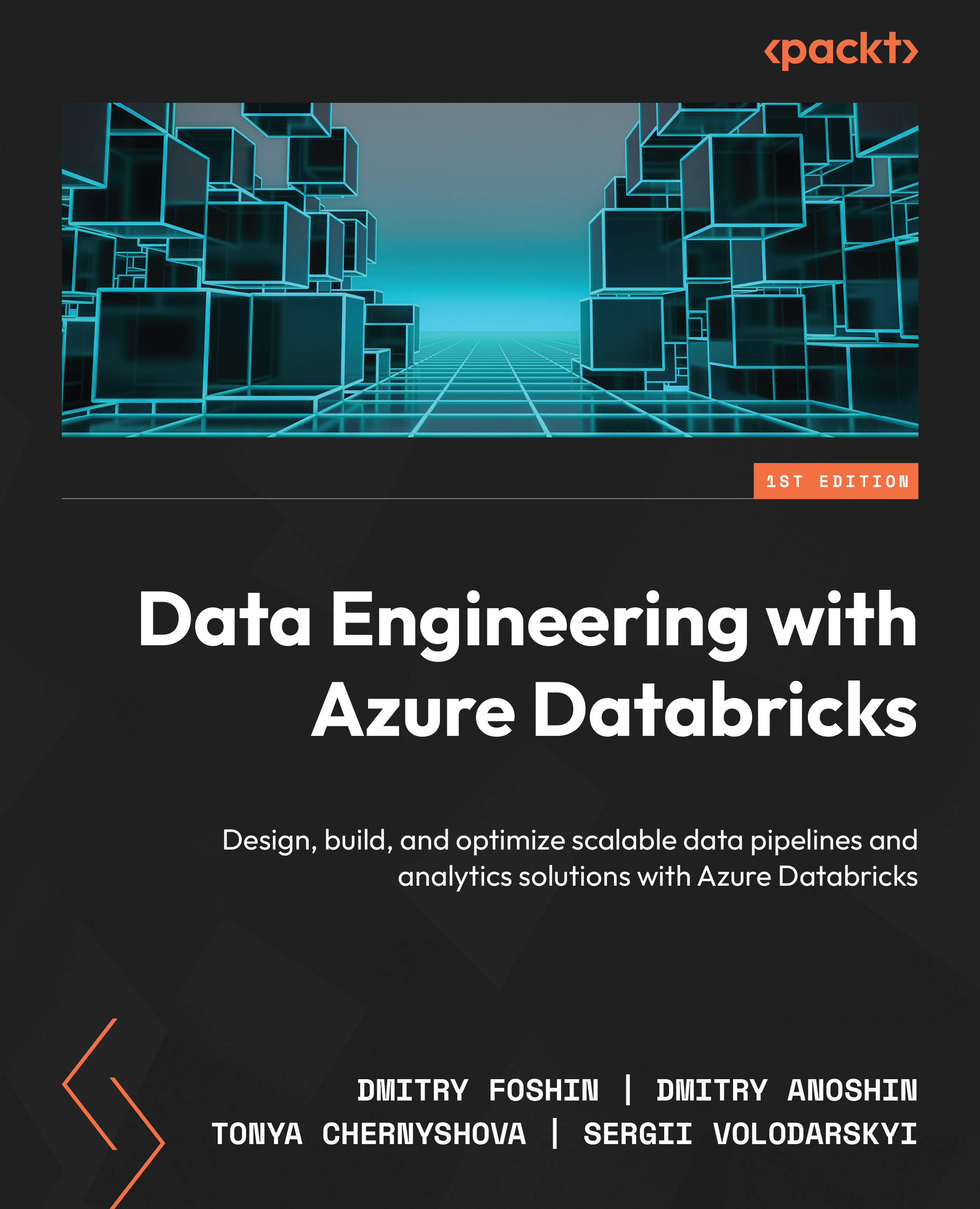
Data Engineering with Azure Databricks

Data Engineering with Azure Databricks: Design, build, and optimize scalable data pipelines and analytics solutions with Azure Databricks

Arrow left icon
Profile Icon Dmitry Foshin Profile Icon Dmitry Anoshin Profile Icon Tonya Chernyshova Profile Icon Sergii Volodarskyi
Arrow right icon
₹3723.99
Paperback Apr 2026 412 pages 1st Edition
eBook
₹999.99 ₹2978.99
Paperback
₹3723.99
Arrow left icon
Profile Icon Dmitry Foshin Profile Icon Dmitry Anoshin Profile Icon Tonya Chernyshova Profile Icon Sergii Volodarskyi
Arrow right icon
₹3723.99
Paperback Apr 2026 412 pages 1st Edition
eBook
₹999.99 ₹2978.99
Paperback
₹3723.99
eBook
₹999.99 ₹2978.99
Paperback
₹3723.99

What do you get with Print?

Product feature icon Instant access to your digital copy whilst your Print order is Shipped
Product feature icon Paperback book shipped to your preferred address
Product feature icon Redeem a companion digital copy on all Print orders
Product feature icon Access this title in our online reader with advanced features
Product feature icon DRM FREE - Read whenever, wherever and however you want
Modal Close icon
Payment Processing...
tick Completed

Shipping Address

Billing Address

Shipping Methods
Table of content icon View table of contents Preview book icon Preview Book

Data Engineering with Azure Databricks

1

The Role of Azure Databricks in Modern Data Engineering

In recent years, data engineering has become the fundamental pillar of analytics and Artificial Intelligence (AI). Every company in the world, from small startups to large enterprises, collects vast amounts of data and leverages it as a key competitive advantage to win customers and stay ahead of competitors.

Modern data engineering is a complex, constantly evolving process, with new products hitting the market monthly. However, fundamentally, data engineering remains the same – it makes data useful and accessible to consumers by building secure, scalable data infrastructure. There are several established patterns for data engineering system design built on public cloud infrastructure and, in rare cases, on-premises solutions.

When we design data engineering systems, we think about key areas:

  • Source systems and how we want to extract data from them
  • Data volume and data types
  • Where we want to store data
  • How we want to model data
  • What tools we want to use to extract, process, and transform data
  • How we want to access data and secure it
  • And many other considerations

We had these questions years ago, and we will have the same questions in the future. However, with the rise of Generative AI, we are seeing significant changes in the market landscape and data engineering patterns. This means that each aspect of data engineering is being influenced by GenAI and LLMs, which are improving the quality and security of solutions.

Data Engineers are now using code assistants such as Cursor and Claude and will increasingly rely on them. GenAI allows us to build another layer of abstraction that assists during data engineering system implementation and design, providing access to best practices and automated reviews. At the same time, GenAI is becoming the new normal for organizations, and the speed of development matters more than ever, especially in the agentic AI space.

For the data engineering industry, it's crucial to follow these trends and leverage GenAI tools, because in 5-10 years, knowledge of AI tools and AI use cases will be essential for data engineering roles. Obviously, data itself has become even more important than before, as quality and speed directly influence business decisions and impact customer and product experiences.

This evolving landscape presents both opportunities and challenges. Traditional data engineering approaches, while still relevant, need to adapt to support AI workloads, real-time processing demands, and the growing complexity of data ecosystems. The bottlenecks we face today—from data silos and processing delays to integration complexities and scalability issues—require modern solutions that can bridge the gap between traditional data engineering and AI-driven futures.

This is where platforms like Databricks come into play, offering a unified approach to data engineering, data science, and machine learning that addresses these modern challenges while preparing organizations for the AI-driven future.

Your purchase includes a free PDF copy + code bundle

Your purchase includes a DRM-free PDF copy of this book, the code bundle, and additional exclusive extras. See the Free benefits with your book section in the Preface to unlock them instantly and maximize your learning.

The evolution of data engineering

Before we dive deep into Azure Databricks, let's review the major milestones in data analytics history over the last several decades.

In Figure 1.1, you can see the key milestones in the last several decades of Databricks.

Image 1

Figure 1.1: Key milestones of data engineering evolution

We can start our analytics journey from the relational databases that use Structured Query Language (SQL). It started in 1970, when Edgar F. Codd, then working at IBM as a computer scientist, published the paper "A Relational Model of Data for Large Shared Data Banks," introducing the concept of organizing data into tables (relations) using a declarative query language.

IBM began developing the System R project to demonstrate the practicality of Codd's ideas. A team of scientists who were working on the System R project developed a new query language. The language was originally called Structured English Query Language (SEQUEL) and later renamed to SQL due to a trademark issue with an aircraft company.

Donald D. Chamberlin and Raymond F. Boyce invented SQL.

The first commercial implementation of a relational database was released by Relational Software, Inc., which later became Oracle. Their product was Oracle Version 2 (there was no version 1). In the 1980s, relational databases gained widespread adoption in enterprises. Other major systems, such as IBM's DB2 and Microsoft's SQL Server, followed.

People began to use databases not only for business applications but also for analytics use cases. The idea of querying business data was very effective. However, it was challenging to build any visualizations, reports, and dashboards. Often, programmers had to create custom software applications for dashboards or data integrations on top of relational databases.

In the late 1980s, Massively Parallel Processing (MPP) data warehouses started to emerge as data volumes grew beyond what traditional single-node (Symmetric multiprocessing (SMP)) systems could efficiently handle.

One of the leaders was Teradata. It was founded in 1979 and delivered one of the first commercial MPP data warehouses. It could scale by distributing data and queries across many nodes. It exploded in popularity in the 2010s, driven by cloud-native platforms like Redshift, BigQuery, and Snowflake.

MPP data warehouses boosted a range of enterprise-grade tools, including ETL (Extract, Transform, Load), Business Intelligence, and Data Mining. These tools were expensive and were owned by big vendors such as Oracle, IBM, SAP, SAS, etc. Often, they just acquired the best products on the market.

As organizations continued to generate and store more data from business applications, websites, sensors, and user activity, the traditional data warehouse infrastructure started to show its limits. While MPP data warehouses offered significant performance improvements, they were still expensive to scale and rigid in structure. Data had to be modeled upfront and loaded through complex ETL processes before it could be queried. This led to challenges in working with semi-structured or unstructured data, such as logs, clickstreams, images, and JSON files.

In the early 2000s, a new paradigm began to emerge - Big Data. The term referred to datasets that were too large, fast, or varied for traditional systems to handle efficiently. The industry needed solutions that could store and process petabytes of data across clusters of commodity hardware, without relying on expensive proprietary systems.

A breakthrough came in 2004 when Google published a paper on MapReduce, a programming model for processing large datasets across distributed systems. Shortly after, the Hadoop project was born as an open-source implementation of MapReduce and the Hadoop Distributed File System (HDFS). This enabled organizations to build scalable, fault-tolerant data processing pipelines using affordable hardware and open-source tools.

As Hadoop gained traction, the concept of a Data Lake emerged. Unlike traditional data warehouses that required strict schema definitions and cleansing before ingestion, data lakes allowed organizations to store raw structured and unstructured data in its native format. This flexibility appealed to data engineers and scientists who wanted to explore, transform, and experiment with data without the overhead of rigid pipelines.

At the same time, Data Science began to rise as a distinct discipline. Analysts and statisticians moved beyond spreadsheets and SQL, adopting more powerful programming environments to perform advanced analytics and machine learning. Two open-source languages stood out during this period: R and Python.

  • R, a language designed for statistical computing, became popular in academia and among statisticians for its rich ecosystem of packages for modeling and visualization
  • Python, a general-purpose language, gained momentum for its ease of use, readability, and growing collection of data-focused libraries like Pandas, NumPy, Scikit-learn, and Matplotlib

The combination of open-source tools, distributed computing frameworks, and flexible storage architectures gave rise to a new generation of data platforms capable of handling high-volume, high-variety data sources. Companies started building large-scale data infrastructure using Hadoop, Spark, Kafka, and other components of the open-source ecosystem. These systems formed the backbone of many on-premises Big Data platforms before the shift to public cloud services began.

As data volumes and variety continued to grow, and on-premises Big Data stacks became more complex and costly to maintain, the industry entered a new phase: the Cloud Computing era. This marked a significant shift in how organizations approached data storage, processing, and analytics. Instead of managing their own hardware and infrastructure, companies began moving workloads to public cloud platforms such as Amazon Web Services (AWS), Microsoft Azure, and Google Cloud Platform (GCP).

One of the first breakthroughs in cloud-based analytics came in 2012, when Amazon Redshift was launched. It was a fully managed, cloud-native MPP data warehouse that allowed organizations to scale compute and storage independently, with no hardware to maintain. Redshift significantly reduced the cost and complexity of building and operating data warehouses.

This shift to the cloud brought about key changes:

  • Elastic scalability: Resources could be provisioned on demand, without upfront infrastructure investments
  • Serverless options: Tools like BigQuery (GCP) and Azure Synapse Analytics allowed users to run massive SQL queries without managing clusters
  • Unified ecosystems: Cloud providers offered native integrations between data warehouses, data lakes, storage, machine learning, and streaming services

This new environment catalyzed the rise of Data Engineering as a modern profession. The traditional roles of ETL developers and Big Data engineers began to merge into a single role focused on designing, building, and maintaining scalable data pipelines in the cloud. Data engineers now need to master tools such as dbt, Airflow, and Spark on Databricks, as well as infrastructure-as-code tools such as Terraform.

At the same time, new vendors entered the scene, building cloud-native platforms from the ground up. One notable was Snowflake, founded in 2012. Unlike legacy tools, Snowflake was designed specifically for the cloud, offering features like:

  • Instant, independent scaling of compute and storage
  • Seamless data sharing and collaboration across organizations
  • Unified support for both structured and semi-structured data

The popularity of machine learning (ML) also surged. Open-source frameworks like TensorFlow, PyTorch, and XGBoost became widely adopted, while cloud platforms introduced their own ML services (e.g., Amazon SageMaker, Azure ML, Google Vertex AI). Companies began investing heavily in data science and ML, aiming to extract predictive insights from their data.

This era also saw a gradual decline in traditional on-premises ETL and BI tools. Instead, organizations embraced self-service analytics platforms such as Looker, Tableau, Power BI, and Mode, empowering business users to explore and visualize data independently.

Vendors began offering end-to-end platforms that unified analytics, data engineering, machine learning, and data science into a single ecosystem. This convergence reflected the growing demand for real-time, scalable, and collaborative data-driven decision-making across entire organizations.

As this book is being written, we are witnessing the emergence of a new era - driven by Generative AI, Large Language Models (LLMs), and autonomous agents. These technologies are rapidly transforming the data and analytics landscape.

Analytics tools are beginning to integrate generative capabilities, allowing users to generate code, build queries, summarize insights, and even create entire dashboards through natural language. At the same time, businesses are actively developing new use cases that leverage these tools to gain a competitive advantage, from automating repetitive data tasks to enhancing decision-making with AI-powered recommendations.

This shift is not just about technology - it's about a new way of interacting with data. The boundary among data analysts, engineers, and business users is becoming more fluid as LLMs lower the barrier to working with complex data systems. We are entering a future where analytics, AI, and automation converge, opening new possibilities for how organizations understand and act on data.

Rise of Apache Spark

Let's step back in our history and learn more about Apache Spark. It will help us better understand Databricks.

While Hadoop MapReduce enabled large-scale data processing, it suffered from slow performance, high latency, and complex programming models. Each job involved writing intermediate results to disk between every step, making iterative computations (such as machine learning or interactive queries) inefficient.

To address these issues, a new system was born: Apache Spark.

The story of Spark begins in 2009 at the AMPLab at UC Berkeley, where a team of researchers—including Matei Zaharia, the creator of Spark—set out to build a faster and more flexible data processing engine. In 2010, Zaharia published the paper "Spark: Cluster Computing with Working Sets," introducing a new abstraction called the Resilient Distributed Dataset (RDD). RDDs allowed Spark to keep data in memory across multiple stages of computation, dramatically improving performance compared to MapReduce.

Spark was designed with speed, simplicity, and versatility in mind. It was open-sourced in 2010, donated to the Apache Software Foundation, and officially became a top-level Apache project in 2014. The name "Spark" symbolized its goal: to provide a "spark of speed" in big data processing—a stark contrast to the slow-burning performance of MapReduce.

Key Problems Spark Solved Compared to Hadoop MapReduce:

  • In-memory processing: Spark could cache datasets in memory, reducing the need to write and read from disk between every step
  • Ease of use: Spark introduced concise APIs in Scala, Java, Python, and later R, making it easier to write data pipelines
  • Support for multiple workloads: Spark unified batch processing, streaming, machine learning, and SQL into a single engine
  • Faster execution: For many iterative and interactive workloads, Spark ran up to 100x faster than Hadoop MapReduce

Core Components of Apache Spark:

  • Spark Core: The foundation of Spark, providing basic functionalities like task scheduling, memory management, fault recovery, and I/O
  • Spark SQL: A module for working with structured data using SQL or the DataFrame API
  • Spark Streaming: Enables scalable, high-throughput, fault-tolerant stream processing of live data
  • MLlib: A scalable machine learning library with algorithms for classification, regression, clustering, and recommendation
  • GraphX: A library for graph processing and computation
  • Structured Streaming: A higher-level streaming API introduced later, unifying batch and streaming under one execution model

Apache Spark quickly became the de facto standard for distributed data processing. It was adopted widely by both enterprises and cloud providers. It became the core of platforms like Databricks—a company founded in 2013 by Spark's original creators, including Zaharia, to commercialize and evolve the Spark ecosystem.

In Figure 1.2, I've illustrated a simple view of Apache Spark (shown as the Spark Engine). The core idea is straightforward:

  • The primary goal of Spark is to process data in memory, boosting speed and efficiency
  • Spark can read raw data from a variety of sources - files (Parquet, CSV, ORC), APIs, JDBC, and more
  • It transforms this data using its distributed engine and writes results back to the data lake or storage
  • Spark also enables users to create tables on top of Data Lake files, registering them in a metastore or catalog—making them available for querying
  • These tables and transformations can be accessed via SQL (Spark SQL), Python (PySpark), Scala, or other supported languages

This captures Spark's essence: flexible ingestion, high-speed in-memory processing, and seamless integration with table metadata and various programming interfaces.

Image 2

Figure 1.2: Apache Spark in a nutshell

Initially, Apache Spark was designed to work with Hadoop clusters and quickly proved its efficiency compared to engines like Hive, Impala, and Pig. It could run both on-premises and in the public cloud, leveraging existing Hadoop compute (YARN/HDFS) while delivering significantly faster performance.

For data developers and analysts, Spark fits seamlessly into modern workflows. It integrates naturally with Jupyter Notebooks, enabling interactive exploration, visualization, and pipeline development in Python (via PySpark), Scala, SQL, and R. Integration with Git—using tools like Jupytext or platform-native features—allows teams to version-control notebooks and Spark scripts, embracing the practice of "data-as-code".

Meet databricks

In 2013, a group of UC Berkeley researchers—including Ali Ghodsi, Matei Zaharia, Ion Stoica, Reynold Xin, Andy Konwinski, Patrick Wendell, and Arsalan Tavakoli—founded Databricks in San Francisco.

Their goal was simple: bring the power of Apache Spark to enterprises in the cloud, making it easier, faster, and more collaborative.

Databricks didn't just package Spark. It evolved it into a unified Lakehouse platform (a blend of data warehouse and data lake) with enterprise-grade features:

  • Automated cluster management: No more manual spinning up Spark clusters. Infrastructure is provisioned and managed automatically, whether on AWS, Azure, or GCP
  • Unified workspace and collaboration: It combines notebooks, version control (Git integration/Re), jobs, and visualizations into a single interface, ideal for data engineers, scientists, and analysts working together
  • Delta Lake & Delta Engine: Databricks created Delta Lake, an open-source storage layer that adds ACID transactions, reliable schema enforcement, and time travel on top of cloud data lakes. The Delta Engine, introduced in 2020, dramatically improved query performance
  • Databricks SQL: Launched in late 2020, this SQL analytics service enables data analysts to run BI-style queries directly on data lakes and integrate with popular visualization tools like Tableau, Looker, and Power BI
  • MLflow & feature store: The platform includes MLflow for managing the machine learning lifecycle-tracking experiments, models, and deployments, as well as a centralized feature store for sharing and reusing ML features across teams
  • Generative AI & LLM integration: Databricks continues to innovate with tools like Mosaic AI, built-in LLMs, vector search, and model serving capabilities, alongside open-sourcing its own DBRX model in 2024

The company grew rapidly alongside cloud adoption and AI/ML demand, attaining a 60% annual revenue growth and scaling to over 12,000 customers by early 2025. It also announced a massive $10 billion funding round in late 2024, raising its valuation to $62 billion. Source: https://www.databricks.com/company/newsroom/press-releases/databricks-deepens-san-francisco-investment-new-office-and-multi.

With its cloud-native, unified Lakehouse architecture, automatic infrastructure, and deep integrations across data engineering, analytics, and AI, Databricks has transformed Spark into a fully managed enterprise platform, setting the stage for modern data and AI workflows.

Azure Databricks key concepts

In November 2017, Microsoft and Databricks launched Azure Databricks as a first-party service on Azure, integrating the collaborative and high-performance capabilities of Apache Spark directly into the Azure ecosystem. It simplified large-scale data and AI workflows with one-click setup, seamless integration with Azure services like Entra ID (ex. Active Directory), Data Lake Storage, Synapse Analytics (ex. SQL Data Warehouse), Cosmos DB, and Power BI, with enterprise-grade security.

Let's highlight key concepts and components:

  1. Hybrid Control Plane & Compute Plane:
    • The control plane (managed by Databricks) hosts the workspace UI, metadata, and orchestration
    • The compute plane runs Spark clusters within your own Azure subscription. You can choose between classic clusters provisioned in your VNet and serverless compute, where the infrastructure is abstracted away.
  2. Azure-Native Setup:
    • When you create a workspace, Azure Databricks deploys a managed resource group with a VNet, security groups, a storage account, and a Databricks "appliance"—while you keep control over VM size (F, M, D-series) and network configuration. All metadata is stored in a geo-replicated Azure SQL Server.
  3. Interactive Collaboration:
    • Shared interactive notebooks provide real-time collaboration, integrated debugging, Spark job monitoring, and pre-installed Python/R machine-learning libraries—all within an Azure-native context
    • Git and Repos support means you can manage code and notebooks as versioned "data-as-code."
  4. Delta Lake & Lakehouse Foundation:
    • Built on Delta Lake, Azure Databricks ensures ACID transactions, schema enforcement, and time travel over data lake files
    • Patterns like Auto Loader, Lakeflow pipelines, and SQL Warehouses support scalable ingestion, ETL, streaming, and BI workloads
  5. SQL Warehousing:
    • Dedicated SQL endpoints provide BI-like query performance over data lakes. These integrate seamlessly with Power BI and other tools.
  6. Advanced Governance via Unity Catalog:
    • Introduced in 2023, Unity Catalog brings centralized schema management, fine-grained access control, lineage tracking, and data discovery—all with ANSI SQL syntax across tables, views, and AI assets
  7. ML & AI Integration:
    • Azure Databricks includes ML tools like MLflow and a feature store, plus built-in support for LLMs, Mosaic AI, model serving, and vector search

According to Microsoft, in 2024, Azure was deployed by approximately 348,000 organizations worldwide, ranging from startups to large enterprises. 95% of Fortune 500 companies use Azure in some capacity—whether for infrastructure, platform services, analytics, or identity/access management.

Almost all of these organizations are Microsoft Analytics shops, and many of them use Azure Databricks, Azure Synapse, or Microsoft Fabric. Based on my personal experience, Azure Databricks is the best available product for the Azure environment. Synapse and Fabric, while capable, have not yet reached the level of advancement that Azure Databricks provides.

Databricks and competitors

In the 2024 Gartner Magic Quadrant for Cloud Database Management Systems, Databricks is recognized as a Leader, competing with major cloud providers such as AWS, Google, Microsoft, and Oracle, as well as other data platform vendors including Snowflake, MongoDB, and IBM.

Image 3

Figure 1.3: 2024 Gartner Quadrant

Databricks is a leader. However, let's review the closest competitors and their pros and cons in plain English.

We will focus on traditional Data Warehouse/Data Lake (Lake House) use cases. The closest independent competitor is Snowflake Data Cloud.

Snowflake is a managed data warehouse platform with rich functionality. It also decouples storage and compute; however, it stores data in its own format and applies its own performance optimization technique, also known as micro partitioning. It is truly a Data Warehouse-as-a-Service. Data engineers can ingest data, and it should "magically" distribute. The primary language for working with the platform is SQL. However, in competition with Databricks, Snowflake provides Snowpark, a Python DataFrame language. Moreover, it allows users to work with container services and LLMs and to build data apps using Streamlit (a Python web app framework). The bottom line: it feels like an SQL data warehouse and is easy to start with, but hard to move out of (i.e., vendor lock-in).

Public cloud providers like AWS, Azure, and Google Cloud also have their own products for competing with Databricks:

  1. In AWS, we have hosted or serverless options:
    • Glue: Managed Apache Spark
    • Amazon Redshift: MPP data warehouse like Snowflake idea, but much worse
    • Elastic MapReduce: Managed Hadoop with the option to deploy Apache Spark
  2. In Azure, the primary platform would be legacy HDInsights (managed Hadoop) or Azure Synapse Analytics, which has:
    • Dedicated Pools: A kind of MPP data warehouse
    • Spark pools: Spark clusters
    • Serverless SQL: Pay-per-query SQL engine
  3. In GCP:
    • BigQuery: Fully serverless, scalable MPP data warehouse (comparable to Snowflake; excellent for analytics)
    • Dataproc: Managed Spark and Hadoop clusters (more customizable than Glue or EMR)
    • Dataflow: Fully managed serverless stream and batch data processing (Apache Beam)
    • Composer: Managed Apache Airflow for orchestrating data pipelines

As you can see, there are a bunch of tools available at your disposal to build data analytics solutions. For some reason, I didn't highlight the AI and ML use cases much. As you might guess, public cloud vendors offer many tools for ML and Generative AI, such as AWS BedRock, GCP Vertex AI, Azure ML, and Azure OpenAI. These are building blocks for analytics solutions.

Reference architectures and use cases

Now, we can review common Databricks reference architectures built from building blocks. All these blocks could be leveraged only by Databricks or replaced with alternatives.

One of the biggest advantages of the Databricks platform is its true unification, allowing you to combine workloads such as Data Engineering, ML, AI, and BI. Moreover, it allows you to leverage Software Engineering and DevOps approaches.

In the Azure documentation, we can find the best reference architecture for the Data Intelligence Platform: https://learn.microsoft.com/en-us/azure/databricks/lakehouse-architecture/reference.

Image 4

Figure 1.4: Azure Databricks Reference Architectures

Download the color images

Your purchase includes a color, DRM-free PDF copy of this book, ideal for viewing color images, screenshots, and diagrams. Refer to Free benefits with your book section at the end of the Preface to unlock your PDF copy.

Data Intelligence Platform is a buzzword. You can completely ignore it. You can use either the Data Platform or the Data Lake. In some cases, when you are comfortable with the Lakehouse approach, this will work too. Lakehouse is also a Databricks term, i.e., another buzzword.

In this diagram, multiple scenarios tailored for the Azure cloud are covered:

  • Data Ingestion: Efficiently load raw data from diverse sources, including files, message streams, APIs, and databases, into the lakehouse architecture. Utilize Auto Loader for automated file processing or leverage partner connectors to handle both batch and real-time data ingestion seamlessly.
  • ETL/ELT Processing and Orchestration: Transform and cleanse ingested data at scale using Spark-based pipelines or Spark Declarative Pipeline. Structure your data into medallion architecture layers (Bronze, Silver, Gold) within Delta Lake to create curated datasets optimized for downstream consumption. Orchestration could be performed using Lakeflow Jobs (e.g., Databricks DLT jobs) or Azure Data Factory.
  • Streaming and Change Data Capture: Process real-time data streams and change feeds from sources like Kafka, Azure Event Hubs, or database CDC feeds. Leverage Spark Structured Streaming and Spark Declarative Pipelines with built-in CDC capabilities for continuous data processing.
  • Machine Learning and AI: Build, train, and deploy machine learning models using distributed Spark MLlib or integrate deep learning frameworks like TensorFlow and PyTorch. Track experiments and manage model lifecycles using MLflow for comprehensive ML operations.
  • Generative AI and AI Agents: Accelerate generative AI development using Mosaic AI platform features, including built-in foundation models, vector search capabilities, and AI agent frameworks to build intelligent applications, chatbots, and autonomous systems on your data.
  • Business Intelligence and Analytics: Query and visualize data using Databricks SQL warehouses with optimized compute or integrate seamlessly with external BI tools like Power BI and Tableau to create dashboards and reports directly over Delta Lake storage.
  • Data Governance and Cataloging: Implement comprehensive data governance using Unity Catalog for centralized metadata management, fine-grained access control, automated data lineage tracking, and schema evolution across all data and AI assets.
  • Secure Data Sharing: Share datasets, models, dashboards, and collaborative notebooks securely across teams and external partners using the Delta Sharing protocol, enabling data collaboration without physically moving or duplicating data.

Depending on your needs, you can use Azure Databricks for a range of use cases.

Historically, Databricks was positioned as a platform for building data lakes or lakehouses. Early marketing emphasized its strengths in handling flexible, unstructured datasets. As Databricks evolved—especially with the introduction of the Delta Lake format and its native SQL interface—it began addressing more traditional data warehouse workloads. Unity Catalog now supports data governance, access control, and schema management in ways that mirror conventional data warehouses.

Yet at its core, Databricks remains true to Spark's original philosophy: process data by reading from sources and writing to targets. Whether you're performing transformations, creating tables on Delta files, or running SQL queries, the underlying flow is consistent across all Spark under the hood.

Summary

In this chapter, we explored the key milestones in the analytics landscape and delved into the rise of Apache Spark, which ultimately led to the founding of Databricks. We reviewed major leaders and competitors, examined the key features of Azure Databricks, and discussed its primary use cases. In the following chapters, we'll explore these concepts in greater depth.

Get this book's PDF copy, code bundle, and more

Scan the QR code (or go to packtpub.com/unlock). Search for this book by name, confirm the edition, and then follow the steps on the page.

Image

Image

Note: Have your invoice handy. Purchases made directly from the Packt website don't require an invoice.


Left arrow icon Right arrow icon
Download code icon Download Code

Key benefits

  • Build scalable data pipelines using Apache Spark and Delta Lake
  • Automate workflows and manage data governance with Unity Catalog
  • Learn real-time processing and structured streaming with practical use cases
  • Implement CI/CD, DevOps, and security for production-ready data solutions
  • Explore Databricks-native ML, AutoML, and Generative AI integration

Description

"Data Engineering with Azure Databricks" is your essential guide to building scalable, secure, and high-performing data pipelines using the powerful Databricks platform on Azure. Designed for data engineers, architects, and developers, this book demystifies the complexities of Spark-based workloads, Delta Lake, Unity Catalog, and real-time data processing. Beginning with the foundational role of Azure Databricks in modern data engineering, you’ll explore how to set up robust environments, manage data ingestion with Auto Loader, optimize Spark performance, and orchestrate complex workflows using tools like Azure Data Factory and Airflow. The book offers deep dives into structured streaming, Delta Live Tables, and Delta Lake’s ACID features for data reliability and schema evolution. You’ll also learn how to manage security, compliance, and access controls using Unity Catalog, and gain insights into managing CI/CD pipelines with Azure DevOps and Terraform. With a special focus on machine learning and generative AI, the final chapters guide you in automating model workflows, leveraging MLflow, and fine-tuning large language models on Databricks. Whether you're building a modern data lakehouse or operationalizing analytics at scale, this book provides the tools and insights you need.

Who is this book for?

This book is for data engineers, solution architects, cloud professionals, and software engineers seeking to build robust and scalable data pipelines using Azure Databricks. Whether you're migrating legacy systems, implementing a modern lakehouse architecture, or optimizing data workflows for performance, this guide will help you leverage the full power of Databricks on Azure. A basic understanding of Python, Spark, and cloud infrastructure is recommended.

What you will learn

  • Set up a full-featured Azure Databricks environment
  • Implement batch and streaming ingestion using Auto Loader
  • Optimize Spark jobs with partitioning and caching
  • Build real-time pipelines with structured streaming and DLT
  • Manage data governance using Unity Catalog
  • Orchestrate production workflows with jobs and ADF
  • Apply CI/CD best practices with Azure DevOps and Git
  • Secure data with RBAC, encryption, and compliance standards
  • Use MLflow and Feature Store for ML pipelines
  • Build generative AI applications in Databricks
Estimated delivery fee Deliver to India

Premium delivery 5 - 8 business days

₹630.95
(Includes tracking information)

Product Details

Country selected
Publication date, Length, Edition, Language, ISBN-13
Publication date : Apr 30, 2026
Length: 412 pages
Edition : 1st
Language : English
ISBN-13 : 9781806106370
Vendor :
Microsoft
Category :
Languages :

What do you get with Print?

Product feature icon Instant access to your digital copy whilst your Print order is Shipped
Product feature icon Paperback book shipped to your preferred address
Product feature icon Redeem a companion digital copy on all Print orders
Product feature icon Access this title in our online reader with advanced features
Product feature icon DRM FREE - Read whenever, wherever and however you want
Modal Close icon
Payment Processing...
tick Completed

Shipping Address

Billing Address

Shipping Methods
Estimated delivery fee Deliver to India

Premium delivery 5 - 8 business days

₹630.95
(Includes tracking information)

Product Details

Publication date : Apr 30, 2026
Length: 412 pages
Edition : 1st
Language : English
ISBN-13 : 9781806106370
Vendor :
Microsoft
Category :
Languages :

Packt Subscriptions

See our plans and pricing
Modal Close icon
₹800 billed monthly
Feature tick icon Unlimited access to Packt's library of 7,000+ practical books and videos
Feature tick icon Constantly refreshed with 50+ new titles a month
Feature tick icon Exclusive Early access to books as they're written
Feature tick icon Solve problems while you work with advanced search and reference features
Feature tick icon Offline reading on the mobile app
Feature tick icon Simple pricing, no contract
₹4500 billed annually
Feature tick icon Unlimited access to Packt's library of 7,000+ practical books and videos
Feature tick icon Constantly refreshed with 50+ new titles a month
Feature tick icon Exclusive Early access to books as they're written
Feature tick icon Solve problems while you work with advanced search and reference features
Feature tick icon Offline reading on the mobile app
Feature tick icon Choose a DRM-free eBook or Video every month to keep
Feature tick icon PLUS own as many other DRM-free eBooks or Videos as you like for just ₹400 each
Feature tick icon Exclusive print discounts
₹5000 billed in 18 months
Feature tick icon Unlimited access to Packt's library of 7,000+ practical books and videos
Feature tick icon Constantly refreshed with 50+ new titles a month
Feature tick icon Exclusive Early access to books as they're written
Feature tick icon Solve problems while you work with advanced search and reference features
Feature tick icon Offline reading on the mobile app
Feature tick icon Choose a DRM-free eBook or Video every month to keep
Feature tick icon PLUS own as many other DRM-free eBooks or Videos as you like for just ₹400 each
Feature tick icon Exclusive print discounts

Table of Contents

14 Chapters
Chapter 1: The Role of Azure Databricks in Modern Data Engineering Chevron down icon Chevron up icon
Chapter 2: Setting up an End-To-End Azure Databricks Environment Chevron down icon Chevron up icon
Chapter 3: Data Ingestion Strategies for Azure Databricks Chevron down icon Chevron up icon
Chapter 4: Data Engineering with Apache Spark Chevron down icon Chevron up icon
Chapter 5: Building Real-Time Data Pipelines Chevron down icon Chevron up icon
Chapter 6: Working with Delta Lake: ACID Transactions and Schema Evolution Chevron down icon Chevron up icon
Chapter 7: Automating Data Systems with Lakeflow Spark Declarative Pipelines Chevron down icon Chevron up icon
Chapter 8: Orchestrating Data Workflows: From Notebooks to Production Chevron down icon Chevron up icon
Chapter 9: CI/CD and DevOps for Azure Databricks Chevron down icon Chevron up icon
Chapter 10: Optimizing Query Performance and Cost Management Chevron down icon Chevron up icon
Chapter 11: Security, Compliance, and Data Governance Chevron down icon Chevron up icon
Chapter 12: Machine Learning and AI on Databricks Chevron down icon Chevron up icon
Chapter 13: Unlock Access to the Code Bundle and the PDF Version Chevron down icon Chevron up icon
Index Chevron down icon Chevron up icon
Get free access to Packt library with over 7500+ books and video courses for 7 days!
Start Free Trial

FAQs

What is the digital copy I get with my Print order? Chevron down icon Chevron up icon

When you buy any Print edition of our Books, you can redeem (for free) the eBook edition of the Print Book you’ve purchased. This gives you instant access to your book when you make an order via PDF, EPUB or our online Reader experience.

What is the delivery time and cost of print book? Chevron down icon Chevron up icon

Shipping Details

USA:

'

Economy: Delivery to most addresses in the US within 10-15 business days

Premium: Trackable Delivery to most addresses in the US within 3-8 business days

UK:

Economy: Delivery to most addresses in the U.K. within 7-9 business days.
Shipments are not trackable

Premium: Trackable delivery to most addresses in the U.K. within 3-4 business days!
Add one extra business day for deliveries to Northern Ireland and Scottish Highlands and islands

EU:

Premium: Trackable delivery to most EU destinations within 4-9 business days.

Australia:

Economy: Can deliver to P. O. Boxes and private residences.
Trackable service with delivery to addresses in Australia only.
Delivery time ranges from 7-9 business days for VIC and 8-10 business days for Interstate metro
Delivery time is up to 15 business days for remote areas of WA, NT & QLD.

Premium: Delivery to addresses in Australia only
Trackable delivery to most P. O. Boxes and private residences in Australia within 4-5 days based on the distance to a destination following dispatch.

India:

Premium: Delivery to most Indian addresses within 5-6 business days

Rest of the World:

Premium: Countries in the American continent: Trackable delivery to most countries within 4-7 business days

Asia:

Premium: Delivery to most Asian addresses within 5-9 business days

Disclaimer:
All orders received before 5 PM U.K time would start printing from the next business day. So the estimated delivery times start from the next day as well. Orders received after 5 PM U.K time (in our internal systems) on a business day or anytime on the weekend will begin printing the second to next business day. For example, an order placed at 11 AM today will begin printing tomorrow, whereas an order placed at 9 PM tonight will begin printing the day after tomorrow.


Unfortunately, due to several restrictions, we are unable to ship to the following countries:

  1. Afghanistan
  2. American Samoa
  3. Belarus
  4. Brunei Darussalam
  5. Central African Republic
  6. The Democratic Republic of Congo
  7. Eritrea
  8. Guinea-bissau
  9. Iran
  10. Lebanon
  11. Libiya Arab Jamahriya
  12. Somalia
  13. Sudan
  14. Russian Federation
  15. Syrian Arab Republic
  16. Ukraine
  17. Venezuela
What is custom duty/charge? Chevron down icon Chevron up icon

Customs duty are charges levied on goods when they cross international borders. It is a tax that is imposed on imported goods. These duties are charged by special authorities and bodies created by local governments and are meant to protect local industries, economies, and businesses.

Do I have to pay customs charges for the print book order? Chevron down icon Chevron up icon

The orders shipped to the countries that are listed under EU27 will not bear custom charges. They are paid by Packt as part of the order.

List of EU27 countries: www.gov.uk/eu-eea:

A custom duty or localized taxes may be applicable on the shipment and would be charged by the recipient country outside of the EU27 which should be paid by the customer and these duties are not included in the shipping charges been charged on the order.

How do I know my custom duty charges? Chevron down icon Chevron up icon

The amount of duty payable varies greatly depending on the imported goods, the country of origin and several other factors like the total invoice amount or dimensions like weight, and other such criteria applicable in your country.

For example:

  • If you live in Mexico, and the declared value of your ordered items is over $ 50, for you to receive a package, you will have to pay additional import tax of 19% which will be $ 9.50 to the courier service.
  • Whereas if you live in Turkey, and the declared value of your ordered items is over € 22, for you to receive a package, you will have to pay additional import tax of 18% which will be € 3.96 to the courier service.
How can I cancel my order? Chevron down icon Chevron up icon

Cancellation Policy for Published Printed Books:

You can cancel any order within 1 hour of placing the order. Simply contact customercare@packt.com with your order details or payment transaction id. If your order has already started the shipment process, we will do our best to stop it. However, if it is already on the way to you then when you receive it, you can contact us at customercare@packt.com using the returns and refund process.

Please understand that Packt Publishing cannot provide refunds or cancel any order except for the cases described in our Return Policy (i.e. Packt Publishing agrees to replace your printed book because it arrives damaged or material defect in book), Packt Publishing will not accept returns.

What is your returns and refunds policy? Chevron down icon Chevron up icon

Return Policy:

We want you to be happy with your purchase from Packtpub.com. We will not hassle you with returning print books to us. If the print book you receive from us is incorrect, damaged, doesn't work or is unacceptably late, please contact Customer Relations Team on customercare@packt.com with the order number and issue details as explained below:

  1. If you ordered (eBook, Video or Print Book) incorrectly or accidentally, please contact Customer Relations Team on customercare@packt.com within one hour of placing the order and we will replace/refund you the item cost.
  2. Sadly, if your eBook or Video file is faulty or a fault occurs during the eBook or Video being made available to you, i.e. during download then you should contact Customer Relations Team within 14 days of purchase on customercare@packt.com who will be able to resolve this issue for you.
  3. You will have a choice of replacement or refund of the problem items.(damaged, defective or incorrect)
  4. Once Customer Care Team confirms that you will be refunded, you should receive the refund within 10 to 12 working days.
  5. If you are only requesting a refund of one book from a multiple order, then we will refund you the appropriate single item.
  6. Where the items were shipped under a free shipping offer, there will be no shipping costs to refund.

On the off chance your printed book arrives damaged, with book material defect, contact our Customer Relation Team on customercare@packt.com within 14 days of receipt of the book with appropriate evidence of damage and we will work with you to secure a replacement copy, if necessary. Please note that each printed book you order from us is individually made by Packt's professional book-printing partner which is on a print-on-demand basis.

What tax is charged? Chevron down icon Chevron up icon

Currently, no tax is charged on the purchase of any print book (subject to change based on the laws and regulations). A localized VAT fee is charged only to our European and UK customers on eBooks, Video and subscriptions that they buy. GST is charged to Indian customers for eBooks and video purchases.

What payment methods can I use? Chevron down icon Chevron up icon

You can pay with the following card types:

  1. Visa Debit
  2. Visa Credit
  3. MasterCard
  4. PayPal
What is the delivery time and cost of print books? Chevron down icon Chevron up icon

Shipping Details

USA:

'

Economy: Delivery to most addresses in the US within 10-15 business days

Premium: Trackable Delivery to most addresses in the US within 3-8 business days

UK:

Economy: Delivery to most addresses in the U.K. within 7-9 business days.
Shipments are not trackable

Premium: Trackable delivery to most addresses in the U.K. within 3-4 business days!
Add one extra business day for deliveries to Northern Ireland and Scottish Highlands and islands

EU:

Premium: Trackable delivery to most EU destinations within 4-9 business days.

Australia:

Economy: Can deliver to P. O. Boxes and private residences.
Trackable service with delivery to addresses in Australia only.
Delivery time ranges from 7-9 business days for VIC and 8-10 business days for Interstate metro
Delivery time is up to 15 business days for remote areas of WA, NT & QLD.

Premium: Delivery to addresses in Australia only
Trackable delivery to most P. O. Boxes and private residences in Australia within 4-5 days based on the distance to a destination following dispatch.

India:

Premium: Delivery to most Indian addresses within 5-6 business days

Rest of the World:

Premium: Countries in the American continent: Trackable delivery to most countries within 4-7 business days

Asia:

Premium: Delivery to most Asian addresses within 5-9 business days

Disclaimer:
All orders received before 5 PM U.K time would start printing from the next business day. So the estimated delivery times start from the next day as well. Orders received after 5 PM U.K time (in our internal systems) on a business day or anytime on the weekend will begin printing the second to next business day. For example, an order placed at 11 AM today will begin printing tomorrow, whereas an order placed at 9 PM tonight will begin printing the day after tomorrow.


Unfortunately, due to several restrictions, we are unable to ship to the following countries:

  1. Afghanistan
  2. American Samoa
  3. Belarus
  4. Brunei Darussalam
  5. Central African Republic
  6. The Democratic Republic of Congo
  7. Eritrea
  8. Guinea-bissau
  9. Iran
  10. Lebanon
  11. Libiya Arab Jamahriya
  12. Somalia
  13. Sudan
  14. Russian Federation
  15. Syrian Arab Republic
  16. Ukraine
  17. Venezuela
Modal Close icon
Modal Close icon