Search icon CANCEL
Subscription
0
Cart icon
Your Cart (0 item)
Close icon
You have no products in your basket yet
Save more on your purchases! discount-offer-chevron-icon
Savings automatically calculated. No voucher code required.
Arrow left icon
Explore Products
Best Sellers
New Releases
Books
Videos
Audiobooks
Learning Hub
Newsletter Hub
Free Learning
Arrow right icon
timer SALE ENDS IN
0 Days
:
00 Hours
:
00 Minutes
:
00 Seconds
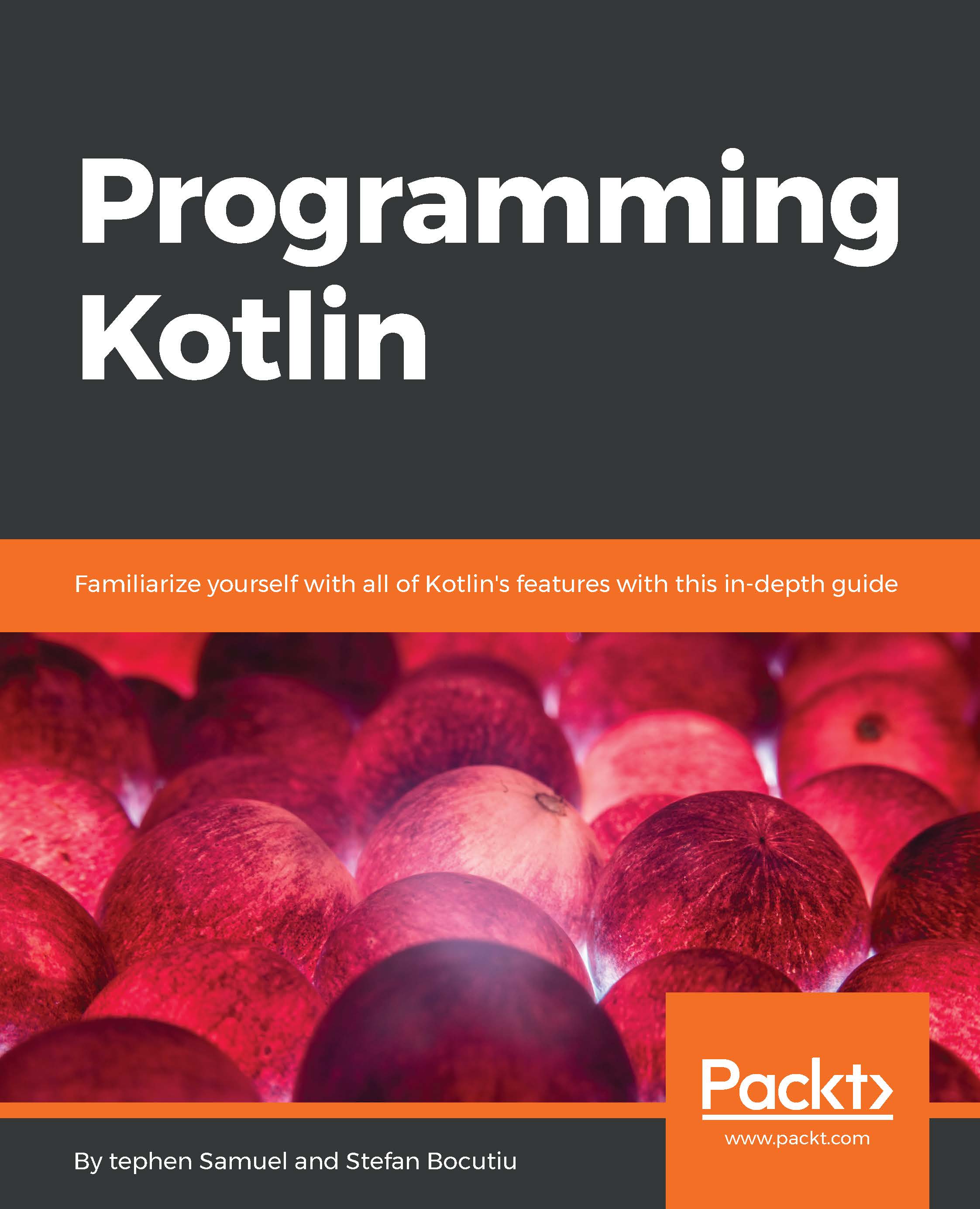
Programming Kotlin
Programming Kotlin

Programming Kotlin: Get to grips quickly with the best Java alternative

Arrow left icon
Profile Icon Stephen Samuel Profile Icon Stefan Bocutiu
Arrow right icon
Free Trial
Full star icon Full star icon Full star icon Half star icon Empty star icon 3.4 (7 Ratings)
Paperback Jan 2017 420 pages 1st Edition
eBook
Mex$180 Mex$803.99
Paperback
Mex$1004.99
Subscription
Free Trial
Arrow left icon
Profile Icon Stephen Samuel Profile Icon Stefan Bocutiu
Arrow right icon
Free Trial
Full star icon Full star icon Full star icon Half star icon Empty star icon 3.4 (7 Ratings)
Paperback Jan 2017 420 pages 1st Edition
eBook
Mex$180 Mex$803.99
Paperback
Mex$1004.99
Subscription
Free Trial
eBook
Mex$180 Mex$803.99
Paperback
Mex$1004.99
Subscription
Free Trial

What do you get with a Packt Subscription?

Free for first 7 days. $19.99 p/m after that. Cancel any time!
Product feature icon Unlimited ad-free access to the largest independent learning library in tech. Access this title and thousands more!
Product feature icon 50+ new titles added per month, including many first-to-market concepts and exclusive early access to books as they are being written.
Product feature icon Innovative learning tools, including AI book assistants, code context explainers, and text-to-speech.
Product feature icon Thousands of reference materials covering every tech concept you need to stay up to date.
Subscribe now
View plans & pricing
Table of content icon View table of contents Preview book icon Preview Book

Programming Kotlin

Chapter 2. Kotlin Basics

It's time to discover the fundamental building blocks in Kotlin. For those coming from a Java background, this chapter will highlight some of the key similarities and differences between Kotlin and Java, and how Kotlin's language features compare to those in Java and on the JVM. For those who are not Java programmers, these differences can be safely skipped.

In this chapter we will cover the following topics:

  • Variables and values
  • Control flow and expressions
  • Type inference
  • Smart casting
  • Basic types and the Kotlin type hierarchy

Vals and vars

Kotlin has two keywords for declaring variables, val and var. The var is a mutable variable, which is, a variable that can be changed to another value by reassigning it. This is equivalent to declaring a variable in Java:

    val name = "kotlin" 

In addition, the var can be initialized later:

    var name: String 
    name = "kotlin" 

Variables defined with var can be reassigned, since they are mutable:

    var name = "kotlin" 
    name = "more kotlin" 

The keyword val is used to declare a read-only variable. This is equivalent to declaring a final variable in Java. A val must be initialized when it is created, since it cannot be changed later:

    val name = "kotlin" 

A read only variable does not mean the instance itself is automatically immutable. The instance may still allow its member variables to be changed via functions or properties, but the variable itself cannot change its value or be reassigned to another value.

Type inference

Did you notice in the previous section that the type of the variable was not included when it was initialized? This is different to Java where the type of the variable must always accompany its declaration.

Even though Kotlin is a strongly typed language, we don't always need to declare types explicitly. The compiler attempts to figure out the type of an expression from the information included in the expression. A simple val is an easy case for the compiler because the type is clear from the right-hand side. This mechanism is called type inference. This reduces boilerplate whilst keeping the type safety we expect of a modern language.

Values and variables are not the only places where type inference can be used. It can also be used in closures where the type of the parameter(s) can be inferred from the function signature. It can also be used in single-line functions where the return value can be inferred from the expression in the function, as this example shows:

fun plusOne...

Basic types

One of the big changes in Kotlin from Java is that in Kotlin everything is an object. If you come from a Java background, then you will already be aware that in Java there are special primitive types which are treated differently from objects. They cannot be used as generic types, do not support method/function calls, and cannot be assigned null. An example is the primitive type boolean.

Java introduced wrapper objects to offer a work around in which primitive types are wrapped in objects, so that java.lang.Boolean wraps a boolean in order to smooth over the distinctions. Kotlin removes this necessity entirely from the language by promoting the primitives to full objects.

Whenever possible, the Kotlin compiler will map basic types back to JVM primitives for performance reasons. However, sometimes the values must be boxed, such as when the type is nullable, or when it is used in generics. Boxing is the conversion from a primitive type to a wrapper type that types place whenever...

Comments

Comments in Kotlin will come as no surprise to most programmers as they are the same as Java, Javascript, and C, among other languages. Block comments and line comments are supported:

    // line comment 
 
    /* 
     A block comment 
     can span many 
     lines 
    */ 

Vals and vars


Kotlin has two keywords for declaring variables, val and var. The var is a mutable variable, which is, a variable that can be changed to another value by reassigning it. This is equivalent to declaring a variable in Java:

    val name = "kotlin" 

In addition, the var can be initialized later:

    var name: String 
    name = "kotlin" 

Variables defined with var can be reassigned, since they are mutable:

    var name = "kotlin" 
    name = "more kotlin" 

The keyword val is used to declare a read-only variable. This is equivalent to declaring a final variable in Java. A val must be initialized when it is created, since it cannot be changed later:

    val name = "kotlin" 

A read only variable does not mean the instance itself is automatically immutable. The instance may still allow its member variables to be changed via functions or properties, but the variable itself cannot change its value or be reassigned to another value.

Type inference


Did you notice in the previous section that the type of the variable was not included when it was initialized? This is different to Java where the type of the variable must always accompany its declaration.

Even though Kotlin is a strongly typed language, we don't always need to declare types explicitly. The compiler attempts to figure out the type of an expression from the information included in the expression. A simple val is an easy case for the compiler because the type is clear from the right-hand side. This mechanism is called type inference. This reduces boilerplate whilst keeping the type safety we expect of a modern language.

Values and variables are not the only places where type inference can be used. It can also be used in closures where the type of the parameter(s) can be inferred from the function signature. It can also be used in single-line functions where the return value can be inferred from the expression in the function, as this example shows:

fun plusOne...

Basic types


One of the big changes in Kotlin from Java is that in Kotlin everything is an object. If you come from a Java background, then you will already be aware that in Java there are special primitive types which are treated differently from objects. They cannot be used as generic types, do not support method/function calls, and cannot be assigned null. An example is the primitive type boolean.

Java introduced wrapper objects to offer a work around in which primitive types are wrapped in objects, so that java.lang.Boolean wraps a boolean in order to smooth over the distinctions. Kotlin removes this necessity entirely from the language by promoting the primitives to full objects.

Whenever possible, the Kotlin compiler will map basic types back to JVM primitives for performance reasons. However, sometimes the values must be boxed, such as when the type is nullable, or when it is used in generics. Boxing is the conversion from a primitive type to a wrapper type that types place whenever...

Comments


Comments in Kotlin will come as no surprise to most programmers as they are the same as Java, Javascript, and C, among other languages. Block comments and line comments are supported:

    // line comment 
 
    /* 
     A block comment 
     can span many 
     lines 
    */ 

Packages


Packages allow us to split code into namespaces. Any file may begin with a package declaration:

    package com.packt.myproject 
    class Foo 
    fun bar(): String = "bar" 

The package name is used to give us the fully qualified name (FQN) for a class, object, interface, or function. In the preceding example, the class Foo has the fully qualified name com.packt.myproject.Foo and the top level function bar has the fully qualified name of com.packt.myproject.bar.

Imports


To enable classes, objects, interfaces, and functions to be used outside of the declared package we must import the required class, object, interface, or function:

    import com.packt.myproject.Foo 

Wildcard imports

If we have a bunch of imports from the same package, then to avoid specifying each import individually we can import the entire package at once using the * operator:

    import com.packt.myproject.* 

Wildcard imports are especially useful when a large number of helper functions or constants are defined at the top level, and we wish to refer to those without using the classname:

    package com.packt.myproject.constants 
 
    val PI = 3.142 
    val E = 2.178 
 
    package com.packt.myproject 
    import com.packt.myproject.constants.* 
    fun add() = E + PI 

Notice how the add() function does not need to refer to E and PI using the FQN, but can simply use them as if they were in scope. The wildcard import removes the repetition...

String templates


Java developers will be familiar with the usage of string concatenation to mix expressions with string literals:

    val name = "Sam" 
    val concat = "hello " + name 

String templates are a simple and effective way of embedding values, variables, or even expressions inside a string without the need for pattern replacement or string concatenation. Many languages now support this kind of feature, and Kotlin's designers also opted to include it (you might see the technique referred to in the Kotlin context as string interpolation).

String templates improve on the Java experience when using multiple variables in a single literal, as it keeps the string short and more readable.

Usage is extremely straightforward. A value or variable can be embedded simply by prefixing with a dollar ($) symbol:

    val name = "Sam" 
    val str = "hello $name" 

Arbitrary expressions can be embedded by prefixing with a dollar ($) and wrapping in braces {}:

    val name = "Sam"...

Ranges


A range is defined as an interval that has a start value and an end value. Any types which are comparable can be used to create a range, which is done using the .. operator:

    val aToZ = "a".."z" 
    val oneToNine = 1..9 

Once a range is created, the in operator can be used to test whether a given value is included in the range. This is why the types must be comparable. For a value to be included in a range, it must be greater than or equal to the start value and less than or equal to the end value:

    val aToZ = "a".."z" 
    val isTrue = "c" in aToZ
    val oneToNine = 1..9 
    val isFalse = 11 in oneToNine 

Integer ranges (ints, longs, and chars) also have the ability to be used in a for loop. See the section on For loops for further details.

There are further library functions to create ranges not covered by the .. operator; for example, downTo() will create a range counting down and rangeTo()will create a range up to a value. Both of these functions...

Loops


Kotlin supports the usual duo of loop constructs found in most languages - the while loop and the for loop. The syntax for while loops in Kotlin will be familiar to most developers, as it is exactly the same as most C-style languages:

    while (true) { 
      println("This will print out for a long time!") 
    } 

The Kotlin for loop is used to iterate over any object that defines a function or extension function with the name iterator. All collections provide this function:

    val list = listOf(1, 2, 3, 4) 
    for (k in list) { 
      println(k) 
    } 
 
    val set = setOf(1, 2, 3, 4) 
    for (k in set) { 
      println(k) 
    } 

Note the syntax using the keyword in. The in operator is always used with for loops. In addition to collections, integral ranges are directly supported either inline or defined outside:

    val oneToTen = 1..10 
    for (k in oneToTen) { 
      for (j in 1..5) { 
        println...

Exception handling


Handling of exceptions is almost identical to the way Java handles exceptions with one key difference in Kotlin all exceptions are unchecked.

As a reminder, checked exceptions are those that must be declared as part of the method signature or handled inside the method. A typical example would be IOException, which is thrown by many File functions, and so ends up being declared in many places throughout the IO libraries.

Unchecked exceptions are those that do not need to be added to method signatures. A common example would be the all too familiar NullPointerException, which can be thrown anywhere. If this was a checked exception, literally every function would need to declare it!

In Kotlin, since all exceptions are unchecked, they never form part of function signatures.

The handling of an exception is identical to Java, with the use of try, catch, and finally blocks. Code that you wish to handle safely can be wrapped in a try block. Zero or more catch blocks can be added to...

Instantiating classes


Creating an instance of a class will be familiar to readers who have experience of object-orientated programming. The syntax in many languages uses a new keyword followed by the name of the class to be created. The new keyword indicates to the compiler that the special constructor function should be invoked to initialize the new instance.

Kotlin, however, removes this ceremony. It treats calling a constructor function the same as a normal function, with the constructor function using the name of the class. This enables Kotlin to drop the new keyword entirely. Arguments are passed in as normal:

    val file = File("/etc/nginx/nginx.conf") 
    val date = BigDecimal(100) 

Referential equality and structural equality


When working with a language that supports object-oriented programming, there are two concepts of equality. The first is when two separate references point to the exact same instance in memory. The second is when two objects are separate instances in memory but have the same value. What same value means is specified by the developer of the class. For example, for two square instances to be the same we might just require they have the same length and width regardless of co-ordinate.

The former is called referential equality. To test whether two references point to the same instance, we use the === operator (triple equals) or !== for negation:

    val a = File("/mobydick.doc") 
    val b = File("/mobydick.doc") 
    val sameRef = a === b 

The value of the test a === b is false because, although a and b reference the same file on disk, they are two distinct instances of the File object.

The latter is called structural equality. To test...

This expression


When inside a class or function, we often want to refer to the enclosing instance. For example, an instance may want to invoke a method passing itself as an argument. To do this, we use the keyword this:

    class Person(name: String) {
      fun printMe() = println(this) 
    } 

In Kotlin terminology, the reference referred to by the this keyword is called the current receiver. This is because it was the instance that received the invocation of the function. For example, if we have a string and invoke length, the string instance is the receiver.

In members of a class, this refers to the class instance. In extension functions, this refers to the instance that the extension function was applied to.

Scope

In nested scopes, we may wish to refer to an outer instance. To do that, we must qualify the usage of this, and we do that using labels. The label we use is typically the name of the outer class, but there are more complicated rules for functions and closures discussed...

Visibility modifiers


Usually not all functions or classes are designed to be part of your public API. Therefore, it is desirable to mark some parts of your code as internal and not accessible outside of the class or package. The keywords that are used to specify this are called visibility modifiers.

There are four visibility modifiers: Public, internal, protected, and private. If no modifier is given, then the default is used, which is public. This means they are fully visible to any code that wishes to use them.

Note

Java developers will know that this contrasts to the Java default, which has package-level visibility.

Private

Any top-level function, class, or interface that is defined as private can only be accessed from the same file.

Inside a class, interface, or object, any private function or property is only visible to other members of the same class, interface, or object:

    class Person { 
      private fun age(): Int = 21 
    } 

Here, the function age() would only be invokable...

Control flow as expressions


An expression is a statement that evaluates to a value. The following expression evaluates to true:

    "hello".startsWith("h")  

A statement, on the other hand, has no resulting value returned. The following is a statement because it assigns a value to a variable, but does not evaluate to anything itself:

    val a = 1 

In Java, the common control flow blocks, such as if...else and try..catch, are statements. They do not evaluate to a value, so it is common in Java, when using these, to assign the results to a variable initialized outside the block:

    public boolean isZero(int x) { 
      boolean isZero; 
      if (x == 0) 
        isZero = true; 
      else 
        isZero = false; 
      return isZero; 
    }

In Kotlin, the if...else and try..catch control flow blocks are expressions. This means the result can be directly assigned to a value, returned from a function, or passed as an argument to another function...

Left arrow icon Right arrow icon
Download code icon Download Code

Key benefits

  • ? Introduction to running, setup and tools of Kotlin code ? Writing structured and readable object-oriented code using new features alongside lambdas and higher order functions ? Writing unit tests and integrating Kotlin tests with Java code in a transitioning code base ? Guide through testing, concurrency and microservices ? Leveraging Kotlin?s extensions to the Java collections library ? Using destructuring expressions and finding out how to write your own ? Overview of null safety, type parameterization and Generics ? Setup of algebraic data types and learning when they should be used

Description

Quickly learn the fundamentals of the Kotlin language and see it in action on the web. Easy to follow and covering the full set of programming features, this book will get you fluent in Kotlin for Android.

Who is this book for?

Who is this book for? ? Java developers interested in learning about an alternative JVM language ? Server-side developers who want to learn the Kotlin language quickly ? Beginners interested in books on Kotlin for Android development

What you will learn

  • You?ll learn all the basics of the Kotlin language and be able to write Kotlin code to production. This book will have you comfortably using Java code alongside Kotlin, composing different services and building your own applications.

Product Details

Country selected
Publication date, Length, Edition, Language, ISBN-13
Publication date : Jan 18, 2017
Length: 420 pages
Edition : 1st
Language : English
ISBN-13 : 9781787126367
Vendor :
JetBrains
Category :
Languages :

What do you get with a Packt Subscription?

Free for first 7 days. $19.99 p/m after that. Cancel any time!
Product feature icon Unlimited ad-free access to the largest independent learning library in tech. Access this title and thousands more!
Product feature icon 50+ new titles added per month, including many first-to-market concepts and exclusive early access to books as they are being written.
Product feature icon Innovative learning tools, including AI book assistants, code context explainers, and text-to-speech.
Product feature icon Thousands of reference materials covering every tech concept you need to stay up to date.
Subscribe now
View plans & pricing

Product Details

Publication date : Jan 18, 2017
Length: 420 pages
Edition : 1st
Language : English
ISBN-13 : 9781787126367
Vendor :
JetBrains
Category :
Languages :

Packt Subscriptions

See our plans and pricing
Modal Close icon
$19.99 billed monthly
Feature tick icon Unlimited access to Packt's library of 7,000+ practical books and videos
Feature tick icon Constantly refreshed with 50+ new titles a month
Feature tick icon Exclusive Early access to books as they're written
Feature tick icon Solve problems while you work with advanced search and reference features
Feature tick icon Offline reading on the mobile app
Feature tick icon Simple pricing, no contract
$199.99 billed annually
Feature tick icon Unlimited access to Packt's library of 7,000+ practical books and videos
Feature tick icon Constantly refreshed with 50+ new titles a month
Feature tick icon Exclusive Early access to books as they're written
Feature tick icon Solve problems while you work with advanced search and reference features
Feature tick icon Offline reading on the mobile app
Feature tick icon Choose a DRM-free eBook or Video every month to keep
Feature tick icon PLUS own as many other DRM-free eBooks or Videos as you like for just S$6 each
Feature tick icon Exclusive print discounts
$279.99 billed in 18 months
Feature tick icon Unlimited access to Packt's library of 7,000+ practical books and videos
Feature tick icon Constantly refreshed with 50+ new titles a month
Feature tick icon Exclusive Early access to books as they're written
Feature tick icon Solve problems while you work with advanced search and reference features
Feature tick icon Offline reading on the mobile app
Feature tick icon Choose a DRM-free eBook or Video every month to keep
Feature tick icon PLUS own as many other DRM-free eBooks or Videos as you like for just S$6 each
Feature tick icon Exclusive print discounts

Frequently bought together


Stars icon
Total S$ 3,014.97
Programming Kotlin
Mex$1004.99
Android Development with Kotlin
Mex$1004.99
Mastering Android Development with Kotlin
Mex$1004.99
Total S$ 3,014.97 Stars icon

Table of Contents

13 Chapters
1. Getting Started with Kotlin Chevron down icon Chevron up icon
2. Kotlin Basics Chevron down icon Chevron up icon
3. Object-Oriented Programming in Kotlin Chevron down icon Chevron up icon
4. Functions in Kotlin Chevron down icon Chevron up icon
5. Higher Order Functions and Functional Programming Chevron down icon Chevron up icon
6. Properties Chevron down icon Chevron up icon
7. Null Safety, Reflection, and Annotations Chevron down icon Chevron up icon
8. Generics Chevron down icon Chevron up icon
9. Data Classes Chevron down icon Chevron up icon
10. Collections Chevron down icon Chevron up icon
11. Testing in Kotlin Chevron down icon Chevron up icon
12. Microservices with Kotlin Chevron down icon Chevron up icon
13. Concurrency Chevron down icon Chevron up icon

Customer reviews

Top Reviews
Rating distribution
Full star icon Full star icon Full star icon Half star icon Empty star icon 3.4
(7 Ratings)
5 star 42.9%
4 star 0%
3 star 14.3%
2 star 42.9%
1 star 0%
Filter icon Filter
Top Reviews

Filter reviews by


Zachary McDaniel Nov 15, 2017
Full star icon Full star icon Full star icon Full star icon Full star icon 5
Great book for those that know Java but are new to kotlin!
Amazon Verified review Amazon
Amazon カスタマー Jun 04, 2019
Full star icon Full star icon Full star icon Full star icon Full star icon 5
The contents are substantial.
Amazon Verified review Amazon
Amazon Customer Aug 27, 2017
Full star icon Full star icon Full star icon Full star icon Full star icon 5
Very very good book and a easy read.
Amazon Verified review Amazon
Mr Smith Jan 24, 2018
Full star icon Full star icon Full star icon Empty star icon Empty star icon 3
To be fair, this book might be great for an experienced Java programmer, but for basic beginning programming in Kotlin, forget it! I needed a good book as a teaching reference for beginners and this is not the book! I have looked through every Kotlin book on Amazon and not one author has a clue how to show and or teach beginner's basic Kotlin programming. Everyone's head is still buried in Java.
Amazon Verified review Amazon
B. Oakes Apr 04, 2019
Full star icon Full star icon Empty star icon Empty star icon Empty star icon 2
I bought this book as someone with java experience. I have to say however that the layout and wording of this book is not as expected. The book could be much better than it is. You can learn some kotlin by using it but it's not the best book.
Amazon Verified review Amazon
Get free access to Packt library with over 7500+ books and video courses for 7 days!
Start Free Trial

FAQs

What is included in a Packt subscription? Chevron down icon Chevron up icon

A subscription provides you with full access to view all Packt and licnesed content online, this includes exclusive access to Early Access titles. Depending on the tier chosen you can also earn credits and discounts to use for owning content

How can I cancel my subscription? Chevron down icon Chevron up icon

To cancel your subscription with us simply go to the account page - found in the top right of the page or at https://subscription.packtpub.com/my-account/subscription - From here you will see the ‘cancel subscription’ button in the grey box with your subscription information in.

What are credits? Chevron down icon Chevron up icon

Credits can be earned from reading 40 section of any title within the payment cycle - a month starting from the day of subscription payment. You also earn a Credit every month if you subscribe to our annual or 18 month plans. Credits can be used to buy books DRM free, the same way that you would pay for a book. Your credits can be found in the subscription homepage - subscription.packtpub.com - clicking on ‘the my’ library dropdown and selecting ‘credits’.

What happens if an Early Access Course is cancelled? Chevron down icon Chevron up icon

Projects are rarely cancelled, but sometimes it's unavoidable. If an Early Access course is cancelled or excessively delayed, you can exchange your purchase for another course. For further details, please contact us here.

Where can I send feedback about an Early Access title? Chevron down icon Chevron up icon

If you have any feedback about the product you're reading, or Early Access in general, then please fill out a contact form here and we'll make sure the feedback gets to the right team. 

Can I download the code files for Early Access titles? Chevron down icon Chevron up icon

We try to ensure that all books in Early Access have code available to use, download, and fork on GitHub. This helps us be more agile in the development of the book, and helps keep the often changing code base of new versions and new technologies as up to date as possible. Unfortunately, however, there will be rare cases when it is not possible for us to have downloadable code samples available until publication.

When we publish the book, the code files will also be available to download from the Packt website.

How accurate is the publication date? Chevron down icon Chevron up icon

The publication date is as accurate as we can be at any point in the project. Unfortunately, delays can happen. Often those delays are out of our control, such as changes to the technology code base or delays in the tech release. We do our best to give you an accurate estimate of the publication date at any given time, and as more chapters are delivered, the more accurate the delivery date will become.

How will I know when new chapters are ready? Chevron down icon Chevron up icon

We'll let you know every time there has been an update to a course that you've bought in Early Access. You'll get an email to let you know there has been a new chapter, or a change to a previous chapter. The new chapters are automatically added to your account, so you can also check back there any time you're ready and download or read them online.

I am a Packt subscriber, do I get Early Access? Chevron down icon Chevron up icon

Yes, all Early Access content is fully available through your subscription. You will need to have a paid for or active trial subscription in order to access all titles.

How is Early Access delivered? Chevron down icon Chevron up icon

Early Access is currently only available as a PDF or through our online reader. As we make changes or add new chapters, the files in your Packt account will be updated so you can download them again or view them online immediately.

How do I buy Early Access content? Chevron down icon Chevron up icon

Early Access is a way of us getting our content to you quicker, but the method of buying the Early Access course is still the same. Just find the course you want to buy, go through the check-out steps, and you’ll get a confirmation email from us with information and a link to the relevant Early Access courses.

What is Early Access? Chevron down icon Chevron up icon

Keeping up to date with the latest technology is difficult; new versions, new frameworks, new techniques. This feature gives you a head-start to our content, as it's being created. With Early Access you'll receive each chapter as it's written, and get regular updates throughout the product's development, as well as the final course as soon as it's ready.We created Early Access as a means of giving you the information you need, as soon as it's available. As we go through the process of developing a course, 99% of it can be ready but we can't publish until that last 1% falls in to place. Early Access helps to unlock the potential of our content early, to help you start your learning when you need it most. You not only get access to every chapter as it's delivered, edited, and updated, but you'll also get the finalized, DRM-free product to download in any format you want when it's published. As a member of Packt, you'll also be eligible for our exclusive offers, including a free course every day, and discounts on new and popular titles.

Modal Close icon
Modal Close icon