

Important design practices for the URDF Export plugin
Here’s a list of things you must consider before you start modeling the robot to make it work with the script.
Correct the Fusion 360 coordinate system
When designing the robot model, we must follow the right-hand rule for the cartesian coordinate system so that it will properly export with the correct orientation in ROS 2 URDF. This section describes the coordinate system used in the project. Figure 4.11 shows the right-hand-rule demonstration with the robot.
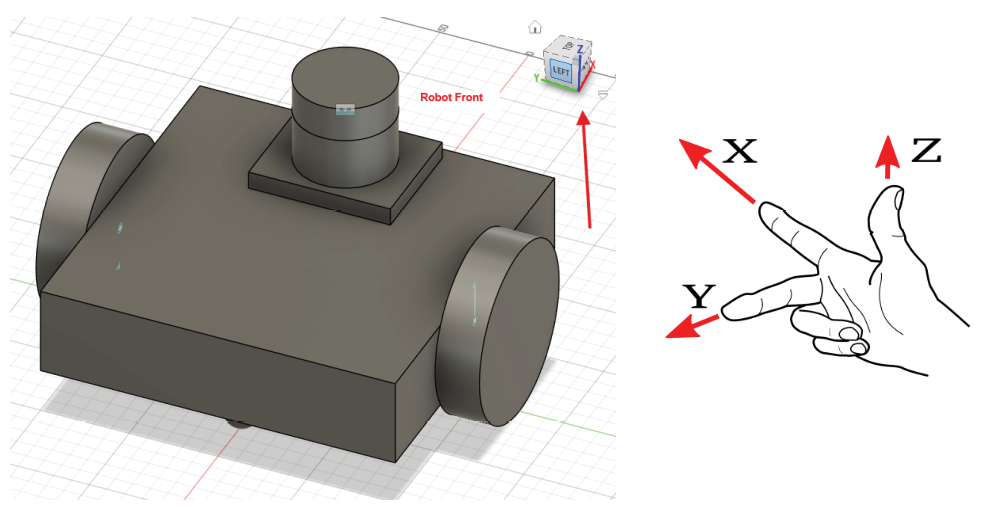
Figure 4.11: Right-hand-rule demonstration
In the figure:
- Index finger (X axis): Represents the positive direction of the X axis; the robot model should always point to the +X direction in Fusion 360. This axis corresponds with the length of the robot.
- Thumb (Z axis): Represents the positive direction of the Z axis. This axis corresponds with the height of the robot.
- Middle finger (Y axis): Represents the positive direction...