






























































Building a simple API in Go
As mentioned in the Technical requirements section, you’ll need the Go compiler to build our examples. If you haven’t done so yet, you can learn how to install it at http://go.dev.
Let’s start building a very simple API from scratch in Go. We aren’t going to dive too deep into the details here, but I’m going to explain what’s going on in general terms. We’ll explore the specifics in the following chapters. For now, we only want to get a very simple API up and running.
Creating the project
The first step is to create our project. For that, we’re going to need to create a directory and initialize our project package there:
$ mkdir myapi
$ cd myapi
$ go mod init myapi
In the first and second lines, we’re creating the new directory and entering it.
In the third line, when we run go mod init myapi, we’re defining the root import path of our project. I’m using myapi here, but it’s more common to use something such as github.com/username/reponame as the import path as it refers to the path of the repository in GitHub, or any other service that you use to host your code.
Once you’ve initialized the Go project, we can start writing the first version of our program. For now, we’re going to build a “Hello World” program as an HTTP server in a file called main.go.
Writing a “Hello World” program
In this section, we’re going to write one of the simplest APIs that we can build: a Hello World API that allows us to make requests and always returns Hello World as a string. Let’s see the code:
package main
import (
    "fmt"
    "net/http"
)
func main() {
    http.HandleFunc("/", func(w http.ResponseWriter, r *http.Request) {
        fmt.Fprint(w, "Hello World")
    })
    http.ListenAndServe(":8888", nil)
}
If you’re familiar with Go, then most of the code here will be very straightforward. You only need to pay a bit more attention to http.HandleFunc, which registers a new available URL in our HTTP server. This tells our server how to handle requests on that URL using the handler defined inline there.
To handle these requests, we can just write the response handler alongside the result that we want to transmit. Don’t worry too much about the details here – we’ll dive deeper into this in the following chapters.
Once the handler has been defined and bound to a URL, we need to start listening on a port and run the web server. We can do this using the http.ListenAndServe function.
With that, we already have an HTTP server that gets requests and gives responses. Now, let’s execute the server from the command line.
Running your server
Your API server runs just like every other program in Go, so you have two options. The first option is to run the program directly by executing the following command:
$ go run .
Alternatively, you can build your program and run the final executable:
$ go build .
$ ./main
In both cases, you’ll end up with a process running that exposes port 8888 and accepts HTTP requests. But you don’t need to believe me; let’s check it out.
Accessing the API
The most straightforward approach that you can follow to check whether your server is running and behaving as expected is to open your web browser and go to http://localhost:8888. If everything went well, you should see the text Hello World, as shown in Figure 1.1.
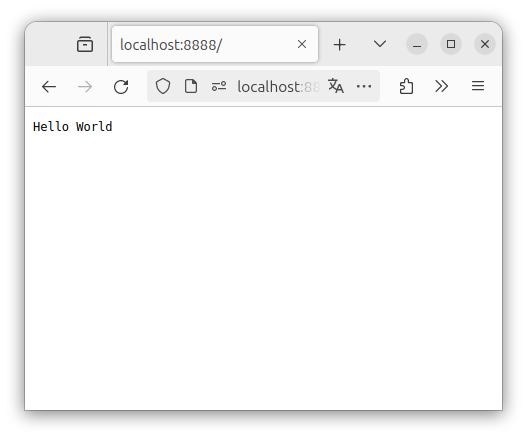
Figure 1.4 – Hello World in a browser
Another option is to use curl, a command-line-based HTTP client, to get this same information:
$ curl http://localhost:8888
Hello World
However, there are other ways to access our API apart from using HTTP clients such as a web browser or curl. You can also build your API client. For that, you’ll still need to use HTTP under the hood, but you’ll access the API using code, not other applications.
Creating the client project
We need to create a project for the client, similar to what we did for the server. To do so, we can execute similar commands:
$ mkdir myclient
$ cd myclient
$ go mod init myclient
With that, our project is ready and we can start working on the code.
Writing the API client
An API client is nothing other than the code that accesses the API. In our case, we’ll access the API directly using an HTTP request and print the response to the terminal:
package main
import (
    "fmt"
    "io"
    "net/http"
)
func main() {
    result, err := http.Get("http://localhost:8888/")
    if err != nil {
        panic(err)
    }
    defer result.Body.Close()
    data, err := io.ReadAll(result.Body)
    if err != nil {
        panic(err)
    }
    fmt.Println("Response:", string(data))
}
Here, we use the http.Get function to make a GET request to our API server. Our server will generate Hello World and send that as a response to our request.
So, we read the body that’s sent by the server and use that data to print the necessary information to the console. Easy, right?
Running the client
Before running the client, be sure that your server is up and running. If not, the client will fail because it won’t be able to connect to the server. Again, you can run the client however you prefer. I prefer using the go run option because it’s just one command:
$ go run .
Response: Hello World
With that, we receive the response from the server and print it to the terminal.
Hooray! You’ve created your first API server and client in Go and communicated two independent programs through that new API. But this is just the beginning.














