Search icon CANCEL
Subscription
0
Cart icon
Your Cart (0 item)
Close icon
You have no products in your basket yet
Save more on your purchases! discount-offer-chevron-icon
Savings automatically calculated. No voucher code required.
Arrow left icon
Explore Products
Best Sellers
New Releases
Books
Videos
Audiobooks
Learning Hub
Newsletter Hub
Free Learning
Arrow right icon
timer SALE ENDS IN
0 Days
:
00 Hours
:
00 Minutes
:
00 Seconds
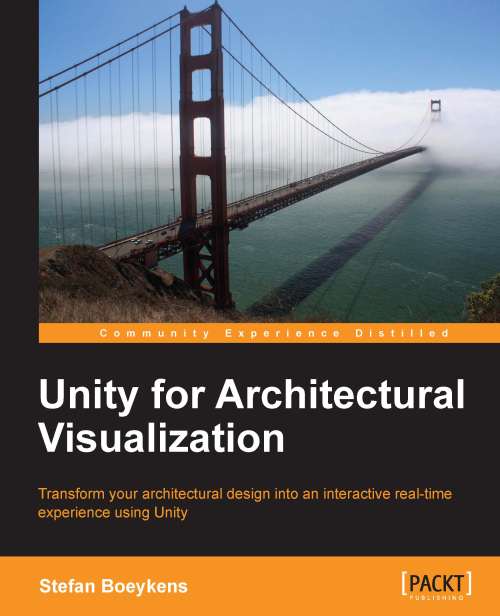
Unity for Architectural Visualization

Unity for Architectural Visualization: For architects the walk-around 3D computer visualization is a fantastic marketing tool. This tutorial shows you how to use Unity to achieve modeling skills through step-by-step examples. You'll find the acquired expertise invaluable.

eBook
$20.69 $22.99
Paperback
$38.99
Subscription
Free Trial
Renews at $19.99p/m

What do you get with Print?

Product feature icon Instant access to your digital copy whilst your Print order is Shipped
Product feature icon Paperback book shipped to your preferred address
Product feature icon Redeem a companion digital copy on all Print orders
Product feature icon Access this title in our online reader with advanced features
Product feature icon DRM FREE - Read whenever, wherever and however you want
OR
Modal Close icon
Payment Processing...
tick Completed

Shipping Address

Billing Address

Shipping Methods
Table of content icon View table of contents Preview book icon Preview Book

Unity for Architectural Visualization

Chapter 2. Quick Walk Around Your Design

This chapter will briefly go over the full process of loading a CAD or BIM model in Unity, setting up scaling and colliders, adapt some common materials, and add a general lighting setup. We add a basic navigational control setup to walk around, and hit play to walk around our design.

Further chapters will go into more detail on how to improve the visual quality and how to add more interactivity, but if you have time for only one single chapter, this chapter will at least get your project in a usable state, with only a minor effort.

In this chapter, we will cover:

  • Project setup

  • Loading a model

  • Meshes and materials, or shaders

  • Adding sun light

  • Add navigation

Setting up an (almost) empty Unity project


The first thing you need to ensure is that you have a 3D model that you want to explore and you have a way to export it into one of the Unity supported formats. Please revisit Chapter 1, An Integrated Unity Workflow, to get more insight into this workflow.

When you launch Unity, by default it loads the last project you worked on. If this is a fresh install, this is usually the sample project called AngryBots that was installed, but while impressive, it is way too elaborate to use as a starting point. Start this chapter by creating a new, empty project by navigation to File | New Project…, which opens the Project Wizard as shown in the following screenshot. To open this wizard directly, hold the Alt key while launching Unity.

From this dialog, we can import Packages that have been installed with Unity. Packages are compressed files that contain a series of ready-to-use Assets. Check the Character Controller package for this example and skip the others...

Loading up a CAD model


Whatever the program or workflow you use, you need to save a 3D model in a format Unity recognizes. You either save the model directly inside the Assets folder from within your modeling software Save As… or Export… dialog, but you can also drag the file onto the Unity project window. The end result is the same.

Can you show me, please?

We will illustrate this using Graphisoft ArchiCAD and Maxon CINEMA 4D. The workflow when using Autodesk Revit or AutoCAD in combination with 3ds Max is similar.

Since you cannot export from ArchiCAD to the recommended FBX or Collada formats directly, you need conversion software. While many modeling systems, including ArchiCAD, support exporting to 3DS (old 3D Studio for DOS format, before 3ds Max was created) or OBJ (old Alias Wavefront format, before Maya was released), these formats present certain limitations and make the update process cumbersome.

In the particular combination of ArchiCAD and CINEMA 4D, it is advised to use the Exchange...

Meshes and materials, or Shaders


Select the model in the Hierarchy Tab and fold out the small triangle to see the hierarchical outline of parent and child objects. When you select any of the child objects, it usually has a Mesh Filter containing the geometry, a Mesh Renderer, which has shadow settings and a list of assigned materials. For each material there is a separate Materials component, which displays the material properties. This is shown in the following screenshot:

Note

Beware that materials are shared between objects, so adjustments are effective on all objects that reference this material.

Most materials use the basic Diffuse shader or material definition and we will leave them for now. You could tweak the material for glass objects a bit, to emulate something more reflective, but we will look at this in more detail in Chapter 6, Shaders and Textures.

You can adjust the tiling and offset of the material component, but this has effect on every geometric object where this material...

Adding sun light


Without lighting the scene looks quite dark and dull. For architectural scenes and environments, you probably need a sun-like light source. We will add a Directional Light by navigating to GameObject | Create Other | Directional Light. This is a light source that emits light in one particular, parallel direction. Its position does not matter.

Press E to activate the Rotation tool and drag the colored circles of the Rotate Gizmo to point it downward, as direction is very important. This can be seen in the following screenshot:

While we said that position doesn't matter, it often makes sense to place the Directional Light slightly above the scene, with the rays pointing towards your design, as a visual clue for yourself.

You can adjust Color and Intensity to your liking. Slightly yellow with intensity between 0.5 and 1 is a good starting point. You can also activate the Shadow Type, which enables real-time shadows. Beware that this can be computationally expensive. Further setup...

Adding navigation using a first person controller


In most interactive 3D environments, you have a basic choice of two main navigational configurations when you want to walk around: first and third person perspective.

When Unity is installed, it comes with a set of packages that add assets for common tasks. If you forgot to check the Character Controller package when we initiated the game project, you can still do so from the Assets menu by navigating to Assets | Import Package | Character Controller.

In the Project tab, you can find the First Person Controller (FPC) in the Standard Assets | Character Controller folder. Drag it onto the Hierarchy or Scene window. Position it using the Move and Rotate gizmos where you want to start in the scene and ensure the bottom side of the Capsule geometry is slightly above the ground, to avoid falling through into the oblivion.

If there is no ground geometry in your project, you could add a Plane GameObject with Transform Position Y=0, to act as a simple...

Minding the gap


While the above sections are a minimal but complete overview of how to set up an interactive walk around your architectural model, some additional recommendations and tips are valuable, such as:

  • To walk around your model, provide a terrain or at least a slab to walk on. As an alternative, you can use a Plane or Quad GameObject or, even better, a Unity Terrain.

  • When you notice your character cannot get up the stairs or onto a slope, you will have to adjust the properties of the Character Controller component of the FPC, such as Step Offset and Slope Limit.

  • When you can see through the walls when you get too close to it, lower the Near Clipping Plane of the Camera component.

  • If your character cannot pass through a door opening, try lowering the Radius of the Character Controller component.

  • Unity sometimes freezes when characters collide with geometry that is too complex, for example, plants or furniture objects with a full Mesh collider. Replace the collider with a simplified one...

Summary


There we are. We made a complete, free-roaming, real-time environment from a CAD or BIM model. That was not too hard, was it?

When all you need is a quick walk through around a CAD model, this chapter will help you a lot. This chapter explained the basic steps of exporting your model into Unity and adding a sun and a navigation control system.

It is wise to have a fast and predictable recipe, as it usually works out fine, especially when you are pressed by a deadline looming around the corner. This basic setup is the minimum that is required for an interactive scene.

Job done? Not quite. What we have shown in this quick overview might be impressive for your very first project, but if it is needed to sell a design, there is much more to it! The next chapter will start with getting a better lighting setup, including shadows.

Left arrow icon Right arrow icon

Key benefits

  • Simple instructions to help you set up an interactive and real-time scene
  • Excellent tips on making your presentations attractive by creating interactive designs
  • Most important features of computer games covered, to develop compelling, interactive scenes for so-called ‚Äúserious games‚Äù

Description

Architects have always relied on drawings, renderings, and sometimes even movies to present their design concepts to clients, contractors, and other stakeholders. The accessibility of current game engines provides new and exciting possibilities to turn any design into an interactive model that anyone can experience at their own pace. "Unity for Architectural Visualization" explains how you can create compelling, real-time models from your 3D architectural project. Filled with practical tips and in-depth information, this book explains every step in the process, starting from the very basics up to custom scripts that will get you up to the next level. This book begins with a general overview of the Unity workflow for architectural models. You will start with a simple project that lets you walk around in your design using basic Unity tools and methods. You will then learn how to easily get convincing lightning effects on your scene. You will then set up a basic navigation system in your project, and not only this; you will also cover some tips and tricks to take navigation to the next level. You will quickly learn how to fine-tune the shaders and how to set up materials that are a bit more advanced. Even when you finish Unity for Architectural Visualization, this book will make scripting easier with reusable examples of scripts that can be applied in most projects. After reading this book, you will be comfortable enough to tackle new projects and develop your own.

Who is this book for?

This book is written for students and professional architects who know how to model buildings in 3D and have a need to turn their design into an interactive model, even if you have never used Unity before. Experience with visualization and programming will be helpful, but is not required to follow along. You will learn all the basics throughout with the help of step-by-step examples. The majority of the examples work fine in any recent version of the Unity software, on Windows or Mac, but occasionally features of the Pro version are required.

What you will learn

  • Convert CAD or BIM models into Unity-compatible formats
  • Use the default Character Controllers to walk around your design
  • Configure light sources and use Lightmapping to bake lights and shadows into your model
  • Add a mini-map to display an overview of the design
  • Tweak the model import and other settings to improve performance
  • Use a shader to simulate a simple and convincing glass
  • Write scripts to open doors, move platforms, and display model information
  • Allow the users to switch cameras and materials using a GUI
Estimated delivery fee Deliver to United States

Economy delivery 10 - 13 business days

Free $6.95

Premium delivery 6 - 9 business days

$21.95
(Includes tracking information)

Product Details

Country selected
Publication date, Length, Edition, Language, ISBN-13
Publication date : Sep 25, 2013
Length: 144 pages
Edition : 1st
Language : English
ISBN-13 : 9781783559060
Vendor :
Unity Technologies
Languages :
Tools :

What do you get with Print?

Product feature icon Instant access to your digital copy whilst your Print order is Shipped
Product feature icon Paperback book shipped to your preferred address
Product feature icon Redeem a companion digital copy on all Print orders
Product feature icon Access this title in our online reader with advanced features
Product feature icon DRM FREE - Read whenever, wherever and however you want
OR
Modal Close icon
Payment Processing...
tick Completed

Shipping Address

Billing Address

Shipping Methods
Estimated delivery fee Deliver to United States

Economy delivery 10 - 13 business days

Free $6.95

Premium delivery 6 - 9 business days

$21.95
(Includes tracking information)

Product Details

Publication date : Sep 25, 2013
Length: 144 pages
Edition : 1st
Language : English
ISBN-13 : 9781783559060
Vendor :
Unity Technologies
Languages :
Tools :

Packt Subscriptions

See our plans and pricing
Modal Close icon
$19.99 billed monthly
Feature tick icon Unlimited access to Packt's library of 7,000+ practical books and videos
Feature tick icon Constantly refreshed with 50+ new titles a month
Feature tick icon Exclusive Early access to books as they're written
Feature tick icon Solve problems while you work with advanced search and reference features
Feature tick icon Offline reading on the mobile app
Feature tick icon Simple pricing, no contract
$199.99 billed annually
Feature tick icon Unlimited access to Packt's library of 7,000+ practical books and videos
Feature tick icon Constantly refreshed with 50+ new titles a month
Feature tick icon Exclusive Early access to books as they're written
Feature tick icon Solve problems while you work with advanced search and reference features
Feature tick icon Offline reading on the mobile app
Feature tick icon Choose a DRM-free eBook or Video every month to keep
Feature tick icon PLUS own as many other DRM-free eBooks or Videos as you like for just $5 each
Feature tick icon Exclusive print discounts
$279.99 billed in 18 months
Feature tick icon Unlimited access to Packt's library of 7,000+ practical books and videos
Feature tick icon Constantly refreshed with 50+ new titles a month
Feature tick icon Exclusive Early access to books as they're written
Feature tick icon Solve problems while you work with advanced search and reference features
Feature tick icon Offline reading on the mobile app
Feature tick icon Choose a DRM-free eBook or Video every month to keep
Feature tick icon PLUS own as many other DRM-free eBooks or Videos as you like for just $5 each
Feature tick icon Exclusive print discounts

Frequently bought together


Stars icon
Total $ 93.98
Learning C# by Developing Games with Unity 3D Beginner's Guide
$54.99
Unity for Architectural Visualization
$38.99
Total $ 93.98 Stars icon

Table of Contents

7 Chapters
An Integrated Unity Workflow Chevron down icon Chevron up icon
Quick Walk Around Your Design Chevron down icon Chevron up icon
Let There be Light! Chevron down icon Chevron up icon
Promenade Architecturale Chevron down icon Chevron up icon
Models and Environment Chevron down icon Chevron up icon
Shaders and Textures Chevron down icon Chevron up icon
Full Control with Scripting Chevron down icon Chevron up icon

Customer reviews

Top Reviews
Rating distribution
Full star icon Full star icon Full star icon Full star icon Empty star icon 4
(6 Ratings)
5 star 50%
4 star 16.7%
3 star 16.7%
2 star 16.7%
1 star 0%
Filter icon Filter
Top Reviews

Filter reviews by


Giancarlo Amati Nov 27, 2013
Full star icon Full star icon Full star icon Full star icon Full star icon 5
Finally The book I have been waiting for! As a Unity3D developer, this book is really useful and very well written. I loved the lighting section and I could create my own project in few hours! Thank you!
Amazon Verified review Amazon
Bow Dec 11, 2013
Full star icon Full star icon Full star icon Full star icon Full star icon 5
The author goes over the differences of traditional CAD software like AutoCad and 3D software like Unity 3D. In the first chapter he explains the workflow to get designs from AutoCad to Unity 3D and also explains common problems and pitfalls that architects could find when working with these programs.On the next chapters the author takes a hands on approach and the reader can begin creating a scene exported from a CAD software and imported into Unity 3D. With every chapter you can see you scene coming to life by adding lights, 3D navigation, 3D models, optimization of your scene and even you will learn a bit of scripting.The book is perfect for any architect and visualization artist who enjoys an hands on approach to learning a new tool. While the author goes over theory during the first chapter the rest of the book will have you working with your project and at the end you will enjoy your work of art. I found it an interesting read and easy to get into.
Amazon Verified review Amazon
Octavio Rezende Aug 30, 2017
Full star icon Full star icon Full star icon Full star icon Full star icon 5
Very good information on using the Unity engine for Architecture.
Amazon Verified review Amazon
Pico Parrot Dec 08, 2013
Full star icon Full star icon Full star icon Full star icon Empty star icon 4
Many years ago I was doing mechanical drafts for automotive parts. Even back then we had to deal with how to best visualizeitems we would draft in Auto-Cad in 3d and had to somehow make these parts "pretty" by some form of digital visualization.Obviously, that was way before more modern visualization software like Unity and we had to cut corners everywhere we go,often using multiple programs transferring data back and forth till we had something that would look good enough to presentto our customers.Since I been using Unity professionally for 5 years now as a programmer for video games I came across this title and I wascurious how non game professionals can use Unity for their visualization needs and how software has evolved since my daysin mechanical drafting.I basically entered the book with a clear mind and without the purpose that this book needed to teach my something that Iwill need. Since I have a pretty good graps of Unity from my professional work, I read the whole book on my train commutewithout having a copy of Unity at my disposal to see if I could follow the authors topics very easily. Except for a few pageswhere I had to read a sentence or a small chapter more than once, I have to say that the book is very well written and easyto follow for anything the author explains about the Unity engine. Anyone that has not used the Unity engine before shouldbe able to pick it up for the purpose of this book in no time. The reader is set up with a good base knowledge to exploreUnity in all its glory further if so desired.The author spends a good amount of in the early to mid chapters of the book to get the reader to understand theories and conceptsof what it takes to get architectural assets prepared to use in Unity. Multiple ways and software are explored, explained andthoroughly brought across. Specific technical terms are discussed and elaborated on as needed. While these concepts arecertainly necessary to understand, it made me wonder a little bit if those are concepts that should already be knowledge for areader of a book with such a specific title or not. I guess as with all technical books, the author wants to reach all levelsof readers. For more advanced readers that are already familiar with these concepts these parts might not be very helpful.The chapters in which the author goes into hands on use of Unity itself are again set up very easy to follow and structured. Acommon theme throughout the whole book I would like to mention. As a professional programmer, although I might be a little biasedhere, I thought that the chapter on scripting should have been a little bit more elaborated on. My complain here comes from thetitle of the book itself. When I first read the title I was in the opinion, that this book would teach more about the actual useof Unity and scripting for a very specific purpose. Not that the book is lacking important code or has flaws in the code that isused. In my opionion the book just has a too short chapter explaining the power of writing code for this particular purpose.Overall, to me the book follows a pattern of many technical books that I have read over the years. Often their titles are a bitmisleading and not quite what I was looking for. Now I said above, that I read the book solely for the purpose of "personalentertainment", however, I did set a goal before I started reading of what I would look for if I would read this book from ateaching perspective. As I mentioned before, all of the chapters are well written, easy to understand and cover specific partsof the whole picture, so this goal was certainly met. The goals that weren't met by the book were the lack of more coding examplesas well as the long theoretical chapters on how to prepare assets. These parts were a little bit too basic for me and I ratherwould have seen them to be a little bit shorter and focus more on using Unity as the title would suggest.Therefore I rated the book as 4 stars from a perspective of a more advanced user. There isn't really much the book will help youif you already know the concepts of preparing assets for use in a visualization software and you have a basic idea of how to writesimple code. If you are a someone who is an absolut beginner in asset creation and the basics of writing code, then this bookis for you and deserves a 5-star rating. As a beginner, this book will take you literally take you by the hand and walks youthrough the necessary steps to have something to show. Where you take it from there is completely your choice, but you willcertainly have what you need to get on your journey.
Amazon Verified review Amazon
Antonio Sanchez Jul 27, 2023
Full star icon Full star icon Full star icon Empty star icon Empty star icon 3
Es un libro que explica pero no termina de dejar claras las cosas. Echo de menos algún ejercicio completo real que se pueda ejecutar.
Amazon Verified review Amazon
Get free access to Packt library with over 7500+ books and video courses for 7 days!
Start Free Trial

FAQs

What is the digital copy I get with my Print order? Chevron down icon Chevron up icon

When you buy any Print edition of our Books, you can redeem (for free) the eBook edition of the Print Book you’ve purchased. This gives you instant access to your book when you make an order via PDF, EPUB or our online Reader experience.

What is the delivery time and cost of print book? Chevron down icon Chevron up icon

Shipping Details

USA:

'

Economy: Delivery to most addresses in the US within 10-15 business days

Premium: Trackable Delivery to most addresses in the US within 3-8 business days

UK:

Economy: Delivery to most addresses in the U.K. within 7-9 business days.
Shipments are not trackable

Premium: Trackable delivery to most addresses in the U.K. within 3-4 business days!
Add one extra business day for deliveries to Northern Ireland and Scottish Highlands and islands

EU:

Premium: Trackable delivery to most EU destinations within 4-9 business days.

Australia:

Economy: Can deliver to P. O. Boxes and private residences.
Trackable service with delivery to addresses in Australia only.
Delivery time ranges from 7-9 business days for VIC and 8-10 business days for Interstate metro
Delivery time is up to 15 business days for remote areas of WA, NT & QLD.

Premium: Delivery to addresses in Australia only
Trackable delivery to most P. O. Boxes and private residences in Australia within 4-5 days based on the distance to a destination following dispatch.

India:

Premium: Delivery to most Indian addresses within 5-6 business days

Rest of the World:

Premium: Countries in the American continent: Trackable delivery to most countries within 4-7 business days

Asia:

Premium: Delivery to most Asian addresses within 5-9 business days

Disclaimer:
All orders received before 5 PM U.K time would start printing from the next business day. So the estimated delivery times start from the next day as well. Orders received after 5 PM U.K time (in our internal systems) on a business day or anytime on the weekend will begin printing the second to next business day. For example, an order placed at 11 AM today will begin printing tomorrow, whereas an order placed at 9 PM tonight will begin printing the day after tomorrow.


Unfortunately, due to several restrictions, we are unable to ship to the following countries:

  1. Afghanistan
  2. American Samoa
  3. Belarus
  4. Brunei Darussalam
  5. Central African Republic
  6. The Democratic Republic of Congo
  7. Eritrea
  8. Guinea-bissau
  9. Iran
  10. Lebanon
  11. Libiya Arab Jamahriya
  12. Somalia
  13. Sudan
  14. Russian Federation
  15. Syrian Arab Republic
  16. Ukraine
  17. Venezuela
What is custom duty/charge? Chevron down icon Chevron up icon

Customs duty are charges levied on goods when they cross international borders. It is a tax that is imposed on imported goods. These duties are charged by special authorities and bodies created by local governments and are meant to protect local industries, economies, and businesses.

Do I have to pay customs charges for the print book order? Chevron down icon Chevron up icon

The orders shipped to the countries that are listed under EU27 will not bear custom charges. They are paid by Packt as part of the order.

List of EU27 countries: www.gov.uk/eu-eea:

A custom duty or localized taxes may be applicable on the shipment and would be charged by the recipient country outside of the EU27 which should be paid by the customer and these duties are not included in the shipping charges been charged on the order.

How do I know my custom duty charges? Chevron down icon Chevron up icon

The amount of duty payable varies greatly depending on the imported goods, the country of origin and several other factors like the total invoice amount or dimensions like weight, and other such criteria applicable in your country.

For example:

  • If you live in Mexico, and the declared value of your ordered items is over $ 50, for you to receive a package, you will have to pay additional import tax of 19% which will be $ 9.50 to the courier service.
  • Whereas if you live in Turkey, and the declared value of your ordered items is over € 22, for you to receive a package, you will have to pay additional import tax of 18% which will be € 3.96 to the courier service.
How can I cancel my order? Chevron down icon Chevron up icon

Cancellation Policy for Published Printed Books:

You can cancel any order within 1 hour of placing the order. Simply contact customercare@packt.com with your order details or payment transaction id. If your order has already started the shipment process, we will do our best to stop it. However, if it is already on the way to you then when you receive it, you can contact us at customercare@packt.com using the returns and refund process.

Please understand that Packt Publishing cannot provide refunds or cancel any order except for the cases described in our Return Policy (i.e. Packt Publishing agrees to replace your printed book because it arrives damaged or material defect in book), Packt Publishing will not accept returns.

What is your returns and refunds policy? Chevron down icon Chevron up icon

Return Policy:

We want you to be happy with your purchase from Packtpub.com. We will not hassle you with returning print books to us. If the print book you receive from us is incorrect, damaged, doesn't work or is unacceptably late, please contact Customer Relations Team on customercare@packt.com with the order number and issue details as explained below:

  1. If you ordered (eBook, Video or Print Book) incorrectly or accidentally, please contact Customer Relations Team on customercare@packt.com within one hour of placing the order and we will replace/refund you the item cost.
  2. Sadly, if your eBook or Video file is faulty or a fault occurs during the eBook or Video being made available to you, i.e. during download then you should contact Customer Relations Team within 14 days of purchase on customercare@packt.com who will be able to resolve this issue for you.
  3. You will have a choice of replacement or refund of the problem items.(damaged, defective or incorrect)
  4. Once Customer Care Team confirms that you will be refunded, you should receive the refund within 10 to 12 working days.
  5. If you are only requesting a refund of one book from a multiple order, then we will refund you the appropriate single item.
  6. Where the items were shipped under a free shipping offer, there will be no shipping costs to refund.

On the off chance your printed book arrives damaged, with book material defect, contact our Customer Relation Team on customercare@packt.com within 14 days of receipt of the book with appropriate evidence of damage and we will work with you to secure a replacement copy, if necessary. Please note that each printed book you order from us is individually made by Packt's professional book-printing partner which is on a print-on-demand basis.

What tax is charged? Chevron down icon Chevron up icon

Currently, no tax is charged on the purchase of any print book (subject to change based on the laws and regulations). A localized VAT fee is charged only to our European and UK customers on eBooks, Video and subscriptions that they buy. GST is charged to Indian customers for eBooks and video purchases.

What payment methods can I use? Chevron down icon Chevron up icon

You can pay with the following card types:

  1. Visa Debit
  2. Visa Credit
  3. MasterCard
  4. PayPal
What is the delivery time and cost of print books? Chevron down icon Chevron up icon

Shipping Details

USA:

'

Economy: Delivery to most addresses in the US within 10-15 business days

Premium: Trackable Delivery to most addresses in the US within 3-8 business days

UK:

Economy: Delivery to most addresses in the U.K. within 7-9 business days.
Shipments are not trackable

Premium: Trackable delivery to most addresses in the U.K. within 3-4 business days!
Add one extra business day for deliveries to Northern Ireland and Scottish Highlands and islands

EU:

Premium: Trackable delivery to most EU destinations within 4-9 business days.

Australia:

Economy: Can deliver to P. O. Boxes and private residences.
Trackable service with delivery to addresses in Australia only.
Delivery time ranges from 7-9 business days for VIC and 8-10 business days for Interstate metro
Delivery time is up to 15 business days for remote areas of WA, NT & QLD.

Premium: Delivery to addresses in Australia only
Trackable delivery to most P. O. Boxes and private residences in Australia within 4-5 days based on the distance to a destination following dispatch.

India:

Premium: Delivery to most Indian addresses within 5-6 business days

Rest of the World:

Premium: Countries in the American continent: Trackable delivery to most countries within 4-7 business days

Asia:

Premium: Delivery to most Asian addresses within 5-9 business days

Disclaimer:
All orders received before 5 PM U.K time would start printing from the next business day. So the estimated delivery times start from the next day as well. Orders received after 5 PM U.K time (in our internal systems) on a business day or anytime on the weekend will begin printing the second to next business day. For example, an order placed at 11 AM today will begin printing tomorrow, whereas an order placed at 9 PM tonight will begin printing the day after tomorrow.


Unfortunately, due to several restrictions, we are unable to ship to the following countries:

  1. Afghanistan
  2. American Samoa
  3. Belarus
  4. Brunei Darussalam
  5. Central African Republic
  6. The Democratic Republic of Congo
  7. Eritrea
  8. Guinea-bissau
  9. Iran
  10. Lebanon
  11. Libiya Arab Jamahriya
  12. Somalia
  13. Sudan
  14. Russian Federation
  15. Syrian Arab Republic
  16. Ukraine
  17. Venezuela
Modal Close icon
Modal Close icon