Search icon CANCEL
Subscription
0
Cart icon
Your Cart (0 item)
Close icon
You have no products in your basket yet
Save more on your purchases! discount-offer-chevron-icon
Savings automatically calculated. No voucher code required.
Arrow left icon
Explore Products
Best Sellers
New Releases
Books
Videos
Audiobooks
Learning Hub
Newsletter Hub
Free Learning
Arrow right icon
timer SALE ENDS IN
0 Days
:
00 Hours
:
00 Minutes
:
00 Seconds
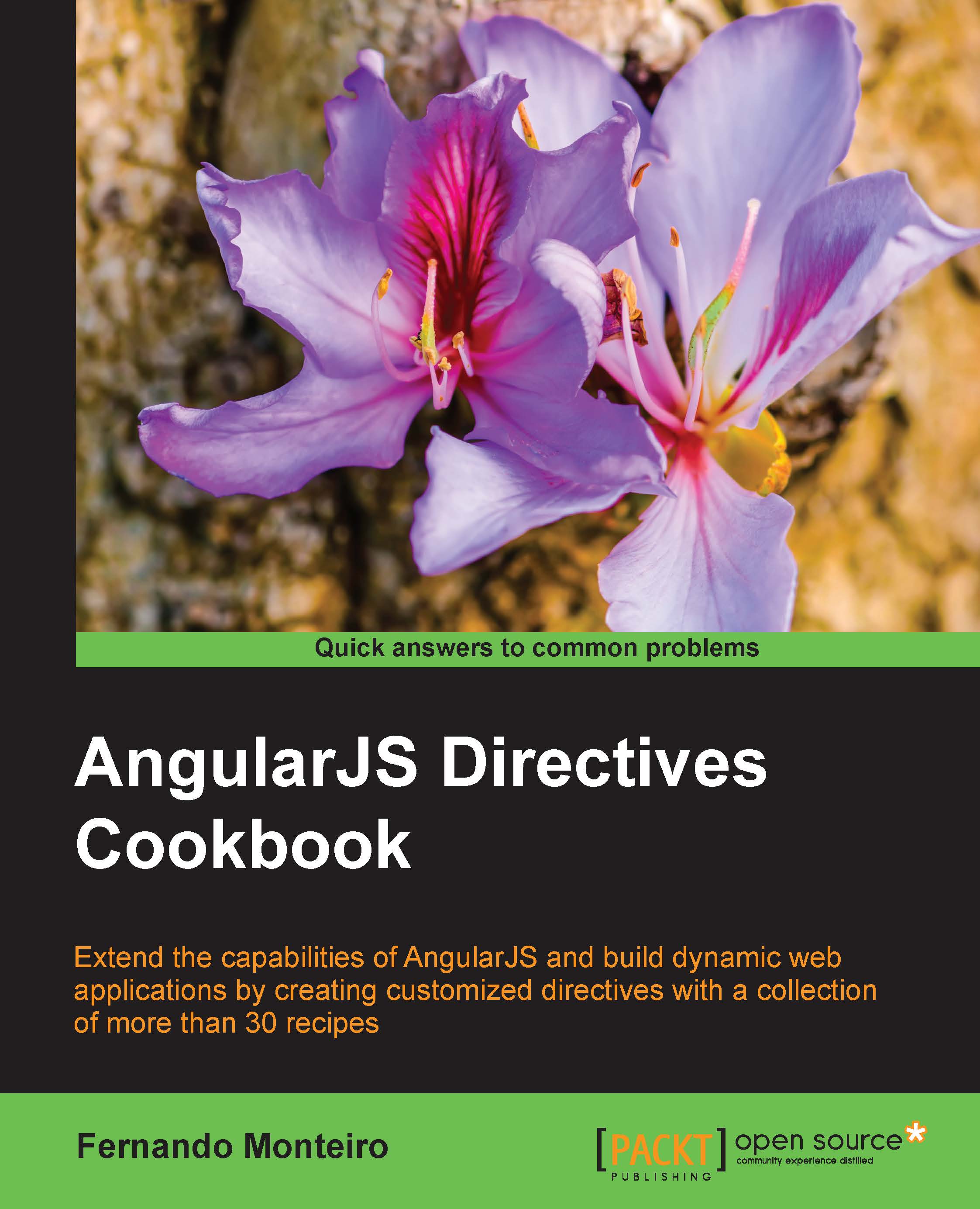
AngularJS Directives Cookbook

AngularJS Directives Cookbook: Extend the capabilities of AngularJS and build dynamic web applications

eBook
$32.39 $35.99
Paperback
$43.99
Subscription
Free Trial
Renews at $19.99p/m

What do you get with Print?

Product feature icon Instant access to your digital copy whilst your Print order is Shipped
Product feature icon Paperback book shipped to your preferred address
Product feature icon Redeem a companion digital copy on all Print orders
Product feature icon Access this title in our online reader with advanced features
Product feature icon DRM FREE - Read whenever, wherever and however you want
OR
Modal Close icon
Payment Processing...
tick Completed

Shipping Address

Billing Address

Shipping Methods
Table of content icon View table of contents Preview book icon Preview Book

AngularJS Directives Cookbook

Chapter 1. Dealing with Modal and Tabs Directives

In this chapter, we will cover:

  • Using inline HTML templates
  • Creating a simple modal directive
  • Loading external templates for best practices
  • Using the link function
  • Dealing with tabs without Bootstrap UI directives

Introduction

Directives make up an important part in AngularJS applications with AngularJS. They manipulate the Document Object Model (DOM), route events to event handler functions, and much more. Through the use of custom directives, we can build applications with a rich user interface.

Although the built-in directives such as ng-repeat, ng-show, and ng-hide cover many different scenarios, you will often need to create application-specific directives. This chapter will give you an overview on how to create and customize simple AngularJS directives, with the best practices in mind.

We assume that you already know what directives are, so let's check how to create and customize some simple directives to manipulate the DOM.

Using inline HTML templates

The basic form to create an AngularJS directive is very simple and intuitive. Let's take a look at a basic way to declare a directive using inline HTML:

.directive("directiveName",function () {

  return {
    restrict: 'A',

    controller: function() {
      // Directive Controller
    },

    link: function() {
      // Link function
    },
    template: ''
  }
});

As the name implies, we include the HTML template within the code of the directive through the template property.

Let's see a practical example to show some text on the screen.

Getting ready

The following example is very simple and easy to understand. Imagine that we have set up an AngularJS application called app and want to display some simple text in the browser with the following content: Hello Simple Directive.

For this recipe, we will use a simple HTML file with AngularJS script in the head tag.

Add myFirstDirective as a dependence to the app application:

angular.module('app', ['myFirstDirectives']);

How to do it…

So, we can declare and inject the module that contains our directive into our application. Following the best practices to include new dependencies on the AngularJS application, we called the directive as helloSimpleDirective:

angular.module('myFirstDirective')

.directive('helloSimpleDirective', function() {
 return {
    scope: true,  // inherits child scope from parent.
    restrict: 'E', // An Element Directive.
    replace: true,
    template: '<h3>Hello Simple Directive</h3>'
  };
});

Tip

Note that we have declared here as an element directive.

How it works…

Now, before we look into the code, we need to remember that we have the following four types of directives and that we can use more than one each time:

  • An HTML element (<directive-type></directive-type>), represented by the letter E
  • An attribute on an element (<input type="text" directive-type/>), represented by the letter A
  • As a class (<input type="text" class="directive-type"/>), represented by the letter C
  • As a comment (<!--directive:directive-type-->), represented by the letter M

We will see more about this in the later chapters.

In the first line of code, we named the application module as myFirstDirective and added the directive called helloSimpleDirective as a module. It's very simple to use this directive too. Just declare it like any other HTML tag (in this case, an element), as shown in the following code:

<hello-simple-directive></hello-simple-directive>

In the previous code, our angular.module('app', [myFirstDirective]) function serves to register the new directive to the AngularJS application. On the directive, the first string argument is the directive name 'hellosimpledirective' and the second argument is a function that returns a Directive Definition Object (DDO). Also, if the directive has some external object/service dependencies such as $http, $resource, and $compile, among others, they can be injected here.

Note that we have declared the directive as an HTML element, and the sign - has delimited strings to camelCase, so the name helloSimpleDirective will be converted to hello-simple-directive to be used as the directive name.

In this basic example, we just print on the screen the h3 HTML tag with the text Hello Simple Directive.

See also

Creating a simple modal directive

Modal windows are interface components often used in web applications. Building them is very simple and is done using libraries such as Dojo or jQuery, but implementing them in AngularJS applications is not as simple, since the DOM manipulation is restricted to directives.

Next, we will see how to use this component in a very simple way.

Getting ready

Let's start placing the following HTML code in a new blank page. The following code has all the basic requisites to illustrate the example:

<!DOCTYPE html>
<html>
<head>
<script src="https://ajax.googleapis.com/ajax/libs/angularjs/1.3.x/angular.js"></script>
<title>Modal Window Directive</title>
<style>
  .modal-overlay {
  position:absolute;
  z-index:9999;
  top:0;
  left:0;
  width:100%;
  height:100%;
  background-color:#000;
  opacity: 0.8;
}
.modal-background {
  z-index:10000;
  position: absolute;
  top: 50%;
  left: 50%;
  transform: translate(-50%, -50%);
  background-color: #fff;

}
.modal-content {
  padding:10px;
  text-align: center;
}
.modal-close {
  position: absolute;
  top: 5px;
  right: 5px;
  padding: 5px;
  cursor: pointer;
  display: inline-block;
}
</style>
</head>
<body ng-app='SimpleModal'>
</body>
</html>

For this simple example, we placed the CSS code inside the style tag on the same HTML file; don't do that in production.

How to do it…

  1. Now we can create our modal directive with the following code:
    // Creating a simple Modal Directive
    app = angular.module('SimpleModal', []);
    
    app.directive('modalWindow', function() {
      return {
        restrict: 'E',
        scope: {
          show: '='
        },
        replace: true, // Replace with template
        transclude: true, // To use custom content
        link: function(scope, element, attrs) {
    
          scope.windowStyle = {};
    
          if (attrs.width) {
            scope.windowStyle.width = attrs.width;
          }
          if (attrs.height) {
            scope.windowStyle.height = attrs.height;
          }
    
          scope.hideModal = function() {
            scope.show = false;
          };
        },
        template: "<div ng-show='show'><div class='modal-overlay' ng-click='hideModal()'></div><div class='modal-background' ng-style='windowStyle'><div class='modal-close' ng-click='hideModal()'>X</div><div class='modal-content' ng-transclude></div></div></div>"
      };
    });
  2. Add the controller's code:
    app.controller('ModalCtrl', ['$scope',
      function($scope) {
        $scope.modalShown = false;
        $scope.toggleModal = function() {
          $scope.modalShown = !$scope.modalShown;
        };
      }
    ]);
  3. Finally, include the directives tags into the body tag of our HTML file:
    <div ng-controller='ModalCtrl'>
      <button ng-click='toggleModal()'>Open Modal</button>
      <modal-window show='modalShown' width='400px' height='60%'>
      <p>Hello Simple Modal Window<p>
      </modal-window>
    </div>

How it works…

The work here is very simple; we just placed an HTML template using the inline template, as we did in the previous example:

template: "<div ng-show='show'><div class='modal-overlay' ng-click='hideModal()'></div><div class='modal-background' ng-style='windowStyle'><div class='modal-close' ng-click='hideModal()'>X</div><div class='modal-content' ng-transclude></div></div></div>"

As we build everything from scratch, we need to style the HTML tags with CSS classes for a better look using the style tag inside the head element. In production applications, you must have a separated file for CSS styles.

The inline template contains the built-in directives ng-show() and ng-style(), along with a ng-click() function to hide the modal.

The ng-style() directive is not used often, but we include it in this example just to illustrate how we can place inline styles inside a directive.

Inline templates are very useful, but not too flexible. On large application managers, different inline templates can be very painful to use and take a lot of time. Use them with small templates. In the next recipe, we will see how to use external templates on custom directives.

There's more…

We can also use the ng-transclude in-built directive to remove any content from the DOM before the modal content inserted.

See also

Loading external templates for best practices

Thinking in terms of best practices, let's see how to use the same modal directive with an external template, using the templateUrl property instead of the template property. Before we go further, let's explore the two ways to use templates.

Use the script tag of ng-template, as shown in the following example:

<body ng-app='SimpleModal'>
  <script type="text/ng-template" id="modal.html">
  <div ng-show='show'>
    <div class='modal-overlay' ng-click='hideModal()'></div>
    <div class='modal-background' ng-style='windowStyle'>
      <div class='modal-close' ng-click='hideModal()'>X</div>
      <div class='modal-content' ng-transclude></div>
    </div>
  </div>
  </script>
</body>

Alternatively, place the HTML content in a separate file; in this case, the template will be an external file, not just external from the directive code. The code is as follows:

<body ng-app='SimpleModal'>
  <div ng-controller='ModalCtrl'>
    <button ng-click='toggleModal()'>Open Modal</button>
    <modal-window show='modalShown' width='400px' height='60%'>
      <p>Hello Simple Modal Window with External Template<p>
    </modal-window>
  </div>
</body>

Both ways have the same result, and we will see the difference later. For now, let's focus on the HTML template.

Getting ready

For this recipe, we will be using the same code base as the previous recipe.

How to do it…

  1. Let's replace the entire template string with the following code:
    // loading external templates
    app = angular.module('SimpleModal', []);
    
    app.directive('modalWindow', function() {
      return {
        restrict: 'E',
        scope: {
          show: '='
        },
        replace: true, // Replace with template
        transclude: true, // To use custom content
        link: function(scope, element, attrs) {
    
          scope.windowStyle = {};
    
          if (attrs.width) {
            scope.windowStyle.width = attrs.width;
          }
          if (attrs.height) {
            scope.windowStyle.height = attrs.height;
          }
    
          scope.hideModal = function() {
            scope.show = false;
          };
        },
        templateUrl: "modal.html"
      };
    });
  2. Remember that we keep the same controller code as the previous example. The templateUrl property points to an external file, so place the following code in a blank HTML file and save it as modal.html:
    <body ng-app='SimpleModal'>
      <div ng-controller='ModalCtrl'>
        <button ng-click='toggleModal()'>Open Modal</button>
        <modal-window show='modalShown' width='400px' height='60%'>
          <p>Hello Simple Modal Window with External Template<p>
        </modal-window>
      </div>
    </body> 

How it works…

With the templateUrl property, we can load an external HTML template inside our current HTML file. It is very useful to use this practice because we can reuse the same template in different places in the application. We will cover this topic later on in this book.

Tip

To load external templates inside your files, you must have a HTTP server.

There's more…

When we use type=text/ng-template with the script tag, we need to place the modal content inside our page, and the content will be hidden by the browser. The script tag is used to tell the browser that there is a code snippet, usually in JavaScript. In this way, the content of the tag is interpreted differently by the browser. In our case, the type attribute indicates that we have a template, as we can see in the previous example.

We can use the same example, as shown in the following code:

<!DOCTYPE html>
<html>
<head>
<script src="https://ajax.googleapis.com/ajax/libs/angularjs/1.3.x/angular.js"></script>
<title>Modal Window Directive</title>
<style>
...
</style>
</head>
<body ng-app='SimpleModal'>
  <script type="text/ng-template" id="modal.html">
    <div ng-controller='ModalCtrl'>
      <button ng-click='toggleModal()'>Open Modal</button>
      <modal-window show='modalShown' width='400px' height='60%'>
        <p>Hello Simple Modal Window using ng-template<p>
      </modal-window>
    </div>
  </script>
</body>
</html>

See also

Using the link function

Now let's take a look at the link function property inside the directive. The template generated by a directive is meaningless unless it is compiled with the appropriate scope. Thus, by default, a directive does not get a new child scope. Instead, it is related to the parent scope. This means that if the directive is present within a controller, then it will use this controller scope instead of creating a new one.

To use this scope, we need to use the link function. We achieve this by using the link property inside the directive definition. Let's use a basic example to understand this.

Getting ready

Let's place the following code inside a new blank HTML file:

<!DOCTYPE html>
<html ng-app="linkdirectives">

  <head>
  <script src="https://ajax.googleapis.com/ajax/libs/angularjs/1.2.4/angular.js"></script>
  <title>Link Function Directive</title>
  </head>

  <body ng-controller="LinkCtrl">
    <input type="text" ng-model="colorName" placeholder="Insert a color name"/>
    <link-function></link-function>
  </body>

</html>

Now let's add the directive code.

How to do it…

Here's the directive code, using simple CSS manipulation:

app.directive('linkFunction',function(){
  return{
    restrict: 'AE',
    replace: true,
    template: '<p style="background-color:{{colorName}}">Link Function Directive</p>',
    link: function(scope,element,attribute){
      element.bind('click',function(){
        element.css('background-color','white');
        scope.$apply(function(){
          scope.color="white";
        });
      });
      element.bind('mouseover',function(){
        element.css('cursor','pointer');
      });
    }
  }
});

How it works…

The link function takes three arguments: scope, element, and attribute. For a better understanding, we use the entire name for the arguments, without any abbreviation. It is also very common to see elem for element and attrs for attribute.

The element argument is a short version from jQuery Lite that is already included in AngularJS to manipulate the DOM without the need to use the famous $() from jQuery.

Tip

AngularJS has a lightweight version of jQuery, called jQuery Lite.

The scope element is the same from the parent controller, and the link function is used for attaching event listeners to DOM elements. Always watch the model properties for changes, and update the DOM with the new information. In this case, we used the $apply() function to update the binding.

There's more…

The link function contains code used after the compilation process, such as some DOM manipulation or jQuery use. Also, the controller $scope and scope of the link function are almost the same thing.

When you use the scope element as the first parameter of the link function inside a directive, it has the same behavior of the $scope element from a controller. However, when you declare the scope: {} property with an empty object inside the directive, you create an isolate scope and both are different. We will see more about isolate scopes in the next chapter.

The controller $scope are parameters that are sent to the controller and they get there through Dependency Injection (DI). The scope of the link function are parameters sent to link and are standard order-based functions.

See also

Dealing with tabs without Bootstrap UI directives

Bootstrap user interface is very popular and is used by many web developers. The AngularJS community has their own in-built version on top of the Bootstrap JavaScript library, the AngularJS UI directives. However, using it is not always our first option; often, we need a simple solution.

In this recipe, we will see how to build component tabs without Angular UI.

Later in the book, we will see in depth how to use and customize Bootstrap UI directives. Now, we will focus on a simple directive tabs.

In a very basic way, we don't need to use a custom directive to build the tabs. So, let's see two ways to build a simple tab.

Getting ready

For the first example, we need the following code:

<!DOCTYPE html>
<html ng-app="simpleTab">
<head>
  <script src="https://ajax.googleapis.com/ajax/libs/angularjs/1.2.4/angular.js"></script>
  <title>Simple tab</title>
  <style>
    .tabs-nav {
      padding: 20px 0 0;
      list-style: none;
    }
    .tabs-nav li {
      display: inline;
      margin-right: 20px;
    }
    .tabs-nav a {
      display:inline-block;
      cursor: pointer;
    }
    .tabs-nav .active {
      color: red;
    }
    .tab-content {
      border: 1px solid #ddd;
      padding: 20px;
    }
  </style>
</head>

<div class="tabs-holder" ng-app="simpleTab" ng-init="tab=1">
  <ul class="tabs-nav">
    <li><a ng-click="tab=1" ng-class="{'active' : tab==1}">First tab</a></li>
    <li><a ng-click="tab=2" ng-class="{'active' : tab==2}">Second tab</a></li>
    <li><a ng-click="tab=3" ng-class="{'active' : tab==3}">Third tab</a></li>
  </ul>

  <div class="tabs-container">
    <div class="tab-content" ng-show="tab == 1">
      <h1>First Tab</h1>
      <p>Simple tab 1</p>
    </div>
    <div class="tab-content" ng-show="tab == 2">
      <h1>Second tab</h1>
      <p>Simple tab 2</p>
    </div>

    <div class="tab-content" ng-show="tab == 3">
      <h1>Third Tab</h1>
      <p>Simple tab 3</p>
    </div>
  </div>
</div>
</body>
</html>

For the second example, we need the following code. This time, we're using a controller and an external template. Place the following HTML code in a blank HTML file:

<!DOCTYPE html>
<html ng-app="simpleTabController">
<head>
  <script src="https://ajax.googleapis.com/ajax/libs/angularjs/1.2.4/angular.js"></script>
  <title>Simple tab with Controller</title>
  <style>
    .tabs-nav {
      padding: 20px 0 0;
      list-style: none;
    }
    .tabs-nav li {
      display: inline;
      margin-right: 20px;
    }
    .tabs-nav a {
      display:inline-block;
      cursor: pointer;
    }
    .tabs-nav .active {
      color: red;
    }
    .tab-content {
      border: 1px solid #ddd;
      padding: 20px;
    }
  </style>
</head>
<body>
<div class="tabs-holder" ng-app="simpleTabController">
<div id="tabs" ng-controller="TabsCtrl">
  <ul class="tabs-nav">
    <li ng-repeat="tab in tabs"
    ng-class="{active:isActiveTab(tab.url)}"
    ng-click="onClickTab(tab)">{{tab.title}}</li>
  </ul>
  <div id="tab-content">
    <div ng-include="currentTab"></div>
  </div>
  <!--Script templates-->
  <script type="text/ng-template" id="first.html">
    <div class="tab-content" id="1">
      <h1>First Tab</h1>
      <p>Simple tab 1</p>
    </div>
  </script>

  <script type="text/ng-template" id="second.html">
    <div class="tab-content" id="2">
      <h1>Second Tab</h1>
      <p>Simple tab 2</p>
    </div>
  </script>

  <script type="text/ng-template" id="third.html">
    <div class="tab-content" id="3">
      <h1>Third Tab</h1>
      <p>Simple tab 3</p>
    </div>
  </script>
</div>
</div>
</body>
</html>

How to do it…

With the HTML already set up for both examples, let's dive into the controller's code for the second one. Add the following code to a separate file:

angular.module('simpleTabController', [])

.controller('TabsCtrl', ['$scope', function ($scope) {
  $scope.tabs = [{
    title: 'First tab',
    url: 'first.html'
  }, {
    title: 'Second tab',
    url: 'second.html'
  }, {
    title: 'Third tab',
    url: 'third.html'
}];

  $scope.currentTab = 'first.html';

  $scope.onClickTab = function (tab) {
    $scope.currentTab = tab.url;
  }

  $scope.isActiveTab = function(tabUrl) {
    return tabUrl == $scope.currentTab;
  }
}]);

The result of the tabs example is very similar to the following screenshot:

How to do it…

Simple tab layout example

Note that we keep the layout as simple as possible just for the example code.

For the second example, we keep the same stylesheet and layout. In both the examples, we include the CSS inside the head element on the HTML page; you must avoid this on production applications.

How it works…

The first example is pretty intuitive, and we only use the AngularJS built-in directives, such as ng-class and ng-show, to simulate the tab functionality.

<ul class="tabs-nav">
  <li><a ng-click="tab=1" ng-class="{'active' : tab==1}">First tab</a></li>
  <li><a ng-click="tab=2" ng-class="{'active' : tab==2}">Second tab</a></li>
  <li><a ng-click="tab=3" ng-class="{'active' : tab==3}">Third tab</a></li>
</ul>

Internally, the framework recognizes the reverse state of ng-show and hides all the content of tabs 1 and 2. When we click on one of the other tabs, the state changes to show what has been clicked on and hides the others.

This is a simple example, but it is not very flexible.

In the second example, we added a controller to deal with the tabs logic, creating a $scope to hold the tab title and their respective template:

$scope.tabs = [{
  title: 'First tab',
  url: 'first.html'
}, {
  title: 'Second tab',
  url: 'second.html'
}, {
  title: 'Third tab',
  url: 'third.html'
}];

We could easily introduce other elements in this array, such as description, date, and other elements, since we have loaded them from the controller. Although, it is possible to load the tabs content dynamically within this own array. We can also load the templates in external files, as we saw in the beginning of this chapter.

For this, transfer the contents of the script tags (highlighted here) to external files, keeping the names as first.html, second.html, and third.html:

<script type="text/ng-template" id="first.html">
  <div class="tab-content" id="1">
    <h1>First Tab</h1>
    <p>Simple tab 1</p>
  </div>
</script>

Now just remove the script tags from the original HTML file:

<script type="text/ng-template" id="second.html">
  <div class="tab-content" id="2">
    <h1>Second Tab</h1>
    <p>Simple tab 2</p>
  </div>
</script>

<script type="text/ng-template" id="third.html">
  <div class="tab-content" id="3">
    <h1>Third Tab</h1>
    <p>Simple tab 3</p>
  </div>
</script>

Now we can have tabs with external templates.

These were simple examples for creation of tabs without using custom directives, and instead using built-in AngularJS directives. We highlighted the DOM manipulation's simplicity by using controllers rather than customized directives.

There's more…

In addition to the previous examples, we can easily create a directive to use tabs. So, we address all the possibilities in the creation of this interactive component.

Let's see a directive example:

<!DOCTYPE html>
<html >
<head>
  <script src="https://ajax.googleapis.com/ajax/libs/angularjs/1.2.4/angular.js"></script>
  <title>Simple tab with Directive</title>
  <style>
    .tabs-nav {
      padding: 20px 0 0;
      list-style: none;
    }
    .tabs-nav li {
      display: inline;
      margin-right: 20px;
    }
    .tabs-nav a {
      display:inline-block;
      cursor: pointer;
    }
    .tabs-nav .active {
      color: red;
    }
    .tab-content {
      border: 1px solid #ddd;
      padding: 20px;
    }
  </style>
</head>
<body>
  <div ng-app='simpleTabDirective'>
    <ng-tabs>
      <content-tab dat-heading='First tab' dat-tab-active>
        <h1>First Tab</h1>
        <p>Simple tab 1</p>
      </content-tab>
      <content-tab dat-heading='Second tab'>
        <h1>Second Tab</h1>
        <p>Simple tab 2</p>
      </content-tab>
      <content-tab dat-heading='Third tab'>
        <h1>Third Tab</h1>
        <p>Simple tab 3</p>
      </content-tab>
    </ng-tabs>  
  </div>
</body>
</html>

Now, the controller turns into a directive:

var app = angular.module("simpleTabDirective", [])

app.directive('ngTabs', function() {
  return {
    scope: true,
    replace: true,
    restrict: 'E',
    transclude: true,
    template: ' \
<div class="tab-content"> \
  <ul class="tabs-nav"> \
    <li ng-repeat="tab in tabs" \
        ng-class="{ active: currentTab == $index }"> \
      <a ng-click="selectTab($index)"> \
        {{tab}} \
      </a> \
    </li> \
  </ul> \
  <div ng-transclude></div> \
</div>',
    controller: function($scope) {
      $scope.currentTab = 0;
      
      $scope.tabs = [];
      
      $scope.selectTab = function(index) {
        $scope.currentTab = index;
      };
      
      return $scope;
    }
  }
})

app.directive('contentTab', function() {
  return {
    require: '^ngTabs',
    restrict: 'E',
    transclude: true,
    replace: true,
    scope: true,
    template: '<div class="tab-content" ng-show="showTab()" ng-transclude></div>',
    link: function(scope, element, attrs, ngTabs) {
      var tabId = ngTabs.tabs.length;
      
      scope.showTab = function() {
        return tabId == ngTabs.currentTab;
      };
      
      ngTabs.tabs.push(attrs.datHeading);
    }
  }
});

Note that we use the property require to set the dependence of ngTabs. In this way, our tab consists of two directives, one to create the list where we will have the title of the tabs and the second to create the contents of each tab itself. The code is as follows:

<ng-tabs>
  <content-tab dat-heading='First tab'>
  </content-tab>
</ng-tabs>

We can also observe that we have used all the features seen earlier in this chapter, such as ng-click, ng-repeat, and ng-transclude, among others.

See also

  • A great resource that helps us in search of directives, and other related stuff, for the development of applications with AngularJS is the website Angular Modules (http://ngmodules.org/tags/directive)
Left arrow icon Right arrow icon

Key benefits

  • • Learn how to extend HTML templates in new ways to build even better web applications with exceptional interface components
  • • Build reusable directives for large-scale AngularJS applications
  • • Create even sophisticated and impressive modern web apps with ease

Description

AngularJS directives are at the center of what makes it such an exciting – and important - web development framework. With directives, you can take greater control over HTML elements on your web pages – they ‘direct’ Angular’s HTML compiler to behave in the way you want it to. It makes building modern web applications a much more expressive experience, and allows you to focus more closely on improving the way that user interaction impacts the DOM and the way your app manages data. If you’re already using Angular, you probably recognize the power of directives to transform the way you understand and build your projects – but customizing and creating your own directives to harness AngularJS to its full potential can be more challenging. This cookbook shows you how to do just that – it’s a valuable resource that demonstrates how to use directives at every stage in the workflow. Packed with an extensive range of solutions and tips that AngularJS developers shouldn’t do without, you’ll find out how to make the most of directives. You’ll find recipes demonstrating how to build a number of different user interface components with directives, so you can take complete control over how users interact with your application. You’ll also learn how directives can simplify the way you work by creating reusable directives – by customizing them with Yeoman you can be confident that you’re application has the robust architecture that forms the bedrock of the best user experiences. You’ll also find recipes that will help you learn how to unit test directives, so you can be confident in the reliability and performance of your application. Whether you’re looking for guidance to dive deeper into AngularJS directives, or you want a reliable resource, relevant to today’s web development challenges, AngularJS Directives Cookbook delivers everything you need in an easily accessible way.

Who is this book for?

This book is for developers with AngularJS experience who want to extend their knowledge to create or customize directives in any type of AngularJS application. Some experience of modern tools such as Yeoman and Bower would be helpful, but is not a requirement.

What you will learn

  • • Build and customize external HTML templates, and create simple, effective directives for common interface components
  • • Learn how to use Controller function and any Bootstrap UI directives to manipulate the DOM and how to transform any UI library into AngularJS directives
  • • Construct an AngularJS application to use shared components and validate your HTML5
  • • Discover how to use jQuery events and manipulate the DOM using jQuery UI inside AngularJS applications
  • • Create custom directives for ongoing projects using Yeoman generators, and find out how to implement standalone directives
  • • Build reusable directives for Large AngularJS applications and extend directives to use dynamic templates
  • • Write unit test for directives using the Karma runner and Jasmine's behavior-driven development framework
Estimated delivery fee Deliver to United States

Economy delivery 10 - 13 business days

Free $6.95

Premium delivery 6 - 9 business days

$21.95
(Includes tracking information)

Product Details

Country selected
Publication date, Length, Edition, Language, ISBN-13
Publication date : Nov 30, 2015
Length: 206 pages
Edition : 1st
Language : English
ISBN-13 : 9781784395896
Vendor :
Google
Languages :
Tools :

What do you get with Print?

Product feature icon Instant access to your digital copy whilst your Print order is Shipped
Product feature icon Paperback book shipped to your preferred address
Product feature icon Redeem a companion digital copy on all Print orders
Product feature icon Access this title in our online reader with advanced features
Product feature icon DRM FREE - Read whenever, wherever and however you want
OR
Modal Close icon
Payment Processing...
tick Completed

Shipping Address

Billing Address

Shipping Methods
Estimated delivery fee Deliver to United States

Economy delivery 10 - 13 business days

Free $6.95

Premium delivery 6 - 9 business days

$21.95
(Includes tracking information)

Product Details

Publication date : Nov 30, 2015
Length: 206 pages
Edition : 1st
Language : English
ISBN-13 : 9781784395896
Vendor :
Google
Languages :
Tools :

Packt Subscriptions

See our plans and pricing
Modal Close icon
$19.99 billed monthly
Feature tick icon Unlimited access to Packt's library of 7,000+ practical books and videos
Feature tick icon Constantly refreshed with 50+ new titles a month
Feature tick icon Exclusive Early access to books as they're written
Feature tick icon Solve problems while you work with advanced search and reference features
Feature tick icon Offline reading on the mobile app
Feature tick icon Simple pricing, no contract
$199.99 billed annually
Feature tick icon Unlimited access to Packt's library of 7,000+ practical books and videos
Feature tick icon Constantly refreshed with 50+ new titles a month
Feature tick icon Exclusive Early access to books as they're written
Feature tick icon Solve problems while you work with advanced search and reference features
Feature tick icon Offline reading on the mobile app
Feature tick icon Choose a DRM-free eBook or Video every month to keep
Feature tick icon PLUS own as many other DRM-free eBooks or Videos as you like for just $5 each
Feature tick icon Exclusive print discounts
$279.99 billed in 18 months
Feature tick icon Unlimited access to Packt's library of 7,000+ practical books and videos
Feature tick icon Constantly refreshed with 50+ new titles a month
Feature tick icon Exclusive Early access to books as they're written
Feature tick icon Solve problems while you work with advanced search and reference features
Feature tick icon Offline reading on the mobile app
Feature tick icon Choose a DRM-free eBook or Video every month to keep
Feature tick icon PLUS own as many other DRM-free eBooks or Videos as you like for just $5 each
Feature tick icon Exclusive print discounts

Frequently bought together


Stars icon
Total $ 76.98
Angular 2 Components
$32.99
AngularJS Directives Cookbook
$43.99
Total $ 76.98 Stars icon

Table of Contents

10 Chapters
1. Dealing with Modal and Tabs Directives Chevron down icon Chevron up icon
2. Building a Navbar Custom Directive Chevron down icon Chevron up icon
3. Customizing and Using Bootstrap UI Directives Chevron down icon Chevron up icon
4. Creating Interactive jQuery UI Directives Chevron down icon Chevron up icon
5. Implementing Custom Directives with Yeoman Generators Chevron down icon Chevron up icon
6. Using Directives to Develop Interface Components Chevron down icon Chevron up icon
7. Building Directives with Dynamic Templates Chevron down icon Chevron up icon
8. Creating Reusable Directives Chevron down icon Chevron up icon
9. Directive Unit Testing with Karma and Jasmine Chevron down icon Chevron up icon
Index Chevron down icon Chevron up icon

Customer reviews

Rating distribution
Full star icon Full star icon Full star icon Full star icon Half star icon 4.4
(5 Ratings)
5 star 80%
4 star 0%
3 star 0%
2 star 20%
1 star 0%
Perry Nally Jan 31, 2016
Full star icon Full star icon Full star icon Full star icon Full star icon 5
Perfect resource for a very specific purpose. Directives were a difficult topic to wrap my brain around and this book definitely help unwrap it. Good reference in the form of recipes. Though they may not meet your specific need, you can easily modify most of them to fit your application.
Amazon Verified review Amazon
SuJo Jan 30, 2016
Full star icon Full star icon Full star icon Full star icon Full star icon 5
AngularJS is a wide spread, and sometimes it's really nice to not re-invent the wheel. The primary reason I have this book is because of that, why waste time when you have a really great resource. The recipes on the directives work well and are easy to follow along with, testing with Karma and Jasmine was very useful as I had no clue of their existence. I recommend this book if you're using AngularJS.
Amazon Verified review Amazon
ruben Jan 16, 2016
Full star icon Full star icon Full star icon Full star icon Full star icon 5
Hello this is Ruben Oliva RamosAbout this book it is a great materia to guide the programming procedure to develop things that can use in your software resources.it is an interesting book becase has the main porposes and guide the reader to make this practices in the real life.Thanks
Amazon Verified review Amazon
Winston Jan 20, 2016
Full star icon Full star icon Full star icon Full star icon Full star icon 5
AngularJS is one of the most used javascript code libraries today. The author does a great job of presenting more than 30 plus recipes for the javascript programmer who wants to extend the capabilities of Angular.I throughly enjoyed learning about the tab and grid directives.
Amazon Verified review Amazon
Sudarsan Jan 09, 2018
Full star icon Full star icon Empty star icon Empty star icon Empty star icon 2
Almost filled the book with code. Concept wise not good
Amazon Verified review Amazon
Get free access to Packt library with over 7500+ books and video courses for 7 days!
Start Free Trial

FAQs

What is the digital copy I get with my Print order? Chevron down icon Chevron up icon

When you buy any Print edition of our Books, you can redeem (for free) the eBook edition of the Print Book you’ve purchased. This gives you instant access to your book when you make an order via PDF, EPUB or our online Reader experience.

What is the delivery time and cost of print book? Chevron down icon Chevron up icon

Shipping Details

USA:

'

Economy: Delivery to most addresses in the US within 10-15 business days

Premium: Trackable Delivery to most addresses in the US within 3-8 business days

UK:

Economy: Delivery to most addresses in the U.K. within 7-9 business days.
Shipments are not trackable

Premium: Trackable delivery to most addresses in the U.K. within 3-4 business days!
Add one extra business day for deliveries to Northern Ireland and Scottish Highlands and islands


EU:

Premium: Trackable delivery to most EU destinations within 4-9 business days.

Australia:

Economy: Can deliver to P. O. Boxes and private residences.
Trackable service with delivery to addresses in Australia only.
Delivery time ranges from 7-9 business days for VIC and 8-10 business days for Interstate metro
Delivery time is up to 15 business days for remote areas of WA, NT & QLD.

Premium: Delivery to addresses in Australia only
Trackable delivery to most P. O. Boxes and private residences in Australia within 4-5 days based on the distance to a destination following dispatch.

India:

Premium: Delivery to most Indian addresses within 5-6 business days

Rest of the World:

Premium: Countries in the American continent: Trackable delivery to most countries within 4-7 business days

Asia:

Premium: Delivery to most Asian addresses within 5-9 business days

Disclaimer:
All orders received before 5 PM U.K time would start printing from the next business day. So the estimated delivery times start from the next day as well. Orders received after 5 PM U.K time (in our internal systems) on a business day or anytime on the weekend will begin printing the second to next business day. For example, an order placed at 11 AM today will begin printing tomorrow, whereas an order placed at 9 PM tonight will begin printing the day after tomorrow.


Unfortunately, due to several restrictions, we are unable to ship to the following countries:

  1. Afghanistan
  2. American Samoa
  3. Belarus
  4. Brunei Darussalam
  5. Central African Republic
  6. The Democratic Republic of Congo
  7. Eritrea
  8. Guinea-bissau
  9. Iran
  10. Lebanon
  11. Libiya Arab Jamahriya
  12. Somalia
  13. Sudan
  14. Russian Federation
  15. Syrian Arab Republic
  16. Ukraine
  17. Venezuela
What is custom duty/charge? Chevron down icon Chevron up icon

Customs duty are charges levied on goods when they cross international borders. It is a tax that is imposed on imported goods. These duties are charged by special authorities and bodies created by local governments and are meant to protect local industries, economies, and businesses.

Do I have to pay customs charges for the print book order? Chevron down icon Chevron up icon

The orders shipped to the countries that are listed under EU27 will not bear custom charges. They are paid by Packt as part of the order.

List of EU27 countries: www.gov.uk/eu-eea:

A custom duty or localized taxes may be applicable on the shipment and would be charged by the recipient country outside of the EU27 which should be paid by the customer and these duties are not included in the shipping charges been charged on the order.

How do I know my custom duty charges? Chevron down icon Chevron up icon

The amount of duty payable varies greatly depending on the imported goods, the country of origin and several other factors like the total invoice amount or dimensions like weight, and other such criteria applicable in your country.

For example:

  • If you live in Mexico, and the declared value of your ordered items is over $ 50, for you to receive a package, you will have to pay additional import tax of 19% which will be $ 9.50 to the courier service.
  • Whereas if you live in Turkey, and the declared value of your ordered items is over € 22, for you to receive a package, you will have to pay additional import tax of 18% which will be € 3.96 to the courier service.
How can I cancel my order? Chevron down icon Chevron up icon

Cancellation Policy for Published Printed Books:

You can cancel any order within 1 hour of placing the order. Simply contact customercare@packt.com with your order details or payment transaction id. If your order has already started the shipment process, we will do our best to stop it. However, if it is already on the way to you then when you receive it, you can contact us at customercare@packt.com using the returns and refund process.

Please understand that Packt Publishing cannot provide refunds or cancel any order except for the cases described in our Return Policy (i.e. Packt Publishing agrees to replace your printed book because it arrives damaged or material defect in book), Packt Publishing will not accept returns.

What is your returns and refunds policy? Chevron down icon Chevron up icon

Return Policy:

We want you to be happy with your purchase from Packtpub.com. We will not hassle you with returning print books to us. If the print book you receive from us is incorrect, damaged, doesn't work or is unacceptably late, please contact Customer Relations Team on customercare@packt.com with the order number and issue details as explained below:

  1. If you ordered (eBook, Video or Print Book) incorrectly or accidentally, please contact Customer Relations Team on customercare@packt.com within one hour of placing the order and we will replace/refund you the item cost.
  2. Sadly, if your eBook or Video file is faulty or a fault occurs during the eBook or Video being made available to you, i.e. during download then you should contact Customer Relations Team within 14 days of purchase on customercare@packt.com who will be able to resolve this issue for you.
  3. You will have a choice of replacement or refund of the problem items.(damaged, defective or incorrect)
  4. Once Customer Care Team confirms that you will be refunded, you should receive the refund within 10 to 12 working days.
  5. If you are only requesting a refund of one book from a multiple order, then we will refund you the appropriate single item.
  6. Where the items were shipped under a free shipping offer, there will be no shipping costs to refund.

On the off chance your printed book arrives damaged, with book material defect, contact our Customer Relation Team on customercare@packt.com within 14 days of receipt of the book with appropriate evidence of damage and we will work with you to secure a replacement copy, if necessary. Please note that each printed book you order from us is individually made by Packt's professional book-printing partner which is on a print-on-demand basis.

What tax is charged? Chevron down icon Chevron up icon

Currently, no tax is charged on the purchase of any print book (subject to change based on the laws and regulations). A localized VAT fee is charged only to our European and UK customers on eBooks, Video and subscriptions that they buy. GST is charged to Indian customers for eBooks and video purchases.

What payment methods can I use? Chevron down icon Chevron up icon

You can pay with the following card types:

  1. Visa Debit
  2. Visa Credit
  3. MasterCard
  4. PayPal
What is the delivery time and cost of print books? Chevron down icon Chevron up icon

Shipping Details

USA:

'

Economy: Delivery to most addresses in the US within 10-15 business days

Premium: Trackable Delivery to most addresses in the US within 3-8 business days

UK:

Economy: Delivery to most addresses in the U.K. within 7-9 business days.
Shipments are not trackable

Premium: Trackable delivery to most addresses in the U.K. within 3-4 business days!
Add one extra business day for deliveries to Northern Ireland and Scottish Highlands and islands

EU:

Premium: Trackable delivery to most EU destinations within 4-9 business days.

Australia:

Economy: Can deliver to P. O. Boxes and private residences.
Trackable service with delivery to addresses in Australia only.
Delivery time ranges from 7-9 business days for VIC and 8-10 business days for Interstate metro
Delivery time is up to 15 business days for remote areas of WA, NT & QLD.

Premium: Delivery to addresses in Australia only
Trackable delivery to most P. O. Boxes and private residences in Australia within 4-5 days based on the distance to a destination following dispatch.

India:

Premium: Delivery to most Indian addresses within 5-6 business days

Rest of the World:

Premium: Countries in the American continent: Trackable delivery to most countries within 4-7 business days

Asia:

Premium: Delivery to most Asian addresses within 5-9 business days

Disclaimer:
All orders received before 5 PM U.K time would start printing from the next business day. So the estimated delivery times start from the next day as well. Orders received after 5 PM U.K time (in our internal systems) on a business day or anytime on the weekend will begin printing the second to next business day. For example, an order placed at 11 AM today will begin printing tomorrow, whereas an order placed at 9 PM tonight will begin printing the day after tomorrow.


Unfortunately, due to several restrictions, we are unable to ship to the following countries:

  1. Afghanistan
  2. American Samoa
  3. Belarus
  4. Brunei Darussalam
  5. Central African Republic
  6. The Democratic Republic of Congo
  7. Eritrea
  8. Guinea-bissau
  9. Iran
  10. Lebanon
  11. Libiya Arab Jamahriya
  12. Somalia
  13. Sudan
  14. Russian Federation
  15. Syrian Arab Republic
  16. Ukraine
  17. Venezuela
Modal Close icon
Modal Close icon