Search icon CANCEL
Subscription
0
Cart icon
Your Cart (0 item)
Close icon
You have no products in your basket yet
Save more on your purchases! discount-offer-chevron-icon
Savings automatically calculated. No voucher code required.
Arrow left icon
Explore Products
Best Sellers
New Releases
Books
Videos
Audiobooks
Learning Hub
Newsletter Hub
Free Learning
Arrow right icon
timer SALE ENDS IN
0 Days
:
00 Hours
:
00 Minutes
:
00 Seconds
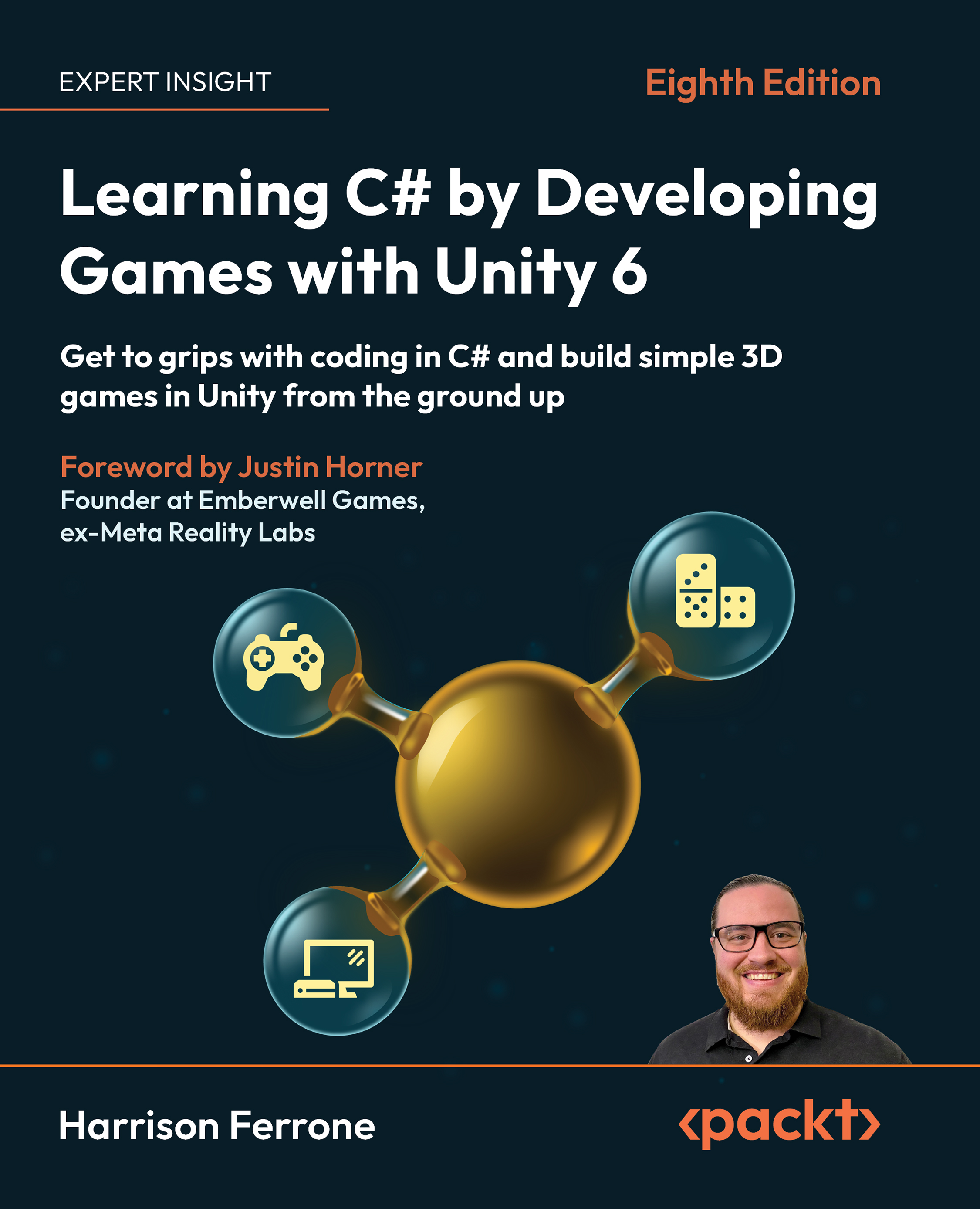
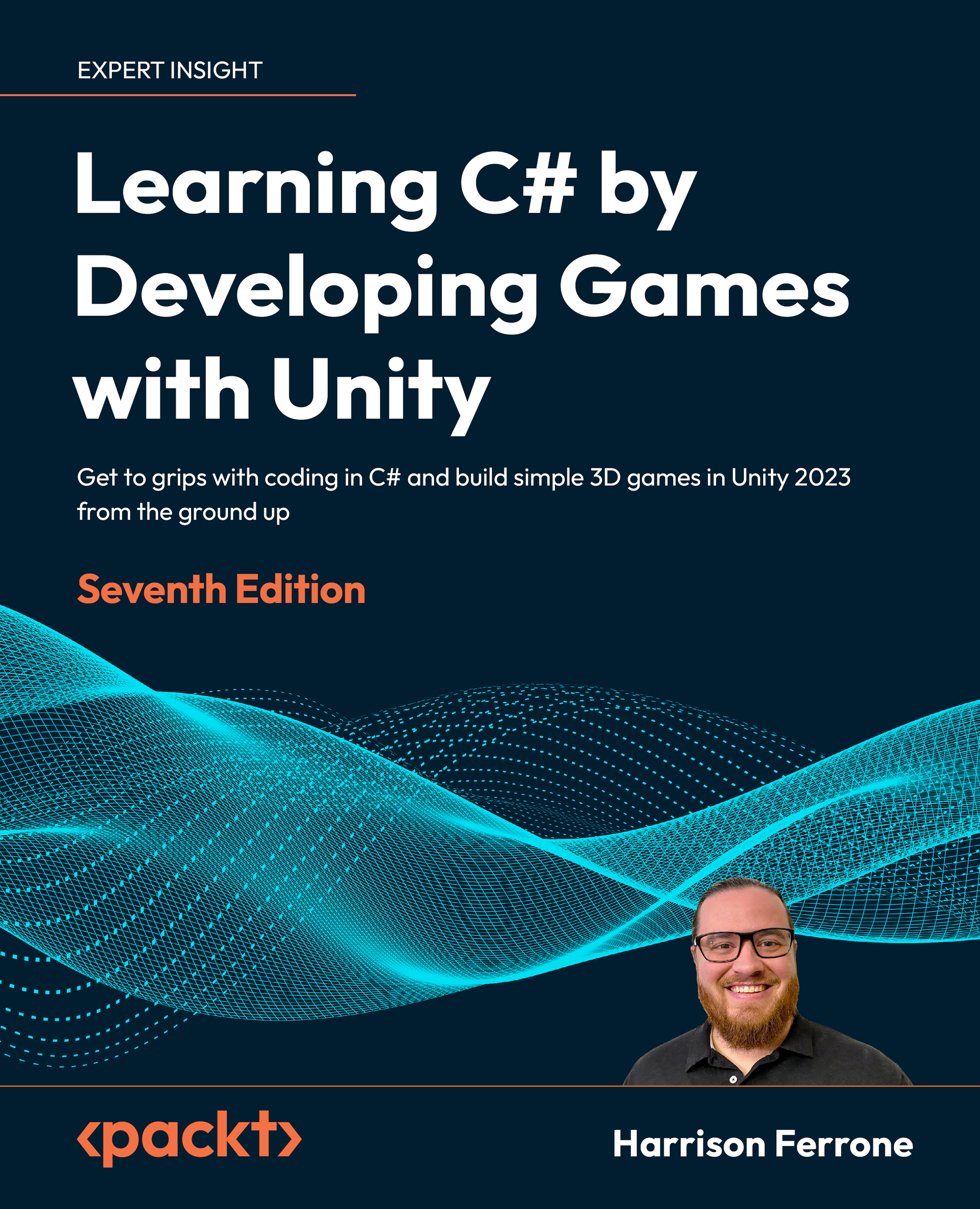
Learning C# by Developing Games with Unity 6

Learning C# by Developing Games with Unity 6: Get to grips with coding in C# and build simple 3D games in Unity from the ground up , Eighth Edition

eBook
$9.99 $35.99
Paperback
$44.99
Subscription
Free Trial
Renews at $19.99p/m

What do you get with eBook?

Product feature icon Instant access to your Digital eBook purchase
Product feature icon Download this book in EPUB and PDF formats
Product feature icon Access this title in our online reader with advanced features
Product feature icon DRM FREE - Read whenever, wherever and however you want
Modal Close icon
Payment Processing...
tick Completed

Billing Address

Table of content icon View table of contents Preview book icon Preview Book

Learning C# by Developing Games with Unity 6

Getting to Know Your Environment

Pop culture loves to market computer programmers as outsiders, lone wolves, or geeky hackers – people who possess extraordinary mental gifts for algorithmic thought, little social IQ, and the odd anarchic bent. While this generalization is often incorrect (like all widescale generalizations), there is something to the idea that learning to code fundamentally changes the way you look at the world.

The good news is that your naturally curious mind already wants to see patterns in the world, and you may even come to enjoy this new way of thinking. From the moment your eyes snap open in the morning to the last glimpse of your ceiling fan before you go to sleep, you’re unconsciously using analytical skills that directly translate to programming—you’re just missing the right language and syntax to map those life skills into code.

You know your age, right? That’s a variable. When you cross the street, I presume you look down the road in both directions before stepping off the curb like the rest of us. That’s evaluating different conditions, better known as control flow in programming terminology. When you look at a can of soda, you instinctively identify that it has certain properties, such as shape, weight, and contents. That’s a class object! You get the idea.

With all that real-world experience at your fingertips, you’re more than ready to cross over into the realm of programming. To kick off your journey, you’ll need to know how to set up your development environment, work with the applications involved, and know exactly where to go when you need help.

To that end, we’re going to begin by delving into the following C# topics:

  • Getting started with Unity 6
  • Using C# with Unity
  • Exploring the documentation

Let’s get started!

Getting the most out of this book – get to know your free benefits

Unlock exclusive free benefits that come with your purchase, thoughtfully crafted to supercharge your learning journey and help you learn without limits.

Here’s a quick overview of what you get with this book:

Next-gen reader

Figure 1.1: Illustration of the next-gen Packt Reader’s features

Our web-based reader, designed to help you learn effectively, comes with the following features:

Multi-device progress sync: Learn from any device with seamless progress sync.

Highlighting and notetaking: Turn your reading into lasting knowledge.

Bookmarking: Revisit your most important learnings anytime.

Dark mode: Focus with minimal eye strain by switching to dark or sepia mode.

Interactive AI assistant (beta)

Figure 1.2: Illustration of Packt’s AI assistant

Our interactive AI assistant has been trained on the content of this book, to maximize your learning experience. It comes with the following features:

Summarize it: Summarize key sections or an entire chapter.

AI code explainers: In the next-gen Packt Reader, click the Explain button above each code block for AI-powered code explanations.

Note: The AI assistant is part of next-gen Packt Reader and is still in beta.

DRM-free PDF or ePub version

Figure 1.3: Free PDF and ePub

Learn without limits with the following perks included with your purchase:

Learn from anywhere with a DRM-free PDF copy of this book.

Use your favorite e-reader to learn using a DRM-free ePub version of this book.

Unlock this book’s exclusive benefits now

Scan this QR code or go to https://packtpub.com/unlock, then search for this book by name. Ensure it’s the correct edition.

Note: Keep your purchase invoice ready before you start.

Technical requirements

Sometimes it’s easier to start with what a thing isn’t, rather than what it is. The goal of this book isn’t to teach you everything there is to know about the Unity game engine or game development. By necessity, we’ll cover these topics at a basic level at the beginning of our journey, and in more detail in Chapter 6. These topics are included to provide a fun, accessible way to learn the C# programming language from the ground up, not an in-depth Unity tutorial. With programming as our main goal, there will be times when we opt for a code-based solution even though Unity may have a specific feature that does the same thing without any code. Don’t worry, I’ll point you in the right direction should you want to try them out later on in your game development journey!

Since this book is aimed at complete beginners to programming, if you have no previous experience with either C# or Unity, you’re in the right place! If you’ve had some experience with the Unity Editor but not with programming, guess what? This is still the place to be. Even if you’ve dabbled in a bit of C# mixed with Unity, but want to explore some more intermediate or advanced topics, the later chapters of this book can provide you with what you’re looking for.

If you’re an experienced programmer in other languages, feel free to skip the beginner theory and dive right into the parts you’re interested in, or stick around and refresh your fundamentals.

All code is available in the book’s GitHub repository at https://github.com/PacktPublishing/Learning-C-by-Developing-Games-with-Unity-6_8th-Edn.

Getting started with Unity 6

If you don’t have Unity installed (or are running an earlier version), follow these steps to set up your environment:

  1. Head over to https://www.unity.com/.
  2. Select Download (shown in Figure 1.4):
Figure 1.4: Unity homepage

Figure 1.4: Unity homepage

Note

To provide a complete view of the Unity Editor, all our screenshots are taken in fullscreen mode. For color versions of all book images, use the following link: https://packt.link/gbp/9781805808718.

  1. This will take you to the Unity store page. Don’t feel overwhelmed by this—you can download Unity completely for free!

If the Unity homepage looks different for you than what you can see in Figure 1.4, you can go directly to https://store.unity.com.

  1. Scroll down to the How to get started section and download the Unity Hub application for either Windows or Mac, as shown in Figure 1.5. I’ll be using a Mac, but everything works the same on a Windows machine:
Figure 1.5: Start creating with the Unity portal

Figure 1.5: Start creating with the Unity portal

  1. Once the download is complete, follow these steps:
    1. Open up the installer (by double-clicking it).
    2. Accept the user agreement.
    3. Follow the installation instructions.
  2. When you get the green light, go ahead and fire up the Unity Hub application!

If Unity asks you to choose a license option, select the Personal license option (which is completely free) and follow the instructions to set up your account.

  1. The newest version of Unity Hub will prompt you to install the latest LTS (Long Term Support) version of Unity, as shown in Figure 1.6. If the default version is Unity 6 or higher when you’re reading these instructions, select Install Unity Editor and follow the instructions:
Figure 1.6: Install Unity Editor window

Figure 1.6: Install Unity Editor window

  1. If Unity 6 is not the default version when you’re reading this, select Skip installation in the bottom-right corner of Figure 1.6.
  2. Switch to the Installs tab from the left-hand menu and select Install Editor, as shown in Figure 1.7:
Figure 1.7: Unity Hub Installs panel

Figure 1.7: Unity Hub Installs panel

  1. On the Official releases tab, select your desired version of Unity 6 as shown in Figure 1.8, then click Install (Silicon for Macs, Intel for Windows).
Figure 1.8: Add Unity version pop-up window

Figure 1.8: Add Unity version pop-up window

  1. You’ll then be given the option to add various modules to your installation. Make sure the Visual Studio Code (for Mac or Windows, accordingly) module is selected and click Continue:
Figure 1.9: Adding install modules

Figure 1.9: Adding install modules

  1. If you want to add any modules later, you can click the gear icon to the right of any installed version in the Installs window, as shown in Figure 1.7.

Grab a coffee or a quick nap while Unity is downloading – when the installation is complete, you’ll see a new version in your Installs panel, as shown in Figure 1.10:

Figure 1.10: Installs tab with Unity versions

Figure 1.10: Installs tab with Unity versions

You can find additional information and resources about the Unity Hub application at https://docs.unity3d.com/hub/manual/index.html.

There’s always a chance of something going wrong, so be sure to check the following section if you’re using macOS Catalina or later, which has been known to throw up issues.

Using macOS

If you’re working on a Mac with OS Catalina or later, there is a known issue when using some versions of Unity Hub to install Unity. If this is the case for you, take a deep breath, go to the Unity download archive, and grab any version you need (https://unity3d.com/get-unity/download/archive).

Remember to use the Downloads (Mac) or Downloads (Win) option instead of the Unity Hub download:

Figure 1.11: Unity download archive

Figure 1.11: Unity download archive

Once the installer application downloads, open it up and follow the setup instructions!

All the examples and screenshots for this book were created and captured using Unity 6.000.0.44f1. If you’re using a newer version, things might look slightly different in the Unity Editor, but this shouldn’t affect your following along.

Now that Unity Hub and Unity 6 are installed, it’s time to create a new project!

Creating a new project

Launch the Unity Hub application, which is your staging area—you can see a list of all your projects and Unity versions and access learning resources and community features here. Then, take the following steps:

  1. To get started, click on New project in the top-right corner:
Figure 1.12: Unity Hub Projects panel

Figure 1.12: Unity Hub Projects panel

  1. Make sure the editor version at the top is set to your Unity 6 version and set the following fields:
    • Templates: The project will default to Universal 3D.
    • Project name: I’ll be calling mine Hero Born.
    • Location: Wherever you’d like the project to be saved.
Figure 1.13: Unity Hub with the New project configuration popup

Figure 1.13: Unity Hub with the New project configuration popup

  1. Once the settings have been configured, hit the Create project button in the bottom right of Figure 1.13.

With the project created, you’re all set to explore the Unity interface! You can re-open your project anytime from the Projects panel in Unity Hub, but if your computer is running a little slow with both Unity and Unity Hub open, feel free to close Unity Hub.

Navigating the editor

When the new project finishes initializing, you’ll see the glorious Unity Editor! I’ve marked the important tabs (or windows, if you prefer) in Figure 1.14:

Figure 1.14: Unity interface

Figure 1.14: Unity interface

This is a lot to take in, so we’ll look at each of these panels in more detail:

  1. The Hierarchy window shows every item currently in the game scene. In the starter project, this is just the default camera and directional light, but when we create our prototype environment, this window will start to get filled in with the objects we create in the scene.
  2. The Game and Scene windows are the most visual aspects of the editor. Think of the Scene window as your stage, where you can move and arrange 2D and 3D objects. When you hit the Play button, the Game window will take over, rendering the Scene view and any programmed interactions. You can also use the Scene view when you’re in play mode.
  3. The Inspector window is your one-stop shop for viewing and editing the properties of objects in the scene. If you select Main Camera in the Hierarchy (highlighted in blue in Figure 1.14), you’ll see several parts displayed, which Unity calls components—all of which are accessible from the Inspector.
  4. The Project window holds every asset that’s currently in your project. Think of this as a representation of your project’s folders and files.
  5. The Console window is where any output we want our scripts to print will show up. From here on out, if we talk about the console or debug output, this panel is where it will be displayed.

If any of these windows get closed by accident, you can re-open them anytime from Unity menu | Window | General. You can find more in-depth breakdowns of each window’s functionality in the Unity docs at https://docs.unity3d.com/Manual/UsingTheEditor.html.

I know that was a lot to process if you’re new to Unity, but rest assured that any instructions going forward will always reference the necessary steps. I won’t leave you wondering what button to push. With that out of the way, let’s start creating some actual C# scripts.

Using C# with Unity

Going forward, it’s important to think of Unity and C# as symbiotic entities. Unity is the engine where you’ll create scripts and GameObjects, but the actual programming takes place in another program called Visual Studio Code.

Setting up Visual Studio Code in Unity 6

Before continuing, it’s important that Visual Studio Code is set up as the script editor for your project. Go to the Unity menu | Settings | External Tools and check that External Script Editor is set to Visual Studio Code (or Windows):

Figure 1.15: Changing External Script Editor to Visual Studio

Figure 1.15: Changing External Script Editor to Visual Studio

As a final tip, if you want to switch between light and dark modes, go to the Unity menu | Preferences | General and change Editor Theme:

Figure 1.16: Unity general preferences panel

Figure 1.16: Unity general preferences panel

We haven’t covered any basic programming concepts yet, but they won’t have a home until we know how to create an actual C# script in Unity. Let’s see how we can achieve this in the next section!

Working with C# scripts

A C# script is a special kind of C# file in which you’ll write C# code. These scripts can be used in Unity to do virtually anything, from controlling an in-game character with your keyboard to animating objects in your level.

There are several ways to create C# scripts from the editor:

  • Select Assets | Create | Scripting | MonoBehaviour Script
  • Right under the Project tab, select the + icon | Scripting | MonoBehaviour Script
  • Right-click on the Assets folder in the Project tab and select Create | Scripting | MonoBehaviour Script from the pop-up menu
  • Select any GameObject in the Hierarchy window and click Add Component | New Script

A MonoBehaviour script is a type of C# script that’s specific to Unity (don’t get too bogged down with this right now; we’ll get into more details as we go along). Whenever you’re instructed to create a C# script, please use whichever method you prefer, and I’ll call out any additional information you may need.

Resources and objects other than C# scripts can be created in the editor using the preceding methods. I’m not going to call out each of these variations every time we create something new, so just keep the options in the back of your mind.

For the sake of organization, we’re going to store our various assets and scripts inside their own named folders. This isn’t just a Unity-related task—it’s something you should always do, and your co-workers will thank you (I promise):

  1. Select Assets | Create | Folder and name it Scripts:
Figure 1.17: Creating a C# script

Figure 1.17: Creating a C# script

  1. Double-click on the Scripts folder and create a new C# script. By default, the script will be named NewBehaviourScript, but you’ll see the filename highlighted, so you have the option to immediately rename it. Type in LearningCurve and hit Enter:
Figure 1.18: Project window with the Scripts folder selected

Figure 1.18: Project window with the Scripts folder selected

  1. You can use the small slider in the bottom right of the Project tab to change how your files are displayed.

So, you’ve just created a subfolder named Scripts, as shown in the preceding screenshot. Inside that parent folder, you created a C# script named LearningCurve.cs (the .cs file type stands for C-Sharp, in case you were wondering), which is now saved as part of our Hero Born project assets. All that’s left to do is open it up in our code editor program!

Introducing the Visual Studio Code editor

While Unity can create and store C# scripts, they need to be edited using Visual Studio Code (which we downloaded as a pre-packaged module) and will open automatically when you double-click any C# script from inside the editor.

Opening a C# file

Unity will synchronize with Visual Studio Code the first time you open a file. The simplest way to do this is by selecting the script from the Project tab. Take the following steps:

  1. Double-click on LearningCurve.cs, which will open the C# file in Visual Studio Code:
Figure 1.19: LearningCurve C# script in Visual Studio

Figure 1.19: LearningCurve C# script in Visual Studio

  1. You’ll see a folder structure on the left-hand side of the interface that mirrors the one in Unity, which you can access like any other.
  2. On the right-hand side is the actual code editor where the magic happens (all the code you write will live here). There are far more features to the Visual Studio Code application, but this is all we need to get started.

Quick tip: Enhance your coding experience with the AI Code Explainer and Quick Copy features. Open this book in the next-gen Packt Reader. Click the Copy button

(1) to quickly copy code into your coding environment, or click the Explain button

(2) to get the AI assistant to explain a block of code to you.

A white background with a black text

AI-generated content may be incorrect.

The next-gen Packt Reader is included for free with the purchase of this book. Scan the QR code OR go to https://packtpub.com/unlock, then use the search bar to find this book by name. Double-check the edition shown to make sure you get the right one.

A qr code on a white background

AI-generated content may be incorrect.

The Visual Studio Code interface is slightly different for Windows and Mac environments, but the code we’ll be using throughout this book will work equally well with both. All the screenshots in this book have been taken in a Mac environment, so if things look different on your computer, there’s no need to worry.

Beware of naming mismatches

One common pitfall that trips up new programmers is file naming—more specifically, naming mismatches—which we can illustrate using line 5 from Figure 1.19 of the C# file in Visual Studio Code:

public class LearningCurve : MonoBehaviour

The LearningCurve class name is the same as the LearningCurve.cs filename. This is an essential requirement. It’s OK if you don’t know what a class is quite yet. The important thing to remember is that, in Unity, the filename and the class name need to be the same. If you’re using C# outside of Unity, the filename and class name don’t have to match.

When you create a C# script file in Unity, the filename in the Project tab is already in Edit mode, ready to be renamed. It’s a good habit to rename it then and there. If you rename the script later, the filename and the class name won’t match.

If you were to rename the file at a later point, the filename would change, but line 5 would be as follows:

public class NewBehaviourScript : MonoBehaviour

If you accidentally do this, it’s not the end of the world. All you need to do is right-click on the script in the Project tab and choose Rename:

Figure 1.20: Renaming a C# script

Figure 1.20: Renaming a C# script

Syncing C# files

As part of their symbiotic relationship, Unity and Visual Studio Code communicate with each other to synchronize their content. This means that if you add, delete, or change a script file in one application, the other application will see the changes automatically.

So, what happens when Murphy’s Law, which states that “anything that can go wrong will go wrong,” strikes and syncing just doesn’t seem to be working correctly? If you run into this situation, take a deep breath, select the troublesome script in Unity, right-click, and select Refresh.

Figure 1.21: Refreshing a C# script

Figure 1.21: Refreshing a C# script

You now have the basics of script creation under your belt, so it’s time we talk about finding and efficiently using helpful resources.

Exploring the documentation

The last topic we’ll touch on in this first foray into Unity and C# scripts is documentation. Not sexy, I know, but it’s important to form good habits early when dealing with new programming languages or development environments.

Accessing Unity’s documentation

Once you start writing scripts in earnest, you’ll be using Unity’s documentation quite often, so it’s beneficial to know how to access it early on. The Reference Manual will give you an overview of a component or topic, while specific programming examples can be found in the Scripting Reference.

Every GameObject (an item in the Hierarchy window) in a scene has a Transform component that controls its Position, Rotation, and Scale. To keep things simple, we’ll just look up the camera’s Transform component in the Reference Manual:

  1. In the Hierarchy tab, select the Main Camera GameObject.
  2. Move over to the Inspector tab and click on the information icon (question mark, ?) at the top right of the Transform component:
Figure 1.22: Main Camera GameObject selected in the Inspector

Figure 1.22: Main Camera GameObject selected in the Inspector

  1. You’ll see a web browser open on the Transforms page of the Reference Manual:
Figure 1.23: Unity Reference Manual

Figure 1.23: Unity Reference Manual

All the components in Unity have this feature, so if you ever want to know more about how something works, you know what to do.

So, we’ve got the Reference Manual open, but what if we wanted concrete coding examples related to the Transform component? It’s simple—all we need to do is ask the Scripting Reference:

  1. Click on the SWITCH TO SCRIPTING link underneath the component or class name (Transforms, in this case):
Figure 1.24: Unity Reference Manual with the SWITCH TO SCRIPTING button highlighted

Figure 1.24: Unity Reference Manual with the SWITCH TO SCRIPTING button highlighted

  1. By doing so, the Reference Manual automatically switches to the Scripting Reference:
Figure 1.25: Unity scripting documentation with SWITCH TO MANUAL

Figure 1.25: Unity scripting documentation with SWITCH TO MANUAL

  1. As you can see, as well as coding help, there is also an option to switch back to the Reference Manual if necessary.

The Scripting Reference is a large document because it has to be. However, this doesn’t mean you have to memorize it or even be familiar with all of its information to start writing scripts. As the name suggests, it’s a reference, not a test.

If you find yourself lost in the documentation, or just out of ideas regarding where to look, you can also find solutions within the rich Unity development community in the following places:

On the other side of things, you’ll need to know where to find resources on any C# question, which we’ll cover next.

Locating C# resources

Now that we’ve got our Unity resources taken care of, let’s take a look at some of Microsoft’s C# resources. For starters, the Microsoft Learn documentation at https://docs.microsoft.com/en-us/dotnet/csharp has a ton of great tutorials, quick start guides, and how-to articles. You can also find great overviews of individual C# topics at https://docs.microsoft.com/en-us/dotnet/csharp/programming-guide/index.

For detailed information on a specific C# language feature, the reference guides are the place to go. These reference guides are an important resource for any C# programmer, but since they aren’t always the easiest to navigate, let’s take a few minutes to learn how to find what we’re looking for.

Figure 1.26: Microsoft .NET documentation

Figure 1.26: Microsoft .NET documentation

Unlike Unity’s documentation, the C# reference and scripting information is all bundled up into one, but its saving grace is the subtopic list on the right-hand side. Use it well! It’s extremely important to know where to find help when you’re stuck or have a question, so be sure to circle back to this section whenever you hit a roadblock.

Summary

We covered quite a bit of logistical information in this chapter, so I can understand if you’re itching to write some code. Starting new projects, creating folders and scripts, and accessing documentation are topics that are easily forgotten in the excitement of a new adventure. Just remember that this chapter has a lot of resources you might need in the coming pages, so don’t be afraid to come back and visit. Thinking like a programmer is like strengthening a muscle: the more you work it, the stronger it gets.

In the next chapter, we’ll start laying out the theory, vocabulary, and main concepts you’ll need to prime your coding brain. Even though the material is conceptual, we’ll still be writing our first lines of code in the LearningCurve script. Get ready!

Pop quiz: Dealing with scripts

  1. What type of relationship do Unity and Visual Studio Code share?
  2. The Scripting Reference supplies example code in regard to using a particular Unity component or feature. Where can you find more detailed (non-code-related) information about Unity components?
  3. The Scripting Reference is a large document. How much of it do you have to memorize before attempting to write a script?
  4. When is the best time to name a C# script?

Don’t forget to check your answers against mine in the Pop Quiz Answers appendix to see how you did!

Subscribe to Game Dev Assembly Newsletter!

We are excited to introduce Game Dev Assembly, our brand-new newsletter dedicated to everything game development. Whether you’re a programmer, designer, artist, animator, or studio lead, you’ll get exclusive insights, industry trends, and expert tips to help you build better games and grow your skills. Sign up today and become part of a growing community of creators, innovators, and game changers: https://packt.link/gamedev-newsletter.

Scan the QR code to join instantly!

image

Join our community on Discord

Join our community’s Discord space for discussions with the authors and other readers: https://packt.link/gamedevelopment

Left arrow icon Right arrow icon
Download code icon Download Code

Key benefits

  • Build a strong foundation in programming concepts and the C# language
  • Become confident in the fundamentals and features of Unity in line with Unity 6
  • Create a playable game prototype in Unity―a working first-person shooter game prototype
  • Get With Your Book: PDF Copy, AI Assistant, and Next-Gen Reader Free

Description

It's the ability to write custom C# scripts for behaviors and game mechanics that really takes Unity the extra mile. That's where this book will help you as a new programmer! Harrison Ferrone, in this eighth edition of the bestselling series, will take you through the core concepts of programming and the C# language from scratch, while building an engaging and playable game prototype in Unity 6. You’ll get to grips with the fundamentals of object-oriented programming (OOP) and the Unity engine with lots of code samples, exercises, and tips to go beyond the book with your work. You’ll write C# scripts for simple game mechanics, perform procedural programming, request live data from the web, and add complexity to your games by introducing intelligent enemies and damage-dealing projectiles. You’ll also explore the underlying mechanics of Unity game development, including game design, lighting basics, player movement, camera controls, collisions, and more, with every passing chapter. Note: The screenshots in the book display the Unity Editor in full-screen mode for a comprehensive view. You can easily reference color versions of images by downloading them from the GitHub repository or the graphics bundle linked in the book.

Who is this book for?

If you're a developer, programmer, hobbyist, or anyone who wants to get started with Unity and C# programming in a fun and engaging way, this book is for you. You'll still be able to follow along if you don't have programming experience, but knowing the basics will help you get the most out of this book.

What you will learn

  • Master programming fundamentals by breaking them into simple, digestible parts
  • Understand OOP concepts through clear explanations of C# code samples
  • Follow simple steps and examples to create and implement C# scripts in Unity 6
  • Divide your code into pluggable building blocks using interfaces, abstract classes, and class extensions
  • Grasp game design document basics and then move on to blocking out your level geometry, adding lighting, and a simple object animation
  • Create basic game mechanics, such as player controllers and shooting projectiles, using C#

Product Details

Country selected
Publication date, Length, Edition, Language, ISBN-13
Publication date : Oct 20, 2025
Length: 504 pages
Edition : 8th
Language : English
ISBN-13 : 9781805808701
Languages :
Tools :

What do you get with eBook?

Product feature icon Instant access to your Digital eBook purchase
Product feature icon Download this book in EPUB and PDF formats
Product feature icon Access this title in our online reader with advanced features
Product feature icon DRM FREE - Read whenever, wherever and however you want
Modal Close icon
Payment Processing...
tick Completed

Billing Address

Product Details

Publication date : Oct 20, 2025
Length: 504 pages
Edition : 8th
Language : English
ISBN-13 : 9781805808701
Languages :
Tools :

Packt Subscriptions

See our plans and pricing
Modal Close icon
$19.99 billed monthly
Feature tick icon Unlimited access to Packt's library of 7,000+ practical books and videos
Feature tick icon Constantly refreshed with 50+ new titles a month
Feature tick icon Exclusive Early access to books as they're written
Feature tick icon Solve problems while you work with advanced search and reference features
Feature tick icon Offline reading on the mobile app
Feature tick icon Simple pricing, no contract
$199.99 billed annually
Feature tick icon Unlimited access to Packt's library of 7,000+ practical books and videos
Feature tick icon Constantly refreshed with 50+ new titles a month
Feature tick icon Exclusive Early access to books as they're written
Feature tick icon Solve problems while you work with advanced search and reference features
Feature tick icon Offline reading on the mobile app
Feature tick icon Choose a DRM-free eBook or Video every month to keep
Feature tick icon PLUS own as many other DRM-free eBooks or Videos as you like for just $5 each
Feature tick icon Exclusive print discounts
$279.99 billed in 18 months
Feature tick icon Unlimited access to Packt's library of 7,000+ practical books and videos
Feature tick icon Constantly refreshed with 50+ new titles a month
Feature tick icon Exclusive Early access to books as they're written
Feature tick icon Solve problems while you work with advanced search and reference features
Feature tick icon Offline reading on the mobile app
Feature tick icon Choose a DRM-free eBook or Video every month to keep
Feature tick icon PLUS own as many other DRM-free eBooks or Videos as you like for just $5 each
Feature tick icon Exclusive print discounts

Table of Contents

19 Chapters
Getting to Know Your Environment Chevron down icon Chevron up icon
The Building Blocks of Programming Chevron down icon Chevron up icon
Diving into Variables, Types, and Methods Chevron down icon Chevron up icon
Control Flow and Collection Types Chevron down icon Chevron up icon
Working with Classes, Structs, and OOP Chevron down icon Chevron up icon
Getting Your Hands Dirty with Unity Chevron down icon Chevron up icon
Movement, Camera Controls, and Collisions Chevron down icon Chevron up icon
Scripting Game Mechanics Chevron down icon Chevron up icon
Basic AI and Enemy Behavior Chevron down icon Chevron up icon
Revisiting Types, Methods, and Classes Chevron down icon Chevron up icon
Specialized Collection Types and LINQ Chevron down icon Chevron up icon
Saving, Loading, and Serializing Data Chevron down icon Chevron up icon
Connecting to the World Wide Web Chevron down icon Chevron up icon
Exploring Generics, Delegates, and Beyond Chevron down icon Chevron up icon
The Journey Continues Chevron down icon Chevron up icon
Unlock Your Book’s Exclusive Benefits Chevron down icon Chevron up icon
Pop Quiz Answers Chevron down icon Chevron up icon
Other Books You May Enjoy Chevron down icon Chevron up icon
Index Chevron down icon Chevron up icon

Customer reviews

Rating distribution
Full star icon Full star icon Full star icon Full star icon Full star icon 5
(1 Ratings)
5 star 100%
4 star 0%
3 star 0%
2 star 0%
1 star 0%
Elizabeth Nov 10, 2025
Full star icon Full star icon Full star icon Full star icon Full star icon 5
Thank you for such an enlightening guide. I had just finished the 7th edition in early October, just before this version was published. I was excited to get this one as well because I knew it would have a lot of new things that had changed since the 7th edition. I would have loved to see something on the finite state machine as it seems not only neat, but an excellent way to control flow for objects without a lot of extra work.
Subscriber review Packt
Get free access to Packt library with over 7500+ books and video courses for 7 days!
Start Free Trial

FAQs

How do I buy and download an eBook? Chevron down icon Chevron up icon

Where there is an eBook version of a title available, you can buy it from the book details for that title. Add either the standalone eBook or the eBook and print book bundle to your shopping cart. Your eBook will show in your cart as a product on its own. After completing checkout and payment in the normal way, you will receive your receipt on the screen containing a link to a personalised PDF download file. This link will remain active for 30 days. You can download backup copies of the file by logging in to your account at any time.

If you already have Adobe reader installed, then clicking on the link will download and open the PDF file directly. If you don't, then save the PDF file on your machine and download the Reader to view it.

Please Note: Packt eBooks are non-returnable and non-refundable.

Packt eBook and Licensing When you buy an eBook from Packt Publishing, completing your purchase means you accept the terms of our licence agreement. Please read the full text of the agreement. In it we have tried to balance the need for the ebook to be usable for you the reader with our needs to protect the rights of us as Publishers and of our authors. In summary, the agreement says:

  • You may make copies of your eBook for your own use onto any machine
  • You may not pass copies of the eBook on to anyone else
How can I make a purchase on your website? Chevron down icon Chevron up icon

If you want to purchase a video course, eBook or Bundle (Print+eBook) please follow below steps:

  1. Register on our website using your email address and the password.
  2. Search for the title by name or ISBN using the search option.
  3. Select the title you want to purchase.
  4. Choose the format you wish to purchase the title in; if you order the Print Book, you get a free eBook copy of the same title. 
  5. Proceed with the checkout process (payment to be made using Credit Card, Debit Cart, or PayPal)
Where can I access support around an eBook? Chevron down icon Chevron up icon
  • If you experience a problem with using or installing Adobe Reader, the contact Adobe directly.
  • To view the errata for the book, see www.packtpub.com/support and view the pages for the title you have.
  • To view your account details or to download a new copy of the book go to www.packtpub.com/account
  • To contact us directly if a problem is not resolved, use www.packtpub.com/contact-us
What eBook formats do Packt support? Chevron down icon Chevron up icon

Our eBooks are currently available in a variety of formats such as PDF and ePubs. In the future, this may well change with trends and development in technology, but please note that our PDFs are not Adobe eBook Reader format, which has greater restrictions on security.

You will need to use Adobe Reader v9 or later in order to read Packt's PDF eBooks.

What are the benefits of eBooks? Chevron down icon Chevron up icon
  • You can get the information you need immediately
  • You can easily take them with you on a laptop
  • You can download them an unlimited number of times
  • You can print them out
  • They are copy-paste enabled
  • They are searchable
  • There is no password protection
  • They are lower price than print
  • They save resources and space
What is an eBook? Chevron down icon Chevron up icon

Packt eBooks are a complete electronic version of the print edition, available in PDF and ePub formats. Every piece of content down to the page numbering is the same. Because we save the costs of printing and shipping the book to you, we are able to offer eBooks at a lower cost than print editions.

When you have purchased an eBook, simply login to your account and click on the link in Your Download Area. We recommend you saving the file to your hard drive before opening it.

For optimal viewing of our eBooks, we recommend you download and install the free Adobe Reader version 9.

Modal Close icon
Modal Close icon