Search icon CANCEL
Subscription
0
Cart icon
Your Cart (0 item)
Close icon
You have no products in your basket yet
Save more on your purchases! discount-offer-chevron-icon
Savings automatically calculated. No voucher code required.
Arrow left icon
Explore Products
Best Sellers
New Releases
Books
Events
Videos
Audiobooks
Packt Hub
Free Learning
Arrow right icon
timer SALE ENDS IN
0 Days
:
00 Hours
:
00 Minutes
:
00 Seconds
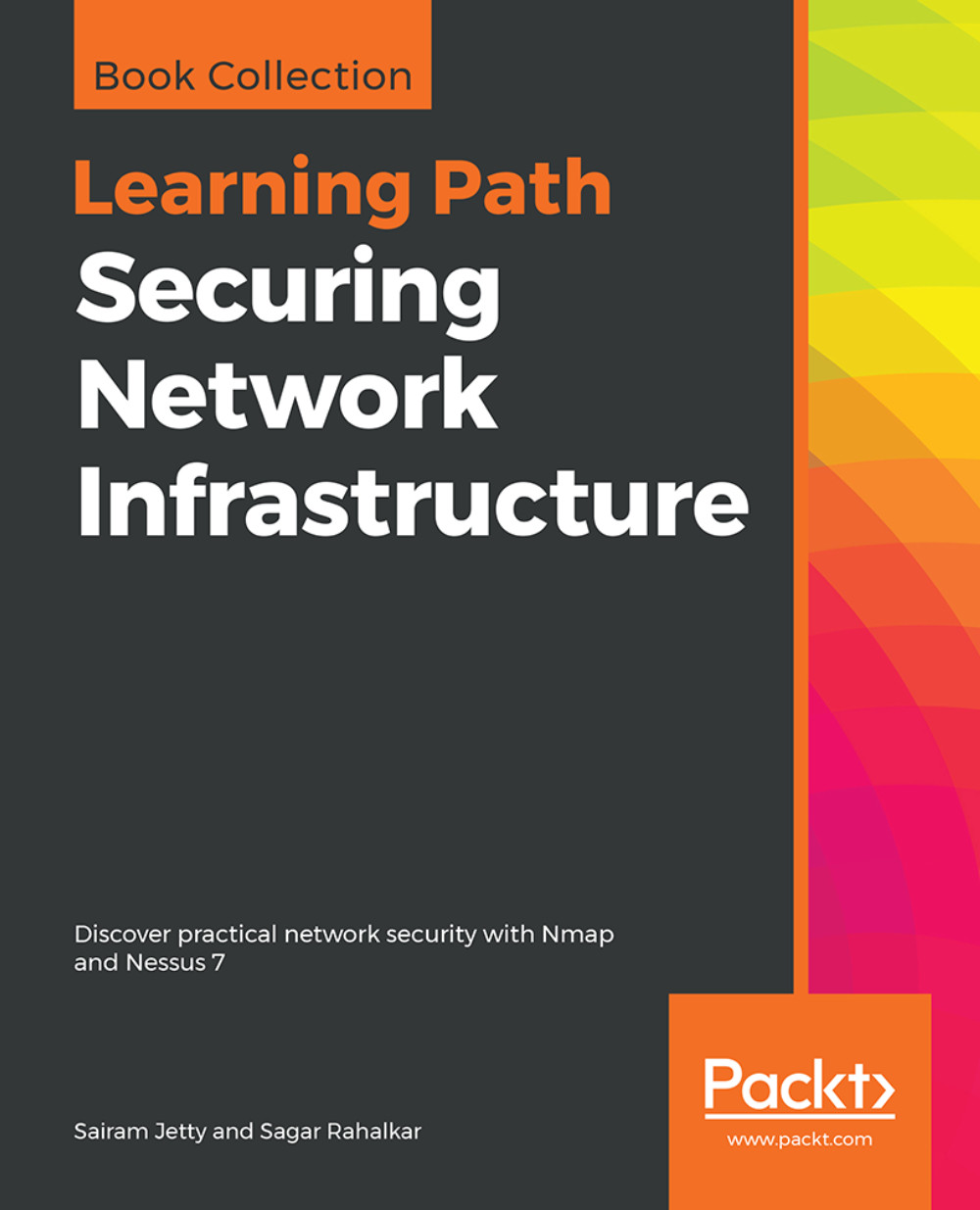
Securing Network Infrastructure

Securing Network Infrastructure: Discover practical network security with Nmap and Nessus 7

Arrow left icon
Profile Icon Sairam Jetty Profile Icon Sagar Rahalkar
Arrow right icon
$35.99 $39.99
eBook Mar 2019 538 pages 1st Edition
eBook
$35.99 $39.99
eBook + Subscription
$24.99 Monthly
Arrow left icon
Profile Icon Sairam Jetty Profile Icon Sagar Rahalkar
Arrow right icon
$35.99 $39.99
eBook Mar 2019 538 pages 1st Edition
eBook
$35.99 $39.99
eBook + Subscription
$24.99 Monthly
eBook
$35.99 $39.99
eBook + Subscription
$24.99 Monthly

What do you get with eBook?

Product feature icon Instant access to your Digital eBook purchase
Product feature icon Download this book in EPUB and PDF formats
Product feature icon Access this title in our online reader with advanced features
Product feature icon DRM FREE - Read whenever, wherever and however you want
Modal Close icon
Payment Processing...
tick Completed

Billing Address

Table of content icon View table of contents Preview book icon Preview Book

Securing Network Infrastructure

Chapter 1. Introduction to Network Vulnerability Scanning

In today's times, where hackers are prevalent and there are critical vulnerabilities discovered in various products every day, corporate networks are required to create procedures to identify, analyze, and mitigate vulnerabilities in real time. In this course, we will be looking into various procedures and tools required to perform network security scanning and to understand and act on the results obtained.

This course will equip any reader with a basic knowledge of computer networks with recipes to prepare, plan, and execute a Network Vulnerability Scan and determine the targets for a penetration test, or just to understand the security posture of the network. This will help budding penetration testers to conquer and learn to cook their methods to perform preliminary steps to identify vulnerabilities.

This chapter will introduce you to the basics of computer networks. It also dives into the procedures, uses, and various complexities to consider while performing a Network Vulnerability Scan. This chapter will equip you with basic knowledge of how to plan a Network Vulnerability Scan.

In this chapter, we will cover the following: 

  • Basic networks and their components
  • Network Vulnerability Scanning
  • Flow of procedures used in Network Vulnerability Scanning
  • Uses of performing a Network Vulnerability Scan
  • Complexity of performing network scans
  • How to devise a mitigation plan and respond

Basic networks and their components


A basic corporate network typically consists of endpoints such as desktops/laptops, servers, security devices such as Firewall, proxy, intrusion detection and prevention systems, and network devices such as hubs, switches, and routers. Most of the time, these are acquired from various vendors, thus they are susceptible to different attacks, and expose the network to a larger attack surface. These components can be attacked by a hacker using publicly available exploits or a zero-day vulnerability to gain access to the device/machine with a possibility of gaining access to a different device/machine in the network or whole network itself. Note the following diagram to illustrate this:

Network Vulnerability Scanning


A vulnerability is a weakness present in a system or device that is exposed to a possibility of being attacked. Network Vulnerability Scanning is a process of looking into identifying and detecting vulnerabilities in the network components such as clients, servers, network devices, and endpoints, using various automated or manual tools and techniques. It can be broadly classified into two types: internal network vulnerability scan and external network vulnerability scan.

The internal and external vulnerability scans share a similar process, but differ in the network placement of the scan appliance or the system. An external vulnerability scan has a scope to identify loopholes with a perspective of the attacker being over the internet and targeting the network through public IP addresses of the network, whereas an internal vulnerability scan operates considering the attacker to be an insider with access to the internal network and targeting the network through private IP addresses. Identifying both internal and external threats is very important for any computer network, to create a real-time picture of how secure the network is, based on the number of vulnerabilities identified.

The vulnerability scans have their own side effects on the networks, such as an increase in network latency caused by the increase in traffic, unresponsive network resources, and rebooting of devices and servers. Thus, all internal network scans within the organization should be performed with the utmost care and proper approvals. In general, there are two types of scanning techniques that can be used, authenticated and unauthenticated. We will see the recipes for these scan types in Chapter 4Vulnerability Scanning, and Chapter 5, Configuration Audit.

Beginners always confuse the Vulnerability Scan with the penetration test. The Vulnerability Scan is a preliminary step to identify the hosts on which you can perform a penetration test. For example, as a part of a vulnerability scan you identify that port 80 is open on a server and is susceptible to Remote Code Execution (RCE) attacks. For a penetration test, this information will be input as you already know that the server is vulnerable to RCE and will try to perform the attack and compromise the server.

Note

Before performing a Network Vulnerability Scan, it is always recommended to inform the stakeholders and obtain downtime if required based on how critical the servers and the data hosted on the servers are. It is a good practice to write an email before beginning the scan and after completion of the scan as this would help the respective teams to check the continuity of the service.

We will have a look at many recipes in further chapters of this course to understand the various best practices to be followed during a Network Vulnerability Scan.

Flow of procedures

The activity of a Network Vulnerability Scan can be divided into three phases:

  • Discovery
  • Port scanning
  • Vulnerability scanning

Discovery

Discovery, also known as Host Discovery, is a process to enumerate live hosts and is a very important component of the reconnaissance phase of a security testing activity. This will help you to eliminate the unwanted hosts from the list of targets, thus it will allow you to use these enumerated hosts to perform targeted scans and penetration tests.  Some of the tools that can be used to perform Network Discovery are Nmap, Nessus, OpenVas, and Wireshark.

The following screenshot shows a sample host scanned using Nmap for Discovery. It shows that the host is up, thus we can determine the host is live:

These tools come in handy if the ping is disabled across the network. I always prefer using Nmap over other tools because of its ease of use and the Nmap Script Engine (NSE), which allows the user to write and implement custom scripts. We will be discussing NSE in coming chapters.

In this course, we will further introduce you to various recipes on how to perform host discovery manually and using tools.

Port scanning

In this phase, we will perform detection of the ports open for a specific host based on the communication between the host on that port to your machine. This technique helps to determine whether a particular port is open or closed. This technique differs from protocol to protocol. For example, for TCP, the communication and the pattern to conclude a port to be open is different when compared to UDP. Some of the tools that can be used to perform port scanning are Nmap, Nessus, OpenVas, and Wireshark.

The following screenshot shows a sample host scanned using Nmap for port 80. The screenshot shows that the host is up and port 80 with state as open, thus we can determine the host is live. These tools come in handy if the ping is disabled across the network:

In this course, we will further introduce you to various recipes on how to perform port scanning manually and using tools.

Vulnerability scanning

Once the open ports are identified on the discovered live hosts, we can perform vulnerability scanning. A vulnerability scan detects and identifies known issues of the software and tools installed on a host such as older version of software in use, vulnerable protocols enabled, and default passwords. It is difficult to perform this activity manually; hence this phase needs to be performed using automated tools that identify the open ports and try various exploits on the ports to identify whether the particular process/software using the port is vulnerable to the exploit based on the process. Some of the tools used to perform vulnerability scanning are Nessus, OpenVas, and Qualys.

The following screenshot shows a sample host scanned for vulnerabilities using OpenVas. You can see that the output shows the list of vulnerabilities the host is affected:

In this course, we will further introduce you to various recipes on how to scan a host for vulnerabilities using Nessus, and how to customize these scans to obtain specific and fewer false-positive results.

Uses


As mentioned in the earlier sections of the chapter, the major advantage of performing a Network Vulnerability Scan is to understand the security posture of the network. The result of a Network Vulnerability Scan provides a bundle of information useful to both administrators and penetration testers, such as the following:

  • Unwanted ports are open and services running
  • Default user account and password information
  • Missing patches, updates, and upgrades
  • Vulnerable version of software installed
  • Vulnerable protocols in use
  • Vulnerable algorithms in use
  • Exploit information for all the preceding vulnerabilities

The Network Vulnerability Scan allows the identification of unnecessary ports that are open and the services running on these ports. For example, an application/web server in a demilitarized zone does not require TCP port 22 to be open and exposed to the internet. These unwanted ports make the host/device susceptible to attacks. Most of the scanners, when identifying a login interface to any of the hosted services, try to log in using a preexisting database of usernames and passwords, and provide a report of all the default usernames and passwords, the use of which can compromise the service.

A credentialed patch scan can reveal details about missing patches and updates for a variety of supported platforms. This information is critical as most of these missing patches have exploits available over the internet, which can be made use of to reproduce similar attacks on the network. This might also reveal various missing patches in the third-party tools installed on the machines of the network. This information helps an attacker to target these tools to exploit and obtain access to the nodes or, sometimes, even the entire network.

A Network Vulnerability Scan also highlights various vulnerable protocols used within the network or on the nodes. For example, if a server is running an SMB share supporting the SMBv1 protocol, it will be highlighted as vulnerability with an above moderate risk rating as SMBv1 is vulnerable to various known malware attacks. Also, a scan highlights the vulnerable ciphers and authentication methods used by the services running which are susceptible to known Man-in-the-Middle attacks. For example, if a web server is using basic authentication over HTTP protocol, it is vulnerable to expose user credentials when a Man-in-the-Middle attack is performed on the network.

Most of the vulnerability scanners, both open source and paid software, provide attack-related exploit information as a part of the description of the vulnerability. This will make the life of the attacker and the penetration tester easy by providing direct links either to the method of exploitation or the exploit code itself.

The following screenshot provides links to documents providing information about the vulnerability reported by the scanner:

Along with the previous technical use cases, a network vulnerability also has various uses from an organization's perspective, such as the following:

  • Giving importance and bringing focus to information security
  • Helping to find potential risks proactively
  • Resulting in network update
  • Advancing development in the administrative knowledge
  • Preventing financial loss in critical infrastructures
  • Prioritizing the vulnerabilities that require escalated patching versus delayed patching

Complexity


Today's network environments have a complex structure consisting of firewalls, DMZ, and network devices such as switches and routers. These devices consist of complex access lists and virtual network configurations, which makes it difficult to generalize any activity. A shift in any of the preceding configurations could result in a change of the architecture of the whole network.

If we are looking to perform an IP-based scan on any of the network components, we have to be sure that all the data packets generated are reaching the destination intact and are not being impacted by any of the devices or solutions in between. For example, if Alice is scanning Bob's computer over the network and both of them are separated by a firewall, where Bob's subnet is configured to be in WAN Ping Block Mode as a part of which ping packets will be identified and dropped at the firewall level, Alice's host discovery scans for Bob's computer will result in a false positive that machine is not live.

In order to perform a successful security profiling using a Network Vulnerability Scan, the following factors need to be considered:

  • Scope of the scan
  • Network architecture
  • Network access

Scope of the scan

If we are required to perform a vulnerability assessment for a specific application's infrastructure, it is very important to identify the data transmission sources and the components involved in the end-to-end communication. This will allow the penetration tester to perform the vulnerability scan on this scope and identify vulnerabilities specific to this application. Instead, if we choose to scan the subnets or a broader range of IP addresses, we might end up highlighting unnecessary vulnerabilities, which most of the time leads to confusion during the remediation phase. For example, if we are looking to audit a web-based application, we might be looking to include a web application, application server, web server, and database server as part of the audit scope.

Network architecture

It is always important to understand the placement of the IP address or the component on which we are performing vulnerability scanning. This will help us to customize our approach and to reduce false positives. For example, if Alice is trying to scan a web application hosted behind a web application firewall, she needs to customize the payloads or the scripts used to identify vulnerabilities using techniques such as encoding, to ensure that the payloads are not blocked by the web application firewall.

Network access

When tasked to perform Network Vulnerability Scans on a huge network, it is very important to know whether proper access has been provided to your appliance or host to perform the scanning activity. A network vulnerability scan performed without proper network access will yield incomplete results. It is always recommended to have the scanner appliance or host IP address to be whitelisted across the network devices to obtain full access to the scope of the scan.

Response


Once a Network Vulnerability Scan report is obtained, it is important to devise a mitigation plan to mitigate all the vulnerabilities highlighted as part of the report. The following are a few solutions that can be part of the Network Security Scan report:

  • Close unwanted ports and disable unwanted services
  • Use strong and uncommon passwords
  • Always apply latest patches and updates
  • Uninstall or update older versions of software
  • Disable legacy and old protocols in use
  • Use strong algorithms and authentication mechanism

The report needs to be compiled based on the findings, and tasks are to be assigned to the respective departments. For example, all the Windows-related vulnerabilities are to be mitigated by the respective team that is responsible for maintaining Windows machines. Once the responsibilities have been sorted across the teams, the teams are expected to perform an impact and feasibility analysis on the solution provided in the report. The teams have to check the solutions against the security objectives, confidentiality, integrity, and availability. These mitigations can be used as a baseline to create hardening documents, including any other available baselines in public or private domains.

Once the solutions have been implemented on the affected hosts, it is important for the team to include these recommended remediations into the existing policies in order to avoid misconfiguration in the future. These policies are to be updated from time to time in order to be in line with the current security standards.

Any organization or individual needs to comply and create a cycle of the following activities to achieve its information security objective:

  1. Vulnerability assessment
  2. Mitigation analysis
  3. Patch, update, and mitigate

A vulnerability assessment as mentioned previously will result in all the open gaps present in the network, after which mitigation analysis is required to understand the remediations that must be implemented and also to perform a feasibility check on whether it would have any impact on the continuity of the network components. Once all the remediations have been identified, implement the remediations and jump to step 1. This cycle, if performed quarterly, could ensure maximum protection to your network.  

Note

Always make sure that the solutions have been implemented on a test environment for any effects on the continuity of the applications hosted on the networks; also look for any dependencies to ensure that the network functionality is not affected. 

Summary


To conclude, a Network Vulnerability Scan is a three-phase process including discovery, port scanning, and vulnerability scanning. This, if performed correctly, will help an organization to identify its current security posture and create actionable solutions in order to improve this posture. We have seen the steps to plan a Network Vulnerability Scan in this chapter and the various factors that are involved. In further chapters, we will look into the tutorials on how to perform this Network Vulnerability Scan to identify the vulnerabilities and act on them. 

Left arrow icon Right arrow icon

Key benefits

  • Develop a cost-effective and end-to-end vulnerability management program
  • Explore best practices for vulnerability scanning and risk assessment
  • Understand and implement network enumeration with Nessus and Network Mapper (Nmap)

Description

Digitization drives technology today, which is why it’s so important for organizations to design security mechanisms for their network infrastructures. Analyzing vulnerabilities is one of the best ways to secure your network infrastructure. This Learning Path begins by introducing you to the various concepts of network security assessment, workflows, and architectures. You will learn to employ open source tools to perform both active and passive network scanning and use these results to analyze and design a threat model for network security. With a firm understanding of the basics, you will then explore how to use Nessus and Nmap to scan your network for vulnerabilities and open ports and gain back door entry into a network. As you progress through the chapters, you will gain insights into how to carry out various key scanning tasks, including firewall detection, OS detection, and access management to detect vulnerabilities in your network. By the end of this Learning Path, you will be familiar with the tools you need for network scanning and techniques for vulnerability scanning and network protection. This Learning Path includes content from the following Packt books: •Network Scanning Cookbook by Sairam Jetty •Network Vulnerability Assessment by Sagar Rahalkar

Who is this book for?

This Learning Path is designed for security analysts, threat analysts, and security professionals responsible for developing a network threat model for an organization. Professionals who want to be part of a vulnerability management team and implement an end-to-end robust vulnerability management program will also find this Learning Path useful.

What you will learn

  • Explore various standards and frameworks for vulnerability assessments and penetration testing
  • Gain insight into vulnerability scoring and reporting
  • Discover the importance of patching and security hardening
  • Develop metrics to measure the success of a vulnerability management program
  • Perform configuration audits for various platforms using Nessus
  • Write custom Nessus and Nmap scripts on your own
  • Install and configure Nmap and Nessus in your network infrastructure
  • Perform host discovery to identify network devices

Product Details

Country selected
Publication date, Length, Edition, Language, ISBN-13
Publication date : Mar 26, 2019
Length: 538 pages
Edition : 1st
Language : English
ISBN-13 : 9781838646974
Tools :

What do you get with eBook?

Product feature icon Instant access to your Digital eBook purchase
Product feature icon Download this book in EPUB and PDF formats
Product feature icon Access this title in our online reader with advanced features
Product feature icon DRM FREE - Read whenever, wherever and however you want
Modal Close icon
Payment Processing...
tick Completed

Billing Address

Product Details

Publication date : Mar 26, 2019
Length: 538 pages
Edition : 1st
Language : English
ISBN-13 : 9781838646974
Tools :

Packt Subscriptions

See our plans and pricing
Modal Close icon
$19.99 billed monthly
Feature tick icon Unlimited access to Packt's library of 7,000+ practical books and videos
Feature tick icon Constantly refreshed with 50+ new titles a month
Feature tick icon Exclusive Early access to books as they're written
Feature tick icon Solve problems while you work with advanced search and reference features
Feature tick icon Offline reading on the mobile app
Feature tick icon Simple pricing, no contract
$199.99 billed annually
Feature tick icon Unlimited access to Packt's library of 7,000+ practical books and videos
Feature tick icon Constantly refreshed with 50+ new titles a month
Feature tick icon Exclusive Early access to books as they're written
Feature tick icon Solve problems while you work with advanced search and reference features
Feature tick icon Offline reading on the mobile app
Feature tick icon Choose a DRM-free eBook or Video every month to keep
Feature tick icon PLUS own as many other DRM-free eBooks or Videos as you like for just $5 each
Feature tick icon Exclusive print discounts
$279.99 billed in 18 months
Feature tick icon Unlimited access to Packt's library of 7,000+ practical books and videos
Feature tick icon Constantly refreshed with 50+ new titles a month
Feature tick icon Exclusive Early access to books as they're written
Feature tick icon Solve problems while you work with advanced search and reference features
Feature tick icon Offline reading on the mobile app
Feature tick icon Choose a DRM-free eBook or Video every month to keep
Feature tick icon PLUS own as many other DRM-free eBooks or Videos as you like for just $5 each
Feature tick icon Exclusive print discounts

Frequently bought together


Stars icon
Total $ 153.97
Mastering Windows Server 2019
$57.99
Hands-On Network Forensics
$45.99
Securing Network Infrastructure
$49.99
Total $ 153.97 Stars icon

Table of Contents

21 Chapters
Introduction to Network Vulnerability Scanning Chevron down icon Chevron up icon
Understanding Network Scanning Tools Chevron down icon Chevron up icon
Port Scanning Chevron down icon Chevron up icon
Vulnerability Scanning Chevron down icon Chevron up icon
Configuration Audits Chevron down icon Chevron up icon
Report Analysis and Confirmation Chevron down icon Chevron up icon
Understanding the Customization and Optimization of Nessus and Nmap Chevron down icon Chevron up icon
Network Scanning for IoT, SCADA/ICS Chevron down icon Chevron up icon
Vulnerability Management Governance Chevron down icon Chevron up icon
Setting Up the Assessment Environment Chevron down icon Chevron up icon
Security Assessment Prerequisites Chevron down icon Chevron up icon
Information Gathering Chevron down icon Chevron up icon
Enumeration and Vulnerability Assessment Chevron down icon Chevron up icon
Gaining Network Access Chevron down icon Chevron up icon
Assessing Web Application Security Chevron down icon Chevron up icon
Privilege Escalation Chevron down icon Chevron up icon
Maintaining Access and Clearing Tracks Chevron down icon Chevron up icon
Vulnerability Scoring Chevron down icon Chevron up icon
Threat Modeling Chevron down icon Chevron up icon
Patching and Security Hardening Chevron down icon Chevron up icon
Vulnerability Reporting and Metrics Chevron down icon Chevron up icon
Get free access to Packt library with over 7500+ books and video courses for 7 days!
Start Free Trial

FAQs

How do I buy and download an eBook? Chevron down icon Chevron up icon

Where there is an eBook version of a title available, you can buy it from the book details for that title. Add either the standalone eBook or the eBook and print book bundle to your shopping cart. Your eBook will show in your cart as a product on its own. After completing checkout and payment in the normal way, you will receive your receipt on the screen containing a link to a personalised PDF download file. This link will remain active for 30 days. You can download backup copies of the file by logging in to your account at any time.

If you already have Adobe reader installed, then clicking on the link will download and open the PDF file directly. If you don't, then save the PDF file on your machine and download the Reader to view it.

Please Note: Packt eBooks are non-returnable and non-refundable.

Packt eBook and Licensing When you buy an eBook from Packt Publishing, completing your purchase means you accept the terms of our licence agreement. Please read the full text of the agreement. In it we have tried to balance the need for the ebook to be usable for you the reader with our needs to protect the rights of us as Publishers and of our authors. In summary, the agreement says:

  • You may make copies of your eBook for your own use onto any machine
  • You may not pass copies of the eBook on to anyone else
How can I make a purchase on your website? Chevron down icon Chevron up icon

If you want to purchase a video course, eBook or Bundle (Print+eBook) please follow below steps:

  1. Register on our website using your email address and the password.
  2. Search for the title by name or ISBN using the search option.
  3. Select the title you want to purchase.
  4. Choose the format you wish to purchase the title in; if you order the Print Book, you get a free eBook copy of the same title. 
  5. Proceed with the checkout process (payment to be made using Credit Card, Debit Cart, or PayPal)
Where can I access support around an eBook? Chevron down icon Chevron up icon
  • If you experience a problem with using or installing Adobe Reader, the contact Adobe directly.
  • To view the errata for the book, see www.packtpub.com/support and view the pages for the title you have.
  • To view your account details or to download a new copy of the book go to www.packtpub.com/account
  • To contact us directly if a problem is not resolved, use www.packtpub.com/contact-us
What eBook formats do Packt support? Chevron down icon Chevron up icon

Our eBooks are currently available in a variety of formats such as PDF and ePubs. In the future, this may well change with trends and development in technology, but please note that our PDFs are not Adobe eBook Reader format, which has greater restrictions on security.

You will need to use Adobe Reader v9 or later in order to read Packt's PDF eBooks.

What are the benefits of eBooks? Chevron down icon Chevron up icon
  • You can get the information you need immediately
  • You can easily take them with you on a laptop
  • You can download them an unlimited number of times
  • You can print them out
  • They are copy-paste enabled
  • They are searchable
  • There is no password protection
  • They are lower price than print
  • They save resources and space
What is an eBook? Chevron down icon Chevron up icon

Packt eBooks are a complete electronic version of the print edition, available in PDF and ePub formats. Every piece of content down to the page numbering is the same. Because we save the costs of printing and shipping the book to you, we are able to offer eBooks at a lower cost than print editions.

When you have purchased an eBook, simply login to your account and click on the link in Your Download Area. We recommend you saving the file to your hard drive before opening it.

For optimal viewing of our eBooks, we recommend you download and install the free Adobe Reader version 9.

Modal Close icon
Modal Close icon