Search icon CANCEL
Subscription
0
Cart icon
Your Cart (0 item)
Close icon
You have no products in your basket yet
Save more on your purchases! discount-offer-chevron-icon
Savings automatically calculated. No voucher code required.
Arrow left icon
Explore Products
Best Sellers
New Releases
Books
Videos
Audiobooks
Learning Hub
Newsletter Hub
Free Learning
Arrow right icon
timer SALE ENDS IN
0 Days
:
00 Hours
:
00 Minutes
:
00 Seconds
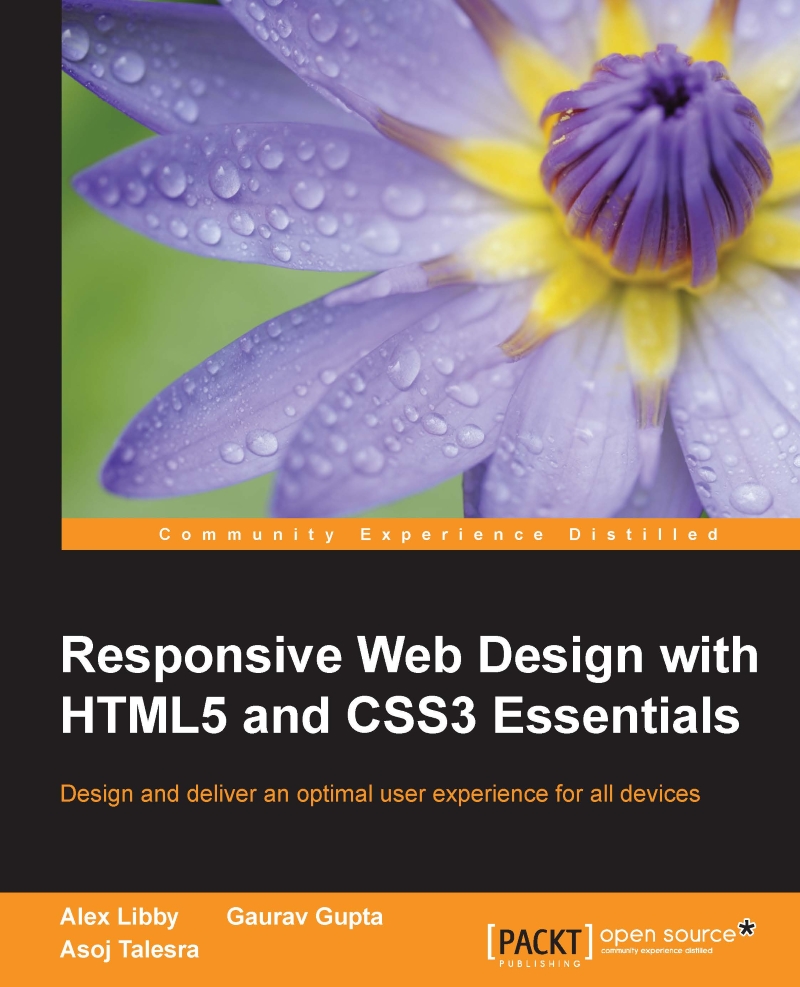
Responsive Web Design with HTML5 and CSS3 Essentials

Responsive Web Design with HTML5 and CSS3 Essentials: Design and deliver an optimal user experience for all devices

Arrow left icon
Profile Icon Alex Libby Profile Icon Gaurav Gupta Profile Icon Asoj Talesra
Arrow right icon
$29.99
Full star icon Full star icon Empty star icon Empty star icon Empty star icon 2 (1 Ratings)
Paperback Aug 2016 174 pages 1st Edition
eBook
$9.99 $24.99
Paperback
$29.99
Subscription
Free Trial
Renews at $19.99p/m
Arrow left icon
Profile Icon Alex Libby Profile Icon Gaurav Gupta Profile Icon Asoj Talesra
Arrow right icon
$29.99
Full star icon Full star icon Empty star icon Empty star icon Empty star icon 2 (1 Ratings)
Paperback Aug 2016 174 pages 1st Edition
eBook
$9.99 $24.99
Paperback
$29.99
Subscription
Free Trial
Renews at $19.99p/m
eBook
$9.99 $24.99
Paperback
$29.99
Subscription
Free Trial
Renews at $19.99p/m

What do you get with Print?

Product feature icon Instant access to your digital copy whilst your Print order is Shipped
Product feature icon Paperback book shipped to your preferred address
Product feature icon Redeem a companion digital copy on all Print orders
Product feature icon Access this title in our online reader with advanced features
Product feature icon DRM FREE - Read whenever, wherever and however you want
Modal Close icon
Payment Processing...
tick Completed

Shipping Address

Billing Address

Shipping Methods
Table of content icon View table of contents Preview book icon Preview Book

Responsive Web Design with HTML5 and CSS3 Essentials

Chapter 2. Creating Fluid Layouts

A key part of our journey through the essentials of responsive design is laying out content on the page—in the early days of the Internet, this was a simple process!

With the advent of mobile devices (and those non-PC devices) that can access the Internet, content layout has become ever more critical; for example, how many images do we have, or do we include content X, or show a summary instead? These are just some of the questions we might ask ourselves. It goes to show that it can open a real can of worms!

To simplify the process, we can use grid or fluid-based layouts. Throughout the course of this chapter, we'll take a look at using them in more detail; we'll start with setting the available viewport, and take it right through to future grid-based layouts.

In this chapter, we will cover the following topics:

  • Introducing grid layouts and understanding different types
  • Setting the available viewport for use
  • Exploring the benefits and...

Introducing flexible grid layouts

For many years, designers have built layouts of different types; they may be as simple as a calling card site, right through to a theme for a content management system, such as WordPress or Joomla. The meteoric rise of accessing the Internet through different devices means that we can no longer create layouts that are tied to specific devices or sizes—we must be flexible!

To achieve this flexibility requires us to embrace a number of changes in our design process—the first being the type of layout we should create. A key part of this is the use of percentage values to define our layouts; rather than create something from the ground up, we can make use of a predefined grid system that has been tried and tested, as a basis for future designs.

The irony is that there are lots of grid systems vying for our attention, so without further ado, let's make a start by exploring the different types of layouts, and how they compare to responsive designs...

Understanding the different layout types

A problem that has faced web designers for some years is the type of layout their site should use—should it be fluid, fixed width, have the benefits of being elastic, or a hybrid version that draws on the benefits of a mix of these layouts?

The type of layout we choose to use will of course depend on client requirements—making it a fluid layout means we are effectively one step closer to making it responsive; the difference being that the latter uses media queries to allow resizing of content for different devices, not just normal desktops!

To understand the differences, and how responsive layouts compare, let's take a quick look at each in turn:

  • Fixed width layouts: These are constrained to a fixed width; a good size is around 960px, as this can be split equally into columns, with no remainder. The downside is fixed width makes assumptions about the available viewport area, and if the screen is too small or large, it results in lots...

Setting the available viewport for use

When viewing a website on different devices, we of course expect it to resize to the available device width automatically with no loss of experience; unfortunately, not every site does this quite the right way or successfully!

To understand why this is important, let's assume we operate a desktop version of our site (one in the 1280+ group in this screenshot), and a mobile equivalent from the 418-768 group:

Setting the available viewport for use

The first stage in making our site responsive is to add the viewport directive; without it, we are likely to end up with a similar effect to this when resizing our sites:

Setting the available viewport for use

See what I mean? It looks awful—text is cut off, we would have to swipe to the right...ugh! In stark contrast, adding one line of code can have a dramatic effect:

Setting the available viewport for use

Our example uses the Google Chrome set to emulate an iPhone 6 Plus. The code needed to restore sanity to our example can be added to the <head> of our code:

<meta name="viewport" content...

Exploring the benefits of flexible grid layouts

Now that we've been introduced to grid layouts as a tenet of responsive design, it's a good opportunity to explore why we should use them. Creating a layout from scratch can be time consuming and needs lots of testing; there are some real benefits from using a grid layout:

  • Grids make for a simpler design: Instead of trying to develop the proverbial wheel, we can focus on providing the content instead; the infrastructure will have already been tested by the developer and other users.
  • They provide for a visually appealing design: Many people prefer content to be displayed in columns, so grid layouts make good use of this concept to help organize content on the page.
  • Grids can of course adapt to different size viewports: The system they use makes it easier to display a single codebase on multiple devices, which reduces the effort required for developers to maintain and webmasters to manage.
  • Grids help with the display of adverts: Google...

Understanding the mechanics of grid layouts

So far, we explored one of the key critical elements of responsive design, in the form of how we would set our available screen estate (or viewport)—as someone once said, it's time...

Absolutely—it's time we cracked on and explored how grids operate! The trick behind grids is nothing special; it boils down to the use of a single formula to help define the proportions of each element used in our layouts:

target ÷ context = result

Let's imagine that we have a layout with two columns, and that the container (or context) is 960px wide (I will use pixel values purely to illustrate the maths involved).

To create our layout, we will make use of the Golden Ratio that we touched on in Chapter 1, Introducing Responsive Web Design; to recap, we use the ratio of 1.618 to every 1 pixel. So, if our layout is 960px wide, we multiply 960 x 0.618 (the difference)—this gives 593px (rounded down to the nearest integer). We...

Introducing flexible grid layouts


For many years, designers have built layouts of different types; they may be as simple as a calling card site, right through to a theme for a content management system, such as WordPress or Joomla. The meteoric rise of accessing the Internet through different devices means that we can no longer create layouts that are tied to specific devices or sizes—we must be flexible!

To achieve this flexibility requires us to embrace a number of changes in our design process—the first being the type of layout we should create. A key part of this is the use of percentage values to define our layouts; rather than create something from the ground up, we can make use of a predefined grid system that has been tried and tested, as a basis for future designs.

The irony is that there are lots of grid systems vying for our attention, so without further ado, let's make a start by exploring the different types of layouts, and how they compare to responsive designs.

Understanding the different layout types


A problem that has faced web designers for some years is the type of layout their site should use—should it be fluid, fixed width, have the benefits of being elastic, or a hybrid version that draws on the benefits of a mix of these layouts?

The type of layout we choose to use will of course depend on client requirements—making it a fluid layout means we are effectively one step closer to making it responsive; the difference being that the latter uses media queries to allow resizing of content for different devices, not just normal desktops!

To understand the differences, and how responsive layouts compare, let's take a quick look at each in turn:

  • Fixed width layouts: These are constrained to a fixed width; a good size is around 960px, as this can be split equally into columns, with no remainder. The downside is fixed width makes assumptions about the available viewport area, and if the screen is too small or large, it results in lots of scrolling which...

Setting the available viewport for use


When viewing a website on different devices, we of course expect it to resize to the available device width automatically with no loss of experience; unfortunately, not every site does this quite the right way or successfully!

To understand why this is important, let's assume we operate a desktop version of our site (one in the 1280+ group in this screenshot), and a mobile equivalent from the 418-768 group:

The first stage in making our site responsive is to add the viewport directive; without it, we are likely to end up with a similar effect to this when resizing our sites:

See what I mean? It looks awful—text is cut off, we would have to swipe to the right...ugh! In stark contrast, adding one line of code can have a dramatic effect:

Our example uses the Google Chrome set to emulate an iPhone 6 Plus. The code needed to restore sanity to our example can be added to the <head> of our code:

<meta name="viewport" content="width=device-width,...

Exploring the benefits of flexible grid layouts


Now that we've been introduced to grid layouts as a tenet of responsive design, it's a good opportunity to explore why we should use them. Creating a layout from scratch can be time consuming and needs lots of testing; there are some real benefits from using a grid layout:

  • Grids make for a simpler design: Instead of trying to develop the proverbial wheel, we can focus on providing the content instead; the infrastructure will have already been tested by the developer and other users.

  • They provide for a visually appealing design: Many people prefer content to be displayed in columns, so grid layouts make good use of this concept to help organize content on the page.

  • Grids can of course adapt to different size viewports: The system they use makes it easier to display a single codebase on multiple devices, which reduces the effort required for developers to maintain and webmasters to manage.

  • Grids help with the display of adverts: Google has been...

Understanding the mechanics of grid layouts


So far, we explored one of the key critical elements of responsive design, in the form of how we would set our available screen estate (or viewport)—as someone once said, it's time...

Absolutely—it's time we cracked on and explored how grids operate! The trick behind grids is nothing special; it boils down to the use of a single formula to help define the proportions of each element used in our layouts:

target ÷ context = result

Let's imagine that we have a layout with two columns, and that the container (or context) is 960px wide (I will use pixel values purely to illustrate the maths involved).

To create our layout, we will make use of the Golden Ratio that we touched on in Chapter 1, Introducing Responsive Web Design; to recap, we use the ratio of 1.618 to every 1 pixel. So, if our layout is 960px wide, we multiply 960 x 0.618 (the difference)—this gives 593px (rounded down to the nearest integer). We then simply subtract 593 from 960, to arrive...

Left arrow icon Right arrow icon
Download code icon Download Code

Key benefits

  • Get to grips with the core functionality of RWD through examples
  • Discover how to make layouts, content and media flexible, and explore why a content-first approach is more effective
  • Maximize the performance of your web pages so that they work across all browsers and devices irrespective of the screen size

Description

Responsive web design (RWD) is a web design approach aimed at crafting sites to provide an optimal viewing and interaction experience—providing easy reading and navigation with minimum resizing, panning, and scrolling—and all of this across a wide range of devices from desktop computer monitors to mobile phones. Responsive web design is becoming more important as the amount of mobile traffic now accounts for more than half of the Internet’s total traffic. This book will give you in depth knowledge about the basics of responsive web design. You will embark on a journey of building effective responsive web pages that work across a range of devices, from mobile phones to smart TVs, with nothing more than standard markup and styling techniques. You'll begin by getting an understanding of what RWD is and its significance to the modern web. Building on the basics, you'll learn about layouts and media queries. Following this, we’ll dive into creating layouts using grid based templates. We’ll also cover the important topic of performance management, and discover how to tackle cross-browser challenges.

Who is this book for?

This book is for web designers who are familiar with HTML and CSS, and want to begin with responsive web design. Web development experience and knowledge of HTML5, CSS3 is assumed.

What you will learn

  • * Explore various layout options
  • * Understand what can be achieved in the browser, without the use of third-party tools
  • * Executing media queries to benefit responsive designs
  • * Understand the basics of responsive workflow and boilerplate frameworks
  • * Improve performance of responsive web design
  • * Maintain compatibility across various browsers
Estimated delivery fee Deliver to United States

Economy delivery 10 - 13 business days

Free $6.95

Premium delivery 6 - 9 business days

$21.95
(Includes tracking information)

Product Details

Country selected
Publication date, Length, Edition, Language, ISBN-13
Publication date : Aug 29, 2016
Length: 174 pages
Edition : 1st
Language : English
ISBN-13 : 9781783553075
Languages :

What do you get with Print?

Product feature icon Instant access to your digital copy whilst your Print order is Shipped
Product feature icon Paperback book shipped to your preferred address
Product feature icon Redeem a companion digital copy on all Print orders
Product feature icon Access this title in our online reader with advanced features
Product feature icon DRM FREE - Read whenever, wherever and however you want
Modal Close icon
Payment Processing...
tick Completed

Shipping Address

Billing Address

Shipping Methods
Estimated delivery fee Deliver to United States

Economy delivery 10 - 13 business days

Free $6.95

Premium delivery 6 - 9 business days

$21.95
(Includes tracking information)

Product Details

Publication date : Aug 29, 2016
Length: 174 pages
Edition : 1st
Language : English
ISBN-13 : 9781783553075
Languages :

Packt Subscriptions

See our plans and pricing
Modal Close icon
$19.99 billed monthly
Feature tick icon Unlimited access to Packt's library of 7,000+ practical books and videos
Feature tick icon Constantly refreshed with 50+ new titles a month
Feature tick icon Exclusive Early access to books as they're written
Feature tick icon Solve problems while you work with advanced search and reference features
Feature tick icon Offline reading on the mobile app
Feature tick icon Simple pricing, no contract
$199.99 billed annually
Feature tick icon Unlimited access to Packt's library of 7,000+ practical books and videos
Feature tick icon Constantly refreshed with 50+ new titles a month
Feature tick icon Exclusive Early access to books as they're written
Feature tick icon Solve problems while you work with advanced search and reference features
Feature tick icon Offline reading on the mobile app
Feature tick icon Choose a DRM-free eBook or Video every month to keep
Feature tick icon PLUS own as many other DRM-free eBooks or Videos as you like for just $5 each
Feature tick icon Exclusive print discounts
$279.99 billed in 18 months
Feature tick icon Unlimited access to Packt's library of 7,000+ practical books and videos
Feature tick icon Constantly refreshed with 50+ new titles a month
Feature tick icon Exclusive Early access to books as they're written
Feature tick icon Solve problems while you work with advanced search and reference features
Feature tick icon Offline reading on the mobile app
Feature tick icon Choose a DRM-free eBook or Video every month to keep
Feature tick icon PLUS own as many other DRM-free eBooks or Videos as you like for just $5 each
Feature tick icon Exclusive print discounts

Frequently bought together


Stars icon
Total $ 163.97
Professional CSS3
$48.99
Responsive Web Design with HTML5 and CSS3 Essentials
$29.99
HTML5 and CSS3: Building Responsive Websites
$84.99
Total $ 163.97 Stars icon

Table of Contents

5 Chapters
1. Introducing Responsive Web Design Chevron down icon Chevron up icon
2. Creating Fluid Layouts Chevron down icon Chevron up icon
3. Adding Responsive Media Chevron down icon Chevron up icon
4. Exploring Media Queries Chevron down icon Chevron up icon
5. Testing and Optimizing for Performance Chevron down icon Chevron up icon

Customer reviews

Rating distribution
Full star icon Full star icon Empty star icon Empty star icon Empty star icon 2
(1 Ratings)
5 star 0%
4 star 0%
3 star 0%
2 star 100%
1 star 0%
Anthony K Wells Sep 25, 2016
Full star icon Full star icon Empty star icon Empty star icon Empty star icon 2
As a web developer, I'm always looking for new ideas and better ways of implementing page elements and user experience features. Thus, my decision to check-out this book.Unfortunately, "Responsive Web Design with HTML5 and CSS3 Essentials", left me disappointed and unsatisfied in this regard. It's clear the authors have a good comprehension of RWD knowledge and know-how but their lack of expanded coverage on the discussed topics coupled with many missing topics makes the book useful for only a small subset of RWD development.The good...* The book mainly shines on the coverage of media related web design, both for desktop and mobile. The information on video, pictures, and images is critical for sites where the conveyance of such elements is a large part of site pages. However, this coverage could have been condensed to a single chapter.* There is also some good, albeit incomplete, coverage of grid and flexbox layouts as well as some examples of page content layout shifts (aka the responsiveness) for different screen sizes and orientations.The not so good...* The book is extremely light on actual examples WITH supporting code. Chapter 4, Exploring [CSS] Media Queries, was the least offensive in this regard but I still felt it lacked in cohesiveness. At a minimum, I would have liked to have seen more CSS with supporting screenshots demonstrating topics in action. Taking this a step further, I would have liked to have seen more coverage of element repositioning with diffferent screen sizes especially those using flexbox and index.* There is some repetitive reuse of figures, especially in regards to break points.* The use of the term media takes on different meanings throughout the book and the shifting usage can be a distraction.* I think the book would have been much more useful if they had developed as an example a typical mobile page with standard elements including a hamburger menu, logo and image usage in a confined space, tagline rework or removal on page shrinkage, and floating side menu to access lists or submenus. (I mention the latter because I often find that main content gets shifted so far down the page the user becomes exhausted from constantly scrolling it into view, and then even more infuriated by having to scroll back-up to access a menu or submenu.) In this way, the chapters would have been more cohesive (Chapter 4 would need to be moved forward) and I think examples would have become more natural.Other coverage that would have made the book a gem, especially for new comers, includes: the use of floating elements for quick page navigation (esp. return to top), affixing the top menu coupled with my other favorite feature, shrink the header on page scroll, and targeting inputs (buttons, radio's, checkbox's) for mobile usage. (I think the latter is often overlooked the most in technical prose. I prefer to completely restyle checkbox's, radio's and even select's for mobile usage. Most users find clicking a stock checkbox input an absolute nuisance on a mobile display (and to an extent on a desktop).) There is also no mention of standards, such as minimum button size (at least 37px or increasing the active touch area), enlarging text size or libraries such as Bootstrap.In short, I think if the authors were to extend the material on the current topics, cut away some of the fluff and add coverage of other RWD topics, the book would reach a wider audience and be more useful as a reference. Who knows, maybe I should do some book writing of my own.
Amazon Verified review Amazon
Get free access to Packt library with over 7500+ books and video courses for 7 days!
Start Free Trial

FAQs

What is the digital copy I get with my Print order? Chevron down icon Chevron up icon

When you buy any Print edition of our Books, you can redeem (for free) the eBook edition of the Print Book you’ve purchased. This gives you instant access to your book when you make an order via PDF, EPUB or our online Reader experience.

What is the delivery time and cost of print book? Chevron down icon Chevron up icon

Shipping Details

USA:

'

Economy: Delivery to most addresses in the US within 10-15 business days

Premium: Trackable Delivery to most addresses in the US within 3-8 business days

UK:

Economy: Delivery to most addresses in the U.K. within 7-9 business days.
Shipments are not trackable

Premium: Trackable delivery to most addresses in the U.K. within 3-4 business days!
Add one extra business day for deliveries to Northern Ireland and Scottish Highlands and islands


EU:

Premium: Trackable delivery to most EU destinations within 4-9 business days.

Australia:

Economy: Can deliver to P. O. Boxes and private residences.
Trackable service with delivery to addresses in Australia only.
Delivery time ranges from 7-9 business days for VIC and 8-10 business days for Interstate metro
Delivery time is up to 15 business days for remote areas of WA, NT & QLD.

Premium: Delivery to addresses in Australia only
Trackable delivery to most P. O. Boxes and private residences in Australia within 4-5 days based on the distance to a destination following dispatch.

India:

Premium: Delivery to most Indian addresses within 5-6 business days

Rest of the World:

Premium: Countries in the American continent: Trackable delivery to most countries within 4-7 business days

Asia:

Premium: Delivery to most Asian addresses within 5-9 business days

Disclaimer:
All orders received before 5 PM U.K time would start printing from the next business day. So the estimated delivery times start from the next day as well. Orders received after 5 PM U.K time (in our internal systems) on a business day or anytime on the weekend will begin printing the second to next business day. For example, an order placed at 11 AM today will begin printing tomorrow, whereas an order placed at 9 PM tonight will begin printing the day after tomorrow.


Unfortunately, due to several restrictions, we are unable to ship to the following countries:

  1. Afghanistan
  2. American Samoa
  3. Belarus
  4. Brunei Darussalam
  5. Central African Republic
  6. The Democratic Republic of Congo
  7. Eritrea
  8. Guinea-bissau
  9. Iran
  10. Lebanon
  11. Libiya Arab Jamahriya
  12. Somalia
  13. Sudan
  14. Russian Federation
  15. Syrian Arab Republic
  16. Ukraine
  17. Venezuela
What is custom duty/charge? Chevron down icon Chevron up icon

Customs duty are charges levied on goods when they cross international borders. It is a tax that is imposed on imported goods. These duties are charged by special authorities and bodies created by local governments and are meant to protect local industries, economies, and businesses.

Do I have to pay customs charges for the print book order? Chevron down icon Chevron up icon

The orders shipped to the countries that are listed under EU27 will not bear custom charges. They are paid by Packt as part of the order.

List of EU27 countries: www.gov.uk/eu-eea:

A custom duty or localized taxes may be applicable on the shipment and would be charged by the recipient country outside of the EU27 which should be paid by the customer and these duties are not included in the shipping charges been charged on the order.

How do I know my custom duty charges? Chevron down icon Chevron up icon

The amount of duty payable varies greatly depending on the imported goods, the country of origin and several other factors like the total invoice amount or dimensions like weight, and other such criteria applicable in your country.

For example:

  • If you live in Mexico, and the declared value of your ordered items is over $ 50, for you to receive a package, you will have to pay additional import tax of 19% which will be $ 9.50 to the courier service.
  • Whereas if you live in Turkey, and the declared value of your ordered items is over € 22, for you to receive a package, you will have to pay additional import tax of 18% which will be € 3.96 to the courier service.
How can I cancel my order? Chevron down icon Chevron up icon

Cancellation Policy for Published Printed Books:

You can cancel any order within 1 hour of placing the order. Simply contact customercare@packt.com with your order details or payment transaction id. If your order has already started the shipment process, we will do our best to stop it. However, if it is already on the way to you then when you receive it, you can contact us at customercare@packt.com using the returns and refund process.

Please understand that Packt Publishing cannot provide refunds or cancel any order except for the cases described in our Return Policy (i.e. Packt Publishing agrees to replace your printed book because it arrives damaged or material defect in book), Packt Publishing will not accept returns.

What is your returns and refunds policy? Chevron down icon Chevron up icon

Return Policy:

We want you to be happy with your purchase from Packtpub.com. We will not hassle you with returning print books to us. If the print book you receive from us is incorrect, damaged, doesn't work or is unacceptably late, please contact Customer Relations Team on customercare@packt.com with the order number and issue details as explained below:

  1. If you ordered (eBook, Video or Print Book) incorrectly or accidentally, please contact Customer Relations Team on customercare@packt.com within one hour of placing the order and we will replace/refund you the item cost.
  2. Sadly, if your eBook or Video file is faulty or a fault occurs during the eBook or Video being made available to you, i.e. during download then you should contact Customer Relations Team within 14 days of purchase on customercare@packt.com who will be able to resolve this issue for you.
  3. You will have a choice of replacement or refund of the problem items.(damaged, defective or incorrect)
  4. Once Customer Care Team confirms that you will be refunded, you should receive the refund within 10 to 12 working days.
  5. If you are only requesting a refund of one book from a multiple order, then we will refund you the appropriate single item.
  6. Where the items were shipped under a free shipping offer, there will be no shipping costs to refund.

On the off chance your printed book arrives damaged, with book material defect, contact our Customer Relation Team on customercare@packt.com within 14 days of receipt of the book with appropriate evidence of damage and we will work with you to secure a replacement copy, if necessary. Please note that each printed book you order from us is individually made by Packt's professional book-printing partner which is on a print-on-demand basis.

What tax is charged? Chevron down icon Chevron up icon

Currently, no tax is charged on the purchase of any print book (subject to change based on the laws and regulations). A localized VAT fee is charged only to our European and UK customers on eBooks, Video and subscriptions that they buy. GST is charged to Indian customers for eBooks and video purchases.

What payment methods can I use? Chevron down icon Chevron up icon

You can pay with the following card types:

  1. Visa Debit
  2. Visa Credit
  3. MasterCard
  4. PayPal
What is the delivery time and cost of print books? Chevron down icon Chevron up icon

Shipping Details

USA:

'

Economy: Delivery to most addresses in the US within 10-15 business days

Premium: Trackable Delivery to most addresses in the US within 3-8 business days

UK:

Economy: Delivery to most addresses in the U.K. within 7-9 business days.
Shipments are not trackable

Premium: Trackable delivery to most addresses in the U.K. within 3-4 business days!
Add one extra business day for deliveries to Northern Ireland and Scottish Highlands and islands

EU:

Premium: Trackable delivery to most EU destinations within 4-9 business days.

Australia:

Economy: Can deliver to P. O. Boxes and private residences.
Trackable service with delivery to addresses in Australia only.
Delivery time ranges from 7-9 business days for VIC and 8-10 business days for Interstate metro
Delivery time is up to 15 business days for remote areas of WA, NT & QLD.

Premium: Delivery to addresses in Australia only
Trackable delivery to most P. O. Boxes and private residences in Australia within 4-5 days based on the distance to a destination following dispatch.

India:

Premium: Delivery to most Indian addresses within 5-6 business days

Rest of the World:

Premium: Countries in the American continent: Trackable delivery to most countries within 4-7 business days

Asia:

Premium: Delivery to most Asian addresses within 5-9 business days

Disclaimer:
All orders received before 5 PM U.K time would start printing from the next business day. So the estimated delivery times start from the next day as well. Orders received after 5 PM U.K time (in our internal systems) on a business day or anytime on the weekend will begin printing the second to next business day. For example, an order placed at 11 AM today will begin printing tomorrow, whereas an order placed at 9 PM tonight will begin printing the day after tomorrow.


Unfortunately, due to several restrictions, we are unable to ship to the following countries:

  1. Afghanistan
  2. American Samoa
  3. Belarus
  4. Brunei Darussalam
  5. Central African Republic
  6. The Democratic Republic of Congo
  7. Eritrea
  8. Guinea-bissau
  9. Iran
  10. Lebanon
  11. Libiya Arab Jamahriya
  12. Somalia
  13. Sudan
  14. Russian Federation
  15. Syrian Arab Republic
  16. Ukraine
  17. Venezuela
Modal Close icon
Modal Close icon