Search icon CANCEL
Subscription
0
Cart icon
Your Cart (0 item)
Close icon
You have no products in your basket yet
Save more on your purchases! discount-offer-chevron-icon
Savings automatically calculated. No voucher code required.
Arrow left icon
Explore Products
Best Sellers
New Releases
Books
Events
Videos
Audiobooks
Packt Hub
Free Learning
Arrow right icon
timer SALE ENDS IN
0 Days
:
00 Hours
:
00 Minutes
:
00 Seconds
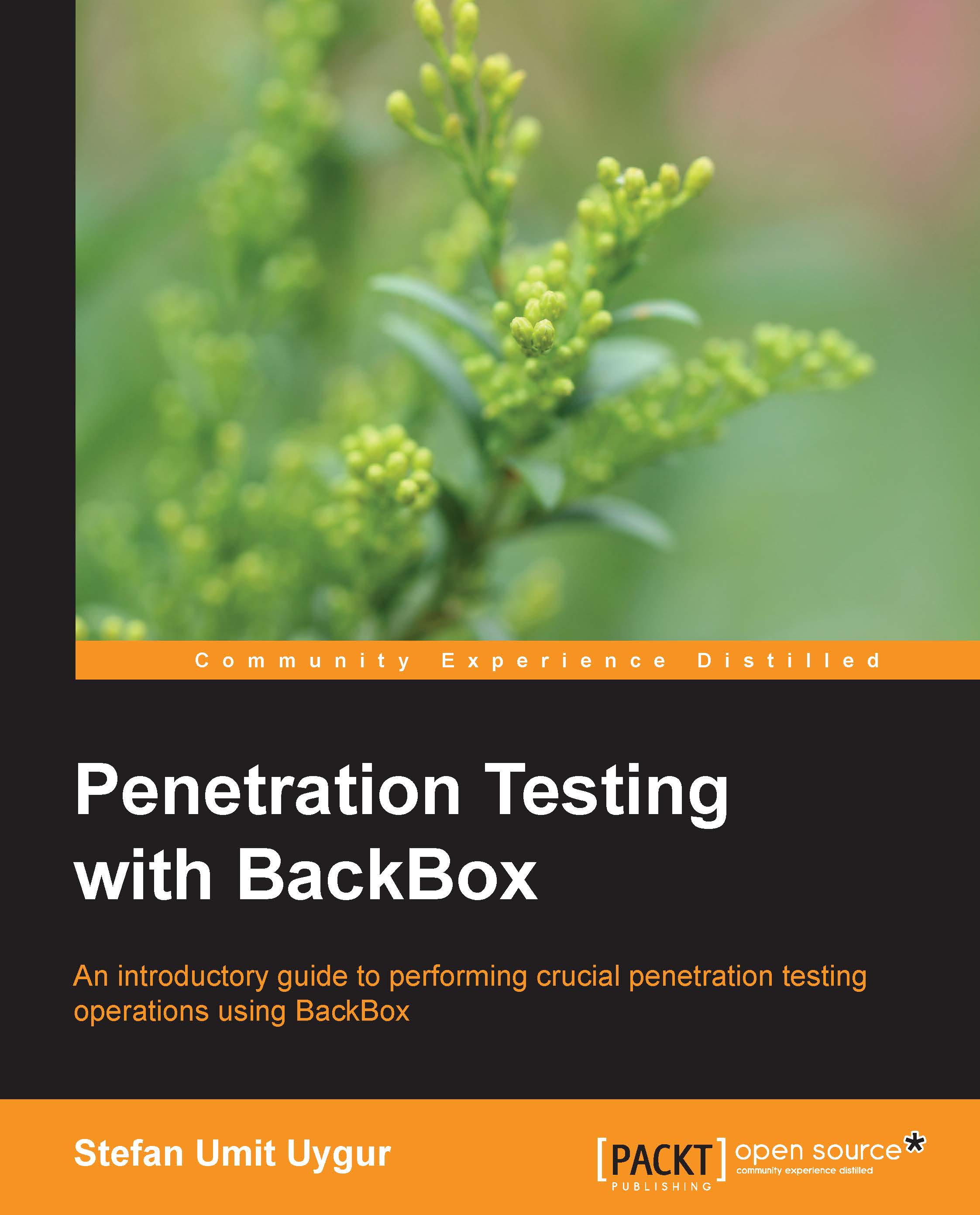
Penetration Testing with BackBox

Penetration Testing with BackBox: This tutorial will immerse you in the fascinating environment of penetration testing. Thoroughly practical and written for ease of understanding, it will give you the insights and knowledge you need to start using BackBox.

Arrow left icon
Profile Icon Stefan Umit Uygur
Arrow right icon
$18.89 $20.99
Full star icon Full star icon Full star icon Full star icon Empty star icon 4 (9 Ratings)
eBook Feb 2014 130 pages 1st Edition
eBook
$18.89 $20.99
Paperback
$34.99
eBook + Subscription
$24.99 Monthly
Arrow left icon
Profile Icon Stefan Umit Uygur
Arrow right icon
$18.89 $20.99
Full star icon Full star icon Full star icon Full star icon Empty star icon 4 (9 Ratings)
eBook Feb 2014 130 pages 1st Edition
eBook
$18.89 $20.99
Paperback
$34.99
eBook + Subscription
$24.99 Monthly
eBook
$18.89 $20.99
Paperback
$34.99
eBook + Subscription
$24.99 Monthly

What do you get with eBook?

Product feature icon Instant access to your Digital eBook purchase
Product feature icon Download this book in EPUB and PDF formats
Product feature icon Access this title in our online reader with advanced features
Product feature icon DRM FREE - Read whenever, wherever and however you want
Modal Close icon
Payment Processing...
tick Completed

Billing Address

Table of content icon View table of contents Preview book icon Preview Book

Penetration Testing with BackBox

Chapter 1. Starting Out with BackBox Linux

Welcome to the first chapter of this book, which will be based on full penetration testing methodologies using BackBox. We will acquire in-depth knowledge of BackBox by familiarizing ourselves with its various tools and functions.

It is highly recommended that readers have a prior general understanding of Linux systems and an average level of knowledge concerning shell environments.

In this first chapter, we will introduce BackBox Linux, the organization of the tools and services with a brief description of the tools included.

A flexible penetration testing distribution


BackBox Linux is a very young project designed for penetration testing, vulnerability assessment and management. The key focus in using BackBox is to provide an independent security testing platform that can be easily customized with increased performance and stability. BackBox uses a very light desktop manager called XFCE. It includes the most popular security auditing tools that are essential for penetration testers and security advisers. The suite of tools includes web application analysis, network analysis, stress tests, computer sniffing forensic analysis, exploitation, documentation, and reporting.

The BackBox repository is hosted on Launchpad and is constantly updated to the latest stable version of its tools. Adding and developing new tools inside the distribution requires it to be compliant with the open source community and particularly the Debian Free Software Guidelines criteria. IT security and penetration testing are dedicated sectors and quite new in the global market. There are a lot of Linux distributions dedicated to security; but if we do some research, we can see that only a couple of distributions are constantly updated. Many newly born projects stop at the first release without continuity and very few of them are updated.

BackBox is one of the new players in this field and even though it is only a few years old, it has acquired an enormous user base and now holds the second place in worldwide rankings. It is a lightweight, community-built penetration testing distribution capable of running live in USB mode or as a permanent installation. BackBox now operates on release 3.09 as of September 2013, with a significant increase in users, thus becoming a stable community. BackBox is also significantly used in the professional world.

BackBox is built on top of Ubuntu LTS and the 3.09 release uses 12.04 as its core. The desktop manager environment with XFCE and the ISO images are provided for 32-bit and 64-bit platforms (with the availability on Torrents and HTTP downloads from the project's website). The following screenshot shows the main view of the desktop manager, XFCE:

The choice of desktop manager, XFCE, plays a very important role in BackBox. It is not only designed to serve the slender environment with medium and low level of resources, but also designed for very low memory. In case of very low memory and other resources (such as CPU, HD, and video), BackBox has an alternative way of booting the system without graphical user interface (GUI) and using command-line only, which requires really minimal amount of resources. With this aim in mind, BackBox is designed to function with pretty old and obsolete hardware to be used as a normal auditing platform. However, BackBox can be used on more powerful systems to perform actions that require the modern multicore processors to reduce ETA of the task such as brute-force attacks, data/password decryption, and password-cracking. Of course, the BackBox team aims to minimize overhead for the aforementioned cases through continuous research and development. Luckily, the majority of the tools included in BackBox can be performed in a shell/console environment and for the ones which require less resource. However, we always have our XFCE interface where we can access user-friendly GUI tools (in particular network analysis tools), which do not require many resources.

Relatively, a newcomer into the IT security and penetration testing environment, the first release of BackBox was back in September 09, 2010, as a project of the Italian web community. Now on its third major release and close to the next minor release (BackBox Linux 3.13 is planned for the end of January 2014), BackBox has grown rapidly and offers a wide scope for both amateur and professional use.

The minimum requirements for BackBox are as follows:

  • A 32-bit or 64-bit processor

  • 512 MB of system memory RAM (256 MB in case there will be no desktop manager usage and only the console)

  • 4.4 GB of disk space for installation

  • Graphics card capable of 800 × 600 resolution (less resolution in case there will be no desktop manager usage)

  • DVD-ROM drive or USB port

The following screenshot shows the main view of BackBox with a toolbar at the bottom:

The suite of auditing tools in BackBox makes the system complete and ready to use for security professionals of penetration testing.

The organization of tools in BackBox


The entire set of BackBox security tools are populated into a single menu called Audit and structured into different subtasks as follows:

  • Information Gathering

  • Vulnerability Assessment

  • Exploitation

  • Privilege Escalation

  • Maintaining Access

  • Documentation & Reporting

  • Social Engineering

  • Stress Testing

  • Forensic Analysis

  • VoIP Analysis

  • Wireless Analysis

  • Miscellaneous

In this book, we will be performing our practical actions by using nearly half of the tools included in BackBox Linux.

We have to run through all the tools in BackBox by giving a short description of each single tool in the Auditing menu. The following screenshot shows the Auditing menu of BackBox:

Information Gathering

Information Gathering is the first absolute step of any security engineer and/or penetration tester. It is about collecting information on target systems, which can be very useful to start the assessment. Without this step, it will be quite difficult and hard to assess any system. We will be quickly running through this menu and giving a short definition of the tools in it:

  • Arping: This is a utility that sends ARP requests to the hosts on a specific subnet.

  • Arp-scan: This is a command-line tool designed for system discovery and fingerprinting. It assembles and sends ARP requests to specified IP addresses, displaying any responses that are received.

  • Automater: This is an automated tool for intrusion analysis based on URL, IP address, or hash.

  • Knock: This is a Python script designed to enumerate subdomains on a target domain through a wordlist.

  • Nbtscan: This is an application to scan and get information about IP networks for NetBIOS name information.

  • Sslyze: This is designed to be fast and comprehensive and help organizations and testers to identify misconfigurations that are affecting their SSL Servers.

  • theHarvester: This is an information collector used to harvest e-mails, subdomains, hosts, and personal information about individuals.

  • Zenmap: This is the official Nmap Security Scanner GUI frontend.

  • Recon-ng: This is a full-featured Web Reconnaissance framework.

  • WhatWeb: This is an application that recognizes web technologies including content management systems (CMS), blogging platforms, statistic/analytics packages, JavaScript libraries, web servers, and embedded devices.

  • Creepy: This is a web application security assessment report generator.

Vulnerability Assessment

After you've gathered information by performing the first step, the next step will be to analyze that information and its evaluation. Vulnerability Assessment is the process of identifying the vulnerabilities present in the system and prioritizing them. The tools are briefly described as follows:

  • Cvechecker: This is a tool that generates a report about possible vulnerabilities in your system by comparing the result with the information in its common vulnerability environment (CVE) database.

  • RIPS: This is a static source code analyzer for vulnerabilities in PHP web applications.

  • OpenVAS: This is a framework composed of several services and tools to deliver a comprehensive, powerful vulnerability scanning management solution.

  • Nikto: This is a web server scanner that tests web servers for dangerous files/CGIs, outdated server software, and other problems.

  • Skipfish: This is an active web application security reconnaissance tool. It prepares an interactive sitemap for a targeted site by undertaking a recursive crawl and dictionary-based probes.

  • ZAP: This is a web application vulnerability finder (Zed Attack Proxy by OWASP).

Exploitation

Exploitation is the process where the weakness or bug in the software is used to penetrate the system. This can be done through the usage of an exploit, which is nothing but an automated script that is designed to perform a malicious attack on target systems. The tools are briefly described as follows:

  • Sqlmap: This is an automated tool to detect other exploiting SQL flaws

  • MSF: This is a useful auditing tool that contains a lot of exploits and a development environment to modify or create them

  • Armitage: This is the graphical frontend of the Metasploit Framework

  • Fimap: This is a web application auditing tool for file inclusion bugs in web apps

  • Htexploit: This is a useful tool to exploit the .htaccess files

  • Joomscan: This is a tool that detects file inclusion, SQL injection, and command execution vulnerabilities of a targeted website that uses Joomla

  • W3af: This is a GUI-based web application attack and audit framework to find and exploit the vulnerabilities detected

  • Wpscan: This is a black box WordPress vulnerability scanner

Privilege Escalation

Privilege Escalation occurs when we have already gained access to the system but with low privileges. It can also be that we have legitimate access but not enough to make effective changes on the system, so we will need to elevate our privileges or gain access to another account with higher privileges. A quick tour of the tools and short definitions are as follows:

  • Dictstat: This is a password profiling tool.

  • Maskgen: This is an analyzer for output file produced by DictGen to generate optimal password mask collection for input to the Hashcat password cracker.

  • Policygen: This tool helps to generate passwords to be compliant for many policies.

  • Rulegen: This implements password analysis and rule generation for the Hashcat password cracker.

  • Hashcat: This is incredibly the fastest CPU-based password recovery tool.

  • Chntpw: This is a utility used for resetting or blanking local passwords in Wintel systems.

  • Crunch: This is a wordlist generator where you can specify a standard character set.

  • Fcrackzip: This is a fast password cracker partly written in assembler.

  • John: This (also known as John the Ripper) is a password cracking software tool.

  • Ophcrack: This is a Windows password cracker based on rainbow tables.

  • Pdfcrack: This is a tool for recovering passwords and content from PDF files.

  • Truecrack: This is a brute-force password cracker for TrueCrypt (Copyright) volume files.

  • Fang: This is a multiservice threaded MD5 cracker.

  • Medusa: This is a speedy, massively parallel, modular, login brute-force attacker, supporting many protocols.

  • Xhydra: This is a parallelized login cracker that can attack protocols such as TELNET, FTP, HTTP, HTTPS, HTTP-PROXY, LDAP, SMB, SMBNT, MS-SQL, MySQL, REXEC, SOCKS5, VNC, POP3, IMAP, NNTP, PCNFS, ICQ, Cisco auth, Cisco enable, and Cisco AAA by using the Telnet module.

  • Driftnet: This is an application that listens to network traffic and picks out images from the TCP streams it observes.

  • Dsniff: This is a network traffic sniffer that analyzes and parses different application protocols by extracting the relevant information.

  • Ettercap: This is a comprehensive suite for man-in-the-middle attacks. It has a user-friendly GUI interface and supports passive and active dissection of the amount of protocols.

  • Ngrep: This (also known as network grep) is a network packet analyzer.

  • Sslsniff: This is an SSL traffic sniffer.

  • Sslstrip: This is a sniffer against secure socket layer protocol.

  • Tcpdump: This is a common packet analyzer that runs under the command line.

  • Wireshark: This is a free and open source network packet analyzer.

Maintaining Access

Maintaining Access is about setting up an environment that will allow us to access the system again without repeating the tasks that we performed to gain access initially. The tools are briefly described as follows:

  • Iodine: This is a free (ISC licensed) tunnel application to forward IPv4 traffic through DNS servers

  • Ptunnel: This is an application that allows you to reliably tunnel TCP connections to a remote host using ICMP echo request and reply packets, commonly known as ping requests and replies

  • Weevely: This is a stealth PHP web shell that simulates a telnet-like connection

Documentation & Reporting

The Documentation & Reporting menu contains the tools that will allow us to collect the information during our assessment and generate a human readable report from them. The following are the tools for this section:

  • Dradis: This is an open source information sharing framework especially designed for security assessments.

  • MagicTree: This is a penetration test productivity tool. This is designed to allow easy and straightforward data consolidation, querying, external command execution, and report generation.

Reverse Engineering

The Reverse Engineering menu contains the suite of tools aimed to reverse the system by analyzing its structure for both hardware and software. There are many interesting tools in this menu and we list them along with a short description as follows:

  • Bokken: This is a GUI for the Pyew and Radare projects, so it offers almost all the same features that Pyew has and some features of Radare as well. It's intended to be a basic disassembler, mainly to analyze malware and vulnerabilities.

  • Dissy: This is a graphical frontend to the objdump disassembler.

  • Flasm: This is a command-line assembler/disassembler of Flash ActionScript bytecode.

  • Ghex: This is a simple binary GUI hex editor.

  • Nasm: This is a network wide assembler tool.

  • Ndisasm: This is a Netwide Disassembler, an 80 x 86 binary file disassembler.

Social Engineering

Social Engineering is based on a nontechnical intrusion method, mainly on human interaction. It is the ability to manipulate the person and obtain his/her access credentials or the information that can introduce us to such parameters. A brief description of the tools is as follows:

  • Honeyd: This is a small daemon that creates virtual hosts on a network

  • Thpot: This is a tiny honeypot to set up simple and fake services

  • SET: This (also known as Social-Engineer Toolkit) is designed to perform attacks against human interaction

  • BeEF: This is a penetration testing tool that focuses on web browsers

  • Websploit: This is used to scan and analyze remote systems in order to find various types of vulnerabilities

Stress Testing

The Stress Testing menu contains a group of tools aimed to test the stress level of applications and servers. Stress testing is the action where a massive amount of requests (for example, ICMP request) are performed against the target machine to create heavy traffic to overload the system. In this case, the target server is under severe stress and can be taken advantage of. For instance, the running services such as the web server, database or application server (for example, DDoS attack) can be taken down. A brief description of the tools is as follows:

  • Siege: This is an HTTP regression testing and benchmarking utility

  • Slowhttptest: This is a highly configurable tool that simulates Application Layer DoS attacks

  • Thc-ssl-dos: This is a proof-of-concept tool that exploits vulnerabities in SSL

  • Backfuzz: This is a protocol fuzzing tool

  • Tcpjunk: This is a TCP protocols testing and hacking utility

Forensic Analysis

The Forensic Analysis menu contains a great amount of useful tools to perform a forensic analysis on any system. Forensic analysis is the act of carrying out an investigation to obtain evidence from devices. It is a structured examination that aims to rebuild the user's history in a computer device or a server system. A brief description of the tools for forensic analysis is as follows:

  • Dcfldd: This is an enhanced version of GNU dd with features useful for forensics and security

  • Ddrescue: This is a data recovery tool that copies and attempts to recover data from one file or block device (hard disc, CD-ROM, and so on) onto another

  • Guymager: This is a fast and most user-friendly forensic imager, based on libewf and libguytools

  • DFF: This (also known as Digital Forensics Framework) is a digital data collector for forensic purposes

  • Foremost: This is a console application that helps you to recover files based on their headers, footers, and internal data structures

  • Photorec: This is a file carver data recovery software tool explicitly focused on image recovery from digital cameras (CompactFlash, Memory Stick, Secure Digital, SmartMedia, Microdrive, MMC, USB flash drives, and so on), hard disks, and CD-ROMs

  • Scalpel: This is a carver tool designed to recover deleted data from the system

  • Testdisk: This is a free data recovery utility

  • Ntfs-3g: This is an open source cross-platform implementation of the Microsoft Windows NTFS filesystem with read/write support

  • Dumpzilla: This is designed for extracting and analyzing all forensically interesting information from the browsers such as Firefox, Iceweasel, and Seamonkey

  • Steghide: This is a steganography program that is able to hide data in the image and audio files

  • Vinetto: This examines the Thumbs.db files for forensic purposes

  • Xplico: This is an application that extracts the application data from an Internet traffic capture

VoIP Analysis

The voice over IP (VoIP) is a very commonly used protocol today in every part of the world. VoIP analysis is the act of monitoring and analyzing the network traffic with a specific analysis of VoIP calls. So in this section, we have a single tool dedicated to the analysis of VoIP systems. The short description of the tool is as follows:

  • Sipcrack: This is a set of utilities to perform sniffing and cracking of SIP protocols

Wireless Analysis

The Wireless Analysis menu contains a suite of tools dedicated to the security analysis of wireless protocols. Wireless analysis is the act of analyzing wireless devices to check their safety level. A brief description of the tools included in this section is as follows:

  • Aircrack-ng: This is a network software suite consisting of a detector, packet sniffer, WEP and WPA/WPA2-PSK cracker and analysis tool for 802.11 wireless LANs

  • Mdk3: This is a proof-of-concept tool to exploit common IEEE 802.11 protocol weaknesses

  • Pyrit: This is an application GPGPU-driven WPA/WPA2-PSK key cracker

  • Reaver: This is an application to perform brute-force attacks against Wi-Fi Protected Setup (WPS)

  • Wifite: This is an automated wireless auditing tool

  • Wirouterkeyrec: This is a tool to recover the default WPA passphrases of supported router models

  • Kismet: This is an 802.11 layer2 wireless network identifier and passive data package collector

Miscellaneous

The Miscellaneous menu contains tools that have different functionalities and can be placed in any section that we mentioned earlier, or in none of them. They all are quite interesting tools and we will list them with a short description as follows:

  • Cryptcat: This is a lightweight version netcat extended with twofish encryption

  • Hping3: This is an Active Network Smashing Tool

  • Httpfs: This is a FUSE-based filesystem

  • Inundator: This tool fills IDS/IPS/WAF logs with false positives to obfuscate an attack

  • Ncat: This is a command-line feature-packed networking tool for reading and writing TCP/UDP data connections

  • Ndiff: This is a tool to aid in the comparison of Nmap scans

  • Netcat: This is a command-line featured networking tool for reading and writing TCP/IP data connections

  • Nping: This is a tool for network packet generation, response analysis, and response time measurement

  • Proxychanins: This is a tool that allows you to run any program through HTTP or SOCKS proxy

  • Shred: This is a tool that repeatedly overwrites a file in order to make it difficult even for a very expensive hardware probing to recover data

  • Thc-ipv6: This a complete tool set to attack the inherent protocol weaknesses of IPV6 and ICMP6, and includes an easy-to-use packet factory library

  • Wipe: This is a secure file deletion application

Services


Apart from the Auditing menu, BackBox also has a Services menu. This menu is designed to populate the daemons of the tools, those which need to be manually initialized as a service.

Update


We have the Update menu that can be found in the main menu, just next to the Services menu. The Update menu contains the automated scripts to allow the users to update the tools that are out of APT automated system.

Anonymous


BackBox 3.13 has a new menu voice called Anonymous in the main menu. This menu contains a script that makes the user invisible to the network once started. The script populates a set of tools that anonymize the system while navigating, and connects to the global network, Internet.

Extras


Apart from the security-auditing tools, BackBox also has several privacy-protection tools. The suite of privacy-protection tools includes Tor, Polipo, and the Firefox safe mode that have been configured with a default profile in the private-browsing mode. There are many other useful tools recommended by the team but they are not included in the default ISO image. Therefore, the recommended tools are available in the BackBox repository and can be easily installed with apt-get (automated package installation tool for Debian-like systems).

Completeness, accuracy, and support


It is obvious that there are many alternatives when it comes to the choice of penetration testing tools for any particular auditing process. The BackBox team is mainly focused on the size of the tool library, performance, and the inclusion of the tools for security and auditing. The amount of tools included in BackBox is subject to accurate selection and testing by a team.

Most of the security and penetration testing tools are implemented to perform identical functions. The BackBox team is very careful in the selection process in order to avoid duplicate applications and redundancies.

Besides the wiki-based documentation provided for its set of tools, the repository of BackBox can also be imported into any of existing Ubuntu installation (or any of Debian derivative distro) by simply importing the project's Launchpad repository to the source list.

Another point that the BackBox team focus their attention on is the size issue. BackBox may not offer the largest number of tools and utilities, but numbers are not equal to the quality. It has the essential tools installed by default that are sufficient to a penetration tester.

However, BackBox is not a perfect penetration testing distribution. It is a very young project and aims to offer the best solution to the global community.

Links and contacts


BackBox is an open community where everybody's help is greatly welcomed. Here is a list of useful links to BackBox information on the Web:

Summary


In this chapter, we became more familiar with the BackBox environment by analyzing its menu structure and the way its tools are organized. We also provided a quick comment on each tool in BackBox. This is the only theoretical chapter regarding the introduction of BackBox.

In the next chapter, we will start with the first step of our penetration testing adventure, which is about information gathering. We will learn how to collect the information on a target system, which can be used for the next steps of our auditing process.

Left arrow icon Right arrow icon

Description

This practical book outlines the steps needed to perform penetration testing using BackBox. It explains common penetration testing scenarios and gives practical explanations applicable to a real-world setting. This book is written primarily for security experts and system administrators who have an intermediate Linux capability. However, because of the simplicity and user-friendly design, it is also suitable for beginners looking to understand the principle steps of penetration testing.

What you will learn

  • Perform reconnaissance and collect information about an unknown system
  • Perform vulnerability scanning, management, and assessment, as well as understand false positives
  • Understand how SQL injection attacks work and find injectable pages on a web server
  • Sniff the network to capture sensitive data and learn different methods of privilege escalation
  • Maintain permanent access on a target server once access is initially granted
  • Use exploitation tools like Metasploit to exploit the reported vulnerabilities
  • Learn how to document and generate reports from the entire auditing process

Product Details

Country selected
Publication date, Length, Edition, Language, ISBN-13
Publication date : Feb 20, 2014
Length: 130 pages
Edition : 1st
Language : English
ISBN-13 : 9781783282982
Category :

What do you get with eBook?

Product feature icon Instant access to your Digital eBook purchase
Product feature icon Download this book in EPUB and PDF formats
Product feature icon Access this title in our online reader with advanced features
Product feature icon DRM FREE - Read whenever, wherever and however you want
Modal Close icon
Payment Processing...
tick Completed

Billing Address

Product Details

Publication date : Feb 20, 2014
Length: 130 pages
Edition : 1st
Language : English
ISBN-13 : 9781783282982
Category :

Packt Subscriptions

See our plans and pricing
Modal Close icon
$19.99 billed monthly
Feature tick icon Unlimited access to Packt's library of 7,000+ practical books and videos
Feature tick icon Constantly refreshed with 50+ new titles a month
Feature tick icon Exclusive Early access to books as they're written
Feature tick icon Solve problems while you work with advanced search and reference features
Feature tick icon Offline reading on the mobile app
Feature tick icon Simple pricing, no contract
$199.99 billed annually
Feature tick icon Unlimited access to Packt's library of 7,000+ practical books and videos
Feature tick icon Constantly refreshed with 50+ new titles a month
Feature tick icon Exclusive Early access to books as they're written
Feature tick icon Solve problems while you work with advanced search and reference features
Feature tick icon Offline reading on the mobile app
Feature tick icon Choose a DRM-free eBook or Video every month to keep
Feature tick icon PLUS own as many other DRM-free eBooks or Videos as you like for just $5 each
Feature tick icon Exclusive print discounts
$279.99 billed in 18 months
Feature tick icon Unlimited access to Packt's library of 7,000+ practical books and videos
Feature tick icon Constantly refreshed with 50+ new titles a month
Feature tick icon Exclusive Early access to books as they're written
Feature tick icon Solve problems while you work with advanced search and reference features
Feature tick icon Offline reading on the mobile app
Feature tick icon Choose a DRM-free eBook or Video every month to keep
Feature tick icon PLUS own as many other DRM-free eBooks or Videos as you like for just $5 each
Feature tick icon Exclusive print discounts

Frequently bought together


Stars icon
Total $ 154.97
Building Virtual Pentesting Labs for Advanced Penetration Testing
$68.99
Kali Linux - Assuring Security by Penetration Testing
$50.99
Penetration Testing with BackBox
$34.99
Total $ 154.97 Stars icon

Table of Contents

8 Chapters
Starting Out with BackBox Linux Chevron down icon Chevron up icon
Information Gathering Chevron down icon Chevron up icon
Vulnerability Assessment and Management Chevron down icon Chevron up icon
Exploitations Chevron down icon Chevron up icon
Eavesdropping and Privilege Escalation Chevron down icon Chevron up icon
Maintaining Access Chevron down icon Chevron up icon
Penetration Testing Methodologies with BackBox Chevron down icon Chevron up icon
Documentation and Reporting Chevron down icon Chevron up icon

Customer reviews

Top Reviews
Rating distribution
Full star icon Full star icon Full star icon Full star icon Empty star icon 4
(9 Ratings)
5 star 33.3%
4 star 44.4%
3 star 11.1%
2 star 11.1%
1 star 0%
Filter icon Filter
Top Reviews

Filter reviews by


carlos a. muñoz correa Nov 25, 2016
Full star icon Full star icon Full star icon Full star icon Full star icon 5
Good book
Amazon Verified review Amazon
CNC guy May 11, 2014
Full star icon Full star icon Full star icon Full star icon Full star icon 5
[...]'m not exactly a stranger to penetration testing. I like to do pentesting with armies of BeagleBones running my custom Linux distro, The Deck. When teaching pentesting in the classroom I often find myself reluctantly using Kali Linux just because it has the tools I need to teach included by default. It just so happens that the request to review this book corresponded with my having to perform a pentest on a network setup by students in one of my classes at the university. I decided to use BackBox for this test with the book as my guide.What I liked about this bookI thought this book was very well written. It is relatively short with just over 100 pages of chapter content. It does a good job of pointing out the little gotchas that come with using anything for the first time. For example, the book covers how to fully setup OpenVAS in order to actually use it. The book also does a pretty good job of leading you through a typical pentest and the tools that might be used to perform it.What this book coversThe first chapter is a overview of the rest of the book. Later chapters walk through the pentesting process which includes: information gathering, vulnerability assessment, exploitation, privilege escalation, maintaining access, and documentation.What is missingI don't really feel like there was anything missing from this book. While you could always have more coverage of the tools provided by any pentesting distro, this book does a great job of hitting the most commonly used packages. If I were to add anything it would be a couple of case studies to more completely explore the packages provided by BackBox.The NetUsing this book as a guide I was able to perform a successful pentest using BackBox. I am strongly considering using BackBox in my upcoming pentesting class. I would recommend this book to anyone wanting to know more about BackBox.
Amazon Verified review Amazon
C. C Chin Mar 16, 2017
Full star icon Full star icon Full star icon Full star icon Full star icon 5
Basic introduction to penetration testing using backbox linux. I am brand new to pen testing. I brought a bunch of books for a class at MC. I got into a CTF comp at MC April 7, If i have time will try to put together Backbox linux, recommenced by Peter Kim, THP2, pg 4. I have a wind 2012 laptop, 16 gig ram, kali linux and metasploit. I may concentrate on THP2 and basic kali linux testing. Oh yes CTF setting up, violent Python. I just want to get through the beginner CTF. So maybe go back to see what this is all about.My other goal is to teach my son IT and Cybersecurity. Since I really do not know Cyber, I learn it to teach my son, so he can get a job!! Also need future p/t to earn extra $$ for grad school and CCIE. So i brought the Backbox DVD $8 and need new laptop. Maybe just do one box and save this linux for future project.So if Backbox will be my future pent test 2nd box per Peter Kim; have two pent testing boxes. One windows and one either apple or linux.
Amazon Verified review Amazon
n Apr 03, 2014
Full star icon Full star icon Full star icon Full star icon Empty star icon 4
I'm totally new to penetration testing, this book gave me important information: especially in step of setting up the penetration test abd the backbox interface (loved the list of all tool included with a brief description).It's a easy to read text but you have to know at least the average commands of linux shell to bring out the maximum potential of the written information.In less than 150 pages you can start testing and understand what's under the hood of a informatic system, not for advanced penetration testers but a good starting point.Bravo.
Amazon Verified review Amazon
Ozzy May 12, 2014
Full star icon Full star icon Full star icon Full star icon Empty star icon 4
The penetration testing with Backbox is a book that is both detailed and concise. For any newbie with a basic knowledge of Linux, this is the right material for understanding end to end penetration testing with Backbox. The only drawback is that there is not enough information about the Metasploit framework on this material (sad because Metasploit is usually the exploit weapon of choice for the average penetration tester). Overall it is a good book worth every dollar. I expect the Backbox guys to follow up this material with a video tutorial.
Amazon Verified review Amazon
Get free access to Packt library with over 7500+ books and video courses for 7 days!
Start Free Trial

FAQs

How do I buy and download an eBook? Chevron down icon Chevron up icon

Where there is an eBook version of a title available, you can buy it from the book details for that title. Add either the standalone eBook or the eBook and print book bundle to your shopping cart. Your eBook will show in your cart as a product on its own. After completing checkout and payment in the normal way, you will receive your receipt on the screen containing a link to a personalised PDF download file. This link will remain active for 30 days. You can download backup copies of the file by logging in to your account at any time.

If you already have Adobe reader installed, then clicking on the link will download and open the PDF file directly. If you don't, then save the PDF file on your machine and download the Reader to view it.

Please Note: Packt eBooks are non-returnable and non-refundable.

Packt eBook and Licensing When you buy an eBook from Packt Publishing, completing your purchase means you accept the terms of our licence agreement. Please read the full text of the agreement. In it we have tried to balance the need for the ebook to be usable for you the reader with our needs to protect the rights of us as Publishers and of our authors. In summary, the agreement says:

  • You may make copies of your eBook for your own use onto any machine
  • You may not pass copies of the eBook on to anyone else
How can I make a purchase on your website? Chevron down icon Chevron up icon

If you want to purchase a video course, eBook or Bundle (Print+eBook) please follow below steps:

  1. Register on our website using your email address and the password.
  2. Search for the title by name or ISBN using the search option.
  3. Select the title you want to purchase.
  4. Choose the format you wish to purchase the title in; if you order the Print Book, you get a free eBook copy of the same title. 
  5. Proceed with the checkout process (payment to be made using Credit Card, Debit Cart, or PayPal)
Where can I access support around an eBook? Chevron down icon Chevron up icon
What eBook formats do Packt support? Chevron down icon Chevron up icon

Our eBooks are currently available in a variety of formats such as PDF and ePubs. In the future, this may well change with trends and development in technology, but please note that our PDFs are not Adobe eBook Reader format, which has greater restrictions on security.

You will need to use Adobe Reader v9 or later in order to read Packt's PDF eBooks.

What are the benefits of eBooks? Chevron down icon Chevron up icon
  • You can get the information you need immediately
  • You can easily take them with you on a laptop
  • You can download them an unlimited number of times
  • You can print them out
  • They are copy-paste enabled
  • They are searchable
  • There is no password protection
  • They are lower price than print
  • They save resources and space
What is an eBook? Chevron down icon Chevron up icon

Packt eBooks are a complete electronic version of the print edition, available in PDF and ePub formats. Every piece of content down to the page numbering is the same. Because we save the costs of printing and shipping the book to you, we are able to offer eBooks at a lower cost than print editions.

When you have purchased an eBook, simply login to your account and click on the link in Your Download Area. We recommend you saving the file to your hard drive before opening it.

For optimal viewing of our eBooks, we recommend you download and install the free Adobe Reader version 9.

Modal Close icon
Modal Close icon