Search icon CANCEL
Subscription
0
Cart icon
Your Cart (0 item)
Close icon
You have no products in your basket yet
Save more on your purchases! discount-offer-chevron-icon
Savings automatically calculated. No voucher code required.
Arrow left icon
Explore Products
Best Sellers
New Releases
Books
Events
Videos
Audiobooks
Packt Hub
Free Learning
Arrow right icon
timer SALE ENDS IN
0 Days
:
00 Hours
:
00 Minutes
:
00 Seconds
jQuery 1.3 with PHP
jQuery 1.3 with PHP

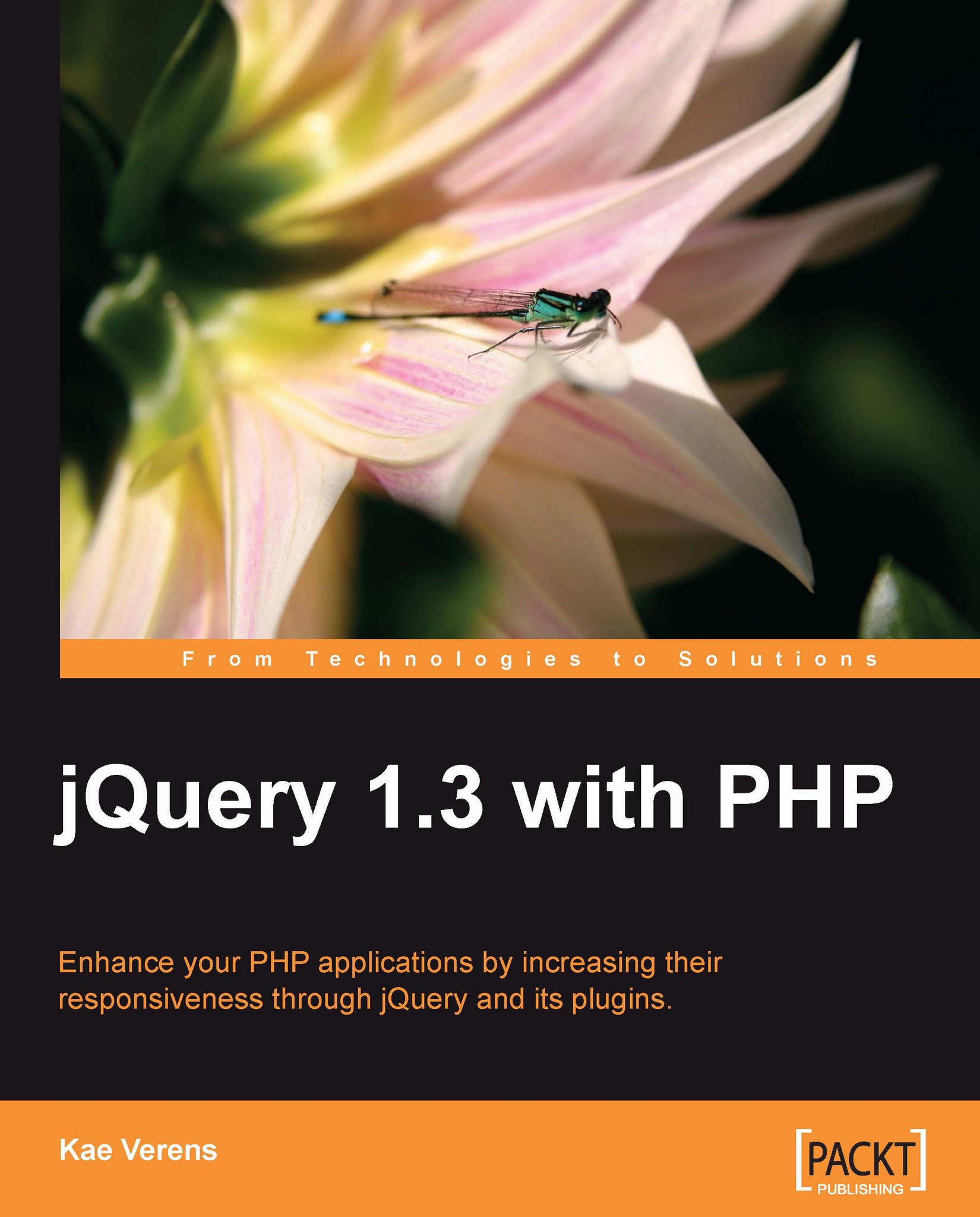
jQuery 1.3 with PHP: Enhance your PHP applications by increasing their responsiveness through jQuery and its plugins

eBook
$24.29 $26.99
Paperback
$45.99
eBook + Subscription
$24.99 Monthly

What do you get with eBook?

Product feature icon Instant access to your Digital eBook purchase
Product feature icon Download this book in EPUB and PDF formats
Product feature icon Access this title in our online reader with advanced features
Product feature icon DRM FREE - Read whenever, wherever and however you want
Modal Close icon
Payment Processing...
tick Completed

Billing Address

Table of content icon View table of contents Preview book icon Preview Book

jQuery 1.3 with PHP

Chapter 1. Introduction and Overview

Welcome!

This book is a general overview of how to take advantage of jQuery's ease-of-use to make your PHP applications more "snappy" on the client side.

The book is aimed at the PHP developers who usually don't write client-side JavaScript, and would like an example-based introduction demonstrating a wide variety of integrations between server-side and client-side code.

For years, JavaScript (the language that jQuery is written in) has been seen as a "toy" language. However, the pervasiveness of Ajax has allowed it to break out of the client side and become an essential tool for all serious web application developers.

Ajax is a tool used by client-side code to contact the server and get or send data without needing to reload the entire page. It's used to update part of the page, or to retrieve data for a JavaScript application, or to send data to the server. Ajax stands for Asynchronous JavaScript And XML. However, the XML part is optional, and is often replaced with plain text or another data format such as JSON (explained later in this chapter).

This book will demonstrate how combining server-side PHP with client-side jQuery can make JavaScript much more useful than just for "form checking".

It is assumed that you are a server-side web application developer who wants to take a step into the client side and learn how to use JavaScript to make your applications more efficient and exciting for the client.

To be very clear about it, this book is not about PHP, and it is not about jQuery—it is about how to work with both PHP and jQuery. This book will teach you how to use jQuery to create some really cool effects, but without you needing to have in-depth knowledge of how jQuery works.

With this book, we are more interested in providing some practical demonstrations of PHP and jQuery with explanations, than in getting right down into the guts of how JavaScript works and how it is different from PHP.

After reading this book, you will have seen and built a wide variety of example applications. This would certainly be enough to immensely change how your current PHP applications work.

Each chapter in this book is dedicated to a specific subject, and will usually involve building a practical example, which you can use in your day-to-day work.

How to work with the examples

In every chapter of this book, I will provide a few code examples. If you wish to try them out, you will need to replicate the test environment I'm using here.

On my test server, my directory layout (within the public_html directory) is like this:

./php_and_jquery
./php_and_jquery/jquery.min.js
./php_and_jquery/jquery-ui.css
./php_and_jquery/jquery-ui.min.js
./php_and_jquery/1-tests 
./php_and_jquery/2-contextual_help 
[... others from various chapters ...]
./php_and_jquery/ckeditor 
./php_and_jquery/images 
./php_and_jquery/jquery-validate 
[... other plugins ...]

You can see that there's a common theme—everything has its own subdirectory. The jQuery library is kept in the root directory, ./php_and_jquery/, along with the jQuery UI library (when we use it). We will discuss where to get these from in Chapter 2, Quick Tricks.

Here is the root directory of my own test server. It shows the libraries we will use throughout the book, and two test directories (9-5 and 9-4):

How to work with the examples

When creating your own test server, it should end up looking like this.

You can start out with the empty directories. Each chapter will explain what new files to download and where to get them from.

Each of the examples has a number of screenshots, so you can verify your own tests against what my tests display.

Projects that use PHP and jQuery

Here is a small list of projects that use jQuery along with PHP. This illustrates the variety of uses that jQuery is put to.

WordPress

WordPress (http://wordpress.org/) is probably the best-known blogging software on the net. Recently, the admin dashboard area was given a thorough going over, and is now extremely flexible with the areas you can move around or remove, a navigation menu you can hide at the click of a button, and other improvements. jQuery is used to handle autosaves, word counts, and much more.

WordPress

RoundCube

RoundCube (http://roundcube.net/) allows you to read your emails online using an application designed to look similar to your normal email client. With jQuery, the engine allows emails to be removed, moved around, and so on, without reloading the whole page.

RoundCube

KFM

I'm proud to say that this is one of my own projects. KFM (http://kfm.verens.com/) is a file manager, which allows you to upload, sort, and rename (and more) your files online. You can even edit text files or play media files. The project is designed to look like a desktop file manager, complete with file icons, tree directory, and so on. jQuery is used for most of it.

KFM

Drupal

Drupal (http://drupal.org/) is a Content Management System. Since version 5, jQuery has been included as part of the core. It's more prominently used in some of the modules, but some core functionality, such as story creation is enhanced by allowing text boxes to be re-sized, optional sections to be hidden/shown, and so on.

Drupal

Now, without further ado, let's get on with the fun stuff.

Summary

In this chapter, we discussed what jQuery is, why you would want to use it, and why is it useful to combine it with PHP.

We also saw a list of projects illustrating some uses for combining PHP and jQuery.

In the next chapter, we will look at a few examples of how you can use jQuery immediately to give your site a more "live" feel, without needing to know a lot of JavaScript.

Why jQuery?


There are many libraries and frameworks available for JavaScript, including MooTools, Ext, Dojo, and Prototype. So, why use jQuery and not others? Here are some of the reasons:

  • jQuery has a huge number of plugins available for everything you could imagine wanting to do online

  • The information on the jQuery site is extremely well documented, with many examples

  • jQuery does not extend the elements that it works on, which means that JavaScript such as 'for(i in el){...}' will still work

  • jQuery's CSS selector engine, Sizzle, is arguably the most complete and the quickest available

jQuery is available at Google's Ajax Libs CDN (http://code.google.com/apis/ajaxlibs), so probably you already have it in your browser's cache.

There are benefits and detractors to everything. So in the end, it's a matter of taste.

In my case, I was using MooTools before I turned to jQuery, but MooTools' habit of extending every element it touches was interfering with my own code, so I had to replace it.

I chose jQuery because the body of knowledge on it was very large (every second article on JavaScript blogs appears to mention jQuery), it's impressively clean to work with, and there are a massive number of plugins available.

Also, because jQuery is used in so many large projects (a few of which are mentioned in the Projects that use PHP and jQuery section of this chapter). If you have ever worked on any of those projects, you will find that the skills you learned on them are transferable to other projects using jQuery.

How does jQuery fit in with PHP?


Traditional network applications have both server and client side, each of which is a program in its own right.

As a very simple example, consider a networked game, where you are playing against a number of other people. The server holds a database of the present positions of everything, and decides if something is allowed or not. On each player's computer, there is a client, which gets data from the server and displays it in a user-friendly way, such as rendering a 3D world that you can move around in. The client is smart enough that if you try to do something that is obviously not allowed, such as run through a wall, then it won't let you.

It would be silly if a 3D screen was generated on the server and was sent to the client 24 times per second. And it would be awkward if you tried to do something like walk through a wall, and had to wait for the server to decide if it was allowed or not.

However, in a pure PHP environment, that's exactly what has been happening—the server generates absolutely everything that the client displays. If an element needs to be removed from a table, for example, then the server needs to be told, so that it can give the client the new view. If you try to do something illegal, such as submit a blank form where an email address is required, then pure PHP applications will let you do that, wasting time and server resources.

However, using JavaScript, and especially using Ajax, the client side is no longer a "dumb terminal" for the server. We can write applications fully on the client side, if we wish, using the server purely as a database. This book will demonstrate ways to work towards that.

Although Ajax stands for Asynchronous JavaScript And XML, it's a misnomer. This is because in most cases, no XML is involved (either plain HTML or data in JSON format is usually used). Ajax allows a client to open a data channel between itself and the server, allowing JavaScript to load new information from the server without needing to refresh the entire screen.

JSON stands for JavaScript Object Notation. It is a simple data storage format, which can be used to transfer information about strings, numbers, arrays, and associative arrays between various languages. It is much smaller than XML, and is much easier to transform because there is a direct relationship between the text format and the internal data format. It can be used in both PHP and JavaScript. It's based on how JavaScript is actually written, so it can be natively compiled into an object in JavaScript.

In JavaScript, you can create an actual data object from JSON by simply "eval"ing it (or using the new json.decode function in newer browsers). In PHP, you can use the json_decode and json_encode functions to convert from and to JSON.

With Ajax, we can provide a client-side experience, which had only been possible beforehand using external plugins, such as Java or Flash. It could not safely be assumed that these plugins were available on the client. Every major browser now supports Ajax, so there are much fewer reasons to rely on proprietary technology these days.

jQuery simplifies Ajax. With pure Ajax, you need to do low-level stuff like create an XMLHTTPRequest object (taking care of cross-browser incompatibilities), set callbacks, check response values, and so on. With jQuery, all you need to do is use $.get or one of the other jQuery JSON functions. These functions will take care of the low-level stuff for you.

How to work with the examples


In every chapter of this book, I will provide a few code examples. If you wish to try them out, you will need to replicate the test environment I'm using here.

On my test server, my directory layout (within the public_html directory) is like this:

./php_and_jquery
./php_and_jquery/jquery.min.js
./php_and_jquery/jquery-ui.css
./php_and_jquery/jquery-ui.min.js
./php_and_jquery/1-tests 
./php_and_jquery/2-contextual_help 
[... others from various chapters ...]
./php_and_jquery/ckeditor 
./php_and_jquery/images 
./php_and_jquery/jquery-validate 
[... other plugins ...]

You can see that there's a common theme—everything has its own subdirectory. The jQuery library is kept in the root directory, ./php_and_jquery/, along with the jQuery UI library (when we use it). We will discuss where to get these from in Chapter 2, Quick Tricks.

Here is the root directory of my own test server. It shows the libraries we will use throughout the book, and two test directories (9-5 and 9-4):

When creating your own test server, it should end up looking like this.

You can start out with the empty directories. Each chapter will explain what new files to download and where to get them from.

Each of the examples has a number of screenshots, so you can verify your own tests against what my tests display.

Projects that use PHP and jQuery


Here is a small list of projects that use jQuery along with PHP. This illustrates the variety of uses that jQuery is put to.

WordPress

WordPress (http://wordpress.org/) is probably the best-known blogging software on the net. Recently, the admin dashboard area was given a thorough going over, and is now extremely flexible with the areas you can move around or remove, a navigation menu you can hide at the click of a button, and other improvements. jQuery is used to handle autosaves, word counts, and much more.

RoundCube

RoundCube (http://roundcube.net/) allows you to read your emails online using an application designed to look similar to your normal email client. With jQuery, the engine allows emails to be removed, moved around, and so on, without reloading the whole page.

KFM

I'm proud to say that this is one of my own projects. KFM (http://kfm.verens.com/) is a file manager, which allows you to upload, sort, and rename (and more) your files online. You can even edit text files or play media files. The project is designed to look like a desktop file manager, complete with file icons, tree directory, and so on. jQuery is used for most of it.

Drupal

Drupal (http://drupal.org/) is a Content Management System. Since version 5, jQuery has been included as part of the core. It's more prominently used in some of the modules, but some core functionality, such as story creation is enhanced by allowing text boxes to be re-sized, optional sections to be hidden/shown, and so on.

Now, without further ado, let's get on with the fun stuff.

Summary


In this chapter, we discussed what jQuery is, why you would want to use it, and why is it useful to combine it with PHP.

We also saw a list of projects illustrating some uses for combining PHP and jQuery.

In the next chapter, we will look at a few examples of how you can use jQuery immediately to give your site a more "live" feel, without needing to know a lot of JavaScript.

Left arrow icon Right arrow icon

Key benefits

  • Combine client-side jQuery with your server-side PHP to make your applications more efficient and exciting for the client
  • Learn about some of the most popular jQuery plugins and methods
  • Create powerful and responsive user interfaces for your PHP applications
  • Complete examples of PHP and jQuery with clear explanations
  • No JavaScript expertise or jQuery experience required

Description

To make PHP applications that respond quickly, avoid unnecessary page reloads, and provide great user interfaces, often requires complex JavaScript techniques and even then, if you get that far, they might not even work across different browsers! With jQuery, you can use one of the most popular JavaScript libraries, forget about cross-browser issues, and simplify the creation of very powerful and responsive interfaces ñ all with the minimum of code. This is the first book in the market that will ease the server-side PHP coder into the client-side world of the popular jQuery JavaScript library. This book will show you how to use jQuery to enhance your PHP applications, with many examples using jQuery's user interface library jQuery UI, and other examples using popular jQuery plugins. It will help you to add exciting user interface features to liven up your PHP applications without having to become a master of client-side JavaScript. This book will teach you how to use jQuery to create some really stunning effects, but without you needing to have in-depth knowledge of how jQuery works. It provides you with everything you need to build practical user interfaces for everything from graphics manipulation to drag-and-drop to data searching, and much more. The book also provides practical demonstrations of PHP and jQuery and explains those examples, rather than starting from how JavaScript works and how it is different from PHP. By the end of this book, you should be able to take any PHP application you have written, and transform it into a responsive, user-friendly interface, with capabilities you would not have dreamed of being able to achieve, all in just a few lines of JavaScript.

Who is this book for?

This book is for PHP application developers who want to improve their user interfaces through jQuery's capabilities and responsiveness. Whether you are familiar with jQuery or have only dabbled a little with JavaScript, this book will provide you with numerous practical examples of how to improve your application.

What you will learn

  • Integrate jQuery into your PHP applications
  • Add tabs and accordions using the jQuery-UI project to make your pages easier to read
  • Validate forms locally and remotely
  • Enhance your existing form controls, optimize large select-boxes, build auto-suggest fields for your forms.
  • Manipulate images non-destructively
  • Manage your files and directories
  • Create your own jQuery plugins
  • Write a weekly calendar
  • Use a drag/drop mechanism to sort lists and create hierarchical menus
  • Paginate, order, and search large data sets

Product Details

Country selected
Publication date, Length, Edition, Language, ISBN-13
Publication date : Oct 26, 2009
Length: 248 pages
Edition : 1st
Language : English
ISBN-13 : 9781847196996
Languages :
Tools :

What do you get with eBook?

Product feature icon Instant access to your Digital eBook purchase
Product feature icon Download this book in EPUB and PDF formats
Product feature icon Access this title in our online reader with advanced features
Product feature icon DRM FREE - Read whenever, wherever and however you want
Modal Close icon
Payment Processing...
tick Completed

Billing Address

Product Details

Publication date : Oct 26, 2009
Length: 248 pages
Edition : 1st
Language : English
ISBN-13 : 9781847196996
Languages :
Tools :

Packt Subscriptions

See our plans and pricing
Modal Close icon
$19.99 billed monthly
Feature tick icon Unlimited access to Packt's library of 7,000+ practical books and videos
Feature tick icon Constantly refreshed with 50+ new titles a month
Feature tick icon Exclusive Early access to books as they're written
Feature tick icon Solve problems while you work with advanced search and reference features
Feature tick icon Offline reading on the mobile app
Feature tick icon Simple pricing, no contract
$199.99 billed annually
Feature tick icon Unlimited access to Packt's library of 7,000+ practical books and videos
Feature tick icon Constantly refreshed with 50+ new titles a month
Feature tick icon Exclusive Early access to books as they're written
Feature tick icon Solve problems while you work with advanced search and reference features
Feature tick icon Offline reading on the mobile app
Feature tick icon Choose a DRM-free eBook or Video every month to keep
Feature tick icon PLUS own as many other DRM-free eBooks or Videos as you like for just $5 each
Feature tick icon Exclusive print discounts
$279.99 billed in 18 months
Feature tick icon Unlimited access to Packt's library of 7,000+ practical books and videos
Feature tick icon Constantly refreshed with 50+ new titles a month
Feature tick icon Exclusive Early access to books as they're written
Feature tick icon Solve problems while you work with advanced search and reference features
Feature tick icon Offline reading on the mobile app
Feature tick icon Choose a DRM-free eBook or Video every month to keep
Feature tick icon PLUS own as many other DRM-free eBooks or Videos as you like for just $5 each
Feature tick icon Exclusive print discounts

Frequently bought together


Stars icon
Total $ 103.98
jQuery 1.3 with PHP
$45.99
Mastering OpenLDAP: Configuring, Securing and Integrating Directory Services
$57.99
Total $ 103.98 Stars icon

Table of Contents

10 Chapters
Introduction and Overview Chevron down icon Chevron up icon
Quick Tricks Chevron down icon Chevron up icon
Tabs and Accordions Chevron down icon Chevron up icon
Forms and Form Validation Chevron down icon Chevron up icon
File Management Chevron down icon Chevron up icon
Calendars Chevron down icon Chevron up icon
Image Manipulation Chevron down icon Chevron up icon
Drag and Drop Chevron down icon Chevron up icon
Data Tables Chevron down icon Chevron up icon
Optimization Chevron down icon Chevron up icon

Customer reviews

Top Reviews
Rating distribution
Full star icon Full star icon Full star icon Full star icon Half star icon 4.5
(6 Ratings)
5 star 50%
4 star 50%
3 star 0%
2 star 0%
1 star 0%
Filter icon Filter
Top Reviews

Filter reviews by


Frank Stepanski Jan 11, 2010
Full star icon Full star icon Full star icon Full star icon Full star icon 5
jQuery is one of the most popular JavaScript libraries on the web right now, and it can used for many situations in web design and development. One of the most used sever-side languages on the web is PHP and uysing jQuery and PHP together is a great combination as the author Kae Verens demonstrates in this great book.The author does an excellent job of explaining some of the cool things like the many plugins that are available for creating things as inteactive select boxes, tabs, accordians and how ot integrate these plugin scripts within your PHP code with real-life examples.Other topics covered by the author are file management, image manipulation, calendars, and drag and drop manipulation. There are lots of examples and code snipets that are used which helps the reader learn everything ste-by-step.The book is geared towards the beginner to intermediate PHP programmer as well as the would-be programmer who is a client-side designer with some JavaScript experience.I highly recommed this book to anybody who wants learn how to integrate some cool effects and commercial interactivity to their websites.A great book!
Amazon Verified review Amazon
Amazon Customer Jun 28, 2010
Full star icon Full star icon Full star icon Full star icon Full star icon 5
The book states that it is for PHP developers. Yes it is good for PHP develpers but it is exceptional, in my opinion for nearly-newbies to PHP and jQuery alike.Yes there is some technical stuff in there but the examples are so clear (and copy-pastable) that I as somebody without jQuery or PHP expertise was successfull with the examples.Chapters 3 and 8 are worth the cost of the book alone. Creating cool dynamic tabs and accordions was a breeze and dragging and dropping page elements slightly more challenging but still achieveable for a determined novice.Yes good book.
Amazon Verified review Amazon
Dan Wellman Feb 04, 2010
Full star icon Full star icon Full star icon Full star icon Full star icon 5
jQuery 1.3 with PHP by Kae Varens is a great book that shows you how to interface jQuery with PHP. It's different from any other web development book I've read because it approaches things from the opposite perspective that I personally am used to - from the server to the client. It's aimed at competent PHP developers that want to learn how to use jQuery. Strictly speaking I'm outside of the scope of who the book is aimed at, but fortunately I knew just enough PHP to follow along with the examples and know roughly what is happening in the server-side code. It is made clear very early on who the book is aimed at.One thing that I really liked about this book was that as well as the strong focus on jQuery throughout (as you'd expect) the author also included not just one, but several different examples of using jQuery UI in conjunction with PHP. jQuery UI is the official UI library for jQuery so I think it's important that it should be covered in this kind of book.Overall this is a great book with very thorough and well-explained examples and plenty of code that the average server-side developer could take away and reuse. I would certainly recommend it for server-side developers with little knowledge of JavaScript.
Amazon Verified review Amazon
Mario Rimann Feb 24, 2010
Full star icon Full star icon Full star icon Full star icon Empty star icon 4
Kae Verens put together a long list of cool ideas what can be accomplished by jQuery and PHP. I was surprised that stuff like the form-validation can be configured in one place and used both on the frontend with jQuery and serverside with PHP. Also the addon to create a fully features calendar was awesome!The book is written as a cook-book and features many walk-trough solutions for common issues. If you're looking for a full reference of jQuery, that's not the right book for you. But if you're looking for solutions and inspiration, grab that book!
Amazon Verified review Amazon
Cody Lindley Dec 15, 2009
Full star icon Full star icon Full star icon Full star icon Empty star icon 4
I have to admit that when I picked this book up I was hoping to learn a thing or two about php. However, after a careful read of the book's description any disappoint I felt was my own fault, as the author is very clear about the book's intentions. It's clear the author intended this book for readers who have already mastered php and are seeking additional knowledge about JavaScript/jQuery.So, if you are a php developer who has never bothered to look over the fence at client-side coding practices, this book is ideally for you. If you are a JavaScript developer looking to learn a thing or two about PHP you might be frustrated as the author assumes you are already "good" at php development. Because of this assumption made by the author, very little insight into the php code is given. But, to the author's credit, he warns us about this fact upfront.Regardless of your knowledge of php or JavaScript/jQuery, this book does an excellent job at presenting many of the patterns and concepts centered around using AJAX and UI patterns to eliminate complete page reloads. I enjoyed the coded examples in spirit more than I enjoyed reading the code. While the JavaScript code gets the job done, I found the use of the custom DOM ready event to be unnecessary, as well as the organization of functions in the global window scope to be a bit dangerous. On the positive side, I did get the impression that the author understood jQuery completely and utilized the library efficiently and effectively.In my opinion, this is a great book for a very specific type of reader. And that reader would be a php developer who is disconnected to what's been going on with JavaScript and client-side coding paradigms common in today's web development world.
Amazon Verified review Amazon
Get free access to Packt library with over 7500+ books and video courses for 7 days!
Start Free Trial

FAQs

How do I buy and download an eBook? Chevron down icon Chevron up icon

Where there is an eBook version of a title available, you can buy it from the book details for that title. Add either the standalone eBook or the eBook and print book bundle to your shopping cart. Your eBook will show in your cart as a product on its own. After completing checkout and payment in the normal way, you will receive your receipt on the screen containing a link to a personalised PDF download file. This link will remain active for 30 days. You can download backup copies of the file by logging in to your account at any time.

If you already have Adobe reader installed, then clicking on the link will download and open the PDF file directly. If you don't, then save the PDF file on your machine and download the Reader to view it.

Please Note: Packt eBooks are non-returnable and non-refundable.

Packt eBook and Licensing When you buy an eBook from Packt Publishing, completing your purchase means you accept the terms of our licence agreement. Please read the full text of the agreement. In it we have tried to balance the need for the ebook to be usable for you the reader with our needs to protect the rights of us as Publishers and of our authors. In summary, the agreement says:

  • You may make copies of your eBook for your own use onto any machine
  • You may not pass copies of the eBook on to anyone else
How can I make a purchase on your website? Chevron down icon Chevron up icon

If you want to purchase a video course, eBook or Bundle (Print+eBook) please follow below steps:

  1. Register on our website using your email address and the password.
  2. Search for the title by name or ISBN using the search option.
  3. Select the title you want to purchase.
  4. Choose the format you wish to purchase the title in; if you order the Print Book, you get a free eBook copy of the same title. 
  5. Proceed with the checkout process (payment to be made using Credit Card, Debit Cart, or PayPal)
Where can I access support around an eBook? Chevron down icon Chevron up icon
What eBook formats do Packt support? Chevron down icon Chevron up icon

Our eBooks are currently available in a variety of formats such as PDF and ePubs. In the future, this may well change with trends and development in technology, but please note that our PDFs are not Adobe eBook Reader format, which has greater restrictions on security.

You will need to use Adobe Reader v9 or later in order to read Packt's PDF eBooks.

What are the benefits of eBooks? Chevron down icon Chevron up icon
  • You can get the information you need immediately
  • You can easily take them with you on a laptop
  • You can download them an unlimited number of times
  • You can print them out
  • They are copy-paste enabled
  • They are searchable
  • There is no password protection
  • They are lower price than print
  • They save resources and space
What is an eBook? Chevron down icon Chevron up icon

Packt eBooks are a complete electronic version of the print edition, available in PDF and ePub formats. Every piece of content down to the page numbering is the same. Because we save the costs of printing and shipping the book to you, we are able to offer eBooks at a lower cost than print editions.

When you have purchased an eBook, simply login to your account and click on the link in Your Download Area. We recommend you saving the file to your hard drive before opening it.

For optimal viewing of our eBooks, we recommend you download and install the free Adobe Reader version 9.

Modal Close icon
Modal Close icon