Search icon CANCEL
Subscription
0
Cart icon
Your Cart (0 item)
Close icon
You have no products in your basket yet
Arrow left icon
Explore Products
Best Sellers
New Releases
Books
Events
Videos
Audiobooks
Packt Hub
Free Learning
Arrow right icon
timer SALE ENDS IN
0 Days
:
00 Hours
:
00 Minutes
:
00 Seconds
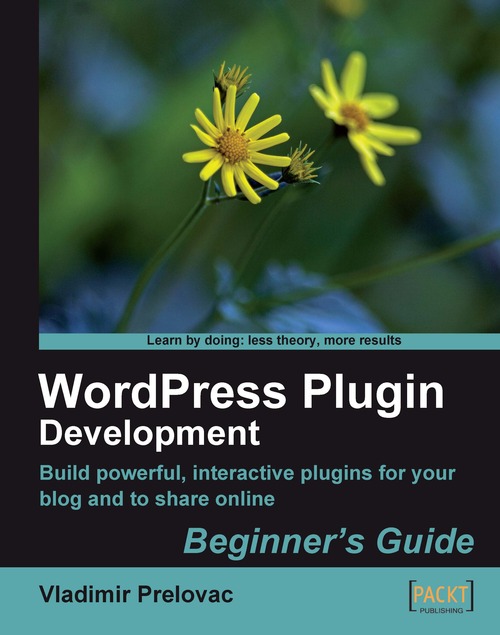
WordPress Plugin Development: Beginner's Guide

WordPress Plugin Development: Beginner's Guide: Build powerful, interactive plug-ins for your blog and to share online

Arrow left icon
Profile Icon Vladimir Prelovac
Arrow right icon
€34.99
Full star icon Full star icon Full star icon Full star icon Half star icon 4.2 (10 Ratings)
Paperback Feb 2009 296 pages 1st Edition
eBook
€25.19 €27.99
Paperback
€34.99
Arrow left icon
Profile Icon Vladimir Prelovac
Arrow right icon
€34.99
Full star icon Full star icon Full star icon Full star icon Half star icon 4.2 (10 Ratings)
Paperback Feb 2009 296 pages 1st Edition
eBook
€25.19 €27.99
Paperback
€34.99
eBook
€25.19 €27.99
Paperback
€34.99

What do you get with Print?

Product feature icon Instant access to your digital copy whilst your Print order is Shipped
Product feature icon Paperback book shipped to your preferred address
Product feature icon Redeem a companion digital copy on all Print orders
Product feature icon Access this title in our online reader with advanced features
Product feature icon DRM FREE - Read whenever, wherever and however you want
Modal Close icon
Payment Processing...
tick Completed

Shipping Address

Billing Address

Shipping Methods
Table of content icon View table of contents Preview book icon Preview Book

WordPress Plugin Development: Beginner's Guide

Chapter 1. Preparing for WordPress Development

If you are holding this book in your hands now, you are probably aware—in one way or the other—of the tremendous success WordPress platform has seen over the past few years. It has become the most widespread blogging and publishing platform in the world today.

When I first installed WordPress, I was still looking around for a platform to start my personal site and also for an opportunity to do more online development work.

After seeing the simple installation procedure (which takes just a few minutes), I realized that the guys behind WordPress are on to something big. It has indeed proven to be so, and as the days passed by, I have enjoyed every aspect of WordPress—publishing, social, and development.

And I am thrilled to share these nits and bits of WordPress development information with you, showing you the power and flexibility that allowed WordPress to become so popular.

Chapter 1. Preparing for WordPress Development

If you are holding this book in your hands now, you are probably aware—in one way or the other—of the tremendous success WordPress platform has seen over the past few years. It has become the most widespread blogging and publishing platform in the world today.

When I first installed WordPress, I was still looking around for a platform to start my personal site and also for an opportunity to do more online development work.

After seeing the simple installation procedure (which takes just a few minutes), I realized that the guys behind WordPress are on to something big. It has indeed proven to be so, and as the days passed by, I have enjoyed every aspect of WordPress—publishing, social, and development.

And I am thrilled to share these nits and bits of WordPress development information with you, showing you the power and flexibility that allowed WordPress to become so popular.

How will you benefit?

Thanks to its open source architecture, ease of use, and customization possibilities, WordPress has succeeded in differentiating itself from other weblog publishing platforms and even other open source solutions.

WordPress features

The main WordPress features of interest to developers are:

  • Its a huge community of users and developers
  • The millions of WordPress blogs
  • Major sites using it, including a number of US government agencies
  • Security issues treated almost instantly
  • Unmatched flexibility with thousands of available plugins
  • High level of customizability with thousands of available themes
  • Search engine friendly functionalities
  • Ease of use, maintenance, and upgrade
  • A great way to meet new people!

With such a list, it is no wonder that—every day—more and more private users and companies are turning to WordPress for their publishing needs. This of course presents a fertile ground for WordPress developers to show off their skills.

More sites means more opportunities

The opportunity for a WordPress developer in these circumstances becomes obvious.

With such a huge number of sites running it, the market is hungry for WordPress experts, and not just development experts. If you are proficient in the installation and setup of WordPress, you may easily have your hands full of work.

Big players use it

The fact that a number of major sites use WordPress means that there is also an opportunity for high profile work.

This also means that you can be fairly certain about the future of WordPress. Your investment in time and efforts, first in reading this book, and then in enhancing your development skills, is likely to pay off with WordPress.

Urgent response to security issues

With online security becoming a bigger issue each day, it is a relief to see the WordPress development team reacting promptly to newly discovered security issues.

This makes everyone even more comfortable and confident in using WordPress.

Flexibility

With WordPress, the plugin author is allowed total control over every aspect of the site. You are able to completely customize the way the site looks and behaves.

The opportunity is there for everyone—from beginners (developing useful plugins) to professionals (creating total WordPress makeovers such as e-commerce, marketing, or job portal sites—where you can hardly recognize that the site is running a WordPress installation).

Search engines friendly

Search Engine Optimization (SEO) is an important aspect of today's Internet presence. Just creating a site is not enough anymore, as there are now hundreds of millions of competing websites out there.

Using a platform such as WordPress will be really valuable, especially in the long term. WordPress has significant built-in SEO features and also most of the other aspects of modern SEO technologies available through custom plugins (and you can always write one to match your needs!)

Tip

Becoming proficient in SEO concepts can help you a lot as a WordPress developer, as the need for both WordPress and SEO skills is growing fast.

Easy to use

WordPress is meant for beginners and used by professionals. This mix is rarely seen in any other open source platforms.

After the five minute installation, most users immediately feel comfortable in the WordPress administration panels. Writing a post and organizing categories is as simple as it should be.

The whole WordPress installation consists of putting the files on the server and setting the assigned database, and it is very easy to back up or move it to another server.

WordPress and its plugins can be upgraded with a click of a button; all this makes the job of maintaining a WordPress website (or even several at the same time), a breeze.

Social aspect

If you are a WordPress developer, the chances are that you will have your own hosted WordPress blog. Having a personal blog creates a great opportunity to create many new contacts—both business and friends.

When you release a WordPress plugin, you will meet hundreds of people who are going to use it on their own sites. You will also have people visit you for support, or just to say Thank you!

Plugins as tool for promotion

With such a huge user base, a well written plugin will probably be downloaded tens of thousands of times.

This will create awareness about you as a plugin author and your site as a probable source for some cool stuff. Having in mind how difficult it is to get noticed on the Internet today, this becomes a very important aspect of plugin development that you get for free.

Creating fresh, new, and usable plugins can help you go a long way. It has really helped me a lot in my field of work and has created a lot of opportunities–one certainly being, the pleasure of writing this book.

Dogfooding WordPress plugins

You may sometimes wish to create a plugin just for yourself, to fulfil a specific need that can arise at a given moment. This is how I started writing plugins initially, as I needed certain functionalities that were not available in WordPress at the time.

The term dogfooding describes a dog food company that is ready to eat its own dog food. It means the company is confident about its own product and uses it for the purpose it was produced for.

In WordPress' terms, it means that you should always strive to create a plugin that satisfies your needs. On my personal site, I still use almost all of the plugins I created, and I only update them over time, as and when WordPress is updated, or my needs change.

This has a positive side effect of ensuring that your plugins will probably be attractive to many other users as well. Assuming that you are critical about your own work, and your confidence in using your own plugins sends out a clear message on how good they are.

Challenges involved

Developing WordPress plugins is not always an easy job. It brings a number of challenges that you will need to overcome.

Development

WordPress uses PHP and provides an API with its own functions. The API has grown over time, and now covers all possible methods of communication between WordPress and the plugin.

This book will cover all the aspects of the API with practical examples, and the development of six concrete plugins (chapters 2-7). Through step-by-step guides to creating these plugins, you will discover how to use API in typical situations, from displaying output on the site in the beginning, to turning WordPress into a CMS at the end.

Each new chapter and each new plugin will introduce different features of WordPress, and how to put them to good use, thereby allowing you to gradually advance your knowledge.

Security

As much as WordPress team takes care of the WordPress core, you need to take care of security in your plugins. Always remember that your plugin is given the ultimate authority on the user's site. This is a great feature that allowed WordPress to become popular; but with that it also carries a great deal of responsibility.

This book will show the methods and functions best suited to the given situations, and underline the security implications. There are not too many issues to worry about, so make sure you remember the implications and best practices and apply them to your plugins.

Work after development

Once the development work is done and the plugin is finished, a lot of authors face the question: What now? If you plan to release the plugin to the public, there are a few extra steps you need to take care of.

This book will give you practical tips in this area—refer to Chapter 8.

It will cover the process that takes you from the end of the development phase to the first users coming back to you with feedback and questions. I have learned much from my own plugin development experience, and I will also be referencing some of the resources available online .

Localization

At the moment, WordPress is translated into more than 50 languages worldwide. The number of users using WordPress in their native language is growing each day, and they usually prefer using plugins that support their own language.

Localization in WordPress is easy, and the best thing is that you will not have to do any translation. There will always be users interested in translating your plugin to their own language and sending you the file back. This is the way it works, and it is mutually beneficial.

Documentation

Writing documentation is often boring work but I will show you templates which will help you to do it more efficiently and also point out the benefits of writing good documentation.

I will also cover the necessary steps to manage your plugin using SVN (Subversion), and submit it to the WordPress Plugin Repository—the central repository of all WordPress plugins which currently hosts thousands of plugins and has served millions of downloads.

Support

Good documentation goes a long way when it comes to support.

You can expect hundreds of user questions pouring in after you release a plugin. So, making sure that you have a well written documentation will save you a lot of time in answering those questions.

I will also give some practical tips on how to organize your plugin page.

Promotion

Writing a good plugin that nobody knows about is a fruitless effort.

I will give you tips on how to promote your plugin once it is published. If you have created a really useful plugin, you can expect a snowball effect when users start to write about it on their blogs and tell their friends about it.

Plugins developed in this book

This introduction chapter is followed by seven chapters; six of which describe the creation of WordPress plugins and a final chapter dealing with post-development issues:

  • Digg This
  • Live Blogroll
  • The Wall
  • Snazzy Archives
  • Insights
  • Post Types
  • Development Goodies

Various development topics and WordPress specific functions are introduced throughout the development of these plugins, using concrete, step-by-step practical examples.

Digg This

Digg This

This is the first plugin we will be developing. This plugin will show a Digg button in your blog posts.

The purpose of this plugin will also be to introduce you to the basic concepts of WordPress plugin development.

We will access some of the basic WordPress API functions, and talk about filters and actions which are the WordPress mechanisms for controlling the workflow of the site.

Live Blogroll

Live Blogroll

The second plugin comes from the idea of making the default blogroll look a little bit more exciting.

We will expand our knowledge of WordPress API, but also introduce two very important allies in WordPress plugin development, namely jQuery and Ajax.

jQuery and Ajax technologies help our plugins become more engaging, and we will learn the basic concepts of using them through a series of practical examples.

The Wall

The Wall

This chapter is all about WP Wall; a plugin that creates a shoutbox on your blog's sidebar, where users can leave comments and shouts.

The chapter teaches important lessons, including how to create a widget and interact with the WordPress database. It also expands the usage of Ajax to include dynamic interaction with the user.

I will also try to engage you to think about WordPress plugin development in a slightly different way.

Snazzy Archives

Snazzy Archives

If plugins can be classified by beauty, this would be the most beautiful plugin in the book. It will display your blog archives in a way you probably have not seen before.

During the creation of the plugin, we will explore how to interact with posts, create plugin options, and manage them through a settings page in the administration. We will then use all that knowledge to produce a beautiful representation of your blog's archives.

Insights

Insights

Insights plugin will add to the productivity of the blog owner by offering quick access to common information in the Write Post screen.

In this chapter, we will learn how to change the WordPress Write Post screen and interact with the built-in TinyMCE editor. We will use Ajax to get information delivered directly into our post while we write it!

Post Types

Post Types

The final plugin of the book will see us working more closely with the WordPress backend, and explore ways to transform WordPress into a versatile Content Management System (CMS).

We will learn how to customize the administration menus and pages, use custom fields to store additional information, explore user capabilities system, and use localization.

Development Goodies

After all the hard work in developing those plugins, comes a chapter dedicated to all the post-development work (after-hour party!).

The purpose of this chapter will be to explain localization, documentation, code management, and plugin promotion. It will also give you some information regarding WordPress MU development. Wordpress MU is a multi user version of WordPress that is becoming more popular each day.

Tools for the job

Before we get started, we need to have some tools set up, so let's go through a short check list.

Whatever way you decide to set up your development environment, make sure you are comfortable using it. Plugin development can be a full-time job, so make sure you enjoy it as much as you can!

WordPress

Obviously, we will need WordPress installed. It is advisable to have a separate version of WordPress for development purposes (that is, do not use your blog as a testing ground; your visitors will not like it very much).

To prepare your local version, you can always download the latest version of WordPress from http://wordpress.org/download/.

Then you need to decide if you are going to host it on the Internet or locally. I prefer to have it on Internet as I can easily show it to other people if necessary, no matter where I am at that moment. The advantage of local installation is that it works much faster. You can of course combine both.

If you are going to set it up on your local computer, and you are using Windows, using packages such as EasyPHP (http://www.easyphp.org) will make your job much easier. This is a software package that incorporates PHP and MySQL for Windows systems, and is free to use.

Installing WordPress is a simple matter. I recommend going to http://codex.wordpress.org/Installing_WordPress for the latest guide to the installation process.

If you would like to set up the latest development version, I suggest you read the section Using SVN in Chapter 8.

Text editor

Obviously, you are going to need a text editor. Any editor will do, and you probably have a preference by now.

You do not need your text editor to do anything fancy. Indentation support and syntax highlighting for PHP, HTML and JavaScript is almost all you need from an editor at this point.

I have been using UltraEdit for years, and it has been always my weapon of choice for a quick, small, and powerful editor. There also are other text editors that are available for free, such as, Netbeans IDE for PHP, Zend Studio, and so on.

FTP client

The second thing you will need to have is an FTP client. Uploading plugins can be a boring job if you do it from the FTP command line; so visual FTP client is advisable.

For this matter, I've been using Total Commander as a proven tool. Again, you might have your own preference.

Web browser

Finally, since we are developing web based software, we will need a web browser. You will be spending a lot of time in the browser window; so make sure you are comfortable with it.

I do not want to instigate browser wars at this moment, but there is one browser that is very flexible and has tons of add-ons, much like WordPress in that respect, and that is Firefox.

There are some pretty cool add-ons for Firefox that can really increase productivity to the level of rapid web development. This step is optional if you do not use Firefox, but I would nevertheless recommend giving it a try.

Firebug

The most important Firefox add-on we want to install is called Firebug (you can download it from http://getfirebug.com).

Firebug allows you to preview, edit and debug CSS, HTML, JavaScript and Ajax requests in real time. This is really a great time saver. For example, when it comes to debugging, JavaScript or misaligned CSS can be really troublesome, without the use of features provided by Firebug.

In the next picture, you can see an example of Firebug in action, debugging JavaScript with a breakpoint in the execution of the script.

Firebug

Ubiquity

This is an add-on produced by Mozilla Labs and it can do a lot of fancy stuff. But for our purposes, we are going to use it for two simple things—fast search of PHP and WordPress documentation.

You will need to install Ubiquity from https://wiki.mozilla.org/Labs/Ubiquity and also install these two plugins:

The way these two Ubiquity commands work is that when you press Ctrl and Space in the browser (this opens Ubiquity window) and then type php search_phrase or wp search_phrase, it takes you immediately to the PHP or WordPress documentation for the given phrase.

The amount of time this can save is huge, especially if you need to take a peek at the documentation every minute or so like I do (I can't keep everything in my head!).

Ubiquity

Screengrab

You can grab Screengrab from http://www.screengrab.org, and this plugin allows you to take screenshots from your browser window easily. It can capture an entire page, a visible portion, or a user selection on the page.

Once you get used it, you will use it extensively for creating images for your plugin documentation. I have used it for almost all the images in this book.

Screengrab

IE tab

Th is Firefox add-on allows you to quickly change the rendering engine between Firefox and the installed version of the Internet Explorer. It allows you to quickly check if your plugin behaves well in this browser.

You can get it from http://ietab.mozdev.org/.

Final notes

Before we start with development, let's have a quick reminder on how to install and manage WordPress plugins. Also I'll mention a handy tip for quickly accessing code examples.

Installing and managing plugins

When you want to install a plugin, you need to follow these simple steps:

  1. Upload the plugin folder (for example wp-wall) to your server's wp-content/plugins/ folder.
    Installing and managing plugins
  2. Go to your WordPress administration section, and select Plugins from the menu. This will give you a list of all the installed plugins. Scroll down the list until you find yours, and click Activate.

If you intend to manually update the plugin files on a live site, it is advisable to deactivate the plugin first using the Plugins menu.

Strictly speaking, on a development blog where you are the only user, this can be skipped to save time.

Tip

If something goes wrong with the plugin, and you are unable to access your WordPress site anymore, deleting the plugin folder from the server will deactivate the plugin automatically, and will instantly get your site working again.

If you need more information regarding plugin management, you can refer to the latest WordPress manual found at http://codex.wordpress.org/Managing_Plugins.

Searching documentation

During the plugin development, you will more or less need to refer to documentation.

Luckily, you will have this book on your hand either in paper or in a PDF form, so you can take a quick look. Then, you also have the WordPress online documentation found at http://codex.wordpress.org/Main_Page.

Due to the rapid speed at which WordPress has been developing, not all the functions have been documented.

So, I keep a copy of the latest version of WordPress locally. This way, I am able to find the reference to the function in the WordPress core quickly, and figure out how it is used.

I also tend to keep a local copy of the entire plugin repository on my computer (you can find more details on how to do that in Chapter 8) so that I can search through the entire plugin repository and find instances of this function used by other plugin authors (and you can always find new and creative uses as well).

Seplugin, installingstepsarching documentation

Using other plugins for this purpose can really save a lot of time, and it is often the easiest way to learn how to perform certain functionalities.

Left arrow icon Right arrow icon

Key benefits

  • Everything you need to create and distribute your own plug-ins following WordPress coding standards
  • Walk through the development of six complete, feature-rich, real-world plug-ins that are being used by thousands of WP users
  • Written by Vladimir Prelovac, WordPress expert and developer of WordPress plug-ins such as Smart YouTube and Plugin Central
  • Part of Packt's Beginners Guide series: expect step-by-step instructions with an emphasis on experimentation and tweaking code

Description

If you can write WordPress plug-ins, you can make WordPress do just about anything. From making the site easier to administer, to adding the odd tweak or new feature, to completely changing the way your blog works, plug-ins are the method WordPress offers to customize and extend its functionality. This book will show you how to build all sorts of WordPress plug-ins: admin plug-ins, Widgets, plug-ins that alter your post output, present custom "views" of your blog, and more. WordPress Plug-in Development (Beginner's Guide) focuses on teaching you all aspects of modern WordPress development. The book uses real and published WordPress plug-ins and follows their creation from the idea to the finishing touches, in a series of carefully picked, easy-to-follow tutorials. You will discover how to use the WordPress API in all typical situations, from displaying output on the site in the beginning to turning WordPress into a CMS in the last chapter. In Chapters 2 to 7 you will develop six concrete plug-ins and conquer all aspects of WordPress development. Each new chapter and each new plug-in introduces different features of WordPress and how to put them to good use, allowing you to gradually advance your knowledge. This book is written as a guide to take your WordPress skills from the very beginning to the level where you are able to completely understand how WordPress works and how you can use it to your advantage.

Who is this book for?

This book is for programmers working with WordPress, who want to develop custom plug-ins and to hack the code base. You need to be familiar with the basics of WordPress and PHP programming and believe that code is poetry; this book will handle the rest.

What you will learn

  • Get to know the WordPress code base, WordPress s plug-in architecture, and the plug-in application programming interface (API) and learn how to hack it
  • Master the WordPress database and the API ñ access and manipulate data, handle user roles and permissions, posts, and so on
  • Hook into the rest of WordPress using actions and filters
  • Change the way your WordPress backend looks by customizing menus, submenus, and the plug-in admin panel
  • Integrate AJAX and jQuery into your plug-ins to dynamically generate content
  • Hook directly to WordPress edit pages and use AJAX to generate fast searches
  • Integrate your plug-in with WordPress panels and the tinyMCE editor
  • Access and work with third-party APIs like Flickr
  • Implement localization support for users of other languages
  • Maintain and manage your plug-in using SVN and publish it to the WordPress Plugin Repository
  • Handle security issues and make your plug-ins safer to use
Estimated delivery fee Deliver to Sweden

Premium delivery 7 - 10 business days

€17.95
(Includes tracking information)

Product Details

Country selected
Publication date, Length, Edition, Language, ISBN-13
Publication date : Feb 16, 2009
Length: 296 pages
Edition : 1st
Language : English
ISBN-13 : 9781847193599
Vendor :
WordPress Foundation
Languages :
Tools :

What do you get with Print?

Product feature icon Instant access to your digital copy whilst your Print order is Shipped
Product feature icon Paperback book shipped to your preferred address
Product feature icon Redeem a companion digital copy on all Print orders
Product feature icon Access this title in our online reader with advanced features
Product feature icon DRM FREE - Read whenever, wherever and however you want
Modal Close icon
Payment Processing...
tick Completed

Shipping Address

Billing Address

Shipping Methods
Estimated delivery fee Deliver to Sweden

Premium delivery 7 - 10 business days

€17.95
(Includes tracking information)

Product Details

Publication date : Feb 16, 2009
Length: 296 pages
Edition : 1st
Language : English
ISBN-13 : 9781847193599
Vendor :
WordPress Foundation
Languages :
Tools :

Packt Subscriptions

See our plans and pricing
Modal Close icon
€18.99 billed monthly
Feature tick icon Unlimited access to Packt's library of 7,000+ practical books and videos
Feature tick icon Constantly refreshed with 50+ new titles a month
Feature tick icon Exclusive Early access to books as they're written
Feature tick icon Solve problems while you work with advanced search and reference features
Feature tick icon Offline reading on the mobile app
Feature tick icon Simple pricing, no contract
€189.99 billed annually
Feature tick icon Unlimited access to Packt's library of 7,000+ practical books and videos
Feature tick icon Constantly refreshed with 50+ new titles a month
Feature tick icon Exclusive Early access to books as they're written
Feature tick icon Solve problems while you work with advanced search and reference features
Feature tick icon Offline reading on the mobile app
Feature tick icon Choose a DRM-free eBook or Video every month to keep
Feature tick icon PLUS own as many other DRM-free eBooks or Videos as you like for just €5 each
Feature tick icon Exclusive print discounts
€264.99 billed in 18 months
Feature tick icon Unlimited access to Packt's library of 7,000+ practical books and videos
Feature tick icon Constantly refreshed with 50+ new titles a month
Feature tick icon Exclusive Early access to books as they're written
Feature tick icon Solve problems while you work with advanced search and reference features
Feature tick icon Offline reading on the mobile app
Feature tick icon Choose a DRM-free eBook or Video every month to keep
Feature tick icon PLUS own as many other DRM-free eBooks or Videos as you like for just €5 each
Feature tick icon Exclusive print discounts

Frequently bought together


Stars icon
Total 104.97
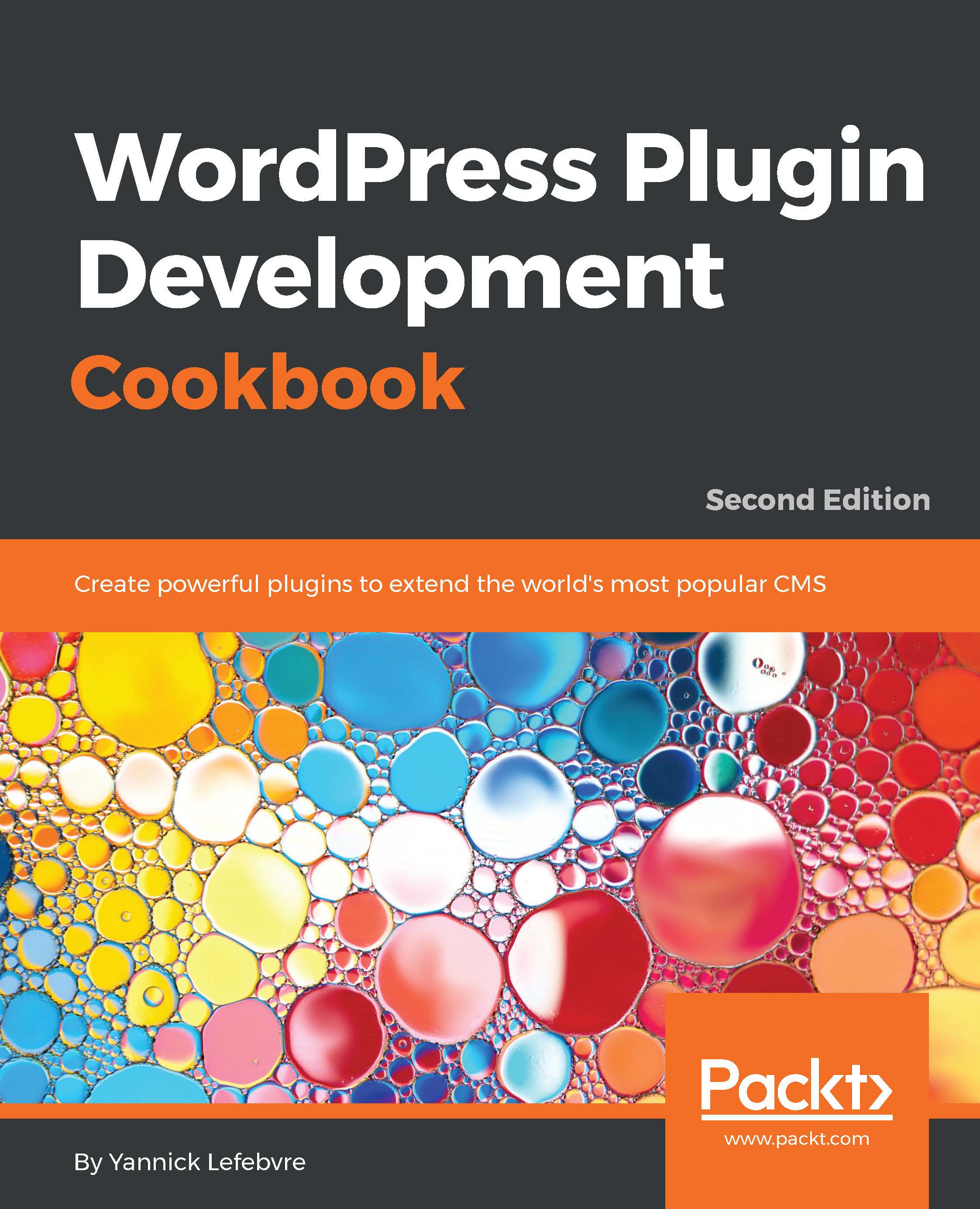
WordPress Plugin Development Cookbook
€34.99
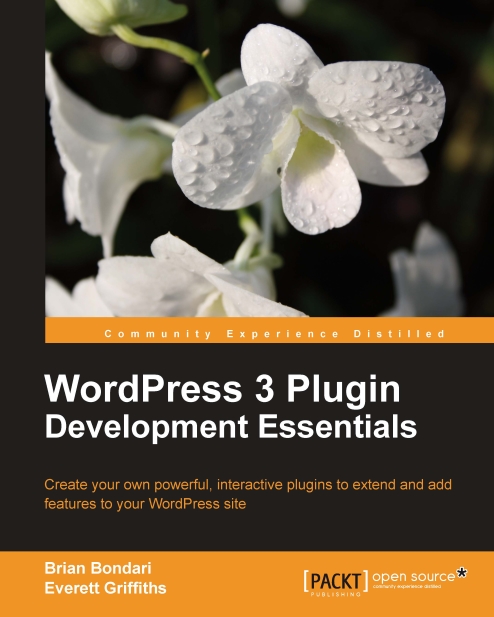
WordPress 3 Plugin Development Essentials
€34.99
WordPress Plugin Development: Beginner's Guide
€34.99
Total 104.97 Stars icon

Table of Contents

8 Chapters
Preparing for WordPress Development Chevron down icon Chevron up icon
Social Bookmarking Chevron down icon Chevron up icon
Live Blogroll Chevron down icon Chevron up icon
The Wall Chevron down icon Chevron up icon
Snazzy Archives Chevron down icon Chevron up icon
Insights for WordPress Chevron down icon Chevron up icon
Post Types Chevron down icon Chevron up icon
Development Goodies Chevron down icon Chevron up icon

Customer reviews

Top Reviews
Rating distribution
Full star icon Full star icon Full star icon Full star icon Half star icon 4.2
(10 Ratings)
5 star 60%
4 star 20%
3 star 10%
2 star 0%
1 star 10%
Filter icon Filter
Top Reviews

Filter reviews by


David Patrick Oct 17, 2012
Full star icon Full star icon Full star icon Full star icon Full star icon 5
If you want to get started with wordpress plugin development, then this is what you need. I cant say anything more then that :)
Amazon Verified review Amazon
Honor Macdonald Aug 27, 2010
Full star icon Full star icon Full star icon Full star icon Full star icon 5
In this book the author walks you, step by step, through the creation of several viable WordPress plug-ins. Each new one builds on functionality and process learned in previous ones, to help you gaim more understanding of how the WordPress framework handles it's data, and what capabilities you have, as a programmer, in manipulating and presenting that data, and adding valuable function to the WordPress core.You don't really want to jump into this book (or this subject) if you don't know PHP from PCP, but I really don't think you'll need more than a basic familiarity with PHP to get rolling with it, either. The author does an excellent job of telling you what the code is doing and how it's doing it when each new bit is added.While it's definitely time for an update to this title (I'd suggest you search for a newer edition before you buy) the lessons you can learn here are still valid and easily applicable to 3.0.
Amazon Verified review Amazon
Joe Wilson Nov 04, 2009
Full star icon Full star icon Full star icon Full star icon Full star icon 5
This book is written in a very easy to understand fashion. Each example builds on the the previous example. Its a great way for someone like me, who likes to learn by doing, to learn how to create plugins.There is a lot of information out on the web that will tell you how to create a plug-in, but this book allows you to follow the creation of a plugin from start to finish.Highly recommended
Amazon Verified review Amazon
Tyler Kareeson Apr 13, 2009
Full star icon Full star icon Full star icon Full star icon Full star icon 5
This book talks about the why and how of WordPress plugin development with heavy emphasis on the "how". The book's tagline "Learn by doing: less theory, more results" describes the book quite well. There is an introductory chapter that talks about the many benefits of learning WordPress plugin development. After that, the book immediately jumps right into showing you how to develop a series of 6 increasingly challenging WordPress plugins from scratch. It then finishes up by talking about plugin localization, promotion, and support tips.Even though this book is a "Beginner's Guide," there are a lot things in there that many advanced WordPress plugin developers can benefit from. I don't consider myself a beginner in WordPress plugin development (see my WordPress plugins), and I have definitely learned quite a bit of things after reading this book.[...]
Amazon Verified review Amazon
Kurt Pachinger Jan 30, 2018
Full star icon Full star icon Full star icon Full star icon Full star icon 5
I learned many applicable techniques.
Amazon Verified review Amazon
Get free access to Packt library with over 7500+ books and video courses for 7 days!
Start Free Trial

FAQs

What is the digital copy I get with my Print order? Chevron down icon Chevron up icon

When you buy any Print edition of our Books, you can redeem (for free) the eBook edition of the Print Book you’ve purchased. This gives you instant access to your book when you make an order via PDF, EPUB or our online Reader experience.

What is the delivery time and cost of print book? Chevron down icon Chevron up icon

Shipping Details

USA:

'

Economy: Delivery to most addresses in the US within 10-15 business days

Premium: Trackable Delivery to most addresses in the US within 3-8 business days

UK:

Economy: Delivery to most addresses in the U.K. within 7-9 business days.
Shipments are not trackable

Premium: Trackable delivery to most addresses in the U.K. within 3-4 business days!
Add one extra business day for deliveries to Northern Ireland and Scottish Highlands and islands

EU:

Premium: Trackable delivery to most EU destinations within 4-9 business days.

Australia:

Economy: Can deliver to P. O. Boxes and private residences.
Trackable service with delivery to addresses in Australia only.
Delivery time ranges from 7-9 business days for VIC and 8-10 business days for Interstate metro
Delivery time is up to 15 business days for remote areas of WA, NT & QLD.

Premium: Delivery to addresses in Australia only
Trackable delivery to most P. O. Boxes and private residences in Australia within 4-5 days based on the distance to a destination following dispatch.

India:

Premium: Delivery to most Indian addresses within 5-6 business days

Rest of the World:

Premium: Countries in the American continent: Trackable delivery to most countries within 4-7 business days

Asia:

Premium: Delivery to most Asian addresses within 5-9 business days

Disclaimer:
All orders received before 5 PM U.K time would start printing from the next business day. So the estimated delivery times start from the next day as well. Orders received after 5 PM U.K time (in our internal systems) on a business day or anytime on the weekend will begin printing the second to next business day. For example, an order placed at 11 AM today will begin printing tomorrow, whereas an order placed at 9 PM tonight will begin printing the day after tomorrow.


Unfortunately, due to several restrictions, we are unable to ship to the following countries:

  1. Afghanistan
  2. American Samoa
  3. Belarus
  4. Brunei Darussalam
  5. Central African Republic
  6. The Democratic Republic of Congo
  7. Eritrea
  8. Guinea-bissau
  9. Iran
  10. Lebanon
  11. Libiya Arab Jamahriya
  12. Somalia
  13. Sudan
  14. Russian Federation
  15. Syrian Arab Republic
  16. Ukraine
  17. Venezuela
What is custom duty/charge? Chevron down icon Chevron up icon

Customs duty are charges levied on goods when they cross international borders. It is a tax that is imposed on imported goods. These duties are charged by special authorities and bodies created by local governments and are meant to protect local industries, economies, and businesses.

Do I have to pay customs charges for the print book order? Chevron down icon Chevron up icon

The orders shipped to the countries that are listed under EU27 will not bear custom charges. They are paid by Packt as part of the order.

List of EU27 countries: www.gov.uk/eu-eea:

A custom duty or localized taxes may be applicable on the shipment and would be charged by the recipient country outside of the EU27 which should be paid by the customer and these duties are not included in the shipping charges been charged on the order.

How do I know my custom duty charges? Chevron down icon Chevron up icon

The amount of duty payable varies greatly depending on the imported goods, the country of origin and several other factors like the total invoice amount or dimensions like weight, and other such criteria applicable in your country.

For example:

  • If you live in Mexico, and the declared value of your ordered items is over $ 50, for you to receive a package, you will have to pay additional import tax of 19% which will be $ 9.50 to the courier service.
  • Whereas if you live in Turkey, and the declared value of your ordered items is over € 22, for you to receive a package, you will have to pay additional import tax of 18% which will be € 3.96 to the courier service.
How can I cancel my order? Chevron down icon Chevron up icon

Cancellation Policy for Published Printed Books:

You can cancel any order within 1 hour of placing the order. Simply contact customercare@packt.com with your order details or payment transaction id. If your order has already started the shipment process, we will do our best to stop it. However, if it is already on the way to you then when you receive it, you can contact us at customercare@packt.com using the returns and refund process.

Please understand that Packt Publishing cannot provide refunds or cancel any order except for the cases described in our Return Policy (i.e. Packt Publishing agrees to replace your printed book because it arrives damaged or material defect in book), Packt Publishing will not accept returns.

What is your returns and refunds policy? Chevron down icon Chevron up icon

Return Policy:

We want you to be happy with your purchase from Packtpub.com. We will not hassle you with returning print books to us. If the print book you receive from us is incorrect, damaged, doesn't work or is unacceptably late, please contact Customer Relations Team on customercare@packt.com with the order number and issue details as explained below:

  1. If you ordered (eBook, Video or Print Book) incorrectly or accidentally, please contact Customer Relations Team on customercare@packt.com within one hour of placing the order and we will replace/refund you the item cost.
  2. Sadly, if your eBook or Video file is faulty or a fault occurs during the eBook or Video being made available to you, i.e. during download then you should contact Customer Relations Team within 14 days of purchase on customercare@packt.com who will be able to resolve this issue for you.
  3. You will have a choice of replacement or refund of the problem items.(damaged, defective or incorrect)
  4. Once Customer Care Team confirms that you will be refunded, you should receive the refund within 10 to 12 working days.
  5. If you are only requesting a refund of one book from a multiple order, then we will refund you the appropriate single item.
  6. Where the items were shipped under a free shipping offer, there will be no shipping costs to refund.

On the off chance your printed book arrives damaged, with book material defect, contact our Customer Relation Team on customercare@packt.com within 14 days of receipt of the book with appropriate evidence of damage and we will work with you to secure a replacement copy, if necessary. Please note that each printed book you order from us is individually made by Packt's professional book-printing partner which is on a print-on-demand basis.

What tax is charged? Chevron down icon Chevron up icon

Currently, no tax is charged on the purchase of any print book (subject to change based on the laws and regulations). A localized VAT fee is charged only to our European and UK customers on eBooks, Video and subscriptions that they buy. GST is charged to Indian customers for eBooks and video purchases.

What payment methods can I use? Chevron down icon Chevron up icon

You can pay with the following card types:

  1. Visa Debit
  2. Visa Credit
  3. MasterCard
  4. PayPal
What is the delivery time and cost of print books? Chevron down icon Chevron up icon

Shipping Details

USA:

'

Economy: Delivery to most addresses in the US within 10-15 business days

Premium: Trackable Delivery to most addresses in the US within 3-8 business days

UK:

Economy: Delivery to most addresses in the U.K. within 7-9 business days.
Shipments are not trackable

Premium: Trackable delivery to most addresses in the U.K. within 3-4 business days!
Add one extra business day for deliveries to Northern Ireland and Scottish Highlands and islands

EU:

Premium: Trackable delivery to most EU destinations within 4-9 business days.

Australia:

Economy: Can deliver to P. O. Boxes and private residences.
Trackable service with delivery to addresses in Australia only.
Delivery time ranges from 7-9 business days for VIC and 8-10 business days for Interstate metro
Delivery time is up to 15 business days for remote areas of WA, NT & QLD.

Premium: Delivery to addresses in Australia only
Trackable delivery to most P. O. Boxes and private residences in Australia within 4-5 days based on the distance to a destination following dispatch.

India:

Premium: Delivery to most Indian addresses within 5-6 business days

Rest of the World:

Premium: Countries in the American continent: Trackable delivery to most countries within 4-7 business days

Asia:

Premium: Delivery to most Asian addresses within 5-9 business days

Disclaimer:
All orders received before 5 PM U.K time would start printing from the next business day. So the estimated delivery times start from the next day as well. Orders received after 5 PM U.K time (in our internal systems) on a business day or anytime on the weekend will begin printing the second to next business day. For example, an order placed at 11 AM today will begin printing tomorrow, whereas an order placed at 9 PM tonight will begin printing the day after tomorrow.


Unfortunately, due to several restrictions, we are unable to ship to the following countries:

  1. Afghanistan
  2. American Samoa
  3. Belarus
  4. Brunei Darussalam
  5. Central African Republic
  6. The Democratic Republic of Congo
  7. Eritrea
  8. Guinea-bissau
  9. Iran
  10. Lebanon
  11. Libiya Arab Jamahriya
  12. Somalia
  13. Sudan
  14. Russian Federation
  15. Syrian Arab Republic
  16. Ukraine
  17. Venezuela
Modal Close icon
Modal Close icon