Search icon CANCEL
Subscription
0
Cart icon
Your Cart (0 item)
Close icon
You have no products in your basket yet
Arrow left icon
Explore Products
Best Sellers
New Releases
Books
Events
Videos
Audiobooks
Packt Hub
Free Learning
Arrow right icon
timer SALE ENDS IN
0 Days
:
00 Hours
:
00 Minutes
:
00 Seconds
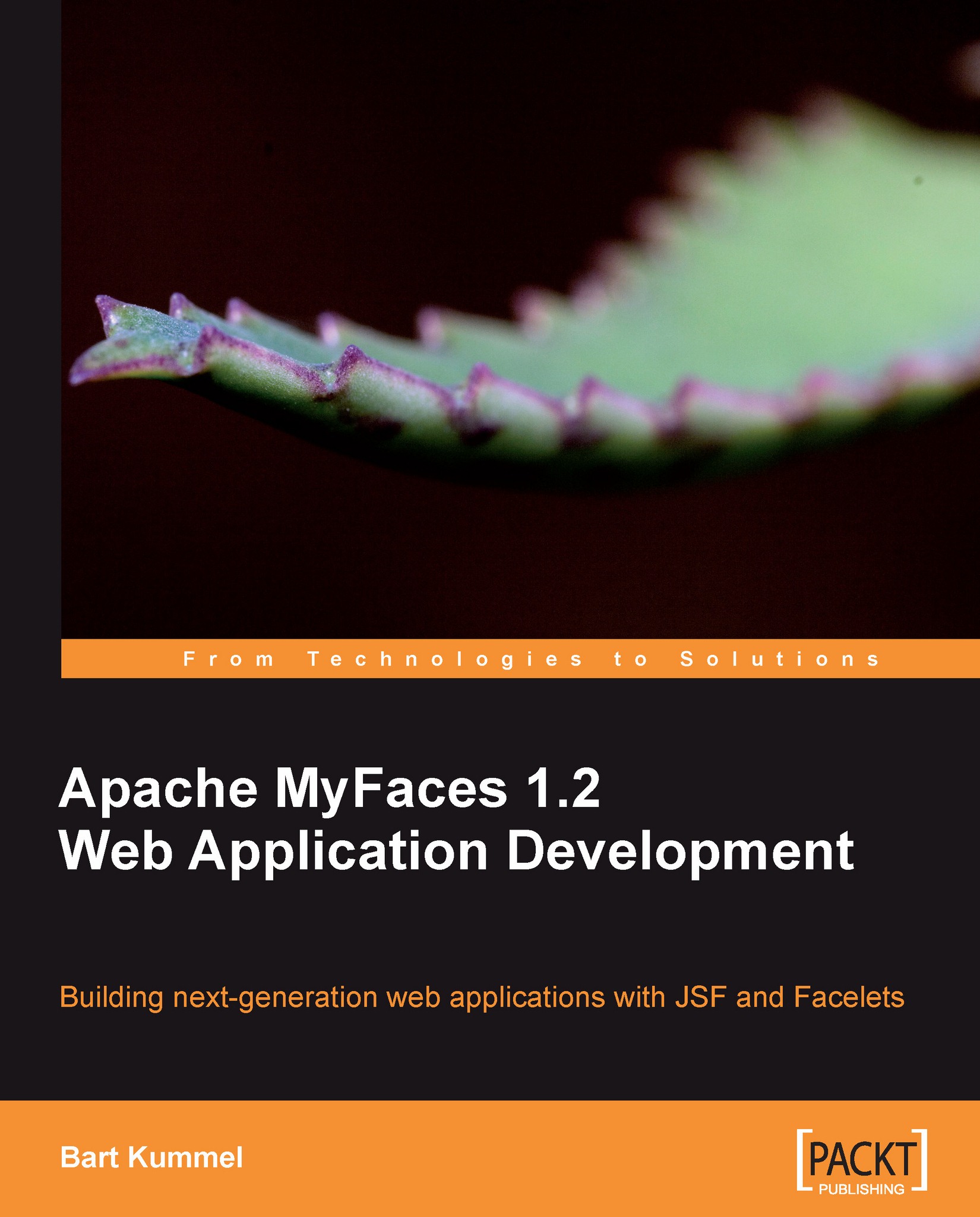
Apache MyFaces 1.2 Web Application Development

Apache MyFaces 1.2 Web Application Development: Building next-generation web applications with JSF and Facelets

Arrow left icon
Profile Icon Bart Kummel
Arrow right icon
zł79.99 zł151.99
Full star icon Full star icon Full star icon Full star icon Full star icon 5 (1 Ratings)
eBook Mar 2010 408 pages 1st Edition
eBook
zł79.99 zł151.99
Paperback
zł189.99
eBook + Subscription
Free Trial
Arrow left icon
Profile Icon Bart Kummel
Arrow right icon
zł79.99 zł151.99
Full star icon Full star icon Full star icon Full star icon Full star icon 5 (1 Ratings)
eBook Mar 2010 408 pages 1st Edition
eBook
zł79.99 zł151.99
Paperback
zł189.99
eBook + Subscription
Free Trial
eBook
zł79.99 zł151.99
Paperback
zł189.99
eBook + Subscription
Free Trial

What do you get with eBook?

Product feature icon Instant access to your Digital eBook purchase
Product feature icon Download this book in EPUB and PDF formats
Product feature icon Access this title in our online reader with advanced features
Product feature icon DRM FREE - Read whenever, wherever and however you want
Modal Close icon
Payment Processing...
tick Completed

Billing Address

Table of content icon View table of contents Preview book icon Preview Book

Apache MyFaces 1.2 Web Application Development

Chapter 1. Introduction

This chapter introduces Apache MyFaces and its subprojects. At the end of the chapter, you will have an idea about what can be done with MyFaces, and about the role of the several subprojects.

We cover the following topics in this chapter:

  • A brief introduction to the Apache MyFaces project
  • Some insights in the history of Apache MyFaces
  • An overview of all of the subprojects of Apache MyFaces

Introducing Apache MyFaces

Apache MyFaces started out back in 2002 as the first open source implementation of the JavaServer™ Faces (JSF) standard. In July 2004, the project became part of Apache as an Apache Incubator project. In February 2005, MyFaces was promoted to a top-level Apache project. By the time MyFaces was submitted as an Apache project, it was already more than just an implementation of the standard. As the set of components defined by the JSF standard is rather limited, MyFaces went beyond the standard by adding more components and extended versions of the standard components. In April 2006, the extended components were separated from the core JSF implementation. From that moment, the components are in a subproject called Tomahawk, and the core JSF implementation is in the Core project.

Over time, Apache MyFaces was further expanded by other subprojects. Some of them added even more extended components, while others focused on other extended functionalities such as persistence scopes and annotation-based validation. Support for the use of Facelets, instead of JSP, was also added. Chapter 3 focuses on how we can get the most out of MyFaces by using Facelets. In the remaining chapters, we will use Facelets as the view technology.

License, community, and support

Because it is a part of the Apache project, Apache MyFaces and all of its subprojects are available under the terms of the liberal Apache License, Version 2.0. Judging by the list of companies using MyFaces at the MyFaces wiki (http://wiki.apache.org/myfaces/Companies_Using_MyFaces), Apache MyFaces is widely used, worldwide.

The MyFaces project as a whole has an active community of developers all over the world. Many individuals, as well as a number of companies, contribute to the projects. As one of the co-founders of the MyFaces project, the Austrian consulting company, Irian Solutions GmbH, has a large number of employees contributing to the project. The multinational software giant, Oracle Corporation, also has a number of employees contributing mainly to the Trinidad subproject, which was started with a large donation from Oracle.

Good community support for MyFaces and all subprojects is available through the MyFaces user mailing list. Detailed information on this mailing list, as well as a subscription link, can be found at http://myfaces.apache.org/mail-lists.html. It is good manners to start the subject line of any message to the list with the name of the subproject in square brackets such as [Core] or [Tomahawk]. As with most mailing lists, it is worth searching the history to check if your question has been asked already. A good tool to search the mailing list archives is provided by MarkMail, a link to which is provided at the page mentioned earlier.

MyFaces and Sun JSF RI

A lot of application servers are using Sun Microsystems’ JSF Reference Implementation (Sun JSF RI) of the JSF standard, which is also known by its code name, Mojarra. In most cases, it is possible to replace the application server’s default JSF implementation with MyFaces; however, this is almost never necessary. As both the Sun JSF RI and MyFaces core implement the same standard, there should not be much difference between using one or the other. All subprojects of Apache MyFaces should work on both MyFaces Core and Mojarra/Sun JSF RI without any problems.

On the other hand, if your application server uses Sun JSF RI by default, switching to MyFaces might be worth considering, especially during the development stage, as MyFaces Core gives a lot more diagnostic and debug information in the server logs than Mojarra does.

Whatever you choose, it is always useful to know which JSF implementation you are running your application on. When you encounter a strange problem, which could be a bug, one of the first questions on the mailing list will probably be what implementation you are running. An easy way to determine which implementation you are using is to consult the server logs of your application server. During start up, the name and version of the JSF implementation will be written into the log file.

Subprojects of Apache MyFaces

Apache MyFaces consists of many subprojects. Each subproject has its own release cycle. Most projects are available for JSF 1.1 as well as JSF 1.2. We will look at each of the subprojects briefly in this section to get an idea of what can be done with MyFaces. Where applicable, a forward reference is provided to a chapter where the project is discussed in detail.

Note that there is much overlap in functionality between some of the subprojects, and in particular in the component sets. This is because some component sets were donated to the MyFaces project by different companies at different times. Each of these component sets has its weaknesses and strengths. That being said, choosing a component set to be used for your project may not be an easy task. The information presented in this chapter is not sufficient to make such a choice. So, it is best to read the chapters on each component set before choosing any of them.

Core

The Apache MyFaces Core project is where it all started. It does not do much more than implement the JSF standard. There are currently three relevant versions of this standard:

  • JSF 1.1: This version of the standard fixes some bugs in the original 1.0 version. Both the 1.0 and the 1.1 versions were specified by the Java Specification Request (JSR) number JSR 127. The versions of MyFaces Core implementing this version of JSF are numbered 1.1.x.
  • JSF 1.2: This version of the JSF standard was specified by a separate JSR, with the number JSR 252. JSF 1.2 adds some important improvements over JSF 1.1. The MyFaces Core versions implementing JSF 1.2 are numbered 1.2.x.
  • JSF 2.0: This brand new version of JSF will be part of Java EE 6.0. JSF 2.0 is specified in JSR 314, which had its final release on July 1, 2009. The versions of MyFaces Core implementing JSF 2.0 are numbered 2.0.x. At the moment of writing this book, only an alpha release is available.

The Core project currently has branches for each of these JSF versions. The 1.1 and 1.2 versions are stable and are updated regularly. Work is in progress on the 2.0 version, but a stable release is not yet available, as of the time of writing this book. In this book, we will focus on JSF 1.2. We’ll see that many features defined in the JSF 2.0 standard are already available in JSF 1.2 through one of the many subprojects of MyFaces.

You may have noticed that there is no chapter on the MyFaces Core project in this book. This has to do with the fact that the MyFaces Core project implements only the JSF standard. That means that discussing the Core project in detail would be more or less the same as discussing the JSF standard in detail, and that is beyond the scope of this book. However, some good books on JSF are available, and you can refer to them. Of course, we will discuss specific issues that we will come across when using MyFaces Core as a JSF implementation on our application server. These issues will be discussed in Chapter 2, Getting Started.

Tomahawk

Tomahawk has been part of the Apache MyFaces project from the very beginning. Its main goal is to implement a larger set of components than the rather minimal set that is defined in the JSF specification. Tomahawk contains both extended versions of standard JSF components and components that are not defined at all in the standard. Some examples of components that are added by Tomahawk are:

  • A CAPTCHA component
  • An extensive data table component that includes pagination functionality for larger data sets
  • A file upload component
  • Various date selection components

Tomahawk also features some custom validators that make it easy to validate, for instance, credit card numbers and email addresses.

There are two variants of Tomahawk, as follows:

  • Tomahawk Core is compatible with both JSF 1.1 and JSF 1.2
  • Tomahawk Core 1.2 takes advantage of some features of JSF 1.2, making it incompatible with JSF 1.1

We will take a detailed look at Tomahawk and all of its components in Chapter 4.

Sandbox

The MyFaces project also has a subproject called Sandbox. The Sandbox project is a testing ground for new JSF components that might be added to Tomahawk in the future. Sandbox components are generally "work in progress" and are generally not "feature complete". Sandbox components may or may not be promoted to the main Tomahawk project.

Due to the dynamic character of the project and the uncertain status of its contents, it doesn’t make sense to cover it in a book. However, if you’re looking for a special or advanced component that cannot be found in one of the other component sets, it may be worth looking in the Sandbox. You should realize that it might be harder to get support for Sandbox components, and that there is some uncertainty about their future. On the other hand, you might be able to help to get the component to production quality so that it could be promoted to Tomahawk.

Trinidad

Trinidad is a very extensive set of JSF components. It was developed by Oracle under the name ADF Faces. When Oracle donated this component set to the ADF Faces project, it was renamed to Trinidad. As with the Core project, there are two versions of Trinidad for each version of the JSF standard. Trinidad releases numbered 1.0.x are compatible with JSF 1.1, and releases numbered 1.2.x are compatible with JSF 1.2.

Some of the most important characteristics of Trinidad are:

  • It has a large number of components. There is a component for nearly everything, in Trinidad.
  • It has many "all-in-one" components. Some of the Trinidad components render multiple elements. With some other component sets, we need several components to get the same effect.
  • It has advanced skinning possibilities.
  • It has a lot of advanced options for displaying tabular and hierarchical data.
  • It has a chart component, making it fairly easy to display numeric data in a visual way.
  • It has a dialog framework, making it easy to create pop-up dialogs.
  • "Partial page rendering", client-side validation and conversion, and other AJAX functionality are embedded in most components and is easy to add where needed.

MyFaces Trinidad will be covered in detail in Chapters 5, 6, and 7.

Tobago

Tobago is the third set of components that is a part of MyFaces. Tobago was contributed to the MyFaces project by a German company, Atanion GmbH. The emphasis is on separating structure from design. Tobago offers the same concept of extended components as Trinidad does, with one component rendering several elements. It also uses the concept of a layout manager, a little bit like "good old" Swing does. Tobago comes with four different themes that you can choose from. Unfortunately, there is not enough space in this book to cover this third component library.

Orchestra

MyFaces Orchestra is aimed at making it easier to use transactions to persist data in a database. To achieve this, extended scopes are provided, in addition to JSF’s standard application, session, and request scopes. Orchestra is mainly useful in applications where a lot of data is entered into a database with a JSF frontend. Whereas the standard JSF scopes are based on how a web server works, Orchestra focuses on what a lot of applications need, and adds a Conversation Scope, making it easier to keep certain actions within the same Java Persistence API (JPA) transaction, whether they are on the same page or not. Orchestra is based on parts of the Spring 2.0 framework and works with JPA-based persistence layers. Orchestra is covered in Chapter 9 of this book.

Portlet Bridge

Portlet Bridge is one of the newer subprojects of the MyFaces project. It is still in the alpha stage at the time of writing this book. It will be the reference implementation of the JSR 301 standard. The JSR 301 standard is an effort to standardize the way that JSF artifacts (pages or parts of pages) can be used as portlets within a portal environment. Considering the stage of both the JSR 301 standard and the Portlet Bridge subproject, it will not be covered in this book.

Extensions Validator

The Validator project was recently added under the MyFaces Extensions umbrella project. This project was created as a separate project by its lead developer under a different name, but joined the MyFaces project in December 2008. Although the full name of the project is MyFaces Extensions Validator, it is mostly referred to as ExtVal.

The goal of ExtVal is to eliminate the need to repeat validation code in the View layer of a Java EE application. This is often necessary in order to give user-friendly error messages. However, according to the Don't Repeat Yourself (DRY) principle, repeating code is not desirable. ExtVal uses standard JPA annotations to dynamically create JSF validations. It also adds some extra annotations for cases where a validation cannot be expressed in a JPA annotation. Thus, ExtVal eliminates the need to add validators to JSF pages as well as the need to repeat validation code.

It should be noted that there is a JSR with number 303 that aims to achieve a comparable goal. JSR 303 is called bean validation, and will be part of Java EE 6.0. ExtVal will be compatible with JSR 303 and already goes beyond what is possible with a bare JSR 303 implementation. ExtVal will be discussed in detail in Chapter 10.

Summary

In this chapter, we learned a little about the history of Apache MyFaces and took a quick look at several sub-projects of Apache MyFaces. We saw that, apart from the Core implementation of the JSF standard, Apache MyFaces offers a lot of additional libraries, making the life of a JSF developer easier and more fun.

Most subprojects of MyFaces introduced in this chapter will be discussed in much more detail in seperate chapters of this book. We will also look into the use of these libraries in real-life projects. A sample case will be used throughout the book, and will be introduced in the next chapter. The next chapter will also discuss how to prepare our development environment and our application server for use with MyFaces and its subprojects.

Left arrow icon Right arrow icon

Key benefits

  • Build powerful and robust web applications with Apache MyFaces
  • Reduce coding by using sub-projects of MyFaces like Trinidad, Tobago, and Tomahawk
  • Update the content of your site daily with ease by using Facelets
  • Step-by-step and practical tutorial with lots of examples

Description

Hypes and trends (such as Web 2.0) cause a change in the requirements for user interfaces every now and then. While a lot of frameworks are capable of meeting those changing requirements, it often means you as a developer need in-depth knowledge of web standards, such as XHTML and JavaScript. A framework like Apache MyFaces that hides all details of how the page is rendered at the client and at the same time offers a rich set of tools and building blocks could save you a lot of time, not only when you're building a brand new application but also when you're adapting an existing application to meet new user interface requirements.This book will teach you everything you need to know to build appealing web interfaces with Apache MyFaces and maintain your code in a pragmatic way. It describes all the steps that are involved in building a user interface with Apache MyFaces. This includes building templates and composition components with Facelets, using all sorts of specialized components from the Tomahawk, Trinidad, and Tobago component sets and adding validation with MyFaces Extensions Validator.The book uses a step-by-step approach and contains a lot of tips based on experience of the MyFaces libraries in real-world projects. Throughout the book an example scenario is used to work towards a fully functional application when the book is finished.This step-by-step guide will help you to build a fully functional and powerful application.

Who is this book for?

This book is intended for Java developers who want to develop web frontends for their enterprise applications using Apache MyFaces as JSF implementation. Some basic knowledge of JSF is expected.

What you will learn

  • Create appealing and easy-to-use templates with Facelets
  • Assure reusability of your code by constructing composition components
  • Build consistent looking and usable pages using Trinidad components
  • Extend your JSF standard by using Tomahawk components
  • Enhance your web application by enabling AJAX functionality in your JSF application without writing JavaScript code
  • Create dynamic applications that fit the corporate style and color scheme of your company by using the extensive skinning capabilities of Trinidad
  • Prevent the duplication of validation rules by adding EJB3 annotation-based validation with ExtVal
  • Optimize your JSF application in terms of performance and page size

Product Details

Country selected
Publication date, Length, Edition, Language, ISBN-13
Publication date : Mar 16, 2010
Length: 408 pages
Edition : 1st
Language : English
ISBN-13 : 9781847193261
Concepts :

What do you get with eBook?

Product feature icon Instant access to your Digital eBook purchase
Product feature icon Download this book in EPUB and PDF formats
Product feature icon Access this title in our online reader with advanced features
Product feature icon DRM FREE - Read whenever, wherever and however you want
Modal Close icon
Payment Processing...
tick Completed

Billing Address

Product Details

Publication date : Mar 16, 2010
Length: 408 pages
Edition : 1st
Language : English
ISBN-13 : 9781847193261
Concepts :

Packt Subscriptions

See our plans and pricing
Modal Close icon
$19.99 billed monthly
Feature tick icon Unlimited access to Packt's library of 7,000+ practical books and videos
Feature tick icon Constantly refreshed with 50+ new titles a month
Feature tick icon Exclusive Early access to books as they're written
Feature tick icon Solve problems while you work with advanced search and reference features
Feature tick icon Offline reading on the mobile app
Feature tick icon Simple pricing, no contract
$199.99 billed annually
Feature tick icon Unlimited access to Packt's library of 7,000+ practical books and videos
Feature tick icon Constantly refreshed with 50+ new titles a month
Feature tick icon Exclusive Early access to books as they're written
Feature tick icon Solve problems while you work with advanced search and reference features
Feature tick icon Offline reading on the mobile app
Feature tick icon Choose a DRM-free eBook or Video every month to keep
Feature tick icon PLUS own as many other DRM-free eBooks or Videos as you like for just zł20 each
Feature tick icon Exclusive print discounts
$279.99 billed in 18 months
Feature tick icon Unlimited access to Packt's library of 7,000+ practical books and videos
Feature tick icon Constantly refreshed with 50+ new titles a month
Feature tick icon Exclusive Early access to books as they're written
Feature tick icon Solve problems while you work with advanced search and reference features
Feature tick icon Offline reading on the mobile app
Feature tick icon Choose a DRM-free eBook or Video every month to keep
Feature tick icon PLUS own as many other DRM-free eBooks or Videos as you like for just zł20 each
Feature tick icon Exclusive print discounts

Frequently bought together


Stars icon
Total 561.97
Mastering JavaFX 10
zł205.99
Java FX 8 Essentials
zł165.99
Apache MyFaces 1.2 Web Application Development
zł189.99
Total 561.97 Stars icon

Table of Contents

12 Chapters
1. Introduction Chevron down icon Chevron up icon
2. Getting Started Chevron down icon Chevron up icon
3. Facelets Chevron down icon Chevron up icon
4. Tomahawk Chevron down icon Chevron up icon
5. Trinidad—the Basics Chevron down icon Chevron up icon
6. Advanced Trinidad Chevron down icon Chevron up icon
7. Trinidad Skinning and Tuning Chevron down icon Chevron up icon
8. Integrating with the Backend Chevron down icon Chevron up icon
9. MyFaces Orchestra Chevron down icon Chevron up icon
10. Extensions Validator Chevron down icon Chevron up icon
11. Best Practices Chevron down icon Chevron up icon
Index Chevron down icon Chevron up icon

Customer reviews

Rating distribution
Full star icon Full star icon Full star icon Full star icon Full star icon 5
(1 Ratings)
5 star 100%
4 star 0%
3 star 0%
2 star 0%
1 star 0%
Kindle Customer May 28, 2010
Full star icon Full star icon Full star icon Full star icon Full star icon 5
This book is a great help if you want to write a webapp with JSF and Facelets. Especially if you've never done so before, this book will gently guide you through all the necessary steps. And even if you have already written such applications with Facelets, this book will most likely teach you some neat tricks that you didn't already know. And it's written in such a way that you can easily skip the parts that you are not interested in, without missing anything.
Amazon Verified review Amazon
Get free access to Packt library with over 7500+ books and video courses for 7 days!
Start Free Trial

FAQs

How do I buy and download an eBook? Chevron down icon Chevron up icon

Where there is an eBook version of a title available, you can buy it from the book details for that title. Add either the standalone eBook or the eBook and print book bundle to your shopping cart. Your eBook will show in your cart as a product on its own. After completing checkout and payment in the normal way, you will receive your receipt on the screen containing a link to a personalised PDF download file. This link will remain active for 30 days. You can download backup copies of the file by logging in to your account at any time.

If you already have Adobe reader installed, then clicking on the link will download and open the PDF file directly. If you don't, then save the PDF file on your machine and download the Reader to view it.

Please Note: Packt eBooks are non-returnable and non-refundable.

Packt eBook and Licensing When you buy an eBook from Packt Publishing, completing your purchase means you accept the terms of our licence agreement. Please read the full text of the agreement. In it we have tried to balance the need for the ebook to be usable for you the reader with our needs to protect the rights of us as Publishers and of our authors. In summary, the agreement says:

  • You may make copies of your eBook for your own use onto any machine
  • You may not pass copies of the eBook on to anyone else
How can I make a purchase on your website? Chevron down icon Chevron up icon

If you want to purchase a video course, eBook or Bundle (Print+eBook) please follow below steps:

  1. Register on our website using your email address and the password.
  2. Search for the title by name or ISBN using the search option.
  3. Select the title you want to purchase.
  4. Choose the format you wish to purchase the title in; if you order the Print Book, you get a free eBook copy of the same title. 
  5. Proceed with the checkout process (payment to be made using Credit Card, Debit Cart, or PayPal)
Where can I access support around an eBook? Chevron down icon Chevron up icon
  • If you experience a problem with using or installing Adobe Reader, the contact Adobe directly.
  • To view the errata for the book, see www.packtpub.com/support and view the pages for the title you have.
  • To view your account details or to download a new copy of the book go to www.packtpub.com/account
  • To contact us directly if a problem is not resolved, use www.packtpub.com/contact-us
What eBook formats do Packt support? Chevron down icon Chevron up icon

Our eBooks are currently available in a variety of formats such as PDF and ePubs. In the future, this may well change with trends and development in technology, but please note that our PDFs are not Adobe eBook Reader format, which has greater restrictions on security.

You will need to use Adobe Reader v9 or later in order to read Packt's PDF eBooks.

What are the benefits of eBooks? Chevron down icon Chevron up icon
  • You can get the information you need immediately
  • You can easily take them with you on a laptop
  • You can download them an unlimited number of times
  • You can print them out
  • They are copy-paste enabled
  • They are searchable
  • There is no password protection
  • They are lower price than print
  • They save resources and space
What is an eBook? Chevron down icon Chevron up icon

Packt eBooks are a complete electronic version of the print edition, available in PDF and ePub formats. Every piece of content down to the page numbering is the same. Because we save the costs of printing and shipping the book to you, we are able to offer eBooks at a lower cost than print editions.

When you have purchased an eBook, simply login to your account and click on the link in Your Download Area. We recommend you saving the file to your hard drive before opening it.

For optimal viewing of our eBooks, we recommend you download and install the free Adobe Reader version 9.

Modal Close icon
Modal Close icon