Search icon CANCEL
Subscription
0
Cart icon
Your Cart (0 item)
Close icon
You have no products in your basket yet
Arrow left icon
Explore Products
Best Sellers
New Releases
Books
Events
Videos
Audiobooks
Packt Hub
Free Learning
Arrow right icon
timer SALE ENDS IN
0 Days
:
00 Hours
:
00 Minutes
:
00 Seconds
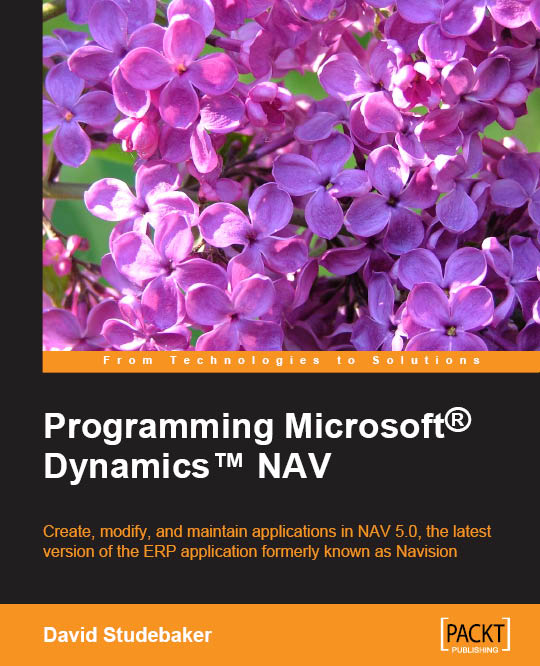
Programming Microsoft Dynamics NAV

Programming Microsoft Dynamics NAV: Create, modify, and maintain applications in NAV 5.0, the latest version of the ERP application formerly known as Navision

Arrow left icon
Profile Icon David A. Studebaker Profile Icon David A. Studebaker
Arrow right icon
Full star icon Full star icon Full star icon Full star icon Half star icon 4.1 (19 Ratings)
Course Oct 2007 1235 pages 1st Edition
eBook
₱1653.29 ₱1836.99
Paperback
₱2296.99

Key benefits

  • For experienced programmers with little or no previous knowledge of NAV development
  • Learn as quickly as possible to create, modify, and maintain NAV applications
  • Written for version 5.0 of NAV; applicable for all versions

Description

Microsoft‚® Dynamics‚„¢ NAV (formerly known as Navision) is a well established Enterprise Resource Planning (ERP) application, part of the Microsoft‚® Dynamics‚„¢ family.Renowned for its challenging learning curve, Dynamics NAV is a complex piece of software with a unique design structure and, for developers learning to modify or enhance it for vital business purposes, the task can sometimes be overwhelming. This book will ease you through the complexities of NAV application development. You will learn the skills and develop the confidence to tackle your own critical NAV applications. This book will act as your experienced NAV programming mentor, helping you to become productive as a NAV developer much more quickly.From basic NAV terminology and concept definitions, through the essential building blocks of NAV data structure and objects, you will gain an understanding of the fundamental underlying concepts of NAV. You will learn practical details about NAV object construction and the tools available, including the Table, Form, and Report Designers. You will learn how to use NAV's tools to effectively navigate through the various features of objects, including properties, triggers, and C/AL code and receive practical guidance on ways to develop and test in the unique NAV C/SIDE development environment. A section on software design for NAV is provided along with tips for efficient design of a new NAV application or enhancing an existing application. With its comprehensive collection of NAV information, this book is not only designed to help you learn, but can act as a reference as well.

Who is this book for?

The business applications software designer/developer who: Wants to become productive in NAV C/SIDE ‚€“ C/AL development as quickly as possible Understands business applications and the associated software Has significant programming experience Has access to NAV including at least the Designer granules, preferably a full development license and a standard Cronus demo database Is willing to do the exercises to get hands-on experience The Reseller manager or executive who wants a concise, in depth view of NAV's development environment and tool set The technically knowledgeable manager or executive of a firm using NAV that is about to embark on a significant NAV enhancement project The technically knowledgeable manager or executive of a firm considering purchase of NAV as a highly customizable business applications platform The reader of this book: Does not need to be expert in object-oriented programming Does not need to have previous experience with NAV

What you will learn

  • Become confident with basic NAV definitions and conventions
  • Understand the design and development process of a NAV application
  • Understand the unique aspects of the NAV data and process flows
  • Data Types, Tables, Forms, Reports, and Codeunits
  • C/SIDE and C/AL basics ‚€“ essential navigation, object construction, numbering, basic syntax, naming rules, SIFT technology, string operators and functions, numeric operators and functions, logical and relational operators and functions
  • Control Logic and Flow ‚€“ Conditional statements, I/O statements, sorting, filtering, data flow, FlowFields, process logic flow, creating new functions, documentation, testing
  • Advanced C/AL ‚€“ modifying existing functions, creating new objects, finding code models, advanced debugging techniques
  • Chapter 1 covers basic definitions as they pertain to NAV and C/SIDE. It also provides an introduction to seven types of NAV objects, Form and Report Creation Wizards, and tools that we use to integrate NAV with external entities, and ends with a brief discussion of how different types of backups and documentation are handled in C/SIDE.Chapter 2 focuses on the top level of NAV data structure, tables and their structures. You will work your way through hands-on creation of a number of tables in support of an example application. You will review most types of tables found in the out-of-the-box NAV application.In Chapter 3, you will learn about the basic building blocks of NAV data structure, fields and their attributes, data fields that are available and field structure elements (properties, triggers) for each type of field. This chapter covers the broad range of Data Type options as well as Field Classes, shows you one of the date calculation tools that gives C/AL an edge in business, and discusses the concept of filtering and how it can be considered as you design your database structure.In Chapter 4, you will review different types of forms and work with some of them, and review all the controls that can be used in forms. You will learn to use the Form Wizard and have a good introduction to the Form Designer. You will expand your example system, creating a number of forms for data maintenance and inquiry.In Chapter 5, you will learn about on the structural and layout aspects of NAV Report objects. Also, you will experiment with some of the tools and continue to expand your example application.Chapter 6 will help you learn about the General Object Designer Navigation as well as more specific navigation of individual (Table, Form, Report) Designers. This chapter also covers variables of various types created and controlled by the developer or by the system, basic C/AL syntax, and some essential C/AL functions.Chapter 7 covers a number of practical tools and topics regarding C/AL coding and development. You will learn about C/AL Symbol Menu and how it assists in development. This chapter also discusses various Computation, Validation and Data Conversion functions, Dates, Flowfields and SIFT, Processing Flow Control, Input‚€“Output, and Filtering functions.In Chapter 8, you will review a number of tools and techniques aimed at making the life of a NAV developer easier and more efficient. There is also a section on Code Analysis and Debugging.Chapter 9 will help you deal with software design for NAV. It will help you with the design of NAV modification, creating a new function area or enhancing an existing functional area, and also provides you with the information needed for designing a new NAV application.Chapter 10 focuses on interfaces with NAV. Overall, you will learn about MenuSuites, Dataports, XMLports, and advanced Interfaces in this chapter.Chapter 11 will help you become even more productive in C/AL development. It provides some tips for design efficiency and it will help you learn about updating and upgrading the system and more about enjoying working with NAV.

Product Details

Country selected
Publication date, Length, Edition, Language, ISBN-13
Publication date : Oct 08, 2007
Length: 1235 pages
Edition : 1st
Language : English
ISBN-13 : 9781788298704
Vendor :
Microsoft
Languages :

Product Details

Publication date : Oct 08, 2007
Length: 1235 pages
Edition : 1st
Language : English
ISBN-13 : 9781788298704
Vendor :
Microsoft
Languages :

Packt Subscriptions

See our plans and pricing
Modal Close icon
$19.99 billed monthly
Feature tick icon Unlimited access to Packt's library of 7,000+ practical books and videos
Feature tick icon Constantly refreshed with 50+ new titles a month
Feature tick icon Exclusive Early access to books as they're written
Feature tick icon Solve problems while you work with advanced search and reference features
Feature tick icon Offline reading on the mobile app
Feature tick icon Simple pricing, no contract
$199.99 billed annually
Feature tick icon Unlimited access to Packt's library of 7,000+ practical books and videos
Feature tick icon Constantly refreshed with 50+ new titles a month
Feature tick icon Exclusive Early access to books as they're written
Feature tick icon Solve problems while you work with advanced search and reference features
Feature tick icon Offline reading on the mobile app
Feature tick icon Choose a DRM-free eBook or Video every month to keep
Feature tick icon PLUS own as many other DRM-free eBooks or Videos as you like for just ₱260 each
Feature tick icon Exclusive print discounts
$279.99 billed in 18 months
Feature tick icon Unlimited access to Packt's library of 7,000+ practical books and videos
Feature tick icon Constantly refreshed with 50+ new titles a month
Feature tick icon Exclusive Early access to books as they're written
Feature tick icon Solve problems while you work with advanced search and reference features
Feature tick icon Offline reading on the mobile app
Feature tick icon Choose a DRM-free eBook or Video every month to keep
Feature tick icon PLUS own as many other DRM-free eBooks or Videos as you like for just ₱260 each
Feature tick icon Exclusive print discounts

Table of Contents

263 Chapters
What this learning path covers Chevron down icon Chevron up icon
What you need for this learning path Chevron down icon Chevron up icon
Who this learning path is for Chevron down icon Chevron up icon
Reader feedback Chevron down icon Chevron up icon
Customer support Chevron down icon Chevron up icon
Part 1. Module 1 Chevron down icon Chevron up icon
Chapter 1. Exploring Microsoft Dynamics NAV – An Introduction Chevron down icon Chevron up icon
Understanding Microsoft Dynamics NAV Chevron down icon Chevron up icon
The functional areas within Dynamics NAV Chevron down icon Chevron up icon
History of Dynamics NAV Chevron down icon Chevron up icon
Functional areas Chevron down icon Chevron up icon
Accessing Dynamics NAV Chevron down icon Chevron up icon
Summary Chevron down icon Chevron up icon
Chapter 2. What's New in NAV 2016? Chevron down icon Chevron up icon
Application changes Chevron down icon Chevron up icon
Development changes Chevron down icon Chevron up icon
IT changes Chevron down icon Chevron up icon
Summary Chevron down icon Chevron up icon
Chapter 3. Dynamics NAV – General Considerations Chevron down icon Chevron up icon
The data model Chevron down icon Chevron up icon
No save button Chevron down icon Chevron up icon
The posting routines Chevron down icon Chevron up icon
Navigating through your data Chevron down icon Chevron up icon
Real-time data gathering – the SIFT technology Chevron down icon Chevron up icon
Everything leads to accounting Chevron down icon Chevron up icon
The Dynamics NAV database Chevron down icon Chevron up icon
Summary Chevron down icon Chevron up icon
Chapter 4. The Implementation Process – From the Reseller Chevron down icon Chevron up icon
What is an implementation? Chevron down icon Chevron up icon
Methodology Chevron down icon Chevron up icon
Roles Chevron down icon Chevron up icon
Phases Chevron down icon Chevron up icon
Summary Chevron down icon Chevron up icon
Chapter 5. The Implementation Process on the Customer Side Chevron down icon Chevron up icon
Definition of goals Chevron down icon Chevron up icon
Measuring goals Chevron down icon Chevron up icon
Defining the internal processes Chevron down icon Chevron up icon
Improve before automating Chevron down icon Chevron up icon
Getting the requirements Chevron down icon Chevron up icon
Change management Chevron down icon Chevron up icon
Get involved in testing the system Chevron down icon Chevron up icon
Involve end users Chevron down icon Chevron up icon
Summary Chevron down icon Chevron up icon
Chapter 6. Migrating Data Chevron down icon Chevron up icon
Tools to migrate data Chevron down icon Chevron up icon
Converting data from the old system to Dynamics NAV's needs Chevron down icon Chevron up icon
Master data Chevron down icon Chevron up icon
Open entries Chevron down icon Chevron up icon
Historical data Chevron down icon Chevron up icon
Open documents Chevron down icon Chevron up icon
Choosing a go-live date Chevron down icon Chevron up icon
Summary Chevron down icon Chevron up icon
Chapter 7. Upgrading Microsoft Dynamics NAV Chevron down icon Chevron up icon
Upgrading philosophy Chevron down icon Chevron up icon
Upgrades prior to Dynamics NAV 2013 Chevron down icon Chevron up icon
Upgrades from Dynamics NAV 2013 forward Chevron down icon Chevron up icon
Upgrading process checklist Chevron down icon Chevron up icon
Upgrading steps to NAV 2013 Chevron down icon Chevron up icon
Upgrading tools Chevron down icon Chevron up icon
Summary Chevron down icon Chevron up icon
Chapter 8. Development Considerations Chevron down icon Chevron up icon
Setup versus customization Chevron down icon Chevron up icon
Data model principles Chevron down icon Chevron up icon
The posting process Chevron down icon Chevron up icon
Where to write customized code Chevron down icon Chevron up icon
Formatting customized code Chevron down icon Chevron up icon
Summary Chevron down icon Chevron up icon
Chapter 9. Functional Changes on Existing Implementations Chevron down icon Chevron up icon
General guidelines Chevron down icon Chevron up icon
What is a functional change? Chevron down icon Chevron up icon
Interactions with other functionalities Chevron down icon Chevron up icon
Writing a to-do list to implement a change Chevron down icon Chevron up icon
Choosing the right time Chevron down icon Chevron up icon
Planning the change Chevron down icon Chevron up icon
Summary Chevron down icon Chevron up icon
Chapter 10. Data Analysis and Reporting Chevron down icon Chevron up icon
Using filters and FlowFilters Chevron down icon Chevron up icon
Creating views Chevron down icon Chevron up icon
Statistics Chevron down icon Chevron up icon
Charts Chevron down icon Chevron up icon
Using reports Chevron down icon Chevron up icon
Account schedules Chevron down icon Chevron up icon
Analysis views Chevron down icon Chevron up icon
Extracting data Chevron down icon Chevron up icon
Understanding report development Chevron down icon Chevron up icon
Summary Chevron down icon Chevron up icon
Chapter 11. Debugging Chevron down icon Chevron up icon
The art of debugging Chevron down icon Chevron up icon
Debugging in Dynamics NAV 2016 Chevron down icon Chevron up icon
Placing breakpoints Chevron down icon Chevron up icon
Line-by-line execution Chevron down icon Chevron up icon
The Call Stack FactBox Chevron down icon Chevron up icon
The Watches FactBox Chevron down icon Chevron up icon
Summary Chevron down icon Chevron up icon
Chapter 12. Popular Reporting Options with Microsoft Dynamics NAV Chevron down icon Chevron up icon
What is a query? Chevron down icon Chevron up icon
Query Designer Chevron down icon Chevron up icon
Charts Chevron down icon Chevron up icon
Web services Chevron down icon Chevron up icon
Power BI Chevron down icon Chevron up icon
Jet Reports Express Chevron down icon Chevron up icon
Summary Chevron down icon Chevron up icon
Part 2. Module 2 Chevron down icon Chevron up icon
Chapter 1. An Introduction to NAV 2015 Chevron down icon Chevron up icon
NAV 2015 – an ERP system Chevron down icon Chevron up icon
Significant changes in NAV 2015 Chevron down icon Chevron up icon
A developer's overview of NAV 2015 Chevron down icon Chevron up icon
Hands-on development in NAV 2015 Chevron down icon Chevron up icon
Summary Chevron down icon Chevron up icon
Review questions Chevron down icon Chevron up icon
Chapter 2. Tables Chevron down icon Chevron up icon
An overview of tables Chevron down icon Chevron up icon
Enhancing our sample application Chevron down icon Chevron up icon
Types of tables Chevron down icon Chevron up icon
Summary Chevron down icon Chevron up icon
Review questions Chevron down icon Chevron up icon
Chapter 3. Data Types and Fields Chevron down icon Chevron up icon
Basic definitions Chevron down icon Chevron up icon
Fields Chevron down icon Chevron up icon
Data types Chevron down icon Chevron up icon
FieldClass property options Chevron down icon Chevron up icon
Filtering Chevron down icon Chevron up icon
Summary Chevron down icon Chevron up icon
Review questions Chevron down icon Chevron up icon
Chapter 4. Pages – The Interactive Interface Chevron down icon Chevron up icon
Page design and structure overview Chevron down icon Chevron up icon
Types of pages Chevron down icon Chevron up icon
Page Designer Chevron down icon Chevron up icon
Page components Chevron down icon Chevron up icon
WDTU Page Enhancement – part 1 Chevron down icon Chevron up icon
Page controls Chevron down icon Chevron up icon
WDTU Page Enhancement – part 2 Chevron down icon Chevron up icon
Page Actions Chevron down icon Chevron up icon
Learning more Chevron down icon Chevron up icon
Summary Chevron down icon Chevron up icon
Review questions Chevron down icon Chevron up icon
Chapter 5. Queries and Reports Chevron down icon Chevron up icon
Queries Chevron down icon Chevron up icon
Reports Chevron down icon Chevron up icon
Report components – overview Chevron down icon Chevron up icon
Report data flow Chevron down icon Chevron up icon
Report components – detail Chevron down icon Chevron up icon
Creating a Report in NAV 2015 Chevron down icon Chevron up icon
Summary Chevron down icon Chevron up icon
Review questions Chevron down icon Chevron up icon
Chapter 6. Introduction to C/SIDE and C/AL Chevron down icon Chevron up icon
Understanding C/SIDE Chevron down icon Chevron up icon
C/AL syntax Chevron down icon Chevron up icon
Some simple coding modifications Chevron down icon Chevron up icon
Finishing the processing code Chevron down icon Chevron up icon
Summary Chevron down icon Chevron up icon
Review questions Chevron down icon Chevron up icon
Chapter 7. Intermediate C/AL Chevron down icon Chevron up icon
C/AL Symbol Menu Chevron down icon Chevron up icon
Internal documentation Chevron down icon Chevron up icon
Validation functions Chevron down icon Chevron up icon
Date and Time functions Chevron down icon Chevron up icon
Data conversion and formatting functions Chevron down icon Chevron up icon
FlowField and SumIndexField functions Chevron down icon Chevron up icon
Flow control Chevron down icon Chevron up icon
Input and Output functions Chevron down icon Chevron up icon
Filtering Chevron down icon Chevron up icon
InterObject communication Chevron down icon Chevron up icon
Enhancing the WDTU application Chevron down icon Chevron up icon
Summary Chevron down icon Chevron up icon
Review questions Chevron down icon Chevron up icon
Chapter 8. Advanced NAV Development Tools Chevron down icon Chevron up icon
NAV process flow Chevron down icon Chevron up icon
Role Center pages Chevron down icon Chevron up icon
XMLports Chevron down icon Chevron up icon
Web services Chevron down icon Chevron up icon
Summary Chevron down icon Chevron up icon
Review questions Chevron down icon Chevron up icon
Chapter 9. Successful Conclusions Chevron down icon Chevron up icon
Creating new C/AL routines Chevron down icon Chevron up icon
Multi-language system Chevron down icon Chevron up icon
Multi-currency system Chevron down icon Chevron up icon
Navigate Chevron down icon Chevron up icon
Debugging in NAV 2015 Chevron down icon Chevron up icon
C/SIDE Test-driven development Chevron down icon Chevron up icon
Other Interfaces Chevron down icon Chevron up icon
NAV Application Server (NAS) Chevron down icon Chevron up icon
Client Add-ins Chevron down icon Chevron up icon
Customizing Help Chevron down icon Chevron up icon
NAV development projects – general guidance Chevron down icon Chevron up icon
Design for efficiency Chevron down icon Chevron up icon
Updating and upgrading Chevron down icon Chevron up icon
Supporting material Chevron down icon Chevron up icon
Summary Chevron down icon Chevron up icon
Review questions Chevron down icon Chevron up icon
Part 3. Module 3 Chevron down icon Chevron up icon
Chapter 1. Introducing Dynamics NAV Patterns and Software Architecture Chevron down icon Chevron up icon
What do we mean by 'patterns'? Chevron down icon Chevron up icon
Microsoft Dynamics NAV Design Patterns Chevron down icon Chevron up icon
Patterns elements and hierarchy Chevron down icon Chevron up icon
Building blocks Chevron down icon Chevron up icon
Metadata Chevron down icon Chevron up icon
Base application Chevron down icon Chevron up icon
Summary Chevron down icon Chevron up icon
Chapter 2. Architectural Patterns Chevron down icon Chevron up icon
The Singleton Pattern Chevron down icon Chevron up icon
The Supplemental and Subsidiary Pattern Chevron down icon Chevron up icon
The Compound Pattern Chevron down icon Chevron up icon
The Rules Pattern Chevron down icon Chevron up icon
The Master Data Pattern Chevron down icon Chevron up icon
The Journal Template-Batch-Line Pattern Chevron down icon Chevron up icon
The Entry Pattern Chevron down icon Chevron up icon
Document Pattern Chevron down icon Chevron up icon
The Argument table Chevron down icon Chevron up icon
Summary Chevron down icon Chevron up icon
Chapter 3. Design Patterns Chevron down icon Chevron up icon
The Entity State Pattern Chevron down icon Chevron up icon
The Select Pattern Chevron down icon Chevron up icon
The Number Series Pattern Chevron down icon Chevron up icon
Address Integration Pattern Chevron down icon Chevron up icon
Multi-Level Setup Chevron down icon Chevron up icon
Document History Chevron down icon Chevron up icon
Copy Document Pattern Chevron down icon Chevron up icon
Job Queue Entry Pattern Chevron down icon Chevron up icon
Dismissible dialogs and save preferences Chevron down icon Chevron up icon
Setup Update Pattern Chevron down icon Chevron up icon
Model-View ViewModel Pattern Chevron down icon Chevron up icon
Summary Chevron down icon Chevron up icon
Chapter 4. Building an Example Application Using Patterns Chevron down icon Chevron up icon
The design elements Chevron down icon Chevron up icon
The Pattern dependencies Chevron down icon Chevron up icon
Step one – Foundation Chevron down icon Chevron up icon
Step two – Master Data Chevron down icon Chevron up icon
Step three – Journals & Entries Chevron down icon Chevron up icon
Step four – Documents Chevron down icon Chevron up icon
The layered model Chevron down icon Chevron up icon
Summary Chevron down icon Chevron up icon
Chapter 5. Coding Best Practices Chevron down icon Chevron up icon
Coding guidelines Chevron down icon Chevron up icon
Class-Method-Property Chevron down icon Chevron up icon
Function libraries and interfaces Chevron down icon Chevron up icon
Natural Language Programming Chevron down icon Chevron up icon
Encapsulation Chevron down icon Chevron up icon
Façade Chevron down icon Chevron up icon
Hooks Chevron down icon Chevron up icon
Variant variables Chevron down icon Chevron up icon
Managing DLL Chevron down icon Chevron up icon
Summary Chevron down icon Chevron up icon
Chapter 6. Anti-patterns and Handling Legacy Code Chevron down icon Chevron up icon
Anti-patterns Chevron down icon Chevron up icon
Legacy code Chevron down icon Chevron up icon
Refactoring the C/AL Code Chevron down icon Chevron up icon
The boy scout rule Chevron down icon Chevron up icon
Summary Chevron down icon Chevron up icon
Chapter 7. Building Solutions Using Patterns Chevron down icon Chevron up icon
Building blocks Chevron down icon Chevron up icon
Creating the Table objects Chevron down icon Chevron up icon
Applying Design Patterns Chevron down icon Chevron up icon
Defining the methods Chevron down icon Chevron up icon
Writing the Code and Link methods Chevron down icon Chevron up icon
Refactoring Chevron down icon Chevron up icon
Testing the application Chevron down icon Chevron up icon
Upgrading the application Chevron down icon Chevron up icon
Building our application Chevron down icon Chevron up icon
Managing the source code Chevron down icon Chevron up icon
Summary Chevron down icon Chevron up icon
Bibliography Chevron down icon Chevron up icon
Index Chevron down icon Chevron up icon

Customer reviews

Top Reviews
Rating distribution
Full star icon Full star icon Full star icon Full star icon Half star icon 4.1
(19 Ratings)
5 star 42.1%
4 star 36.8%
3 star 15.8%
2 star 0%
1 star 5.3%
Filter icon Filter
Top Reviews

Filter reviews by


Daniel Rimmelzwaan Apr 22, 2013
Full star icon Full star icon Full star icon Full star icon Full star icon 5
The latest update to the book on NAV programming (David Studebaker wrote the book on two previous versions) will get anyone started who wants to learn about programming NAV 2013. What I like about it is that both authors actually care a great deal about showing you the ropes, and I think that shows in this book. This book covers all the concepts that you need to know to become a NAV programmer.The wordiness sometimes gets in the way of getting to the point, so I would give it 4.5 stars. Other than that, this is THE book for anyone that wants to get into this field, and anyone that wants to have a reference for the new development features in NAV 2013.
Amazon Verified review Amazon
James Jul 29, 2008
Full star icon Full star icon Full star icon Full star icon Full star icon 5
I found this book very helpful when I first got into Navision development. It's well written and gave me a good understanding of the main components. It is not a comprehensive guide, but a great introduction nonetheless! There are many programming examples and tons of screenshots. It helps fill in some of the gaps in the Application Designer's Guide.I have it next to me whenever I'm doing develpment work. It's a good resource and I highly recommend this to anyone new to Navision.
Amazon Verified review Amazon
Mike Twiford Apr 24, 2013
Full star icon Full star icon Full star icon Full star icon Full star icon 5
This book covers all aspect of NAV development. The authors uses a real world development scenario that is easy to build on for your own practice. Big thanks to the authors for taking the time to write it.
Amazon Verified review Amazon
Steven Renders Apr 18, 2013
Full star icon Full star icon Full star icon Full star icon Full star icon 5
If you want to learn how to customize Dynamics NAV 2013 then this is the book for you. The book explains in detail all of the objects (tables, pages, queries, reports, codeunits,...) and how to use the C/AL programming language using real life examples.Even if you are a non technical consultant, manager this book will give you great insight in Dynamics NAV 2013.
Amazon Verified review Amazon
Amazon Customer Feb 07, 2018
Full star icon Full star icon Full star icon Full star icon Full star icon 5
Great help for all Nav devs
Amazon Verified review Amazon
Get free access to Packt library with over 7500+ books and video courses for 7 days!
Start Free Trial

FAQs

What is included in a Packt subscription? Chevron down icon Chevron up icon

A subscription provides you with full access to view all Packt and licnesed content online, this includes exclusive access to Early Access titles. Depending on the tier chosen you can also earn credits and discounts to use for owning content

How can I cancel my subscription? Chevron down icon Chevron up icon

To cancel your subscription with us simply go to the account page - found in the top right of the page or at https://subscription.packtpub.com/my-account/subscription - From here you will see the ‘cancel subscription’ button in the grey box with your subscription information in.

What are credits? Chevron down icon Chevron up icon

Credits can be earned from reading 40 section of any title within the payment cycle - a month starting from the day of subscription payment. You also earn a Credit every month if you subscribe to our annual or 18 month plans. Credits can be used to buy books DRM free, the same way that you would pay for a book. Your credits can be found in the subscription homepage - subscription.packtpub.com - clicking on ‘the my’ library dropdown and selecting ‘credits’.

What happens if an Early Access Course is cancelled? Chevron down icon Chevron up icon

Projects are rarely cancelled, but sometimes it's unavoidable. If an Early Access course is cancelled or excessively delayed, you can exchange your purchase for another course. For further details, please contact us here.

Where can I send feedback about an Early Access title? Chevron down icon Chevron up icon

If you have any feedback about the product you're reading, or Early Access in general, then please fill out a contact form here and we'll make sure the feedback gets to the right team. 

Can I download the code files for Early Access titles? Chevron down icon Chevron up icon

We try to ensure that all books in Early Access have code available to use, download, and fork on GitHub. This helps us be more agile in the development of the book, and helps keep the often changing code base of new versions and new technologies as up to date as possible. Unfortunately, however, there will be rare cases when it is not possible for us to have downloadable code samples available until publication.

When we publish the book, the code files will also be available to download from the Packt website.

How accurate is the publication date? Chevron down icon Chevron up icon

The publication date is as accurate as we can be at any point in the project. Unfortunately, delays can happen. Often those delays are out of our control, such as changes to the technology code base or delays in the tech release. We do our best to give you an accurate estimate of the publication date at any given time, and as more chapters are delivered, the more accurate the delivery date will become.

How will I know when new chapters are ready? Chevron down icon Chevron up icon

We'll let you know every time there has been an update to a course that you've bought in Early Access. You'll get an email to let you know there has been a new chapter, or a change to a previous chapter. The new chapters are automatically added to your account, so you can also check back there any time you're ready and download or read them online.

I am a Packt subscriber, do I get Early Access? Chevron down icon Chevron up icon

Yes, all Early Access content is fully available through your subscription. You will need to have a paid for or active trial subscription in order to access all titles.

How is Early Access delivered? Chevron down icon Chevron up icon

Early Access is currently only available as a PDF or through our online reader. As we make changes or add new chapters, the files in your Packt account will be updated so you can download them again or view them online immediately.

How do I buy Early Access content? Chevron down icon Chevron up icon

Early Access is a way of us getting our content to you quicker, but the method of buying the Early Access course is still the same. Just find the course you want to buy, go through the check-out steps, and you’ll get a confirmation email from us with information and a link to the relevant Early Access courses.

What is Early Access? Chevron down icon Chevron up icon

Keeping up to date with the latest technology is difficult; new versions, new frameworks, new techniques. This feature gives you a head-start to our content, as it's being created. With Early Access you'll receive each chapter as it's written, and get regular updates throughout the product's development, as well as the final course as soon as it's ready.We created Early Access as a means of giving you the information you need, as soon as it's available. As we go through the process of developing a course, 99% of it can be ready but we can't publish until that last 1% falls in to place. Early Access helps to unlock the potential of our content early, to help you start your learning when you need it most. You not only get access to every chapter as it's delivered, edited, and updated, but you'll also get the finalized, DRM-free product to download in any format you want when it's published. As a member of Packt, you'll also be eligible for our exclusive offers, including a free course every day, and discounts on new and popular titles.

Modal Close icon
Modal Close icon