Search icon CANCEL
Subscription
0
Cart icon
Your Cart (0 item)
Close icon
You have no products in your basket yet
Save more on your purchases! discount-offer-chevron-icon
Savings automatically calculated. No voucher code required.
Arrow left icon
Explore Products
Best Sellers
New Releases
Books
Events
Videos
Audiobooks
Packt Hub
Free Learning
Arrow right icon
timer SALE ENDS IN
0 Days
:
00 Hours
:
00 Minutes
:
00 Seconds
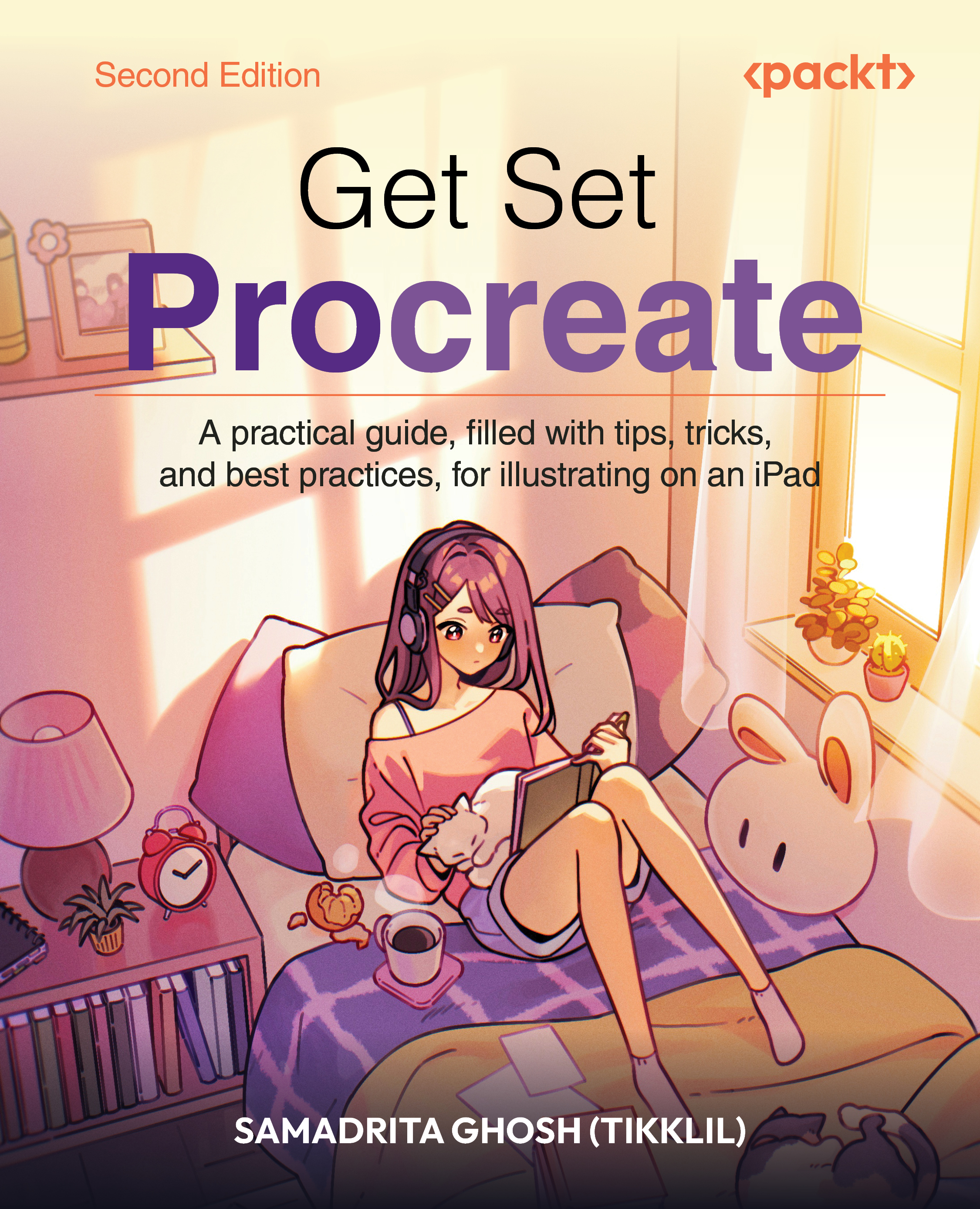
Get Set Procreate
Get Set Procreate

Get Set Procreate: A practical guide, filled with tips, tricks, and best practices, for illustrating on an iPad , Second Edition

Arrow left icon
Profile Icon Samadrita Ghosh
Arrow right icon
₱1530.74 ₱2040.99
eBook Aug 2026 522 pages 2nd Edition
eBook
₱1530.74 ₱2040.99
Paperback
₱2551.99
eBook + Subscription
Free Trial
Arrow left icon
Profile Icon Samadrita Ghosh
Arrow right icon
₱1530.74 ₱2040.99
eBook Aug 2026 522 pages 2nd Edition
eBook
₱1530.74 ₱2040.99
Paperback
₱2551.99
eBook + Subscription
Free Trial
eBook
₱1530.74 ₱2040.99
Paperback
₱2551.99
eBook + Subscription
Free Trial

What do you get with eBook?

Product feature icon Instant access to your Digital eBook purchase
Product feature icon Download this book in EPUB and PDF formats
Product feature icon Access this title in our online reader with advanced features
Product feature icon DRM FREE - Read whenever, wherever and however you want
Modal Close icon
Payment Processing...
tick Completed

Billing Address

Table of content icon View table of contents Preview book icon Preview Book

Get Set Procreate

UI Overview

The first part of the book will give you a working knowledge of the interface. You will learn where to find common tools to help you get started.

This section has the following chapters:

  • Chapter 1, Getting Started – the Canvas and Gallery
  • Chapter 2, Understanding Your Workspace
  • Chapter 3, Using Gestures and Shortcuts
Left arrow icon Right arrow icon

Key benefits

  • Follow step-by-step instructions and tips to learn Procreate and get the most out of it
  • Work through hands-on tutorials with real artwork that will boost your confidence to explore Procreate further
  • Highly recommended for iPad users who want to be able to paint on the go
  • Free with your book: DRM-free PDF version + access to Packt’s next-gen Reader

Description

With expert guidance from artist and storyteller Samadrita Ghosh, also known as Tikklil, Get Set Procreate, Second Edition, helps you unlock Procreate’s creative potential and build the practical skills to bring your digital art ideas to life. The book walks you through the essential tools that have made Procreate a favorite among illustrators. You’ll learn how to set up your canvas, organize artwork with layers, explore brushes and textures, and use gestures and shortcuts that can speed up your creative process. As you progress, you’ll discover how to customize brushes in Brush Studio, experiment with assisted drawing tools, and explore advanced features, such as animation, Page Assist, and 3D painting. Along the way, you’ll see how these tools come together in real artwork examples and practical demonstrations. As a bonus for this edition, the book ends with a chapter on using Procreate to create manga. In short, with clear instructions and practical exercises, Get Set Procreate, Second Edition gives you the tools, techniques, and confidence to bring your digital art ideas to life. *Email sign-up and proof of purchase required

Who is this book for?

This book is ideal for beginners who want to start creating professional illustrations in Procreate but are unsure where to begin. It is also suited to experienced illustrators who work with other tools and want to expand their creative repertoire with Procreate.

What you will learn

  • Set up Procreate canvases for different illustration projects
  • Use brushes, textures, gestures, and shortcuts with confidence
  • Customize brushes and create new effects in Brush Studio
  • Use assisted drawing tools to improve accuracy and speed
  • Create animations and multi-page artwork using Procreate's assist tools
  • Paint directly on 3D models using Procreate's 3D tools
  • Develop polished digital illustrations from start to finish

Product Details

Country selected
Publication date, Length, Edition, Language, ISBN-13
Publication date : Aug 28, 2026
Length: 522 pages
Edition : 2nd
Language : English
ISBN-13 : 9781806705009
Concepts :
Tools :

What do you get with eBook?

Product feature icon Instant access to your Digital eBook purchase
Product feature icon Download this book in EPUB and PDF formats
Product feature icon Access this title in our online reader with advanced features
Product feature icon DRM FREE - Read whenever, wherever and however you want
Modal Close icon
Payment Processing...
tick Completed

Billing Address

Product Details

Publication date : Aug 28, 2026
Length: 522 pages
Edition : 2nd
Language : English
ISBN-13 : 9781806705009
Concepts :
Tools :

Packt Subscriptions

See our plans and pricing
Modal Close icon
$19.99 billed monthly
Feature tick icon Unlimited access to Packt's library of 7,000+ practical books and videos
Feature tick icon Constantly refreshed with 50+ new titles a month
Feature tick icon Exclusive Early access to books as they're written
Feature tick icon Solve problems while you work with advanced search and reference features
Feature tick icon Offline reading on the mobile app
Feature tick icon Simple pricing, no contract
$199.99 billed annually
Feature tick icon Unlimited access to Packt's library of 7,000+ practical books and videos
Feature tick icon Constantly refreshed with 50+ new titles a month
Feature tick icon Exclusive Early access to books as they're written
Feature tick icon Solve problems while you work with advanced search and reference features
Feature tick icon Offline reading on the mobile app
Feature tick icon Choose a DRM-free eBook or Video every month to keep
Feature tick icon PLUS own as many other DRM-free eBooks or Videos as you like for just ₱260 each
Feature tick icon Exclusive print discounts
$279.99 billed in 18 months
Feature tick icon Unlimited access to Packt's library of 7,000+ practical books and videos
Feature tick icon Constantly refreshed with 50+ new titles a month
Feature tick icon Exclusive Early access to books as they're written
Feature tick icon Solve problems while you work with advanced search and reference features
Feature tick icon Offline reading on the mobile app
Feature tick icon Choose a DRM-free eBook or Video every month to keep
Feature tick icon PLUS own as many other DRM-free eBooks or Videos as you like for just ₱260 each
Feature tick icon Exclusive print discounts

Table of Contents

19 Chapters
Part 1: UI Overview Chevron down icon Chevron up icon
Getting Started – the Canvas and Gallery Chevron down icon Chevron up icon
Understanding Your Workspace Chevron down icon Chevron up icon
Using Gestures and Shortcuts Chevron down icon Chevron up icon
Part 2: Utility and Features Chevron down icon Chevron up icon
Working with Layers Chevron down icon Chevron up icon
Painting Tools and Brush Libraries Chevron down icon Chevron up icon
The Brush Studio – Editing and Combining Brushes Chevron down icon Chevron up icon
Using Color Tools Chevron down icon Chevron up icon
Applying Image Effects with Adjustments Chevron down icon Chevron up icon
Assisted Drawing Tools Chevron down icon Chevron up icon
Animating on Procreate Chevron down icon Chevron up icon
Sketchbooking with Page Assist Chevron down icon Chevron up icon
Painting on 3D Models Chevron down icon Chevron up icon
Part 3: Tutorials Chevron down icon Chevron up icon
Rendering a Character with Blend Modes Chevron down icon Chevron up icon
Making Manga on Procreate Chevron down icon Chevron up icon
Other Books You May Enjoy Chevron down icon Chevron up icon
Index Chevron down icon Chevron up icon
Get free access to Packt library with over 7500+ books and video courses for 7 days!
Start Free Trial

FAQs

How do I buy and download an eBook? Chevron down icon Chevron up icon

Where there is an eBook version of a title available, you can buy it from the book details for that title. Add either the standalone eBook or the eBook and print book bundle to your shopping cart. Your eBook will show in your cart as a product on its own. After completing checkout and payment in the normal way, you will receive your receipt on the screen containing a link to a personalised PDF download file. This link will remain active for 30 days. You can download backup copies of the file by logging in to your account at any time.

If you already have Adobe reader installed, then clicking on the link will download and open the PDF file directly. If you don't, then save the PDF file on your machine and download the Reader to view it.

Please Note: Packt eBooks are non-returnable and non-refundable.

Packt eBook and Licensing When you buy an eBook from Packt Publishing, completing your purchase means you accept the terms of our licence agreement. Please read the full text of the agreement. In it we have tried to balance the need for the ebook to be usable for you the reader with our needs to protect the rights of us as Publishers and of our authors. In summary, the agreement says:

  • You may make copies of your eBook for your own use onto any machine
  • You may not pass copies of the eBook on to anyone else
How can I make a purchase on your website? Chevron down icon Chevron up icon

If you want to purchase a video course, eBook or Bundle (Print+eBook) please follow below steps:

  1. Register on our website using your email address and the password.
  2. Search for the title by name or ISBN using the search option.
  3. Select the title you want to purchase.
  4. Choose the format you wish to purchase the title in; if you order the Print Book, you get a free eBook copy of the same title. 
  5. Proceed with the checkout process (payment to be made using Credit Card, Debit Cart, or PayPal)
Where can I access support around an eBook? Chevron down icon Chevron up icon
  • If you experience a problem with using or installing Adobe Reader, the contact Adobe directly.
  • To view the errata for the book, see www.packtpub.com/support and view the pages for the title you have.
  • To view your account details or to download a new copy of the book go to www.packtpub.com/account
  • To contact us directly if a problem is not resolved, use www.packtpub.com/contact-us
What eBook formats do Packt support? Chevron down icon Chevron up icon

Our eBooks are currently available in a variety of formats such as PDF and ePubs. In the future, this may well change with trends and development in technology, but please note that our PDFs are not Adobe eBook Reader format, which has greater restrictions on security.

You will need to use Adobe Reader v9 or later in order to read Packt's PDF eBooks.

What are the benefits of eBooks? Chevron down icon Chevron up icon
  • You can get the information you need immediately
  • You can easily take them with you on a laptop
  • You can download them an unlimited number of times
  • You can print them out
  • They are copy-paste enabled
  • They are searchable
  • There is no password protection
  • They are lower price than print
  • They save resources and space
What is an eBook? Chevron down icon Chevron up icon

Packt eBooks are a complete electronic version of the print edition, available in PDF and ePub formats. Every piece of content down to the page numbering is the same. Because we save the costs of printing and shipping the book to you, we are able to offer eBooks at a lower cost than print editions.

When you have purchased an eBook, simply login to your account and click on the link in Your Download Area. We recommend you saving the file to your hard drive before opening it.

For optimal viewing of our eBooks, we recommend you download and install the free Adobe Reader version 9.

Modal Close icon
Modal Close icon