Search icon CANCEL
Subscription
0
Cart icon
Your Cart (0 item)
Close icon
You have no products in your basket yet
Save more on your purchases! discount-offer-chevron-icon
Savings automatically calculated. No voucher code required.
Arrow left icon
Explore Products
Best Sellers
New Releases
Books
Events
Videos
Audiobooks
Packt Hub
Free Learning
Arrow right icon
timer SALE ENDS IN
0 Days
:
00 Hours
:
00 Minutes
:
00 Seconds
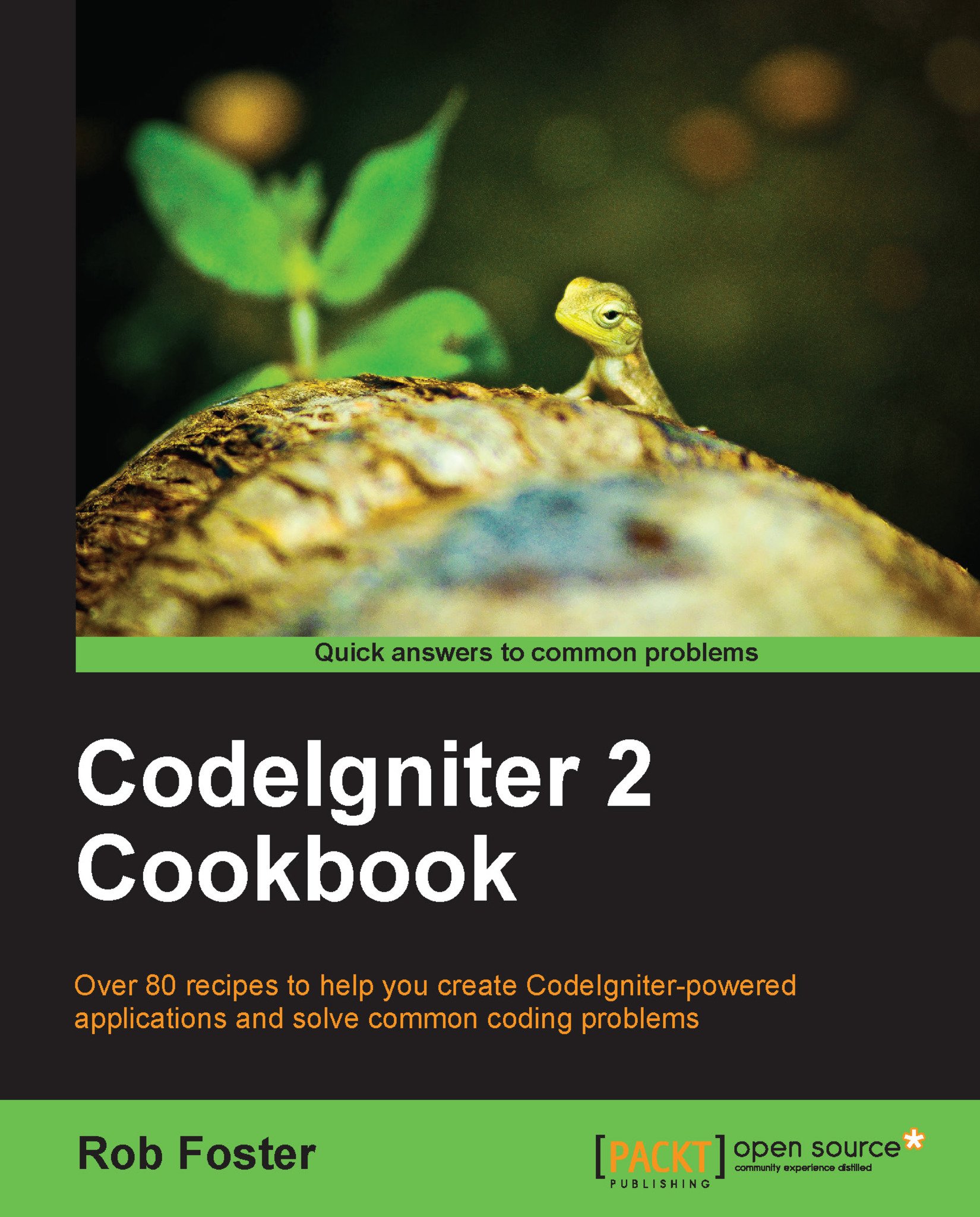
CodeIgniter 2 Cookbook

CodeIgniter 2 Cookbook: As a PHP developer, you may have wondered how much difference the Codeigniter framework might make when creating web applications. Now you can find out with a host of customizable recipes ready to insert into your own work.

Arrow left icon
Profile Icon Robert Foster
Arrow right icon
₱2131.19 ₱2367.99
Full star icon Full star icon Full star icon Half star icon Empty star icon 3.8 (6 Ratings)
eBook Dec 2013 306 pages 1st Edition
eBook
₱2131.19 ₱2367.99
Paperback
₱2959.99
eBook + Subscription
Free Trial
Arrow left icon
Profile Icon Robert Foster
Arrow right icon
₱2131.19 ₱2367.99
Full star icon Full star icon Full star icon Half star icon Empty star icon 3.8 (6 Ratings)
eBook Dec 2013 306 pages 1st Edition
eBook
₱2131.19 ₱2367.99
Paperback
₱2959.99
eBook + Subscription
Free Trial
eBook
₱2131.19 ₱2367.99
Paperback
₱2959.99
eBook + Subscription
Free Trial

What do you get with eBook?

Product feature icon Instant access to your Digital eBook purchase
Product feature icon Download this book in EPUB and PDF formats
Product feature icon Access this title in our online reader with advanced features
Product feature icon DRM FREE - Read whenever, wherever and however you want
Modal Close icon
Payment Processing...
tick Completed

Billing Address

Table of content icon View table of contents Preview book icon Preview Book

CodeIgniter 2 Cookbook

Chapter 1. CodeIgniter Basics

In this chapter, we will cover:

  • Downloading and installing CodeIgniter

  • Basic configuration options

  • Managing CodeIgniter on different environments

  • Managing database settings in different environments

  • Securing system files

  • Removing index.php from the address bar using .htaccess

  • Installing and using Sparks

Introduction


CodeIgniter is an easy to use, easy to set up PHP-based framework which you can use to build pretty much any web-based application you can think of. There is a little bit of configuration needed before we can start to use CodeIgniter; however, this chapter will walk you through downloading, installing, and understanding the basic configuration of CodeIgniter to help you quickly get up and running.

Downloading and installing CodeIgniter


First things first, you will need a copy of CodeIgniter to be getting on with. There are several choices: you can download a nightly build, an older version, or the current stable release. However, it's recommended that you go for the latest stable version.

How to do it...

You can get your hands on the latest stable version of CodeIgniter through the following link:

http://codeigniter.com/downloads/

CodeIgniter will be offered as a compressed archive file. Once CodeIgniter has been downloaded, copy the package to your web folder, and unpack it as you would normally unpack an archive on your system. Once you've done this, you'll need to set some configuration options, which we'll look at next.

Basic configuration options


Configuring CodeIgniter is a lot easier than many other web frameworks available and does not require you to resort to using the command line. All you need to quickly get up and running is access to several files in the application/config/ folder. These are a few of the suggested settings which will get your CodeIgniter installation ready without too much fuss.

How to do it...

Open the file in your localhost of development environment: /path/to/codeigniter/application/config/config.php and find the following lines:

$config["base_url"]:

The value should be the full web address (the address that is written in your browser address bar) to the CodeIgniter installation. So if you are working in your localhost, the value should be: http://localhost/path/to/codeigniter/.

Tip

Remember to begin with a http:// and always put the trailing / slash.

If you've amended your host's file to use a domain name rather than localhost, then be sure to replace localhost with that domain name:

$config["encryption_key"]

If you wish to use either the Session or Encryption classes in your application, the encryption key must be set. The encryption key is simply a string of characters used by CodeIgniter to encrypt various types of communication:

$config["global_xss_filtering"]

The preceding code line specifies whether cross-site script filtering should be applied to the Get, Post, or Cookie variables. For the sake of security, this should be set to TRUE, especially in a live environment:

$config["csrf_protection"]

The preceding code line specifies whether a cookie token is set, which if TRUE will be checked every time a form is submitted from the client side. In a live environment, it should be set to TRUE:

$config["log_threshold"]

The preceding code line specifies whether you want to write to logs, and if so, the type of information you wish to write to those logs. For example:

  • 0: No errors are written to logs as logging is deactivated

  • 1: Error messages only (this will include PHP errors also)

  • 2: Debugging messages only

  • 3: Informational messages only

  • 4: All types of messages

The following code line is the path to the folder in which you wish to save log files:

$config["log_path"] = "/path/to/log/file"

How it works...

CodeIgniter will now respond and function according to the settings provided.

Managing CodeIgniter on different environments

In some cases, it may be useful to adapt your configuration files so that they can function on several servers or environments without having to edit or maintain each time they are moved. For example, the configuration settings you may have on your localhost are very likely to be different than those on a live or production server. Setting the configuration files correctly will save you a lot of time rather than manually switching between the two.

How to do it...

Open the /path/to/codeigniter/application/config/config.php file and replace the $config["base_url"] line with the following:

switch($_SERVER["SERVER_NAME"]) {
    case "localhost":
        $config["base_url"] = "http://localhost/path/to/codeigniter/";
        break;
    case "mydomain.com":
        $config["base_url"] = "http://www.mydomain.com/";
        break;
}

How it works...

This is simply a case/switch statement with a SERVER_NAME check. The base_url value is set according to the server that the CodeIgniter application or project is running on.

Managing database settings on different environments

If you plan to use a database for your CodeIgniter application, then you'll need to maintain the correct connection settings. CodeIgniter keeps these settings in the database.php config file.

How to do it...

  1. Open the /path/to/codeigniter/application/config/database.php file. Chances are that the only values that need to change are the standard hostname, username, password of your database server, and the database name.

  2. Find the line that defines $active_group, which specifies the specific database settings to use for a particular hosting environment. You can switch between settings by a case/switch test similar to that used previously, for example, the following code tests for a particular server and loads the appropriate settings:

    switch($_SERVER["SERVER_NAME"]) {
        case "localhost":
            $active_group = "testing";
            break;
        case "mydomain.com":
            $active_group = "default"
        break;
    }
    
    $db["default"]["hostname"] = "localhost";
    $db["default"]["username"] = "root";
    $db["default"]["password"] = "";
    $db["default"]["database"] = "database_name";
    $db["default"]["dbdriver"] = "mysql";
    $db["default"]["dbprefix"] = "";
    $db["default"]["pconnect"] = TRUE;
    $db["default"]["db_debug"] = FALSE;
    $db["default"]["cache_on"] = FALSE;
    $db["default"]["cachedir"] = "";
    $db["default"]["char_set"] = "utf8";
    $db["default"]["dbcollat"] = "utf8_general_ci";
    $db["default"]["swap_pre"] = "";
    $db["default"]["autoinit"] = TRUE;
    $db["default"]["stricton"] = FALSE;
    
    $db["testing"]["hostname"] = "localhost";
    $db["testing"]["username"] = "root";
    $db["testing"]["password"] = "";
    $db["testing"]["database"] = "database_name";
    $db["testing"]["dbdriver"] = "mysql";
    $db["testing"]["dbprefix"] = "";
    $db["testing"]["pconnect"] = TRUE;
    $db["testing"]["db_debug"] = TRUE;
    $db["testing"]["cache_on"] = FALSE;
    $db["testing"]["cachedir"] = "";
    $db["testing"]["char_set"] = "utf8";
    $db["testing"]["dbcollat"] = "utf8_general_ci";
    $db["testing"]["swap_pre"] = "";
    $db["testing"]["autoinit"] = TRUE;
    $db["testing"]["stricton"] = FALSE;
    
    $active_record – Specifies if you require active record support.  By default it is set to TRUE.

How it works...

All we're doing is defining the environment that the site is running on. In the preceding example, we specify two environments: either default or testing, and apply specific settings for them. So, let's look at some variable definitions.

Common values

The standard database access options are shown in the following table:

Option name

Valid options

Description

$db["default"]["hostname"]

Usually localhost

This is the server that the database sits on

$db["default"]["username"]


The database access username

$db["default"]["password"]


The password for the database

$db["default"]["database"]


The name of the database

Other values

The following table shows the options that normally remain unchanged from the default setting but are here just incase you wish to change them:

Option name

Valid options

Description

$db["default"]["dbdriver"]

mysql

This is the type of DBMS you're using—the recipes in this book use MySQL. The value must be all lowercase.

$db["default"]["dbprefix"]

Default: mysql, but may also be postgre, odbc, and so on

Sometimes you may wish to add a prefix to a database table name, for example, a blogging application might prefix its tables with the word "blog" so the posts table would become blog_posts.

$db["default"]["pconnect"]

TRUE/FALSE

Specifies whether you wish to maintain a persistent connection to the database.

$db["default"]["db_debug"]

TRUE/FALSE

Specifies whether you wish to display database errors on the screen. It is blank by default, but for security purposes should be set to FALSE on a live environment and TRUE while in development.

$db["default"]["cache_on"]

TRUE/FALSE

Specifies whether you want database query caching enabled.

$db["default"]["cachedir"]


Specifies the absolute file path to your database query cache.

$db["default"]["char_set"]

utf8

Specifies the character set that CodeIgniter will use with the database.

$db["default"]["dbcollat"]

utf8_general_ci

Specifies the character collation that CodeIgniter will use with the database.

$db["default"]["port"]

3306

Default MySQL port. This option is not included by default, and if you wish to use a specific port for your database connection, you'll need to manually write in this line and set the value.

We will look at accessing data from a database in more detail in Chapter 6, Working with Databases.

Securing the system files

On live environments, it is strongly recommended that you move your system folder out of the web root to prevent malicious access.

How to do it...

  1. Move the system folder either by the command line or using your computer's GUI to a folder outside the publicly accessible web folder. The method to do this will be different depending on which system you are using, but I'm sure you know how to move a folder, so we will not discuss that here.

  2. After you have moved the system folder, you will need to update the $system_path variable in the path/to/codeigniter/index.php file. Look for and find the following line:

    $system_path = "path/to/system/folder";

    Amend the line to reflect the new location of the system folder. So if, for example, you moved the system folder up one level out of the web root, you should write the following line:

    $system_path = "../system";

How it works...

By moving the system folder out of the web root, you are protecting it against access via the Internet (as much as possible). The system folder is much more unlikely to be accessed in a location outside of the web root than inside.

Removing index.php from the address bar using .htaccess

It is possible to remove the index.php file from the web browser address bar when CodeIgniter is running.

How to do it...

Create or open a .htaccess file. If a .htaccess file does not already exist, you can create one as follows:

Linux/Mac

  1. Open a terminal window and type: touch/path/to/CodeIgniter/.htaccess.

Windows

  1. Create a text file in your CodeIgniter root, naming it file.htaccess.

  2. Press Windows + R to open the run dialogue.

  3. Enter the following command and click on OK:

    ren "C:\path\to\CodeIgniter\file.htaccess" .htaccess
  4. Once your .htaccess file is opened, write the following lines at the top of the file:

    <IfModule mod_rewrite.c>
    RewriteEngine on
    RewriteCond $1 !^(index\.php|images|robots\.txt)
    RewriteRule ^(.*)$ index.php/$1 [L]
    </IfModule>

How it works...

This rule in the .htaccess file will remove the index.php file from the browser's address bar. CodeIgniter's index.php file is still called but it is not shown to the user in the address bar of the browser.

Installing and using Sparks

It has been the case for a long time now that to find and use extensions, libraries, and other useful snippets of code for CodeIgniter, you have to search the Internet and download code from various places such as blogs, code repositories, and so on. Useful installations for CodeIgniter were spread across the Internet and as such, may have been hard to locate. Sparks acts as a single point of reference for extensions for CodeIgniter. It's simple to install and use, and contains thousands of useful add-ons for CodeIgniter.

How to do it...

If you are using a MAC or Linux, then the command line interface is open to you.

  1. Using the terminal application on your system, navigate to the root of your CodeIgniter application and enter the following line:

    php -r "$(curl -fsSL http://getsparks.org/go-sparks)"

    If your installation was successful, you should see something similar to:

    user@server:/path/to/codeigniter$ php -r "$(curl -fsSL http://getsparks.org/go-sparks)"
    Pulling down spark manager from http://getsparks.org/static/install/spark-manager-0.0.9.zip ...
    Pulling down Loader class core extension from http://getsparks.org/static/install/MY_Loader.php.txt ...
    Extracting zip package ...
    Cleaning up ...
    Spark Manager has been installed successfully!
    Try: `php tools/spark help`

    If you are using Windows, then you will need to download Sparks and unpack it manually. To do that, perform the following instructions or check out the instructions on the GetSparks website for the latest version:

  2. Create a folder named tools in the top level (root) of your CodeIgniter directory.

  3. Visit the following URL: http://getsparks.org/install.

  4. Go to the Normal Installation section and download the Sparks package.

  5. Unpack the download into the tools folder you created in step 1.

  6. Download the Loader class extension from: http://getsparks.org/static/install/MY_Loader.php.txt.

  7. Rename the MY_Loader.php.txt file to MY_Loader.php and move it to the application/core/MY_Loader.php directory in your CodeIgniter instance.

  8. Now that Sparks is installed in your CodeIgniter instance, you can begin to install extensions and packages.

    To install a package from Sparks, type the following in the command line:

    php tools/spark install [Package Version] Spark Name

    Here, Package Version is the specific version of the Spark you wish to install. You are not required to state the version, and by leaving it out, Sparks will download the latest version by default. Spark Name is the name of the Spark you wish to install, so for example, to install the example-spark (Version 1.0.0) that comes with the default installation, type in the command line:

    php tools/spark install -v1.0.0 example-spark

    If the installation was successful, you should see something similar to:

    user@server:/path/to/codeigniter$ php tools/spark install -v1.0.0 example-spark 
    [ SPARK ] Retrieving spark detail from getsparks.org
    [ SPARK ] From Downtown! Retrieving spark from Mercurial repository at https://url/of/the/spark/repo
    [ SPARK ] Spark installed to ./sparks/example-spark/1.0.0 - You're on fire!

How it works...

You should now be ready to begin making use of your Spark. Be sure to read the Readme file or documentation that is included with your Spark for its correct usage.

Left arrow icon Right arrow icon

Key benefits

  • Customizable code that can be used in your own applications right away
  • Recipes that will help you solve your Codeigniter issues efficiently and effectively
  • Each recipe comes with a full code example, and where necessary, the Model and View files are included too

Description

As a developer, there are going to be times when you'll need a quick and easy solution to a coding problem. CodeIgniter is a powerful open source PHP framework which allows you to build simple yet powerful full-feature web applications. CodeIgniter 2 Cookbook will give you quick access to practical recipes and useful code snippets which you can add directly into your CodeIgniter application to get the job done. It contains over 80 ready-to-use recipes that you can quickly refer to within your CodeIgniter application or project.This book is your complete guide to creating fully functioning PHP web applications, full of easy-to-follow recipes that will aid you in any aspect of developing with CodeIgniter. CodeIgniter 2 Cookbook takes you from the basics of CodeIgniter, through e-commerce features for your applications, and ends by helping you ensure that your environment is secure for your users and SEO friendly to draw in customers. Starting with installation and setup, CodeIgniter 2 Cookbook provides quick solutions to programming problems that you can directly include in your own projects. You will be moving through databases, EU Cookie Law, caching, and everything else in-between with useful, ready-to-go recipes. You will look at image manipulation using the Image Manipulation library, user management (building a simple CRUD interface), switching languages on the fly according to the user preference, caching content to reduce server load, and much more.

Who is this book for?

CodeIgniter 2 Cookbook is for intermediate to advanced PHP developers who want to begin using the powerful CodeIgniter framework to create web applications. Familiarity with CodeIgniter isn't essential, but it will be useful if you have been introduced to the framework before.

What you will learn

  • Build simple yet powerful PHP and CodeIgniter applications
  • Create e-commerce features to add to your application
  • Manipulate images ‚Äì crop, rotate, and add watermarks
  • Secure your user environment
  • Provide a forgot password functionality to users
  • Optimize your SEO and search capabilities
  • Manage money flow in your application
  • Work with the EU Cookie Law (confirming Cookies from the user)
  • Use database migrations to roll back changes and advance to newer database versions

Product Details

Country selected
Publication date, Length, Edition, Language, ISBN-13
Publication date : Dec 13, 2013
Length: 306 pages
Edition : 1st
Language : English
ISBN-13 : 9781782162315
Vendor :
EllisLab
Languages :

What do you get with eBook?

Product feature icon Instant access to your Digital eBook purchase
Product feature icon Download this book in EPUB and PDF formats
Product feature icon Access this title in our online reader with advanced features
Product feature icon DRM FREE - Read whenever, wherever and however you want
Modal Close icon
Payment Processing...
tick Completed

Billing Address

Product Details

Publication date : Dec 13, 2013
Length: 306 pages
Edition : 1st
Language : English
ISBN-13 : 9781782162315
Vendor :
EllisLab
Languages :

Packt Subscriptions

See our plans and pricing
Modal Close icon
$19.99 billed monthly
Feature tick icon Unlimited access to Packt's library of 7,000+ practical books and videos
Feature tick icon Constantly refreshed with 50+ new titles a month
Feature tick icon Exclusive Early access to books as they're written
Feature tick icon Solve problems while you work with advanced search and reference features
Feature tick icon Offline reading on the mobile app
Feature tick icon Simple pricing, no contract
$199.99 billed annually
Feature tick icon Unlimited access to Packt's library of 7,000+ practical books and videos
Feature tick icon Constantly refreshed with 50+ new titles a month
Feature tick icon Exclusive Early access to books as they're written
Feature tick icon Solve problems while you work with advanced search and reference features
Feature tick icon Offline reading on the mobile app
Feature tick icon Choose a DRM-free eBook or Video every month to keep
Feature tick icon PLUS own as many other DRM-free eBooks or Videos as you like for just ₱260 each
Feature tick icon Exclusive print discounts
$279.99 billed in 18 months
Feature tick icon Unlimited access to Packt's library of 7,000+ practical books and videos
Feature tick icon Constantly refreshed with 50+ new titles a month
Feature tick icon Exclusive Early access to books as they're written
Feature tick icon Solve problems while you work with advanced search and reference features
Feature tick icon Offline reading on the mobile app
Feature tick icon Choose a DRM-free eBook or Video every month to keep
Feature tick icon PLUS own as many other DRM-free eBooks or Videos as you like for just ₱260 each
Feature tick icon Exclusive print discounts

Frequently bought together


Stars icon
Total 7,654.97
CodeIgniter Web Application Blueprints
₱2602.99
CodeIgniter 2 Cookbook
₱2959.99
Programming with CodeIgniter MVC
₱2091.99
Total 7,654.97 Stars icon

Table of Contents

11 Chapters
CodeIgniter Basics Chevron down icon Chevron up icon
User Management Chevron down icon Chevron up icon
Creating E-commerce Features Chevron down icon Chevron up icon
Email, HTML Table, and Text Libraries Chevron down icon Chevron up icon
Managing Data In and Out Chevron down icon Chevron up icon
Working with Databases Chevron down icon Chevron up icon
Creating a Secure User Environment Chevron down icon Chevron up icon
Calendaring, Right Place, and Right Time Chevron down icon Chevron up icon
Extending the Core Chevron down icon Chevron up icon
Working with Images Chevron down icon Chevron up icon
SEO, Caching, and Logging Chevron down icon Chevron up icon

Customer reviews

Top Reviews
Rating distribution
Full star icon Full star icon Full star icon Half star icon Empty star icon 3.8
(6 Ratings)
5 star 16.7%
4 star 50%
3 star 33.3%
2 star 0%
1 star 0%
Filter icon Filter
Top Reviews

Filter reviews by


Hugo Leon Mar 04, 2015
Full star icon Full star icon Full star icon Full star icon Full star icon 5
Excellent book. I started a project with my new team based on this platform, never worked with CI before and it took me less than 2 weeks to begin working with them in production. And only had two chapters read!.
Amazon Verified review Amazon
NazHus Mar 23, 2014
Full star icon Full star icon Full star icon Full star icon Empty star icon 4
Covers the fundamentals of the MVC framework, good set of recipes that targets competent developers. However i wouldn't suggest this book for beginners starting out with CodeIgniter.
Amazon Verified review Amazon
Mikel Viera Apr 03, 2014
Full star icon Full star icon Full star icon Full star icon Empty star icon 4
There are very few bugs in the code. Outstanding Users Guide you can download which lists every function with a code example."CodeIgniter 2 Cookbook" is a detailed overview of CodeIgniter. The topics in a different, perhaps, more understandable format. This is a reading book. You're not meant to sit at your computer, and input the code with this book.Starting with installation and setup, quick solutions to programming problems. Databases, EU Cookie Law, caching, and everything else in-between with useful, ready-to-go recipes. Also Image manipulation using the Image Manipulation library, user management (building a simple CRUD interface), switching languages on the fly according to the user preference, caching content to reduce server load, and much more. Very useful!!! I will rate this book 4 stars, because it is very readable, and there is value to be gained from the read. It's an excellent detailed overview. There are pearls and tidbits that you pick up in the book that make it worthwhile. You get a good overall feel of CodeIgniter from the book. It's also nice to read a computer book without necessarily running to the computer every two pages. You don't need your computer to benefit from this book, unlike the "Professional CodeIgniter" book .
Amazon Verified review Amazon
JamesR Mar 23, 2014
Full star icon Full star icon Full star icon Full star icon Empty star icon 4
I recommend this book to anyone who is planning on using CodeIgniter to build web apps. The sections on the first steps towards scaling your app, and extending CodeIgniter itself make this book stand out from the crowd. Today's Web 2.0 is demanding more with less. CodeIgniter, an up-and-coming PHP-based Web application development framework that leaves a little footprint, rises to the challenge.This is a must have book for reference - covers everything in detail.
Amazon Verified review Amazon
Kender Feb 01, 2014
Full star icon Full star icon Full star icon Empty star icon Empty star icon 3
This book covers the basics, and provides detailed code to do most necessary functions for a basic website, but be warned it is not for the PHP nor HTML beginner and the HTML is not up to current standards (I understand that some nuances need to be skipped for brevity and to keep to the main point of the book, but no mention of the need to edit for proper "semantic" HTML).If you know the basics already though, and are looking to get into a framework like CodeIgniter, then this is a very good book to learn how the MVC framework is written, and how to write code for use in an MVC framework (and it provides user and shopping cart functions within the book, so bonus there).So, while I do believe the book is very useful to learn the MVC framework, CI specifically, I recommend you be more thoughtful in the output that you generate when writing your own. Also, with CodeIngiter looking for new ownership, and its future up in the air with the framework (who knows what the new ownership may do), you may be more better suited to look into another framework, such as Laravel ([...]).
Amazon Verified review Amazon
Get free access to Packt library with over 7500+ books and video courses for 7 days!
Start Free Trial

FAQs

How do I buy and download an eBook? Chevron down icon Chevron up icon

Where there is an eBook version of a title available, you can buy it from the book details for that title. Add either the standalone eBook or the eBook and print book bundle to your shopping cart. Your eBook will show in your cart as a product on its own. After completing checkout and payment in the normal way, you will receive your receipt on the screen containing a link to a personalised PDF download file. This link will remain active for 30 days. You can download backup copies of the file by logging in to your account at any time.

If you already have Adobe reader installed, then clicking on the link will download and open the PDF file directly. If you don't, then save the PDF file on your machine and download the Reader to view it.

Please Note: Packt eBooks are non-returnable and non-refundable.

Packt eBook and Licensing When you buy an eBook from Packt Publishing, completing your purchase means you accept the terms of our licence agreement. Please read the full text of the agreement. In it we have tried to balance the need for the ebook to be usable for you the reader with our needs to protect the rights of us as Publishers and of our authors. In summary, the agreement says:

  • You may make copies of your eBook for your own use onto any machine
  • You may not pass copies of the eBook on to anyone else
How can I make a purchase on your website? Chevron down icon Chevron up icon

If you want to purchase a video course, eBook or Bundle (Print+eBook) please follow below steps:

  1. Register on our website using your email address and the password.
  2. Search for the title by name or ISBN using the search option.
  3. Select the title you want to purchase.
  4. Choose the format you wish to purchase the title in; if you order the Print Book, you get a free eBook copy of the same title. 
  5. Proceed with the checkout process (payment to be made using Credit Card, Debit Cart, or PayPal)
Where can I access support around an eBook? Chevron down icon Chevron up icon
  • If you experience a problem with using or installing Adobe Reader, the contact Adobe directly.
  • To view the errata for the book, see www.packtpub.com/support and view the pages for the title you have.
  • To view your account details or to download a new copy of the book go to www.packtpub.com/account
  • To contact us directly if a problem is not resolved, use www.packtpub.com/contact-us
What eBook formats do Packt support? Chevron down icon Chevron up icon

Our eBooks are currently available in a variety of formats such as PDF and ePubs. In the future, this may well change with trends and development in technology, but please note that our PDFs are not Adobe eBook Reader format, which has greater restrictions on security.

You will need to use Adobe Reader v9 or later in order to read Packt's PDF eBooks.

What are the benefits of eBooks? Chevron down icon Chevron up icon
  • You can get the information you need immediately
  • You can easily take them with you on a laptop
  • You can download them an unlimited number of times
  • You can print them out
  • They are copy-paste enabled
  • They are searchable
  • There is no password protection
  • They are lower price than print
  • They save resources and space
What is an eBook? Chevron down icon Chevron up icon

Packt eBooks are a complete electronic version of the print edition, available in PDF and ePub formats. Every piece of content down to the page numbering is the same. Because we save the costs of printing and shipping the book to you, we are able to offer eBooks at a lower cost than print editions.

When you have purchased an eBook, simply login to your account and click on the link in Your Download Area. We recommend you saving the file to your hard drive before opening it.

For optimal viewing of our eBooks, we recommend you download and install the free Adobe Reader version 9.

Modal Close icon
Modal Close icon