Search icon CANCEL
Subscription
0
Cart icon
Your Cart (0 item)
Close icon
You have no products in your basket yet
Save more on your purchases! discount-offer-chevron-icon
Savings automatically calculated. No voucher code required.
Arrow left icon
Explore Products
Best Sellers
New Releases
Books
Events
Videos
Audiobooks
Packt Hub
Free Learning
Arrow right icon
timer SALE ENDS IN
0 Days
:
00 Hours
:
00 Minutes
:
00 Seconds
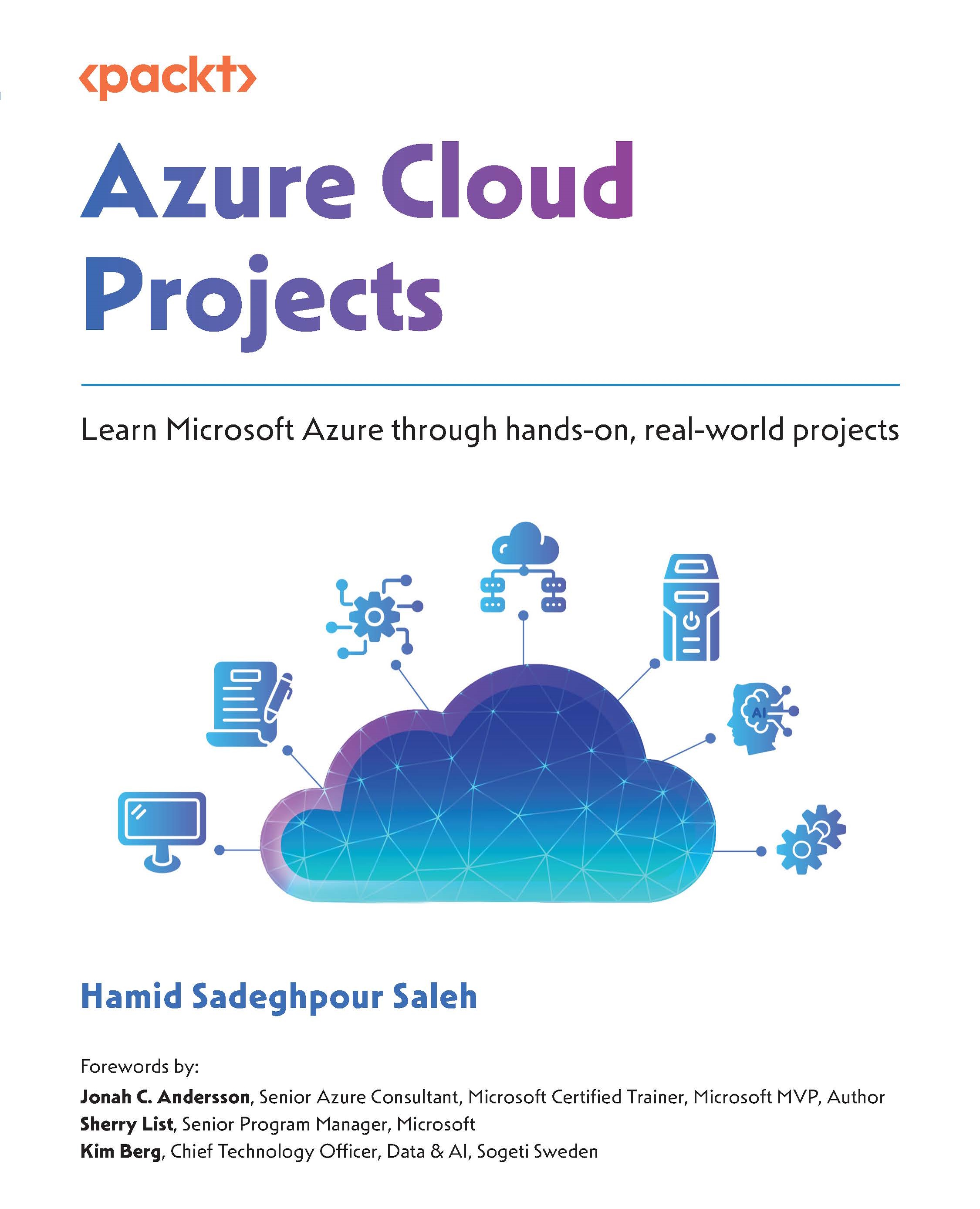
Azure Cloud Projects

Azure Cloud Projects: Learn Microsoft Azure through hands-on, real-world projects

Arrow left icon
Profile Icon Hamid Sadeghpour Saleh
Arrow right icon
₱1836.89 ₱2040.99
Full star icon Full star icon Full star icon Empty star icon Empty star icon 3 (2 Ratings)
eBook May 2025 258 pages 1st Edition
eBook
₱1836.89 ₱2040.99
Paperback
₱2551.99
eBook + Subscription
Free Trial
Arrow left icon
Profile Icon Hamid Sadeghpour Saleh
Arrow right icon
₱1836.89 ₱2040.99
Full star icon Full star icon Full star icon Empty star icon Empty star icon 3 (2 Ratings)
eBook May 2025 258 pages 1st Edition
eBook
₱1836.89 ₱2040.99
Paperback
₱2551.99
eBook + Subscription
Free Trial
eBook
₱1836.89 ₱2040.99
Paperback
₱2551.99
eBook + Subscription
Free Trial

What do you get with eBook?

Product feature icon Instant access to your Digital eBook purchase
Product feature icon Download this book in EPUB and PDF formats
Product feature icon Access this title in our online reader with advanced features
Product feature icon DRM FREE - Read whenever, wherever and however you want
Product feature icon AI Assistant (beta) to help accelerate your learning
Modal Close icon
Payment Processing...
tick Completed

Billing Address

Table of content icon View table of contents Preview book icon Preview Book

Azure Cloud Projects

Introduction to Azure and Cloud Computing

You land here! The world of Azure and cloud computing with real life scenarios and hands on experience! In this chapter, we will lay the foundation for your journey into cloud technologies by learning about the essential concepts of cloud computing and the Microsoft Azure platform, because I truly believe in a strong foundation and specially since in this book we will be covering different projects in an advance level. As businesses increasingly move to the cloud, understanding these basics is critical for anyone looking to work with modern IT infrastructure and services.

We will start by exploring the fundamentals of Microsoft Azure, one of the leading cloud platforms in the market, in brief We’ll learn about the features of Microsoft Azure, such as scalability, cost efficiency, and flexibility, which are driving its adoption across industries.

Next, we will dive into an overview of Microsoft Azure portal and learn about its core services and solutions, including computing, storage, networking, and databases. We’ll also discuss the global network of Azure data centers and the importance of regions and availability zones in ensuring high availability and resilience.

By the end of this chapter, we will have a solid understanding of cloud computing principles and the Azure ecosystem. This knowledge will serve as the foundation for the hands-on projects and advanced topics we’ll cover in the subsequent chapters. We’ll be ready to start building, deploying, and managing cloud solutions on Azure, harnessing the power of the cloud to meet modern business needs.

This chapter will cover the following topics:

  • What is Microsoft Azure?
  • Exploring the Azure Portal
  • Overview of Azure Core Services and Solutions
  • Understanding Azure Regions and Availability

What is Microsoft Azure?

Microsoft Azure is a comprehensive suite of cloud services designed to help organizations build, deploy, and manage applications through Microsoft-managed data centers. Launched in 2010, Azure has rapidly grown to become a leading cloud platform, offering a wide range of services including computing, analytics, storage, and networking (https://www.forbes.com/sites/janakirammsv/2020/02/03/a-look-back-at-ten-years-of-microsoft-azure/).

Azure provides a highly flexible, scalable and open platform, supporting a broad selection of operating systems, programming languages, frameworks, databases, and devices. This versatility allows businesses to use their preferred tools and technologies while leveraging the benefits of cloud computing. You can find more about Azure Fundamentals and Core Cloud Concepts on https://learn.microsoft.com/en-us/training/paths/microsoft-azure-fundamentals-describe-cloud-concepts/.

Features

Let’s look at some of its features:

  • Global reach: Microsoft operates data centers in numerous regions worldwide, ensuring that Azure services are available wherever you need them. This extensive network of data centers allows businesses to deploy applications closer to their customers, reducing latency and improving performance. For example, a global e-commerce company can use Azure’s data centers in different regions to ensure that their website loads quickly for users in Europe, Asia, and North America.
  • Scalability: Whether you’re running a small web application or a large-scale enterprise solution, Azure can scale to meet your needs. You can easily adjust resources up or down based on demand, ensuring that you only pay for what you use. This elasticity is particularly beneficial for businesses with fluctuating workloads, such as retail companies that experience spikes during holiday shopping seasons.
  • Security and compliance: Azure provides built-in security controls, identity management, and threat detection services. Additionally, Microsoft invests heavily in securing its infrastructure, ensuring compliance with numerous industry standards and regulations.

    For example, Azure’s identity and access management (IAM) tools, such as Azure Active Directory, allow businesses to manage user identities and control access to resources securely. This is particularly useful for organizations with stringent security requirements, such as financial institutions or healthcare providers.

  • Integration: Azure seamlessly integrates with other Microsoft products and services, such as Office 365, Dynamics 365, and Active Directory. This integration simplifies the management of cloud and on-premises environments, providing a unified and cohesive experience. For instance, a business using Office 365 for productivity can easily integrate it with Azure Active Directory to manage user access and enhance security.
  • Flexibility: Moreover, Azure supports a wide range of third-party tools and platforms, allowing businesses to use their preferred technologies while leveraging Azure’s powerful cloud capabilities. For example, developers can use popular development frameworks like .NET, Java, or Node.js, and integrate them with Azure’s services to build robust and scalable applications.

Next, we will explore Azure’s core services and solutions in greater detail, providing you with the knowledge and tools needed to harness the full potential of Microsoft Azure. This foundational understanding will prepare you for the hands-on projects and advanced topics covered in the subsequent chapters.

Core Azure Services and Solutions

Microsoft Azure offers a vast array of services that cater to various business needs, ranging from computing power and storage to advanced analytics and machine learning. In this section, we will explore some of the core services provided by Azure, giving you a comprehensive understanding of the platform’s capabilities and how you can leverage them for your projects.

Virtual Machines

Azure Virtual Machines (VMs) offer a flexible and scalable way to run applications in the cloud. You can create VMs with various operating systems, including Windows and Linux, and configure them with the resources needed for your applications. For instance, a development team can use VMs to create isolated environments for testing different software versions without impacting production systems.

Creating a VM in Azure is straightforward. You can select the desired operating system, VM size, and configuration through the Azure Portal or use an ARM template for automated deployment. Once deployed, you can manage your VM through the portal, including starting, stopping, and resizing as needed.

Azure App Services

Azure App Services is a fully managed platform for building, deploying, and scaling web apps, mobile backends, and RESTful APIs. With App Services, you can host applications written in various languages, such as .NET, Java, Node.js, PHP, and Python. The platform handles infrastructure management, allowing you to focus on developing your application.

For example, if you are developing a web application, you can use Azure App Services to deploy your app quickly, ensuring high availability and automatic scaling based on demand. The platform also integrates with popular development tools, such as Visual Studio and GitHub, to streamline your development workflow.

Azure Functions

Azure Functions is a serverless compute service that enables you to run code on-demand without managing the underlying infrastructure. This service is ideal for tasks that require short-lived processing, such as responding to HTTP requests, processing data from a queue, or running scheduled tasks.

Using Azure Functions, you can focus on writing code while Azure handles the infrastructure. For instance, an e-commerce website can use Azure Functions to process orders as they are placed, automatically scaling to handle varying loads without any manual intervention.

Storage Services

Azure’s storage services provide secure, scalable, and durable storage solutions for a wide range of data types and applications. You can learn more about Azure Storage Services and option on https://learn.microsoft.com/en-us/azure/storage/common/storage-introduction

Here’s a few examples of Azure Storage Services:

  • Azure Blob Storage: Azure Blob Storage is designed for storing large amounts of unstructured data, such as documents, images, videos, and backups. It is highly scalable and cost-effective, making it suitable for applications that require extensive data storage.

    For example, a media company can use Blob Storage to store and stream video content to users worldwide. Blob Storage supports various access tiers, allowing you to balance cost and performance based on your needs. You can also integrate Blob Storage with other Azure services, such as Azure CDN, to enhance content delivery performance.

  • Azure File Storage: Azure File Storage provides fully managed file shares in the cloud, accessible via the Server Message Block (SMB) protocol. This service is useful for scenarios where you need shared storage accessible from multiple virtual machines or applications.

    For instance, a global team working on a software project can use Azure File Storage to collaborate on code and documents, ensuring all team members have access to the latest versions. Azure File Storage supports both standard and premium performance tiers, allowing you to choose the appropriate level of performance for your workloads.

  • Azure Disk Storage: Azure Disk Storage offers high-performance, durable block storage for use with Azure VMs. It is ideal for applications that require low-latency access to data, such as databases and enterprise applications.

    When you create a VM in Azure, you can attach managed disks to provide persistent storage. Azure Disk Storage offers various disk types, including Standard HDD, Standard SSD, and Premium SSD, to meet different performance and cost requirements.

Networking services

Networking is a critical component of cloud infrastructure, and Azure provides a comprehensive suite of networking services to connect and manage your resources.

  • Azure Virtual Network (VNet): Azure Virtual Network (VNet) enables you to create isolated networks within the Azure cloud. You have full control over IP address ranges, subnets, routing, and security settings, allowing you to design and manage your network infrastructure.

    For example, you can use VNet to segment your applications into different subnets for better security and management. You can also establish secure connections between your on-premises network and Azure VNet using VPN Gateway or ExpressRoute.

  • Azure Load Balancer: Azure Load Balancer distributes incoming network traffic across multiple resources, ensuring high availability and reliability. It is essential for applications that require high uptime and can scale to handle varying loads.

    For instance, an online retail website can use Azure Load Balancer to distribute traffic across multiple web servers, ensuring that no single server becomes a bottleneck during peak shopping periods. This setup improves performance and provides fault tolerance.

  • Azure Content Delivery Network (CDN): Azure CDN is designed to deliver high-bandwidth content to users globally with low latency. It caches content at strategically located edge nodes around the world, ensuring fast delivery to users regardless of their geographic location.

    A media streaming service can use Azure CDN to distribute video content efficiently, reducing load times and improving the user experience. The CDN integrates seamlessly with Azure Blob Storage, making it easy to set up and manage.

  • Azure VPN Gateway and Azure ExpressRoute: For secure and scalable connectivity between on-premises networks and Azure, Azure VPN Gateway and Azure ExpressRoute offer robust solutions. These services provide encrypted tunnels and dedicated private connections, ensuring secure data transfer between your on-premises infrastructure and Azure.

Database Services

Azure provides a variety of managed database services to support different types of data and workloads.

  • Azure SQL Database: Azure SQL Database is a fully managed relational database service built on SQL Server. It offers high availability, security, and performance, making it suitable for a wide range of applications, from small web apps to large enterprise solutions.

    For example, a financial services company can use SQL Database to manage transaction data securely and efficiently. The service supports advanced features like automatic tuning, threat detection, and geo-replication to ensure optimal performance and security.

  • Azure Cosmos DB: Azure Cosmos DB is a globally distributed, multi-model database service that provides turnkey global distribution and horizontal scaling. It is designed for applications that require low-latency access to data across multiple regions.

    For instance, a social media platform can use Cosmos DB to store user profiles and activity logs, ensuring fast access regardless of the user’s location. Cosmos DB supports multiple data models, including document, key-value, graph, and column-family, making it a versatile choice for various use cases.

  • Azure Database for MySQL and PostgreSQL: Azure offers managed database services for MySQL and PostgreSQL, providing scalable and secure database solutions for open-source database engines. These services are ideal for businesses that prefer using open-source databases but want to benefit from Azure’s management and scaling capabilities.

For example, a tech startup can use Azure Database for MySQL to manage their application’s backend database, leveraging built-in high availability and automated backups to ensure data integrity and uptime.

Understanding Azure’s core services and solutions is crucial for effectively leveraging the platform to meet your business needs. Whether you need compute power, storage solutions, networking capabilities, or managed databases, Azure provides a comprehensive suite of services to support your applications.

Now that we have covered Azure Fundamentals and have a bit of context from basics, we now know how Azure can help with the services and features and how we can benefit from it. Let’s explore Azure portal to see how we work with the dashboard.

Exploring the Azure Portal

Navigating and utilizing the Azure Portal is an essential skill for anyone working with Microsoft Azure. The Azure Portal is a web-based application that provides a graphical user interface (GUI) to manage your Azure resources efficiently. In this section, we will explore the features of the Azure Portal, how to navigate it, and how to create and manage resources.

It’s best to always check for Azure Updates and Portal changes since there are frequent updates to the dashboard and configurations. A good resource for doing so is https://learn.microsoft.com/en-us/azure/azure-portal/.

The following image shows how the first landing page in Azure Portal looks like with the default resources, seen in the dashboard.

Figure 1.1 – Azure Portal dashboard landing page

Figure 1.1 – Azure Portal dashboard landing page

Getting Started

To get started with the Azure Portal, you first need to access it through your web browser. Visit https://portal.azure.com and log in with your Azure account credentials. If you don’t have an Azure account yet, you can sign up for a free account at https://azure.microsoft.com/, which provides access to a range of Azure services and a credit to explore them.

Upon logging in, you will be greeted by the Azure Portal’s home screen, as shown in Figure 1.2.

Figure 1.2 – Azure Portal Welcome Page

Figure 1.2 – Azure Portal Welcome Page

This home screen features a customizable dashboard that provides an overview of your resources and services. The dashboard is designed to help you quickly access and manage the Azure services you use most frequently.

Customizing Your Dashboard

The Azure Portal dashboard is highly customizable, allowing you to tailor it to your specific needs. You can add, remove, and rearrange tiles to create a personalized workspace. For example, you might add tiles for virtual machines, storage accounts, and resource groups that you frequently manage. This customization helps you stay organized and improves your workflow by keeping important information and tools at your fingertips.

To customize your dashboard, click on the Dashboard button in the left-hand navigation pane, then click Edit on the top menu. From here, you can drag and drop tiles, resize them, and add new ones by clicking on the Add tile button. The following figure demonstrates these features:

Figure 1.3 – Azure Dashboards where you can Edit tiles, add new tiles depending on need

Navigating the Azure Portal

The Azure Portal is designed to be intuitive and user-friendly. The main navigation pane on the left side of the screen provides access to all Azure services, organized by category. As seen in Figure 1.3, this navigation pane includes options such as Home, Dashboard, All services, Resource groups, and Subscriptions.

Let’s learn more about these options:

  • Home: The home screen provides a high-level overview of your Azure environment, including recent resources, common tasks, and quick access to essential tools.
  • Dashboard: The dashboard is your customizable workspace where you can pin frequently used resources and services.
  • All services: This section lists all available Azure services, categorized for easy browsing. You can use the search bar to quickly find specific services.
  • Resource groups: Resource groups are logical containers that help you manage and organize your Azure resources. They are essential for grouping related resources together for better management.
  • Subscriptions: This section provides information about your Azure subscriptions, including billing details, usage, and quotas.

Using the Search Bar

The search bar at the top of the Azure Portal is a powerful tool that allows you to quickly find resources, services, and documentation. Figure 1.4 shows how it looks like:

Figure 1.4 – Azure Portal – Using Search Bar

Figure 1.4 – Azure Portal – Using Search Bar

As you may see in the preceding figure, all you need to do is type in the name of the resource or service you are looking for, and the search bar will provide relevant suggestions. For example, if you type virtual machine, the search bar will display options to create a new virtual machine, view existing virtual machines, and access related documentation.

Creating and Managing Resources

Creating and managing resources in the Azure Portal is straightforward. Azure provides a wide range of services and resources that you can deploy to meet your specific needs. Whether you are setting up a virtual machine, a database, or a web app, the Azure Portal makes it easy to get started.

Creating a Resource

To create a new resource, click on the Create a resource button located in the left-hand navigation pane, as shown in Figure 1.5. This will take you to the Azure Marketplace, where you can browse and select from a vast array of services and applications. The Marketplace offers everything from virtual machines and databases to artificial intelligence and machine learning services.

Figure 1.5 – Example of Creating a Resource in Azure Portal

Figure 1.5 – Example of Creating a Resource in Azure Portal

For example, let’s say you want to create a new virtual machine. You’d follow these steps to do so:

  1. Click on Create a resource in the left-hand navigation pane.
  2. In the search bar, type Virtual Machine and select the appropriate option from the results.
  3. Click on Create to start the virtual machine creation process.
  4. Follow the guided steps to configure your virtual machine, including selecting the operating system, size, and region, as well as configuring networking and storage options.
  5. Once you have configured all the settings, click on Review + create to review your configurations and then click Create to deploy the virtual machine.

The Azure Portal will provide real-time status updates as your virtual machine is being created. Once the deployment is complete, you can manage your virtual machine from the Azure Portal.

Managing Resources

The Azure Portal provides comprehensive tools for managing your resources. After creating a resource, you can monitor its performance, configure settings, and set up alerts to stay informed about its status. For example, if you created a virtual machine, you can view its metrics, start or stop the VM, and adjust its size or configuration as needed.

Additionally, the Azure Portal integrates with Azure Monitor and Azure Security Center, providing advanced monitoring and security capabilities. Azure Monitor helps you collect, analyze, and act on telemetry data from your cloud and on-premises environments. You can create dashboards, set up alerts, and create automated actions based on your monitoring data.

Azure Security Center provides unified security management and advanced threat protection for your Azure resources. It offers security recommendations, threat detection, and compliance management to help you safeguard your resources and data.

Using Azure Resource Manager Templates

For consistent and efficient resource deployment, Azure Resource Manager (ARM) templates are invaluable. ARM templates are JSON files that define the infrastructure and configuration for your Azure deployment. By using ARM templates, you can automate the deployment process, ensuring that your environments are set up consistently across different stages of development and production.

To deploy resources using an ARM template, follow these steps:

  1. In the Azure Portal, click on Create a resource.
  2. Search for Template deployment and select Deploy a custom template.
  3. Click on Build your own template in the editor to create or paste your ARM template.
  4. Once the template is defined, click on Save and proceed to fill out the required parameters for the deployment.
  5. Click on Review + create to review the template configurations, and then click Create to deploy the resources.

ARM templates enable you to define complex deployments, including dependencies between resources, and ensure that your infrastructure is consistently deployed every time.

The Azure Portal is a powerful and user-friendly interface for managing your Azure resources. By customizing your dashboard, navigating the portal, and utilizing its comprehensive tools, you can efficiently manage your cloud infrastructure. Creating and managing resources is straightforward, and advanced features like Azure Monitor, Azure Security Center, and ARM templates provide robust capabilities for monitoring, security, and automation.

In the next section, we will explore the concept of Azure regions and availability zones, which are essential for designing highly available and resilient cloud architectures. This knowledge will further enhance your ability to build robust and scalable solutions on Microsoft Azure, preparing you for the hands-on projects and advanced topics covered in the subsequent chapters.

Understanding Azure Regions and Availability Zones

To fully harness the power of Microsoft Azure, it’s crucial to understand the concepts of regions and availability zones. These foundational elements play a significant role in how you design, deploy, and manage your applications and services in the cloud. In this section, we will delve into what Azure regions and availability zones are, how they work, and why they are essential for building resilient, high-availability solutions.

Azure Regions

Azure regions are geographic locations around the world where Microsoft has established data centers. Each region contains multiple data centers that are logically grouped together to provide redundancy and high availability. These regions are interconnected through a dedicated low-latency network, ensuring seamless connectivity and data transfer. As shown in the following figure, there are different Regions with Availability Zones and Datacenters.

Figure 1.6 – Azure Availability Zones in Different Regions

Figure 1.6 – Azure Availability Zones in Different Regions

Why Regions Matter

Regions are critical for several reasons:

  • Latency and Performance: By selecting a region close to your end-users, you can minimize latency and improve application performance. For example, if your primary user base is in Europe, deploying your application in an Azure region in Europe will provide faster response times compared to a region in North America.
  • Compliance and Data Sovereignty: Different regions may have specific regulatory and compliance requirements. Choosing a region that complies with local laws and regulations is essential for meeting data sovereignty requirements. For instance, a financial services company operating in Germany might choose the Germany West Central region to ensure compliance with local data protection laws.
  • Redundancy and Disaster Recovery: Using multiple regions can enhance the resilience of your applications. By replicating data and services across regions, you can ensure continuity in the event of a regional outage. This approach is critical for disaster recovery planning.

Examples of Azure Regions

Azure has a broad global footprint with regions in various parts of the world, including:

  • North America: East US, West US, Central US, Canada Central
  • Europe: North Europe, West Europe, UK South, Germany West Central
  • Asia Pacific: East Asia, Southeast Asia, Australia East, Japan East
  • South America: Brazil South
  • Middle East and Africa: UAE North, South Africa North

Each region offers a range of services, although availability can vary. When planning your deployment, it’s essential to check the specific services available in your chosen region. For more information about Azure Regions and Availability Zones you can also visit https://learn.microsoft.com/en-us/azure/reliability/availability-zones-overview?tabs=azure-cli.

Availability Zones

Within Azure regions, there are availability zones. An availability zone is a physically separate location within a region. Each availability zone consists of one or more data centers equipped with independent power, cooling, and networking. The isolation provided by availability zones ensures that if one zone experiences an outage, the others continue operating, thus enhancing the overall availability of your applications.

How do Availability Zones Work?

Availability zones are designed to provide high availability and fault tolerance. Azure guarantees 99.99% uptime for virtual machines deployed across availability zones. This is achieved by distributing resources across multiple zones within a region.

How can Availability Zones be implemented?

When creating resources in Azure, you can specify the availability zone in which to deploy them. For example, when creating a VM, you can choose to deploy it in Zone 1, Zone 2, or Zone 3 within a specific region. By strategically distributing your resources, you can enhance the resilience and availability of your applications.

Benefits of Using Availability Zones

Some key benefits of using availability zones are as follows:

  • High Availability: By deploying resources across multiple availability zones, you can ensure that your applications remain available even if one zone fails. This approach is particularly important for mission-critical applications that require constant uptime.
  • Fault Isolation: Each availability zone is isolated from the others, so issues like power outages or network disruptions in one zone do not affect the others. This isolation helps contain faults and minimize their impact on your applications.
  • Disaster Recovery: Availability zones are ideal for setting up disaster recovery solutions. You can replicate data and services across zones to ensure quick recovery in the event of a failure. For example, an e-commerce website can deploy its web servers in one zone and its database servers in another, ensuring that both tiers remain operational during an outage.

Examples of Services Supporting Availability Zones

Not all Azure services support availability zones, but many critical services do, including:

  • VMs: Deploy VMs across zones to ensure high availability.
  • Managed Disks: These store VM disks in different zones to prevent data loss.
  • Load Balancers: These distribute traffic across zones for balanced and resilient application delivery.
  • Azure Kubernetes Service (AKS): These deploy AKS nodes across zones for resilient container orchestration.
  • SQL Databases: These use zone-redundant databases to protect against zone failures.

Designing for High Availability and Resilience

To design high-availability applications on Azure, it’s essential to leverage both regions and availability zones effectively. Here are some strategies:

  • Multi-Region Deployment: This ensures application availability by deploying across multiple regions.
  • Zone-Redundant Architecture: This increases fault tolerance by distributing components across availability zones.
  • Automated Failover and Recovery: This minimizes downtime with automated failover mechanisms.
  • Regular Testing and Monitoring: This ensures readiness with regular disaster recovery testing and monitoring.

Understanding Azure regions and availability zones is fundamental for designing resilient and highly available applications. By strategically selecting regions and distributing resources across availability zones, you can enhance the performance, availability, and fault tolerance of your applications. Leveraging these concepts effectively will prepare you for the hands-on projects and advanced topics covered in the subsequent chapters, ensuring that you can build robust and scalable solutions on Microsoft Azure.

Summary

In this chapter, we have covered Microsoft Azure in an Engineering perspective, we’ve tried to cover the benefits that Microsoft Azure can add to your environment by exploring Azure in general and checking what you can do with the Portal, dashboards for a better monitoring and observability and then diving into Core Services and Solutions that we can benefit from, also, we’ve covered Azure Regions and Availability since having a better understanding of Availability will help you more with the next chapters and in your overall Architectural journey.

Now that you know about Microsoft Azure Services and Cloud Computing, it’s time for the next chapter. We will jump into real world scenarios where we will learn how to put together these services from design to implementation to achieve most of the needs within your organization.

Left arrow icon Right arrow icon

Key benefits

  • Explore Entra ID, networking, storage, and serverless through guided Azure projects
  • Develop practical solutions using CI/CD pipelines, containerized apps, and security practices
  • Build confidence in governance and cost optimization to manage Microsoft Azure projects effectively
  • Get With Your Book: PDF Copy, AI Assistant, and Next-Gen Reader Free

Description

Want to get hands-on with Microsoft Azure and boost your cloud solution skills by working on real-world projects? Azure Cloud Projects is your go-to resource. Written by a seasoned Microsoft Cloud Technologies Architect renowned for his expertise in crafting innovative solutions, this guide will empower you to build real-world cloud apps using Microsoft Azure. Through real-world projects, you’ll explore core cloud concepts and gain the experience needed to confidently launch your cloud engineer career. The chapters help you build a strong foundation in cloud computing and Azure services, including how to set up your Azure account and navigate the portal. You’ll learn how to develop increasingly complex solutions as you progress, from configuring networks and deploying web apps to managing databases and containerized applications. Advancing through the chapters, you’ll learn how to implement identity and access controls with Entra ID, automate workflows using Azure Functions, build a CI/CD pipeline with Azure DevOps, and optimize cloud costs for scalable growth. By the end of this book, you’ll have a solid grasp of Microsoft Azure’s capabilities and a portfolio of practical projects that showcase your job-ready skills, preparing you for Azure certification paths and success in entry-level cloud engineer roles.

Who is this book for?

If you are new to cloud computing and want to build a solid foundation in Microsoft Azure, this book is for you. Ideal for aspiring cloud engineers, junior developers, IT support staff, students, and certification seekers, it offers simple, step-by-step guidance to help you gain confidence in the cloud. No prior Azure experience is needed, only a basic understanding of cloud concepts and programming will be helpful.

What you will learn

  • Set up Microsoft Azure and explore cloud fundamentals
  • Implement Entra ID and hybrid identity solutions
  • Build and secure storage using Azure Blob Storage
  • Design virtual networks and configure VPN gateways
  • Deploy and manage cloud apps with Azure App Service
  • Create CI/CD pipelines using Azure DevOps
  • Deploy containerized applications with Azure Kubernetes Service

Product Details

Country selected
Publication date, Length, Edition, Language, ISBN-13
Publication date : May 21, 2025
Length: 258 pages
Edition : 1st
Language : English
ISBN-13 : 9781836204220
Vendor :
Microsoft
Tools :

What do you get with eBook?

Product feature icon Instant access to your Digital eBook purchase
Product feature icon Download this book in EPUB and PDF formats
Product feature icon Access this title in our online reader with advanced features
Product feature icon DRM FREE - Read whenever, wherever and however you want
Product feature icon AI Assistant (beta) to help accelerate your learning
Modal Close icon
Payment Processing...
tick Completed

Billing Address

Product Details

Publication date : May 21, 2025
Length: 258 pages
Edition : 1st
Language : English
ISBN-13 : 9781836204220
Vendor :
Microsoft
Tools :

Packt Subscriptions

See our plans and pricing
Modal Close icon
$19.99 billed monthly
Feature tick icon Unlimited access to Packt's library of 7,000+ practical books and videos
Feature tick icon Constantly refreshed with 50+ new titles a month
Feature tick icon Exclusive Early access to books as they're written
Feature tick icon Solve problems while you work with advanced search and reference features
Feature tick icon Offline reading on the mobile app
Feature tick icon Simple pricing, no contract
$199.99 billed annually
Feature tick icon Unlimited access to Packt's library of 7,000+ practical books and videos
Feature tick icon Constantly refreshed with 50+ new titles a month
Feature tick icon Exclusive Early access to books as they're written
Feature tick icon Solve problems while you work with advanced search and reference features
Feature tick icon Offline reading on the mobile app
Feature tick icon Choose a DRM-free eBook or Video every month to keep
Feature tick icon PLUS own as many other DRM-free eBooks or Videos as you like for just ₱260 each
Feature tick icon Exclusive print discounts
$279.99 billed in 18 months
Feature tick icon Unlimited access to Packt's library of 7,000+ practical books and videos
Feature tick icon Constantly refreshed with 50+ new titles a month
Feature tick icon Exclusive Early access to books as they're written
Feature tick icon Solve problems while you work with advanced search and reference features
Feature tick icon Offline reading on the mobile app
Feature tick icon Choose a DRM-free eBook or Video every month to keep
Feature tick icon PLUS own as many other DRM-free eBooks or Videos as you like for just ₱260 each
Feature tick icon Exclusive print discounts

Table of Contents

12 Chapters
Chapter 1: Introduction to Azure and Cloud Computing Chevron down icon Chevron up icon
Chapter 2: Implementing Entra ID and Hybrid Connectivity Chevron down icon Chevron up icon
Chapter 3: Implementing Azure Storage Solutions Chevron down icon Chevron up icon
Chapter 4: Understanding the Azure Network Topology, Design Principles, and Best Practices Chevron down icon Chevron up icon
Chapter 5: Implementing a Serverless Solution Chevron down icon Chevron up icon
Chapter 6: Principles and Practices of Scalable Data Management Chevron down icon Chevron up icon
Chapter 7: Building a Continuous Integration and Continuous Delivery Pipeline Chevron down icon Chevron up icon
Chapter 8: Designing and Building a Containerized Solution on Azure Chevron down icon Chevron up icon
Chapter 9: Enhancing Security and Compliance in an Azure Project Chevron down icon Chevron up icon
Chapter 10: Developing a Cloud Cost Optimization Strategy Chevron down icon Chevron up icon
Index Chevron down icon Chevron up icon
Other Books You May Enjoy Chevron down icon Chevron up icon

Customer reviews

Rating distribution
Full star icon Full star icon Full star icon Empty star icon Empty star icon 3
(2 Ratings)
5 star 0%
4 star 50%
3 star 0%
2 star 50%
1 star 0%
N/A Jul 28, 2025
Full star icon Full star icon Full star icon Full star icon Empty star icon 4
he Azure Cloud Projects book offers a practical and well-structured guide for professionals looking to enhance their real-world Azure skills. Its project-based approach is particularly valuable, helping readers move beyond theory and into implementation. I will suggest more technical examples based on best practices and solutions.
Feefo Verified review Feefo
Joey Fam Aug 10, 2026
Full star icon Full star icon Empty star icon Empty star icon Empty star icon 2
The book itself looks good; the literal object is of good quality and arrived on time, as advertised. There are lots of diagrams, and those diagrams are all generally very good. The rest of the contents, however, are...wanting, in my opinion. It gave a number of projects, but many of them had some pretty glaring omissions. Most memorably, one of the chapters was talking about identity management. That's a great topic! What was it's project? Connecting with an existing Active Directory server. "Oh yes, that spare Active Directory server I keep around just in case of an Azure project!" ...nobody has an AD server just lying around; if it's in use, it's not something I'd want to experiment on, and if not, spinning one up is a 1-3 hour project on its own that's just glossed over. Another project was "you can do a point to point VPN between your building and your Azure environment, so things don't have to be publicly accessible!" ...this sounds great, but here's a direct quote from this project: "After provisioning the VPN gateway, configure your on-premises VPN device to establish a site-to-site VPN connection with Azure. Azure provides configuration scripts tailored to different VPN devices, which you can download and apply to your on-premises equipment." Oh yes, "just configure a VPN" with the added bonus of "scripts exist" - no link or indication of where, or which ones...just "do the thing". That's great, but...I'm pretty sure that if you've got enough understanding to be able to just-configure a point-to-point VPN with no handholding, the rest of the chapter was unnecessary. None of the projects I went through were complete enough to give a true sense of accomplishment when done, nor were the instructions comprehensive enough to be able to follow them through without having to get Google and/or ChatGPT involved. One last thing that I personally found a nuisance, was the QR code to the packt website at the end of every chapter - that's for an appendix, not something I need at the end of every chapter.
Feefo Verified review Feefo
Get free access to Packt library with over 7500+ books and video courses for 7 days!
Start Free Trial

FAQs

How do I buy and download an eBook? Chevron down icon Chevron up icon

Where there is an eBook version of a title available, you can buy it from the book details for that title. Add either the standalone eBook or the eBook and print book bundle to your shopping cart. Your eBook will show in your cart as a product on its own. After completing checkout and payment in the normal way, you will receive your receipt on the screen containing a link to a personalised PDF download file. This link will remain active for 30 days. You can download backup copies of the file by logging in to your account at any time.

If you already have Adobe reader installed, then clicking on the link will download and open the PDF file directly. If you don't, then save the PDF file on your machine and download the Reader to view it.

Please Note: Packt eBooks are non-returnable and non-refundable.

Packt eBook and Licensing When you buy an eBook from Packt Publishing, completing your purchase means you accept the terms of our licence agreement. Please read the full text of the agreement. In it we have tried to balance the need for the ebook to be usable for you the reader with our needs to protect the rights of us as Publishers and of our authors. In summary, the agreement says:

  • You may make copies of your eBook for your own use onto any machine
  • You may not pass copies of the eBook on to anyone else
How can I make a purchase on your website? Chevron down icon Chevron up icon

If you want to purchase a video course, eBook or Bundle (Print+eBook) please follow below steps:

  1. Register on our website using your email address and the password.
  2. Search for the title by name or ISBN using the search option.
  3. Select the title you want to purchase.
  4. Choose the format you wish to purchase the title in; if you order the Print Book, you get a free eBook copy of the same title. 
  5. Proceed with the checkout process (payment to be made using Credit Card, Debit Cart, or PayPal)
Where can I access support around an eBook? Chevron down icon Chevron up icon
What eBook formats do Packt support? Chevron down icon Chevron up icon

Our eBooks are currently available in a variety of formats such as PDF and ePubs. In the future, this may well change with trends and development in technology, but please note that our PDFs are not Adobe eBook Reader format, which has greater restrictions on security.

You will need to use Adobe Reader v9 or later in order to read Packt's PDF eBooks.

What are the benefits of eBooks? Chevron down icon Chevron up icon
  • You can get the information you need immediately
  • You can easily take them with you on a laptop
  • You can download them an unlimited number of times
  • You can print them out
  • They are copy-paste enabled
  • They are searchable
  • There is no password protection
  • They are lower price than print
  • They save resources and space
What is an eBook? Chevron down icon Chevron up icon

Packt eBooks are a complete electronic version of the print edition, available in PDF and ePub formats. Every piece of content down to the page numbering is the same. Because we save the costs of printing and shipping the book to you, we are able to offer eBooks at a lower cost than print editions.

When you have purchased an eBook, simply login to your account and click on the link in Your Download Area. We recommend you saving the file to your hard drive before opening it.

For optimal viewing of our eBooks, we recommend you download and install the free Adobe Reader version 9.

Modal Close icon
Modal Close icon