Search icon CANCEL
Subscription
0
Cart icon
Your Cart (0 item)
Close icon
You have no products in your basket yet
Save more on your purchases! discount-offer-chevron-icon
Savings automatically calculated. No voucher code required.
Arrow left icon
Explore Products
Best Sellers
New Releases
Books
Videos
Audiobooks
Learning Hub
Newsletter Hub
Free Learning
Arrow right icon
timer SALE ENDS IN
0 Days
:
00 Hours
:
00 Minutes
:
00 Seconds
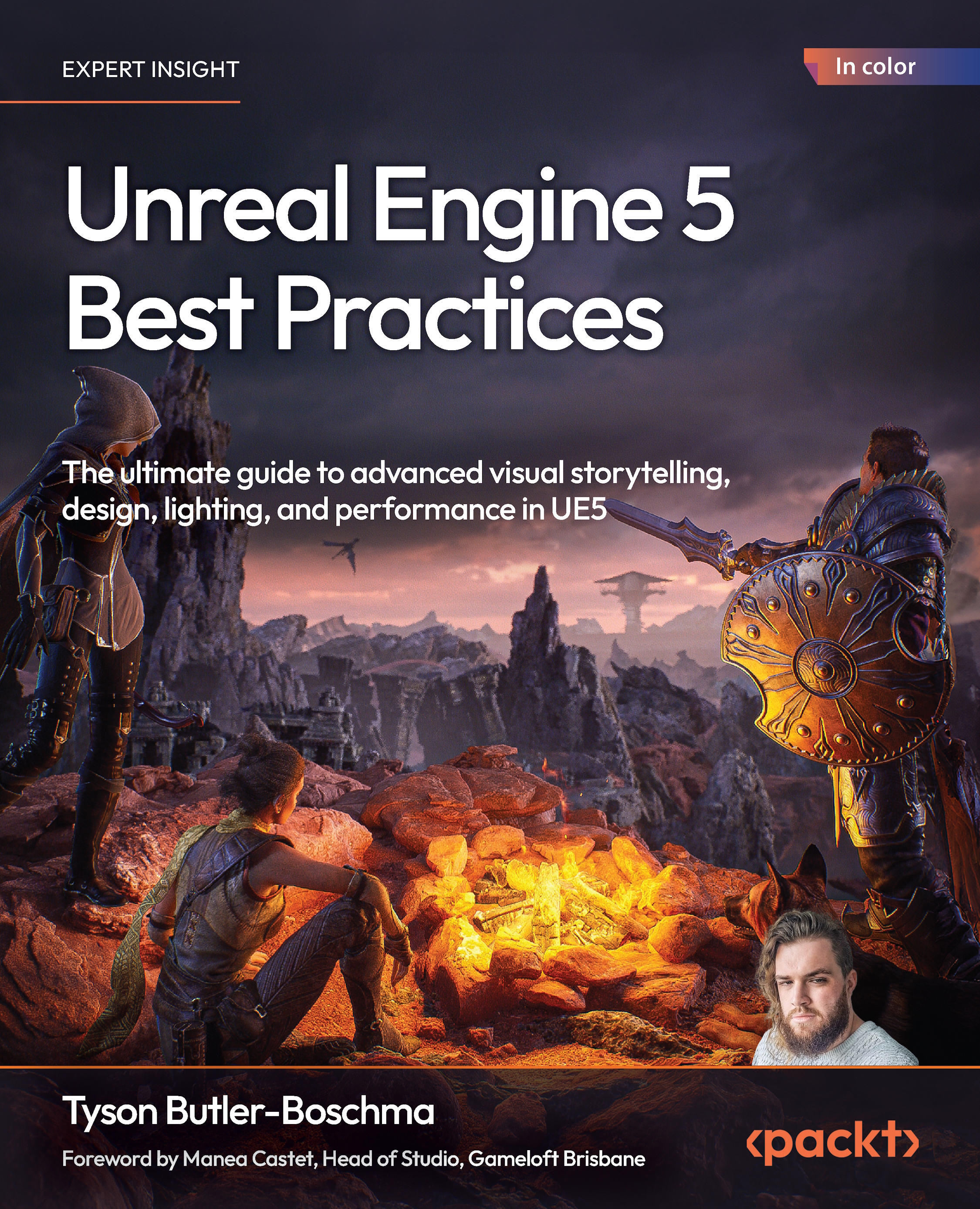
Unreal Engine 5 Best Practices

Unreal Engine 5 Best Practices: The ultimate guide to advanced visual storytelling, design, lighting, and performance in UE5

Arrow left icon
Profile Icon Tyson Butler-Boschma
Arrow right icon
Mex$180 Mex$738.99
eBook Dec 2025 360 pages 1st Edition
eBook
Mex$180 Mex$738.99
Paperback
Mex$922.99
Subscription
Free Trial
Arrow left icon
Profile Icon Tyson Butler-Boschma
Arrow right icon
Mex$180 Mex$738.99
eBook Dec 2025 360 pages 1st Edition
eBook
Mex$180 Mex$738.99
Paperback
Mex$922.99
Subscription
Free Trial
eBook
Mex$180 Mex$738.99
Paperback
Mex$922.99
Subscription
Free Trial

What do you get with eBook?

Product feature icon Instant access to your Digital eBook purchase
Product feature icon Download this book in EPUB and PDF formats
Product feature icon Access this title in our online reader with advanced features
Product feature icon DRM FREE - Read whenever, wherever and however you want
Modal Close icon
Payment Processing...
tick Completed

Billing Address

Table of content icon View table of contents Preview book icon Preview Book

Unreal Engine 5 Best Practices

Lighting with Lumen and Advanced Techniques

Unreal Engine 5 offers unprecedented tools and workflows for crafting immersive games, stunning cinematic sequences, and detailed interactive environments. This book is your ultimate guide to UE5’s advanced features and integrating them into your projects. From cutting-edge lighting techniques to optimization strategies, each chapter equips you with the practical knowledge and skills needed to elevate your creations to professional standards. Whether you’re designing engaging gameplay environments, crafting interactive narratives, or achieving high visual fidelity without performance compromises, my hope is to ensure that you’re ready to tackle the real-world challenges of game development, filmmaking, and virtual production to create unforgettable experiences.

Lighting is one of the most critical components in game development, cinematic storytelling, and virtual production, as it directly impacts atmosphere, realism...

Free Benefits with Your Book

Your purchase includes a free PDF copy of this book along with other exclusive benefits. Check the Free Benefits with Your Book section in the Preface to unlock them instantly and maximize your learning experience.

Technical requirements

To follow along with this chapter, ensure that you have:

  • Unreal Engine 5.4 or later installed on your system
  • A PC capable of running Unreal Engine 5 with a recommended GPU supporting hardware ray tracing
  • Basic knowledge of Unreal Engine’s user interface and lighting tools
  • Optional: A project with pre-built assets for testing and practice (or start with Unreal’s sample projects)

    Important note

    This book uses several different Fab marketplace assets to show examples. While not required, it is recommended to have pre-built scenes of your choice to follow along or have one you have built yourself previously.

Overview of Lumen as a dynamic global illumination solution

Lumen is Unreal Engine 5’s state-of-the-art solution for dynamic global illumination (GI). Unlike traditional baked lighting techniques that require precalculations and often require significant time investments and computer power for baking, and lack adaptability, Lumen provides real-time feedback and dynamically calculates how light interacts with surfaces and environments. This makes it a revolutionary tool for artists and developers who need immediate visual accuracy without sacrificing creative flexibility.

Lumen achieves this realism by simulating the complex interplay of light rays as they bounce, scatter, and diffuse across surfaces. This technique brings lifelike realism to environments, where changes in lighting conditions, such as moving a light source or altering geometry, are instantly reflected throughout the scene.

Benefits of Lumen over baked lighting methods

Baked lighting has long been...

Setting up Lumen in your project

To unlock Lumen’s full potential, it’s crucial to properly set up your project. This section provides a step-by-step guide to enabling Lumen, optimizing performance, and avoiding common pitfalls. Remember to check the Technical requirements section at the start of this chapter before you begin, and make sure you have the minimum specs required to run UE5 as shown here: https://dev.epicgames.com/documentation/en-us/unreal-engine/hardware-and-software-specifications-for-unreal-engine.

Enabling Lumen in Project Settings

Before you can start using Lumen’s powerful dynamic lighting and reflections, you’ll need to make sure it’s turned on in your project. Don’t worry—it only takes a minute. Here’s how to enable Lumen in Project Settings.

  1. Open Project Settings:
    1. Navigate to the Edit menu and select Project Settings….

    Figure 1.3: Project Settings...

Mastering Lumen for indoor lighting

Lighting interiors effectively is a critical skill in Unreal Engine 5, as it requires balancing realism and visual appeal. Lumen is great for creating dynamic and immersive indoor environments by simulating natural and artificial light interactions in real time. This section will guide you through techniques to achieve lifelike interiors with Lumen while maintaining performance and artistic control.

Balancing natural and artificial light sources

Indoor spaces often rely on a blend of natural light, such as sunlight filtering through windows, and artificial sources such as lamps or overhead fixtures. Lumen enables the seamless blending of these light types (See the Examples subsection):

  • Natural light setup: Use directional lights to simulate sunlight, positioning them to mimic real-world angles based on the time of day. Adjust the intensity and color temperature for a soft morning glow or a warmer evening ambiance. Ensure that...

Advanced Lumen for outdoor environments

Designing breathtaking outdoor environments requires mastery of natural light and atmospheric effects. Lumen provides dynamic lighting capabilities that enable you to craft realistic, immersive outdoor scenes that respond to changing conditions. This section dives into advanced techniques for outdoor lighting using Lumen and its supporting features.

Harnessing directional light for natural sunlight and shadows

Directional light serves as the backbone of outdoor lighting in Unreal Engine. With Lumen, its interaction with the environment becomes dynamically adaptive, ensuring stunning visuals:

  • Simulating natural sunlight: Adjust the intensity and color temperature of the directional light to represent different times of day. For example, use a warmer tone for sunrise or sunset and a cooler tone for midday.

Tips

Use the light’s angle to define shadow lengths, which significantly influence the scene...

Combining Lumen with advanced lighting techniques

Unreal Engine 5’s Lumen delivers unparalleled realism and creative control by game engine standards, but combining it with traditional lighting techniques can elevate your scenes even further. This section focuses on layering additional lighting methods with Lumen to create more refined, cinematic, and visually striking environments.

Layering traditional lighting methods with Lumen

While Lumen handles GI dynamically, traditional lights such as spotlights, point lights, and area lights enable precise control over focal points and shadow diffusion:

  • Spotlights and point lights for focal highlights: Use these lights to emphasize specific areas or objects in your scene, adding drama and guiding the viewer’s attention.

For example, in a gallery setting, a spotlight can highlight an artifact, while a point light adds a subtle glow to nearby objects for ambiance.

  • Area (Rect) lights for realistic...

Optimizing Lumen for performance

Lumen’s dynamic GI delivers impressive results, but balancing performance and quality is essential, especially for projects targeting a wide range of hardware. This section explores strategies to profile, tweak, and optimize Lumen’s performance for smooth gameplay while maintaining visuals.

Profiling Lumen performance

Before optimizing, it’s critical to identify bottlenecks in your project. Unreal Engine provides robust profiling tools to assess Lumen’s impact on performance:

  • GPU profiling with the ProfileGPU command: Use GPU profiling (ProfileGPU in console command) to view the time spent rendering each component, including Lumen’s contributions. Look for areas where Lumen’s cost spikes, such as scenes with complex geometry or numerous light interactions.
Figure 1.18: Console command location at the bottom of the Editor screen

Figure 1.18: Console command location at the bottom of the Editor screen

Tip

The console command can be...

Case studies: Lumen in action

To fully appreciate the versatility of Lumen, we’ll explore two simple real-world applications: a moody dungeon scene and a vibrant outdoor market.

Case study 1: Creating a moody dungeon scene

Atmospheric interiors such as dungeons are perfect settings to showcase Lumen’s GI and shadowing:

  1. Setting up flickering torches with emissive light:
    1. Place torches strategically along the walls, using emissive materials for realistic flame glows.
    2. Add dynamic point lights near each torch to simulate the flickering effect. Adjust the light intensity and color slightly over time for authenticity.
    3. Enable Lumen’s GI to capture subtle light bounces off stone walls.

Here is an example:

Figure 1.23: No lights vs. point lights added to dungeon scene (asset source: Multistory Dungeons by Mana Station | fab.com)

Figure 1.23: No lights vs. point lights added to dungeon scene (asset source: Multistory Dungeons by Mana Station | fab.com)

  1. Adding volumetric fog for eerie depth:
      ...

Troubleshooting Lumen issues

While Lumen is a powerful lighting solution, it is not without its challenges. Developers may encounter visual artifacts or performance limitations, particularly in complex scenes. In this section, we’ll identify some common issues and provide actionable solutions to help you maintain high-quality visuals and optimize your workflow.

Common issues with Lumen

Here are a few common issues with Lumen, along with their causes and solutions to overcome them:

  • Artifacts in light, reflections, and shadows:
    • Issue: Reflections and GI may appear noisy or distorted, especially on glossy or reflective surfaces, while shadows might flicker or lack definition.
    • Cause: These issues often stem from insufficient screen-space data or incorrect light settings.
    • Solutions:
      • Adjust Reflection Method under the Lumen settings to prioritize Hardware Ray Tracing (if supported by your system) for higher-quality reflections...

Summary

In this chapter, we delved into the power of Unreal Engine 5’s Lumen system and explored advanced lighting techniques to enhance your projects. By now, you should have a deeper understanding of how to effectively utilize Lumen in various scenarios, optimize its performance, and troubleshoot common issues.

Here’s a list of the key takeaways:

  • Streamlining workflow efficiency: Lumen eliminates time-consuming light baking, enabling rapid iteration and seamless integration into interactive and cinematic projects
Figure 1.28: Traditional light baking versus Lumen-enabled workflows

Figure 1.28: Traditional light baking versus Lumen-enabled workflows

  • Realistic lighting across scenarios: Techniques for balancing natural and artificial light sources indoors and achieving stunning realism in outdoor environments through directional lights, volumetric fog, and dynamic weather systems.
  • Advanced techniques for lighting enhancement: Combining Lumen with traditional lighting methods and volumetric...

Further reading

Subscribe to Game Dev Assembly!

We are excited to introduce Game Dev Assembly, our brand-new newsletter dedicated to everything game development. Whether you’re coding, designing, animating, or managing a studio, we’ve got insights, trends, and expert advice to help you create, innovate, and thrive. Sign up now and get exciting benefits.

https://packt.link/gamedev-newsletter

Get This Book’...

Left arrow icon Right arrow icon

Key benefits

  • Leverage cutting-edge UE5 features like Lumen and Chaos Physics to create an immersive experience
  • Develop interactive environments using Unreal’s powerful built-in tools and advanced workflows
  • Optimize your UE5 projects for high performance without compromising visual fidelity

Description

Written by multi-award-winning Unreal generalist Tyson J. Butler-Boschma, Founder and Creative Director of Toybox Games Studios, this book addresses common challenges you face when advancing your expertise in lighting, environment design, and cinematic storytelling. The chapters help you move quickly from mastering core skills to exploring the most innovative Unreal Engine 5 features, such as Lumen, ray tracing, Nanite, and Chaos Physics, to craft professional-quality immersive scenes and experiences. Packed with actionable insights and step-by-step workflows, this hands-on guide teaches you how to optimize performance without sacrificing visual fidelity, use Unreal’s built-in tools to create interactive environments, and implement cutting-edge techniques to enhance storytelling and interactivity. Each chapter features practical examples and troubleshooting tips to help you overcome real-world obstacles and bring your creative visions to life. By the end of this book, you’ll be fully equipped to design visually stunning, high-performance projects in Unreal Engine 5. *Email sign-up and proof of purchase required

Who is this book for?

This UE5 book is for game designers, game developers, and artists who want to take their projects to the next level. Whether you're an intermediate user or an experienced Unreal generalist, you'll discover practical tips and advanced workflows for optimization, animation, lighting, cinematic design, and environment creation. While this guide offers some takeaways for novices, it primarily caters to seasoned technical artists, indie developers, and AAA veterans looking to enhance their storytelling, interactivity, and visual design skills in Unreal Engine 5.

What you will learn

  • Explore advanced lighting techniques to create dynamic, realistic lighting using Lumen
  • Build and edit assets directly inside Unreal with its built-in modeling tools
  • Craft compelling cinematic sequences with cameras and storytelling
  • Design stunning, immersive worlds through layout and composition design
  • Add destruction and realism with Chaos integration
  • Profile and boost efficiency across your projects
  • Solve real-world development challenges with tested UE5 strategies

Product Details

Country selected
Publication date, Length, Edition, Language, ISBN-13
Publication date : Dec 30, 2025
Length: 360 pages
Edition : 1st
Language : English
ISBN-13 : 9781836205647
Tools :

What do you get with eBook?

Product feature icon Instant access to your Digital eBook purchase
Product feature icon Download this book in EPUB and PDF formats
Product feature icon Access this title in our online reader with advanced features
Product feature icon DRM FREE - Read whenever, wherever and however you want
Modal Close icon
Payment Processing...
tick Completed

Billing Address

Product Details

Publication date : Dec 30, 2025
Length: 360 pages
Edition : 1st
Language : English
ISBN-13 : 9781836205647
Tools :

Packt Subscriptions

See our plans and pricing
Modal Close icon
$19.99 billed monthly
Feature tick icon Unlimited access to Packt's library of 7,000+ practical books and videos
Feature tick icon Constantly refreshed with 50+ new titles a month
Feature tick icon Exclusive Early access to books as they're written
Feature tick icon Solve problems while you work with advanced search and reference features
Feature tick icon Offline reading on the mobile app
Feature tick icon Simple pricing, no contract
$199.99 billed annually
Feature tick icon Unlimited access to Packt's library of 7,000+ practical books and videos
Feature tick icon Constantly refreshed with 50+ new titles a month
Feature tick icon Exclusive Early access to books as they're written
Feature tick icon Solve problems while you work with advanced search and reference features
Feature tick icon Offline reading on the mobile app
Feature tick icon Choose a DRM-free eBook or Video every month to keep
Feature tick icon PLUS own as many other DRM-free eBooks or Videos as you like for just Mex$85 each
Feature tick icon Exclusive print discounts
$279.99 billed in 18 months
Feature tick icon Unlimited access to Packt's library of 7,000+ practical books and videos
Feature tick icon Constantly refreshed with 50+ new titles a month
Feature tick icon Exclusive Early access to books as they're written
Feature tick icon Solve problems while you work with advanced search and reference features
Feature tick icon Offline reading on the mobile app
Feature tick icon Choose a DRM-free eBook or Video every month to keep
Feature tick icon PLUS own as many other DRM-free eBooks or Videos as you like for just Mex$85 each
Feature tick icon Exclusive print discounts

Table of Contents

20 Chapters
Part I: Mastering Lighting, Atmosphere, and Environment Design Chevron down icon Chevron up icon
Lighting with Lumen and Advanced Techniques Chevron down icon Chevron up icon
Atmospheric Effects and Visual Storytelling Chevron down icon Chevron up icon
Unreal’s Advanced Modeling Tools Chevron down icon Chevron up icon
Part II: Advanced Interactivity and Game Design Chevron down icon Chevron up icon
Designing Engaging Game Environments Chevron down icon Chevron up icon
Integrating Chaos Physics for Dynamic Gameplay Mechanics Chevron down icon Chevron up icon
Responsive and Adaptive Worlds Chevron down icon Chevron up icon
Part III: Crafting Immersive Cinematic Storytelling Chevron down icon Chevron up icon
Designing High-Quality Cinematic Sequences Chevron down icon Chevron up icon
Environment as Narrative and Storytelling Chevron down icon Chevron up icon
Adaptive Cutscenes and Interactive Paths Chevron down icon Chevron up icon
Part IV: Optimizing Performance and Overcoming Complex Challenges Chevron down icon Chevron up icon
Profiling and Performance Techniques Chevron down icon Chevron up icon
Advanced Optimization for Real-Time Rendering Chevron down icon Chevron up icon
Asset Management Best Practices Chevron down icon Chevron up icon
Troubleshooting Common Development Challenges Chevron down icon Chevron up icon
Unlock Your Exclusive Benefits Chevron down icon Chevron up icon
Other Books You May Enjoy Chevron down icon Chevron up icon
Index Chevron down icon Chevron up icon
Get free access to Packt library with over 7500+ books and video courses for 7 days!
Start Free Trial

FAQs

How do I buy and download an eBook? Chevron down icon Chevron up icon

Where there is an eBook version of a title available, you can buy it from the book details for that title. Add either the standalone eBook or the eBook and print book bundle to your shopping cart. Your eBook will show in your cart as a product on its own. After completing checkout and payment in the normal way, you will receive your receipt on the screen containing a link to a personalised PDF download file. This link will remain active for 30 days. You can download backup copies of the file by logging in to your account at any time.

If you already have Adobe reader installed, then clicking on the link will download and open the PDF file directly. If you don't, then save the PDF file on your machine and download the Reader to view it.

Please Note: Packt eBooks are non-returnable and non-refundable.

Packt eBook and Licensing When you buy an eBook from Packt Publishing, completing your purchase means you accept the terms of our licence agreement. Please read the full text of the agreement. In it we have tried to balance the need for the ebook to be usable for you the reader with our needs to protect the rights of us as Publishers and of our authors. In summary, the agreement says:

  • You may make copies of your eBook for your own use onto any machine
  • You may not pass copies of the eBook on to anyone else
How can I make a purchase on your website? Chevron down icon Chevron up icon

If you want to purchase a video course, eBook or Bundle (Print+eBook) please follow below steps:

  1. Register on our website using your email address and the password.
  2. Search for the title by name or ISBN using the search option.
  3. Select the title you want to purchase.
  4. Choose the format you wish to purchase the title in; if you order the Print Book, you get a free eBook copy of the same title. 
  5. Proceed with the checkout process (payment to be made using Credit Card, Debit Cart, or PayPal)
Where can I access support around an eBook? Chevron down icon Chevron up icon
  • If you experience a problem with using or installing Adobe Reader, the contact Adobe directly.
  • To view the errata for the book, see www.packtpub.com/support and view the pages for the title you have.
  • To view your account details or to download a new copy of the book go to www.packtpub.com/account
  • To contact us directly if a problem is not resolved, use www.packtpub.com/contact-us
What eBook formats do Packt support? Chevron down icon Chevron up icon

Our eBooks are currently available in a variety of formats such as PDF and ePubs. In the future, this may well change with trends and development in technology, but please note that our PDFs are not Adobe eBook Reader format, which has greater restrictions on security.

You will need to use Adobe Reader v9 or later in order to read Packt's PDF eBooks.

What are the benefits of eBooks? Chevron down icon Chevron up icon
  • You can get the information you need immediately
  • You can easily take them with you on a laptop
  • You can download them an unlimited number of times
  • You can print them out
  • They are copy-paste enabled
  • They are searchable
  • There is no password protection
  • They are lower price than print
  • They save resources and space
What is an eBook? Chevron down icon Chevron up icon

Packt eBooks are a complete electronic version of the print edition, available in PDF and ePub formats. Every piece of content down to the page numbering is the same. Because we save the costs of printing and shipping the book to you, we are able to offer eBooks at a lower cost than print editions.

When you have purchased an eBook, simply login to your account and click on the link in Your Download Area. We recommend you saving the file to your hard drive before opening it.

For optimal viewing of our eBooks, we recommend you download and install the free Adobe Reader version 9.

Modal Close icon
Modal Close icon