Search icon CANCEL
Subscription
0
Cart icon
Your Cart (0 item)
Close icon
You have no products in your basket yet
Save more on your purchases! discount-offer-chevron-icon
Savings automatically calculated. No voucher code required.
Arrow left icon
Explore Products
Best Sellers
New Releases
Books
Videos
Audiobooks
Learning Hub
Newsletter Hub
Free Learning
Arrow right icon
timer SALE ENDS IN
0 Days
:
00 Hours
:
00 Minutes
:
00 Seconds
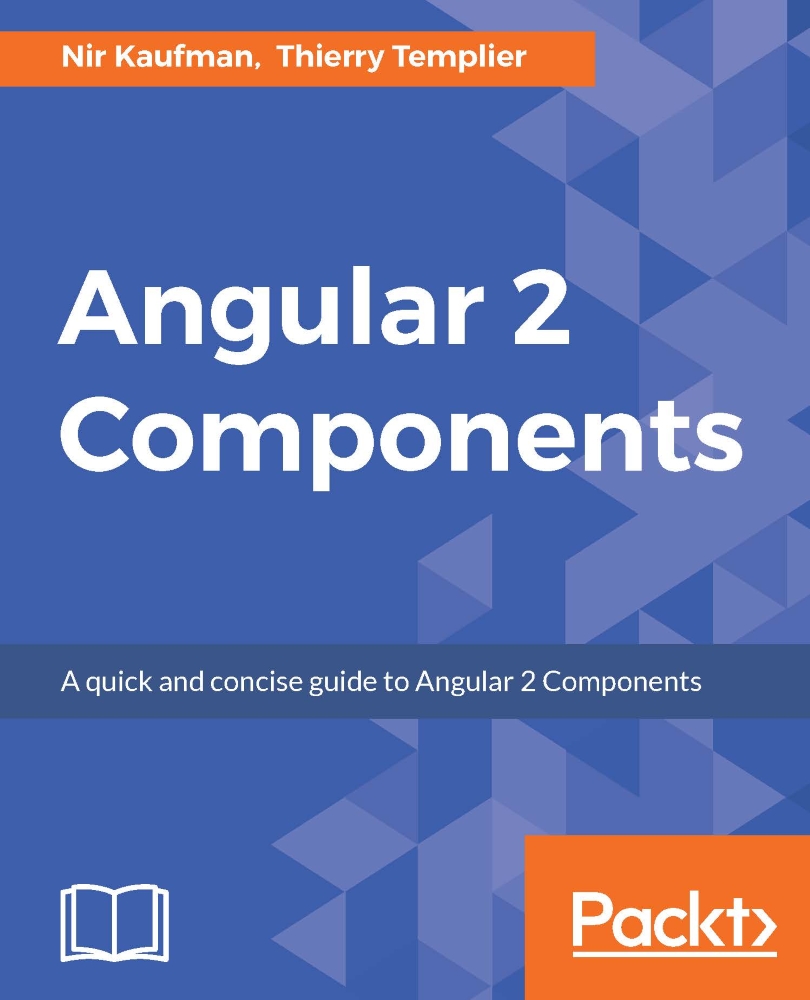
Angular 2 Components

Angular 2 Components: Practical and easy-to-follow guide to Angular 2 Components

Arrow left icon
Profile Icon Templier Thierry
Arrow right icon
Mex$487.79 Mex$541.99
eBook Nov 2016 124 pages 1st Edition
eBook
Mex$487.79 Mex$541.99
Paperback
Mex$541.59 Mex$676.99
Subscription
Free Trial
Arrow left icon
Profile Icon Templier Thierry
Arrow right icon
Mex$487.79 Mex$541.99
eBook Nov 2016 124 pages 1st Edition
eBook
Mex$487.79 Mex$541.99
Paperback
Mex$541.59 Mex$676.99
Subscription
Free Trial
eBook
Mex$487.79 Mex$541.99
Paperback
Mex$541.59 Mex$676.99
Subscription
Free Trial

What do you get with eBook?

Product feature icon Instant access to your Digital eBook purchase
Product feature icon Download this book in EPUB and PDF formats
Product feature icon Access this title in our online reader with advanced features
Product feature icon DRM FREE - Read whenever, wherever and however you want
Modal Close icon
Payment Processing...
tick Completed

Billing Address

Table of content icon View table of contents Preview book icon Preview Book

Angular 2 Components

Chapter 2. Setting Up an Angular 2 Development Environment with angular-cli

Angular 2 takes advantage of modern web technologies and tools, which means the development environment becomes more sophisticated and requires some tools and their understanding.

Luckily, we don't need to spend time installing and configuring all the required dependencies and wiring everything together. We can use the angular-cli (command-line tool) that is being developed in parallel with Angular 2.

In this chapter, we will walk through setting up our development environment with angular-cli: how to install it and how to use it to kickstart our Angular 2 project in minutes.

Node and npm

Before we can start using angular-cli, we need to install Node.js on our machine. Node is a JavaScript runtime built on Chrome's V8 JavaScript engine. It enables JavaScript to run without a browser, which leads to the development of many development tools that we use today, such as task runners, compilers, linters, and module loaders. The modern web frontend development environment relies on these tools.

Installing Node

Node is cross-platform, so it can run on any popular operating system. The easiest way to install node is by downloading the official installer for your operating system. To do this, go to https://nodejs.org/en/ and find the official installer for Windows, Macintosh, or Linux. Currently, Node releases have two major paths—a Long Time Support (LTS) and a stable version. For this book, we will use the LTS version of Node. Make sure to download the Node 4.24.53 LTS version installer.

After you download and run the installer successfully, open your terminal...

Installing angular-cli

We will use npm to install angular-cli on our workstation. To do so, follow these simple steps:

  1. Launch the Terminal (or command line in Windows).
  2. Type: npm install -g angular-cli@latest and press Enter (in Windows, you might need to run this command as an administrator).

That's it! The angular-cli is now installed on your machine, and, because we used the flag -g with our npm install command, angular-cli exposed an ng alias that is available from anywhere. (-g stands for global, which means the module was installed on a system-level directory).

Generating an Angular 2 project

The first command that we will use with angular-cli is new. This command will create a folder structure for our project and install all the required dependencies. Along with the basic Angular 2 files and modules, angular-cli will install modules for testing, linting, and documenting our code. This book is all about components, so we won't touch most of this stuff. You can read more about the available commands on the official angular-cli page: https://cli.angular.io/.

To generate a new project, follow these steps:

  1. Launch the Terminal (or command-line in Windows).
  2. Type ng new ng_components and press Enter.

The angular-cli software will generate a new project under the current directory:

Generating an Angular 2 project

Note that the last line prints: Installing packages for tooling via npm. The angular-cli tool will download all the required modules using standard npm command behind the scenes.

That's it! You just generated a complete Angular 2 project with everything you need already...

Choosing an IDE

While Angular 2 applications can be developed with a plain text editor, working with an IDE (integrated develop environment) is highly recommended. Personally, I'm using webstorm (https://www.jetbrains.com/webstorm/), which offers complete support for Angular out of the box. If you are looking for a free, open source alternative, we have VSCode (https://code.visualstudio.com/), which also supports Angular 2 naturally. Both of them offer Angular code inspection and highlighting along with refactoring and autocomplete features. WebStorm offers a complete integration with almost every JavaScript tool out there and is considered by many to be the best JavaScript IDE out there.

Summary

In this chapter, we learned how to use angular-cli to create, configure, and serve a new Angular 2 project in minutes. This tool is helping us as developers to focus on our application code rather than on configurations.

In the next chapter, we will get familiar with the TypeScript language, focusing on the important features for building Angular 2 components (and all the rest of the project).

Left arrow icon Right arrow icon
Download code icon Download Code

Key benefits

  • First look to the Angular 2 Components architecture
  • Creating your own Angular 2 Component
  • Integrating your components with third party components

Description

This book is a concise guide to Angular 2 Components and is based on the stable version of Angular 2. You will start with learning about the Angular 2 Components architecture and how components differ from Angular directives in Angular 1. You will then move on to quickly set up an Angular 2 development environment and grasp the basics of TypeScript. With this strong foundation in place, you will start building components. The book will teach you, with an example, how to define component behavior, create component templates, and use the controller of your component. You will also learn how to make your components communicate with each other. Once you have built a component, you will learn how to extend it by integrating third-party components with it. By the end of the book, you will be confident with building and using components for your applications.

Who is this book for?

If you are a front-end developer with some experience in Angular and want to understand Angular 2 Components, and easily put it to use to create powerful user interfaces and views, then this book is for you

What you will learn

  • • Break your application into reusable dynamic components
  • • Take advantage of TypeScript in Angular 2
  • • Migrate your Angular 1 directive to an Angular 2 Component
  • • Understand the Angular 2 component structure and APIs
  • • Hook to component life cycle events
  • • Bind dynamic data to your component properties
  • • Communicate with other components using events
  • • Compose complicated UIs from simple components

Product Details

Country selected
Publication date, Length, Edition, Language, ISBN-13
Publication date : Nov 30, 2016
Length: 124 pages
Edition : 1st
Language : English
ISBN-13 : 9781785889400
Vendor :
Google
Languages :
Tools :

What do you get with eBook?

Product feature icon Instant access to your Digital eBook purchase
Product feature icon Download this book in EPUB and PDF formats
Product feature icon Access this title in our online reader with advanced features
Product feature icon DRM FREE - Read whenever, wherever and however you want
Modal Close icon
Payment Processing...
tick Completed

Billing Address

Product Details

Publication date : Nov 30, 2016
Length: 124 pages
Edition : 1st
Language : English
ISBN-13 : 9781785889400
Vendor :
Google
Languages :
Tools :

Packt Subscriptions

See our plans and pricing
Modal Close icon
$19.99 billed monthly
Feature tick icon Unlimited access to Packt's library of 7,000+ practical books and videos
Feature tick icon Constantly refreshed with 50+ new titles a month
Feature tick icon Exclusive Early access to books as they're written
Feature tick icon Solve problems while you work with advanced search and reference features
Feature tick icon Offline reading on the mobile app
Feature tick icon Simple pricing, no contract
$199.99 billed annually
Feature tick icon Unlimited access to Packt's library of 7,000+ practical books and videos
Feature tick icon Constantly refreshed with 50+ new titles a month
Feature tick icon Exclusive Early access to books as they're written
Feature tick icon Solve problems while you work with advanced search and reference features
Feature tick icon Offline reading on the mobile app
Feature tick icon Choose a DRM-free eBook or Video every month to keep
Feature tick icon PLUS own as many other DRM-free eBooks or Videos as you like for just Mex$85 each
Feature tick icon Exclusive print discounts
$279.99 billed in 18 months
Feature tick icon Unlimited access to Packt's library of 7,000+ practical books and videos
Feature tick icon Constantly refreshed with 50+ new titles a month
Feature tick icon Exclusive Early access to books as they're written
Feature tick icon Solve problems while you work with advanced search and reference features
Feature tick icon Offline reading on the mobile app
Feature tick icon Choose a DRM-free eBook or Video every month to keep
Feature tick icon PLUS own as many other DRM-free eBooks or Videos as you like for just Mex$85 each
Feature tick icon Exclusive print discounts

Frequently bought together


Stars icon
Total Mex$ 1,263.98 1,579.98 316.00 saved
Angular 2 Components
Mex$541.59 Mex$676.99
AngularJS Directives Cookbook
Mex$722.39 Mex$902.99
Total Mex$ 1,263.98 1,579.98 316.00 saved Stars icon

Table of Contents

10 Chapters
1. Angular 2 Component Architecture Chevron down icon Chevron up icon
2. Setting Up an Angular 2 Development Environment with angular-cli Chevron down icon Chevron up icon
3. The TypeScript Primer Chevron down icon Chevron up icon
4. Building a Basic Component Chevron down icon Chevron up icon
5. Building Dynamic Components Chevron down icon Chevron up icon
6. Component Communication Chevron down icon Chevron up icon
7. Putting It All Together Chevron down icon Chevron up icon
8. Integrating Third-Party Components Chevron down icon Chevron up icon
9. Angular 2 Directives Chevron down icon Chevron up icon
Index Chevron down icon Chevron up icon
Get free access to Packt library with over 7500+ books and video courses for 7 days!
Start Free Trial

FAQs

How do I buy and download an eBook? Chevron down icon Chevron up icon

Where there is an eBook version of a title available, you can buy it from the book details for that title. Add either the standalone eBook or the eBook and print book bundle to your shopping cart. Your eBook will show in your cart as a product on its own. After completing checkout and payment in the normal way, you will receive your receipt on the screen containing a link to a personalised PDF download file. This link will remain active for 30 days. You can download backup copies of the file by logging in to your account at any time.

If you already have Adobe reader installed, then clicking on the link will download and open the PDF file directly. If you don't, then save the PDF file on your machine and download the Reader to view it.

Please Note: Packt eBooks are non-returnable and non-refundable.

Packt eBook and Licensing When you buy an eBook from Packt Publishing, completing your purchase means you accept the terms of our licence agreement. Please read the full text of the agreement. In it we have tried to balance the need for the ebook to be usable for you the reader with our needs to protect the rights of us as Publishers and of our authors. In summary, the agreement says:

  • You may make copies of your eBook for your own use onto any machine
  • You may not pass copies of the eBook on to anyone else
How can I make a purchase on your website? Chevron down icon Chevron up icon

If you want to purchase a video course, eBook or Bundle (Print+eBook) please follow below steps:

  1. Register on our website using your email address and the password.
  2. Search for the title by name or ISBN using the search option.
  3. Select the title you want to purchase.
  4. Choose the format you wish to purchase the title in; if you order the Print Book, you get a free eBook copy of the same title. 
  5. Proceed with the checkout process (payment to be made using Credit Card, Debit Cart, or PayPal)
Where can I access support around an eBook? Chevron down icon Chevron up icon
  • If you experience a problem with using or installing Adobe Reader, the contact Adobe directly.
  • To view the errata for the book, see www.packtpub.com/support and view the pages for the title you have.
  • To view your account details or to download a new copy of the book go to www.packtpub.com/account
  • To contact us directly if a problem is not resolved, use www.packtpub.com/contact-us
What eBook formats do Packt support? Chevron down icon Chevron up icon

Our eBooks are currently available in a variety of formats such as PDF and ePubs. In the future, this may well change with trends and development in technology, but please note that our PDFs are not Adobe eBook Reader format, which has greater restrictions on security.

You will need to use Adobe Reader v9 or later in order to read Packt's PDF eBooks.

What are the benefits of eBooks? Chevron down icon Chevron up icon
  • You can get the information you need immediately
  • You can easily take them with you on a laptop
  • You can download them an unlimited number of times
  • You can print them out
  • They are copy-paste enabled
  • They are searchable
  • There is no password protection
  • They are lower price than print
  • They save resources and space
What is an eBook? Chevron down icon Chevron up icon

Packt eBooks are a complete electronic version of the print edition, available in PDF and ePub formats. Every piece of content down to the page numbering is the same. Because we save the costs of printing and shipping the book to you, we are able to offer eBooks at a lower cost than print editions.

When you have purchased an eBook, simply login to your account and click on the link in Your Download Area. We recommend you saving the file to your hard drive before opening it.

For optimal viewing of our eBooks, we recommend you download and install the free Adobe Reader version 9.

Modal Close icon
Modal Close icon