Search icon CANCEL
Subscription
0
Cart icon
Your Cart (0 item)
Close icon
You have no products in your basket yet
Save more on your purchases! discount-offer-chevron-icon
Savings automatically calculated. No voucher code required.
Arrow left icon
Explore Products
Best Sellers
New Releases
Books
Videos
Audiobooks
Learning Hub
Newsletter Hub
Free Learning
Arrow right icon
timer SALE ENDS IN
0 Days
:
00 Hours
:
00 Minutes
:
00 Seconds
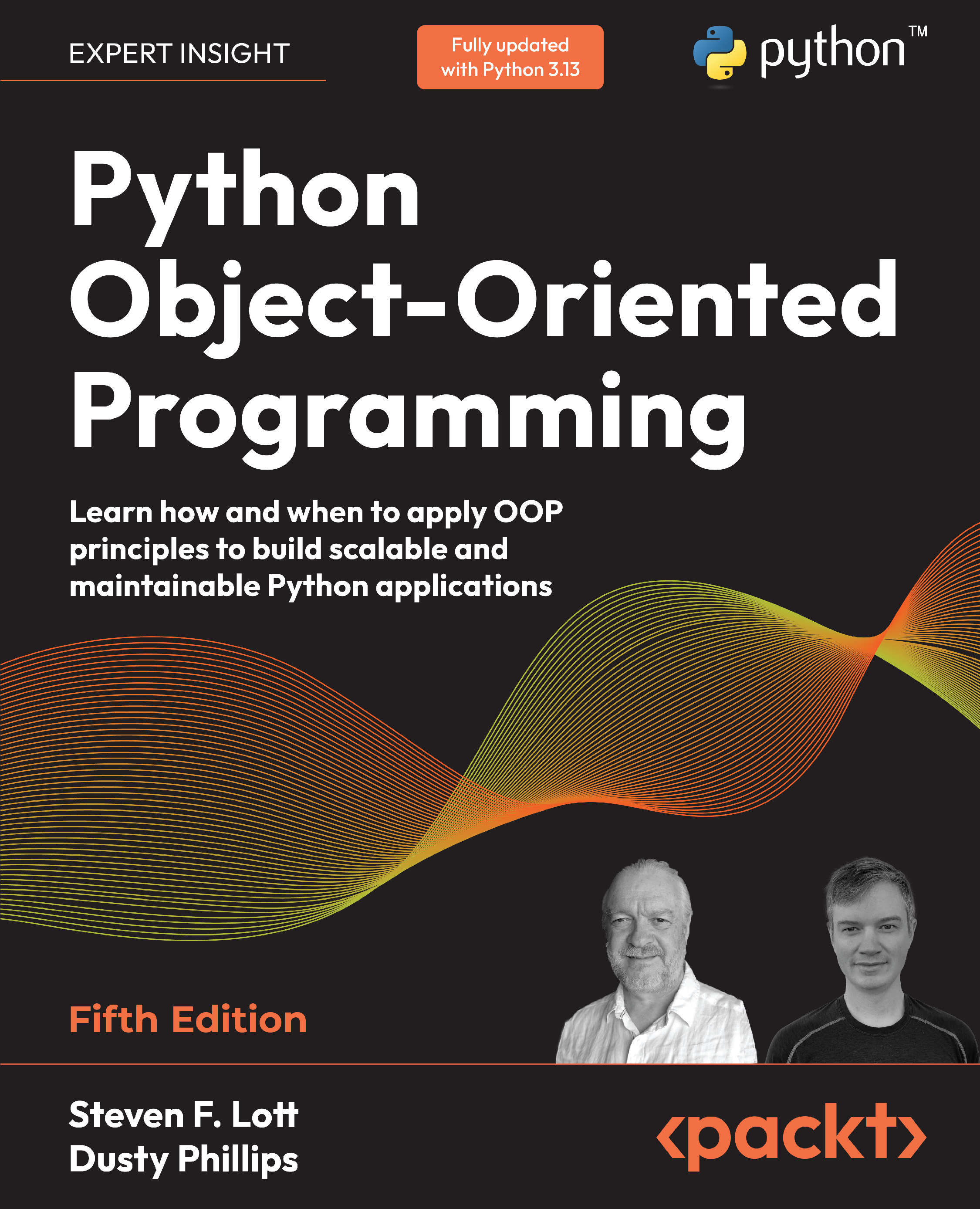
Python Object-Oriented Programming

Python Object-Oriented Programming: Learn how and when to apply OOP principles to build scalable and maintainable Python applications , Fifth Edition

Arrow left icon
Profile Icon Steven F. Lott Profile Icon Dusty Phillips
Arrow right icon
€37.99
Paperback Nov 2025 542 pages 5th Edition
eBook
€26.99 €29.99
Paperback
€37.99
Subscription
Free Trial
Renews at €18.99p/m
Arrow left icon
Profile Icon Steven F. Lott Profile Icon Dusty Phillips
Arrow right icon
€37.99
Paperback Nov 2025 542 pages 5th Edition
eBook
€26.99 €29.99
Paperback
€37.99
Subscription
Free Trial
Renews at €18.99p/m
eBook
€26.99 €29.99
Paperback
€37.99
Subscription
Free Trial
Renews at €18.99p/m

What do you get with Print?

Product feature icon Instant access to your digital copy whilst your Print order is Shipped
Product feature icon Paperback book shipped to your preferred address
Product feature icon Redeem a companion digital copy on all Print orders
Product feature icon Access this title in our online reader with advanced features
Product feature icon DRM FREE - Read whenever, wherever and however you want
Product feature icon AI Assistant (beta) to help accelerate your learning
Modal Close icon
Payment Processing...
tick Completed

Shipping Address

Billing Address

Shipping Methods
Table of content icon View table of contents Preview book icon Preview Book

Python Object-Oriented Programming

Chapter 1
Object-Oriented Design

In software development, design is often considered the step that comes before programming. This isn’t true; in reality, analysis, programming, and design tend to overlap, combine, and interweave. Throughout this book, we’ll be covering a mixture of design and programming issues without trying to parse the two into separate buckets. One of the advantages of a language such as Python is its ability to express the design clearly.

In this chapter, we will talk a little about how we can move from a good idea toward writing software. We’ll create some design artifacts — such as diagrams — that can help clarify our thinking before we start writing code. We’ll cover the following topics:

  • What object-oriented means

  • The difference between object-oriented design and object-oriented programming

  • Some basic principles of object-oriented design

  • Basic Unified Modeling Language (UML) and when it isn’t evil

1.1 Technical requirements

The code for this chapter can be found in the PacktPublishing repository: https://github.com/PacktPublishing/Python-Object-Oriented-Programming-5E. Within that repository’s files, we’ll focus on the ch_01 directory.

All of the examples were tested with Python 3.12 and 3.13. The uv tool can be used to test the code: uvx tox.

1.2 What object-oriented means

Outside of the world of software, an object is a tangible thing that we can sense, feel, and manipulate. The earliest objects we interact with are typically baby toys. Wooden blocks, plastic shapes, and over-sized puzzle pieces are common first objects. Babies learn quickly that certain objects do certain things: bells ring, buttons are pressed, and levers are pulled.

The definition of an object in software development is not terribly different. Software objects may not be tangible things that you can pick up, sense, or feel, but they are models of something that has an internal state, can do certain things, and responds when things are done to it. Formally, an object is a collection of data and associated behaviors.

Object-oriented programming means writing code directed toward modeling objects. This is one of many techniques used to describe the actions of complex systems. The overall behavior emerges from collaboration between objects. A complicated internal state is decomposed into the states of separate objects.

To do object-oriented programming well, there are some additional disciplines. These include object-oriented analysis, object-oriented design, and even the combined and streamlined object-oriented analysis and design. All of these disciplines use the foundational concept of software objects and their interactions to analyze a problem and design a solution. Object interactions include creating objects, changing their values, and associating them with other objects.

Analysis, design, and programming are all stages of software development. Calling them object-oriented clarifies what kind of modeling techniques will be employed.

Object-oriented analysis (OOA) is the process of looking at a problem and identifying the objects and interactions between those objects. The analysis stage is all about describing what needs to be done.

The output of the analysis stage is a description of a problem and a solution to the problem, often in the form of requirements. If we were to complete the analysis stage in one step, we would have turned a task, I am a botanist and need a website to help users classify plants so I can help with correct identification, into a set of required features. As an example, here are some requirements for what a website visitor might need to do. Each item is an action bound to an object; we’ve written them with italics to highlight the actions, and bold to highlight the objects:

  • Browse previous uploads

  • Upload new known examples

  • Test for quality

  • Browse products

  • See recommendations

In some ways, the term analysis can be a misnomer. A baby interacting with objects doesn’t analyze the blocks and puzzle pieces. Instead, they explore their environment, manipulate shapes, and see where they might fit. A better turn of phrase might be object-oriented exploration. In software development, the initial stages of analysis include exploration: interviewing customers, studying their processes, and eliminating possibilities that don’t solve the problem.

Object-oriented design (OOD) is the process of converting such requirements into an implementation specification. The designer must name the objects, define the behaviors, and formally specify which objects can activate specific behaviors in other objects. The design stage is all about transforming what should be done into how it should be done.

The output of the design stage is an implementation specification. If we were to complete the design stage in a single step, we would have turned the requirements into a set of specifications for object classes. The specification might include state transition diagrams, collaboration diagrams, activity diagrams, and other useful details to describe state and behavior. These are ready to be implemented in (ideally) an object-oriented programming language.

Object-oriented programming (OOP) is the process of converting a design into a working program. This program does what the product owner originally requested during the analysis phase.

It would be lovely if the world met this ideal. If it did, we could follow these stages one by one, in order, as a well-defined method for producing software. As usual, the real world is much murkier. No matter how hard we try to separate these stages, we’ll always find things that need further analysis while we’re designing. When we’re programming, we find features that need clarification from further design.

Most modern software development practices recognize that a cascade (or waterfall) of stages doesn’t work out well. What seems to be better is an iterative development model. In iterative development, a small part of the task is analyzed, designed, and programmed. The developers can be said to form a scrum (or “scrummage”, as in the game of rugby), where the team members all push in one direction in concert. The resulting product increment is reviewed. Iterative development uses repeated cycles of improving existing features and adding new features. The scrum methodology emphasizes this periodic reset of the team followed by the focused pursuit of a near-term goal. At some point, the product is usable. Development is never really finished, but at some point it becomes clear that the cost of making any improvement will outweigh the benefits.

The rest of this book is about OOP. In this chapter, we will cover the basic object-oriented principles in the context of design. This allows us to understand concepts without having to work through Python language features at the same time.

1.3 Objects and classes

An object is a collection of data that defines an internal state with associated behaviors. How do we differentiate between categories of objects? Apples and oranges are both objects, but it is a common adage that they cannot be compared. Apples and oranges aren’t modeled very often in computer programming, but let’s pretend we’re creating an inventory application for a fruit farm.

One of the earliest things we learn in our analysis is that apples go in barrels and oranges go in baskets. The problem domain we’ve uncovered so far has four kinds or categories or varieties of objects: apples, oranges, baskets, and barrels. In object-oriented modeling, the preferred term used for a kind of object is class. We seem to have four classes of objects.

It’s important to understand the difference between an object and a class. The idea is that objects can be classified based on common states or behaviors. Classes describe related objects. A class definition is like a blueprint for creating individual objects. You might have three oranges sitting on the table in front of you. Each orange is a distinct object, but all three have the attributes and behaviors associated with one class: the general class of oranges.

The relationship between the four classes of objects in our inventory system can be described using the Unified Modeling Language (invariably referred to as UML, because three-letter acronyms never go out of style). Specifically, using a UML class diagram.  Figure 1.1 is our first class diagram:

PIC
Figure 1.1: Class diagram

This class diagram shows that instances of the Orange class (usually called “oranges”) are somehow associated with a Basket. It also shows how instances of the Apple class (“apples”) are also somehow associated with a Barrel. Association is the most basic way for objects (instances of classes) to be related. By limiting ourselves to vague associations, we’re avoiding assumptions. An association will often need further clarification. We could, for example, clutter the model with additional attributes — color, size, or any of a large number of other aspects. The diagram helps narrow the discussion to fruit categories and containers.

The syntax of a UML diagram is generally pretty obvious; you don’t have to read a tutorial to (mostly) understand what is going on when you see one. UML is also fairly easy to draw. After all, many people, when describing classes and their relationships, will naturally draw boxes with lines between them. Having a standard based on these intuitive diagrams makes it easy for programmers to communicate with designers, product owners, and each other.

Note that the UML diagram generally depicts the class definitions; we often need to describe attributes of the objects. UML diagrams can show a class with attributes and methods; it also allows us to elide details. The diagram shows the class of Apple and the class of Barrel, telling us that any given apple is in some specific barrel. While we can use UML to depict individual objects, that’s rarely necessary. Showing the class relationships in a diagram tells us some important details about the objects that are members of each class. It doesn’t tell us everything; the model serves to highlight selected details of the overall problem domain.

Some programmers disparage UML as a waste of time. Citing iterative development, they will argue that formal specifications done up in fancy UML diagrams are going to be redundant before they’re implemented. Further, they complain that maintaining these formal diagrams will only waste time and not benefit anyone.

Every programming team consisting of more than one person will occasionally have to sit down and hash out the details of the components being built. The higher-performing the team — as a whole — the more often this kind of information is shared. UML is extremely useful for ensuring quick, easy, and consistent communication. Even those organizations that scoff at formal class diagrams tend to use some informal version of UML in their design meetings or team discussions.

Furthermore, the most important person you will ever have to communicate with is your future self. We all think we can remember the design decisions we’ve made, but there will always be Why did I do that? moments hiding in our future. If we keep the scraps of papers we did our initial diagramming on, when we started a design, we’ll eventually find them to be a useful reference.

This chapter, however, is not meant to be a tutorial on UML. There are many of those available on the internet, as well as numerous books on the topic. UML covers far more than class and object diagrams; it also has a syntax for use cases, deployment, state changes, and activities. We’ll be dealing with some common class diagram syntax in this discussion of object-oriented design. You can pick up the structure by example, and then you’ll subconsciously choose the UML-inspired syntax in your own team or personal design notes.

Our initial diagram, while correct, does not remind us that apples go in barrels or how many barrels a single apple can go in. It only tells us that apples are somehow associated with barrels. Sometimes the association between classes is obvious and needs no further explanation. Often, we have to add further clarification.

The beauty of UML is that most things are optional. We only need to specify as much information in a diagram as makes sense for the current situation. In a quick whiteboard session, we might just draw simple lines between boxes. In a more formal, permanent document, we might go into more detail.

In the case of apples and barrels, we can be fairly confident that the association is many apples go in one barrel. To make sure nobody confuses the association with one apple spoils one barrel, we can enhance the diagram.

 Figure 1.2 (next page) shows more detail.

PIC
Figure 1.2: Class diagram with more detail

This diagram tells us that oranges go in baskets, with a little arrow showing what goes in what. Reading it the other way, a basket contains oranges; this is the foundational “has-a” relationship that we see almost everywhere. There are numerous other kinds of relationships, but we’ll focus on this relationship because it’s common and easy to visualize. The diagram also tells us the number of an object that can be used in the association on both sides of the relationship. One Basket object can contain many Orange objects, represented by annotating the line with a *. Any one Orange can go in exactly one Basket. This number is referred to as the multiplicity of the association, which specifies how many instances of one class can be linked to another. While multiplicity is sometimes confused with cardinality, the latter defines an exact count of items. In a UML context, multiplicity is how we define the allowed range of concrete cardinality values. A “more-than-one instance” feature of a relationship is better described as the multiplicity.

We may sometimes forget which end of the relationship line is supposed to have which multiplicity annotation. The multiplicity annotation nearest to a class represents how many objects of that class can be associated with any one object at the other end of the association. For the apple goes in a barrel association, reading from left to right, many instances of the Apple class (that is, many Apple objects) can go in any one Barrel object. Reading from right to left, exactly one Barrel can be associated with any one Apple.

We’ve seen the basics of classes, and how they can specify relationships among objects. Now, we need to talk about the attributes that define an object’s state, and the behaviors of an object that may involve state change or interaction with other objects.

Readers with experience in object-oriented design will note that we haven’t described any common features of the Barrel or Basket classes of objects. We’re intentionally avoiding the search from common features for a moment. A premature leap into searching for commonality can sometimes obscure more nuanced distinctions among classes of objects.

1.4 Specifying attributes and behaviors

We now have a grasp of some basic object-oriented terminology. Objects are instances of classes that can be associated with each other. A specific orange on the table in front of us is said to be an instance of the general class of oranges. As we’ll see in the following sections, the behaviors are implemented as “methods” of the class, introducing another bit of terminology to the mix.

The orange has a state, for example, ripe or raw; we implement the state of an object via the values of specific attributes. An orange also has behaviors. By themselves, oranges are generally passive. State changes are imposed on them. (Consider how alarming an active orange would be.) Let’s dive into the meaning of those two words, state and behaviors.

1.4.1 Data describes object state

Let’s start with data. Data represents the individual characteristics of a certain object; its current state. A class defines the characteristics of all objects that are its members. Any specific object can have different data values for a given characteristic. For example, the three oranges on our table (if we haven’t eaten any) could each weigh a different amount. The orange class could have a weight attribute to represent that datum. All instances of the orange class have a weight attribute, but each orange has a different value for this attribute. Attributes don’t have to be unique, though; any two oranges may weigh the same amount.

Attributes are frequently referred to as members or properties. Some authors suggest that the terms have different meanings, usually that attributes are settable, while properties are read-only. A Python property can be defined as read-only, but the value will be based on attribute values that are — ultimately — writable, making the concept of read-only rather pointless; throughout this book, we’ll see the two terms used interchangeably. In addition, as we’ll discuss in  Chapter 5, the property keyword has a special meaning in Python for a particular kind of attribute.

In Python, we can also call an attribute an instance variable. This can help clarify the way attributes work. They are variables with unique values for each instance of a class. Python has other kinds of attributes, but we’ll focus on the most common kind to get started.

In our fruit inventory application, the fruit farmer may want to know what orchard the orange came from, when it was picked, and how much it weighs. They might also want to keep track of where each Basket is stored. Apples might have a color attribute, and barrels might come in different sizes.

We’ll often notice that multiple classes have the same properties; we may want to know when apples are picked, too. For this first example, we’ll add a few different attributes to our class diagram.  Figure 1.3 shows some attributes:

PIC
Figure 1.3: Class diagram with attributes

Depending on how detailed our design needs to be, we can also specify the type for each attribute’s value. In UML, attribute types are often generic names common to many programming languages, such as integer, floating-point number, string, byte, or Boolean. However, they can also represent generic collections such as lists, trees, or graphs, or most notably, other, non-generic, application-specific classes. This is one area where the design stage can overlap with the programming stage. The various primitives and built-in collections available in one programming language may be different from what is available in another.

 Figure 1.4 shows some attributes with (mostly) Python-specific type hints:

PIC
Figure 1.4: Class diagram with attributes and their types

Usually, we don’t need to be overly concerned with data types at the design stage, as implementation-specific details are chosen during the programming stage. Generic names are normally sufficient for design; that’s why we included date as a placeholder for a Python type such as datetime.datetime. If our design calls for a list container type, Java programmers can choose to use a LinkedList or an ArrayList when implementing it, while Python programmers (that’s us!) might specify list[Apple] as a type hint, and use the list type for the implementation.

In our fruit-farming example so far, our attributes are all built-in primitive types. However, there are some implicit attributes that we can make explicit; these implement the associations. For a given orange, we have an attribute referring to the basket that holds that orange, the basket attribute, with a type hint of Basket.

1.4.2 Behaviors are actions

Now that we know how data defines the object’s state, the last undefined term we need to look at is behavior. Behaviors are actions that can occur on an object. The behaviors that can be performed on members of a class are expressed as the methods of a class. At the programming level, methods are essentially functions with access to an object’s attributes — in Python, these are the instance variables of an object. Like functions, methods can also accept parameters and return values.

A method’s parameters define objects that need to be passed into that method. The actual object instances that are passed into a method during a specific invocation are referred to as the argument values. These objects are bound to parameter variable names in the method body. They are used by the method to perform whatever behavior or task it is meant to do. Returned values are the results of that task. Internal state changes are a possible side-effect of evaluating a method. (Some folks like to talk about “calling” a method or “executing” a method; these are all synonyms.)

We’ve stretched our comparing apples and oranges example into a basic (if far-fetched) inventory application. Let’s stretch it a little further and see whether it breaks. The idea is to capture enough details of the problem domain; the software we need to write may not implement every detail of the initial model. One action that can be associated with oranges is the conceptual pick action. As we think about implementation details for this class, a pick method might need to do two things:

  • Place the orange in a basket by updating the Basket attribute of the orange.

  • Add the orange to the Orange list on the given Basket.

So, this pick method may need to know what basket it is dealing with. We do this by giving the method a Basket parameter. Since our fruit farmer also sells juice, we can add a squeeze method to the Orange class. When evaluated, the squeeze method might return the amount of juice retrieved, while also removing the Orange from the Basket it was in.

The class Basket can have a sell action. When a basket is sold, our inventory system might update some data on as-yet-unspecified objects for accounting and profit calculations. Alternatively, our basket of oranges might go bad before we can sell them, so we may also need to add a discard method.

 Figure 1.5 adds methods to our diagram:

PIC
Figure 1.5: Class diagram with attributes and methods

Do we really need all of these methods and the related associations? Unsurprisingly, the answer is often “no”: the application software doesn’t need to model all of these behaviors. For now, we want to throw ideas at the model to explore what’s possible. Later, we’ll prune this back to what’s necessary.

Adding attributes and methods to individual objects allows us to create a system of interacting objects. Each object in the system is a member of a certain class. These classes specify what types of data the object can hold and what methods can be invoked on it. The data in each object can be in a different state from other instances of the same class; each object may react to method calls differently because of the differences in state.

Object-oriented analysis and design are all about figuring out what those objects are and how they should interact. Each class has responsibilities and collaborations. The next section describes principles that can be used to make those interactions as intuitive as possible.

Note that selling a basket is not unconditionally a feature of the Basket class. It may be that some other class (not shown) cares about the various baskets and where they are. We often have boundaries around our design. We will also have questions about responsibilities allocated to various classes. The responsibility allocation problem doesn’t always have a tidy technical solution, forcing us to draw (and redraw) our UML diagrams more than once to examine alternative designs.

In many contexts, the analysis process can also be enlightening for product owners and users. What may seem — at first — like an insurmountable business problem, requiring lots of expensive software, may turn out to be a failure of two organizations to collaborate. The process of creating an object-oriented analytical model may reveal details that aren’t really solvable with more software. It’s not unusual for a software project to proceed through a great deal of object-oriented model building, and then end with a successful outcome for the ultimate users, but little or no software being written. The models (and the resulting insight) were adequate to understand what’s really going on.

1.5 Hiding details and creating the public interface

The key purpose of modeling an object in object-oriented design is to determine what the public interface of that object will be. The interface is the collection of attributes and methods that other objects can access to interact with that object. Objects do not need, and in some languages are not allowed, to access the internal workings of objects of another class.

A common real-world example is the television (or any appliance, really). Our interface to the television is the remote control. A button on the remote control represents a method that can be called on the television object. When we, as the calling object, access these methods, we do not know or care whether the television is getting its signal from a cable connection, a satellite dish, or an internet-enabled device. The notion here is that “television” is often a complex conglomerate of components. We don’t care what electronic signals are being sent to adjust the volume, or whether the sound is destined for speakers or headphones. If we open the television to access its internal workings, for example, to split the output signal to both external speakers and a set of headphones, we may void the warranty.

This process of hiding the implementation details of an object is suitably called information hiding. It is also sometimes referred to as encapsulation. Encapsulated data is not necessarily hidden. Encapsulation is, literally, creating a capsule (or wrapper) on the attributes. The television’s external case encapsulates the state and behavior of the television. We have access to the external screen, the speakers, and the remote. We don’t have direct access to the wiring of the amplifiers or receivers within the television’s case.

When we buy a component entertainment system, we change the level of encapsulation, exposing more of the interfaces between components. If we’re an Internet of Things maker, we may decompose this even further, opening cases and breaking the information hiding attempted by the manufacturer.

The distinction between encapsulation and information hiding is nuanced at the design level. Many practical references use these terms interchangeably. As Python programmers, we don’t actually have or need information hiding via completely private, inaccessible variables (we’ll discuss the reasons for this in  Chapter 2), so the more encompassing definition for encapsulation is suitable.

The public interface for a class is very important. It needs to be carefully designed as it can be difficult to change after software has been written and other classes depend on it. We can change the internals all we like, for example, to make it more efficient, or to access data over the network as well as locally, and the client objects will still be able to talk to it, unmodified, using the public interface. On the other hand, if we alter the interface by changing publicly accessed attribute names or the order or types of arguments that a method can accept, all client classes will also have to be modified. When designing public interfaces, keep it simple. Always design the interface of an object based on how easy it is to use, not how hard it is to code (this advice applies to user interfaces as well). For this reason, you’ll sometimes see Python variables with a leading _ in their name as a warning that these aren’t part of the public interface.

Remember, program objects may represent real objects, but that does not make them real objects. They are models. One of the greatest gifts of modeling is the ability to ignore irrelevant details. The model car one of the authors built as a child looked like a real 1956 Thunderbird on the outside, but it obviously didn’t run. When they were too young to drive, these details were overly complex and irrelevant. The model is an abstraction of a real concept.

Abstraction is another object-oriented term related to encapsulation and information hiding. Abstraction means dealing with the level of detail that is most appropriate for a given task. It is the process of extracting a public interface from the inner details. A car’s driver needs to interact with the steering, accelerator, and brakes. The workings of the motor, drive train, and brake subsystem don’t matter to the driver. A mechanic, on the other hand, works at a different level of abstraction, tuning the engine and bleeding the brakes.  Figure 1.6 (next page) shows two abstraction levels for a car.

PIC
Figure 1.6: Abstraction levels for a car

Now, we have several new terms that refer to similar concepts. Let’s summarize all this jargon in a couple of sentences: abstraction is the process of encapsulating information with a separate public interface. Any private elements can be subject to information hiding. In UML diagrams, we might use a leading - instead of a leading + to suggest that it’s not part of a public interface.

The important lesson to take away from all these definitions is to make our models understandable to other objects that have to interact with them. This can mean paying careful attention to small details.

Ensure methods and properties have sensible names. When analyzing a system, objects typically represent nouns in the original problem, while methods are normally verbs. Attributes may show up as adjectives or more nouns. Name your classes, attributes, and methods accordingly.

When designing the interface, imagine you are the object; you want clear definitions of your responsibilities and you have a very strong preference for privacy to meet those responsibilities. Don’t let other objects have access to data about you unless you feel it is in your best interest for them to have it. Don’t give other classes an interface to force you to perform a specific task unless you are certain it’s your responsibility to do that.

1.6 Design principles

Object-oriented design isn’t easy. No design is particularly easy. There are a number of guiding principles that can help make decisions. One of the more famous sets of principles is called SOLID. This is a handy acronym for five ideas that can help transform a design from a tangle of loose threads into a tightly knit (and warm) garment.

We’ll use these principles throughout the book. This is only a superficial introduction. The five principles are these:

  1. Single Responsibility Principle
  2. Open/Closed Principle
  3. Liskov Substitution Principle
  4. Interface Segregation Principle
  5. Dependency Inversion Principle

These principles apply widely in an object-oriented design. We need to note that the Liskov substitution principle is focused on inheritance and the ”is-a” relationship, something we’ve avoided in the previous examples.

The SOLID ordering is handy for remembering the principles, but it isn’t the most useful way to understand them. We’ll talk about them in a more practical sequence.

1.6.1 Interface Segregation Principle

We are talking about this principle first because it is essential for understanding the boundaries around a class definition. When wondering what to encapsulate, it helps to keep the interface as small as possible. When an object is too complicated, the interface can grow to reflect that complication, and the collaborating classes are forced to depend on methods and attributes that they don’t actually need.

The goal, then, is to keep the interface small. This will minimize the intellectual burden of understanding the class. It will also ensure that other classes can evolve and change without disastrous problems stemming from unwanted (or unexpected) dependencies.

1.6.2 Open/Closed Principle

One of the key ingredients in a well-done design is class definitions that are open to extension but closed to modification. We want to be able to add features to a class using techniques such as inheritance and composition. We’ll look at these design techniques closely in  Chapter 3. We don’t want to have to “tweak” the implementation code.

One aspect of this principle is relying on compositions of multiple objects to create complex behavior. This fits with the Interface Segregation Principle by separating features into distinct classes. We can extend one of those classes without the risk of breaking all the other classes in the application or library.

The other aspect is to create classes that inherit features from a base class. Via inheritance, the subclass is usable wherever the base class is expected, but it does something more specialized — more useful or appropriate — than the base class did. There’s more to this inheritance idea, captured in the Liskov Substitution Principle.

1.6.3 Liskov Substitution Principle

This principle — named after Barbara Liskov, inventor of the one of the first object-oriented programming languages, CLU — offers advice to constrain how inheritance is used. We’ll set the details aside for now to look at the overall goals of well-done design.

If we have a base class, such as Container, we want all of the subclasses, Barrel, Basket, and anything else we might need to invent, to have the same interface as the base class. They’re all containers, each with unique implementation details. By having the same interface, any of the subclasses can be used in place of the base class.

When we’re using tools such as mypy or pyright to check our type annotations, these tools will warn us of Liskov Substitution problems. The errors will pinpoint the places where a subclass interface doesn’t match the promise made by the base class. We’ll look at this in detail in  Chapter 7.

1.6.4 Dependency Inversion Principle

The name for this principle is a little confusing: inverted with respect to what? If we don’t know what the “right side up” is, how can we judge whether the dependency is “upside down”?

The easy, obvious dependency is to have one class explicitly name a class of objects with which it collaborates. This is easy and fun for tutorial examples and introductory programming classes. In the long run, however, when one class directly depends on another class, we have problems with making changes.

Imagine the Python code for the Apple class that directly names the Barrel class. This turns into an Open/Closed Principle problem. When we need to start shipping apples in large packing crates, the new PackingCrate class is an extension to the Barrel class. It was, in turn, an extension on some abstract base class, Container. We really don’t want to edit a lot of code to add the new PackingCrate.

The idea of dependency “inversion” tells us that the Apple class should only name the base Container class. That way, any kind of container in the family tree can be associated with an Apple instance. The concrete relationship between the Apple class and the Barrel class should be something configured at runtime; it shouldn’t be defined in the software at its foundation.

The idea of using the base class echoes the Liskov Substitution Principle. It helps implement the Open/Closed Principle. As we’ll see later, this principle is a kind of implementation detail and helps make sure that the other principles are followed.

1.6.5 Single Responsibility Principle

This principle, given first, seems like it’s really a summary of the others. A class will have a single responsibility.

To get to this ideal, we’ll need to start by segregating the interfaces. Once we’ve decomposed a class into pieces to simplify the interfaces, we need to make sure to keep the design open to extension but closed to modification.

After these two initial steps, we need to review the details to make sure that Liskov Substitution will work. And, of course, we need to avoid “hard-wired” dependencies that require code modifications. To do this, we need to be flexible, inverting the dependencies so that the code depends only on base classes.

Once we’ve thought through our design, using these design principles, we’ll find that our classes have a single, easy-to-summarize responsibility. We can then work on how the objects collaborate to create the desired software features.

This is — of course — only a sketch of the principles. Each has consequences and considerations that, well, fill this book.

1.7 Collaboration among objects

We’ve addressed two important ingredients that are part of object-oriented programming: class and responsibility. We classify objects based on their internal state and their behavior. We also strive to define a clear, focused responsibility for each class.

The remaining ingredient is collaboration. Once we decompose a problem into separate classes, the final application’s behavior will emerge from collaboration among objects of those classes. The final application — like a good sauce — is a blend of ingredients that complement each other.

There are a variety of ways to think about collaboration among classes. We’ll defer the details of different kinds of collaboration until  Chapter 3. Here, we’ll introduce two useful concepts:

  • Composition

  • Inheritance

When we think about following the Interface Segregation Principle, we often decompose something complicated into a group of simpler things. In many cases, we can design a model of the original (complicated) thing as a composition of the simpler things. We’ve already seen how composition works when talking about cars. A fossil-fueled car is composed of an engine, transmission, starter, headlights, and windshield, among numerous other parts. Each of these can be further decomposed into the active, stateful component. The headlight subsystem, for example, is off, on, or bright. A control changes the state of this system. There may be an automated sensor to turn lights on at night, and dim the bright lights when there’s oncoming traffic.

Decomposition exposes a potential problem. What if we have several things with common aspects? We have headlights, interior lights, and an entertainment system, all of which use fuses. Do we want to repeat the depends on a fuse aspect all over the class hierarchy? That sounds like a lot of copy-and-pasting, and potential nightmares when there are implementation changes.

To avoid repetition, we can use inheritance. It’s helpful to think of inheritance as an is a” relationship. We can extract a feature, such as protected by a fuse. Each of the electrical components within an automobile is a component protected by a fuse: the headlight system is a component protected by a fuse; the entertainment system is a component protected by a fuse.

We’ll do this be defining a base class: Fused. Then, we’ll define subclasses that extend this base class. Many folks use the term superclass instead of base class. The UML diagram often shows the base class at the top of the figure. The class is, however, foundational, and the other classes build on it.

The Liskov Substitution Principle (and the Open/Closed Principle) provides guidelines for inheritance. We need to be sure that each subclass has the same interface as the base class: the idea is that any subclass can replace the superclass.

When thinking about headlights and the entertainment system both having fuses, this can seem a little odd. We don’t turn on the stereo when driving at night. (Well, maybe we do, but it doesn’t help us see the pavement.)

The subclasses don’t all do the same thing. They merely have a consistent interface. The headlights and the entertainment system both have an interface (a pair of wires) to the fuse and to the electrical ground. This interface fits the Liskov Substitution Principle.

When we add running lights to the headlight system, we are consistent with Liskov Substitution because the running lights use the same fuse. The use of long, flexible wires leaves the car’s systems open to extension. The use of a tightly sealed headlamp fixture makes the lights closed to modification: if we want to make a change, we have to replace the whole fixture; we can’t just push in a new bulb.

Now that we’ve started looking at object-oriented design, we’ll take a quick look at some legacy software that didn’t follow object-oriented design principles. We can start thinking about ways to refactor it from a mess of statements to some easier-to-understand class definitions.

1.8 A potential mess

It’s common for folks who know some Python but haven’t extensively made use of the OOP features to wonder whether all the brain-calories that are burned really do lead to better software. We’ll touch on a few questions (really, objections phrased as a questions) first. Then, we can look at a concrete example of restating a script as objects.

One common question is: “Isn’t a class just a bunch of functions with shared data?” The short answer is “yes.” The object-oriented feature that’s important here is bundling the data and the related functions into a single namespace, called a class definition. When we write a batch of closely related functions, we often give them similar-looking names to be sure that the relationship is obvious. This is the purpose of a class: it provides a common container name for related functions.

Additionally, a class definition lets us create multiple instances of the shared data. This helps us encapsulate the processing for multiple objects with similar behavior but distinct states.

Another question is: “Why is a collection of class definitions easier to understand than one long function?” The short answer is “chunking.” To keep complicated ideas in our heads, we break things into chunks. For example, we don’t read a long number as a haphazard string of digits; we decompose it into blocks of digits. This is why we throw punctuation into things such as telephone numbers. In North America, we write “(111)222-3333” to break a 10-digit phone number into three small chunks. When we talk about an automobile’s “interior” or “engine,” we’re decomposing the complicated whole into more intellectually manageable chunks.

A long script or a long function is generally hard to understand. The programmer will often break the long script into sections using comments. Sometimes, the comments are big billboards announcing major steps in the processing. Each of these sections could have been a smaller function. Smaller functions that are closely related often manage the state of a single object; these are methods of a class.

1.8.1 Reading a big script

Imagine a long Python script that summarizes details from a number of files in JSON format. It opens files, parses the JSON content, locates the details, and accumulates a summary. It does a lot of things, and reflects poorly managed complexity. Here’s an outline of the code:

import json 
from pathlib import Path 
import shlex 
 
def main(): 
 
    optional = {"type"} 
 
    result_dir = Path.cwd() / "data" 
    for file in result_dir.glob("*.json"): 
        # 1. Load file 
        result = json.loads(file.read_text()) 
        # 2. Set Outcome 
        app_name = file.stem 
        env_outcome = None 
        # 3. Examine environments 
        for env_name, env in result[’testenvs’].items(): 
            # 2a. Skip special names 
            if env_name.startswith("."): 
                continue 
            # 2b. Accumulate outcomes 
            if env: 
                if env[’result’][’success’]: 
                    if env_outcome is None: 
                        env_outcome = "ok" 
                else: 
                    for step in env[’test’]: 
                        if step[’retcode’] != 0: 
                            command = Path(step[’command’][0]).stem 
                            args = shlex.join(step[’command’][1:]) 
                            message = f"{env_name} failed {command} {args}" 
                            if env_outcome is None or env_outcome == "ok": 
                                env_outcome = message 
                            else: 
                                env_outcome = f"{env_outcome}, {message}" 
            else: 
                if env_outcome is None: 
                    env_outcome = f"{env_name} did not run" 
                elif env_outcome == "ok" and env_name in optional: 
                    env_outcome = f"ok (except {env_name})" 
                else: 
                    env_outcome = f"{env_outcome}, {env_name} did not run" 
        # 4. Write summary 
        print(f"{app_name:20s} {env_outcome}")

This script is just shy of 50 lines of code. Within this function, there are numerous shifts in focus: first the paths, then the JSON document on each path, then the environments that were tested, and then the commands that were executed. Ultimately, there are some complicated rules that define a final status that’s printed. These shifts can make sense to the original author, but they are very hard for anyone else to grasp.

Further, of course, the complexity is quite difficult to test.

Buried in the clutter of processing details are a few essential ideas. This is for a suite of application instances, where each application is tested with the tox tool. The tool produces the JSON-formatted files with the details of the test outcomes for each application. (This tool is one of many available in the PyPI repository that are commonly added to projects to automate testing.) The tool will exercise each application in a number of environments. Each environment has a number of commands, using tools such as pytest, pyright, and ruff. An environment can have a result where the success attribute is true, meaning all the commands worked. Otherwise, at least one command failed.

Note that we started highlighting the key concepts that may need to be implemented as classes of objects: an application, several environment instances, and several command instances. A command, for example, has a JSON representation as a list of strings. An environment has a JSON representation as a simple string, "3.13", with a dictionary of supporting details.

The script dives into details of the file, environment, and command. It’s rare for a script like this to provide any sort of overview to help clarify the three varieties of outcomes for each application that’s being tested:

  • All commands in all environments were successful. The application is ready for deployment.

  • A command failed in an environment. The application needs debugging.

  • Something else went wrong and there’s no JSON file at all. This also suggests the application isn’t ready for deployment. Or, it may suggest something else is wrong with the entire test framework.

We have three classes of objects in the problem domain:

  • An application, associated with one or more environments. The application is also associated with a summary that reduces the environment and command details to a final decision.

  • An environment, associated with one or more commands. The environment object will have a summary of the commands, in the form of a status of success or failure.

  • A command, which has details of each step performed. These are mostly interesting when they record a failure.

When looking at the script, we see a lot of navigation through JSON data structures. While this is an important implementation detail, it tends to obscure the overall objective of understanding applications and environments.

Note that it’s common to gloss over some other categories of objects that are part of the implementation details:

  • The Path object with a glob() method to locate all the files

  • The dict objects created by the json module

  • The list objects that contain the commands within an environment

When programming in Python, it helps to recognize that these implementation classes — the pathlib.Path, dict, and list classes — are the essence of object-oriented programming. These are classes we did not write, but we use them to create our applications. It turns out that parts of any Python script are already object-oriented, even if the script — as a whole — doesn’t seem to have a robust design.

Revising the script permits us to emphasize the processing of applications, environments, and commands. You should consider ways to adjust this code to be object-oriented. We won’t dive into these details. Instead, we’ll look more broadly at the ideas behind refactoring throughout this book. We’ll end the chapter having exposed the problem and a path toward a solution. There are two interrelated concepts here:

  • Python is already object-oriented; the built-in types are all based on class definitions

  • Good object-oriented design is a shift in focus from implementation details to the concepts behind the problem being solved

1.9 Recall

The following were some key points covered in this chapter:

  • Analyzing problem requirements in an object-oriented context

  • How to draw UML diagrams to communicate how the system works

  • Discussing object-oriented systems using the correct terminology and jargon

  • Understanding the distinction between class, object, attribute, and behavior

1.10 Exercises

This is a practical book. As such, we’re not assigning a bunch of fake object-oriented analysis problems to create designs for you to analyze and design. Instead, we want to give you some ideas that you can apply to your own projects. If you have previous object-oriented experience, you won’t need to put much effort into this chapter. However, they are useful mental exercises if you’ve been using Python for a while, but have never really cared about all that class stuff.

First, think about a recent programming project that you’ve completed. Identify the most prominent object in the design. Try to think of as many attributes for this object as possible. Did it have the following: Color? Weight? Size? Profit? Cost? Name? ID number? Price? Style?

Think about the attribute types. Were they primitives or classes? Were some of those attributes actually behaviors in disguise? Sometimes, what looks like data is actually calculated from other data on the object, and you can use a method to do those calculations. What other methods or behaviors did the object have? Which objects called those methods? What kinds of relationships did they have with this object?

Now, think about an upcoming project. It doesn’t matter what the project is; it might be a fun free-time project or a multi-million-dollar contract. It doesn’t have to be a complete application; it could just be one subsystem. Perform a basic object-oriented analysis. Identify the requirements and the interacting objects. Sketch out a class diagram featuring the highest level of abstraction on that system. Identify the major interacting objects. Identify minor supporting objects. Go into detail about the attributes and methods of some of the most interesting ones.

The goal is not to design a system right now (although you’re certainly welcome to do so if inclination meets both ambition and available time). The goal is to think about object-oriented design from the perspective of class, responsibility, and collaboration among objects. It can help to focus on projects that you have worked on, or are expecting to work on in the future; this makes it less of a hypothetical exercise and more practical.

Lastly, visit your favorite search engine and look up some tutorials on UML. There are dozens, so find one that suits your preferred method of study. Sketch some class diagrams or a sequence diagram for the objects you identified earlier. Don’t get too hung up on memorizing the syntax (after all, if it is important, you can always look it up again); just get a feel for the language. Something will stay lodged in your brain, and it can make communicating a bit easier if you can quickly sketch a diagram for your next OOP discussion.

The UML diagrams in this book were prepared with the PlantUML tool. The documentation for this tool includes numerous example diagrams that can help show how to describe objects and their relationships. Some people like to use Mermaid ( https://mermaid.live/) to create UML diagrams.

1.11 Summary

In this chapter, we took a whirlwind tour through the terminology of the object-oriented paradigm, focusing on object-oriented design. We can separate different objects into a taxonomy of different classes and describe the attributes and behaviors of those objects via the class interface. Encapsulation and information hiding are highly related concepts. Objects can be classified; they have responsibilities. The behavior of an application — as a whole — emerges from collaboration among objects. UML syntax can be both a useful and fun method of communication.

In the next chapter, we’ll explore how to implement classes and methods in Python.

Left arrow icon Right arrow icon
Download code icon Download Code

Key benefits

  • Master OOP fundamentals with hands-on examples and expert insights
  • Learn design patterns and type hinting with real-world Python 3.13 code
  • Develop scalable programs using testing and concurrency best practices
  • Purchase of the print or Kindle book includes a free PDF eBook

Description

Learn to write effective, maintainable, and scalable Python applications by mastering object-oriented programming with this updated fifth edition. Whether you’re transitioning from scripting to structured development or refining your OOP skills, this book offers a clear, practical path forward. You’ll explore Python’s approach to OOP, from class creation and inheritance to polymorphism and abstraction, while discovering how to make smarter decisions about when and how to use these tools. You’ll apply what you learn through hands-on examples and exercises. Updated for Python 3.13, this edition simplifies complex topics such as abstract base classes, testing with unittest and pytest, and async programming with asyncio. It introduces a new chapter on Python’s type hinting ecosystem—crucial for modern Python development. Written by long-time Python experts Steven Lott and Dusty Phillips, this edition emphasizes clarity, testability, and professional software engineering practices. It helps you move beyond scripting to building well-structured, production-ready Python systems. By the end of this book, you’ll be confident in applying OOP principles, design patterns, type hints, and concurrency tools to create robust and maintainable Python applications.

Who is this book for?

Python developers who want to deepen their understanding of object-oriented programming to write maintainable, scalable, and professional-grade code. Ideal for developers transitioning from scripting to software engineering or those coming from other OOP languages looking to master Python’s idiomatic approach. Basic Python knowledge is required.

What you will learn

  • Write Python classes and implement object behaviors
  • Apply inheritance, polymorphism, and composition
  • Understand when to use OOP—and when not to
  • Use type hints and perform static and runtime checks
  • Explore common and advanced design patterns in Python
  • Write unit and integration tests with unittest and pytest
  • Implement concurrency with asyncio, futures, and threads
  • Refactor procedural code into well-designed OOP structures
Estimated delivery fee Deliver to Lithuania

Premium delivery 7 - 10 business days

€25.95
(Includes tracking information)

Product Details

Country selected
Publication date, Length, Edition, Language, ISBN-13
Publication date : Nov 28, 2025
Length: 542 pages
Edition : 5th
Language : English
ISBN-13 : 9781836642596
Category :
Languages :
Tools :

What do you get with Print?

Product feature icon Instant access to your digital copy whilst your Print order is Shipped
Product feature icon Paperback book shipped to your preferred address
Product feature icon Redeem a companion digital copy on all Print orders
Product feature icon Access this title in our online reader with advanced features
Product feature icon DRM FREE - Read whenever, wherever and however you want
Product feature icon AI Assistant (beta) to help accelerate your learning
Modal Close icon
Payment Processing...
tick Completed

Shipping Address

Billing Address

Shipping Methods
Estimated delivery fee Deliver to Lithuania

Premium delivery 7 - 10 business days

€25.95
(Includes tracking information)

Product Details

Publication date : Nov 28, 2025
Length: 542 pages
Edition : 5th
Language : English
ISBN-13 : 9781836642596
Category :
Languages :
Tools :

Packt Subscriptions

See our plans and pricing
Modal Close icon
€18.99 billed monthly
Feature tick icon Unlimited access to Packt's library of 7,000+ practical books and videos
Feature tick icon Constantly refreshed with 50+ new titles a month
Feature tick icon Exclusive Early access to books as they're written
Feature tick icon Solve problems while you work with advanced search and reference features
Feature tick icon Offline reading on the mobile app
Feature tick icon Simple pricing, no contract
€189.99 billed annually
Feature tick icon Unlimited access to Packt's library of 7,000+ practical books and videos
Feature tick icon Constantly refreshed with 50+ new titles a month
Feature tick icon Exclusive Early access to books as they're written
Feature tick icon Solve problems while you work with advanced search and reference features
Feature tick icon Offline reading on the mobile app
Feature tick icon Choose a DRM-free eBook or Video every month to keep
Feature tick icon PLUS own as many other DRM-free eBooks or Videos as you like for just €5 each
Feature tick icon Exclusive print discounts
€264.99 billed in 18 months
Feature tick icon Unlimited access to Packt's library of 7,000+ practical books and videos
Feature tick icon Constantly refreshed with 50+ new titles a month
Feature tick icon Exclusive Early access to books as they're written
Feature tick icon Solve problems while you work with advanced search and reference features
Feature tick icon Offline reading on the mobile app
Feature tick icon Choose a DRM-free eBook or Video every month to keep
Feature tick icon PLUS own as many other DRM-free eBooks or Videos as you like for just €5 each
Feature tick icon Exclusive print discounts

Table of Contents

16 Chapters
Chapter 1 Object-Oriented Design Chevron down icon Chevron up icon
Chapter 2 Objects in Python Chevron down icon Chevron up icon
Chapter 3 When Objects Are Alike Chevron down icon Chevron up icon
Chapter 4 Expecting the Unexpected Chevron down icon Chevron up icon
Chapter 5 When to Use Object-Oriented Programming Chevron down icon Chevron up icon
Chapter 6 Abstract Base Classes and Operator Overloading Chevron down icon Chevron up icon
Chapter 7 Python Type Hints Chevron down icon Chevron up icon
Chapter 8 Python Data Structures Chevron down icon Chevron up icon
Chapter 9 The Intersection of Object-Oriented and Functional Programming Chevron down icon Chevron up icon
Chapter 10 The Iterator Pattern Chevron down icon Chevron up icon
Chapter 11 Common Design Patterns Chevron down icon Chevron up icon
Chapter 12 Advanced Design Patterns Chevron down icon Chevron up icon
Chapter 13 Testing Object-Oriented Programs Chevron down icon Chevron up icon
Chapter 14 Concurrency Chevron down icon Chevron up icon
Other Books You May Enjoy Chevron down icon Chevron up icon
Index Chevron down icon Chevron up icon
Get free access to Packt library with over 7500+ books and video courses for 7 days!
Start Free Trial

FAQs

What is the digital copy I get with my Print order? Chevron down icon Chevron up icon

When you buy any Print edition of our Books, you can redeem (for free) the eBook edition of the Print Book you’ve purchased. This gives you instant access to your book when you make an order via PDF, EPUB or our online Reader experience.

What is the delivery time and cost of print book? Chevron down icon Chevron up icon

Shipping Details

USA:

'

Economy: Delivery to most addresses in the US within 10-15 business days

Premium: Trackable Delivery to most addresses in the US within 3-8 business days

UK:

Economy: Delivery to most addresses in the U.K. within 7-9 business days.
Shipments are not trackable

Premium: Trackable delivery to most addresses in the U.K. within 3-4 business days!
Add one extra business day for deliveries to Northern Ireland and Scottish Highlands and islands

EU:

Premium: Trackable delivery to most EU destinations within 4-9 business days.

Australia:

Economy: Can deliver to P. O. Boxes and private residences.
Trackable service with delivery to addresses in Australia only.
Delivery time ranges from 7-9 business days for VIC and 8-10 business days for Interstate metro
Delivery time is up to 15 business days for remote areas of WA, NT & QLD.

Premium: Delivery to addresses in Australia only
Trackable delivery to most P. O. Boxes and private residences in Australia within 4-5 days based on the distance to a destination following dispatch.

India:

Premium: Delivery to most Indian addresses within 5-6 business days

Rest of the World:

Premium: Countries in the American continent: Trackable delivery to most countries within 4-7 business days

Asia:

Premium: Delivery to most Asian addresses within 5-9 business days

Disclaimer:
All orders received before 5 PM U.K time would start printing from the next business day. So the estimated delivery times start from the next day as well. Orders received after 5 PM U.K time (in our internal systems) on a business day or anytime on the weekend will begin printing the second to next business day. For example, an order placed at 11 AM today will begin printing tomorrow, whereas an order placed at 9 PM tonight will begin printing the day after tomorrow.


Unfortunately, due to several restrictions, we are unable to ship to the following countries:

  1. Afghanistan
  2. American Samoa
  3. Belarus
  4. Brunei Darussalam
  5. Central African Republic
  6. The Democratic Republic of Congo
  7. Eritrea
  8. Guinea-bissau
  9. Iran
  10. Lebanon
  11. Libiya Arab Jamahriya
  12. Somalia
  13. Sudan
  14. Russian Federation
  15. Syrian Arab Republic
  16. Ukraine
  17. Venezuela
What is custom duty/charge? Chevron down icon Chevron up icon

Customs duty are charges levied on goods when they cross international borders. It is a tax that is imposed on imported goods. These duties are charged by special authorities and bodies created by local governments and are meant to protect local industries, economies, and businesses.

Do I have to pay customs charges for the print book order? Chevron down icon Chevron up icon

The orders shipped to the countries that are listed under EU27 will not bear custom charges. They are paid by Packt as part of the order.

List of EU27 countries: www.gov.uk/eu-eea:

A custom duty or localized taxes may be applicable on the shipment and would be charged by the recipient country outside of the EU27 which should be paid by the customer and these duties are not included in the shipping charges been charged on the order.

How do I know my custom duty charges? Chevron down icon Chevron up icon

The amount of duty payable varies greatly depending on the imported goods, the country of origin and several other factors like the total invoice amount or dimensions like weight, and other such criteria applicable in your country.

For example:

  • If you live in Mexico, and the declared value of your ordered items is over $ 50, for you to receive a package, you will have to pay additional import tax of 19% which will be $ 9.50 to the courier service.
  • Whereas if you live in Turkey, and the declared value of your ordered items is over € 22, for you to receive a package, you will have to pay additional import tax of 18% which will be € 3.96 to the courier service.
How can I cancel my order? Chevron down icon Chevron up icon

Cancellation Policy for Published Printed Books:

You can cancel any order within 1 hour of placing the order. Simply contact customercare@packt.com with your order details or payment transaction id. If your order has already started the shipment process, we will do our best to stop it. However, if it is already on the way to you then when you receive it, you can contact us at customercare@packt.com using the returns and refund process.

Please understand that Packt Publishing cannot provide refunds or cancel any order except for the cases described in our Return Policy (i.e. Packt Publishing agrees to replace your printed book because it arrives damaged or material defect in book), Packt Publishing will not accept returns.

What is your returns and refunds policy? Chevron down icon Chevron up icon

Return Policy:

We want you to be happy with your purchase from Packtpub.com. We will not hassle you with returning print books to us. If the print book you receive from us is incorrect, damaged, doesn't work or is unacceptably late, please contact Customer Relations Team on customercare@packt.com with the order number and issue details as explained below:

  1. If you ordered (eBook, Video or Print Book) incorrectly or accidentally, please contact Customer Relations Team on customercare@packt.com within one hour of placing the order and we will replace/refund you the item cost.
  2. Sadly, if your eBook or Video file is faulty or a fault occurs during the eBook or Video being made available to you, i.e. during download then you should contact Customer Relations Team within 14 days of purchase on customercare@packt.com who will be able to resolve this issue for you.
  3. You will have a choice of replacement or refund of the problem items.(damaged, defective or incorrect)
  4. Once Customer Care Team confirms that you will be refunded, you should receive the refund within 10 to 12 working days.
  5. If you are only requesting a refund of one book from a multiple order, then we will refund you the appropriate single item.
  6. Where the items were shipped under a free shipping offer, there will be no shipping costs to refund.

On the off chance your printed book arrives damaged, with book material defect, contact our Customer Relation Team on customercare@packt.com within 14 days of receipt of the book with appropriate evidence of damage and we will work with you to secure a replacement copy, if necessary. Please note that each printed book you order from us is individually made by Packt's professional book-printing partner which is on a print-on-demand basis.

What tax is charged? Chevron down icon Chevron up icon

Currently, no tax is charged on the purchase of any print book (subject to change based on the laws and regulations). A localized VAT fee is charged only to our European and UK customers on eBooks, Video and subscriptions that they buy. GST is charged to Indian customers for eBooks and video purchases.

What payment methods can I use? Chevron down icon Chevron up icon

You can pay with the following card types:

  1. Visa Debit
  2. Visa Credit
  3. MasterCard
  4. PayPal
What is the delivery time and cost of print books? Chevron down icon Chevron up icon

Shipping Details

USA:

'

Economy: Delivery to most addresses in the US within 10-15 business days

Premium: Trackable Delivery to most addresses in the US within 3-8 business days

UK:

Economy: Delivery to most addresses in the U.K. within 7-9 business days.
Shipments are not trackable

Premium: Trackable delivery to most addresses in the U.K. within 3-4 business days!
Add one extra business day for deliveries to Northern Ireland and Scottish Highlands and islands

EU:

Premium: Trackable delivery to most EU destinations within 4-9 business days.

Australia:

Economy: Can deliver to P. O. Boxes and private residences.
Trackable service with delivery to addresses in Australia only.
Delivery time ranges from 7-9 business days for VIC and 8-10 business days for Interstate metro
Delivery time is up to 15 business days for remote areas of WA, NT & QLD.

Premium: Delivery to addresses in Australia only
Trackable delivery to most P. O. Boxes and private residences in Australia within 4-5 days based on the distance to a destination following dispatch.

India:

Premium: Delivery to most Indian addresses within 5-6 business days

Rest of the World:

Premium: Countries in the American continent: Trackable delivery to most countries within 4-7 business days

Asia:

Premium: Delivery to most Asian addresses within 5-9 business days

Disclaimer:
All orders received before 5 PM U.K time would start printing from the next business day. So the estimated delivery times start from the next day as well. Orders received after 5 PM U.K time (in our internal systems) on a business day or anytime on the weekend will begin printing the second to next business day. For example, an order placed at 11 AM today will begin printing tomorrow, whereas an order placed at 9 PM tonight will begin printing the day after tomorrow.


Unfortunately, due to several restrictions, we are unable to ship to the following countries:

  1. Afghanistan
  2. American Samoa
  3. Belarus
  4. Brunei Darussalam
  5. Central African Republic
  6. The Democratic Republic of Congo
  7. Eritrea
  8. Guinea-bissau
  9. Iran
  10. Lebanon
  11. Libiya Arab Jamahriya
  12. Somalia
  13. Sudan
  14. Russian Federation
  15. Syrian Arab Republic
  16. Ukraine
  17. Venezuela
Modal Close icon
Modal Close icon