Search icon CANCEL
Subscription
0
Cart icon
Your Cart (0 item)
Close icon
You have no products in your basket yet
Save more on your purchases! discount-offer-chevron-icon
Savings automatically calculated. No voucher code required.
Arrow left icon
Explore Products
Best Sellers
New Releases
Books
Videos
Audiobooks
Learning Hub
Newsletter Hub
Free Learning
Arrow right icon
timer SALE ENDS IN
0 Days
:
00 Hours
:
00 Minutes
:
00 Seconds
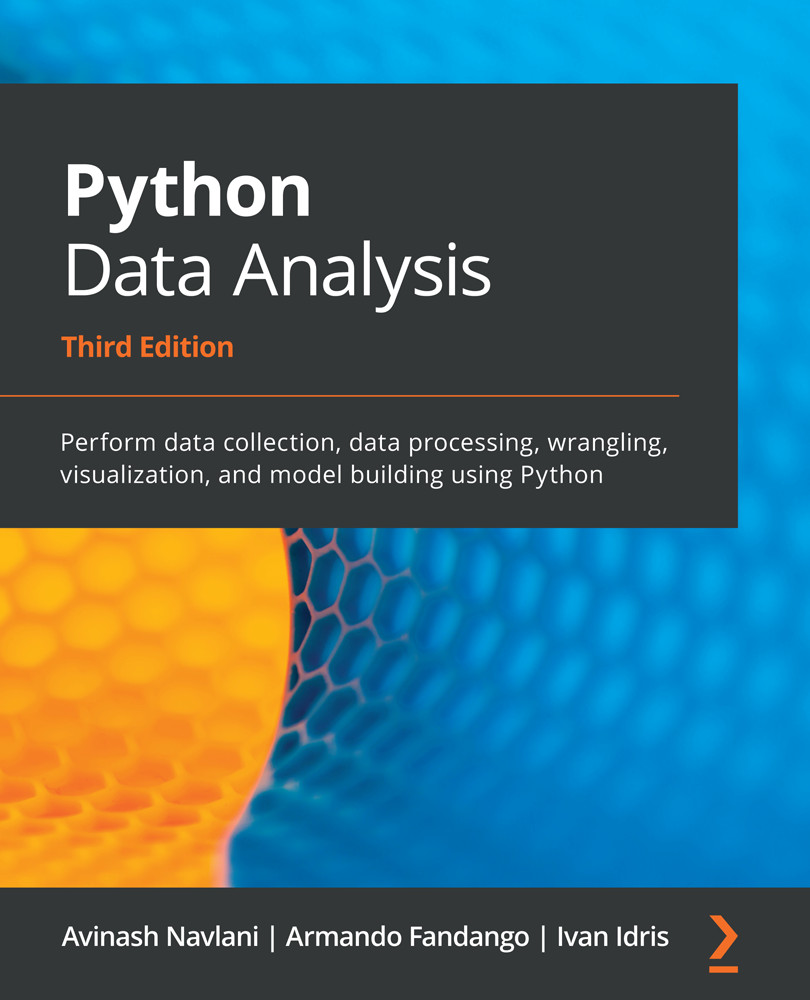
Python Data Analysis

Python Data Analysis: Perform data collection, data processing, wrangling, visualization, and model building using Python , Third Edition

Arrow left icon
Profile Icon Navlani Profile Icon Idris
Arrow right icon
₹700 ₹2323.99
eBook Feb 2021 478 pages 3rd Edition
eBook
₹700 ₹2323.99
Hardcover
₹2904.99
Subscription
Free Trial
Renews at ₹800p/m
Arrow left icon
Profile Icon Navlani Profile Icon Idris
Arrow right icon
₹700 ₹2323.99
eBook Feb 2021 478 pages 3rd Edition
eBook
₹700 ₹2323.99
Hardcover
₹2904.99
Subscription
Free Trial
Renews at ₹800p/m
eBook
₹700 ₹2323.99
Hardcover
₹2904.99
Subscription
Free Trial
Renews at ₹800p/m

What do you get with eBook?

Product feature icon Instant access to your Digital eBook purchase
Product feature icon Download this book in EPUB and PDF formats
Product feature icon Access this title in our online reader with advanced features
Product feature icon DRM FREE - Read whenever, wherever and however you want
Product feature icon AI Assistant (beta) to help accelerate your learning
Modal Close icon
Payment Processing...
tick Completed

Billing Address

Table of content icon View table of contents Preview book icon Preview Book

Python Data Analysis

Getting Started with Python Libraries

As you already know, Python has become one of the most popular, standard languages and is a complete package for data science-based operations. Python offers numerous libraries, such as NumPy, Pandas, SciPy, Scikit-Learn, Matplotlib, Seaborn, and Plotly. These libraries provide a complete ecosystem for data analysis that is used by data analysts, data scientists, and business analysts. Python also offers other features, such as flexibility, being easy to learn, faster development, a large active community, and the ability to work on complex numeric, scientific, and research applications. All these features make it the first choice for data analysis.

In this chapter, we will focus on various data analysis processes, such as KDD, SEMMA, and CRISP-DM. After this, we will provide a comparison between data analysis and data science, as well...

Understanding data analysis

The 21st century is the century of information. We are living in the age of information, which means that almost every aspect of our daily life is generating data. Not only this, but business operations, government operations, and social posts are also generating huge data. This data is accumulating day by day due to data being continually generated from business, government, scientific, engineering, health, social, climate, and environmental activities. In all these domains of decision-making, we need a systematic, generalized, effective, and flexible system for the analytical and scientific process so that we can gain insights into the data that is being generated.

In today's smart world, data analysis offers an effective decision-making process for business and government operations. Data analysis is the activity of inspecting, pre-processing, exploring, describing, and visualizing the given dataset. The main objective of the data analysis process is...

The standard process of data analysis

Data analysis refers to investigating the data, finding meaningful insights from it, and drawing conclusions. The main goal of this process is to collect, filter, clean, transform, explore, describe, visualize, and communicate the insights from this data to discover decision-making information. Generally, the data analysis process is comprised of the following phases:

  1. Collecting Data: Collect and gather data from several sources.
  2. Preprocessing Data: Filter, clean, and transform the data into the required format.
  3. Analyzing and Finding Insights: Explore, describe, and visualize the data and find insights and conclusions.
  4. Insights Interpretations: Understand the insights and find the impact each variable has on the system.
  5. Storytelling: Communicate your results in the form of a story so that a layman can understand them.

We can summarize these steps of the data analysis process via the following process diagram:

In this section, we have covered...

The KDD process

The KDD acronym stands for knowledge discovery from data or Knowledge Discovery in Databases. Many people treat KDD as one synonym for data mining. Data mining is referred to as the knowledge discovery process of interesting patterns. The main objective of KDD is to extract or discover hidden interesting patterns from large databases, data warehouses, and other web and information repositories. The KDD process has seven major phases:

  1. Data Cleaning: In this first phase, data is preprocessed. Here, noise is removed, missing values are handled, and outliers are detected.
  2. Data Integration: In this phase, data from different sources is combined and integrated together using data migration and ETL tools.
  3. Data Selection: In this phase, relevant data for the analysis task is recollected.
  1. Data Transformation: In this phase, data is engineered in the required appropriate form for analysis.
  2. Data Mining: In this phase, data mining techniques are used to discover useful and unknown...

SEMMA 

The SEMMA acronym's full form is Sample, Explore, Modify, Model, and Assess. This sequential data mining process is developed by SAS. The SEMMA process has five major phases:

  1. Sample: In this phase, we identify different databases and merge them. After this, we select the data sample that's sufficient for the modeling process.
  2. Explore: In this phase, we understand the data, discover the relationships among variables, visualize the data, and get initial interpretations.
  3. Modify: In this phase, data is prepared for modeling. This phase involves dealing with missing values, detecting outliers, transforming features, and creating new additional features.
  4. Model: In this phase, the main concern is selecting and applying different modeling techniques, such as linear and logistic regression, backpropagation networks, KNN, support vector machines, decision trees, and Random Forest.
  5. Assess: In this last phase, the predictive models that have been developed are evaluated...

CRISP-DM

CRISP-DM's full form is CRoss-InduStry Process for Data Mining. CRISP-DM is a well-defined, well-structured, and well-proven process for machine learning, data mining, and business intelligence projects. It is a robust, flexible, cyclic, useful, and practical approach to solving business problems. The process discovers hidden valuable information or patterns from several databases. The CRISP-DM process has six major phases:

  1. Business Understanding: In this first phase, the main objective is to understand the business scenario and requirements for designing an analytical goal and initial action plan.
  2. Data Understanding: In this phase, the main objective is to understand the data and its collection process, perform data quality checks, and gain initial insights.
  3. Data Preparation: In this phase, the main objective is to prepare analytics-ready data. This involves handling missing values, outlier detection and handling, normalizing data, and feature engineering. This phase...

Comparing data analysis and data science

Data analysis is the process in which data is explored in order to discover patterns that help us make business decisions. It is one of the subdomains of data science. Data analysis methods and tools are widely utilized in several business domains by business analysts, data scientists, and researchers. Its main objective is to improve productivity and profits. Data analysis extracts and queries data from different sources, performs exploratory data analysis, visualizes data, prepares reports, and presents it to the business decision-making authorities. 

On the other hand, data science is an interdisciplinary area that uses a scientific approach to extract insights from structured and unstructured data. Data science is a union of all terms, including data analytics, data mining, machine learning, and other related domains. Data science is not only limited to exploratory data analysis and is used for developing models and prediction...

The roles of data analysts and data scientists

A data analyst collects, filters, processes, and applies the required statistical concepts to capture patterns, trends, and insights from data and prepare reports for making decisions. The main objective of the data analyst is to help companies solve business problems using discovered patterns and trends. The data analyst also assesses the quality of the data and handles the issues concerning data acquisition. A data analyst should be proficient in writing SQL queries, finding patterns, using visualization tools, and using reporting tools Microsoft Power BI, IBM Cognos, Tableau, QlikView, Oracle BI, and more.  

Data scientists are more technical and mathematical than data analysts. Data scientists are research- and academic-oriented, whereas data analysts are more application-oriented. Data scientists are expected to predict a future event, whereas data analysts extract significant insights out of data. Data scientists develop their...

The skillsets of data analysts and data scientists

A data analyst is someone who discovers insights from data and creates value out of it. This helps decision-makers understand how the business is performing. Data analysts must acquire the following skills:

  • Exploratory Data Analysis (EDA): EDA is an essential skill for data analysts. It helps with inspecting data to discover patterns, test hypotheses, and assure assumptions.
  • Relational Database: Knowledge of at least one of the relational database tools, such as MySQL or Postgre, is mandatory. SQL is a must for working on relational databases.
  • Visualization and BI Tools: A picture speaks more than words. Visuals have more of an impact on humans and visuals are a clear and easy option for representing the insights. Visualization and BI tools such as Tableau, QlikView, MS Power BI, and IBM Cognos can help analysts visualize and prepare reports.
  • Spreadsheet: Knowledge of MS Excel, WPS, Libra, or Google Sheets is mandatory for storing and...

Installing Python 3

The installer file for installing Python 3 can easily be downloaded from the official website (https://www.python.org/downloads/) for Windows, Linux, and Mac 32-bit or 64-bit systems. The installer can be installed by double-clicking on it. This installer also has an IDE named "IDLE" that can be used for development. We will dive deeper into each of the operating systems in the next few sections.

Python installation and setup on Windows

This book is based on the latest Python 3 version. All the code that will be used in this book is written in Python 3, so we need to install Python 3 before we can start coding. Python is an open source, distributed, and freely available language. It is also licensed for commercial use. There are many implementations of Python, including commercial implementations and distributions. In this book, we will focus on the standard Python implementation, which is guaranteed to be compatible with NumPy.

You can download Python 3.9.x from the Python official website: https://www.python.org/downloads/. Here, you can find installation files for Windows, Linux, Mac OS X, and other OS platforms. You can find instructions for installing and using Python for various operating systems at https://docs.python.org/3.7/using/index.html.

You need to have Python 3.5.x or above installed on your system. The sunset date for Python 2.7 was moved from 2015 to 2020...

Python installation and setup on Linux

Installing Python on Linux is significantly easier compared to the other OSes. To install the foundational libraries, run the following command-line instruction:

$ pip3 install numpy scipy pandas matplotlib jupyter notebook

It may be essential to run the sudo command before the preceding command if you don't have sufficient rights on the machine that you are using.

Python installation and setup on Mac OS X with a GUI installer

Python can be installed via the installation file from the Python official website. The installer file can be downloaded from its official web page (https://www.python.org/downloads/mac-osx/) for macOS. This installer also has an IDE named "IDLE" that can be used for development.

Python installation and setup on Mac OS X with brew

For Mac systems, you can use the Homebrew package manager to install Python. It will make it easier to install the required applications for developers, researchers, and scientists. The brew install command is used to install another application, such as installing python3 or any other Python package, such as NLTK or SpaCy.

To install the most recent version of Python, you need to execute the following command in a Terminal:

$ brew install python3

After installation, you can confirm the version of Python you've installed by running the following command:

$ python3 --version
Python 3.7.4

You can also open the Python Shell from the command line by running the following command:

$ python3

Now that we know how to install Python on our system, let's dive into the actual tools that we will need to start data analysis.

Software used in this book

Let's discuss the software that will be used in this book. In this book, we are going to use Anaconda IDE to analyze data. Before installing it, let's understand what Anaconda is.

A Python program can easily run on any system that has it installed. We can write a program on a Notepad and run it on the command prompt. We can also write and run Python programs on different IDEs, such as Jupyter Notebook, Spyder, and PyCharm. Anaconda is a freely available open source package containing various data manipulation IDEs and several packages such as NumPy, SciPy, Pandas, Scikit-learn, and so on for data analysis purposes. Anaconda can easily be downloaded and installed, as follows:

  1. Download the installer from https://www.anaconda.com/distribution/.
  2. Select the operating system that you are using.
  3. From the Python 3.7 section, select the 32-bit or 64-bit installer option and start downloading.
  4. Run the installer by double-clicking on it.
  5. ...

Using IPython as a shell

IPython is an interactive shell that is equivalent to an interactive computing environment such as Matlab or Mathematica. This interactive shell was created for the purpose of quick experimentation. It is a very useful tool for data professionals that are performing small experiments.

IPython shell offers the following features:

  • Easy access to system commands.
  • Easy editing of inline commands.
  • Tab completion, which helps you find commands and speed up your task.
  • Command History, which helps you view previously used commands.
  • Easily execute external Python scripts.
  • Easy debugging with the Python debugger.

Now, let's execute some commands on IPython. To start IPython, use the following command on the command line:

$ ipython3

When you run the preceding command, the following window will appear:

Now, let's understand and execute some commands that the IPython shell provides:

  • History Commands: The history command used to check the list of previously...

Reading manual pages

In the IPython shell, we can open a list of available commands using the help command.  It is not compulsory to write the full name of the function. You can just type in a few initial characters and then press the tab button, and it will find the word you are looking for. For example, let's use the arrange() function. There are two ways we can find help about functions:

  • Use the help function: Let's type help and write a few initial characters of the function. After that, press the tab key, select a function using the arrow keys, and press the Enter key:

  • Use a question mark: We can also use a question mark after the name of the function. The following screenshot shows an example of this:

In this subsection, we looked at the help and question mark support that's provided for module functions. We can also get help from library documentation. Let's discuss how to get documentation for data analysis in Python libraries...

Where to find help and references to Python data analysis libraries

The following table lists the documentation websites for the Python data analysis libraries we have discussed in this chapter:

Packages/Software

Description

NumPy

https://numpy.org/doc/

SciPy

https://docs.scipy.org/doc/

Pandas

https://pandas.pydata.org/docs/

Matplotlib

https://matplotlib.org/3.2.1/contents.html

Seaborn

https://seaborn.pydata.org/

Scikit-learn

https://scikit-learn.org/stable/

Anaconda

https://www.anaconda.com/distribution/


You can also find answers to various Python programming questions related to NumPy, SciPy, Pandas, Matplotlib, Seaborn, and Scikit-learn on the StackOverflow platform. You can also raise issues related to the aforementioned libraries on GitHub.

Using JupyterLab

JupyterLab is a next-generation web-based user interface. It offers a combination of data analysis and machine learning product development tools such as a Text Editor, Notebooks, Code Consoles, and Terminals. It's a flexible and powerful tool that should be a part of any data analyst's toolkit:

You can install JupyterLab using conda, pip, or pipenv.

To install using conda, we can use the following command:

$ conda install -c conda-forge jupyterlab

To install using pip, we can use the following command:

$ pip install jupyterlab

To install using pipenv, we can use the following command:

$ pipenv install jupyterlab

In this section, we have learned how to install Jupyter Lab. In the next section, we will focus on Jupyter Notebooks.

Using Jupyter Notebooks

Jupyter Notebook is a web application that's used to create data analysis notebooks that contain code, text, figures, links, mathematical equations, and charts. Recently, the community introduced the next generation of web-based Jupyter Notebooks, called JupyterLab. You can take a look at these notebook collections at the following links:

Often, these notebooks are used as educational tools or to demonstrate Python software. We can import or export notebooks either from plain Python code or from the special notebook format. The notebooks can be run locally, or we can make them available online by running a dedicated notebook server. Certain cloud computing solutions, such as Wakari, PiCloud, and Google Colaboratory, allow you to run notebooks in the cloud.

"Jupyter" is an acronym that stands for Julia, Python, and R. Initially, the developers...

Advanced features of Jupyter Notebooks

Jupyter Notebook offers various advanced features, such as keyboard shortcuts, installing other kernels, executing shell commands, and using various extensions for faster data analysis operations. Let's get started and understand these features one by one.

Keyboard shortcuts

Users can find all the shortcut commands that can be used inside Jupyter Notebook by selecting the Keyboard Shortcuts option in the Help menu or by using the Cmd + Shift + P shortcut key. This will make the quick select bar appear, which contains all the shortcuts commands, along with a brief description of each. It is easy to use the bar and users can use it when they forget something:

Installing other kernels

Jupyter has the ability to run multiple kernels for different languages. It is very easy to set up an environment for a particular language in Anaconda. For example, an R kernel can be set by using the following command in Anaconda:

$ conda install -c r r-essentials

The R kernel should then appear, as shown in the following screenshot:

Running shell commands

In Jupyter Notebook, users can run shell commands for Unix and Windows. The shell offers a communication interface for talking with the computer. The user needs to put ! (an exclamation sign) before running any command:

Extensions for Notebook

Notebook extensions (or nbextensions) add more features compared to basic Jupyter Notebooks. These extensions improve the user's experience and interface. Users can easily select any of the extensions by selecting the NBextensions tab.

To install nbextension in Jupyter Notebook using conda, run the following command:

conda install -c conda-forge jupyter_nbextensions_configurator

To install nbextension in Jupyter Notebook using pip, run the following command:

pip install jupyter_contrib_nbextensions && jupyter contrib nbextension install

If you get permission errors on macOS, just run the following command:

pip install jupyter_contrib_nbextensions && jupyter contrib nbextension install --user

All the configurable nbextensions will be shown in a different tab, as shown in the following screenshot:

Now, let's explore a few useful features of Notebook extensions:

  • Hinterland: This provides an autocompleting menu for each keypress...

Summary

In this chapter, we have discussed various data analysis processes, including KDD, SEMMA, and CRISP-DM. We then discussed the roles and skillsets of data analysts and data scientists. After that, we installed NumPy, SciPy, Pandas, Matplotlib, IPython, Jupyter Notebook, Anaconda, and Jupyter Lab, all of which we will be using in this book. Instead of installing all those modules, you can install Anaconda or Jupyter Lab, which has NumPy, Pandas, SciPy, and Scikit-learn built-in.

Then, we got a vector addition program working and learned how NumPy offers superior performance compared to the other libraries. We explored the available documentation and online resources. In addition, we discussed Jupyter Lab, Jupyter Notebook, and their features.

In the next chapter, Chapter 2, NumPy and Pandas, we will take a look at NumPy and Pandas under the hood and explore some of the fundamental concepts surrounding arrays and DataFrames.

Left arrow icon Right arrow icon
Download code icon Download Code

Key benefits

  • Prepare and clean your data to use it for exploratory analysis, data manipulation, and data wrangling
  • Discover supervised, unsupervised, probabilistic, and Bayesian machine learning methods
  • Get to grips with graph processing and sentiment analysis

Description

Data analysis enables you to generate value from small and big data by discovering new patterns and trends, and Python is one of the most popular tools for analyzing a wide variety of data. With this book, you’ll get up and running using Python for data analysis by exploring the different phases and methodologies used in data analysis and learning how to use modern libraries from the Python ecosystem to create efficient data pipelines. Starting with the essential statistical and data analysis fundamentals using Python, you’ll perform complex data analysis and modeling, data manipulation, data cleaning, and data visualization using easy-to-follow examples. You’ll then understand how to conduct time series analysis and signal processing using ARMA models. As you advance, you’ll get to grips with smart processing and data analytics using machine learning algorithms such as regression, classification, Principal Component Analysis (PCA), and clustering. In the concluding chapters, you’ll work on real-world examples to analyze textual and image data using natural language processing (NLP) and image analytics techniques, respectively. Finally, the book will demonstrate parallel computing using Dask. By the end of this data analysis book, you’ll be equipped with the skills you need to prepare data for analysis and create meaningful data visualizations for forecasting values from data.

Who is this book for?

This book is for data analysts, business analysts, statisticians, and data scientists looking to learn how to use Python for data analysis. Students and academic faculties will also find this book useful for learning and teaching Python data analysis using a hands-on approach. A basic understanding of math and working knowledge of the Python programming language will help you get started with this book.

What you will learn

  • Explore data science and its various process models
  • Perform data manipulation using NumPy and pandas for aggregating, cleaning, and handling missing values
  • Create interactive visualizations using Matplotlib, Seaborn, and Bokeh
  • Retrieve, process, and store data in a wide range of formats
  • Understand data preprocessing and feature engineering using pandas and scikit-learn
  • Perform time series analysis and signal processing using sunspot cycle data
  • Analyze textual data and image data to perform advanced analysis
  • Get up to speed with parallel computing using Dask

Product Details

Country selected
Publication date, Length, Edition, Language, ISBN-13
Publication date : Feb 05, 2021
Length: 478 pages
Edition : 3rd
Language : English
ISBN-13 : 9781789953459
Category :
Languages :
Tools :

What do you get with eBook?

Product feature icon Instant access to your Digital eBook purchase
Product feature icon Download this book in EPUB and PDF formats
Product feature icon Access this title in our online reader with advanced features
Product feature icon DRM FREE - Read whenever, wherever and however you want
Product feature icon AI Assistant (beta) to help accelerate your learning
Modal Close icon
Payment Processing...
tick Completed

Billing Address

Product Details

Publication date : Feb 05, 2021
Length: 478 pages
Edition : 3rd
Language : English
ISBN-13 : 9781789953459
Category :
Languages :
Tools :

Packt Subscriptions

See our plans and pricing
Modal Close icon
₹800 billed monthly
Feature tick icon Unlimited access to Packt's library of 7,000+ practical books and videos
Feature tick icon Constantly refreshed with 50+ new titles a month
Feature tick icon Exclusive Early access to books as they're written
Feature tick icon Solve problems while you work with advanced search and reference features
Feature tick icon Offline reading on the mobile app
Feature tick icon Simple pricing, no contract
₹4500 billed annually
Feature tick icon Unlimited access to Packt's library of 7,000+ practical books and videos
Feature tick icon Constantly refreshed with 50+ new titles a month
Feature tick icon Exclusive Early access to books as they're written
Feature tick icon Solve problems while you work with advanced search and reference features
Feature tick icon Offline reading on the mobile app
Feature tick icon Choose a DRM-free eBook or Video every month to keep
Feature tick icon PLUS own as many other DRM-free eBooks or Videos as you like for just ₹400 each
Feature tick icon Exclusive print discounts
₹5000 billed in 18 months
Feature tick icon Unlimited access to Packt's library of 7,000+ practical books and videos
Feature tick icon Constantly refreshed with 50+ new titles a month
Feature tick icon Exclusive Early access to books as they're written
Feature tick icon Solve problems while you work with advanced search and reference features
Feature tick icon Offline reading on the mobile app
Feature tick icon Choose a DRM-free eBook or Video every month to keep
Feature tick icon PLUS own as many other DRM-free eBooks or Videos as you like for just ₹400 each
Feature tick icon Exclusive print discounts

Table of Contents

19 Chapters
Section 1: Foundation for Data Analysis Chevron down icon Chevron up icon
Getting Started with Python Libraries Chevron down icon Chevron up icon
NumPy and pandas Chevron down icon Chevron up icon
Statistics Chevron down icon Chevron up icon
Linear Algebra Chevron down icon Chevron up icon
Section 2: Exploratory Data Analysis and Data Cleaning Chevron down icon Chevron up icon
Data Visualization Chevron down icon Chevron up icon
Retrieving, Processing, and Storing Data Chevron down icon Chevron up icon
Cleaning Messy Data Chevron down icon Chevron up icon
Signal Processing and Time Series Chevron down icon Chevron up icon
Section 3: Deep Dive into Machine Learning Chevron down icon Chevron up icon
Supervised Learning - Regression Analysis Chevron down icon Chevron up icon
Supervised Learning - Classification Techniques Chevron down icon Chevron up icon
Unsupervised Learning - PCA and Clustering Chevron down icon Chevron up icon
Section 4: NLP, Image Analytics, and Parallel Computing Chevron down icon Chevron up icon
Analyzing Textual Data Chevron down icon Chevron up icon
Analyzing Image Data Chevron down icon Chevron up icon
Parallel Computing Using Dask Chevron down icon Chevron up icon
Other Books You May Enjoy Chevron down icon Chevron up icon
Get free access to Packt library with over 7500+ books and video courses for 7 days!
Start Free Trial

FAQs

How do I buy and download an eBook? Chevron down icon Chevron up icon

Where there is an eBook version of a title available, you can buy it from the book details for that title. Add either the standalone eBook or the eBook and print book bundle to your shopping cart. Your eBook will show in your cart as a product on its own. After completing checkout and payment in the normal way, you will receive your receipt on the screen containing a link to a personalised PDF download file. This link will remain active for 30 days. You can download backup copies of the file by logging in to your account at any time.

If you already have Adobe reader installed, then clicking on the link will download and open the PDF file directly. If you don't, then save the PDF file on your machine and download the Reader to view it.

Please Note: Packt eBooks are non-returnable and non-refundable.

Packt eBook and Licensing When you buy an eBook from Packt Publishing, completing your purchase means you accept the terms of our licence agreement. Please read the full text of the agreement. In it we have tried to balance the need for the ebook to be usable for you the reader with our needs to protect the rights of us as Publishers and of our authors. In summary, the agreement says:

  • You may make copies of your eBook for your own use onto any machine
  • You may not pass copies of the eBook on to anyone else
How can I make a purchase on your website? Chevron down icon Chevron up icon

If you want to purchase a video course, eBook or Bundle (Print+eBook) please follow below steps:

  1. Register on our website using your email address and the password.
  2. Search for the title by name or ISBN using the search option.
  3. Select the title you want to purchase.
  4. Choose the format you wish to purchase the title in; if you order the Print Book, you get a free eBook copy of the same title. 
  5. Proceed with the checkout process (payment to be made using Credit Card, Debit Cart, or PayPal)
Where can I access support around an eBook? Chevron down icon Chevron up icon
  • If you experience a problem with using or installing Adobe Reader, the contact Adobe directly.
  • To view the errata for the book, see www.packtpub.com/support and view the pages for the title you have.
  • To view your account details or to download a new copy of the book go to www.packtpub.com/account
  • To contact us directly if a problem is not resolved, use www.packtpub.com/contact-us
What eBook formats do Packt support? Chevron down icon Chevron up icon

Our eBooks are currently available in a variety of formats such as PDF and ePubs. In the future, this may well change with trends and development in technology, but please note that our PDFs are not Adobe eBook Reader format, which has greater restrictions on security.

You will need to use Adobe Reader v9 or later in order to read Packt's PDF eBooks.

What are the benefits of eBooks? Chevron down icon Chevron up icon
  • You can get the information you need immediately
  • You can easily take them with you on a laptop
  • You can download them an unlimited number of times
  • You can print them out
  • They are copy-paste enabled
  • They are searchable
  • There is no password protection
  • They are lower price than print
  • They save resources and space
What is an eBook? Chevron down icon Chevron up icon

Packt eBooks are a complete electronic version of the print edition, available in PDF and ePub formats. Every piece of content down to the page numbering is the same. Because we save the costs of printing and shipping the book to you, we are able to offer eBooks at a lower cost than print editions.

When you have purchased an eBook, simply login to your account and click on the link in Your Download Area. We recommend you saving the file to your hard drive before opening it.

For optimal viewing of our eBooks, we recommend you download and install the free Adobe Reader version 9.

Modal Close icon
Modal Close icon