Search icon CANCEL
Subscription
0
Cart icon
Your Cart (0 item)
Close icon
You have no products in your basket yet
Save more on your purchases! discount-offer-chevron-icon
Savings automatically calculated. No voucher code required.
Arrow left icon
Explore Products
Best Sellers
New Releases
Books
Videos
Audiobooks
Learning Hub
Newsletter Hub
Free Learning
Arrow right icon
timer SALE ENDS IN
0 Days
:
00 Hours
:
00 Minutes
:
00 Seconds
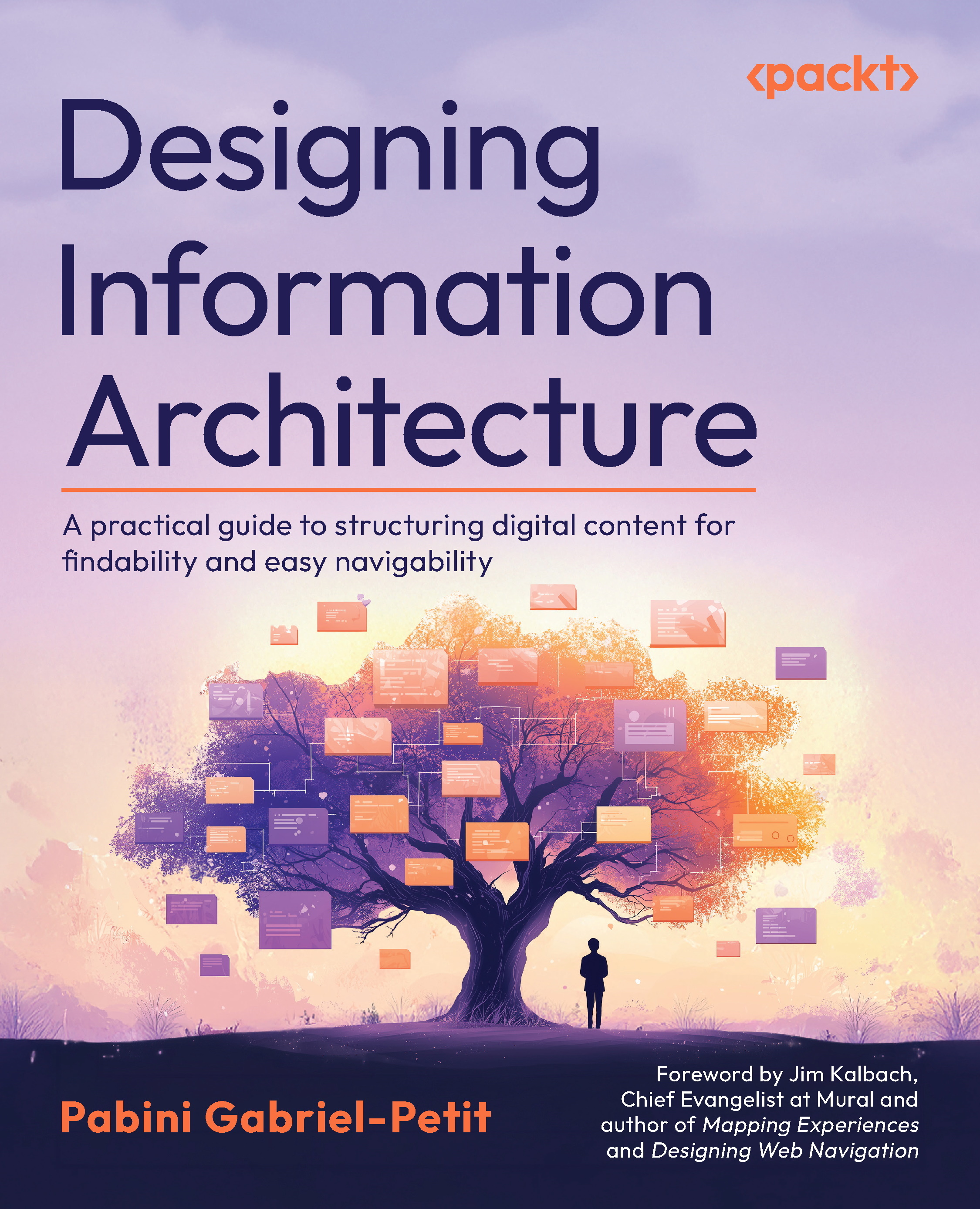
Designing Information Architecture

Designing Information Architecture: A practical guide to structuring digital content for findability and easy navigability

Arrow left icon
Profile Icon Pabini Gabriel-Petit
Arrow right icon
₹700 ₹2680.99
eBook Mar 2025 572 pages 1st Edition
eBook
₹700 ₹2680.99
Paperback
₹3351.99
Subscription
Free Trial
Renews at ₹800p/m
Arrow left icon
Profile Icon Pabini Gabriel-Petit
Arrow right icon
₹700 ₹2680.99
eBook Mar 2025 572 pages 1st Edition
eBook
₹700 ₹2680.99
Paperback
₹3351.99
Subscription
Free Trial
Renews at ₹800p/m
eBook
₹700 ₹2680.99
Paperback
₹3351.99
Subscription
Free Trial
Renews at ₹800p/m

What do you get with eBook?

Product feature icon Instant access to your Digital eBook purchase
Product feature icon Download this book in EPUB and PDF formats
Product feature icon Access this title in our online reader with advanced features
Product feature icon DRM FREE - Read whenever, wherever and however you want
Product feature icon AI Assistant (beta) to help accelerate your learning
Modal Close icon
Payment Processing...
tick Completed

Billing Address

Table of content icon View table of contents Preview book icon Preview Book

Designing Information Architecture

What Is Information Architecture?

This chapter introduces and provides an overview of the professional practice of information architecture (IA)—one of the design specialties that make up the broader practice of user experience (UX) design. In this chapter, I’ll present some foundational knowledge that you’ll find useful whether you’re learning about information architecture because you plan to pursue a career as an information architect, you need to take on IA activities because there is no information architect on your design or project team, or you want a better understanding of the role of any information architects on your team.

This chapter conveys basic knowledge regarding the purview of information architecture as a professional practice and considers the following key topics:

  • Defining information architecture
  • Goals of information architecture
  • Information ecosystems
  • The value of information architecture
  • Who is responsible for information architecture?
  • Core IA skills
  • Overview of the IA process
  • Key components of information architecture

In reading this book, you’ll build on this foundation to gain a deeper understanding of the many facets of the discipline of information architecture.

Defining information architecture

Let’s first consider the meanings of the individual words information and architecture. Information is a broad term that encompasses everything from the sorts of raw factual and numeric data that organizations store in relational and object-oriented databases to the more meaningful—sometimes even insightful—content on Web pages, on pages in mobile apps, in documents of various types, and in images and other media.

In relation to a professional practice, the term architecture originally referred to the planning and design of physical spaces—particularly buildings. But since the advent of computers and software, architecture has also referred to the design and organization of the components of computing and software systems.

Who coined the term information architecture? The prolific author and information designer Richard Saul Wurman wrote the following in his 2001 book Information Anxiety 2:

“When I came up with the concept and the name information architecture in 1975, I thought everybody would join in and call themselves information architects. But nobody did—until now. Suddenly, it’s become a ubiquitous term. … Effective information architects make the complex clear; they make the information understandable to other human beings. If they succeed in doing that, they’re good information architects.” [1]

In 2004, Dirk Knemeyer—a design entrepreneur who has cofounded companies such as GoInvo and Genius Games and currently leads SciStories—interviewed Wurman, asking how he had chosen the term information architecture. Wurman responded with the following:

“The common term then was information design … Information design was epitomized by which map looked the best—not which took care of a lot of parallel systemic parts. That is what I thought architecture did and was a clearer word that had to do with systems that worked and performed. Thought architecture was a better way of describing what I thought was the direction that more people should look into for information, and I thought the explosion of data needed an architecture, needed a series of systems, needed systemic design, a series of performance criteria to measure it.” [2]

Nevertheless, it was Lou Rosenfeld and Peter Morville who, in 1998, defined information architecture as a practice in their seminal work Information Architecture for the World Wide Web—which the IA community affectionately refers to as the polar bear book because of the bear on its cover. [3] Both Lou and Peter have backgrounds in library and information science (LIS), which forms the foundation of their thinking. Their view of information architecture—with its focus on organization, clear labeling, navigation, and search—differs fundamentally from that of Wurman, and it established the foundation for the profession upon which all information architects have since built.

What exactly is information architecture? Here is a brief definition of the term as I’ll use it in this book:

Information architecture is a design practice that focuses on defining the structure of digital information spaces—for example, Web sites, intranets, social-networking communities on the Web, and information-rich digital products such as Web and mobile applications—by organizing information and supporting findability and usability through well-designed labeling, navigation, and search systems.

While some information architects have expanded their view of information architecture to comprehend physical spaces, the focus of this book is on information architecture for digital information spaces, in service of providing a practical book for people working on digital products and services.

Around the time I launched UXmatters in 2005—when I was giving a lot of thought to the distinctions between information architecture, interaction design, and UX design—I wrote a detailed definition of information architecture for the site’s glossary. That definition previews the scope of the information I’ll cover in this book:

“A UX design discipline that defines the structure of digital information spaces—including Web sites, intranets, online publications, applications, and other digital products—with the goal of supporting findability and usability. Information architecture encompasses the creation of taxonomies of the hierarchical and associative relationships that exist between content objects; controlled vocabularies that effectively communicate the nature of and relationships between content objects; labeling for navigation systems that makes information browsable; metadata, retrieval algorithms, and query syntaxes that produce useful search results; and the content and format of both individual search results and sets of results. Good information architectures make digital information easier to navigate, search, and manage; balance breadth and depth appropriately; and enable users to readily find the information they need. Information-architecture deliverables include content inventories,* wireframes, site maps, and flow diagrams.” [4]

Note—With today’s increased levels of specialization, a content analyst, content manager, or content strategist might now be responsible for creating content inventories.

I wrote that detailed definition of information architecture for UX professionals, who are knowledgeable about its practices. Let’s begin building your understanding to the same level by exploring the basic and advanced concepts that the definition merely highlights. By reading this book, you’ll quickly learn everything you need to know to create an effective information architecture.

Goals of information architecture

The goals of information architecture include the following:

  • Making information easy to find
  • Providing information scent
  • Supporting browsing
  • Supporting search
  • Creating a sense of place
  • Making content easy to consume
  • Combatting information overload

Making information easy to find

Findability is the efficiency and effectiveness with which users can find specific content within a digital information space and is essential to usability. How do practitioners of information architecture assist people in finding the information they need? By structuring, grouping or categorizing, and labeling information, they help people make sense of information spaces. Organizing information objects into discrete groups or categories that are meaningful to people and assigning clear labels to them are paramount. The design of usable labeling, navigation, and search systems enables people to easily find the information they need.

Providing information scent

In the late 1990s, Peter Pirolli and Stuart Card of Xerox PARC (Palo Alto Research Center) published their “information foraging theory,” which frames human information-gathering activities in terms of the ways “adaptive pressures work on users of information that are analogous to ecological pressures on animal food foraging….” In their report, they wrote: “The problems and constraints of [information-foraging] environments can be thought of as forming abstract landscapes of information value and costs, such as the costs of accessing, rendering, and interpreting information-bearing documents.” [5]

A key concept of information foraging is information scent, which enables people to instinctually follow environmental cues in gathering the valuable information they need, while ignoring irrelevant information. These cues include visual and textual signposts that convey semantic meaning to people as they browse for information—proximal cues that let information seekers know whether they’re getting hotter or colder in relation to the information they want, as in a game of Hot and Cold. Obviously, people pursue the paths that promise to be most fruitful.

The information-foraging environments that information architects create can facilitate the effectiveness and efficiency with which users can gather information. Providing the right environmental cues, or signposts, aids users in successfully accomplishing their information-seeking goals. This is especially important for complex information spaces. At the same time, providing information scent enables organizations to capture the most valuable of resources: users’ attention.

Supporting browsing

Information architecture supports browsability by doing the following:

  • Creating logical structures for information spaces that match users’ mental models and, thus, encourage exploration
  • Chunking content onto pages at an optimal level of granularity to prevent what Jared Spool calls pogo-sticking—that is, forcing users to navigate back and forth between pages unnecessarily by decomposing content into chunks at too fine-grained a level [6]
  • Designing usable global, primary navigation systems, comprising links with clear labels, to enable users to gain access to the information they need and show users where they are now and where they can go next
  • Providing global or local supplementary navigation systems such as site maps and alphabetical indexes to provide alternative means of gaining access to information
  • Presenting contextual links in a consistent location on pages to support navigation within a page
  • Providing useful links to related information as supplementary means of navigation, either by embedding them within content or by grouping them in a consistent location on pages
  • Displaying clear page titles to ensure that users know where they are—titles that use language that is similar to that of the links that display the pages

Supporting search

A search system is necessary for any digital information space that is sufficiently extensive that a navigation system alone would not adequately support findability. Information architecture plays an important role in ensuring the usefulness and usability of a search system. To better support search, practitioners of information architecture can do the following:

  • Define descriptive metadata—Using metadata to describe content of any type gives semantic meaning to that content and provides greater precision in searching, enabling search systems to deliver more useful search results in response to users’ queries.
  • Implement a controlled vocabulary and thesaurus—Supporting a domain-specific vocabulary, including variants of terms, and synonyms of search terms increases the likelihood that searching would deliver useful content to users.
  • Provide a usable search user interface—Users should be able to easily type or revise a search query. For a large digital information space such as an ecommerce site, it should be possible to limit the scope of a search to a specific facet of the information within that space.
  • Suggest search strings—Automatically suggesting search strings that would deliver useful results, in response to whatever the user types, helps users to search more efficiently.
  • Display meaningful search results—Effectively displaying the most salient information on search-results pages helps users to accurately identify the content they need.

Creating a sense of place

Increasingly, users are experiencing digital information environments as places—and designers are consciously creating contexts that are conducive to that perception. As Jorge Arango—an architect of physical spaces by training, but an information architect in practice—says in Living in Information, “With the growing pervasiveness of information systems in our daily lives, placemaking has started to emerge as a primary concern in the design of information systems.” [7]

Designing navigable digital information spaces that emulate certain characteristics of real-world places and, thus, create a sense of place, lets you take advantage of users’ knowledge of familiar places to make digital spaces easier to use, convey what users can do there, set the right user expectations, and elicit desired user behaviors.

Making content easy to consume

Information architecture is about making it easier for people to consume content. In addition to supporting navigation and search, doing the following facilitates information consumption:

  • Applying a consistent organizational structure that reflects the user’s mental model of the content within a digital information space
  • Orienting users to ensure that they know where they are and prevent their becoming lost in hyperspace
  • Creating clear labels for navigation links and page titles that make it clear users have arrived at their intended destination
  • Appropriately decomposing content into chunks so there is neither too little nor too much content on a page
  • Personalizing content, prioritizing content that meets users’ needs, and thus, reducing the amount of information users must peruse to find what they need
  • Providing convenient links to related information

Combatting information overload

Bertram Gross, in his 1964 book The Managing of Organizations, was the first to use the term information overload, which Alvin Toffler popularized in his 1970 book Future Shock. This term describes a state of mind that arises when people receive more information within a short period of time than they are capable of rationalizing for use in their decision-making. [8]

Data on the Web is accruing at an astounding rate. According to a Bernard Marr article on Forbes, “How Much Data Do We Create Every Day? The Mind-Blowing Stats Everyone Should Read,” people generated 2.5 quintillion bytes of data every day in 2019. In just two years, we generated 90 percent of the data that currently exists in the world, and the pace of data creation is only accelerating with the growth of the Internet of Things (IoT). [9] This is more information than any human being could possibly keep up with and, as Daniel Tunkelang writes in his book Faceted Search, creates a “scarcity of the most valuable resource of all—the user’s attention.” [10]

Because of this burgeoning volume of information, digital information spaces have become increasingly complex, and the danger exists that they could become unusable. However, by effectively structuring and categorizing information and, thus, improving findability, the practice of information architecture provides a bulwark against information overload. Users can find the information they actually need without having to wade through a morass of irrelevant information. This reduces the information anxiety—another term coined by Richard Saul Wurman [11]—and frustration that users would otherwise experience as a result of trying to process too much information, which has become exacerbated as people use more and more devices, information sources, and services.

According to a Pew Research Center report from 2016, information overload is less of a factor for most people than it was a decade earlier. Just 20% felt overloaded, down from 27% in 2006. “The large majority of Americans do not feel that information overload is a problem for them. … 77% say they like having so much information at their fingertips. Two-thirds (67%) say that having more information at their [disposal] actually helps to simplify their lives.” [12]

Information ecosystems

British ecologist Arthur Tansley introduced the concept of an ecosystem in his writings in 1935, using the term to describe “the whole system, ... including not only the organism-complex but also the whole complex of physical factors forming what we call the environment.” [13] While the term ecosystem originated in the life sciences, some have adapted it for use in information science. Others, including Morville and Rosenfeld in Information Architecture for the World Wide Web, have adopted the term information ecology. [14]

People thrive in information-rich environments. We exist within overlapping information ecosystems at various levels of granularity—ranging from the personal to the Web, a massive, worldwide information ecosystem. Depending on users’ current context, their larger information ecosystem could comprise different, more granular ecosystems. For example, a business information ecosystem might comprise departmental, corporate, organizational, marketplace, and governmental ecosystems.

Despite an information ecosystem potentially having a much greater scope than a typical Web site or mobile app, many of the same approaches to organizing information and designing information architectures still apply. Some ecosystems have emerged organically, while others have been consciously designed—but as they evolve, either the messiness of organic growth or the order of design may predominate at any given moment in time, unless an ecosystem is maintained systematically, with great discipline.

A holistically designed information ecosystem typically comprises users of various types, a business or other organization that serves their needs, and content that the business or the users themselves create to meet those needs. Of course, all information-architecture solutions must serve the unique needs of both their users and the business or organization sponsoring the creation of a digital information space—that is, the needs of a specific information ecosystem. Plus, every designed information ecosystem exists within the broader context of a marketplace or community. Figure 1.1 depicts the elements of a business’s information ecosystem and the information architecture that connects users with that ecosystem, whose elements we'll look at in greater depth next.

Figure 1.1—The elements of an information ecosystem and information architecture

Figure 1.1—The elements of an information ecosystem and information architecture

Users

Practitioners of information architecture follow a user-centered design (UCD) process to ensure that the IA solutions they create meet the needs of the users who engage with them. They do user research to understand those users’ information needs, tasks, and information-seeking behaviors, then create personas that represent key user groups, or target audiences. Depending on users’ wants and needs, they might simply consume the content within a digital information space or contribute to it—either by creating user-generated content (UGC) or tagging, voting on, sharing, or linking to content.

Each unique audience has a particular mental model of an information space, based on their existing knowledge and prior experience, and uses a specific vocabulary that should factor into the design of an information architecture.

Content

Digital information spaces are dynamic and their content may evolve constantly. There are complex interrelationships and dependencies between the content elements in a designed information space. The information architect must understand its existing structure and both the scope and types of the existing and planned content to create a sustainable information architecture. These might include Web or mobile pages; documents in various formats; different types of digital media such as images, audio, or video; other digital assets; or databases—even the metadata that enables people to find the content within a digital information space. That metadata could consist of information such as the content’s title, document format, owner, creator, vendor, or groups or categories to which the content belongs.

The business

Commercial Web sites, intranets, and extranets are designed information spaces that exist within the context of a business or organization. A business or organization that sponsors the design and development of such digital information spaces does so to meet its strategic business goals. According to David A. Aaker, business strategy comprises the following:

  • A product/market investment decision
  • Marketplace in which a business competes
  • Level of investment
  • Allocation of resources across business units
  • Functional strategies, including product strategy, pricing, and market segmentation
  • A foundation for sustainable competitive advantage
  • Strategic assets and competencies
  • Synergy across business units [15]

An information architect who designs a digital information space needs to understand the strategy of the business sponsoring it—particularly its vision for that information space, the available design and development resources, and any technical constraints that exist—and must work toward the business’s strategic goals. To do this effectively, the information architect must also understand the culture of the business and build strong relationships with stakeholders and all members of the multidisciplinary team responsible for design and development.

An information architecture is a tangible manifestation of a business’s or an organization’s strategy, which conveys meaning to its target audience and differentiates the business or organization in the marketplace.

Context

The context in which a designed, digital information space exists includes its intersections with other digital information spaces. For a business, these might include one or more Web sites, intranets, extranets, ecommerce sites, and mobile apps. Together, these information spaces form the business’s information ecosystem, which itself exists within the context of a broader information ecosystem comprising the business’s marketplace, competitors, sales channels, customers, users, social media, the press, and more.

Creating holistic, cross-channel information ecosystems

As information sources and the devices on which people consume information proliferate, information architects must create holistic, cross-channel information ecosystems that interoperate across devices. For example, if users look for information on their mobile phone, then go to their computer, they should easily be able to resume their information-seeking task there. Working across devices should be a seamless experience.

Any information that is available on one device should be available on all of a user’s devices. However, the ways in which specific platforms display or communicate that information might differ, depending on the size of a device’s screen or its lack of a screen. Nevertheless, the language and organization of the information should be consistent across channels and the information useful regardless of the user’s current context.

The value of information architecture

Information architecture provides value to both the people who use a digital information space and the business sponsoring its design and development. Let’s consider the value proposition that information architecture offers to users and the business.

The value of information architecture to users

Designed information architectures provide many benefits to the people using digital information spaces. An effective information architecture provides value to users in the following ways:

  • Improves the user experience (UX)
  • Helps people make sense of information spaces
  • Makes information easier to find
  • Reduces the frustration of users’ being unable to find information
  • Improves the quality of the information people find
  • Minimizes the likelihood that people would find the wrong information or no information
  • Improves decision-making
  • Facilitates browsing
  • Facilitates search
  • Saves users’ time
  • Makes it easier to identify content
  • Makes content easier to consume
  • Makes information easier to manage
  • Prevents users from experiencing information overload
  • Reduces the need for documentation, training, and support

The value of information architecture to the business

Designed information architectures can deliver great benefits to the businesses and organizations that sponsor their creation. An effective information architecture provides value to the business in the following ways:

  • Improves ease of use
  • Increases employee productivity
  • Enhances customer service
  • Increases customer satisfaction
  • Increases customer adoption
  • Improves the business’s understanding of customers
  • Increases sales on ecommerce sites by ensuring customers can find the products they want and by upselling related products to them
  • Reduces the overall costs of information seeking to the business
  • Minimizes negative business impacts resulting from workers’ lacking accurate, useful information
  • Improves decision-making
  • Reduces duplication of effort
  • Communicates and facilitates alignment on business strategy
  • Creates competitive differentiation
  • Engenders trust
  • Builds brand loyalty
  • Minimizes employees’ needs for documentation, training, and support
  • Reduces customers’ needs for documentation and support
  • Reduces the overall costs of documentation, training, and support
  • Prevents unnecessary reimplementation costs
  • Makes information spaces easier to manage and maintain
  • Reduces maintenance costs [16]

Who is responsible for information architecture?

Ideally, a highly trained and experienced information architect should be responsible for a digital information space’s information architecture. A large organization with a high level of design maturity and a complex information ecosystem would likely employ a team of information architects. But with high design maturity, even a small organization might employ an information architect or, more likely, would work with an IA consultant. However, in a very small organization or one with a low level of design maturity, some other professional might have to take responsibility for information architecture. In such a case, it is essential that the person responsible for information architecture has the necessary mindset, IA knowledge and skills, and sufficient experience to be successful.

Likely candidates for other roles taking responsibility for information architecture include UX designers, content strategists, usability professionals, information designers, library scientists, business analysts, product managers, developers, marketers, and technical writers.

In large organizations, people in more specialized UX roles might take on responsibility for specific IA activities—for example, a content analyst. In contrast, within smaller companies, an information architect might also be responsible for content strategy.

Core information-architecture skills

“Effective information architects make the complex clear; they make the information understandable to other human beings.”—Richard Saul Wurman [17]

Practitioners of information architecture must develop a deep understanding of both the target audience for a digital information space—including the language they use and their mental models for organizing the information of its domain—and the goals of the business sponsoring its development. They must also comprehend the full scope of the content that information space comprises and be capable of doing very detailed work in organizing that information. Finally, they must have the ability to synthesize all of this information into a holistic IA solution that meets users’ needs.

Accomplishing these goals requires a broad skillset. Now, let’s consider some essential attributes, knowledge, and skills that an information architect must have to take on the responsibility of creating the information architecture for a digital information space.

Systems thinking

What exactly is systems thinking? According to The Fifth Discipline Fieldbook, by Peter M. Senge and his coauthors, it is “a way of thinking about, and a language for describing and understanding, the forces and interrelationships that shape the behavior of systems.” In describing strategies for systems thinking, they say: “Although systems thinking is seen by many as a powerful problem-solving tool, … it is more powerful as a language, augmenting and changing the ordinary ways we think and talk about complex issues.” [18]

Systems thinkers are able to think abstractly, address complex problems, appreciate the interrelationships between the various elements of a system, and approach problem-solving holistically. Being a systems thinker is especially important for an information architect who is designing complex or cross-channel information ecosystems.

UX research and user-centered design

Of course, all UX professionals should possess UX research and user-centered design (UCD) skills. The practice of information architecture benefits particularly from the following UX research and UCD activities:

  • Content analysis
  • Stakeholder research
  • User research
  • Developing personas
  • Building mental models
  • Card sorting
  • Tree testing

Empathy for users

Empathy is an essential quality for information architects—and all UX professionals. Empathy for users enables an information architect to understand their motivations and accurately perceive their needs and emotions, then use that understanding to create better solutions for them. Being empathetic lets an information architect look at things from different people’s perspectives and internalize what they learn about the target users of a digital information space. [19]

Information organization

Effective practitioners of information architecture can perceive, understand, and communicate the relationships between the information elements within a digital information space, organize information in ways that make sense to users, and devise holistic IA solutions.

IA design skills

Designing an information architecture requires the following knowledge and skills:

  • A deep understanding of design principles that are pertinent to the design of an information architecture
  • Labeling design
  • Designing and mapping information architectures
  • Navigation design
  • Search design

Strong language skills

Designing an information architecture requires excellent language skills—in the language of the target audience for a digital information space. Both the hidden underpinnings of an information architecture and the visible elements that users experience rely on the use of language. An information architect must organize content into groups or categories, define metadata for content, choose optimal labels for navigation links, and design search systems. All of these design activities require working with language.

Overview of the information-architecture process

The design of an information architecture occurs within the broader context of the UX design process, which I explored in depth in my UXmatters column On Good Behavior “Design Is a Process, Not a Methodology.” [21] In this section, I’ll highlight the aspects of the design process that play the largest role in ensuring the creation of an optimal information architecture.

Stakeholder and user research

Stakeholder research involves interviewing the business leaders who have sponsored and are defining the strategy for an IA project, project team members who are leading the implementation of that strategy, and others who have a stake in the project’s outcome, including customers. This research ensures that those responsible for designing an information architecture understand the business needs driving the project, as well as the desired outcomes.

User research consists of a variety of generative-research techniques—including user interviews, contextual inquiries, user observations, field studies, various open card-sorting methods, tree testing, and surveys—and enables practitioners of information architecture to understand the needs, vocabulary, mental models, and information-seeking behaviors of existing or prospective users. [20] On the basis of the findings from user research, the UX team can define personas that represent the various types of users who make up the target audience for a digital information space.

Stakeholder and user research occur during a project’s Discovery phase. In Chapter 5, UX Research Methods for Information Architecture, you’ll learn about some specific UX research methods that are useful in designing information architectures.

Information-architecture strategy

A project’s information-architecture strategy derives from an organization’s business strategy and the stakeholder and user research that the UX team has conducted. Thus, the IA strategy is an output of the project’s Discovery phase.

Louis Rosenfeld, Peter Morville, and Jorge Arango, the authors of Information Architecture: For the Web and Beyond, define information-architecture strategy as follows:

“An information architecture strategy is a high-level conceptual framework for structuring and organizing an information environment. It provides the firm sense of direction and scope necessary to proceed with confidence into the design and implementation phases. It also facilitates discussion and helps get people on the same page before moving into the more expensive design phase.” [22]

An information-architecture strategy provides preliminary design guidance on which a team can align—regarding the definition of a taxonomy and metadata; the optimal structure for a scalable information space that can accommodate the addition of new content over time; the organization of content; the design of labeling, navigation, and search systems; and the eventual implementation and administration of an information architecture. Chapter 8, Defining an Information-Architecture Strategy, explores IA strategy in depth.

Design and usability testing

The goal of the Design phase is to realize the IA strategy; iteratively design, test, and deliver an IA solution that provides value to both users and the business. Designing an information architecture comprehends creating the structure of a digital information space and determining the organization of its content, which you’ll learn about in Chapter 6, Understanding and Structuring Content; the definition of a taxonomy and metadata, in Chapter 7, Classifying Information; designing labeling systems, in Chapter 9, Labeling Information; designing and mapping information architectures, in Chapter 10, Designing and Mapping an Information Architecture; designing navigation systems, in Chapter 11, Foundations of Navigation Design, and Chapter 12, Designing Navigation; and designing search systems, in Chapter 13, Designing Search.

Usability testing enables a team to evaluate the quality of a designed information architecture, identify areas for improvement through iterative design, and ultimately, validate a design solution.

Implementation and administration

The users of an information architecture include the content-management (CM) team, which is responsible for the analysis, collection, management, and publishing of content. In a small organization, there might be a CM team of one; in a large enterprise, different people, or multiple people, might be responsible for each of the roles that Table 1.1 outlines. According to Bob Boiko, the primary goal of content management “is to break information away from its presentation and instead focus on its structure….” [23] Information architects have a similar goal. Achieving this goal requires a well-defined process and clear policies.

Role

Implementation Responsibilities

Maintenance Responsibilities

Content manager

Content management, including the planning and implementation of CM initiatives and technology acquisitions

Content management, including governance

Business analysts

Creating a business strategy or aligning CM initiatives with business strategy, building upon existing efforts, fostering support for CM initiatives, setting goals, and devising a CM strategy

Establishing a governing body and ensuring the CM team remains aligned with the business strategy

Information architects

Content analysis, which includes gathering content requirements; designing a logical, holistic structure, or content model, for digital content; creating a metatorial framework, or categorization scheme, for organizing content; defining metadata, and applying metadata to content

Governing the application of a metatorial framework to the content in a digital information space; ensuring content conversions have correctly identified, chunked, and tagged content components; applying metadata to content; maintaining a metatorial guide, and training others on the guide’s use

Software developers

Template, content-management system (CMS), and application development

Template and CMS development

Content creators

Writing, graphic design, media production, and editing

Managing acquisitions, writing, graphic design, media production, and editing

Table 1.1—Key roles on a content-management team*

Note—The information in Table 1.1 derives from Chapter 11 of Bob Boiko’s Content Management Bible. [24]

Key components of information architecture

Let’s briefly consider the following key components of the practice of information architecture:

  • Taxonomies
  • Metadata
  • Labeling systems
  • Organizational structure
  • Navigation systems
  • Search systems

Refer to Figure 1.1, earlier in this chapter, for a diagram depicting these key components.

Taxonomies

A taxonomy provides a systematic classification of the content within a digital information space and supports its organization into a hierarchy of predefined, but evolving, categories, or classes, of information. You’ll learn how to define an information-classification system in Chapter 7, Classifying Information.

Metadata

Metadata is a type of data that describes other data—such as specific Web or mobile pages, documents, content elements, or digital assets. Descriptive metadata facilitates identifying and finding particular instances of information. Chapter 7, Classifying Information, also covers how to define metadata.

Labeling systems

Effective labels enable users to seek and identify the information they need. Choosing what domain-specific language to use consistently throughout a digital information space and designing an optimal labeling system are the subjects of Chapter 9, Labeling Information.

Organizational structure

The organization of information is at the core of information architecture. Chapter 4, Structural Patterns and Organization Schemes, describes some common structural patterns and organization schemes that you can employ in structuring information within a digital information space. Chapter 6, Understanding and Structuring Content, explains how to discover what content already exists, what content the team needs to create, and how to structure that content. In Chapter 10, Designing and Mapping an Information Architecture, you’ll learn how to design and map an information architecture.

Navigation systems

A digital information space’s information architecture becomes manifest in its navigation system. The design of a navigation system leverages all the foundational work that goes into creating an information architecture that optimally supports browsing. Chapter 11, Foundations of Navigation Design, and Chapter 12, Designing Navigation, cover the design of navigation systems in depth.

Search systems

Designing search systems also relies heavily on the foundational work of creating an information architecture—especially the definition of an information-classification system, metadata for specific instances of information, the vocabulary to use within an information space, and its labeling system. In Chapter 13, Designing Search, you’ll learn about the complexities of designing a search system.

Summary

This chapter defined the practice of information architecture, discussed its key goals, looked at the more expansive concept of information ecosystems, and communicated the value of information architecture to both users and the business. This chapter also provided an overview of the IA process, within the context of the broader UX design process, and described some of the people who might be responsible for creating an information architecture and the skills they must have to practice information architecture successfully. Finally, this chapter previewed the key components of information architecture.

Next, in Chapter 2, How People Seek Information, you’ll learn about people’s common information-seeking needs and behaviors. Understanding these needs and behaviors is foundational to building an effective information architecture.

References

To make it easy for readers to follow links to the references for this chapter, we’ve made them available on the Web: https://github.com/PacktPublishing/Designing-Information-Architecture/tree/main/Chapter01

Further reading

Books

My goal in writing Designing Information Architecture is to create an easy-to-use tutorial and reference book, in which you can find the practical guidance you need to learn how to design information architectures for digital information spaces.

Depending on your reading preferences, other books on information architecture that you might read include the following:

  • If you want to read the classic, definitive, comprehensive book on information architecture, read the fourth edition of the polar bear book, Information Architecture: For the Web and Beyond, by Louis Rosenfeld, Peter Morville, and Jorge Arango. I first learned about information architecture many years ago when I read the second edition, by Morville and Rosenfeld, which was originally titled Information Architecture for the World Wide Web.
  • Another early book, Information Architecture: Blueprints for the Web, which Christina Wodtke wrote back in 2003, is now in its second edition, for which Christina partnered with Austin Govella.
  • If you prefer more philosophical books, are fascinated by the parallels between organizing things in the real world and structuring digital information spaces, or just enjoy good storytelling, read Peter Morville’s Ambient Findability and Intertwingled; Andrea Resmini and Luca Rosati’s Pervasive Information Architecture: Designing Cross-Channel User Experiences; Andrew Hinton’s Understanding Context: Environment, Language, and Information Architecture; or Jorge Arango’s Living in Information: Responsible Design for Digital Places. These are all great books by leading thinkers on information architecture.
  • If you want to read a brief book about information architecture, read Donna Spencer’s A Practical Guide to Information Architecture, now in its second edition, or Lisa Maria Martin’s more recent book Everyday Information Architecture, whose chapters closely integrate design guidance with examples.
  • If you want to learn about two design specialties within the discipline of information architecture, the design of navigation and search systems, I recommend James Kalbach’s Designing Web Navigation and Tony Russell-Rose and Tyler Tate’s Designing the Search Experience: The Information Architecture of Discovery, respectively.
  • I was Contributing Editor on Greg Nudelman’s book Designing Search: UX Strategies for eCommerce Success. The idea for this book began with his column Search Matters, which we published on UXmatters from 2009 through 2011. The book includes contributions from many leading thinkers on the design of search systems.

Articles and papers

In addition to the articles and papers among the references, here are a few sources of articles on information architecture:

How to Unlock

Scan the QR code (or go to packtpub.com/unlock). Search for this book by name, confirm the edition, and then follow the steps on the page.

Note: Keep your invoice handy. Purchases made directly from Packt don’t require one.

Left arrow icon Right arrow icon
Download code icon Download Code

Key benefits

  • Learn IA from Pabini Gabriel-Petit, UX expert and founder of UXmatters
  • Get a practical introduction to IA in the broader context of UX research and design
  • Gain expert insights from industry leaders on IA’s evolution, techniques, and applications
  • Purchase of the print or Kindle book includes a free PDF eBook

Description

In a world that suffers from information overload, how can information architects help people quickly find the exact digital content they need? This is where Designing Information Architecture comes in as your practical guide to creating easy-to-use experiences for digital information spaces—be it websites, applications, or intranets—by creating well-structured information architectures (IAs) and effective navigation and search systems. It shows you how to improve the organization, findability, and usability of digital content using proven IA design methods and strategies. Designing Information Architecture is an up-to-date resource on IA. Written by Pabini Gabriel-Petit, a recognized expert in user experience (UX) and IA with decades of industry experience, this book offers both expert insights and practical design guidance. It also explores modern, AI-driven approaches to implementing search systems that can help users overcome the challenges of information overload. Throughout the book, you’ll learn why a well-structured information architecture remains more critical than ever in delivering effective digital information spaces. *Email sign-up and proof of purchase required

Who is this book for?

This complete reference is for both experienced and aspiring information architects and UX design professionals who are looking to create effective information architectures for digital information spaces, including Web sites, applications, and intranets. It is also a valuable resource for members of product teams—especially developers, product managers, and other UX professionals who collaborate closely with information architects—and other stakeholders who want to understand and support the information-architecture workflow.

What you will learn

  • Information-seeking models, strategies, tactics, and behaviors
  • Principles for designing IAs that support human cognitive and visual capabilities
  • Wayfinding principles for placemaking, orientation, navigation, labeling, and search
  • Useful structural patterns and information-organization schemes
  • UX research methods and analytics for information architecture
  • Content analysis, modeling, and mapping methods
  • Categorizing content and creating controlled vocabularies
  • Designing and mapping information architectures
  • Leveraging artificial intelligence (AI) to deliver optimal search results

Product Details

Country selected
Publication date, Length, Edition, Language, ISBN-13
Publication date : Mar 28, 2025
Length: 572 pages
Edition : 1st
Language : English
ISBN-13 : 9781838823900
Languages :

What do you get with eBook?

Product feature icon Instant access to your Digital eBook purchase
Product feature icon Download this book in EPUB and PDF formats
Product feature icon Access this title in our online reader with advanced features
Product feature icon DRM FREE - Read whenever, wherever and however you want
Product feature icon AI Assistant (beta) to help accelerate your learning
Modal Close icon
Payment Processing...
tick Completed

Billing Address

Product Details

Publication date : Mar 28, 2025
Length: 572 pages
Edition : 1st
Language : English
ISBN-13 : 9781838823900
Languages :

Packt Subscriptions

See our plans and pricing
Modal Close icon
₹800 billed monthly
Feature tick icon Unlimited access to Packt's library of 7,000+ practical books and videos
Feature tick icon Constantly refreshed with 50+ new titles a month
Feature tick icon Exclusive Early access to books as they're written
Feature tick icon Solve problems while you work with advanced search and reference features
Feature tick icon Offline reading on the mobile app
Feature tick icon Simple pricing, no contract
₹4500 billed annually
Feature tick icon Unlimited access to Packt's library of 7,000+ practical books and videos
Feature tick icon Constantly refreshed with 50+ new titles a month
Feature tick icon Exclusive Early access to books as they're written
Feature tick icon Solve problems while you work with advanced search and reference features
Feature tick icon Offline reading on the mobile app
Feature tick icon Choose a DRM-free eBook or Video every month to keep
Feature tick icon PLUS own as many other DRM-free eBooks or Videos as you like for just ₹400 each
Feature tick icon Exclusive print discounts
₹5000 billed in 18 months
Feature tick icon Unlimited access to Packt's library of 7,000+ practical books and videos
Feature tick icon Constantly refreshed with 50+ new titles a month
Feature tick icon Exclusive Early access to books as they're written
Feature tick icon Solve problems while you work with advanced search and reference features
Feature tick icon Offline reading on the mobile app
Feature tick icon Choose a DRM-free eBook or Video every month to keep
Feature tick icon PLUS own as many other DRM-free eBooks or Videos as you like for just ₹400 each
Feature tick icon Exclusive print discounts

Table of Contents

18 Chapters
Part I: Fundamentals of Information Architecture Chevron down icon Chevron up icon
Chapter 1: What Is Information Architecture? Chevron down icon Chevron up icon
Chapter 2: How People Seek Information Chevron down icon Chevron up icon
Chapter 3: Design Principles Chevron down icon Chevron up icon
Chapter 4: Structural Patterns and Organization Schemes Chevron down icon Chevron up icon
Part II: Foundations of Information-Architecture Strategy Chevron down icon Chevron up icon
Chapter 5: UX Research Methods for Information Architecture Chevron down icon Chevron up icon
Chapter 6: Understanding and Structuring Content Chevron down icon Chevron up icon
Chapter 7: Classifying Information Chevron down icon Chevron up icon
Chapter 8: Defining an Information-Architecture Strategy Chevron down icon Chevron up icon
Part III: Designing Information Architectures for Digital Spaces Chevron down icon Chevron up icon
Chapter 9: Labeling Information Chevron down icon Chevron up icon
Chapter 10: Designing and Mapping an Information Architecture Chevron down icon Chevron up icon
Chapter 11: Foundations of Navigation Design Chevron down icon Chevron up icon
Chapter 12: Designing Navigation Chevron down icon Chevron up icon
Chapter 13: Designing Search Chevron down icon Chevron up icon
Index Chevron down icon Chevron up icon
Other Books You May Enjoy Chevron down icon Chevron up icon
Get free access to Packt library with over 7500+ books and video courses for 7 days!
Start Free Trial

FAQs

How do I buy and download an eBook? Chevron down icon Chevron up icon

Where there is an eBook version of a title available, you can buy it from the book details for that title. Add either the standalone eBook or the eBook and print book bundle to your shopping cart. Your eBook will show in your cart as a product on its own. After completing checkout and payment in the normal way, you will receive your receipt on the screen containing a link to a personalised PDF download file. This link will remain active for 30 days. You can download backup copies of the file by logging in to your account at any time.

If you already have Adobe reader installed, then clicking on the link will download and open the PDF file directly. If you don't, then save the PDF file on your machine and download the Reader to view it.

Please Note: Packt eBooks are non-returnable and non-refundable.

Packt eBook and Licensing When you buy an eBook from Packt Publishing, completing your purchase means you accept the terms of our licence agreement. Please read the full text of the agreement. In it we have tried to balance the need for the ebook to be usable for you the reader with our needs to protect the rights of us as Publishers and of our authors. In summary, the agreement says:

  • You may make copies of your eBook for your own use onto any machine
  • You may not pass copies of the eBook on to anyone else
How can I make a purchase on your website? Chevron down icon Chevron up icon

If you want to purchase a video course, eBook or Bundle (Print+eBook) please follow below steps:

  1. Register on our website using your email address and the password.
  2. Search for the title by name or ISBN using the search option.
  3. Select the title you want to purchase.
  4. Choose the format you wish to purchase the title in; if you order the Print Book, you get a free eBook copy of the same title. 
  5. Proceed with the checkout process (payment to be made using Credit Card, Debit Cart, or PayPal)
Where can I access support around an eBook? Chevron down icon Chevron up icon
  • If you experience a problem with using or installing Adobe Reader, the contact Adobe directly.
  • To view the errata for the book, see www.packtpub.com/support and view the pages for the title you have.
  • To view your account details or to download a new copy of the book go to www.packtpub.com/account
  • To contact us directly if a problem is not resolved, use www.packtpub.com/contact-us
What eBook formats do Packt support? Chevron down icon Chevron up icon

Our eBooks are currently available in a variety of formats such as PDF and ePubs. In the future, this may well change with trends and development in technology, but please note that our PDFs are not Adobe eBook Reader format, which has greater restrictions on security.

You will need to use Adobe Reader v9 or later in order to read Packt's PDF eBooks.

What are the benefits of eBooks? Chevron down icon Chevron up icon
  • You can get the information you need immediately
  • You can easily take them with you on a laptop
  • You can download them an unlimited number of times
  • You can print them out
  • They are copy-paste enabled
  • They are searchable
  • There is no password protection
  • They are lower price than print
  • They save resources and space
What is an eBook? Chevron down icon Chevron up icon

Packt eBooks are a complete electronic version of the print edition, available in PDF and ePub formats. Every piece of content down to the page numbering is the same. Because we save the costs of printing and shipping the book to you, we are able to offer eBooks at a lower cost than print editions.

When you have purchased an eBook, simply login to your account and click on the link in Your Download Area. We recommend you saving the file to your hard drive before opening it.

For optimal viewing of our eBooks, we recommend you download and install the free Adobe Reader version 9.

Modal Close icon
Modal Close icon