Search icon CANCEL
Subscription
0
Cart icon
Your Cart (0 item)
Close icon
You have no products in your basket yet
Arrow left icon
Explore Products
Best Sellers
New Releases
Books
Events
Videos
Audiobooks
Packt Hub
Free Learning
Arrow right icon
timer SALE ENDS IN
0 Days
:
00 Hours
:
00 Minutes
:
00 Seconds
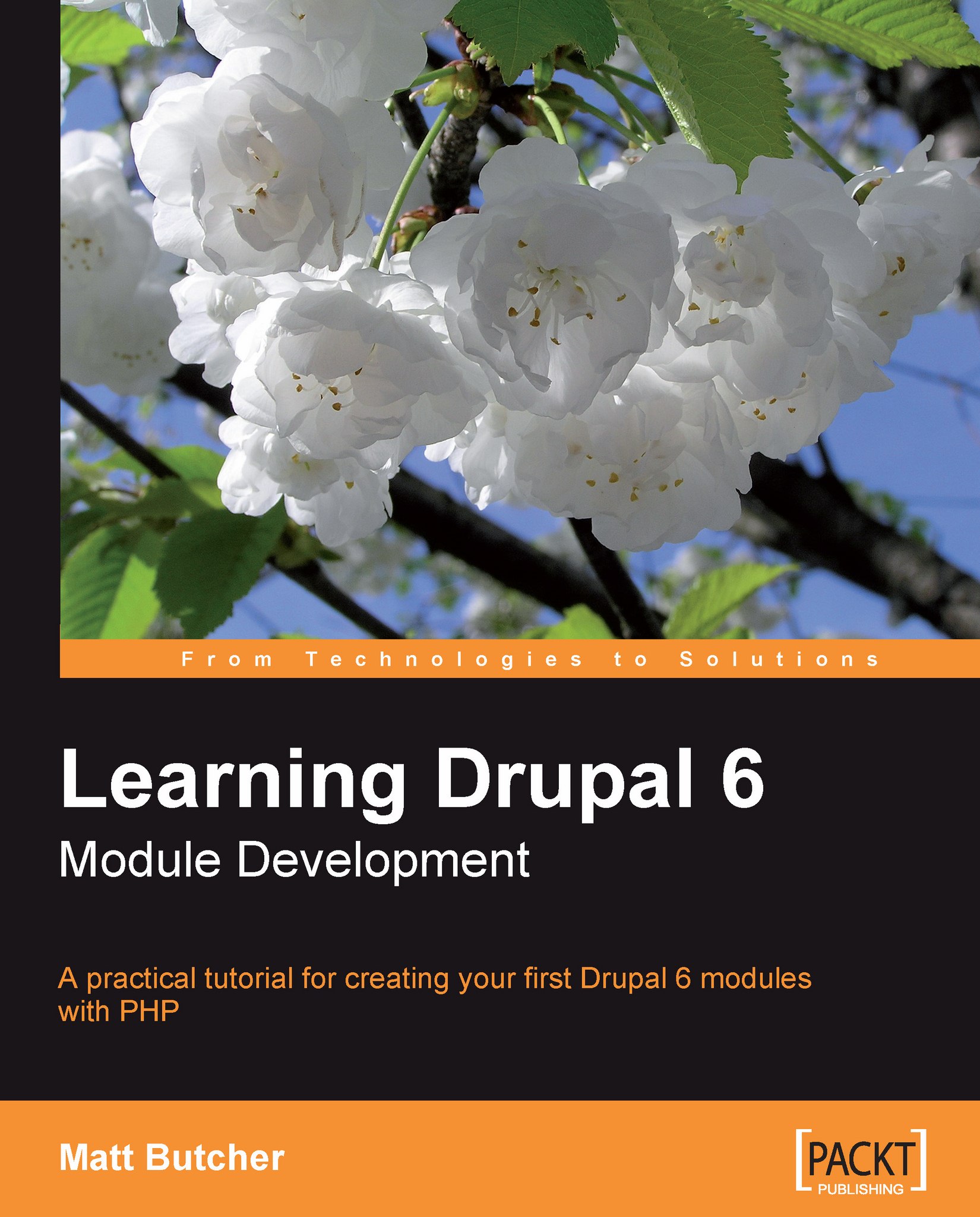
Learning Drupal 6 Module Development

Learning Drupal 6 Module Development: A practical tutorial for creating your first Drupal 6 modules with PHP

eBook
$25.19 $27.99
Paperback
$34.99
eBook + Subscription
€21.99 Monthly

What do you get with eBook?

Product feature icon Instant access to your Digital eBook purchase
Product feature icon Download this book in EPUB and PDF formats
Product feature icon Access this title in our online reader with advanced features
Product feature icon DRM FREE - Read whenever, wherever and however you want
Modal Close icon
Payment Processing...
tick Completed

Billing Address

Table of content icon View table of contents Preview book icon Preview Book

Learning Drupal 6 Module Development

Chapter 1. Introduction to Drupal Modules

Drupal (pronounced Droo-puhl) is a web-based Content Management System (CMS). Like many other CMS frameworks, Drupal provides a modular interface, so that developers can customize and extend the CMS system. However, one thing that distinguishes Drupal from other web CMS platforms is the power and flexibility of its modular system.

This module system is the main focus of the book. In this chapter, we will take an introductory look at Drupal modules, and how they fit within the Drupal framework. Specifically, we will look at the following:

  • The Drupal structure

  • An introduction to modules and themes

  • A developer's overview of important Drupal concepts and APIs such as nodes, menus, and forms

  • Using tools for module development

Drupal's Architecture

In one sentence, Drupal is a web-based content management system written in PHP that uses a relational database (usually MySQL) for storage.

PHP, which stands for PHP Hypertext Processor, is a high-level language designed for developing web applications. PHP offers a flexibility that supports both procedural and object-oriented (OO) approaches to software development.

The Drupal core is meticulously written in procedural-style PHP. Code follows strict conventions and every file and function is documented in the source code. APIs are often minimalistic, kept brief and functional. These factors make Drupal's source code easier to read in many regards than run-of-the-mill PHP code. However, the minimalism of the code can be deceptive too; the simple tools and modules are combined to produce the surprisingly complex features of this robust content management system.

Note

Why isn't Drupal object-oriented?

This question is asked often. The answer has several facets, one of which is simply that when the project began, PHP still wasn't up to snuff on the OO side. However, looking beyond the absence of constructors and classes, it turns out that Drupal employs many of the OO principles: encapsulation, inheritance, polymorphism, etc. The OO programmer will quickly feel at home with Drupal's architecture.

A simplified stack diagram of Drupal looks something like the following:

At the center of Drupal is a core set of files consisting of bootstrapping code and important oft-used libraries. The Drupal Core Libraries act as the glue layer to bind Drupal's modules. They provide services such as database connectivity and management (illustrated by the dashed line to the database above), as well as the highly customizable hook framework about which we will talk throughout this book. Other standard features such as mail and image library abstractions, internationalization, and Unicode support are also included as Drupal Core Libraries.

Note

Many of the required system modules are referred to as Drupal Core Modules. In the above diagram, I would include these along with the rest of the modules, as they are modules in all proper respects.

But as important as these files are, there is a reason why the Drupal Core Libraries section in the above diagram is comparatively small. While these libraries provide a potent feature set, the real power in Drupal comes from its modular architecture.

Module Architecture

What exactly is a module and what is its purpose?

The second question is easier to answer: Drupal's module mechanism is designed to provide a uniform method of extending Drupal's capabilities. The purpose of a module is to extend Drupal's capabilities. This answer brings us much closer to answering the first question. A module is a bundle of PHP code and supporting files that use Drupal's APIs and architecture to integrate new functional components into the Drupal framework.

The purpose of this book, then, is to explain how to write these bundles of code. The above definition means we will need to get familiar with the Drupal framework and its APIs. That is precisely what we will be doing as we progress through the book. Let's start here by taking a glance at the module architecture.

The files that make up modules are grouped into specific locations under Drupal's directory structure. That is, in the Drupal installation on a server's file system, Drupal modules must reside in a few specific locations (we will look at these in the next chapter).

When Drupal needs information about its modules, it will look in these predetermined locations. Each module is contained in its own directory, and has at least two files—one describing the module's content and one or more files containing code and other supporting material. (We will create both these files when we build our first module in the next chapter.)

Before a module can be used, it must be enabled by a Drupal administrator. However, once a module is enabled, then it is loaded as required, and Drupal passes requests to the module as necessary.

Core Modules

Some modules are so important that removing them would disable features essential for Drupal's operation. Likewise, there are some modules that provide features needed by a wide variety of systems. These two batches of modules, both of which are maintained by the Drupal development team, are collectively referred to as the Drupal Core Modules. These modules are included by default in the Drupal distribution, and enjoy active maintenance and development by the Drupal community.

Besides their prominent role in Drupal's operation, there is little to architecturally distinguish the Drupal Core Modules from any other module. They follow the same guidelines and use the same APIs. There is nothing particularly arcane about these modules.

Note

From Drupal's administration section, you can look at the list of core modules in Administer| Site building | Modules. The most important modules are the five that are required: Block, Filter, Node, System, and User. These cannot be uninstalled or disabled. Others, such as Menu, Locale, and Taxonomy provide basic services that are needed even in basic installations.

One of the diamonds in Drupal's architectural crown is the ease with which various modules can interact. Using the hook architecture, the services that modules provide can be woven together to create robust features without copious amounts of code.

In the course of this book, we will often make use of APIs and facilities provided by Drupal Core Modules. However, don't expect any chapters to walk through existing Drupal code. We make use of these modules, but we won't dwell closely on the implementation details of specific core modules. In this book, we will focus on writing our own modules.

That said, the core modules do provide an excellent reference for how Drupal code should be written. You may find it beneficial to read through some of that code in conjunction with this book.

Hooks

How does Drupal know when to invoke a module to handle a particular request?

This is done through Drupal's hook mechanism, which we will examine carefully in this book. To start out, here is a brief explanation of how hooks work.

When Drupal handles a request from a user, it proceeds through a series of steps. For example, the Drupal core first bootstraps the application, defining critical variables and oft-used functions. Next, it loads critical libraries, themes, and modules. Next, it continues processing the request, mapping the requested URI to the correct handling code, and so on. Later, it applies a theme to the data, formatting information for output. Finally, it returns this output to the user's browser.

At predefined moments in this step-by-step process, Drupal executes hooks. What does this mean? In short, it means that Drupal examines some or all of the currently enabled modules, looking for functions that follow specific, predefined patterns. Some have linked this process to the "callback" method often used in event handling models. It is similar to this, but more dynamic.

For example, while it is creating the content for a page view, Drupal might scan modules for functions named <modulename>_block() and <modulename>_view() (where <modulename> is replaced by the name of each module that it checks). Modules that contain such functions are said to implement the hook_block() and hook_view() hooks.

When Drupal finds such functions, it executes them, and uses the data these functions return to build a response to send to the user. Drupal then continues its step-by-step processing of the request, perhaps executing many other hooks as it goes.

Once all the steps have been completed and a response sent to the user, Drupal cleans itself up and exits.

Note

Hooks for Object-Oriented Programmers

Those familiar with object-oriented (OO) programming may find it helpful to think of a hook as a mechanism similar to interface methods (or abstract methods) in OO languages. Hooks are functions that Drupal will look for, and in certain cases, expect in your module. Like interface methods, a hook's function signature must match Drupal's expected signature. Unlike interfaces, however, the module developer can choose (to a certain degree) which hooks to implement, and which to ignore. Drupal does not require that every defined hook be implemented.

Modules can define their own hooks, which other modules can then use. In this way, the hook mechanism can be extended to provide complex customized behavior.

When a module provides a function that matches a hook's signature, we say that that module implements that hook. For example, imagine that Drupal has a hook called hook_example(). If we were to define a module called mymodule that contained a function called mymodule_example(), we would be implementing hook_example().

We will write our first hook implementation in the next chapter.

Themes

Processing power isn't everything, especially for a web-based CMS system. A commercial-grade CMS must make it possible for site designers to give the site the look and feel they desire. Drupal provides a robust theme system for just this purpose.

The Drupal theme system is surprisingly complex. Just as with modules, the system is designed to allow extension and improvement and the hook mechanism is employed to allow this sort of extension.

While the code under the hood boasts a large (and complex) API, the top layer is surprisingly uncomplicated, and revolves around the idea of a theme.

A theme is a bundle of resources, including PHP templates, CSS, JavaScript, and images, that provides layout and style information for some or all of the Drupal content.

At its simplest, a theme may be composed of only a handful of files—a stylesheet, an information file, and a couple of images. In fact, using existing Drupal styles, one can create a custom theme in no time.

But themes can grow to meet the needs of the implementer. Custom templates, usually written in the PHP template language, can specify the details of the HTML structure. Special PHP files can be written to override theme engine behaviors. Complex configurations of JavaScript and CSS files are supported as well. Even modules can be used to interact with the theming system.

In short, a theme can be as simple or complex as the implementer desires.

Chapter 3 is devoted to themes, and in that chapter we will first create a simple theme, and then build up to a moderately complex theme.

Themes and modules are critical components in the Drupal architecture, and obviously the main focus of this book. However, before moving on, let's look at Drupal from another angle. Let's briefly examine how Drupal handles content.

Chapter 1. Introduction to Drupal Modules

Drupal (pronounced Droo-puhl) is a web-based Content Management System (CMS). Like many other CMS frameworks, Drupal provides a modular interface, so that developers can customize and extend the CMS system. However, one thing that distinguishes Drupal from other web CMS platforms is the power and flexibility of its modular system.

This module system is the main focus of the book. In this chapter, we will take an introductory look at Drupal modules, and how they fit within the Drupal framework. Specifically, we will look at the following:

  • The Drupal structure
  • An introduction to modules and themes
  • A developer's overview of important Drupal concepts and APIs such as nodes, menus, and forms
  • Using tools for module development

Drupal's Architecture

In one sentence, Drupal is a web-based content management system written in PHP that uses a relational database (usually MySQL) for storage.

PHP, which stands for PHP Hypertext Processor, is a high-level language designed for developing web applications. PHP offers a flexibility that supports both procedural and object-oriented (OO) approaches to software development.

The Drupal core is meticulously written in procedural-style PHP. Code follows strict conventions and every file and function is documented in the source code. APIs are often minimalistic, kept brief and functional. These factors make Drupal's source code easier to read in many regards than run-of-the-mill PHP code. However, the minimalism of the code can be deceptive too; the simple tools and modules are combined to produce the surprisingly complex features of this robust content management system.

Note

Why isn't Drupal object-oriented?

This question is asked often. The answer has several facets, one of which is simply that when the project began, PHP still wasn't up to snuff on the OO side. However, looking beyond the absence of constructors and classes, it turns out that Drupal employs many of the OO principles: encapsulation, inheritance, polymorphism, etc. The OO programmer will quickly feel at home with Drupal's architecture.

A simplified stack diagram of Drupal looks something like the following:

Drupal's Architecture

At the center of Drupal is a core set of files consisting of bootstrapping code and important oft-used libraries. The Drupal Core Libraries act as the glue layer to bind Drupal's modules. They provide services such as database connectivity and management (illustrated by the dashed line to the database above), as well as the highly customizable hook framework about which we will talk throughout this book. Other standard features such as mail and image library abstractions, internationalization, and Unicode support are also included as Drupal Core Libraries.

Note

Many of the required system modules are referred to as Drupal Core Modules. In the above diagram, I would include these along with the rest of the modules, as they are modules in all proper respects.

But as important as these files are, there is a reason why the Drupal Core Libraries section in the above diagram is comparatively small. While these libraries provide a potent feature set, the real power in Drupal comes from its modular architecture.

Module Architecture

What exactly is a module and what is its purpose?

The second question is easier to answer: Drupal's module mechanism is designed to provide a uniform method of extending Drupal's capabilities. The purpose of a module is to extend Drupal's capabilities. This answer brings us much closer to answering the first question. A module is a bundle of PHP code and supporting files that use Drupal's APIs and architecture to integrate new functional components into the Drupal framework.

The purpose of this book, then, is to explain how to write these bundles of code. The above definition means we will need to get familiar with the Drupal framework and its APIs. That is precisely what we will be doing as we progress through the book. Let's start here by taking a glance at the module architecture.

The files that make up modules are grouped into specific locations under Drupal's directory structure. That is, in the Drupal installation on a server's file system, Drupal modules must reside in a few specific locations (we will look at these in the next chapter).

When Drupal needs information about its modules, it will look in these predetermined locations. Each module is contained in its own directory, and has at least two files—one describing the module's content and one or more files containing code and other supporting material. (We will create both these files when we build our first module in the next chapter.)

Before a module can be used, it must be enabled by a Drupal administrator. However, once a module is enabled, then it is loaded as required, and Drupal passes requests to the module as necessary.

Core Modules

Some modules are so important that removing them would disable features essential for Drupal's operation. Likewise, there are some modules that provide features needed by a wide variety of systems. These two batches of modules, both of which are maintained by the Drupal development team, are collectively referred to as the Drupal Core Modules. These modules are included by default in the Drupal distribution, and enjoy active maintenance and development by the Drupal community.

Besides their prominent role in Drupal's operation, there is little to architecturally distinguish the Drupal Core Modules from any other module. They follow the same guidelines and use the same APIs. There is nothing particularly arcane about these modules.

Note

From Drupal's administration section, you can look at the list of core modules in Administer| Site building | Modules. The most important modules are the five that are required: Block, Filter, Node, System, and User. These cannot be uninstalled or disabled. Others, such as Menu, Locale, and Taxonomy provide basic services that are needed even in basic installations.

Core Modules

One of the diamonds in Drupal's architectural crown is the ease with which various modules can interact. Using the hook architecture, the services that modules provide can be woven together to create robust features without copious amounts of code.

In the course of this book, we will often make use of APIs and facilities provided by Drupal Core Modules. However, don't expect any chapters to walk through existing Drupal code. We make use of these modules, but we won't dwell closely on the implementation details of specific core modules. In this book, we will focus on writing our own modules.

That said, the core modules do provide an excellent reference for how Drupal code should be written. You may find it beneficial to read through some of that code in conjunction with this book.

Hooks

How does Drupal know when to invoke a module to handle a particular request?

This is done through Drupal's hook mechanism, which we will examine carefully in this book. To start out, here is a brief explanation of how hooks work.

When Drupal handles a request from a user, it proceeds through a series of steps. For example, the Drupal core first bootstraps the application, defining critical variables and oft-used functions. Next, it loads critical libraries, themes, and modules. Next, it continues processing the request, mapping the requested URI to the correct handling code, and so on. Later, it applies a theme to the data, formatting information for output. Finally, it returns this output to the user's browser.

At predefined moments in this step-by-step process, Drupal executes hooks. What does this mean? In short, it means that Drupal examines some or all of the currently enabled modules, looking for functions that follow specific, predefined patterns. Some have linked this process to the "callback" method often used in event handling models. It is similar to this, but more dynamic.

For example, while it is creating the content for a page view, Drupal might scan modules for functions named <modulename>_block() and <modulename>_view() (where <modulename> is replaced by the name of each module that it checks). Modules that contain such functions are said to implement the hook_block() and hook_view() hooks.

When Drupal finds such functions, it executes them, and uses the data these functions return to build a response to send to the user. Drupal then continues its step-by-step processing of the request, perhaps executing many other hooks as it goes.

Once all the steps have been completed and a response sent to the user, Drupal cleans itself up and exits.

Note

Hooks for Object-Oriented Programmers

Those familiar with object-oriented (OO) programming may find it helpful to think of a hook as a mechanism similar to interface methods (or abstract methods) in OO languages. Hooks are functions that Drupal will look for, and in certain cases, expect in your module. Like interface methods, a hook's function signature must match Drupal's expected signature. Unlike interfaces, however, the module developer can choose (to a certain degree) which hooks to implement, and which to ignore. Drupal does not require that every defined hook be implemented.

Modules can define their own hooks, which other modules can then use. In this way, the hook mechanism can be extended to provide complex customized behavior.

When a module provides a function that matches a hook's signature, we say that that module implements that hook. For example, imagine that Drupal has a hook called hook_example(). If we were to define a module called mymodule that contained a function called mymodule_example(), we would be implementing hook_example().

We will write our first hook implementation in the next chapter.

Themes

Processing power isn't everything, especially for a web-based CMS system. A commercial-grade CMS must make it possible for site designers to give the site the look and feel they desire. Drupal provides a robust theme system for just this purpose.

The Drupal theme system is surprisingly complex. Just as with modules, the system is designed to allow extension and improvement and the hook mechanism is employed to allow this sort of extension.

While the code under the hood boasts a large (and complex) API, the top layer is surprisingly uncomplicated, and revolves around the idea of a theme.

A theme is a bundle of resources, including PHP templates, CSS, JavaScript, and images, that provides layout and style information for some or all of the Drupal content.

At its simplest, a theme may be composed of only a handful of files—a stylesheet, an information file, and a couple of images. In fact, using existing Drupal styles, one can create a custom theme in no time.

But themes can grow to meet the needs of the implementer. Custom templates, usually written in the PHP template language, can specify the details of the HTML structure. Special PHP files can be written to override theme engine behaviors. Complex configurations of JavaScript and CSS files are supported as well. Even modules can be used to interact with the theming system.

In short, a theme can be as simple or complex as the implementer desires.

Chapter 3 is devoted to themes, and in that chapter we will first create a simple theme, and then build up to a moderately complex theme.

Themes and modules are critical components in the Drupal architecture, and obviously the main focus of this book. However, before moving on, let's look at Drupal from another angle. Let's briefly examine how Drupal handles content.

Crucial Drupal Concepts

Note

This book is geared toward developers, and to keep the book manageable, some introductory material must be glossed or skipped.

For a thorough introduction to Drupal 6, I recommend David Mercer's book Building Powerful and Robust Websites with Drupal 6, also published by Packt Publishing.

Throughout the book, it is assumed that the reader has a moderate amount of Drupal experience, and is comfortable administering a Drupal site.

However, there are some particular facets of Drupal that deserve an introduction. We will look at some of the aspects in this book. Others are common Drupal terms that take on additional shades of meaning when examined from a developer's perspective.

In this section, we will focus on Drupal concepts that will be crucial in this book. We will start out with one of the biggest topics: nodes.

Nodes

Drupal is a content management framework. When we think of content in this context, we typically think about text objects like news articles or blog entries.

This concept of a generic text-based piece of content is captured in Drupal with the term Node. A node, in Drupal parlance, is a generic object for representing textual content.

Note

While nodes are designed to be text-based, some of the contributed multimedia modules extend the node system to handle content that is not text-centric, such as images or audio files.

Nodes are stored in the database and retrieved as needed. Among other things, all nodes have:

  • A unique Node ID (nid)
  • At least one Version ID (vid) used to track revisions
  • Creation and modification dates, as well as identifying information for the user who worked on the node
  • Metadata such as publishing state (status), language of the node (and translations), and so on

In addition to these, most nodes also have a title and a body (contents). (Administrators and developers may choose to turn off a title or body, though the database always has a place for these.)

Nodes are used to back many different kinds of text content in Drupal. To understand this, let's look briefly at the process of creating new content.

By default, creating new content in Drupal is done by clicking on the Create content link in the main navigation. On this page, the user is prompted to select the content type for their new page:

Nodes

The above screenshot shows three different available content types.

The Story and Page content types are included by default. The Quotes content type is one we will create in this book.

Note

In Chapter 4, we will create the Quotes content type. In Chapter 7, we will extend the node object to create an even more elaborate content type representing a biography.

In fact, all the three content types are text-based and each of them is implemented using nodes. For practical purposes, the node is the heart of Drupal's content management system.

In this book we will deal with nodes many times, and we will take a close look at the node API.

Comments Are Not Nodes

While most article-like content is based on the node, one major text component stands out as an exception—the comment. A comment is usually implemented as a user-level feedback mechanism attached to stories, pages, blog entries, and similar articles. When you create a new page, for example, you have the opportunity to allow or disallow user comments. If comments are enabled in read/write mode, users will be able to comment on articles.

Following is an example comment-posting screen:

Comments Are Not Nodes

Comments serve a different role than nodes. For example, a comment is always linked to a node.

While comments will not play a big role in this book, they illustrate a point: Drupal is a very flexible architecture, and can accommodate extensions (like comments) that do not fit "the pattern" of typical text content and do not make use of the node API.

Note

Since comments are, in many ways, very node-like, there is discussion among Drupal developers of transitioning comments into the node framework in Drupal 7.

While it is possible to implement a new form of content by creating a library that does not make use of nodes, it is often more efficient to build on the existing (well-tested, robust) node API.

Users

Another important type of object in Drupal is the user. User records are maintained using this object type. Just as with comments and nodes, user data is stored in the database, and drawn out during processing.

Information about a user is used for purposes such as authentication, determining preferences and permissions, and logging.

In the course of this book, we will make use of the user APIs to perform permissions checks, get contact information, and discover user preferences.

Access and Security

Permissions are closely linked to the user object. Drupal provides a role-based mechanism for granting permissions to collections of users. In a nutshell, a user belongs to a role, and permissions are granted to (or revoked from) a role.

Thus, when checking access to a resource, Drupal loads a user object, finds the user's roles, and then finds the roles' permissions.

Does this sound like a lot of work? Well, it's not work the module developer must do. Drupal provides functions for performing permissions checks. Most of the time, module code does not need to directly discover a user's role before determining permissions. The users API does that work for us.

Blocks and Page Rendering

The term block is equally important. While a node is used to store and present articles and "larger" pieces of content, a block is used to present smaller bits of content. For example, navigational menus, daily quotes, polls, and search boxes are often presented using blocks.

A block is not a type of content. Actually, it is a unit of abstraction (a placeholder) used primarily to display other content. Administrators can use the Blocks editor to determine where blocks are displayed on a themed page:

Blocks and Page Rendering

The highlighted sections in the above screenshot show where blocks can be displayed.

From the developer's perspective, blocks are an important part of module creation. In fact, our very first module (which we will create in the next chapter) will display a block.

Defining a block in a module is a matter of selecting content to display, and then passing it on to the correct formatting tools.

In Chapters 3 and 4, we will look into themes, where we will format block content.

Menus

Closely related to blocks are menus. Drupal has a sophisticated menu system whose main purpose is the construction of navigation. For example, the above screenshot shows the main menu, with such items as Code review, My account, Create content, and so on. This menu is dynamically generated by the Drupal menu system.

But the Drupal menu system is a more sophisticated device than this simple description. It also functions as the primary tool for mapping URLs to specific handling routines. Using the menu API, developers can correlate paths with specially defined functions.

In Chapter 5, we will use the menu system to create a JSON (JavaScript Over the Network) service, and in Chapter 6 we will examine the more traditional way of mapping a path to a module.

Forms

The primary method of submitting content over the Web is through HTML forms. While the ubiquity of forms makes life easy for the web user, the dearth of good forms processing tools usually makes form development a joyless chore for programmers.

However, forms processing is one area in which Drupal excels. The Forms API (FAPI) provides a programming interface that takes the pain out of form development (or at least significantly reduces the pain).

Using the FAPI, developers can provide a single form definition and let Drupal build and display the form, collect the results, and even validate and escape form data. Drupal even provides forms caching and advanced AHAH (Asynchronous HTML And HTTP) features.

As Drupal development has progressed, the Forms API has got better and better, and the Drupal 6 version exhibits many improvements.

Chapter 6 is the first to explicitly cover the forms API, and it is used again in Chapter 7.

Database and Schema APIs

Beneath many of these higher-level frameworks and APIs is the layer responsible for managing and manipulating the database. Drupal provides a low-level database API to simplify the process of writing SQL queries.

This API provides some degree of security for database queries, and also makes it easier to write SQL that is portable across different databases.

Also the new Schema API, introduced in Drupal 6, makes it possible to define how a database should be structured without writing the actual SQL. Since different databases use different constructs for defining tables, this API simplifies the project of writing portable modules.

These APIs are discussed primarily in Chapter 7.

There are other aspects of Drupal that we will touch upon in this book, including taxonomies (sometimes called categories), filters, and actions. But there is no in-depth discussion of these here. To learn more, consult the Drupal handbooks: http://drupal.org/handbooks.

Note

Chapters 8 and 9 will make use of filters and actions inside modules.

Developers' Tools

So far, we've looked at some of the preliminary concepts involved in Drupal development. To finish off this chapter, we will switch focus to development tools.

There are a few Drupal-specific tools that you might find helpful when creating your own modules. These tools are themselves provided by two modules, which can both can be obtained from the Drupal site.

Developer Module

The Devel Module provides several tools that are extremely useful for Drupal development, including cache management, SQL debugging tools, investigation tools, a module reinstaller, an API reference tool, and many more.

You can find out more about this module at the official website: http://drupal.org/project/devel.

The main part of this module (the Devel module) provides these tools as items in a block. So after installing the module, you will need to go to Administer | Site building | Modules and enable the module, and then go to Administer | Site building | Blocks to tell Drupal where to display the new content.

This module also includes tools for building themes, a macro generator to simulate form data entry, and a tool to generate testing data. As the module continues to improve, new features will be added as well.

Any serious module developer will want to install the Devel module. In the writing of this book, it has proven an invaluable tool for reinstalling modules, clearing caches, and debugging difficult code.

Coder Module

As we shall see in this book, Drupal developers adhere to strict conventions in their code. The Coder Module is a tool designed to help you, the developer, locate and fix code that does not adhere to these conventions.

In addition to making sure code follows conventions, it also does some basic security auditing regarding how text is handled. This can be useful for spotting mistakes before they become security risks.

The Coder Module is also hosted on the official Drupal site: http://drupal.org/project/coder.

While it does not improve productivity in the same way that the Devel module does, Coder can help you generate clean and "Drupalish" code. Its strict syntax checking also occasionally turns up bugs.

Note

"Drupalish"

Drupal developers are fond of using the word Drupalish to refer to practices, styles, and approaches that mesh well with the Drupal philosophy. For example, Drupalish code adheres to coding guidelines and makes use of data structures common in Drupal (like nested associative arrays).

In addition to these modules, there is a wealth of information on the Drupal website about how to configure your favorite development environment (including Emacs, VI, FireBug, and Eclipse PDT) for Drupal development: http://drupal.org/node/147789.

A Word on Our Demonstration Site

Since this book focuses on development, we won't walk through the standard process of downloading, installing, and configuring Drupal. If you need to review any of this information, the Drupal website at http://drupal.org has a complete installation handbook. We will begin assuming that Drupal is already installed and configured.

In this book, we will develop modules for a fictional website called Philosopher Bios. This website provides news and biographical sketches of famous philosophers. Most of the modules we develop in this book will be reflective of the kind of functionality such a site would need.

While this is the theme of the website, the modules we create will be broadly applicable to other sites, and are reflective (I hope) of the sorts of real-world applications that we commonly develop for Drupal.

I've tried to come up with unique modules (not re-inventing the wheel). However, with such a popular and mature platform, it seems inevitable that I have repeated something someone has already done. The primary goal of the modules presented in this book, though, is to provide instructive and practical examples of Drupal modules.

Left arrow icon Right arrow icon

Description

This book is written for PHP developers who want to add custom features to Drupal. You will need to know the basics of PHP and MySQL programming, but no experience of programming Drupal is required, although you will be expected to be familiar with the basic operation of Drupal.

Product Details

Country selected
Publication date, Length, Edition, Language, ISBN-13
Publication date : May 08, 2008
Length: 328 pages
Edition : 1st
Language : English
ISBN-13 : 9781847194459
Concepts :
Tools :

What do you get with eBook?

Product feature icon Instant access to your Digital eBook purchase
Product feature icon Download this book in EPUB and PDF formats
Product feature icon Access this title in our online reader with advanced features
Product feature icon DRM FREE - Read whenever, wherever and however you want
Modal Close icon
Payment Processing...
tick Completed

Billing Address

Product Details

Publication date : May 08, 2008
Length: 328 pages
Edition : 1st
Language : English
ISBN-13 : 9781847194459
Concepts :
Tools :

Packt Subscriptions

See our plans and pricing
Modal Close icon
€18.99 billed monthly
Feature tick icon Unlimited access to Packt's library of 7,000+ practical books and videos
Feature tick icon Constantly refreshed with 50+ new titles a month
Feature tick icon Exclusive Early access to books as they're written
Feature tick icon Solve problems while you work with advanced search and reference features
Feature tick icon Offline reading on the mobile app
Feature tick icon Simple pricing, no contract
€189.99 billed annually
Feature tick icon Unlimited access to Packt's library of 7,000+ practical books and videos
Feature tick icon Constantly refreshed with 50+ new titles a month
Feature tick icon Exclusive Early access to books as they're written
Feature tick icon Solve problems while you work with advanced search and reference features
Feature tick icon Offline reading on the mobile app
Feature tick icon Choose a DRM-free eBook or Video every month to keep
Feature tick icon PLUS own as many other DRM-free eBooks or Videos as you like for just $5 each
Feature tick icon Exclusive print discounts
€264.99 billed in 18 months
Feature tick icon Unlimited access to Packt's library of 7,000+ practical books and videos
Feature tick icon Constantly refreshed with 50+ new titles a month
Feature tick icon Exclusive Early access to books as they're written
Feature tick icon Solve problems while you work with advanced search and reference features
Feature tick icon Offline reading on the mobile app
Feature tick icon Choose a DRM-free eBook or Video every month to keep
Feature tick icon PLUS own as many other DRM-free eBooks or Videos as you like for just $5 each
Feature tick icon Exclusive print discounts

Frequently bought together


Stars icon
Total $ 110.97
Drupal 7 Social Networking
$38.99
Drupal 6 Theming Cookbook
$36.99
Learning Drupal 6 Module Development
$34.99
Total $ 110.97 Stars icon

Table of Contents

9 Chapters
Introduction to Drupal Modules Chevron down icon Chevron up icon
Creating Our First Module Chevron down icon Chevron up icon
The Theme System Chevron down icon Chevron up icon
Theming Modules Chevron down icon Chevron up icon
Using JavaScript and AJAX/JSON in Modules Chevron down icon Chevron up icon
An Administration Module Chevron down icon Chevron up icon
Building a Content Type Chevron down icon Chevron up icon
Filters, Actions, and Hooks Chevron down icon Chevron up icon
An Installation Profile Chevron down icon Chevron up icon

Customer reviews

Top Reviews
Rating distribution
Full star icon Full star icon Full star icon Full star icon Half star icon 4.3
(16 Ratings)
5 star 50%
4 star 31.3%
3 star 12.5%
2 star 6.3%
1 star 0%
Filter icon Filter
Top Reviews

Filter reviews by


Chris Charlton Aug 29, 2008
Full star icon Full star icon Full star icon Full star icon Full star icon 5
I must say I was asked to review this book, and I was very excited to do so. I thought it'd be good to comment on areas for people who aren't familiar with Drupal on a daily basis yet, and to give you some background, I was very excited to read this book. I needed a book that had the words "Drupal 6" and "module development" in it and luckily this book was titled exactly that and delivered. So, to newbies and non-newbies I offer the following review.If you're impatient and don't want to read this review all the way, then just know this book must be read by each programmer who will be tinkering with Drupal, so yes, I recommend it. This book is not for people learning how to use modules, this is for people who plan to code and build their own modules. This book is not large, has great learning material, and brings tons of info down from Drupal's web site documentation into stress-free chapters. One entire chapter (Ch. 2) covers how to do an entire module from scratch and following chapters show how expand that module and build, and build, and really get to know important APIs that come with Drupal core.In all honestly, I'm jealous that most new users get to read something as collected as this to learn from. If you read this book you'll basically catch up with content I took months, if not over a year to explore and read online. I had also held off heavy Drupal 6 development for myself until a book like this came out, so we're in the same boat.Right of the bat, if you run more than one site with Drupal then most of the first chapter, as expected, are basics and overviews of Drupal concepts. Those new to Drupal are lucky to have everything summarized nicely in a single chapter. I think the points for people to get familiar with here are Hooks, Forms, Schema API, and the developer tools mentioned in the first chapter. As a frequent Drupal user, I get impatient reading this stuff since I was more eager to learn about module development, and then it happened.The second chapter was so entertaining and rocks because it doesn't let you go until you do a whole new Drupal 6 module from scratch - proper install code, un-install code, render a custom block, administration configurations for that custom block, and it even makes sure you don't forget the proper help text that should be included with all modules. Good stuff and I felt accomplished. Chapter two is worth almost the price of the book if you don't want to fiddle with online docs, it's one of the beefy chapters since it covers the whole process of completing a tangible, useful module. I started to think that if the second chapter had all this useful content then the rest of the book may be sprinkled with gold, and it mostly is. The book constantly builds on its chapters but never in a "to be continued" fashion; each chapter stands on its own very well.Chapters three and four cover the theme layers of Drupal. Chapter three is the technical introduction chapter and covers all important faces of theming Drupal, but not your custom module. Chapter four steps in and completes the circle of module design by showing how to code module theme hooks, allowing anyone to code theme overrides for the output your module renders. Very cool and a must-know for Drupal module developers.Chapter five starts getting into pizazz with some Javascript & Ajax. They touch on jQuery for a second, but I felt they cheated on the jQuery and could have shown some simple form trick at least. The chapter jumps more into Ajax stuff, which threw me off a little since I was still expecting more jQuery bits, but again, this book has a lot and each chapter definitely stands on their own. I went back to this chapter again some time later. I know I will still come back to this chapter since it makes sense that some of my module ideas use Ajax for their loading of content dynamically.Going back to PHP code, chapter six compliments earlier chapters by diving into custom administration screens and more behind-the-scenes module code. I love this stuff. Key info here for developers trying to tie Drupal with external services. This chapter only scratches the surface of what's possible in creation of admin features and screens, but when you think about adding some Flex or Ajax you're sure to give birth to a sexy Drupal module.Chapter seven, much like chapter two, is a workhorse chapter and shows how to produce custom content types with pure PHP. If you know of the CCK (Content Construction Kit) module, which helps build custom content types within Drupal, one must know that you can run both coded content types and CCK types on a site but one must weight their options of which way to go in terms of integration with other modules. This chapter helped me refine my content types building process and I was really glad to read a whole chapter dedicated to just programming CCTs (custom content types) in Drupal 6. This chapter also covers custom module permissions, forms, the Schema API (new for Drupal 6), and of course the Node API which is at the heart of Drupal.If all that isn't getting you excited, chapter eight raises the bar even higher covering Filters, Actions, and Hooks. I swear, that was a chapter that assured me why I adopted Drupal. Not too much code is created here, but that's half the beauty of Drupal hooks and modules! I would suggest, just like the theme hooks, that module developers really look at Actions to see if they can ship some with their modules.The final chapter, nine, covers coding Installation Profiles, which is a wonderful concept in theory and I actually like install profiles, but I don't like to hand code them. I personally rather use profile generators, which works in Drupal 5, and I'd rather wait for that module to create install profiles in Drupal 6, but this chapter was very informative and even helped me think out pros and cons of my desired module settings, but still, I did not see this chapter entirely necessary for module developers. It's a lot of code, so some of you may be all over this stuff, but not me, not today. No biggie since its another chapter full of good info, and that's value. In fact, that seemed to be the recurring theme of key chapters in this book - loads of valuable info in each chapter.You should have gathered by now that I liked this book and you should just get it already. Get this book and covet it all through the start of your next Drupal development project.
Amazon Verified review Amazon
E. Peck Nov 29, 2008
Full star icon Full star icon Full star icon Full star icon Full star icon 5
Working through this book is like having a Drupal expert sit down and walk you through everything you need to know to jump into Drupal module development. It's a pleasant read with a really nice balance between information and practical application.I was surprised at how quickly I was creating my first module. There is some excellent information on how the core modules of Drupal work as well, so there is a lot here even if someone doesn't want to create their own module, but just wants to know Drupal better. Also a must have for anyone who might want to work on an existing module.This is a really great book and it doesn't hurt that buying it means that part of the money Packt makes on the book goes to Drupal. Readers will be equipped to better contribute to the community and funding it financially while helping themselves out at the same time. Pretty nice.
Amazon Verified review Amazon
Mr. G. M. Elms Jul 06, 2008
Full star icon Full star icon Full star icon Full star icon Full star icon 5
I found this book to be a superb introduction to Drupal module development. Drupal IS modules and an organized programmer's dream product. It is excellently modularized and to get the most out of it you need to appreciate good programming techniques.To Mr "2 out of five"; it's not the book it's you!
Amazon Verified review Amazon
Dan Spurgin May 17, 2010
Full star icon Full star icon Full star icon Full star icon Full star icon 5
As my title says, this is a "Indepth, Concise Introduction to Programming D6 Mods". Matt fully covers the breadth of the drupal system, but equally important he masters the art of brevity.He winnows out all the advanced minutia, and delivers the crux of what you most need to know without being too remedial.This is the book programmers want to read before they dive into an all inclusive reference type book (i.e. "Pro Drupal Development" --> great book but 650 of minutia means you have to spend lots of energy figuring out what matters most)
Amazon Verified review Amazon
TA-WEI YU Jun 27, 2022
Full star icon Full star icon Full star icon Full star icon Full star icon 5
I like it and great helpful for learning. Great Quality, A++++++++++
Amazon Verified review Amazon
Get free access to Packt library with over 7500+ books and video courses for 7 days!
Start Free Trial

FAQs

How do I buy and download an eBook? Chevron down icon Chevron up icon

Where there is an eBook version of a title available, you can buy it from the book details for that title. Add either the standalone eBook or the eBook and print book bundle to your shopping cart. Your eBook will show in your cart as a product on its own. After completing checkout and payment in the normal way, you will receive your receipt on the screen containing a link to a personalised PDF download file. This link will remain active for 30 days. You can download backup copies of the file by logging in to your account at any time.

If you already have Adobe reader installed, then clicking on the link will download and open the PDF file directly. If you don't, then save the PDF file on your machine and download the Reader to view it.

Please Note: Packt eBooks are non-returnable and non-refundable.

Packt eBook and Licensing When you buy an eBook from Packt Publishing, completing your purchase means you accept the terms of our licence agreement. Please read the full text of the agreement. In it we have tried to balance the need for the ebook to be usable for you the reader with our needs to protect the rights of us as Publishers and of our authors. In summary, the agreement says:

  • You may make copies of your eBook for your own use onto any machine
  • You may not pass copies of the eBook on to anyone else
How can I make a purchase on your website? Chevron down icon Chevron up icon

If you want to purchase a video course, eBook or Bundle (Print+eBook) please follow below steps:

  1. Register on our website using your email address and the password.
  2. Search for the title by name or ISBN using the search option.
  3. Select the title you want to purchase.
  4. Choose the format you wish to purchase the title in; if you order the Print Book, you get a free eBook copy of the same title. 
  5. Proceed with the checkout process (payment to be made using Credit Card, Debit Cart, or PayPal)
Where can I access support around an eBook? Chevron down icon Chevron up icon
  • If you experience a problem with using or installing Adobe Reader, the contact Adobe directly.
  • To view the errata for the book, see www.packtpub.com/support and view the pages for the title you have.
  • To view your account details or to download a new copy of the book go to www.packtpub.com/account
  • To contact us directly if a problem is not resolved, use www.packtpub.com/contact-us
What eBook formats do Packt support? Chevron down icon Chevron up icon

Our eBooks are currently available in a variety of formats such as PDF and ePubs. In the future, this may well change with trends and development in technology, but please note that our PDFs are not Adobe eBook Reader format, which has greater restrictions on security.

You will need to use Adobe Reader v9 or later in order to read Packt's PDF eBooks.

What are the benefits of eBooks? Chevron down icon Chevron up icon
  • You can get the information you need immediately
  • You can easily take them with you on a laptop
  • You can download them an unlimited number of times
  • You can print them out
  • They are copy-paste enabled
  • They are searchable
  • There is no password protection
  • They are lower price than print
  • They save resources and space
What is an eBook? Chevron down icon Chevron up icon

Packt eBooks are a complete electronic version of the print edition, available in PDF and ePub formats. Every piece of content down to the page numbering is the same. Because we save the costs of printing and shipping the book to you, we are able to offer eBooks at a lower cost than print editions.

When you have purchased an eBook, simply login to your account and click on the link in Your Download Area. We recommend you saving the file to your hard drive before opening it.

For optimal viewing of our eBooks, we recommend you download and install the free Adobe Reader version 9.

Modal Close icon
Modal Close icon