Search icon CANCEL
Subscription
0
Cart icon
Your Cart (0 item)
Close icon
You have no products in your basket yet
Arrow left icon
Explore Products
Best Sellers
New Releases
Books
Events
Videos
Audiobooks
Packt Hub
Free Learning
Arrow right icon
timer SALE ENDS IN
0 Days
:
00 Hours
:
00 Minutes
:
00 Seconds
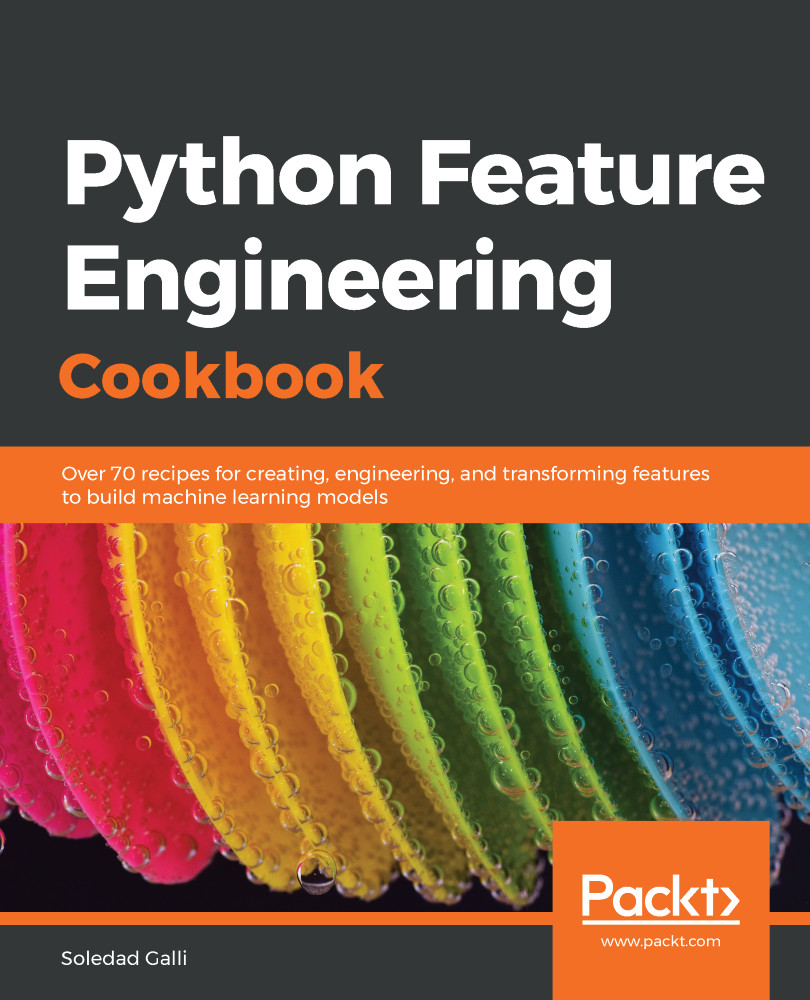
Python Feature Engineering Cookbook

Python Feature Engineering Cookbook: Over 70 recipes for creating, engineering, and transforming features to build machine learning models

eBook
€25.19 €27.99
Paperback
€34.99
eBook + Subscription
€24.99 Monthly

What do you get with eBook?

Product feature icon Instant access to your Digital eBook purchase
Product feature icon Download this book in EPUB and PDF formats
Product feature icon Access this title in our online reader with advanced features
Product feature icon DRM FREE - Read whenever, wherever and however you want
Product feature icon AI Assistant (beta) to help accelerate your learning
Modal Close icon
Payment Processing...
tick Completed

Billing Address

Table of content icon View table of contents Preview book icon Preview Book

Python Feature Engineering Cookbook

Imputing Missing Data

Missing data refers to the absence of values for certain observations and is an unavoidable problem in most data sources. Scikit-learn does not support missing values as input, so we need to remove observations with missing data or transform them into permitted values. The act of replacing missing data with statistical estimates of missing values is called imputation. The goal of any imputation technique is to produce a complete dataset that can be used to train machine learning models. There are multiple imputation techniques we can apply to our data. The choice of imputation technique we use will depend on whether the data is missing at random, the number of missing values, and the machine learning model we intend to use. In this chapter, we will discuss several missing data imputation techniques.

This chapter will cover the following recipes:

  • Removing observations with missing data
  • Performing mean or median imputation
  • Implementing mode or frequent category imputation
  • Replacing missing values with an arbitrary number
  • Capturing missing values in a bespoke category
  • Replacing missing values with a value at the end of the distribution
  • Implementing random sample imputation
  • Adding a missing value indicator variable
  • Performing multivariate imputation by chained equations
  • Assembling an imputation pipeline with scikit-learn
  • Assembling an imputation pipeline with Feature-engine

Technical requirements

In this chapter, we will use the Python libraries: pandas, NumPy and scikit-learn. I recommend installing the free Anaconda Python distribution (https://www.anaconda.com/distribution/), which contains all these packages.

For details on how to install the Python Anaconda distribution, visit the Technical requirements section in Chapter 1, Foreseeing Variable Problems When Building ML Models.

We will also use the open source Python library called Feature-engine, which I created and can be installed using pip:

pip install feature-engine

To learn more about Feature-engine, visit the following sites:

Check that you have installed the right versions of the numerical Python libraries, which you can find in the requirement.txt file in the accompanying GitHub repository: https://github.com/PacktPublishing/Python-Feature-Engineering-Cookbook.

We will also use the Credit Approval Data Set, which is available in the UCI Machine Learning Repository (https://archive.ics.uci.edu/ml/datasets/credit+approval).

Dua, D. and Graff, C. (2019). UCI Machine Learning Repository [http://archive.ics.uci.edu/ml]. Irvine, CA: University of California, School of Information and Computer Science.

To prepare the dataset, follow these steps:

  1. Visit http://archive.ics.uci.edu/ml/machine-learning-databases/credit-screening/.
  1. Click on crx.data to download the data:

  1. Save crx.data to the folder where you will run the following commands.

After you've downloaded the dataset, open a Jupyter Notebook or a Python IDE and run the following commands.

  1. Import the required Python libraries:
import random
import pandas as pd
import numpy as np
  1. Load the data with the following command:
data = pd.read_csv('crx.data', header=None)
  1. Create a list with variable names:
varnames = ['A'+str(s) for s in range(1,17)]
  1. Add the variable names to the dataframe:
data.columns = varnames
  1. Replace the question marks (?) in the dataset with NumPy NaN values:
data = data.replace('?', np.nan)
  1. Recast the numerical variables as float data types:
data['A2'] = data['A2'].astype('float')
data['A14'] = data['A14'].astype('float')

  1. Recode the target variable as binary:
data['A16'] = data['A16'].map({'+':1, '-':0})

To demonstrate the recipes in this chapter, we will introduce missing data at random in four additional variables in this dataset.

  1. Add some missing values at random positions in four variables:
random.seed(9001)
values = set([random.randint(0, len(data)) for p in range(0, 100)])
for var in ['A3', 'A8', 'A9', 'A10']:
data.loc[values, var] = np.nan

With random.randint(), we extracted random digits between 0 and the number of observations in the dataset, which is given by len(data), and used these digits as the indices of the dataframe where we introduce the NumPy NaN values.

Setting the seed, as specified in step 11, should allow you to obtain the results provided by the recipes in this chapter.
  1. Save your prepared data:
data.to_csv('creditApprovalUCI.csv', index=False)

Now, you are ready to carry on with the recipes in this chapter.

Removing observations with missing data

Complete Case Analysis (CCA), also called list-wise deletion of cases, consists of discarding those observations where the values in any of the variables are missing. CCA can be applied to categorical and numerical variables. CCA is quick and easy to implement and has the advantage that it preserves the distribution of the variables, provided the data is missing at random and only a small proportion of the data is missing. However, if data is missing across many variables, CCA may lead to the removal of a big portion of the dataset.

How to do it...

Let's begin by loading pandas and the dataset:

  1. First, we'll import the pandas library:
import pandas as pd
  1. Let's load the Credit Approval Data Set:
data = pd.read_csv('creditApprovalUCI.csv')
  1. Let's calculate the percentage of missing values for each variable and sort them in ascending order:
data.isnull().mean().sort_values(ascending=True)

 The output of the preceding code is as follows:

A11    0.000000
A12    0.000000
A13    0.000000
A15    0.000000
A16    0.000000
A4     0.008696
A5     0.008696
A6     0.013043
A7     0.013043
A1     0.017391
A2     0.017391
A14    0.018841
A3     0.133333
A8     0.133333
A9     0.133333
A10    0.133333
dtype: float64
  1. Now, we'll remove the observations with missing data in any of the variables:
data_cca = data.dropna()
To remove observations where data is missing in a subset of variables, we can execute data.dropna(subset=['A3', 'A4']). To remove observations if data is missing in all the variables, we can execute data.dropna(how='all').
  1. Let's print and compare the size of the original and complete case datasets:
print('Number of total observations: {}'.format(len(data)))
print('Number of observations with complete cases: {}'.format(len(data_cca)))

Here, we removed more than 100 observations with missing data, as shown in the following output:

Number of total observations: 690
Number of observations with complete cases: 564

We can use the code from step 3 to corroborate the absence of missing data in the complete case dataset.

How it works...

In this recipe, we determined the percentage of missing data for each variable in the Credit Approval Data Set and removed all observations with missing information to create a complete case dataset.

First, we loaded the data from a CSV file into a dataframe with the pandas read_csv() method. Next, we used the pandas isnull() and mean() methods to determine the percentage of missing observations for each variable. We discussed these methods in the Quantifying missing data recipe in Chapter 1, Foreseeing Variable Problems When Building ML Models. With pandas sort_values()we ordered the variables from the one with the fewest missing values to the one with the most.

To remove observations with missing values in any of the variables, we used the pandas dropna() method, thereby obtaining a complete case dataset. Finally, we calculated the number of observations we removed using the Python built-in method len, which returned the number of rows in the original and complete case datasets. Using format, we included the len output within the {} in the print statement, thereby displaying the number of missing observations next to the text.

See also

Performing mean or median imputation

Mean or median imputation consists of replacing missing values with the variable mean or median. This can only be performed in numerical variables. The mean or the median is calculated using a train set, and these values are used to impute missing data in train and test sets, as well as in future data we intend to score with the machine learning model. Therefore, we need to store these mean and median values. Scikit-learn and Feature-engine transformers learn the parameters from the train set and store these parameters for future use. So, in this recipe, we will learn how to perform mean or median imputation using the scikit-learn and Feature-engine libraries and pandas for comparison.

Use mean imputation if variables are normally distributed and median imputation otherwise. Mean and median imputation may distort the distribution of the original variables if there is a high percentage of missing data.

How to do it...

Let's begin this recipe:

  1. First, we'll import pandas and the required functions and classes from scikit-learn and Feature-engine:
import pandas as pd
from sklearn.model_selection import train_test_split
from sklearn.impute import SimpleImputer
from feature_engine.missing_data_imputers import MeanMedianImputer
  1. Let's load the dataset:
data = pd.read_csv('creditApprovalUCI.csv')
  1. In mean and median imputation, the mean or median values should be calculated using the variables in the train set; therefore, let's separate the data into train and test sets and their respective targets:
X_train, X_test, y_train, y_test = train_test_split(
data.drop('A16', axis=1), data['A16'], test_size=0.3,
random_state=0)
You can check the size of the returned datasets using pandas' shape: X_train.shape, X_test.shape.
  1. Let's check the percentage of missing values in the train set:
X_train.isnull().mean()

The following output shows the percentage of missing values for each variable:

A1   0.008282 
A2 0.022774
A3 0.140787
A4 0.008282
A5 0.008282
A6 0.008282
A7 0.008282
A8 0.140787
A9 0.140787
A10 0.140787
A11 0.000000
A12 0.000000
A13 0.000000
A14 0.014493
A15 0.000000
dtype: float64
  1. Let's replace the missing values with the median in five numerical variables using pandas:
for var in ['A2', 'A3', 'A8', 'A11', 'A15']:
value = X_train[var].median()
X_train[var] = X_train[var].fillna(value)
X_test[var] = X_test[var].fillna(value)

Note how we calculate the median using the train set and then use this value to replace the missing data in the train and test sets.

To impute missing data with the mean, we use pandas' mean():value = X_train[var].mean().

If you run the code in step 4 after imputation, the percentage of missing values for the A2, A3, A8, A11, and A15 variables should be 0.

The pandas' fillna() returns a new dataset with imputed values by default. We can set the inplace argumento True to replace missing data in the original dataframe: X_train[var].fillna(inplace=True).

Now, let's impute missing values by the median using scikit-learn so that we can store learned parameters.

  1. To do this, let's separate the original dataset into train and test sets, keeping only the numerical variables:
X_train, X_test, y_train, y_test = train_test_split(
data[['A2', 'A3', 'A8', 'A11', 'A15']], data['A16'],
test_size=0.3, random_state=0)
SimpleImputer() from scikit-learn will impute all variables in the dataset. Therefore, if we use mean or median imputation and the dataset contains categorical variables, we will get an error. 
  1. Let's create a median imputation transformer using SimpleImputer() from scikit-learn:
imputer = SimpleImputer(strategy='median')
To perform mean imputation, we should set the strategy to mean: imputer = SimpleImputer(strategy = 'mean').
  1. Let's fit the SimpleImputer() to the train set so that it learns the median values of the variables:
imputer.fit(X_train)
  1. Let's inspect the learned median values:
imputer.statistics_

The imputer stores median values in the statistics_ attribute, as shown in the following output:

array([28.835,  2.75 ,  1.   ,  0.   ,  6.   ])
  1. Let's replace missing values with medians:
X_train = imputer.transform(X_train)
X_test = imputer.transform(X_test)
SimpleImputer() returns NumPy arrays. We can transform the array into a dataframe using pd.DataFrame(X_train, columns = ['A2', 'A3', 'A8', 'A11', 'A15']). Be mindful of the order of the variables.

Finally, let's perform median imputation using MeanMedianImputer() from Feature-engine. First, we need to load and divide the dataset, just like we did in step 2 and step 3. Next, we need to create an imputation transformer.

  1. Let's set up a median imputation transformer using MeanMedianImputer() from Feature-engine specifying the variables to impute:
median_imputer = MeanMedianImputer(imputation_method='median',
variables=['A2', 'A3', 'A8', 'A11', 'A15'])
To perform mean imputation, change the imputation method, as follows: MeanMedianImputer(imputation_method='mean').
  1. Let's fit the median imputer so that it learns the median values for each of the specified variables:
median_imputer.fit(X_train)
  1. Let's inspect the learned medians:
median_imputer.imputer_dict_

With the previous command, we can visualize the median values stored in a dictionary in the imputer_dict_ attribute:

{'A2': 28.835, 'A3': 2.75, 'A8': 1.0, 'A11': 0.0, 'A15': 6.0}
  1. Finally, let's replace the missing values with the median:
X_train = median_imputer.transform(X_train)
X_test = median_imputer.transform(X_test)

Feature-engine's MeanMedianImputer() returns a dataframe. You can check that the imputed variables do not contain missing values using X_train[['A2','A3', 'A8', 'A11', 'A15']].isnull().mean().

How it works...

We replaced the missing values in the Credit Approval Data Set with the median estimates of the variables using pandas, scikit-learn, and Feature-engine. Since the mean or median values should be learned from the train set variables, we divided the dataset into train and test sets. To do so, in step 3, we used scikit-learn's train_test_split() function, which takes the dataset with predictor variables, the target, the percentage of observations to retain in the test set, and a random_state value for reproducibility as arguments. To obtain a dataset with predictor variables only, we used pandas drop() with the target variable A16 as an argument. To obtain the target, we sliced the dataframe on the target column, A16. By doing this, we obtained a train set with 70% of the original observations and a test set with 30% of the original observations.

We calculated the percentage of missing data for each variable using pandas isnull(), followed by pandas mean(), which we described in the Quantifying missing data recipe in Chapter 1, Foreseeing Variable Problems When Building ML Models. To impute missing data with pandas in multiple numerical variables, in step 5 we created a for loop over the A2, A3, A8, A11, and A15 variables. For each variable, we calculated the median with pandas' median() in the train set and used this value to replace the missing values with pandas' fillna() in the train and test sets.

To replace the missing values using scikit-learn, we divided the Credit Approval data into train and test sets, keeping only the numerical variables. Next, we created an imputation transformer using SimpleImputer() and set the strategy argument to median. With the fit() method, SimpleImputer() learned the median of each variable in the train set and stored them in its statistics_ attribute. Finally, we replaced the missing values using the transform() method of SimpleImputer() in the train and test sets.

To replace missing values via Feature-engine, we set up MeanMedianImputer() with imputation_method set to median and passed the names of the variables to impute in a list to the variables argument. With the fit() method, the transformer learned and stored the median values of the specified variables in a dictionary in its imputer_dict_ attribute. With the transform() method, the missing values were replaced by the median in the train and test sets.

SimpleImputer() from scikit-learn operates on the entire dataframe and returns NumPy arrays. In contrast, MeanMedianImputer() from Feature-engine can take an entire dataframe as input and yet it will only impute the specified variables, returning a pandas dataframe.

There's more...

Scikit-learn's SimpleImputer() imputes all the variables in the dataset but, with scikit-learn's ColumnTransformer(), we can select specific variables we want to impute. For details on how to use ColumnTransformer() with SimpleImputer(), see the Assembling an imputation pipeline with scikit-learn recipe or check out the Jupyter Notebook for this recipe in the accompanying GitHub repository: https://github.com/PacktPublishing/Python-Feature-Engineering-Cookbook.

See also

To learn more about scikit-learn transformers, take a look at the following websites:

To learn more about mean or median imputation with Feature-engine, go to https://feature-engine.readthedocs.io/en/latest/imputers/MeanMedianImputer.html.

Implementing mode or frequent category imputation

Mode imputation consists of replacing missing values with the mode. We normally use this procedure in categorical variables, hence the frequent category imputation name. Frequent categories are estimated using the train set and then used to impute values in train, test, and future datasets. Thus, we need to learn and store these parameters, which we can do using scikit-learn and Feature-engine's transformers; in the following recipe, we will learn how to do so.

If the percentage of missing values is high, frequent category imputation may distort the original distribution of categories.

How to do it...

To begin, let's make a few imports and prepare the data:

  1. Let's import pandas and the required functions and classes from scikit-learn and Feature-engine:
import pandas as pd
from sklearn.model_selection import train_test_split
from sklearn.impute import SimpleImputer
from feature_engine.missing_data_imputers import FrequentCategoryImputer
  1. Let's load the dataset:
data = pd.read_csv('creditApprovalUCI.csv')
  1. Frequent categories should be calculated using the train set variables, so let's separate the data into train and test sets and their respective targets:
X_train, X_test, y_train, y_test = train_test_split(
data.drop('A16', axis=1), data['A16'], test_size=0.3,
random_state=0)
Remember that you can check the percentage of missing values in the train set with X_train.isnull().mean().
  1. Let's replace missing values with the frequent category, that is, the mode, in four categorical variables:
for var in ['A4', 'A5', 'A6', 'A7']:
value = X_train[var].mode()[0]
X_train[var] = X_train[var].fillna(value)
X_test[var] = X_test[var].fillna(value)

Note how we calculate the mode in the train set and use that value to replace the missing data in the train and test sets.

The pandas' fillna() returns a new dataset with imputed values by default. Instead of doing this, we can replace missing data in the original dataframe by executing X_train[var].fillna(inplace=True).

Now, let's impute missing values by the most frequent category using scikit-learn.

  1. First, let's separate the original dataset into train and test sets and only retain the categorical variables:
X_train, X_test, y_train, y_test = train_test_split(
data[['A4', 'A5', 'A6', 'A7']], data['A16'], test_size=0.3,
random_state=0)
  1. Let's create a frequent category imputer with SimpleImputer() from scikit-learn:
imputer = SimpleImputer(strategy='most_frequent')
 SimpleImputer() from scikit-learn will learn the mode for numerical and categorical variables alike. But in practice, mode imputation is done for categorical variables only.
  1. Let's fit the imputer to the train set so that it learns the most frequent values:
imputer.fit(X_train)
  1. Let's inspect the most frequent values learned by the imputer:
imputer.statistics_

The most frequent values are stored in the statistics_ attribute of the imputer, as follows:

array(['u', 'g', 'c', 'v'], dtype=object)
  1. Let's replace missing values with frequent categories:
X_train = imputer.transform(X_train)
X_test = imputer.transform(X_test)
Note that SimpleImputer() will return a NumPy array and not a pandas dataframe.

Finally, let's impute missing values using Feature-engine. First, we need to load and separate the data into train and test sets, just like we did in step 2 and step 3 in this recipe.

  1. Next, let's create a frequent category imputer with FrequentCategoryImputer() from Feature-engine, specifying the categorical variables that should have missing data removed:
mode_imputer = FrequentCategoryImputer(variables=['A4', 'A5', 'A6', 'A7'])
FrequentCategoryImputer() will select all categorical variables in the train set by default; that is, unless we pass a list of variables to impute.
  1. Let's fit the imputation transformer to the train set so that it learns the most frequent categories:
mode_imputer.fit(X_train)
  1. Let's inspect the learned frequent categories:
mode_imputer.imputer_dict_

We can see the dictionary with the most frequent values in the following output:

{'A4': 'u', 'A5': 'g', 'A6': 'c', 'A7': 'v'}
  1. Finally, let's replace the missing values with frequent categories:
X_train = mode_imputer.transform(X_train)
X_test = mode_imputer.transform(X_test)

FrequentCategoryImputer() returns a pandas dataframe with the imputed values.

Remember that you can check that the categorical variables do not contain missing values by using X_train[['A4', 'A5', 'A6', 'A7']].isnull().mean().

How it works...

In this recipe, we replaced the missing values of the categorical variables in the Credit Approval Data Set with the most frequent categories using pandas, scikit-learn, and Feature-engine. Frequent categories should be learned from the train set, so we divided the dataset into train and test sets using train_test_split() from scikit-learn, as described in the Performing mean or median imputation recipe.

To impute missing data with pandas in multiple categorical variables, in step 4 we created a for loop over the categorical variables A4 to A7, and for each variable, we calculated the most frequent value using the pandas mode() method in the train set. Then, we used this value to replace the missing values with pandas fillna() in the train and test sets. Pandas fillna() returned a pandas Series without missing values, which we reassigned to the original variable in the dataframe.

To replace missing values using scikit-learn, we divided the data into train and test sets but only kept categorical variables. Next, we set up SimpleImputer() and specified most_frequent as the imputation method in the strategy. With the fit() method, imputer learned and stored frequent categories in its statistics_ attribute. With the transform() method, the missing values in the train and test sets were replaced with the learned statistics, returning NumPy arrays.

Finally, to replace the missing values via Feature-engine, we set up FrequentCategoryImputer(), specifying the variables to impute in a list. With fit(), the FrequentCategoryImputer() learned and stored frequent categories in a dictionary in the imputer_dict_ attribute. With the transform() method, missing values in the train and test sets were replaced with stored parameters, which allowed us to obtain pandas dataframes without missing data.

Note that, unlike SimpleImputer() from scikit-learn, FrequentCategoryImputer() will only impute categorical variables and ignores numerical ones.

See also

Replacing missing values with an arbitrary number

Arbitrary number imputation consists of replacing missing values with an arbitrary value. Some commonly used values include 999, 9999, or -1 for positive distributions. This method is suitable for numerical variables. A similar method for categorical variables will be discussed in the Capturing missing values in a bespoke category recipe.

When replacing missing values with an arbitrary number, we need to be careful not to select a value close to the mean or the median, or any other common value of the distribution.

Arbitrary number imputation can be used when data is not missing at random, when we are building non-linear models, and when the percentage of missing data is high. This imputation technique distorts the original variable distribution.

In this recipe, we will impute missing data by arbitrary numbers using pandas, scikit-learn, and Feature-engine.

How to do it...

Let's begin by importing the necessary tools and loading and preparing the data:

  1. Import pandas and the required functions and classes from scikit-learn and Feature-engine:
import pandas as pd
from sklearn.model_selection import train_test_split
from sklearn.impute import SimpleImputer
from feature_engine.missing_data_imputers import ArbitraryNumberImputer
  1. Let's load the dataset:
data = pd.read_csv('creditApprovalUCI.csv')
  1. Let's separate the data into train and test sets:
X_train, X_test, y_train, y_test = train_test_split(
data.drop('A16', axis=1), data['A16'], test_size=0.3,
random_state=0)

Normally, we select arbitrary values that are bigger than the maximum value of the distribution.

  1. Let's find the maximum value of four numerical variables:
X_train[['A2','A3', 'A8', 'A11']].max()

The following is the output of the preceding code block:

A2     76.750
A3     26.335
A8     20.000
A11    67.000
dtype: float64
  1. Let's replace the missing values with 99 in the numerical variables that we specified in step 4:
for var in ['A2','A3', 'A8', 'A11']:
X_train[var].fillna(99, inplace=True)
X_test[var].fillna(99, inplace=True)
We chose 99 as the arbitrary value because it is bigger than the maximum value of these variables.

We can check the percentage of missing values using X_train[['A2','A3', 'A8', 'A11']].isnull().mean(), which should be 0 after step 5.

Now, we'll impute missing values with an arbitrary number using scikit-learn instead.

  1. First, let's separate the data into train and test sets while keeping only the numerical variables:
X_train, X_test, y_train, y_test = train_test_split(
data[['A2', 'A3', 'A8', 'A11']], data['A16'], test_size=0.3,
random_state=0)
  1. Let's set up SimpleImputer() so that it replaces any missing values with 99:
imputer = SimpleImputer(strategy='constant', fill_value=99)
If your dataset contains categorical variables, SimpleImputer() will add 99 to those variables as well if any values are missing.
  1. Let's fit the imputer to the train set:
imputer.fit(X_train)
  1. Let's replace the missing values with 99:
X_train = imputer.transform(X_train)
X_test = imputer.transform(X_test)
Note that SimpleImputer() will return a NumPy array. Be mindful of the order of the variables if you're transforming the array back into a dataframe.

To finish, let's impute missing values using Feature-engine. First, we need to load the data and separate it into train and test sets, just like we did in step 2 and step 3.

  1. Next, let's create an imputation transformer with Feature-engine's ArbitraryNumberImputer() in order to replace any missing values with 99 and specify the variables from which missing data should be imputed:
imputer = ArbitraryNumberImputer(arbitrary_number=99, 
variables=['A2','A3', 'A8', 'A11'])
ArbitraryNumberImputer() will automatically select all numerical variables in the train set; that is, unless we specify which variables to impute in a list.
  1. Let's fit the arbitrary number imputer to the train set:
imputer.fit(X_train)
  1. Finally, let's replace the missing values with 99:
X_train = imputer.transform(X_train)
X_test = imputer.transform(X_test)

The variables specified in step 10 should now have missing data replaced with the number 99.

How it works...

In this recipe, we replaced missing values in numerical variables in the Credit Approval Data Set with an arbitrary number, 99, using pandas, scikit-learn, and Feature-engine. We loaded the data and divided it into train and test sets using train_test_split() from scikit-learn, as described in the Performing mean or median imputation recipe.

To determine which arbitrary value to use, we inspected the maximum values of four numerical variables using the pandas max() method. Next, we chose a value, 99, that was bigger than the maximum values of the selected variables. In step 5, we used a for loop over the numerical variables to replace any missing data with the pandas fillna() method while passing 99 as an argument and setting the inplace argument to True in order to replace the values in the original dataframe.

To replace missing values using scikit-learn, we called SimpleImputer(), set strategy to constant, and specified 99 as the arbitrary value in the fill_value argument. Next, we fitted the imputer to the train set with the fit() method and replaced missing values using the transform() method in the train and test sets. SimpleImputer() returned a NumPy array with the missing data replaced by 99

Finally, we replaced missing values with ArbitraryValueImputer() from Feature-engine, specifying a value, 99, in the arbitrary_number argument. We also included the variables to impute in a list to the variables argument. Next, we applied the fit() method. ArbitraryNumberimputer() checked that the selected variables were numerical after applying the fit() method. With the transform() method, the missing values in the train and test sets were replaced with 99, thus returning dataframes without missing values in selected variables.

There's more...

Scikit-learn released the ColumnTransformer() object, which allows us to select specific variables so that we can apply a certain imputation method. To learn how to use ColumnTransformer(), check out the Assembling an imputation pipeline with scikit-learn recipe.

See also

Capturing missing values in a bespoke category

Missing data in categorical variables can be treated as a different category, so it is common to replace missing values with the Missing string. In this recipe, we will learn how to do so using pandas, scikit-learn, and Feature-engine.

How to do it...

To proceed with the recipe, let's import the required tools and prepare the dataset:

  1. Import pandas and the required functions and classes from scikit-learn and Feature-engine:
import pandas as pd
from sklearn.model_selection import train_test_split
from sklearn.impute import SimpleImputer
from feature_engine.missing_data_imputers import CategoricalVariableImputer
  1. Let's load the dataset:
data = pd.read_csv('creditApprovalUCI.csv')
  1. Let's separate the data into train and test sets:
X_train, X_test, y_train, y_test = train_test_split(
data.drop('A16', axis=1), data['A16'], test_size=0.3,
random_state=0)
  1. Let's replace missing values in four categorical variables by using the Missing string:
for var in ['A4', 'A5', 'A6', 'A7']:
X_train[var].fillna('Missing', inplace=True)
X_test[var].fillna('Missing', inplace=True)

Alternatively, we can replace missing values with the Missing string using scikit-learn as follows.

  1. First, let's separate the data into train and test sets while keeping only categorical variables:
X_train, X_test, y_train, y_test = train_test_split(
data[['A4', 'A5', 'A6', 'A7']], data['A16'], test_size=0.3, random_state=0)
  1. Let's set up SimpleImputer() so that it replaces missing data with the Missing string and fit it to the train set:
imputer = SimpleImputer(strategy='constant', fill_value='Missing')
imputer.fit(X_train)
SimpleImputer() from scikit-learn will replace missing values with Missing in both numerical and categorical variables. Be careful of this behavior or you will end up accidentally casting your numerical variables as objects.
  1. Let's replace the missing values:
X_train = imputer.transform(X_train)
X_test = imputer.transform(X_test)
Remember that SimpleImputer() returns a NumPy array, which you can transform into a dataframe using pd.DataFrame(X_train, columns = ['A4', 'A5', 'A6', 'A7']).

To finish, let's impute missing values using Feature-engine. First, we need to separate the dataset, just like we did in step 3 of this recipe. 

  1. Next, let's set up the CategoricalVariableImputer() from Feature-engine, which replaces missing values with the Missing string, specifying the categorical variables to impute, and then fit the transformer to the train set:
imputer = CategoricalVariableImputer(variables=['A4', 'A5', 'A6', 'A7'])
imputer.fit(X_train)
If we don't pass a list with categorical variables, FrequentCategoryImputer() will select all categorical variables in the train set.
  1. Finally, let's replace the missing values:
X_train = imputer.transform(X_train)
X_test = imputer.transform(X_test)

Remember that you can check that missing values have been replaced with pandas' isnull(), followed by sum().

How it works...

In this recipe, we replaced the missing values in categorical variables in the Credit Approval Data Set by using the Missing string using pandas, scikit-learn, and Feature-engine. First, we loaded the data and divided it into train and test sets using train_test_split(), as described in the Performing mean or median imputation recipe. To impute missing data with pandas, we used the fillna() method, passed the Missing string as an argument and set inplace=True to replace the values directly in the original dataframe.

To replace missing values using scikit-learn, we called SimpleImputer(), set strategy to constant, and added the Missing string to the fill_value argument. Next, we fitted the imputer to the train set and replaced missing values using the transform() method in the train and test sets, which returned NumPy arrays.

Finally, we replaced missing values with FrequentCategoryImputer() from Feature-engine, specifying the variables to impute in a list. With the fit() method, FrequentCategoryImputer() checked that the variables were categorical, and with transform() missing values were replaced with the Missing string in both train and test sets, thereby returning pandas dataframes.

Note that, unlike SimpleImputer(), CategoricalVariableImputer() will not impute numerical variables.

See also

Replacing missing values with a value at the end of the distribution

Replacing missing values with a value at the end of the variable distribution is equivalent to replacing them with an arbitrary value, but instead of identifying the arbitrary values manually, these values are automatically selected as those at the very end of the variable distribution. The values that are used to replace missing information are estimated using the mean plus or minus three times the standard deviation if the variable is normally distributed, or the inter-quartile range (IQR) proximity rule otherwise. According to the IQR proximity rule, missing values will be replaced with the 75th quantile + (IQR * 1.5) at the right tail or by the 25th quantile - (IQR * 1.5) at the left tail. The IQR is given by the 75th quantile - the 25th quantile.

Some users will also identify the minimum or maximum values of the variable and replace missing data as a factor of these values, for example, three times the maximum value.

The value that's used to replace missing information should be learned from the train set and stored to impute train, test, and future data. Feature-engine offers this functionality. In this recipe, we will implement end-of-tail imputation using pandas and Feature-engine.

End-of-tail imputation may distort the distribution of the original variables, so it may not be suitable for linear models.

How to do it...

To complete this recipe, we need to import the necessary tools and load the data:

  1. Let's import pandas, the train_test_split function from scikit-learn, and the EndTailImputer function from Feature-engine:
import pandas as pd
from sklearn.model_selection import train_test_split
from feature_engine.missing_data_imputers import EndTailImputer
  1. Let's load the dataset:
data = pd.read_csv('creditApprovalUCI.csv')

The values at the end of the distribution should be calculated from the variables in the train set.

  1. Let's separate the data into train and test sets:
X_train, X_test, y_train, y_test = train_test_split(
data.drop('A16', axis=1), data['A16'], test_size=0.3,
random_state=0)
Remember that you can check the percentage of missing values using X_train.isnull().mean().
  1. Let’s loop over five numerical variables, calculate the IQR, determine the value of the 75th quantile plus 1.5 times the IQR, and replace the missing observations in the train and test sets with that value:
for var in ['A2', 'A3', 'A8', 'A11', 'A15']:

IQR = X_train[var].quantile(0.75) - X_train[var].quantile(0.25)
value = X_train[var].quantile(0.75) + 1.5 * IQR

X_train[var] = X_train[var].fillna(value)
X_test[var] = X_test[var].fillna(value)
If we want to use the Gaussian approximation instead of the IQR proximity rule, we can calculate the value to replace missing data using value = X_train[var].mean() + 3*X_train[var].std(). Some users also calculate the value as X_train[var].max()*3.

Note how we calculated the value to impute the missing data using the variables in the train set and then used this to impute train and test sets.

We can also place replace missing data with values at the left tail of the distribution using value = X_train[var].quantile(0.25) - 1.5 * IQR or value = X_train[var].mean() - 3*X_train[var].std().

To finish, let's impute missing values using Feature-engine. First, we need to load and separate the data into train and test sets, just like in step 2 and step 3 of this recipe.

  1. Next, let's set up EndTailImputer() so that we can estimate a value at the right tail using the IQR proximity rule and specify the variables we wish to impute:
imputer = EndTailImputer(distribution='skewed', tail='right',
variables=['A2', 'A3', 'A8', 'A11', 'A15'])
To use mean and standard deviation to calculate the replacement values, we need to set distribution='gaussian'. We can use 'left' or 'right' in the tail argument to specify the side of the distribution where we'll place the missing values.
  1. Let's fit the EndTailImputer() to the train set so that it learns the parameters:
imputer.fit(X_train)
  1. Let's inspect the learned values:
imputer.imputer_dict_

We can see a dictionary with the values in the following output:

{'A2': 88.18,
 'A3': 27.31,
 'A8': 11.504999999999999,
 'A11': 12.0,
 'A15': 1800.0}
  1. Finally, let's replace the missing values:
X_train = imputer.transform(X_train)
X_test = imputer.transform(X_test)

Remember that you can corroborate that the missing values were replaced after step 4 and step 8 by using X_train[['A2','A3', 'A8', 'A11', 'A15']].isnull().mean().

How it works...

In this recipe, we replaced the missing values in numerical variables with a value at the end of the distribution using pandas and Feature-engine. These values were calculated using the IQR proximity rule or the mean and standard deviation. First, we loaded the data and divided it into train and test sets using train_test_split(), as described in the Performing mean or median imputation recipe.

To impute missing data with pandas, we calculated the values at the end of the distributions using the IQR proximity rule or the mean and standard deviation according to the formulas we described in the introduction to this recipe. We determined the quantiles using pandas quantile() and the mean and standard deviation using pandas mean() and std(). Next, we used pandas' fillna() to replace the missing values.

We can set the inplace argument of fillna() to True to replace missing values in the original dataframe, or leave it as False to return a new Series with the imputed values.

Finally, we replaced missing values with EndTailImputer() from Feature-engine. We set the distribution to 'skewed' to calculate the values with the IQR proximity rule and the tail to 'right' to place values at the right tail. We also specified the variables to impute in a list to the variables argument.

If we don't specify a list of numerical variables in the argument variables, EndTailImputer() will select all numerical variables in the train set.

With the fit() method, imputer learned and stored the values in a dictionary in the imputer_dict_ attribute. With the transform() method, the missing values were replaced, returning dataframes.

See also

Implementing random sample imputation

Random sampling imputation consists of extracting random observations from the pool of available values in the variable. Random sampling imputation preserves the original distribution, which differs from the other imputation techniques we've discussed in this chapter and is suitable for numerical and categorical variables alike. In this recipe, we will implement random sample imputation with pandas and Feature-engine.

How to do it...

Let's begin by importing the required libraries and tools and preparing the dataset:

  1. Let's import pandas, the train_test_split function from scikit-learn, and RandomSampleImputer from Feature-engine:
import pandas as pd
from sklearn.model_selection import train_test_split
from feature_engine.missing_data_imputers import RandomSampleImputer
  1. Let's load the dataset:
data = pd.read_csv('creditApprovalUCI.csv')
  1. The random values that will be used to replace missing data should be extracted from the train set, so let's separate the data into train and test sets:
X_train, X_test, y_train, y_test = train_test_split(
data.drop('A16', axis=1), data['A16'], test_size=0.3,
random_state=0)

First, we will run the commands line by line to understand their output. Then, we will execute them in a loop to impute several variables. In random sample imputation, we extract as many random values as there is missing data in the variable.

  1. Let's calculate the number of missing values in the A2 variable:
number_na = X_train['A2'].isnull().sum()
  1. If you print the number_na variable, you will obtain 11 as output, which is the number of missing values in A2. Thus, let's extract 11 values at random from A2 for the imputation:
random_sample_train = X_train['A2'].dropna().sample(number_na, 
random_state=0)
  1. We can only use one pandas Series to replace values in another pandas Series if their indexes are identical, so let's re-index the extracted random values so that they match the index of the missing values in the original dataframe:
random_sample_train.index = X_train[X_train['A2'].isnull()].index
  1. Now, let's replace the missing values in the original dataset with randomly extracted values:
X_train.loc[X_train['A2'].isnull(), 'A2'] = random_sample_train
  1. Now, let's combine step 4 to step 7 in a loop to replace the missing data in the variables in various train and test sets:
for var in ['A1', 'A3', 'A4', 'A5', 'A6', 'A7', 'A8']:

# extract a random sample
random_sample_train = X_train[var].dropna().sample(
X_train[var].isnull().sum(), random_state=0)

random_sample_test = X_train[var].dropna().sample(
X_test[var].isnull().sum(), random_state=0)

# re-index the randomly extracted sample
random_sample_train.index = X_train[
X_train[var].isnull()].index
random_sample_test.index = X_test[X_test[var].isnull()].index

# replace the NA
X_train.loc[X_train[var].isnull(), var] = random_sample_train
X_test.loc[X_test[var].isnull(), var] = random_sample_test
Note how we always extract values from the train set, but we calculate the number of missing values and the index using the train or test sets, respectively.

To finish, let's impute missing values using Feature-engine. First, we need to separate the data into train and test, just like we did in step 3 of this recipe.

  1. Next, let's set up RandomSamplemputer() and fit it to the train set:
imputer = RandomSampleImputer()
imputer.fit(X_train)
RandomSampleImputer() will replace the values in all variables in the dataset by default.

We can specify the variables to impute by passing variable names in a list to the imputer using imputer = RandomSampleImputer(variables = ['A2', 'A3']).
  1. Finally, let's replace the missing values:
X_train = imputer.transform(X_train)
X_test = imputer.transform(X_test)
To obtain reproducibility between code runs, we can set the random_state to a number when we initialize the RandomSampleImputer(). It will use the random_state at each run of the transform() method.

How it works...

In this recipe, we replaced missing values in the numerical and categorical variables of the Credit Approval Data Set with values extracted at random from the same variables using pandas and Feature-engine. First, we loaded the data and divided it into train and test sets using train_test_split(), as described in the Performing mean or median imputation recipe.

To perform random sample imputation using pandas, we calculated the number of missing values in the variable using pandas isnull(), followed by sum(). Next, we used pandas dropna() to drop missing information from the original variable in the train set so that we extracted values from observations with data using pandas sample(). We extracted as many observations as there was missing data in the variable to impute. Next, we re-indexed the pandas Series with the randomly extracted values so that we could assign those to the missing observations in the original dataframe. Finally, we replaced the missing values with values extracted at random using pandas' loc, which takes the location of the rows with missing data and the name of the column to which the new values are to be assigned as arguments.

We also carried out random sample imputation with RandomSampleImputer() from Feature-engine. With the fit() method, the RandomSampleImputer() stores a copy of the train set. With transform(), the imputer extracts values at random from the stored dataset and replaces the missing information with them, thereby returning complete pandas dataframes.

See also

Adding a missing value indicator variable

A missing indicator is a binary variable that specifies whether a value was missing for an observation (1) or not (0). It is common practice to replace missing observations by the mean, median, or mode while flagging those missing observations with a missing indicator, thus covering two angles: if the data was missing at random, this would be contemplated by the mean, median, or mode imputation, and if it wasn't, this would be captured by the missing indicator. In this recipe, we will learn how to add missing indicators using NumPy, scikit-learn, and Feature-engine.

Getting ready

For an example of the implementation of missing indicators, along with mean imputation, check out the Winning the KDD Cup Orange Challenge with Ensemble Selection article, which was the winning solution in the KDD 2009 cup: http://www.mtome.com/Publications/CiML/CiML-v3-book.pdf.

How to do it...

Let's begin by importing the required packages and preparing the data:

  1. Let's import the required libraries, functions and classes:
import pandas as pd
import numpy as np
from sklearn.model_selection import train_test_split
from sklearn.impute import MissingIndicator
from feature_engine.missing_data_imputers import AddNaNBinaryImputer
  1. Let's load the dataset:
data = pd.read_csv('creditApprovalUCI.csv')
  1. Let's separate the data into train and test sets:
X_train, X_test, y_train, y_test = train_test_split(
data.drop('A16', axis=1), data['A16'], test_size=0.3,
random_state=0)
  1. Using NumPy, we'll add a missing indicator to the numerical and categorical variables in a loop:
for var in ['A1', 'A3', 'A4', 'A5', 'A6', 'A7', 'A8']:
X_train[var + '_NA'] = np.where(X_train[var].isnull(), 1, 0)
X_test[var + '_NA'] = np.where(X_test[var].isnull(), 1, 0)
Note how we name the new missing indicators using the original variable name, plus _NA.
  1. Let's inspect the result of the preceding code block:
X_train.head()

We can see the newly added variables at the end of the dataframe:

The mean of the new variables and the percentage of missing values in the original variables should be the same, which you can corroborate by executing X_train['A3'].isnull().mean(), X_train['A3_NA'].mean().

Now, let's add missing indicators using Feature-engine instead. First, we need to load and divide the data, just like we did in step 2 and step 3 of this recipe.

  1. Next, let's set up a transformer that will add binary indicators to all the variables in the dataset using AddNaNBinaryImputer() from Feature-engine:
imputer = AddNaNBinaryImputer()
We can specify the variables which should have missing indicators by passing the variable names in a list: imputer = AddNaNBinaryImputer(variables = ['A2', 'A3']). Alternatively, the imputer will add indicators to all the variables.
  1. Let's fit AddNaNBinaryImputer() to the train set:
imputer.fit(X_train)
  1. Finally, let's add the missing indicators:
X_train = imputer.transform(X_train)
X_test = imputer.transform(X_test)
We can inspect the result using X_train.head(); it should be similar to the output of step 5 in this recipe.

We can also add missing indicators using scikit-learn's MissingIndicator() class. To do this, we need to load and divide the dataset, just like we did in step 2 and step 3.

  1. Next, we'll set up a MissingIndicator(). Here, we will add indicators only to variables with missing data:
indicator = MissingIndicator(features='missing-only')
  1. Let's fit the transformer so that it finds the variables with missing data in the train set:
indicator.fit(X_train) 

Now, we can concatenate the missing indicators that were created by MissingIndicator() to the train set.

  1. First, let's create a column name for each of the new missing indicators with a list comprehension:
indicator_cols = [c+'_NA' for c in X_train.columns[indicator.features_]]
The features_ attribute contains the indices of the features for which missing indicators will be added. If we pass these indices to the train set column array, we can get the variable names.
  1. Next, let's concatenate the original train set with the missing indicators, which we obtain using the transform method:
X_train = pd.concat([
X_train.reset_index(),
pd.DataFrame(indicator.transform(X_train),
columns = indicator_cols)], axis=1)
Scikit-learn transformers return NumPy arrays, so to concatenate them into a dataframe, we must cast it as a dataframe using pandas DataFrame().

The result of the preceding code block should contain the original variables, plus the indicators.

How it works...

In this recipe, we added missing value indicators to categorical and numerical variables in the Credit Approval Data Set using NumPy, scikit-learn, and Feature-engine. To add missing indicators using NumPy, we used the where() method, which created a new vector after scanning all the observations in a variable, assigning the value of 1 if there was a missing observation or 0 otherwise. We captured the indicators in columns with the name of the original variable, plus _NA.

To add a missing indicator with Feature-engine, we created an instance of AddNaNBinaryImputer() and fitted it to the train set. Then, we used the transform() method to add missing indicators to the train and test sets. Finally, to add missing indicators with scikit-learn, we created an instance of MissingIndicator() so that we only added indicators to variables with missing data. With the fit() method, the transformer identified variables with missing values. With transform(), it returned a NumPy array with binary indicators, which we captured in a dataframe and then concatenated to the original dataframe.

There's more...

We can add missing indicators using scikit-learn's SimpleImputer() by setting the add_indicator argument to True. For example, imputer = SimpleImputer(strategy=’mean’, add_indicator=True) will return a NumPy array with missing indicators, plus the missing values in the original variables were replaced by the mean after using the fit() and transform() methods.

See also

Performing multivariate imputation by chained equations

Multivariate imputation methods, as opposed to univariate imputation, use the entire set of variables to estimate the missing values. In other words, the missing values of a variable are modeled based on the other variables in the dataset. Multivariate imputation by chained equations (MICE) is a multiple imputation technique that models each variable with missing values as a function of the remaining variables and uses that estimate for imputation. MICE has the following basic steps:

  1. A simple univariate imputation is performed for every variable with missing data, for example, median imputation.
  2. One specific variable is selected, say, var_1, and the missing values are set back to missing.
  3. A model that's used to predict var_1 is built based on the remaining variables in the dataset.
  4. The missing values of var_1 are replaced with the new estimates.
  5. Repeat step 2 to step 4 for each of the remaining variables.

Once all the variables have been modeled based on the rest, a cycle of imputation is concluded. Step 2 to step 4 are performed multiple times, typically 10 times, and the imputation values after each round are retained. The idea is that, by the end of the cycles, the distribution of the imputation parameters should have converged.

Each variable with missing data can be modeled based on the remaining variable by using multiple approaches, for example, linear regression, Bayes, decision trees, k-nearest neighbors, and random forests.

In this recipe, we will implement MICE using scikit-learn.

Getting ready

To learn more about MICE, take a look at the following links:

In this recipe, we will perform MICE imputation using IterativeImputer() from scikit-learn: https://scikit-learn.org/stable/modules/generated/sklearn.impute.IterativeImputer.html#sklearn.impute.IterativeImputer.

To follow along with this recipe, prepare the Credit Approval Data Set, as specified in the Technical requirements section of this chapter.

For this recipe, make sure you are using scikit-learn version 0.21.2 or above.

How to do it...

To complete this recipe, let's import the required libraries and load the data:

  1.  Let's import the required Python libraries and classes:
import pandas as pd
from sklearn.model_selection import train_test_split
from sklearn.linear_model import BayesianRidge
from sklearn.experimental import enable_iterative_imputer
from sklearn.impute import IterativeImputer
  1. Let's load the dataset with some numerical variables:
variables = ['A2','A3','A8', 'A11', 'A14', 'A15', 'A16']
data = pd.read_csv('creditApprovalUCI.csv', usecols=variables)

The models that will be used to estimate missing values should be built on the train data and used to impute values in the train, test, and future data:

  1. Let's divide the data into train and test sets:
X_train, X_test, y_train, y_test = train_test_split(
data.drop('A16', axis=1),data['A16' ], test_size=0.3,
random_state=0)
  1. Let's create a MICE imputer using Bayes regression as an estimator, specifying the number of iteration cycles and setting random_state for reproducibility:
imputer = IterativeImputer(estimator = BayesianRidge(), max_iter=10, random_state=0)
IterativeImputer() contains other useful arguments. For example, we can specify the first imputation strategy using the initial_strategy parameter and specify how we want to cycle over the variables either randomly, or from the one with the fewest missing values to the one with the most.
  1. Let's fit IterativeImputer() to the train set so that it trains the estimators to predict the missing values in each variable:
imputer.fit(X_train)
  1. Finally, let's fill in missing values in both train and test set:
X_train = imputer.transform(X_train)
X_test = imputer.transform(X_test)

Remember that scikit-learn returns NumPy arrays and not dataframes.

How it works...

In this recipe, we performed MICE using IterativeImputer() from scikit-learn. First, we loaded data using pandas read_csv() and separated it into train and test sets using scikit-learn's train_test_split(). Next, we created a multivariate imputation object using the IterativeImputer() from scikit-learn. We specified that we wanted to estimate missing values using Bayes regression and that we wanted to carry out 10 rounds of imputation over the entire dataset. We fitted IterativeImputer() to the train set so that each variable was modeled based on the remaining variables in the dataset. Next, we transformed the train and test sets with the transform() method in order to replace missing data with their estimates.

There's more...

Using IterativeImputer() from scikit-learn, we can model variables using multiple algorithms, such as Bayes, k-nearest neighbors, decision trees, and random forests. Perform the following steps to do so:

  1. Import the required Python libraries and classes:
import pandas as pd
import matplotlib.pyplot as plt
from sklearn.model_selection import train_test_split
from sklearn.linear_model import BayesianRidge
from sklearn.tree import DecisionTreeRegressor
from sklearn.ensemble import ExtraTreesRegressor
from sklearn.neighbors import KNeighborsRegressor
  1. Load the data and separate it into train and test sets:
variables = ['A2','A3','A8', 'A11', 'A14', 'A15', 'A16']
data = pd.read_csv('creditApprovalUCI.csv', usecols=variables)

X_train, X_test, y_train, y_test = train_test_split(
data.drop('A16', axis=1), data['A16'], test_size=0.3,
random_state=0)
  1. Build MICE imputers using different modeling strategies:
imputer_bayes = IterativeImputer(
estimator=BayesianRidge(),
max_iter=10,
random_state=0)

imputer_knn = IterativeImputer(
estimator=KNeighborsRegressor(n_neighbors=5),
max_iter=10,
random_state=0)

imputer_nonLin = IterativeImputer(
estimator=DecisionTreeRegressor(
max_features='sqrt', random_state=0),
max_iter=10,
random_state=0)

imputer_missForest = IterativeImputer(
estimator=ExtraTreesRegressor(
n_estimators=10, random_state=0),
    max_iter=10,
random_state=0)

Note how, in the preceding code block, we create four different MICE imputers, each with a different machine learning algorithm which will be used to model every variable based on the remaining variables in the dataset.

  1. Fit the MICE imputers to the train set:
imputer_bayes.fit(X_train)
imputer_knn.fit(X_train)
imputer_nonLin.fit(X_train)
imputer_missForest.fit(X_train)
  1. Impute missing values in the train set:
X_train_bayes = imputer_bayes.transform(X_train)
X_train_knn = imputer_knn.transform(X_train)
X_train_nonLin = imputer_nonLin.transform(X_train)
X_train_missForest = imputer_missForest.transform(X_train)
Remember that scikit-learn transformers return NumPy arrays.
  1. Convert the NumPy arrays into dataframes:
predictors = [var for var in variables if var !='A16']
X_train_bayes = pd.DataFrame(X_train_bayes, columns = predictors)
X_train_knn = pd.DataFrame(X_train_knn, columns = predictors)
X_train_nonLin = pd.DataFrame(X_train_nonLin, columns = predictors)
X_train_missForest = pd.DataFrame(X_train_missForest, columns = predictors)
  1. Plot and compare the results:
fig = plt.figure()
ax = fig.add_subplot(111)

X_train['A3'].plot(kind='kde', ax=ax, color='blue')
X_train_bayes['A3'].plot(kind='kde', ax=ax, color='green')
X_train_knn['A3'].plot(kind='kde', ax=ax, color='red')
X_train_nonLin['A3'].plot(kind='kde', ax=ax, color='black')
X_train_missForest['A3'].plot(kind='kde', ax=ax, color='orange')

# add legends
lines, labels = ax.get_legend_handles_labels()
labels = ['A3 original', 'A3 bayes', 'A3 knn', 'A3 Trees', 'A3 missForest']
ax.legend(lines, labels, loc='best')
plt.show()

The output of the preceding code is as follows:

In the preceding plot, we can see that the different algorithms return slightly different distributions of the original variable.

Assembling an imputation pipeline with scikit-learn

Datasets often contain a mix of numerical and categorical variables. In addition, some variables may contain a few missing data points, while others will contain quite a big proportion. The mechanisms by which data is missing may also vary among variables. Thus, we may wish to perform different imputation procedures for different variables. In this recipe, we will learn how to perform different imputation procedures for different feature subsets using scikit-learn.

How to do it...

To proceed with the recipe, let's import the required libraries and classes and prepare the dataset:

  1. Let's import pandas and the required classes from scikit-learn:
import pandas as pd
from sklearn.compose import ColumnTransformer
from sklearn.pipeline import Pipeline
from sklearn.impute import SimpleImputer
from sklearn.model_selection import train_test_split
  1. Let's load the dataset:
data = pd.read_csv('creditApprovalUCI.csv')
  1. Let's divide the data into train and test sets:
X_train, X_test, y_train, y_test = train_test_split(
data.drop('A16', axis=1), data['A16'], test_size=0.3,
random_state=0)
  1. Let's group a subset of columns to which we want to apply different imputation techniques in lists:
features_num_arbitrary = ['A3', 'A8']
features_num_median = ['A2', 'A14']
features_cat_frequent = ['A4', 'A5', 'A6', 'A7']
features_cat_missing = ['A1', 'A9', 'A10']
  1. Let's create different imputation transformers using SimpleImputer() within the scikit-learn pipeline:
imputer_num_arbitrary = Pipeline(steps=[
('imputer', SimpleImputer(strategy='constant', fill_value=99)),
])
imputer_num_median = Pipeline(steps=[
('imputer', SimpleImputer(strategy='median')),
])
imputer_cat_frequent = Pipeline(steps=[
('imputer', SimpleImputer(strategy='most_frequent')),
])
imputer_cat_missing = Pipeline(steps=[
('imputer', SimpleImputer(strategy='constant', fill_value='Missing')),
])
We have covered all these imputation strategies in dedicated recipes throughout this chapter.
  1. Now, let's assemble the pipelines with the imputers within ColumnTransformer() and assign them to the different feature subsets we created in step 4:
preprocessor = ColumnTransformer(transformers=[
('imp_num_arbitrary', imputer_num_arbitrary,
features_num_arbitrary),
('imp_num_median', imputer_num_median, features_num_median),
('imp_cat_frequent', imputer_cat_frequent, features_cat_frequent),
('imp_cat_missing', imputer_cat_missing, features_cat_missing),
], remainder='passthrough')
  1. Next, we need to fit the preprocessor to the train set so that the imputation parameters are learned:
preprocessor.fit(X_train)
  1. Finally, let's replace the missing values in the train and test sets:
X_train = preprocessor.transform(X_train)
X_test = preprocessor.transform(X_test)

Remember that scikit-learn transformers return NumPy arrays. The beauty of this procedure is that we can save the preprocessor in one object to perpetuate all the parameters that are learned by the different transformers.

How it works...

In this recipe, we carried out different imputation techniques over different variable groups using scikit-learn's SimpleImputer() and ColumnTransformer().

After loading and dividing the dataset, we created four lists of features. The first list contained numerical variables to impute with an arbitrary value. The second list contained numerical variables to impute by the median. The third list contained categorical variables to impute by a frequent category. Finally, the fourth list contained categorical variables to impute with the Missing string.

Next, we created multiple imputation objects using SimpleImputer() in a scikit-learn pipeline. To assemble each Pipeline(), we gave each step a name with a string. In our example, we used imputer. Next to this, we created the imputation object with SimpleImputer(), varying the strategy for the different imputation techniques.

Next, we arranged pipelines with different imputation strategies within ColumnTransformer(). To set up ColumnTransformer(), we gave each step a name with a string. Then, we added one of the created pipelines and the list with the features which should be imputed with said pipeline.

Next, we fitted ColumnTransformer() to the train set, where the imputers learned the values to be used to replace missing data from the train set. Finally, we imputed the missing values in the train and test sets, using the transform() method of ColumnTransformer() to obtain complete NumPy arrays.

See also

Assembling an imputation pipeline with Feature-engine

Feature-engine is an open source Python library that allows us to easily implement different imputation techniques for different feature subsets. Often, our datasets contain a mix of numerical and categorical variables, with few or many missing values. Therefore, we normally perform different imputation techniques on different variables, depending on the nature of the variable and the machine learning algorithm we want to build. With Feature-engine, we can assemble multiple imputation techniques in a single step, and in this recipe, we will learn how to do this.

How to do it...

Let's begin by importing the necessary Python libraries and preparing the data:

  1. Let's import pandas and the required function and class from scikit-learn, and the missing data imputation module from Feature-engine:
import pandas as pd
from sklearn.model_selection import train_test_split
from sklearn.pipeline import Pipeline
import feature_engine.missing_data_imputers as mdi
  1. Let's load the dataset:
data = pd.read_csv('creditApprovalUCI.csv')
  1. Let's divide the data into train and test sets:
X_train, X_test, y_train, y_test = train_test_split(
data.drop('A16', axis=1), data['A16'], test_size=0.3,
random_state=0)
  1. Let's create lists with the names of the variables that we want to apply specific imputation techniques to:
features_num_arbitrary = ['A3', 'A8']
features_num_median = ['A2', 'A14']
features_cat_frequent = ['A4', 'A5', 'A6', 'A7']
features_cat_missing = ['A1', 'A9', 'A10']
  1. Let's assemble an arbitrary value imputer, a median imputer, a frequent category imputer, and an imputer to replace any missing values with the Missing string within a scikit-learn pipeline:
pipe = Pipeline(steps=[
('imp_num_arbitrary', mdi.ArbitraryNumberImputer(
variables = features_num_arbitrary)),
('imp_num_median', mdi.MeanMedianImputer(
imputation_method = 'median', variables=features_num_median)),
('imp_cat_frequent', mdi.FrequentCategoryImputer(
variables = features_cat_frequent)),
('imp_cat_missing', mdi.CategoricalVariableImputer(
variables=features_cat_missing))
])
Note how we pass the feature lists we created in step 4 to the imputers.
  1. Let's fit the pipeline to the train set so that each imputer learns and stores the imputation parameters:
pipe.fit(X_train)
  1. Finally, let's replace missing values in the train and test sets:
X_train = pipe.transform(X_train)
X_test = pipe.transform(X_test)

We can store the pipeline after fitting it as an object to perpetuate the use of the learned parameters.

How it works...

In this recipe, we performed different imputation techniques on different variable groups from the Credit Approval Data Set by utilizing Feature-engine within a single scikit-learn pipeline.

After loading and dividing the dataset, we created four lists of features. The first list contained numerical variables to impute with an arbitrary value. The second list contained numerical variables to impute by the median. The third list contained categorical variables to impute with a frequent category. Finally, the fourth list contained categorical variables to impute with the Missing string.

Next, we assembled the different Feature-engine imputers within a single scikit-learn pipeline. With ArbitraryNumberImputer(), we imputed missing values with the number 999; with MeanMedianImputer(), we performed median imputation; with FrequentCategoryImputer(), we replaced the missing values with the mode; and with CategoricalVariableImputer(), we replaced the missing values with the Missing string. We specified a list of features to impute within each imputer.

When assembling a scikit-learn pipeline, we gave each step a name using a string, and next to it we set up each of the Feature-engine imputers, specifying the feature subset within each imputer.

With the fit() method, the imputers learned and stored parameters and with transform() the missing values were replaced, returning complete pandas dataframes.

We can store the scikit-learn pipeline with Feature-engine's transformers as one object in order to perpetuate the learned parameters.

See also

Left arrow icon Right arrow icon
Download code icon Download Code

Key benefits

  • Discover solutions for feature generation, feature extraction, and feature selection
  • Uncover the end-to-end feature engineering process across continuous, discrete, and unstructured datasets
  • Implement modern feature extraction techniques using Python's pandas, scikit-learn, SciPy and NumPy libraries

Description

Feature engineering is invaluable for developing and enriching your machine learning models. In this cookbook, you will work with the best tools to streamline your feature engineering pipelines and techniques and simplify and improve the quality of your code. Using Python libraries such as pandas, scikit-learn, Featuretools, and Feature-engine, you’ll learn how to work with both continuous and discrete datasets and be able to transform features from unstructured datasets. You will develop the skills necessary to select the best features as well as the most suitable extraction techniques. This book will cover Python recipes that will help you automate feature engineering to simplify complex processes. You’ll also get to grips with different feature engineering strategies, such as the box-cox transform, power transform, and log transform across machine learning, reinforcement learning, and natural language processing (NLP) domains. By the end of this book, you’ll have discovered tips and practical solutions to all of your feature engineering problems.

Who is this book for?

This book is for machine learning professionals, AI engineers, data scientists, and NLP and reinforcement learning engineers who want to optimize and enrich their machine learning models with the best features. Knowledge of machine learning and Python coding will assist you with understanding the concepts covered in this book.

What you will learn

  • Simplify your feature engineering pipelines with powerful Python packages
  • Get to grips with imputing missing values
  • Encode categorical variables with a wide set of techniques
  • Extract insights from text quickly and effortlessly
  • Develop features from transactional data and time series data
  • Derive new features by combining existing variables
  • Understand how to transform, discretize, and scale your variables
  • Create informative variables from date and time

Product Details

Country selected
Publication date, Length, Edition, Language, ISBN-13
Publication date : Jan 22, 2020
Length: 372 pages
Edition : 1st
Language : English
ISBN-13 : 9781789807820
Category :
Languages :
Tools :

What do you get with eBook?

Product feature icon Instant access to your Digital eBook purchase
Product feature icon Download this book in EPUB and PDF formats
Product feature icon Access this title in our online reader with advanced features
Product feature icon DRM FREE - Read whenever, wherever and however you want
Product feature icon AI Assistant (beta) to help accelerate your learning
Modal Close icon
Payment Processing...
tick Completed

Billing Address

Product Details

Publication date : Jan 22, 2020
Length: 372 pages
Edition : 1st
Language : English
ISBN-13 : 9781789807820
Category :
Languages :
Tools :

Packt Subscriptions

See our plans and pricing
Modal Close icon
€18.99 billed monthly
Feature tick icon Unlimited access to Packt's library of 7,000+ practical books and videos
Feature tick icon Constantly refreshed with 50+ new titles a month
Feature tick icon Exclusive Early access to books as they're written
Feature tick icon Solve problems while you work with advanced search and reference features
Feature tick icon Offline reading on the mobile app
Feature tick icon Simple pricing, no contract
€189.99 billed annually
Feature tick icon Unlimited access to Packt's library of 7,000+ practical books and videos
Feature tick icon Constantly refreshed with 50+ new titles a month
Feature tick icon Exclusive Early access to books as they're written
Feature tick icon Solve problems while you work with advanced search and reference features
Feature tick icon Offline reading on the mobile app
Feature tick icon Choose a DRM-free eBook or Video every month to keep
Feature tick icon PLUS own as many other DRM-free eBooks or Videos as you like for just €5 each
Feature tick icon Exclusive print discounts
€264.99 billed in 18 months
Feature tick icon Unlimited access to Packt's library of 7,000+ practical books and videos
Feature tick icon Constantly refreshed with 50+ new titles a month
Feature tick icon Exclusive Early access to books as they're written
Feature tick icon Solve problems while you work with advanced search and reference features
Feature tick icon Offline reading on the mobile app
Feature tick icon Choose a DRM-free eBook or Video every month to keep
Feature tick icon PLUS own as many other DRM-free eBooks or Videos as you like for just €5 each
Feature tick icon Exclusive print discounts

Frequently bought together


Stars icon
Total 115.97
Python Feature Engineering Cookbook
€34.99
Mastering pandas
€38.99
Python Machine Learning
€41.99
Total 115.97 Stars icon

Table of Contents

12 Chapters
Foreseeing Variable Problems When Building ML Models Chevron down icon Chevron up icon
Imputing Missing Data Chevron down icon Chevron up icon
Encoding Categorical Variables Chevron down icon Chevron up icon
Transforming Numerical Variables Chevron down icon Chevron up icon
Performing Variable Discretization Chevron down icon Chevron up icon
Working with Outliers Chevron down icon Chevron up icon
Deriving Features from Dates and Time Variables Chevron down icon Chevron up icon
Performing Feature Scaling Chevron down icon Chevron up icon
Applying Mathematical Computations to Features Chevron down icon Chevron up icon
Creating Features with Transactional and Time Series Data Chevron down icon Chevron up icon
Extracting Features from Text Variables Chevron down icon Chevron up icon
Other Books You May Enjoy Chevron down icon Chevron up icon

Customer reviews

Top Reviews
Rating distribution
Full star icon Full star icon Full star icon Half star icon Empty star icon 3.6
(9 Ratings)
5 star 44.4%
4 star 22.2%
3 star 0%
2 star 11.1%
1 star 22.2%
Filter icon Filter
Top Reviews

Filter reviews by


Amazon Customer Nov 14, 2020
Full star icon Full star icon Full star icon Full star icon Full star icon 5
Thorough recollection of feature transformations to tackle multiple aspects of data quality and to extract features from different data formats, like text, time series and transactions. Great resource to have at hand when in front of a new dataset.
Amazon Verified review Amazon
Omar Pasha Mar 26, 2021
Full star icon Full star icon Full star icon Full star icon Full star icon 5
I was exactly what I needed to know!
Amazon Verified review Amazon
Shorsh Nov 11, 2020
Full star icon Full star icon Full star icon Full star icon Full star icon 5
This book contains all the recipes that are needed for any aspiring data scientist. It contains very good examples that are easy to follow with a good theory explanation on what you are doing.Some basic python knowledge is needed before hand as it wont start from scratch, it is assumed that you have already faced issues with your feature engineering pipelines.The author of this book has created a master piece of art with the feature engineering library, very easy to use and with awesome results.This book became one of my favorite ones very fast!! A must read if you are pursuing a DS/ML/AI position
Amazon Verified review Amazon
Kevin Nov 29, 2022
Full star icon Full star icon Full star icon Full star icon Full star icon 5
As other reviews have stated the book delivers what it says it will; Python code that generates a lot of feature-engineering. I find this book to be fantastic, and Sole's work overall, as it gives life to new feature-engineering possibilities and does it fast. Long gone are the days of writing your own custom transformers or unique time-series features. This book automates a lot of that headache and will absolutely be the first reference I go to when I need to handle a new feature. I personally hadn't dealt with tsfresh prior to reading through and it brought to life instantaneous time-series features I no longer have to write scripts for. A very happy customer on that knowledge alone! Per usual, Sole continues to advance the ML community for the betterment of all.
Amazon Verified review Amazon
jml Sep 23, 2020
Full star icon Full star icon Full star icon Full star icon Empty star icon 4
The Python Feature Engineering Cookbook (PFEC) delivers exactly what the name implies. It’s a collection of recipes targeted at specific tasks; if you’re working in an AI or ML environment and have a need to massage variable data, handle math functions, or normalize data strings, this book will quickly earn a place on your shelf. Each recipe is presented in a standardized format that walks you through the theory and implementation of the code performing the function. Short introductions and appropriate external references provide background for every task, and as long as you have a reasonable familiarity with pandas, scikit-learn, Numpy, Python, and Jupyter, you’ll find a number of uses for the techniques covered.It’s not designed to be a tutorial for those just starting out with machine learning, and isn’t written in a style that invites casual reading. The material tends toward the dry side. While the author does an admirable job of distilling the necessary information into the basic framework of prepare-perform-review, PFEC definitely falls into the reference book category as opposed to being a guide for the uninitiated.In short, you’ll want to have PFEC around if you’re involved in a project that requires hands-on data manipulation in a Python machine-learning environment. Paired with a good guide to ML basics and implementation, it’ll keep you from reinventing quite a few wheels.
Amazon Verified review Amazon
Get free access to Packt library with over 7500+ books and video courses for 7 days!
Start Free Trial

FAQs

How do I buy and download an eBook? Chevron down icon Chevron up icon

Where there is an eBook version of a title available, you can buy it from the book details for that title. Add either the standalone eBook or the eBook and print book bundle to your shopping cart. Your eBook will show in your cart as a product on its own. After completing checkout and payment in the normal way, you will receive your receipt on the screen containing a link to a personalised PDF download file. This link will remain active for 30 days. You can download backup copies of the file by logging in to your account at any time.

If you already have Adobe reader installed, then clicking on the link will download and open the PDF file directly. If you don't, then save the PDF file on your machine and download the Reader to view it.

Please Note: Packt eBooks are non-returnable and non-refundable.

Packt eBook and Licensing When you buy an eBook from Packt Publishing, completing your purchase means you accept the terms of our licence agreement. Please read the full text of the agreement. In it we have tried to balance the need for the ebook to be usable for you the reader with our needs to protect the rights of us as Publishers and of our authors. In summary, the agreement says:

  • You may make copies of your eBook for your own use onto any machine
  • You may not pass copies of the eBook on to anyone else
How can I make a purchase on your website? Chevron down icon Chevron up icon

If you want to purchase a video course, eBook or Bundle (Print+eBook) please follow below steps:

  1. Register on our website using your email address and the password.
  2. Search for the title by name or ISBN using the search option.
  3. Select the title you want to purchase.
  4. Choose the format you wish to purchase the title in; if you order the Print Book, you get a free eBook copy of the same title. 
  5. Proceed with the checkout process (payment to be made using Credit Card, Debit Cart, or PayPal)
Where can I access support around an eBook? Chevron down icon Chevron up icon
  • If you experience a problem with using or installing Adobe Reader, the contact Adobe directly.
  • To view the errata for the book, see www.packtpub.com/support and view the pages for the title you have.
  • To view your account details or to download a new copy of the book go to www.packtpub.com/account
  • To contact us directly if a problem is not resolved, use www.packtpub.com/contact-us
What eBook formats do Packt support? Chevron down icon Chevron up icon

Our eBooks are currently available in a variety of formats such as PDF and ePubs. In the future, this may well change with trends and development in technology, but please note that our PDFs are not Adobe eBook Reader format, which has greater restrictions on security.

You will need to use Adobe Reader v9 or later in order to read Packt's PDF eBooks.

What are the benefits of eBooks? Chevron down icon Chevron up icon
  • You can get the information you need immediately
  • You can easily take them with you on a laptop
  • You can download them an unlimited number of times
  • You can print them out
  • They are copy-paste enabled
  • They are searchable
  • There is no password protection
  • They are lower price than print
  • They save resources and space
What is an eBook? Chevron down icon Chevron up icon

Packt eBooks are a complete electronic version of the print edition, available in PDF and ePub formats. Every piece of content down to the page numbering is the same. Because we save the costs of printing and shipping the book to you, we are able to offer eBooks at a lower cost than print editions.

When you have purchased an eBook, simply login to your account and click on the link in Your Download Area. We recommend you saving the file to your hard drive before opening it.

For optimal viewing of our eBooks, we recommend you download and install the free Adobe Reader version 9.

Modal Close icon
Modal Close icon