Search icon CANCEL
Subscription
0
Cart icon
Your Cart (0 item)
Close icon
You have no products in your basket yet
Arrow left icon
Explore Products
Best Sellers
New Releases
Books
Events
Videos
Audiobooks
Packt Hub
Free Learning
Arrow right icon
timer SALE ENDS IN
0 Days
:
00 Hours
:
00 Minutes
:
00 Seconds
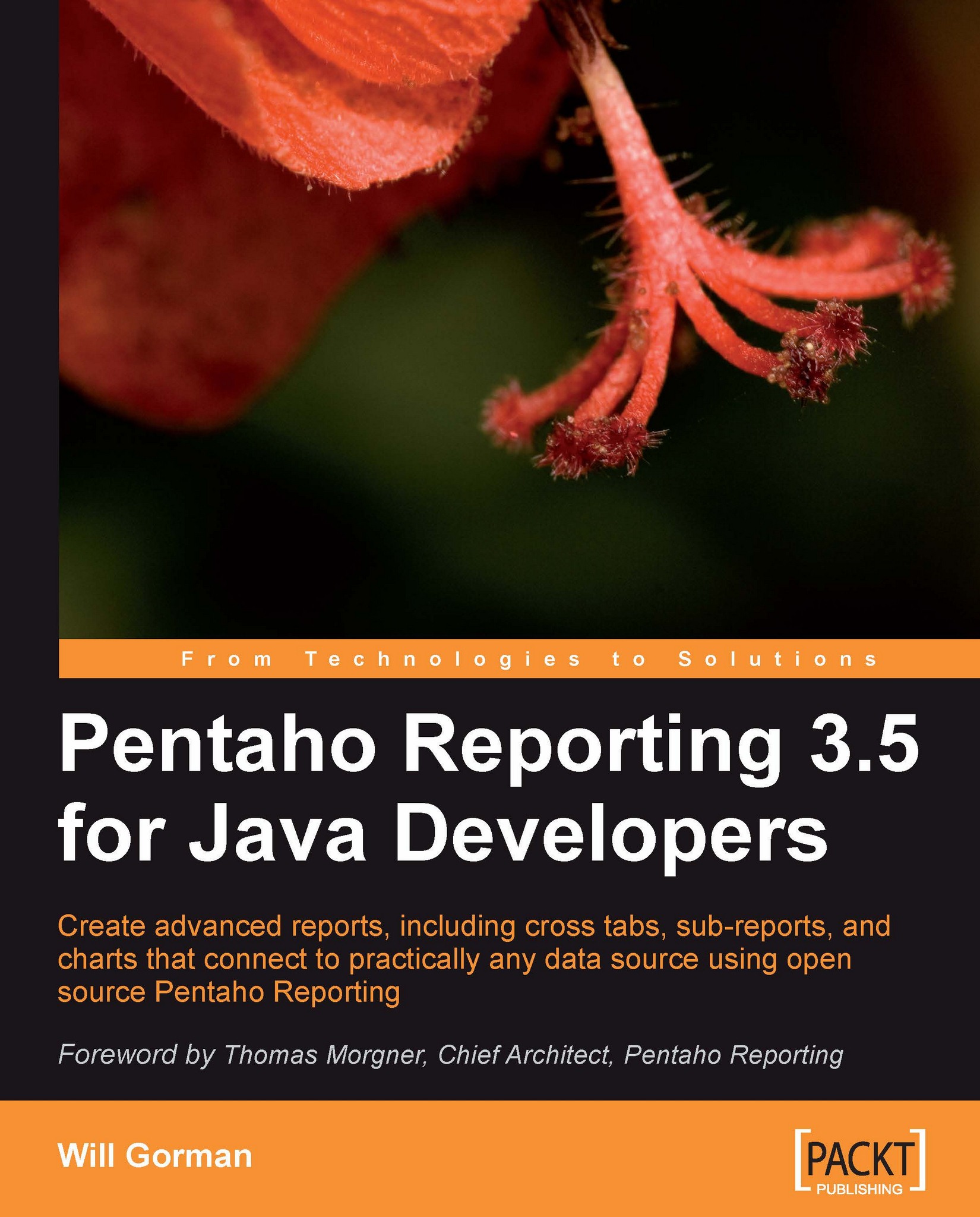
Pentaho Reporting 3.5 for Java Developers

Pentaho Reporting 3.5 for Java Developers: Create advanced reports, including cross tabs, sub-reports, and charts that connect to practically any data source using open source Pentaho Reporting.

Arrow left icon
Profile Icon Will Gorman
Arrow right icon
€38.99
Full star icon Full star icon Full star icon Full star icon Half star icon 4.3 (3 Ratings)
Paperback Sep 2009 384 pages 1st Edition
eBook
€27.89 €30.99
Paperback
€38.99
Arrow left icon
Profile Icon Will Gorman
Arrow right icon
€38.99
Full star icon Full star icon Full star icon Full star icon Half star icon 4.3 (3 Ratings)
Paperback Sep 2009 384 pages 1st Edition
eBook
€27.89 €30.99
Paperback
€38.99
eBook
€27.89 €30.99
Paperback
€38.99

What do you get with Print?

Product feature icon Instant access to your digital copy whilst your Print order is Shipped
Product feature icon Paperback book shipped to your preferred address
Product feature icon Redeem a companion digital copy on all Print orders
Product feature icon Access this title in our online reader with advanced features
Product feature icon DRM FREE - Read whenever, wherever and however you want
Modal Close icon
Payment Processing...
tick Completed

Shipping Address

Billing Address

Shipping Methods
Table of content icon View table of contents Preview book icon Preview Book

Pentaho Reporting 3.5 for Java Developers

Chapter 1. An Introduction to Pentaho Reporting

Pentaho Reporting is an easy-to-use, open source, lightweight suite of Java projects built for one purpose—report generation. In this book, you'll discover how easy it is to embed Pentaho Reporting into your Java projects, or use it as a standalone reporting platform. Pentaho Reporting's open source license—the GNU Lesser General Public License (LGPL )—gives developers the freedom to embed Pentaho Reporting into their open source and proprietary applications at no cost. An active community participates in the development and use of Pentaho Reporting, answering forum questions, fixing bugs, and implementing new features. While many proprietary reporting options are available, none can offer the openness and flexibility that Pentaho Reporting provides its users with.

As with most successful open source projects, Pentaho Reporting has a proven track record, along with a long list of features. Most of this history has been documented in open forums and in email threads, which are still available for folks to browse through and glean ideas from. Starting as a side hobby and turning into an enterprise reporting suite over the course of seven years, the Pentaho Reporting Engine and its suite of tools such as the Report Designer, Report Design Wizard, and Pentaho's web-based Ad Hoc Reporting user interface, are used as critical components in countless corporate, educational, governmental, and community-based information technology solutions.

In most business software applications, a reporting component is necessary, be it for summarizing data, generating large numbers of customized documents, or simply for making it easier to print information that would be useful in various output formats. With a complete set of features, including PDF, Excel, HTML, and RTF report generation, along with advanced reporting capabilities such as sub-reports and cross tabs, Pentaho Reporting can crack the simplest of problems quickly, along with solving the more advanced challenges when designing, generating and deploying reports.

Read on in this chapter to learn more about the typical uses, history and origins of Pentaho Reporting, along with a more detailed overview of the reporting functionality that Pentaho Reporting provides.

Summary

In this chapter, we've highlighted some typical uses of Pentaho Reporting, providing you with baseline ideas for implementing your own solutions. Typical uses for embedded reporting include operational, business intelligence, financial, and production reporting.

We've covered the unique history of Pentaho Reporting, from its JFreeReport roots to its current status as Pentaho Reporting. We've learned about the individuals who have built Pentaho Reporting from a spare time open source project into an enterprise level reporting engine, competing with proprietary reporting engines.

We've also learned a great deal about the rich features of Pentaho Reporting. Core features include a wide variety of data source integration, along with PDF, HTML, and Excel rendering. On the other hand, more advanced features include sub-reports and cross tab reports. Additionally, developer-oriented features such as open Java APIs, along with the available source code and a business-friendly LGPL open source license gives Pentaho Reporting a leg up on all other Java Reporting toolkits.

The architecture of Pentaho Reporting is also covered in this chapter, providing developers with a twenty thousand foot view of where they might be able to modify or contribute to the Pentaho Reporting Engine, along with giving them the ultimate flexibility of access to source code.

You'll soon be able to apply the rich feature set of Pentaho Reporting to your use case. In the following chapters, we'll introduce you to Pentaho Reporting's easy to use Report Designer and Java API, making it fun and easy to embed reporting into your Java application.

Pentaho Reporting history


Pentaho Reporting began as JFreeReport, a Java-based reporting engine and Swing widget, back in 2002. David Gilbert, author of JFreeChart, implemented the initial version of JFreeReport to address report rendering needs. Soon after launching the project, Thomas Morgner, standing to the right of Will Gorman in the following picture, became the primary developer. He added critical functionality such as report functions and XML report definitions, launching JFreeReport into a successful open source Java project.

Since the beginning, Pentaho Reporting has been an international project. David is located in Hertfordshire, United Kingdom, and Thomas is located in Frankfurt, Germany. Many others from all over the world have contributed translations and code to Pentaho Reporting.

From 2002 to 2006, Thomas continued to develop JFreeReport into an enterprise-worthy reporting engine. While working as a consultant, Thomas added support for a variety of outputs, including Excel and RTF. At the beginning of 2006, Thomas and JFreeReport joined Pentaho, an open source business intelligence company, and JFreeReport officially became Pentaho Reporting. At this time, Thomas transitioned from a full-time consultant to a full-time developer, on the Pentaho Reporting Engine and suite of tools.

In January 2006, along with the acquisition of Pentaho Reporting, Pentaho announced the general availability of the Pentaho Report Design Wizard, which walks business users through a set of simple instructions for building sophisticated template-based reports. Mike D'Amour, a Senior Engineer at Pentaho, was the initial author of this wizard, which is now used in many Pentaho applications.

Another important milestone in Pentaho Reporting's history was the introduction of Pentaho Report Designer. In 2006, Martin Schmid contributed the first version of the Pentaho Report Designer to the community. Since its introduction, the Report Designer has evolved with the reporting engine.

In 2007, Pentaho teamed up with Sun's OpenOffice.org, to deliver a reporting solution for OpenOffice.org's database tool set. This project was headed by Thomas Morgner, and is now known as the Pentaho Reporting Flow Engine. While this engine shares many of the concepts from the classic engine discussed in this book, it is a separate project with dramatically different features and functionality than Pentaho's classic reporting project.

Beginning in Pentaho Business Intelligence (BI) Platform release 1.6, Pentaho Reporting also tightly integrates with Pentaho's Metadata Engine, allowing easy-to-use web-based ad hoc reporting by business users who may not have SQL expertise, data driven formatting in reports, as well as column and row level data security. The same functionality is available inside Pentaho Report Designer for query and report building, allowing business users to go from a quick template-based report to a full-fledged custom report.

Pentaho Reporting timeline

The following is a timeline of the major events in Pentaho Reporting over the past several years:

  • April 2002: David Gilbert and Thomas Morgner start the JFreeReport project.

  • September 2003: Version 0.8.3 of JFreeReport is released, refining PDF, HTML, and Excel rendering, along with many additional enhancements.

  • March 2005: Version 0.8.5 of JFreeReport is released, with enhancements to function and expression building, along with new features such as Barcode support.

  • January 2006: Pentaho acquires JFreeReport and hires Thomas Morgner as Pentaho's Chief Reporting Engineer. In the same month, Pentaho Reporting Wizard is released.

  • June 2006: Martin Schmid releases the first version of Pentaho Report Designer.

  • November 2006: Web-based Ad hoc Reporting Support is added to Pentaho's BI Platform.

  • April 2007: Pentaho teams up with OpenOffice.org to deliver Pentaho Reporting's Flow Engine, embedded in OpenOffice.org.

  • August 2009: Pentaho releases version 3.5 of Pentaho Reporting.

Feature overview


In this quick introduction to the various features available in Pentaho Reporting 3.5, you'll have an executive summary of how Pentaho Reporting works and what it can accomplish for your reporting needs. The topics that will follow are covered in more depth in later chapters of the book.

An advanced reporting algorithm

The reporting algorithm is at the heart of Pentaho Reporting. This algorithm manages the layout and rendering of the entire report, no matter which output format is being rendered. This algorithm combines a reporting template, along with a dataset on the fly, in order to generate the final report. There is no unnecessary compilation step. All other Pentaho Reporting features can be described in the context of the overall reporting algorithm.

This algorithm allows reports to render with a page header and footer, a report header and footer, group headers and footers, as well as a details band. The reporting algorithm traverses the dataset multiple times to render the report. In the first pass, the algorithm performs calculations and determines how to separate the data into groups, along with calculating the height and width of text and images. After the initial pass, the algorithm traverses the dataset a second time, in order to render the output.

A multitude of available data sources

Pentaho Reporting defines a standard Java API for accessing data. Many data source implementations are made available with Pentaho Reporting. The most commonly used implementations include JDBC Database Connectivity, XML XPATH capability, Multidimensional OLAP Data Access using MDX, and simple Plain Old Java Object (POJO) support.

Additional data sources that are available include a Pentaho Data Integration data source, a Hibernate Query Language (HQL) data source, and a Pentaho Metadata data source. With Pentaho's Data Integration data source it is easy to use Excel, Logs, or other file formats as inputs to a report without the need to write any code.

All of these data sources interact with the reporting engine through a standard API, which is easy to extend.

The following data sources are available with Pentaho Reporting:

  • Swing TableModel

  • Java Reflection (POJO)

  • Hibernate HQL

  • JDBC SQL

  • OLAP MDX

  • XML XPATH

  • Pentaho Data Integration

  • Pentaho Metadata

By combining Pentaho Reporting's data source functionality with Pentaho's Data Integration engine, most known data formats and systems are available for input. This includes combining data sources into a single report. An example might include a Microsoft Excel file, on a remote shared drive, with a plain text log file from an HTTP server.

A wide variety of output formats

Pentaho Reporting has the ability to render to the most widely used output formats, including Adobe's PDF standard using the iText Library, Microsoft's Excel standard using the POI Library, and HTML, all highlighted in the following image. Other formats available include XML, plain text, Rich Text Format (RTF), and Comma-separated values (CSV). In addition to these output formats, a Pentaho Report can be rendered in Swing and directly printed using PostScript formatting, allowing print previewing capabilities.

Following is the screenshot showing one such report obtained using Report Designer.

Pixel accurate rich formatting

Reports defined in Pentaho Reporting can specify at the pixel level where objects such as text or images should render. Using Pentaho Report Designer, it is easy to align fields and group items that need to stay aligned. While not always possible due to different format types such as XML, CSV, and plain text, the three main graphical outputs—HTML, PDF, and Excel—strive to look as similar as possible.

Rich formatting includes TrueType system font selection, the ability to render geometrical shapes and lines, along with the ability to include images and other objects in a report. This rich formatting is specified under the covers through styles similar to Cascading Style Sheets (CSS), separating out the format from the report detail. This makes it easier to modify and maintain reports, and also to apply corporate styles through the report wizard.

Embedded charts

The Pentaho Reporting Engine and suite of tools make it easy to embed charts in reports, using the JFreeChart engine. Many chart types are available, including Bar, Histogram, Pie, and Line charts.

Report parameterization

Pentaho Reporting provides easy-to-use tools to parameterize a report, allowing users to specify ranges and other values that customize the output of a report. Parameter values can be selected from a list of hardcoded values or driven from a query. With parameterization, end users may control the amount of information that is displayed on a report. The following screenshot is an example of parameter input from within Pentaho's Business Intelligence Server:

Formulas and style expressions

Report builders may define custom formulas and style expressions, using the OpenFormula standard, allowing for calculated values and dynamic formatting in their reports, such as aggregations, number formatting, as well as traffic lighting.

Sub-reports

Pentaho Reporting allows report developers to include sub-reports within a master report. This provides a powerful capability, which allows reports to contain different smaller reports, both side-by-side and within the various bands of a report. These sub-reports may be based on different data sources.

This capability makes it possible to reuse detailed reports within multiple primary reports, as well as enabling a single report template to render multiple times in a single PDF document, allowing painless printing of a large number of reports. The following screenshot is an example of a report that includes a separate chart sub-report:

Cross Tab Reports

Cross Tab Reports present data in a spreadsheet-like format, making it easier to view summaries of data. Cross Tab Reports present both row and column headers, as well as cells of data, all of which can be customized through report elements.

Interactive reporting

While most reports are static after being rendered, a subset of reporting includes functionality such as drill through, pivoting, and other interactivity. Pentaho Reporting provides a straightforward Java and JavaScript API for manipulating a report after it has been rendered, allowing report builders to create very interactive reports. Pentaho Reporting's Interactive functionality is available when rendering a report in HTML, Excel or Swing. Links to external documents can also be added to PDF documents.

The following screenshot shows a report with links, that when clicked launches a more detailed report:

Rich authoring tools

While it is possible to build Pentaho reports using either XML or a Java API, most reports begin as templates built by the Pentaho Report Designer. Pentaho Report Designer is a What-You-See-Is-What-You-Get (WYSIWYG) report editor that exposes the rich set of features provided by the Pentaho Reporting Engine. In addition to building a report from scratch, the Report Design Wizard, included as a part of the Pentaho Report Designer, walks a report author through building a report, which will then be displayed in the Report Designer for further customization.

Reporting server

As a part of the Pentaho suite, reports created by Pentaho Reporting may be published, executed, and scheduled on Pentaho's Business Intelligence Server. The BI Server offers authentication and authorization, as well as a central repository, to manage your business reports. The BI Server also hosts the web-based Ad Hoc Reporting user interface for creating Pentaho Metadata-based reports. By combining the use of Pentaho Report Designer and Pentaho's BI Server, there is no need to write any code to get your business up and running with Pentaho Reporting.

Java API for building reports

Pentaho Reporting comes with a well-documented Java API for building reports from the ground up, so developers can stick with the Java programming language when customizing existing report templates or building reports from scratch. This Java API allows developers to create and modify the various sections of a report, including the various header, footer, group and detail bands, along with creating and modifying objects within each section of a report.

Extensibility

Pentaho Reporting is designed from the ground up in pure Java, exposing many interfaces for extension. From implementing basic formulas and functions that can be embedded in reports, to writing a custom data source or output format, Pentaho Reporting's source code and API interfaces are well documented and easy to work with.

A business friendly open source license

One very attractive feature of Pentaho Reporting is its license. Pentaho Reporting is available for free under the GNU Lesser General Public License. This license allows other open source and proprietary projects to embed Pentaho Reporting without fear of large license fees or viral open source limitations. As an open source project, developers also have unprecedented access to the engine and to a large group of software developers within the Pentaho Reporting community. This community includes open discussion forums, Internet Relay Chat (IRC) along with commercial support and licensing, if required.

Pentaho reporting roadmap

In addition to these features, Pentaho Reporting is in active development. Please visit http://reporting.pentaho.org to learn more about what additional features and functionality are being considered for development, or to access early release versions of the product.

Pentaho Reporting architecture


The Pentaho Reporting Engine is broken up into eleven main Java projects, which are then combined to author and render reports. The Pentaho Reporting Engine is backward compatible to Java 1.2.2, making certain that it stays as lightweight and as useful as possible. Most of the eleven libraries are independently useful for Java developers, outside of using them strictly for reporting purposes. The following diagram describes the various dependencies between each of the reporting projects:

LibBase

LibBase is the root library for all other Pentaho Reporting libraries. This library contains common capabilities, such as debug and error logging utilities, library configuration, along with library initialization APIs, for consistent startup and shutdown management of the reporting engine.

LibDocBundle

LibDocBundle abstracts the management of Pentaho Reporting file bundles, which are by default stored as ZIP files, and implements the OpenDocument format (ODF). This makes it simpler for other parts of the reporting engine to work with and manipulate Pentaho Reporting's file formats.

LibFonts

LibFonts allows Pentaho Reporting to work with TrueType system fonts, extracting the necessary metadata from font types, populating an abstract interface to allow appropriate rendering in various contexts, including PDF and Excel views.

LibFormat

LibFormat is a string formatting library, which can render dates and numbers appropriately based on format strings. This library is focused on memory and CPU efficiency for high performance report rendering.

LibFormula

LibFormula is a formula parsing and execution library based on the OpenFormula standard. You can learn more about OpenFormula by visiting http://wiki.oasis-open.org/office/About_OpenFormula. This library is similar in function to Excel-based formula definitions. LibFormula is a very general library, and is used outside Pentaho Reporting in other projects that require OpenFormula style parsing and execution.

LibLoader

LibLoader manages the loading and caching of all necessary resources required for generating reports in a generic way, providing a simple API for other parts of the reporting engine that control static and dynamic content, including data sources and images.

LibRepository

LibRepository abstracts the input and output of hierarchical storage systems, such as file systems, that Pentaho Reporting interacts with. This makes it possible for a custom storage system such as FTP, to be implemented and to be mapped to the API, giving Pentaho Reporting access to the system.

LibSerializer

LibSerializer provides helper methods for serializing non-serializable objects. This is necessary so that the reporting engine can serialize standard Java classes that don't implement Java's Serializable interface.

LibXml

LibXml provides utility classes for SAX (Simple API for XML) parsing and XML writing, based on Java's JAXP (Java API for XML Parsing) API. This library assures the speedy loading and validation of Pentaho Reporting XML template files.

Report Engine Core

The Report Engine Core project contains the main reporting algorithm for rendering reports, along with the necessary functionality to support styling. This project also contains the algorithms for rendering specific outputs, including PDF, Excel, CSV, XML, and more. The engine relies on the already mentioned Lib libraries for managing the loading, parsing, formatting, rendering, and archiving of generated reports.

Report Engine Extensions

The Report Engine Extensions project contains third-party extensions to the reporting engine, which are very useful, but increase dependencies. Extensions in this project include JavaScript Expression support using the Rhino project, a Hibernate data source factory, Barcode support using Barbecue, Sparkline support, along with additional JDK 1.4 support for configuration and printing. Additional extension projects exist that include charting and many of the data sources discussed in this book.

When combined, these libraries form the Pentaho Reporting Engine. In addition to these libraries, there are also other related open source tools and projects in the Pentaho Reporting landscape, including the Report Engine Demo, Report Design Wizard, Report Designer, and the web-based Ad Hoc Reporting user interface.

Summary


In this chapter, we've highlighted some typical uses of Pentaho Reporting, providing you with baseline ideas for implementing your own solutions. Typical uses for embedded reporting include operational, business intelligence, financial, and production reporting.

We've covered the unique history of Pentaho Reporting, from its JFreeReport roots to its current status as Pentaho Reporting. We've learned about the individuals who have built Pentaho Reporting from a spare time open source project into an enterprise level reporting engine, competing with proprietary reporting engines.

We've also learned a great deal about the rich features of Pentaho Reporting. Core features include a wide variety of data source integration, along with PDF, HTML, and Excel rendering. On the other hand, more advanced features include sub-reports and cross tab reports. Additionally, developer-oriented features such as open Java APIs, along with the available source code and a business-friendly LGPL open source license gives Pentaho Reporting a leg up on all other Java Reporting toolkits.

The architecture of Pentaho Reporting is also covered in this chapter, providing developers with a twenty thousand foot view of where they might be able to modify or contribute to the Pentaho Reporting Engine, along with giving them the ultimate flexibility of access to source code.

You'll soon be able to apply the rich feature set of Pentaho Reporting to your use case. In the following chapters, we'll introduce you to Pentaho Reporting's easy to use Report Designer and Java API, making it fun and easy to embed reporting into your Java application.

Left arrow icon Right arrow icon

Key benefits

  • Create great-looking enterprise reports in PDF, Excel, and HTML with Pentaho's Open Source Reporting Suite, and integrate report generation into your existing Java application with minimal hassle
  • Use data source options to develop advanced graphs, graphics, cross tabs, and sub-reports
  • Dive deeply into the Pentaho Reporting Engine's XML and Java APIs to create dynamic reports
  • Work with a multitude of examples throughout the book for quick learning on every topic

Description

Pentaho Reporting lets you create, generate, and distribute rich and sophisticated report content from different data sources. Knowing how to use it quickly and efficiently gives you the edge in producing reports from your database. If you have been looking for a book that has plenty of easy-to-understand instructions and also contains lots of examples and screenshots, this is where your search ends. This book shows you how to replace or build your enterprise reporting solution from scratch with Pentaho's Reporting Suite. Through detailed examples, it dives deeply into all aspects of Pentaho's reporting functionalities, providing you with the knowledge you need to master report creation. This book starts off with a number of examples to get you familiar with the tools and technology of the Pentaho Reporting Suite. Then, with additional examples, it goes into advanced subjects such as charting, sub-reporting, cross tabs, as well as API generation of reports. There are also details and examples on extending Pentaho's open source reporting engine. The reader will learn the ins and outs of Pentaho Report Designer, including a cheat sheet with all the available short-cut keys, to make report design efficient and painless. Embedding reports into your Java application can be difficult. With Pentaho Reporting it's just a few lines of code. The book provides examples of how to embed reporting into your J2EE and client Java applications, as well as showing you how to build dynamic reports from scratch using Pentaho Reporting's simple Java Bean-based report generation API. Setting up and integrating a reporting server in an enterprise environment can be arduous. In addition to learning how to build great embeddable reports, you'll also learn how to combine Pentaho Reporting with Pentaho's BI Server for a zero-code, easy-to-configure, enterprise reporting solution.

Who is this book for?

This book is primarily written for Java developers who want to assemble custom reporting solutions with Pentaho Reporting. Their main interest is in the technical details of creating reports and they want to see how to solve common report problems with a minimum of fuss; they do not need an overview of BI or the importance of reporting.Secondary audiences of this book are IT professionals who need to install a reporting solution in their environment, and want to learn advanced concepts within Pentaho Reporting such as sub-reports, cross-tabs, data source configuration, and metadata-based reporting.

What you will learn

  • Install and get started with Pentaho Reporting
  • Build great-looking reports that render as PDF, Excel, and HTML using Pentaho Report Designer
  • Learn the ins and outs of Pentaho Report Designer, including a list of short-cut keys for quick report generation
  • Configure your JDBC database and other data sources to drive dynamic reports
  • Include Pie, Bar, Line, and many other chart types within your reports, as well as other graphics
  • Parameterize your reports, using the open formula standard to drive calculations within your reports
  • Add sub-reports and cross tabs in your reports to more effectively present information
  • Build interactive Swing and HTML reports that are more like dashboards than traditional static enterprise reports
  • Build Pentaho Reports programmatically with easy-to-use XML and Java APIs
  • Learn to write your own open formula functions and custom graphical elements in reports
  • Write your own extensions to Pentaho Reporting, for complete integration and customization into your environment
  • Find out why you should use open source reporting over proprietary reporting offerings (hint: it s free and you can customize it)
  • Install Pentaho s BI Server and deploy your reports with permissions and scheduling with zero code.
Estimated delivery fee Deliver to Greece

Premium delivery 7 - 10 business days

€26.95
(Includes tracking information)

Product Details

Country selected
Publication date, Length, Edition, Language, ISBN-13
Publication date : Sep 07, 2009
Length: 384 pages
Edition : 1st
Language : English
ISBN-13 : 9781847193193
Vendor :
Pentaho
Category :
Languages :
Tools :

What do you get with Print?

Product feature icon Instant access to your digital copy whilst your Print order is Shipped
Product feature icon Paperback book shipped to your preferred address
Product feature icon Redeem a companion digital copy on all Print orders
Product feature icon Access this title in our online reader with advanced features
Product feature icon DRM FREE - Read whenever, wherever and however you want
Modal Close icon
Payment Processing...
tick Completed

Shipping Address

Billing Address

Shipping Methods
Estimated delivery fee Deliver to Greece

Premium delivery 7 - 10 business days

€26.95
(Includes tracking information)

Product Details

Publication date : Sep 07, 2009
Length: 384 pages
Edition : 1st
Language : English
ISBN-13 : 9781847193193
Vendor :
Pentaho
Category :
Languages :
Tools :

Packt Subscriptions

See our plans and pricing
Modal Close icon
€18.99 billed monthly
Feature tick icon Unlimited access to Packt's library of 7,000+ practical books and videos
Feature tick icon Constantly refreshed with 50+ new titles a month
Feature tick icon Exclusive Early access to books as they're written
Feature tick icon Solve problems while you work with advanced search and reference features
Feature tick icon Offline reading on the mobile app
Feature tick icon Simple pricing, no contract
€189.99 billed annually
Feature tick icon Unlimited access to Packt's library of 7,000+ practical books and videos
Feature tick icon Constantly refreshed with 50+ new titles a month
Feature tick icon Exclusive Early access to books as they're written
Feature tick icon Solve problems while you work with advanced search and reference features
Feature tick icon Offline reading on the mobile app
Feature tick icon Choose a DRM-free eBook or Video every month to keep
Feature tick icon PLUS own as many other DRM-free eBooks or Videos as you like for just €5 each
Feature tick icon Exclusive print discounts
€264.99 billed in 18 months
Feature tick icon Unlimited access to Packt's library of 7,000+ practical books and videos
Feature tick icon Constantly refreshed with 50+ new titles a month
Feature tick icon Exclusive Early access to books as they're written
Feature tick icon Solve problems while you work with advanced search and reference features
Feature tick icon Offline reading on the mobile app
Feature tick icon Choose a DRM-free eBook or Video every month to keep
Feature tick icon PLUS own as many other DRM-free eBooks or Videos as you like for just €5 each
Feature tick icon Exclusive print discounts

Frequently bought together


Stars icon
Total 121.97
Pentaho 5.0 Reporting by Example: Beginner's Guide
€43.99
Pentaho Data Integration 4 Cookbook
€38.99
Pentaho Reporting 3.5 for Java Developers
€38.99
Total 121.97 Stars icon

Table of Contents

12 Chapters
An Introduction to Pentaho Reporting Chevron down icon Chevron up icon
Pentaho Reporting Client and Enterprise Examples Chevron down icon Chevron up icon
Pentaho Reporting Examples in the Real World Chevron down icon Chevron up icon
Design and Layout in Pentaho's Report Designer Chevron down icon Chevron up icon
Working with Data Sources Chevron down icon Chevron up icon
Including Charts and Graphics in Reports Chevron down icon Chevron up icon
Parameterization, Functions, Formulas, and Internationalization in Reports Chevron down icon Chevron up icon
Adding Sub-Reports and Cross Tabs to Reports Chevron down icon Chevron up icon
Building Interactive Reports Chevron down icon Chevron up icon
API-based Report Generation Chevron down icon Chevron up icon
Extending Pentaho Reporting Chevron down icon Chevron up icon
Additional Pentaho Reporting Topics Chevron down icon Chevron up icon

Customer reviews

Rating distribution
Full star icon Full star icon Full star icon Full star icon Half star icon 4.3
(3 Ratings)
5 star 66.7%
4 star 0%
3 star 33.3%
2 star 0%
1 star 0%
Shalom Sep 07, 2012
Full star icon Full star icon Full star icon Full star icon Full star icon 5
It was excellent in shape what it was describe for book.. Looks like brand new . Nothing wrong even in inside the book.
Amazon Verified review Amazon
S. Reh Feb 16, 2010
Full star icon Full star icon Full star icon Full star icon Full star icon 5
I have used this book and the Pentaho Solutions book extensively to help with getting my Pentaho reporting solution up and running.For those new to Pentaho, there will be parts of this book that is more oriented to a programmer than Pentaho Solutions but there are still very valuable sections for the "non-programmer". I have found that both books work well together and on some topics getting each books explanation makes it clearer.
Amazon Verified review Amazon
Julio Lima May 02, 2019
Full star icon Full star icon Full star icon Empty star icon Empty star icon 3
Muito bom, mas não tem nenhum segredo que não esteja disponível em sites que tratam de Pentaho. Vale a pena por já estar organizado. Mas seria mais interessante se houvesse atualizações para contemplar versões mais novas.
Amazon Verified review Amazon
Get free access to Packt library with over 7500+ books and video courses for 7 days!
Start Free Trial

FAQs

What is the digital copy I get with my Print order? Chevron down icon Chevron up icon

When you buy any Print edition of our Books, you can redeem (for free) the eBook edition of the Print Book you’ve purchased. This gives you instant access to your book when you make an order via PDF, EPUB or our online Reader experience.

What is the delivery time and cost of print book? Chevron down icon Chevron up icon

Shipping Details

USA:

'

Economy: Delivery to most addresses in the US within 10-15 business days

Premium: Trackable Delivery to most addresses in the US within 3-8 business days

UK:

Economy: Delivery to most addresses in the U.K. within 7-9 business days.
Shipments are not trackable

Premium: Trackable delivery to most addresses in the U.K. within 3-4 business days!
Add one extra business day for deliveries to Northern Ireland and Scottish Highlands and islands

EU:

Premium: Trackable delivery to most EU destinations within 4-9 business days.

Australia:

Economy: Can deliver to P. O. Boxes and private residences.

Trackable service with delivery to addresses in Australia only.
Delivery time ranges from 7-9 business days for VIC and 8-10 business days for Interstate metro
Delivery time is up to 15 business days for remote areas of WA, NT & QLD.

Premium: Delivery to addresses in Australia only
Trackable delivery to most P. O. Boxes and private residences in Australia within 4-5 days based on the distance to a destination following dispatch.

India:

Premium: Delivery to most Indian addresses within 5-6 business days

Rest of the World:

Premium: Countries in the American continent: Trackable delivery to most countries within 4-7 business days

Asia:

Premium: Delivery to most Asian addresses within 5-9 business days

Disclaimer:
All orders received before 5 PM U.K time would start printing from the next business day. So the estimated delivery times start from the next day as well. Orders received after 5 PM U.K time (in our internal systems) on a business day or anytime on the weekend will begin printing the second to next business day. For example, an order placed at 11 AM today will begin printing tomorrow, whereas an order placed at 9 PM tonight will begin printing the day after tomorrow.


Unfortunately, due to several restrictions, we are unable to ship to the following countries:

  1. Afghanistan
  2. American Samoa
  3. Belarus
  4. Brunei Darussalam
  5. Central African Republic
  6. The Democratic Republic of Congo
  7. Eritrea
  8. Guinea-bissau
  9. Iran
  10. Lebanon
  11. Libiya Arab Jamahriya
  12. Somalia
  13. Sudan
  14. Russian Federation
  15. Syrian Arab Republic
  16. Ukraine
  17. Venezuela
What is custom duty/charge? Chevron down icon Chevron up icon

Customs duty are charges levied on goods when they cross international borders. It is a tax that is imposed on imported goods. These duties are charged by special authorities and bodies created by local governments and are meant to protect local industries, economies, and businesses.

Do I have to pay customs charges for the print book order? Chevron down icon Chevron up icon

The orders shipped to the countries that are listed under EU27 will not bear custom charges. They are paid by Packt as part of the order.

List of EU27 countries: www.gov.uk/eu-eea:

A custom duty or localized taxes may be applicable on the shipment and would be charged by the recipient country outside of the EU27 which should be paid by the customer and these duties are not included in the shipping charges been charged on the order.

How do I know my custom duty charges? Chevron down icon Chevron up icon

The amount of duty payable varies greatly depending on the imported goods, the country of origin and several other factors like the total invoice amount or dimensions like weight, and other such criteria applicable in your country.

For example:

  • If you live in Mexico, and the declared value of your ordered items is over $ 50, for you to receive a package, you will have to pay additional import tax of 19% which will be $ 9.50 to the courier service.
  • Whereas if you live in Turkey, and the declared value of your ordered items is over € 22, for you to receive a package, you will have to pay additional import tax of 18% which will be € 3.96 to the courier service.
How can I cancel my order? Chevron down icon Chevron up icon

Cancellation Policy for Published Printed Books:

You can cancel any order within 1 hour of placing the order. Simply contact customercare@packt.com with your order details or payment transaction id. If your order has already started the shipment process, we will do our best to stop it. However, if it is already on the way to you then when you receive it, you can contact us at customercare@packt.com using the returns and refund process.

Please understand that Packt Publishing cannot provide refunds or cancel any order except for the cases described in our Return Policy (i.e. Packt Publishing agrees to replace your printed book because it arrives damaged or material defect in book), Packt Publishing will not accept returns.

What is your returns and refunds policy? Chevron down icon Chevron up icon

Return Policy:

We want you to be happy with your purchase from Packtpub.com. We will not hassle you with returning print books to us. If the print book you receive from us is incorrect, damaged, doesn't work or is unacceptably late, please contact Customer Relations Team on customercare@packt.com with the order number and issue details as explained below:

  1. If you ordered (eBook, Video or Print Book) incorrectly or accidentally, please contact Customer Relations Team on customercare@packt.com within one hour of placing the order and we will replace/refund you the item cost.
  2. Sadly, if your eBook or Video file is faulty or a fault occurs during the eBook or Video being made available to you, i.e. during download then you should contact Customer Relations Team within 14 days of purchase on customercare@packt.com who will be able to resolve this issue for you.
  3. You will have a choice of replacement or refund of the problem items.(damaged, defective or incorrect)
  4. Once Customer Care Team confirms that you will be refunded, you should receive the refund within 10 to 12 working days.
  5. If you are only requesting a refund of one book from a multiple order, then we will refund you the appropriate single item.
  6. Where the items were shipped under a free shipping offer, there will be no shipping costs to refund.

On the off chance your printed book arrives damaged, with book material defect, contact our Customer Relation Team on customercare@packt.com within 14 days of receipt of the book with appropriate evidence of damage and we will work with you to secure a replacement copy, if necessary. Please note that each printed book you order from us is individually made by Packt's professional book-printing partner which is on a print-on-demand basis.

What tax is charged? Chevron down icon Chevron up icon

Currently, no tax is charged on the purchase of any print book (subject to change based on the laws and regulations). A localized VAT fee is charged only to our European and UK customers on eBooks, Video and subscriptions that they buy. GST is charged to Indian customers for eBooks and video purchases.

What payment methods can I use? Chevron down icon Chevron up icon

You can pay with the following card types:

  1. Visa Debit
  2. Visa Credit
  3. MasterCard
  4. PayPal
What is the delivery time and cost of print books? Chevron down icon Chevron up icon

Shipping Details

USA:

'

Economy: Delivery to most addresses in the US within 10-15 business days

Premium: Trackable Delivery to most addresses in the US within 3-8 business days

UK:

Economy: Delivery to most addresses in the U.K. within 7-9 business days.
Shipments are not trackable

Premium: Trackable delivery to most addresses in the U.K. within 3-4 business days!
Add one extra business day for deliveries to Northern Ireland and Scottish Highlands and islands

EU:

Premium: Trackable delivery to most EU destinations within 4-9 business days.

Australia:

Economy: Can deliver to P. O. Boxes and private residences.
Trackable service with delivery to addresses in Australia only.
Delivery time ranges from 7-9 business days for VIC and 8-10 business days for Interstate metro
Delivery time is up to 15 business days for remote areas of WA, NT & QLD.

Premium: Delivery to addresses in Australia only
Trackable delivery to most P. O. Boxes and private residences in Australia within 4-5 days based on the distance to a destination following dispatch.

India:

Premium: Delivery to most Indian addresses within 5-6 business days

Rest of the World:

Premium: Countries in the American continent: Trackable delivery to most countries within 4-7 business days

Asia:

Premium: Delivery to most Asian addresses within 5-9 business days

Disclaimer:
All orders received before 5 PM U.K time would start printing from the next business day. So the estimated delivery times start from the next day as well. Orders received after 5 PM U.K time (in our internal systems) on a business day or anytime on the weekend will begin printing the second to next business day. For example, an order placed at 11 AM today will begin printing tomorrow, whereas an order placed at 9 PM tonight will begin printing the day after tomorrow.


Unfortunately, due to several restrictions, we are unable to ship to the following countries:

  1. Afghanistan
  2. American Samoa
  3. Belarus
  4. Brunei Darussalam
  5. Central African Republic
  6. The Democratic Republic of Congo
  7. Eritrea
  8. Guinea-bissau
  9. Iran
  10. Lebanon
  11. Libiya Arab Jamahriya
  12. Somalia
  13. Sudan
  14. Russian Federation
  15. Syrian Arab Republic
  16. Ukraine
  17. Venezuela
Modal Close icon
Modal Close icon