Search icon CANCEL
Subscription
0
Cart icon
Your Cart (0 item)
Close icon
You have no products in your basket yet
Arrow left icon
Explore Products
Best Sellers
New Releases
Books
Events
Videos
Audiobooks
Packt Hub
Free Learning
Arrow right icon
timer SALE ENDS IN
0 Days
:
00 Hours
:
00 Minutes
:
00 Seconds
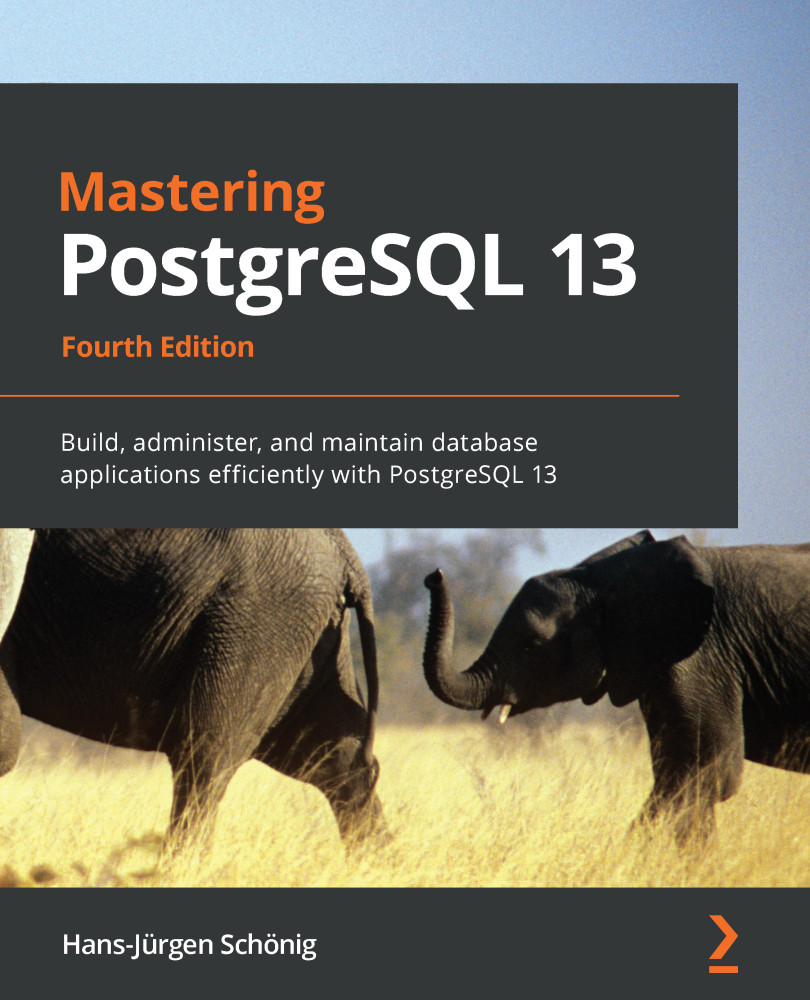
Mastering PostgreSQL 13

Mastering PostgreSQL 13: Build, administer, and maintain database applications efficiently with PostgreSQL 13 , Fourth Edition

Arrow left icon
Profile Icon Hans-Jürgen Schönig
Arrow right icon
€25.19 €27.99
Full star icon Full star icon Full star icon Half star icon Empty star icon 3.6 (5 Ratings)
eBook Nov 2020 476 pages 4th Edition
eBook
€25.19 €27.99
Paperback
€34.99
eBook + Subscription
€24.99 Monthly
Arrow left icon
Profile Icon Hans-Jürgen Schönig
Arrow right icon
€25.19 €27.99
Full star icon Full star icon Full star icon Half star icon Empty star icon 3.6 (5 Ratings)
eBook Nov 2020 476 pages 4th Edition
eBook
€25.19 €27.99
Paperback
€34.99
eBook + Subscription
€24.99 Monthly
eBook
€25.19 €27.99
Paperback
€34.99
eBook + Subscription
€24.99 Monthly

What do you get with eBook?

Product feature icon Instant access to your Digital eBook purchase
Product feature icon Download this book in EPUB and PDF formats
Product feature icon Access this title in our online reader with advanced features
Product feature icon DRM FREE - Read whenever, wherever and however you want
Product feature icon AI Assistant (beta) to help accelerate your learning
Modal Close icon
Payment Processing...
tick Completed

Billing Address

Table of content icon View table of contents Preview book icon Preview Book

Mastering PostgreSQL 13

Understanding Transactions and Locking

Now that we've covered an introduction to PostgreSQL 13, we want to focus our attention on the next important topic. Locking is a vital concept for any kind of database. It is not enough to understand just how it works to write proper or better applications—it is also essential from a performance point of view. Without handling locks properly, your applications might not only be slow; they might also behave in very unexpected ways. In my opinion, locking is the key to performance, and having a good overview of this will certainly help. Therefore, understanding locking and transactions is important for administrators and developers alike. In this chapter, you will learn about the following topics:

  • Working with PostgreSQL transactions
  • Understanding basic locking
  • Making use of FOR SHARE and FOR UPDATE
  • Understanding transaction isolation levels
  • Observing deadlocks and similar issues
  • Utilizing advisory locks
  • Optimizing storage and managing cleanups

By the end of this chapter, you will be able to understand and utilize PostgreSQL transactions in the most efficient way possible. You will see that many applications can benefit from improved performance.

Working with PostgreSQL transactions

PostgreSQL provides you with highly advanced transaction machinery that offers countless features to developers and administrators alike. In this section, we will look at the basic concept of transactions.

The first important thing to know is that, in PostgreSQL, everything is a transaction. If you send a simple query to the server, it is already a transaction. Here is an example:

test=# SELECT now(), now();
now | now
-------------------------------+-------------------------------
2020-08-13 11:03:17.741316+02 | 2020-08-13 11:03:17.741316+02
(1 row)

In this case, the SELECT statement will be a separate transaction. If the same command is executed again, different timestamps will be returned.

Keep in mind that the now() function will return the transaction time. The SELECT statement will, therefore, always return two identical timestamps. If you want the real time, consider using clock_timestamp() instead of now().

If more than one statement has to be a part of the same transaction, the BEGIN statement must be used, as follows:

test=# \h BEGIN
Command: BEGIN
Description: start a transaction block
Syntax:
BEGIN [ WORK | TRANSACTION ] [ transaction_mode [, ...] ]

where transaction_mode is one of:

ISOLATION LEVEL { SERIALIZABLE | REPEATABLE READ | READ COMMITTED | READ UNCOMMITTED }
READ WRITE | READ ONLY
[ NOT ] DEFERRABLE

URL: https://www.postgresql.org/docs/13/sql-begin.html

The BEGIN statement will ensure that more than one command is packed into a transaction. Here is how it works:

test=# BEGIN;
BEGIN
test=*# SELECT now();
now
-------------------------------
2020-08-13 11:04:15.379104+02
(1 row)

test=*# SELECT now();
now
-------------------------------
2020-08-13 11:04:15.379104+02
(1 row)

test=*# COMMIT;
COMMIT

The important point here is that both timestamps will be identical. As we mentioned earlier, we are talking about transaction time.

To end the transaction, COMMIT can be used:

test=# \h COMMIT
Command: COMMIT
Description: commit the current transaction
Syntax:
COMMIT [ WORK | TRANSACTION ] [ AND [ NO ] CHAIN ]

URL: https://www.postgresql.org/docs/13/sql-commit.html

There are a few syntax elements here. You can just use COMMIT, COMMIT WORK, or COMMIT TRANSACTION. All three commands have the same meaning. If this is not enough, there's more:

test=# \h END
Command: END
Description: commit the current transaction
Syntax:
END [ WORK | TRANSACTION ] [ AND [ NO ] CHAIN ]

URL: https://www.postgresql.org/docs/13/sql-end.html

The END clause is the same as the COMMIT clause.

ROLLBACK is the counterpart of COMMIT. Instead of successfully ending a transaction, it will simply stop the transaction without ever making things visible to other transactions, as shown in the following code:

test=# \h ROLLBACK
Command: ROLLBACK
Description: abort the current transaction
Syntax:
ROLLBACK [ WORK | TRANSACTION ] [ AND [ NO ] CHAIN ]

URL: https://www.postgresql.org/docs/13/sql-rollback.html

Some applications use ABORT instead of ROLLBACK. The meaning is the same. What was new in PostgreSQL 12 was the concept of a chained transaction. What is the point of all this? The following listing shows an example:

test=# SHOW transaction_read_only;
transaction_read_only
-----------------------
off
(1 row)

test=# BEGIN TRANSACTION READ ONLY ;
BEGIN
test=*# SELECT 1;
?column?
----------
1
(1 row)

test=*# COMMIT AND CHAIN;
COMMIT
test=*# SHOW transaction_read_only;
transaction_read_only
-----------------------
on
(1 row)

test=*# SELECT 1;
?column?
----------
1
(1 row)

test=*# COMMIT AND NO CHAIN;
COMMIT
test=# SHOW transaction_read_only;
transaction_read_only
-----------------------
off
(1 row)

test=# COMMIT;
WARNING: there is no transaction in progress
COMMIT

Let's go through this example step by step:

  1. Display the content of the transaction_read_only setting. It is off because, by default, we are in read/write mode.
  2. Start a read-only transaction using BEGIN. This will automatically adjust the transaction_read_only variable.
  3. Commit the transaction using AND CHAIN, then PostgreSQL will automatically start a new transaction featuring the same properties as the previous transaction.

In our example, we will also be in read-only mode, just like the transaction before. There is no need to explicitly open a new transaction and set whatever values again, which can dramatically reduce the number of roundtrips between application and server. If a transaction is committed normally (= NO CHAIN) the read-only attribute of the transaction will be gone.

Handling errors inside a transaction

It is not always the case that transactions are correct from beginning to end. Things might just go wrong for whatever reason. However, in PostgreSQL, only error-free transactions can be committed. The following listing shows a failing transaction, which errors out due to a division-by-zero error:

test=# BEGIN;
BEGIN
test=*# SELECT 1;
?column?
----------
1
(1 row)

test=*# SELECT 1 / 0;
ERROR: division by zero
test=!# SELECT 1;
ERROR: current transaction is aborted, commands ignored until end of transaction block
test=!# SELECT 1;
ERROR: current transaction is aborted, commands ignored until end of transaction block
test=!# COMMIT;
ROLLBACK

Note that division by zero did not work out.

In any proper database, an instruction similar to this will instantly error out and make the statement fail.

It is important to point out that PostgreSQL will error out. After an error has occurred, no more instructions will be accepted, even if those instructions are semantically and syntactically correct. It is still possible to issue COMMIT. However, PostgreSQL will roll back the transaction because it is the only correct thing to be done at that point.

Making use of SAVEPOINT

In professional applications, it can be pretty hard to write reasonably long transactions without ever encountering a single error. To solve this problem, users can utilize something called SAVEPOINT. As the name indicates, a savepoint is a safe place inside a transaction that the application can return to if things go terribly wrong. Here is an example:

test=# BEGIN;
BEGIN
test=*# SELECT 1;
?column?
----------
1
(1 row)

test=*# SAVEPOINT a;
SAVEPOINT
test=*# SELECT 2 / 0;
ERROR: division by zero
test=!# SELECT 2;
ERROR: current transaction is aborted, commands ignored until end of transaction block
test=!# ROLLBACK TO SAVEPOINT a;
ROLLBACK
test=*# SELECT 3;
?column?
----------
3
(1 row)

test=*# COMMIT;
COMMIT

After the first SELECT clause, I decided to create a savepoint to make sure that the application can always return to this point inside the transaction. As you can see, the savepoint has a name, which is referred to later.

After returning to the savepoint called a, the transaction can proceed normally. The code has jumped back to before the error, so everything is fine.

The number of savepoints inside a transaction is practically unlimited. We have seen customers with over 250,000 savepoints in a single operation. PostgreSQL can easily handle this.

If you want to remove a savepoint from inside a transaction, there's the RELEASE SAVEPOINT command:

test=# \h RELEASE 
Command: RELEASE SAVEPOINT
Description: destroy a previously defined savepoint
Syntax:
RELEASE [ SAVEPOINT ] savepoint_name

URL: https://www.postgresql.org/docs/13/sql-release-savepoint.html

Many people ask what will happen if you try to reach a savepoint after a transaction has ended. The answer is that the life of a savepoint ends as soon as the transaction ends. In other words, there is no way to return to a certain point in time after the transactions have been completed.

Transactional DDLs

PostgreSQL has a very nice feature that is unfortunately not present in many commercial database systems. In PostgreSQL, it is possible to run DDLs (commands that change the data's structure) inside a transaction block. In a typical commercial system, a DDL will implicitly commit the current transaction. This does not occur in PostgreSQL.

Apart from some minor exceptions (DROP DATABASE, CREATE TABLESPACE, DROP TABLESPACE, and so on), all DDLs in PostgreSQL are transactional, which is a huge advantage and a real benefit to end users.

Here is an example:

test=# BEGIN;
BEGIN
test=*# CREATE TABLE t_test (id int);
CREATE TABLE
test=*# ALTER TABLE t_test ALTER COLUMN id TYPE int8;
ALTER TABLE
test=*# \d t_test
Table "public.t_test"
Column | Type | Collation | Nullable | Default
--------+--------+-----------+----------+---------
id | bigint | | |

test=*# ROLLBACK;
ROLLBACK
test=# \d t_test
Did not find any relation named "t_test".

In this example, a table has been created and modified, and the entire transaction has been aborted. As you can see, there is no implicit COMMIT command or any other strange behavior. PostgreSQL simply acts as expected.

Transactional DDLs are especially important if you want to deploy software. Just imagine running a content management system (CMS). If a new version is released, you'll want to upgrade. Running the old version would still be OK; running the new version would also be OK, but you really don't want a mixture of old and new. Therefore, deploying an upgrade in a single transaction is highly beneficial as it upgrades an atomic operation.

To facilitate good software practices, we can include several separately coded modules from our source control system into a single deployment transaction.

Understanding basic locking

In this section, you will learn about basic locking mechanisms. The goal is to understand how locking works in general and how to get simple applications right.

To show you how things work, we will create a simple table. For demonstrative purposes, I will add one row to the table using a simple INSERT command:

test=# CREATE TABLE  t_test (id int);  
CREATE TABLE 
test=# INSERT INTO t_test VALUES (0); INSERT 0 1

The first important thing is that tables can be read concurrently. Many users reading the same data at the same time won't block each other. This allows PostgreSQL to handle thousands of users without any problems.

The question now is what happens if reads and writes occur at the same time? Here is an example. Let's assume that the table contains one row and its id = 0:

Transaction 1

Transaction 2

BEGIN;

BEGIN;

UPDATE t_test SET id = id + 1 RETURNING *;

User will see 1

SELECT * FROM t_test;

User will see 0

COMMIT;

COMMIT;

Two transactions are opened. The first one will change a row. However, this is not a problem as the second transaction can proceed. It will return the old row as it was before UPDATE. This behavior is called Multi-Version Concurrency Control (MVCC).

A transaction will only see data if it has been committed by the write transaction before the initiation of the read transaction. One transaction cannot inspect the changes that have been made by another active connection. A transaction can see only those changes that have already been committed.

There is also a second important aspect—many commercial or open source databases are still unable to handle concurrent reads and writes. In PostgreSQL, this is absolutely not a problem—reads and writes can coexist.

Write transactions won't block read transactions.

After the transaction has been committed, the table will contain 1.

What will happen if two people change data at the same time? Here is an example:

Transaction 1

Transaction 2

BEGIN;

BEGIN;

UPDATE t_test SET id = id + 1 RETURNING *;

It will return 2

UPDATE t_test SET id = id + 1 RETURNING *;

It will wait for transaction 1

COMMIT;

It will wait for transaction 1

It will reread the row, find 2, set the value, and return 3

COMMIT;

Suppose you want to count the number of hits on a website. If you run the preceding code, no hits will be lost because PostgreSQL guarantees that one UPDATE statement is performed after another.

PostgreSQL will only lock rows affected by UPDATE. So, if you have 1,000 rows, you can theoretically run 1,000 concurrent changes on the same table.

It is also worth noting that you can always run concurrent reads. Our two writes will not block reads.

Avoiding typical mistakes and explicit locking

In my life as a professional PostgreSQL consultant (https://www.cybertec-postgresql.com), I have seen a couple of mistakes that are repeated frequently. If there are constants in life, these typical mistakes are definitely some of the things that never change.

Here is my favorite:

Transaction 1

Transaction 2

BEGIN;

BEGIN;

SELECT max(id) FROM product;

SELECT max(id) FROM product;

User will see 17

User will see 17

User will decide to use 18

User will decide to use 18

INSERT INTO product ... VALUES (18, ...)

INSERT INTO product ... VALUES (18, ...)

COMMIT;

COMMIT;

In this case, there will be either a duplicate key violation or two identical entries. Neither variation of the problem is all that appealing.

One way to fix this problem is to use explicit table locking. The following code shows us the syntax definition of LOCK:

test=# \h LOCK
Command: LOCK
Description: lock a table
Syntax:
LOCK [ TABLE ] [ ONLY ] name [ * ] [, ...] [ IN lockmode MODE ] [ NOWAIT ]

where lockmode is one of:

ACCESS SHARE | ROW SHARE | ROW EXCLUSIVE | SHARE UPDATE EXCLUSIVE
| SHARE | SHARE ROW EXCLUSIVE | EXCLUSIVE | ACCESS EXCLUSIVE

URL: https://www.postgresql.org/docs/13/sql-lock.html

As you can see, PostgreSQL offers eight types of locks to lock an entire table. In PostgreSQL, a lock can be as light as an ACCESS SHARE lock or as heavy as an ACCESS EXCLUSIVE lock. The following list shows what these locks do:

  • ACCESS SHARE: This type of lock is taken by reads and conflicts only with ACCESS EXCLUSIVE, which is set by DROP TABLE and so on. Practically, this means that SELECT cannot start if a table is about to be dropped. This also implies that DROP TABLE has to wait until a reading transaction is complete.
  • ROW SHARE: PostgreSQL takes this kind of lock in the case of SELECT FOR UPDATE/SELECT FOR SHARE. It conflicts with EXCLUSIVE and ACCESS EXCLUSIVE.
  • ROW EXCLUSIVE: This lock is taken by INSERT, UPDATE, and DELETE. It conflicts with SHARE, SHARE ROW EXCLUSIVE, EXCLUSIVE, and ACCESS EXCLUSIVE.
  • SHARE UPDATE EXCLUSIVE: This kind of lock is taken by CREATE INDEX CONCURRENTLY, ANALYZE, ALTER TABLE, VALIDATE, and some other flavors of ALTER TABLE, as well as by VACUUM (not VACUUM FULL). It conflicts with the SHARE UPDATE EXCLUSIVE, SHARE, SHARE ROW EXCLUSIVE, EXCLUSIVE, and ACCESS EXCLUSIVE lock modes.
  • SHARE: When an index is created, SHARE locks will be set. It conflicts with ROW EXCLUSIVE, SHARE UPDATE EXCLUSIVE, SHARE ROW EXCLUSIVE, EXCLUSIVE, and ACCESS EXCLUSIVE.
  • SHARE ROW EXCLUSIVE: This one is set by CREATE TRIGGER and some forms of ALTER TABLE and conflicts with everything except ACCESS SHARE.
  • EXCLUSIVE: This type of lock is by far the most restrictive one. It protects against reads and writes alike. If this lock is taken by a transaction, nobody else can read or write to the table that's been affected.
  • ACCESS EXCLUSIVE: This lock prevents concurrent transactions from reading and writing.

Given the PostgreSQL locking infrastructure, one solution to the max problem we outlined previously would be as follows. The example in the following code shows how to lock a table:

BEGIN; 
LOCK  TABLE  product IN ACCESS EXCLUSIVE MODE; 
INSERT INTO  product SELECT max(id) + 1, ... FROM product;  
COMMIT; 

Keep in mind that this is a pretty nasty way of doing this kind of operation because nobody else can read or write to the table during your operation. Therefore, ACCESS EXCLUSIVE should be avoided at all costs.

Considering alternative solutions

There is an alternative solution to this problem. Consider an example where you are asked to write an application to generate invoice numbers. The tax office might require you to create invoice numbers without gaps and without duplicates. How would you do this? Of course, one solution would be a table lock. However, you can really do better. Here is what you can do to handle the numbering problem we are trying to solve:

test=# CREATE TABLE t_invoice (id int PRIMARY KEY);
CREATE TABLE
test=# CREATE TABLE t_watermark (id int); CREATE TABLE
test=# INSERT INTO t_watermark VALUES (0); INSERT 0
test=# WITH x AS (UPDATE t_watermark SET id = id + 1 RETURNING *) INSERT INTO t_invoice SELECT * FROM x RETURNING *;
id

----
1
(1 row)

In this case, we introduced a table called t_watermark. It contains just one row. The WITH command will be executed first. The row will be locked and incremented, and the new value will be returned. Only one person can do this at a time. The value returned by the CTE is then used in the invoice table. It is guaranteed to be unique. The beauty is that there is only a simple row lock on the watermark table, which leads to no reads being blocked in the invoice table. Overall, this way is more scalable.

Making use of FOR SHARE and FOR UPDATE

Sometimes, data is selected from the database, then some processing happens in the application, and finally, some changes are made back on the database side. This is a classic example of SELECT FOR UPDATE.

Here is an example that shows the way SELECT is often executed in the wrong way:

BEGIN;
SELECT * FROM invoice WHERE processed = false; ** application magic will happen here ** UPDATE invoice SET processed = true ... COMMIT;

The problem here is that two people might select the same unprocessed data. Changes that are made to these processed rows will then be overwritten. In short, a race condition will occur.

To solve this problem, developers can make use of SELECT FOR UPDATE. Here's how it can be used. The following example will show a typical scenario:

BEGIN; 
SELECT * FROM invoice WHERE processed = false FOR UPDATE; 
** application magic  will  happen here  **  
UPDATE invoice SET processed = true ...  
COMMIT; 

SELECT FOR UPDATE will lock rows just like UPDATE would. This means that no changes can happen concurrently. All locks will be released on COMMIT as usual.

If one SELECT FOR UPDATE command is waiting for another SELECT FOR UPDATE command, you will have to wait until the other one completes (COMMIT or ROLLBACK). If the first transaction doesn't want to end, for whatever reason, the second transaction may potentially wait forever. To avoid this, it is possible to use SELECT FOR UPDATE NOWAIT:

Transaction 1

Transaction 2

BEGIN;

BEGIN;

SELECT ... FROM tab WHERE ... FOR UPDATE NOWAIT;

Some processing

SELECT ... FROM tab WHERE ... FOR UPDATE NOWAIT;

Some processing

ERROR: could not obtain lock on row in relation tab

If NOWAIT is not flexible enough for you, consider using lock_timeout. It will contain the amount of time you want to wait on locks. You can set this on a per-session level:

test=# SET lock_timeout TO 5000;  
SET 

In this case, the value is set to 5 seconds.

While SELECT does basically no locking, SELECT FOR UPDATE can be pretty harsh. Just imagine the following business process: we want to fill up an airplane that has 200 seats. Many people want to book seats concurrently. In this case, the following might happen:

Transaction 1

Transaction 2

BEGIN;

BEGIN;

SELECT ... FROM flight LIMIT 1 FOR UPDATE;

Waiting for user input

SELECT ... FROM flight LIMIT 1 FOR UPDATE;

Waiting for user input

It has to wait

The trouble is that only one seat can be booked at a time. There are potentially 200 seats available, but everybody has to wait for the first person. While the first seat is blocked, nobody else can book a seat, even if people don't care which seat they get in the end.

SELECT FOR UPDATE SKIP LOCKED will fix the problem. Let's create some sample data first:

test=# CREATE TABLE t_flight AS 
          SELECT * FROM generate_series(1, 200) AS id;  
SELECT 200 

Now comes the magic:

Transaction 1

Transaction 2

BEGIN;

BEGIN;

SELECT * FROM t_flight LIMIT 2 FOR UPDATE SKIP LOCKED;

SELECT * FROM t_flight LIMIT 2 FOR UPDATE SKIP LOCKED;

It will return 1 and 2

It will return 3 and 4

If everybody wants to fetch two rows, we can serve 100 concurrent transactions at a time without having to worry about blocking transactions.

Keep in mind that waiting is the slowest form of execution. If only one transaction can be active at a time, it is pointless to buy ever more expensive servers if your real problems are caused by locking and conflicting transactions in general.

However, there's more. In some cases, FOR UPDATE can have unintended consequences. Most people are not aware of the fact that FOR UPDATE will have an impact on foreign keys. Let's assume that we have two tables: one to store currencies and the other to store accounts. The following code shows an example of this:

CREATE TABLE t_currency (id int, name text, PRIMARY KEY (id));  
INSERT INTO t_currency VALUES (1, 'EUR');       
INSERT INTO t_currency VALUES (2, 'USD'); 
 
CREATE TABLE t_account (
id int,
currency_id int REFERENCES t_currency (id)
ON UPDATE CASCADE
ON DELETE CASCADE,
balance numeric); INSERT INTO t_account VALUES (1, 1, 100); INSERT INTO t_account VALUES (2, 1, 200);

Now, we want to run SELECT FOR UPDATE on the account table:

Transaction 1

Transaction 2

BEGIN;

SELECT * FROM t_account FOR UPDATE;

BEGIN;

Waiting for user to proceed

UPDATE t_currency SET id = id * 10;

Waiting for user to proceed

It will wait on transaction 1

Although there is a SELECT FOR UPDATE command on accounts, the UPDATE command on the currency table will be blocked. This is necessary because, otherwise, there is a chance of breaking the foreign key constraint altogether. In a fairly complex data structure, you can therefore easily end up with contentions in an area where they are least expected (some highly important lookup tables).

As well as FOR UPDATE, there's also FOR SHARE, FOR NO KEY UPDATE, and FOR KEY SHARE. The following list describes what these modes actually mean:

  • FOR NO KEY UPDATE: This one is pretty similar to FOR UPDATE. However, the lock is weaker and, therefore, it can coexist with SELECT FOR SHARE.
  • FOR SHARE: FOR UPDATE is pretty strong and works on the assumption that you are definitely going to change rows. FOR SHARE is different because more than one transaction can hold a FOR SHARE lock at the same time.
  • FOR KEY SHARE: This behaves similarly to FOR SHARE, except that the lock is weaker. It will block FOR UPDATE but will not block FOR NO KEY UPDATE.

The important thing here is to simply try things out and observe what happens. Improving locking behavior is really important as it can dramatically improve the scalability of your application.

Understanding transaction isolation levels

Up until now, you have seen how to handle locking, as well as some basic concurrency. In this section, you will learn about transaction isolation. To me, this is one of the most neglected topics in modern software development. Only a small fraction of software developers are actually aware of this issue, which in turn leads to mind-boggling bugs.

Here is an example of what can happen:

Transaction 1

Transaction 2

BEGIN;

SELECT sum(balance) FROM t_account;

User will see 300

BEGIN;

INSERT INTO t_account (balance) VALUES (100);

COMMIT;

SELECT sum(balance) FROM t_account;

User will see 400

COMMIT;

Most users would actually expect the first transaction to always return 300, regardless of the second transaction. However, this isn't true. By default, PostgreSQL runs in the READ COMMITTED transaction isolation mode. This means that every statement inside a transaction will get a new snapshot of the data, which will be constant throughout the query.

A SQL statement will operate on the same snapshot and will ignore changes by concurrent transactions while it is running.

If you want to avoid this, you can use TRANSACTION ISOLATION LEVEL REPEATABLE READ. In this transaction isolation level, a transaction will use the same snapshot through the entire transaction. Here's what will happen:

Transaction 1

Transaction 2

BEGIN TRANSACTION ISOLATION LEVEL

REPEATABLE READ;

SELECT sum(balance) FROM t_account;

User will see 300

BEGIN;

INSERT INTO t_account (balance) VALUES (100);

COMMIT;

SELECT sum(balance) FROM t_account;

SELECT sum(balance) FROM t_account;

User will see 300

User will see 400

COMMIT;

As we've outlined, the first transaction will freeze its snapshot of the data and provide us with constant results throughout the entire transaction. This feature is especially important if you want to run reports. The first and last page of a report should always be consistent and operate on the same data. Therefore, the repeatable read is key to consistent reports.

Note that isolation-related errors won't always pop up instantly. Sometimes, trouble is noticed years after an application has been moved to production.

Repeatable Read is not more expensive than Read Committed. There is no need to worry about performance penalties. For normal online transaction processing (OLTP), read committed has various advantages because changes can be seen much earlier and the odds of unexpected errors are usually lower.

Considering Serializable Snapshot Isolation transactions

On top of read committed and repeatable read, PostgreSQL offers Serializable Snapshot Isolation (SSI) transactions. So, overall, PostgreSQL supports three isolation levels. Note that Read Uncommitted (which still happens to be the default in some commercial databases) is not supported: if you try to start a read uncommitted transaction, PostgreSQL will silently map to read committed. Let's get back to the serializable isolation level.

If you want to know more about this isolation level, consider checking out https://wiki.postgresql.org/wiki/Serializable.

The idea behind serializable isolation is simple; if a transaction is known to work correctly when there is only a single user, it will also work in the case of concurrency when this isolation level is chosen. However, users have to be prepared; transactions may fail (by design) and error out. In addition to this, a performance penalty has to be paid.

Consider using serializable isolation only when you have a decent understanding of what is going on inside the database engine.

Observing deadlocks and similar issues

Deadlocks are an important issue and can happen in every database. Basically, a deadlock will happen if two transactions have to wait on each other.

In this section, you will see how this can happen. Let's suppose we have a table containing two rows:

CREATE TABLE t_deadlock (id int);
INSERT INTO t_deadlock VALUES (1), (2);

The following example shows what can happen:

Transaction 1

Transaction 2

BEGIN;

BEGIN;

UPDATE t_deadlock

SET id = id * 10

WHERE id = 1;

UPDATE t_deadlock

SET id = id * 10

WHERE id = 2;

UPDATE t_deadlock

SET id = id * 10

WHERE id = 2;

Waiting on transaction 2

UPDATE t_deadlock

SET id = id * 10

WHERE id = 1;

Waiting on transaction 2

Waiting on transaction 1

Deadlock will be resolved after 1 second

(deadlock_timeout)

COMMIT;

ROLLBACK;

As soon as the deadlock is detected, the following error message will show up:

psql: ERROR: deadlock detected
DETAIL: Process 91521 waits for ShareLock on transaction 903;
blocked by process 77185.
Process 77185 waits for ShareLock on transaction 905;
blocked by process 91521.
HINT: See server log for query details.
CONTEXT: while updating tuple (0,1) in relation "t_deadlock"

PostgreSQL is even kind enough to tell us which row has caused the conflict. In my example, the root of all evil is a tuple, (0, 1). What you can see here is ctid, which is a unique identifier of a row in a table. It tells us about the physical position of a row inside the table. In this example, it is the first row in the first block (0).

It is even possible to query this row if it is still visible to your transaction. Here's how it works:

test=# SELECT ctid, * FROM t_deadlock WHERE ctid = '(0, 1)'; 
ctid | id
-------+-----
(0,1) | 10

(1 row)

Keep in mind that this query might not return a row if it has already been deleted or modified.

However, this isn't the only case where deadlocks can lead to potentially failing transactions. Transactions can also not be serialized for various reasons. The following example shows what can happen. To make this example work, I assume that you've still got the two rows, id = 1 and id = 2:

Transaction 1

Transaction 2

BEGIN ISOLATION LEVEL REPEATABLE READ;

SELECT * FROM t_deadlock;

Two rows will be returned

DELETE FROM t_deadlock;

SELECT * FROM t_deadlock;

Two rows will be returned

DELETE FROM t_deadlock;

The transaction will error out

ROLLBACK; - we cannot COMMIT anymore

In this example, two concurrent transactions are at work. As long as the first transaction is just selecting data, everything is fine because PostgreSQL can easily preserve the illusion of static data. But what happens if the second transaction commits a DELETE command? As long as there are only reads, there is still no problem. The trouble begins when the first transaction tries to delete or modify data that is already dead at this point. The only solution for PostgreSQL is to error out due to a conflict caused by our transactions:

test=# DELETE FROM t_deadlock; 
psql: ERROR: could not serialize access due to concurrent update

Practically, this means that end users have to be prepared to handle erroneous transactions. If something goes wrong, properly written applications must be able to try again.

Utilizing advisory locks

PostgreSQL has highly efficient and sophisticated transaction machinery that is capable of handling locks in a really fine-grained and efficient way. A few years ago, people came up with the idea of using this code to synchronize applications with each other. Thus, advisory locks were born.

When using advisory locks, it is important to mention that they won't go away on COMMIT as normal locks do. Therefore, it is really important to make sure that unlocking is done properly and in a totally reliable way.

If you decide to use an advisory lock, what you really lock is a number. So, this isn't about rows or data; it is really just a number. Here's how it works:

Session 1

Session 2

BEGIN;

SELECT pg_advisory_lock(15);

SELECT pg_advisory_lock(15);

It has to wait

COMMIT;

It still has to wait

SELECT pg_advisory_unlock(15);

It is still waiting

Lock is taken

The first transaction will lock 15. The second transaction has to wait until this number has been unlocked again. The second session will even wait after the first one has committed. This is highly important as you cannot rely on the fact that the end of the transaction will nicely and miraculously solve things for you.

If you want to unlock all locked numbers, PostgreSQL offers the pg_advisory_unlock_all() function to do exactly this:

test=# SELECT pg_advisory_unlock_all(); 
pg_advisory_unlock_all 
------------------------

(1 row)

Sometimes, you might want to see whether you can get a lock and error out if this isn't possible. To achieve this, PostgreSQL offers a couple of functions; to see a list of all such available functions, enter \df *try*advisory* at the command line.

Optimizing storage and managing cleanup

Transactions are an integral part of the PostgreSQL system. However, transactions come with a small price tag attached. As we've already shown in this chapter, sometimes, concurrent users will be presented with different data. Not everybody will get the same data returned by a query. In addition to this, DELETE and UPDATE are not allowed to actually overwrite data since ROLLBACK would not work. If you happen to be in the middle of a large DELETE operation, you cannot be sure whether you will be able to COMMIT or not. In addition to this, data is still visible while you perform the DELETE operation, and sometimes data is even visible once your modification has long since finished.

Consequently, this means that cleanup has to happen asynchronously. A transaction cannot clean up its own mess and any COMMIT/ROLLBACK might be too early to take care of dead rows.

The solution to this problem is VACUUM. The following code block provides you with a syntax overview:

test=# \h VACUUM
Command: VACUUM
Description: garbage-collect and optionally analyze a database
Syntax:
VACUUM [ ( option [, ...] ) ] [ table_and_columns [, ...] ]
VACUUM [ FULL ] [ FREEZE ] [ VERBOSE ] [ ANALYZE ] [ table_and_columns [, ...] ]

where option can be one of:

FULL [ boolean ]
FREEZE [ boolean ]
VERBOSE [ boolean ]
ANALYZE [ boolean ]
DISABLE_PAGE_SKIPPING [ boolean ]
SKIP_LOCKED [ boolean ]
INDEX_CLEANUP [ boolean ]
TRUNCATE [ boolean ]
PARALLEL integer

and table_and_columns is:

table_name [ ( column_name [, ...] ) ]

URL: https://www.postgresql.org/docs/13/sql-vacuum.html

VACUUM will visit all of the pages that potentially contain modifications and find all the dead space. The free space that's found is then tracked by the free space map (FSM) of the relation.

Note that VACUUM will, in most cases, not shrink the size of a table. Instead, it will track and find free space inside existing storage files.

Tables will usually have the same size after VACUUM. If there are no valid rows at the end of a table, file sizes can go down, although this is rare. This is not the rule, but rather the exception.

What this means to end users will be outlined in the Watching VACUUM at work subsection of this chapter.

Configuring VACUUM and autovacuum

Back in the early days of PostgreSQL projects, people had to run VACUUM manually. Fortunately, those days are long gone. Nowadays, administrators can rely on a tool called autovacuum, which is part of the PostgreSQL server infrastructure. It automatically takes care of cleanup and works in the background. It wakes up once per minute (see autovacuum_naptime = 1 in postgresql.conf) and checks whether there is work to do. If there is work, autovacuum will fork up to three worker processes (see autovacuum_max_workers in postgresql.conf).

The main question is, when does autovacuum trigger the creation of a worker process?

Actually, the autovacuum process doesn't fork processes itself. Instead, it tells the main process to do so. This is done to avoid zombie processes in the event of failure and to improve robustness.

The answer to this question can, again, be found in postgresql.conf, as shown in the following code:

autovacuum_vacuum_threshold = 50  
autovacuum_analyze_threshold = 50  
autovacuum_vacuum_scale_factor = 0.2  
autovacuum_analyze_scale_factor = 0.1 
autovacuum_vacuum_insert_threshold = 1000

The autovacuum_vacuum_scale_factor command tells PostgreSQL that a table is worth vacuuming if 20% of its data has been changed. The trouble is that if a table consists of one row, one change is already 100%. It makes absolutely no sense to fork a complete process to clean up just one row. Therefore, autovacuum_vacuuum_threshold says that we need 20%, and this 20% must be at least 50 rows. Otherwise, VACUUM won't kick in. The same mechanism is used when it comes to the creation of optimizer statistics. We need 10% and at least 50 rows to justify new optimizer statistics. Ideally, autovacuum creates new statistics during a normal VACUUM to avoid unnecessary trips to the table.

However, there is more: In the past, autovacuum was not triggered by workloads consisting of only INSERT statements, which could be a major issue. The new autovacuum_vacuum_insert_threshold parameter has been added to fix exactly this kind of problem. PostgreSQL 13 will now trigger an autovacuum activity even if only INSERT statements are going on in the database.

Digging into transaction wraparound-related issues

There are two more settings in postgresql.conf that are quite important to understand to really make use of PostgreSQL. As we have stated already, understanding VACUUM is key to performance:

autovacuum_freeze_max_age = 200000000  
autovacuum_multixact_freeze_max_age = 400000000 

To understand the overall problem, it is important to understand how PostgreSQL handles concurrency. The PostgreSQL transaction machinery is based on the comparison of transaction IDs and the states transactions are in.

Let's look at an example. If I am transaction ID 4711 and if you happen to be 4712, I won't see you because you are still running. If I am transaction ID 4711 but you are transaction ID 3900, I will see you. If your transaction has failed, I can safely ignore all of the rows that are produced by your failing transaction.

The trouble is as follows: transaction IDs are finite, not unlimited. At some point, they will start to wrap around. In reality, this means that transaction number 5 might actually be after transaction number 800 million. How does PostgreSQL know what was first? It does so by storing a watermark. At some point, those watermarks will be adjusted, and this is exactly when VACUUM starts to be relevant. By running VACUUM (or autovacuum), you can ensure that the watermark is adjusted in a way that there are always enough future transaction IDs left to work with.

Not every transaction will increase the transaction ID counter. As long as a transaction is still reading, it will only have a virtual transaction ID. This ensures that transaction IDs are not burned too quickly.

The autovacuum_freeze_max_age command defines the maximum number of transactions (age) that a table's pg_class.relfrozenxid field can attain before a VACUUM operation is forced to prevent transaction ID wraparound within the table. This value is fairly low because it also has an impact on clog cleanup (the clog or commit log is a data structure that stores two bits per transaction, which indicates whether a transaction is running, aborted, committed, or still in a subtransaction).

The autovacuum_multixact_freeze_max_age command configures the maximum age that a table's pg_class.relminmxid field can attain before a VACUUM operation is forced to prevent the multixact ID wraparound within the table. Freezing tuples is an important performance issue, and there will be more on this process in Chapter 6, Optimizing Queries for Good Performance, where we will discuss query optimization.

In general, trying to reduce the VACUUM load while maintaining operational security is a good idea. A VACUUM operation on large tables can be expensive, and therefore keeping an eye on these settings makes perfect sense.

A word on VACUUM FULL

Instead of the normal VACUUM, you can also use VACUUM FULL. However, I really want to point out that VACUUM FULL actually locks the table and rewrites the entire relation. In the case of a small table, this might not be an issue. However, if your tables are large, the table lock can really kill you in minutes! VACUUM FULL blocks upcoming writes and, therefore, some people talking to your database might have the feeling that it is actually down. Hence, a lot of caution is advised.

To get rid of VACUUM FULL, I recommend that you check out pg_squeeze (http://www.cybertec.at/introducing-pg_squeeze-a-postgresql-extension-to-auto-rebuild-bloated-tables/), which can rewrite a table without blocking writes.

Watching VACUUM at work

Now, it is time to see VACUUM in action. I have included this section here because my practical work as a PostgreSQL consultant and supporter (http://www.postgresql-support.com/) indicates that most people only have a very vague understanding of what happens on the storage side.

To stress this point again, in most cases, VACUUM will not shrink your tables; space is usually not returned to the filesystem.

Here is my example, which shows how to create a small table with customized autovacuum settings. The table is filled with 100000 rows:

CREATE TABLE t_test (id int) WITH (autovacuum_enabled = off); 
INSERT INTO t_test 
   SELECT * FROM generate_series(1, 100000); 

The idea is to create a simple table containing 100000 rows. Note that it is possible to turn autovacuum off for specific tables. Usually, this is not a good idea for most applications. However, there is a corner case, where autovacuum_enabled = off makes sense. Just consider a table whose life cycle is very short. It doesn't make sense to clean out tuples if the developer already knows that the entire table will be dropped within seconds. In data warehousing, this can be the case if you use tables as staging areas. VACUUM is turned off in this example to ensure that nothing happens in the background. Everything you see is triggered by me and not by some process.

First of all, consider checking the size of the table by using the following command:

test=# SELECT pg_size_pretty(pg_relation_size('t_test')); 
pg_size_pretty
----------------
3544 kB
(1 row)

The pg_relation_size command returns the size of a table in bytes. The pg_size_pretty command will take this number and turn it into something human-readable.

Then, all of the rows in the table will be updated using a simple UPDATE statement, as shown in the following code:

test=# UPDATE t_test SET id = id + 1;  
UPDATE 100000

What happens is highly important to understand PostgreSQL. The database engine has to copy all the rows. Why? First of all, we don't know whether the transaction will be successful, so the data cannot be overwritten. The second important aspect is that a concurrent transaction might still be seeing the old version of the data.

The UPDATE operation will copy rows.

Logically, the size of the table will be larger after the change has been made:

test=# SELECT pg_size_pretty(pg_relation_size('t_test'));
pg_size_pretty

----------------
7080 kB
(1 row)

After UPDATE, people might try to return space to the filesystem:

test=# VACUUM t_test;  
VACUUM

As we stated previously, VACUUM does not return space to the filesystem in most cases. Instead, it will allow space to be reused. The table, therefore, doesn't shrink at all:

test=# SELECT pg_size_pretty(pg_relation_size('t_test')); 
pg_size_pretty

----------------
7080 kB
(1 row)

However, the next UPDATE will not make the table grow because it will eat the free space inside the table. Only a second UPDATE would make the table grow again because all the space is gone and so additional storage is needed:

test=# UPDATE t_test SET id = id + 1;  
UPDATE 100000 
test=# SELECT pg_size_pretty(pg_relation_size('t_test'));
pg_size_pretty

----------------
7080 kB
(1 row)

test=# UPDATE t_test SET id = id + 1; UPDATE 100000
test=# SELECT pg_size_pretty(pg_relation_size('t_test'));
pg_size_pretty

----------------
10 MB
(1 row)

If I had to decide on a single thing you should remember after reading this book, this is it. Understanding storage is the key to performance and administration in general.

Let's run some more queries:

VACUUM t_test; 
UPDATE t_test SET id = id + 1;  
VACUUM t_test; 

Again, the size is unchanged. Let's see what's inside the table:

test=# SELECT ctid, * FROM t_test ORDER BY ctid DESC;
ctid | id
-----------+--------
...
(1327, 46) | 112
(1327, 45) | 111
(1327, 44) | 110
...
(884, 20) | 99798
(884, 19) | 99797
...

The ctid command is the physical position of a row on a disk. By using ORDER BY ctid DESC, you will basically read the table backward in physical order. Why should you care? Because there are some very small values and some very big values at the end of the table. The following code shows how the size of the table changes when data is deleted:

test=# DELETE FROM t_test 
WHERE id > 99000
OR id < 1000; DELETE 1999
test=# VACUUM t_test; VACUUM
test=# SELECT pg_size_pretty(pg_relation_size('t_test')); pg_size_pretty

----------------
3504 kB
(1 row)

Although only 2% of the data has been deleted, the size of the table has gone down by two-thirds. The reason for this is that if VACUUM only finds dead rows after a certain position in the table, it can return space to the filesystem. This is the only case in which you will actually see the table size go down. Of course, normal users have no control over the physical position of data on the disk. Therefore, storage consumption will most likely stay somewhat the same unless all rows are deleted.

Why are there so many small and big values at the end of the table anyway? After the table is initially populated with 100,000 rows, the last block is not completely full, so the first UPDATE will fill up the last block with changes. This shuffles the end of the table a bit. In this carefully crafted example, this is the reason for the strange layout at the end of the table.

In real-world applications, the impact of this observation cannot be stressed enough. There is no performance tuning without really understanding storage.

Limiting transactions by making use of snapshot too old

VACUUM does a good job and it will reclaim free space as needed. However, when can VACUUM actually clean out rows and turn them into free space? The rule is this: if a row cannot be seen by anybody anymore, it can be reclaimed. In reality, this means that everything that is no longer seen, even by the oldest active transaction, can be considered to be really dead.

This also implies that really long transactions can postpone cleanup for quite some time. The logical consequence is table bloat. Tables will grow beyond proportion, and performance will tend to go downhill. Fortunately, starting with PostgreSQL 9.6, the database has a nice feature that allows the administrator to intelligently limit the duration of a transaction. Oracle administrators will be familiar with the snapshot too old error. Since PostgreSQL 9.6, this error message is also available. However, it is more of a feature than an unintended side effect of bad configuration (which it actually is in Oracle).

To limit the lifetime of snapshots, you can make use of a setting in PostgreSQL's config file, postgresql.conf, which has all of the configuration parameters that are needed for this:

old_snapshot_threshold = -1 
         # 1min-60d; -1 disables; 0 is immediate 

If this variable is set, transactions will fail after a certain amount of time. Note that this setting is on an instance level and that it cannot be set inside a session. By limiting the age of a transaction, the risk of insanely long transactions will decrease drastically.

Making use of more VACUUM features

VACUUM has steadily been improved over the years. In this section, you will learn about some of the more recent improvements.

In many cases, VACUUM can skip pages. This is especially true when the visibility map suggests that a block is visible to everyone. VACUUM may also skip a page that is heavily used by some other transaction. DISABLE_PAGE_SKIPPING disables this kind of behavior and ensures that all pages are cleaned during this run.

One more way to improve on VACUUM is to use SKIP_LOCKED: the idea here is to make sure that VACUUM does not harm concurrency. If SKIP_LOCKED is used, VACUUM will automatically skip over relations, which cannot instantly be locked, thus avoiding conflict resolution. This kind of feature can be very useful in the event of heavy concurrency.

One of the important and sometimes overlooked aspects of VACUUM is the need to clean up indexes. After VACUUM has successfully processed a heap, indexes are taken care of. If you want to prevent this from happening, you can make use of INDEX_CLEANUP. By default, INDEX_CLEANUP is true but depending on your workload, you might decide to skip index cleanup in some rare cases. So, what are those rare cases? Why might anybody not want to clean up indexes? The answer is simple: if your database may potentially soon shut down due to transaction wraparound, it makes sense to run VACUUM as quickly as possible. If you've got a choice between downtime and some kind of postponed cleanup, you should opt for VACUUM quickly to keep your database alive.

Summary

In this chapter, you learned about transactions, locking and its logical implications, and the general architecture the PostgreSQL transaction machinery can have for storage, concurrency, and administration. You saw how rows are locked and some of the features that are available in PostgreSQL.


In Chapter 3, Making Use of Indexes, you will learn about one of the most important topics in database work: indexing. You will also learn about the PostgreSQL query optimizer, as well as various types of indexes and their behavior.

Questions

Left arrow icon Right arrow icon
Download code icon Download Code

Key benefits

  • Master advanced PostgreSQL 13 concepts with the help of real-world datasets and examples
  • Leverage PostgreSQL’s indexing features to fine-tune the performance of your queries
  • Extend PostgreSQL's functionalities to suit your organization's needs with minimal effort

Description

Thanks to its reliability, robustness, and high performance, PostgreSQL has become one of the most advanced open source databases on the market. This updated fourth edition will help you understand PostgreSQL administration and how to build dynamic database solutions for enterprise apps with the latest release of PostgreSQL, including designing both physical and technical aspects of the system architecture with ease. Starting with an introduction to the new features in PostgreSQL 13, this book will guide you in building efficient and fault-tolerant PostgreSQL apps. You’ll explore advanced PostgreSQL features, such as logical replication, database clusters, performance tuning, advanced indexing, monitoring, and user management, to manage and maintain your database. You’ll then work with the PostgreSQL optimizer, configure PostgreSQL for high speed, and move from Oracle to PostgreSQL. The book also covers transactions, locking, and indexes, and shows you how to improve performance with query optimization. You’ll also focus on how to manage network security and work with backups and replication while exploring useful PostgreSQL extensions that optimize the performance of large databases. By the end of this PostgreSQL book, you’ll be able to get the most out of your database by executing advanced administrative tasks.

Who is this book for?

This database administration book is for PostgreSQL developers and database administrators and professionals who want to implement advanced functionalities and master complex administrative tasks with PostgreSQL 13. Prior experience in PostgreSQL and familiarity with the basics of database administration will assist with understanding key concepts covered in the book.

What you will learn

  • Get well versed with advanced SQL functions in PostgreSQL 13
  • Get to grips with administrative tasks such as log file management and monitoring
  • Work with stored procedures and manage backup and recovery
  • Employ replication and failover techniques to reduce data loss
  • Perform database migration from Oracle to PostgreSQL with ease
  • Replicate PostgreSQL database systems to create backups and scale your database
  • Manage and improve server security to protect your data
  • Troubleshoot your PostgreSQL instance to find solutions to common and not-so-common problems

Product Details

Country selected
Publication date, Length, Edition, Language, ISBN-13
Publication date : Nov 13, 2020
Length: 476 pages
Edition : 4th
Language : English
ISBN-13 : 9781800565425
Vendor :
PostgreSQL Global Development Group
Category :
Languages :
Concepts :
Tools :

What do you get with eBook?

Product feature icon Instant access to your Digital eBook purchase
Product feature icon Download this book in EPUB and PDF formats
Product feature icon Access this title in our online reader with advanced features
Product feature icon DRM FREE - Read whenever, wherever and however you want
Product feature icon AI Assistant (beta) to help accelerate your learning
Modal Close icon
Payment Processing...
tick Completed

Billing Address

Product Details

Publication date : Nov 13, 2020
Length: 476 pages
Edition : 4th
Language : English
ISBN-13 : 9781800565425
Vendor :
PostgreSQL Global Development Group
Category :
Languages :
Concepts :
Tools :

Packt Subscriptions

See our plans and pricing
Modal Close icon
€18.99 billed monthly
Feature tick icon Unlimited access to Packt's library of 7,000+ practical books and videos
Feature tick icon Constantly refreshed with 50+ new titles a month
Feature tick icon Exclusive Early access to books as they're written
Feature tick icon Solve problems while you work with advanced search and reference features
Feature tick icon Offline reading on the mobile app
Feature tick icon Simple pricing, no contract
€189.99 billed annually
Feature tick icon Unlimited access to Packt's library of 7,000+ practical books and videos
Feature tick icon Constantly refreshed with 50+ new titles a month
Feature tick icon Exclusive Early access to books as they're written
Feature tick icon Solve problems while you work with advanced search and reference features
Feature tick icon Offline reading on the mobile app
Feature tick icon Choose a DRM-free eBook or Video every month to keep
Feature tick icon PLUS own as many other DRM-free eBooks or Videos as you like for just €5 each
Feature tick icon Exclusive print discounts
€264.99 billed in 18 months
Feature tick icon Unlimited access to Packt's library of 7,000+ practical books and videos
Feature tick icon Constantly refreshed with 50+ new titles a month
Feature tick icon Exclusive Early access to books as they're written
Feature tick icon Solve problems while you work with advanced search and reference features
Feature tick icon Offline reading on the mobile app
Feature tick icon Choose a DRM-free eBook or Video every month to keep
Feature tick icon PLUS own as many other DRM-free eBooks or Videos as you like for just €5 each
Feature tick icon Exclusive print discounts

Frequently bought together


Stars icon
Total 108.97
Learn PostgreSQL
€38.99
PostgreSQL 13 Cookbook
€34.99
Mastering PostgreSQL 13
€34.99
Total 108.97 Stars icon

Table of Contents

14 Chapters
PostgreSQL 13 Overview Chevron down icon Chevron up icon
Understanding Transactions and Locking Chevron down icon Chevron up icon
Making Use of Indexes Chevron down icon Chevron up icon
Handling Advanced SQL Chevron down icon Chevron up icon
Log Files and System Statistics Chevron down icon Chevron up icon
Optimizing Queries for Good Performance Chevron down icon Chevron up icon
Writing Stored Procedures Chevron down icon Chevron up icon
Managing PostgreSQL Security Chevron down icon Chevron up icon
Handling Backup and Recovery Chevron down icon Chevron up icon
Making Sense of Backups and Replication Chevron down icon Chevron up icon
Deciding on Useful Extensions Chevron down icon Chevron up icon
Troubleshooting PostgreSQL Chevron down icon Chevron up icon
Migrating to PostgreSQL Chevron down icon Chevron up icon
Other Books You May Enjoy Chevron down icon Chevron up icon

Customer reviews

Rating distribution
Full star icon Full star icon Full star icon Half star icon Empty star icon 3.6
(5 Ratings)
5 star 40%
4 star 20%
3 star 0%
2 star 40%
1 star 0%
C. C Chin Dec 29, 2023
Full star icon Full star icon Full star icon Full star icon Full star icon 5
IRS uses that version
Amazon Verified review Amazon
Tim Smith Mar 29, 2022
Full star icon Full star icon Full star icon Full star icon Full star icon 5
I genuinely don't know why some of the other reviews have had poor experiences with this book. It was perfect for what I needed, which was exposure to all parts of PostgreSQL. It methodically takes you through the ins and outs. It is well written and explains things clearly.
Amazon Verified review Amazon
KS Mar 26, 2021
Full star icon Full star icon Full star icon Full star icon Empty star icon 4
This book des not include any introductory contents including 'What is Postgresql', 'Installing PostgreSQL', 'Getting started', and so on.This is a book for PostgreSQL DBA and application developer with these introductory and intermediate level experience and knowledge.This book does not contain any advanced information about general SQL usage. Instead, this book is full of information about unique feature of PostgreSQL, not only for the latest version but also for all the recent versions, covering many important TIPS for DBA work, database design and application development.First chapter covers major new features with version 13. Readers may need to learn basics of underlyning techniques such as B-Tree, WAL and VACUUM, which is available from many sources online.Important topics in the book include:1) Locking and use of SELECT FOR SHARE/UPDATE,2) Vacuum3) Index management and query plan4) Clustering5) Adding new index6) GiST and GIN index basics7) Full text search8) File configuration and log9) Database monitoring and inspection10) PostgreSQL configuration11) Inheritance and partitioning12) Parallel query13) Stored procedure using various languages including PL/PgSQL, PL/Python, C-language using SPI,14) Security, various authentication and permission setups,15) Backup and recovery16) Physical and logical replication17) Migration to PostgreSQLThese topics cover most of the important PostgreSQL-specific behavior and functionality needed for advanced usage.These topics are a very good introduction for deeper dive. Codes used in this book are provided online and are simple enough to run by readers. It must be a great help to learn.One more topic I'd like to see is JSON and JSONB. PostgreSQL has native JSON features with excellent performance, beating NoSQLs. Many readers may want to learn this more.
Amazon Verified review Amazon
Andrew Jan 23, 2021
Full star icon Full star icon Empty star icon Empty star icon Empty star icon 2
I bought this book in the expectation that it would give me a much deeper understanding of PostgreSQL beyond what documentation would give me - as the name suggested it would. But it really didn't live up to expectations - it is a weird mixture of trivial observations that anyone who has worked with PostgreSQL a bit, and recitations of selected obscure areas of PostgreSQL that someone could easily look up if they needed it without really giving any insight into how they are useful.Particularly grating was how blatantly the author advertises his own business and other book - often to the detriment of the quality of the book (and especially to the credibility of it, when they are advising which third-party tools to use and they have a dog in the race which they are pushing in the book). Often the strategy of the author seems to be to keep the reader in the dark about how to solve problems and hint that they could engage the author's company (e.g. "Even if it is broken, our PostgreSQL support company might need it to track down the reason for the crash." - with nothing about how to do it yourself).Particularly disappointing was the quality of the replication chapter - replication is an area I particularly wanted to understand deeper, since it is one of the hardest parts of getting HA and PostgreSQL right. The author opens the chapter with an admission that it is "only a short introduction" to replication and pushing people to another of his books - but this candour is of course only after someone has already purchased the book.The book doesn't mention many other parts of the ecosystem at all - pgbackrest, Patroni, barman, etc... that someone who has mastered PostgreSQL would know.Overall, if I knew what I know now, I wouldn't have purchased it, and wouldn't recommend it.
Amazon Verified review Amazon
Johnson J. Dec 21, 2020
Full star icon Full star icon Empty star icon Empty star icon Empty star icon 2
The book describes concepts associated to relational databases and sets them into context of PostgreSQL (version 13). Unfortunately, the author is not able to draw a red line and focus on key aspects. In many areas the book remains superficial and it is better to read the online documentation of PostgreSQL instead. Additionally, the book does not seem to be completely updated to version 13 of PostgreSQL. I cannot recommend it and would not buy it again.Here is an example of what I mean with missing a red line and omitting key aspects. In section 7 (Writing Stored Procedures), the reader would expect a sound introduction followed by details in procedures (maybe routines in general) and procedural programming as supported by PostgreSQL. The section begins with page 292 (position 5511 in kindle). A description of procedural syntax, however, is not introduced before page 321 (position 5967 in kindle). From there to the end of the section (which is on page 342 or position 6275 in kindle), the reader is served mostly simplistic and no interesting procedures and functions. For the whole sections, the author is not capable to illustrate the difference between function and procedures (neither in the description nor in terms of subsections). The beginning of the section is promising but the author starts to mix other concepts and topics instead of explaining what would be relevant here. For example the topic of how to handle quotes turns into a discussion about SQL injection – while this is an important topic of its own, again neither handling quotes nor SQL injection is covered in a sense that you could have a real take away. In that specific example the auther introduces the quote_literal function calls it important (to prevent the SQL injection) but does not provide or explain by example how to use it in a procedure. This is a pattern you will find throughout the book.Good about the book is, that most code examples are executable (that is why I rate it with two instead of one star). However, the layout is not fully consistent and system responses are sometimes a bit creepy in layout (at least with the kindle version). Referencing code could be done better as well. While I believe that the author possesses profound knowledge about PostgreSQL, he is just not a good author and should not write books – sorry!
Amazon Verified review Amazon
Get free access to Packt library with over 7500+ books and video courses for 7 days!
Start Free Trial

FAQs

How do I buy and download an eBook? Chevron down icon Chevron up icon

Where there is an eBook version of a title available, you can buy it from the book details for that title. Add either the standalone eBook or the eBook and print book bundle to your shopping cart. Your eBook will show in your cart as a product on its own. After completing checkout and payment in the normal way, you will receive your receipt on the screen containing a link to a personalised PDF download file. This link will remain active for 30 days. You can download backup copies of the file by logging in to your account at any time.

If you already have Adobe reader installed, then clicking on the link will download and open the PDF file directly. If you don't, then save the PDF file on your machine and download the Reader to view it.

Please Note: Packt eBooks are non-returnable and non-refundable.

Packt eBook and Licensing When you buy an eBook from Packt Publishing, completing your purchase means you accept the terms of our licence agreement. Please read the full text of the agreement. In it we have tried to balance the need for the ebook to be usable for you the reader with our needs to protect the rights of us as Publishers and of our authors. In summary, the agreement says:

  • You may make copies of your eBook for your own use onto any machine
  • You may not pass copies of the eBook on to anyone else
How can I make a purchase on your website? Chevron down icon Chevron up icon

If you want to purchase a video course, eBook or Bundle (Print+eBook) please follow below steps:

  1. Register on our website using your email address and the password.
  2. Search for the title by name or ISBN using the search option.
  3. Select the title you want to purchase.
  4. Choose the format you wish to purchase the title in; if you order the Print Book, you get a free eBook copy of the same title. 
  5. Proceed with the checkout process (payment to be made using Credit Card, Debit Cart, or PayPal)
Where can I access support around an eBook? Chevron down icon Chevron up icon
  • If you experience a problem with using or installing Adobe Reader, the contact Adobe directly.
  • To view the errata for the book, see www.packtpub.com/support and view the pages for the title you have.
  • To view your account details or to download a new copy of the book go to www.packtpub.com/account
  • To contact us directly if a problem is not resolved, use www.packtpub.com/contact-us
What eBook formats do Packt support? Chevron down icon Chevron up icon

Our eBooks are currently available in a variety of formats such as PDF and ePubs. In the future, this may well change with trends and development in technology, but please note that our PDFs are not Adobe eBook Reader format, which has greater restrictions on security.

You will need to use Adobe Reader v9 or later in order to read Packt's PDF eBooks.

What are the benefits of eBooks? Chevron down icon Chevron up icon
  • You can get the information you need immediately
  • You can easily take them with you on a laptop
  • You can download them an unlimited number of times
  • You can print them out
  • They are copy-paste enabled
  • They are searchable
  • There is no password protection
  • They are lower price than print
  • They save resources and space
What is an eBook? Chevron down icon Chevron up icon

Packt eBooks are a complete electronic version of the print edition, available in PDF and ePub formats. Every piece of content down to the page numbering is the same. Because we save the costs of printing and shipping the book to you, we are able to offer eBooks at a lower cost than print editions.

When you have purchased an eBook, simply login to your account and click on the link in Your Download Area. We recommend you saving the file to your hard drive before opening it.

For optimal viewing of our eBooks, we recommend you download and install the free Adobe Reader version 9.

Modal Close icon
Modal Close icon