Search icon CANCEL
Subscription
0
Cart icon
Your Cart (0 item)
Close icon
You have no products in your basket yet
Arrow left icon
Explore Products
Best Sellers
New Releases
Books
Events
Videos
Audiobooks
Packt Hub
Free Learning
Arrow right icon
timer SALE ENDS IN
0 Days
:
00 Hours
:
00 Minutes
:
00 Seconds
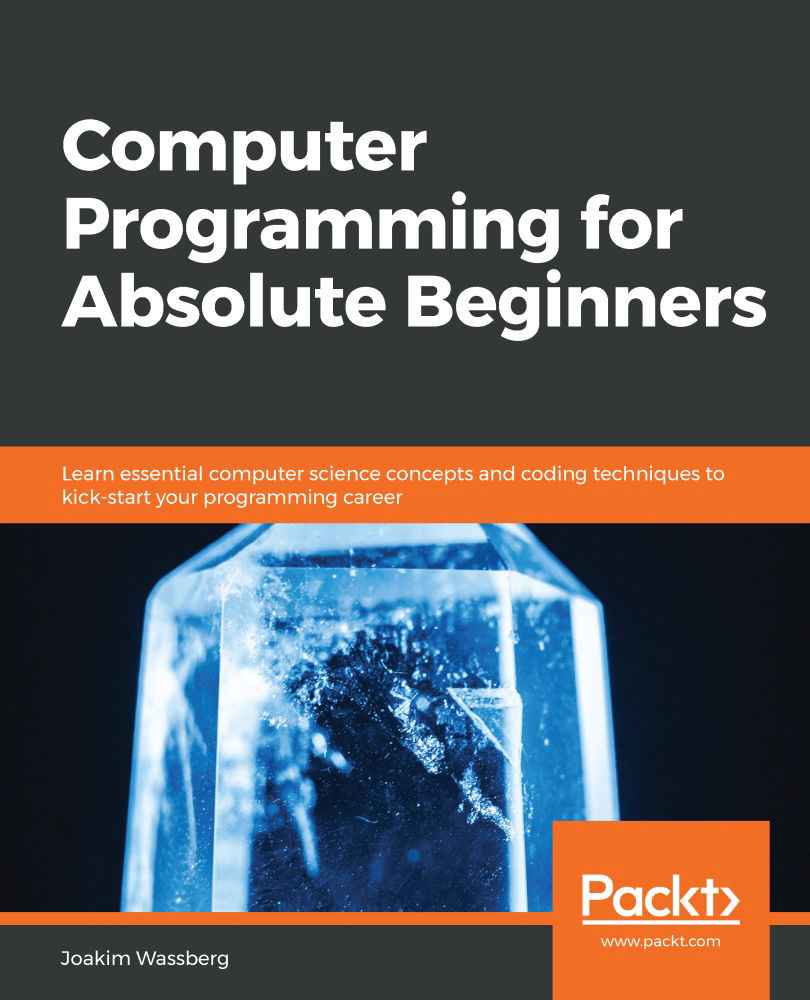
Computer Programming for Absolute Beginners

Computer Programming for Absolute Beginners: Learn essential computer science concepts and coding techniques to kick-start your programming career

Arrow left icon
Profile Icon Joakim Wassberg
Arrow right icon
€30.99
Full star icon Full star icon Full star icon Full star icon Half star icon 4.3 (8 Ratings)
Paperback Jul 2020 430 pages 1st Edition
eBook
€22.49 €24.99
Paperback
€30.99
Arrow left icon
Profile Icon Joakim Wassberg
Arrow right icon
€30.99
Full star icon Full star icon Full star icon Full star icon Half star icon 4.3 (8 Ratings)
Paperback Jul 2020 430 pages 1st Edition
eBook
€22.49 €24.99
Paperback
€30.99
eBook
€22.49 €24.99
Paperback
€30.99

What do you get with Print?

Product feature icon Instant access to your digital copy whilst your Print order is Shipped
Product feature icon Paperback book shipped to your preferred address
Product feature icon Redeem a companion digital copy on all Print orders
Product feature icon Access this title in our online reader with advanced features
Product feature icon DRM FREE - Read whenever, wherever and however you want
Product feature icon AI Assistant (beta) to help accelerate your learning
Modal Close icon
Payment Processing...
tick Completed

Shipping Address

Billing Address

Shipping Methods
Table of content icon View table of contents Preview book icon Preview Book

Computer Programming for Absolute Beginners

Chapter 1: Introduction to Computer Programs

Programming is the art and science of writing instructions that a computer can follow to accomplish a task. This task can be playing a game, performing a calculation, or browsing the web, for example. However, before we can learn how to write programs, we should understand what a program is and how a computer can understand and execute the instructions we give it. In this chapter, we will study this in more detail, along with the basics of what a computer is, how it works, and its history.

Even a basic level of understanding of these topics will help us later on when we discuss the different aspects of writing programs, as we can then relate to how the computer will treat the code we write.

In this chapter, we will cover the following topics:

  • A perspective on the history and origins of the computer
  • Background knowledge of the original ideas behind programming
  • Understanding what a computer program is
  • Learning how a computer program works
  • An understanding of what machine code is

A brief history of computing

Humans have always built tools and made innovations to make life more comfortable and to allow us to do more things faster and more efficiently. We need to go back in time a few hundred years in order to see the first attempts at building a tool that could resemble a computer. However, before we do that, we might want to define what a computer is. Wikipedia offers the following definition:

A computer is a machine that can be instructed to carry out sequences of arithmetic or logical operations automatically via computer programming.

So, a computer is a programmable machine that performs arithmetic or logical operations. Let's review a few inventions from the past using this definition to ascertain which of them could be considered a computer.

To begin, we can rule out the Jacquard machine, which was the automated loom invented in the early years of the 19th century. These looms could be programmed using punch cards, but they produced woven silk, which, of course, is not the result of an arithmetic or logical operation. Programmability, using punch cards, was an idea that survived well into the computer age, but these looms were not computers.

If we go even further back in time, we find devices such as the abacus that helped us to get the results of arithmetic operations; however, they were not programmable.

In the 1770s, Pierre Jaquet-Droz, a Swiss watchmaker, created some mechanical dolls that he called automata. These dolls could read instructions and could thereby be considered programmable, but they did not perform arithmetic or logical operations. Instead, he created one doll that could play music, one that could make drawings, and one that could write letters (they are referred to as the musician, the draughtsman, and the writer):

Figure 1.1: The Jaquet-Droz automata (photograph by Rama, Wikimedia Commons; Cc-by-sa-2.0-fr)

Figure 1.1: The Jaquet-Droz automata (photograph by Rama, Wikimedia Commons; Cc-by-sa-2.0-fr)

In order to see something that resembles a computer, we will need to look at Charles Babbage's inventions. He originated the concept of a programmable computer with his ideas for a machine, called the Difference Engine, and later, a more advanced version called the Analytical Engine. Of the two, the Analytical Engine was particularly groundbreaking as it could be programmable, which meant it could be used to solve different problems. He presented his work in the first half of the 19th century, and even if the machines were never completed, we can agree that Babbage is a very important person behind the basic concept of the programmable computer.

During the first half of the 20th century, we witnessed some analog computers, but it was not until the second world war, and the years following, that we saw the birth of real digital computers. The difference between an analog and a digital computer is that the former is a mechanical machine that works with an analog input such as voltage, temperature, or pressure. In comparison, a digital computer works with input that can be represented by numbers.

Many people consider the Electronic Numerical Integrator and Computer (ENIAC), constructed by J. Presper Eckert and John Mauchly between 1943 and 1946, as the first digital computer because it was the first one that was both completed and fully functional:

Figure 1.2: Betty Jean Jennings and Fran Bilas, both programmers, operate ENIAC's main control panel – U. S. Army Photo (Public Domain [PD])

Figure 1.2: Betty Jean Jennings and Fran Bilas, both programmers, operate ENIAC's main control panel – U.S. Army Photo (Public Domain [PD])

Since then, we have seen tremendous development up until the point we are at today. However, even though our modern computers can do so much more and at a much faster rate than these earlier inventions, the basic principles of how they operate remain the same.

A brief history of programming

A programmable computer needs to be, well, programmed. So, of course, the history of programming goes hand in hand with the evolution of computers.

In 1833, Charles Babbage met Ada Lovelace, daughter of poet Lord Byron. She became very impressed and interested in Babbage's plans for his programmable machines, and their collaboration began. Among other things, she wrote some notes outlining her ideas for how the Babbage Analytical Engine could be programmed. We can call her the inventor of programming, even if we had to wait over 100 years until we had the machine that could make her ideas come true. Her status today is summarized in a History Extra article, from 2017, by James Essinger:

Today, Ada is quite rightly seen as an icon of feminist scientific achievement, a heroine of the mind, and one of the earliest visionaries in the early history of the computer.

In her notes, Lovelace did a couple of remarkable things. The first was that she wrote an algorithm for how Bernoulli numbers, a sequence of rational numbers often used in number theory, could be calculated by the Analytical Engine. This algorithm is considered by many to be the first computer program. Second, she outlined the future of what these machines could do, and, in her vision, she saw that they could be used to draw pictures and compose music. The fact is that when we finally could build a computer, the way they were programmed was heavily influenced by her ideas:

Figure 1.3: Ada Lovelace, aged 17 (portrait by Joan Baum; PD-Art)

Figure 1.3: Ada Lovelace, aged 17 (portrait by Joan Baum; PD-Art)

The first digital computers were programmed using machine code – the only thing a computer understands. Later in this chapter, we will talk more about machine code and explore what it is. And, as you will discover, it is just a sequence of numbers.

In 1949, John Mauchly proposed something called Brief Code, which was later renamed to Short Code. Short Code can be considered to be one of the first higher-level programming languages. A higher-level programming language is a way for us to write instructions to the computer in a way that is more understandable to humans, which is better than a machine code. The Short Code program is then translated into machine code, and it is that code that the computer executes.

In 1954, the language Fortran was invented at IBM, by John Backus, and this can be considered to be the first widely used high-level, general-purpose programming language. Fortran is, in fact, still in use.

The 1950s saw the birth of some other languages that have also survived, such as Lisp and COBOL. Since then, we have had over 2,300 new programming languages. In the next chapter, we will look at how programming languages have evolved and how they are related, but also why people keep inventing new ones.

What is a program?

A computer is dumb in the sense that, without programs, it can't do anything. A computer program is a set of instructions that the computer can execute, and it is our job, as programmers, to write these programs using one or more programming languages.

Most applications that we run, such as a web browser, word processor, or mail client, can't communicate with the computer hardware directly. They require a layer in between that takes care of this. This layer is called the operating system. Windows and Linux are two examples of well-known operating systems. The main purpose of an operating system is to take care of the direct communication between the applications that we use and the hardware, such as the processor, memory, hard drives, keyboards, and printers. To be able to perform this communication, the operating system requires special programs that are designed to communicate with a particular device. These programs are called device drivers. A somewhat simplified diagram of how this works is shown here:

Figure 1.4: The system architecture

Figure 1.4: The system architecture

Programmers will write the user applications, the operating system, and the device drivers, but the user applications category is by far the most common. The programs we write will communicate with the system kernel, which is the core of the operating system. The operating system will take care of the direct communication with the underlying hardware. The good thing about this structure is that we only need to talk to the operating system, so we don't need to think about what kind of mouse the user has or how to send a line of text to a particular printer model. The operating system will talk to the device drivers for the mouse and the printer, and the driver will know precisely how to communicate with that device.

If we write a program and that program wants to print the text Hi there computer! to the screen, then this request will be sent to the operating system. The operating system will pass this on to the device driver for the monitor, and this driver will know how to send this to the monitor connected to this computer:

Figure 1.5: How instructions flow from the application to the hardware

The text entered will not magically appear on the screen, though. It will pass through several layers inside the computer. In 1945, the Hungarian-American mathematician and physicist John Von Neumann, and others, created a document titled First Draft of a Report to the EDVAC. In this 101-page document, the first logical design of a computer using the concept of a stored program was presented. Additionally, the design of an electronic digital computer was described. This design is today known as the Von Neumann Architecture, and it defines four different components that can be used to construct a computer. These components are as follows:

  • A processing unit that has an arithmetic logic unit and registers for the processing unit to use.
  • A control unit that contains an instruction register and a program counter. These are used to execute programs.
  • Memory that stores data and instructions. This memory is volatile, meaning that its content will be erased when the power is turned off or the computer is restarted.
  • External mass storage. This is long-time storage for programs and data that can also be preserved after a computer restarts.
  • Input and output mechanisms. Today, this is typically a keyboard, a mouse, and a monitor.

All of these components, except external mass storage, come into play when text is entered on the keyboard and displayed on the screen.

As mentioned in the previous section, the computer can only understand one thing, and that is machine code. The machine code is a set of numerical values that the computer interprets as different instructions. The computer only works with numbers in the binary form, also known as base 2, and that is why we often hear that a computer only understands zeros and ones.

To understand the different bases, let's consider how many digits they have. In our daily life, we use the decimal system, called base 10, because we have 10 digits, from 0 to 9 (we assume the reason for this is that we started counting on our fingers). In the base 2 binary system, we only have two digits, 0 and 1. In base 16, the hexadecimal system, we have 16 digits. As we only have digits for 0 to 9, we must use some letters in the hexadecimal system to represent the values between 10 and 15. Those letters are A to F. We do this because we must understand the difference between digits and numbers: a digit is a single symbol representing a value, whereas a number is a sequence of one or more digits. So, for example, we can talk about the digit 7, but not the digit 12 (as it is a number made up of 2 digits). In the hexadecimal system, we need to represent 16 values; therefore, we need 16 digits. Since we only have 10 digits in our decimal system, we need to use something else. In this case, it is the letters A to F.

Refer to the following table for a comparison between decimal, binary, and hexadecimal numbers:

Table 1.1: The numbers 1-15 in the decimal, binary, and hexadecimal format

How does a computer program work?

All the tools that we, as humans, have created have helped us with physical labor. Finally, we reached a point where we could invent a tool that would help us with mental labor: the computer.

When planning the design of such a machine, the inventors discovered that it must perform four different tasks. The computer would need to take data as input, store that data, process the data, and then output the result.

These four tasks are common to all the computers we have ever built. Let's take a closer look at these tasks:

  1. We can provide input to the computer in many ways, such as with a keyboard, a mouse, voice commands, and touch screens.
  2. The input data is sent to the computer's storage: the internal memory.
  3. The CPU (which is the central processing unit) retrieves the data from storage and performs operations on it.
  4. The result of these operations is then sent back to be stored in memory again before it is sent out as output.

Just as different devices can be used to send input to the computer, so too can the output be in different forms, and we can use various appliances to present the result, such as text to a printer, music through the speakers, or video to a screen. The output from one computer can even be inputted to another computer:

Figure 1.6: The four tasks of a computer

Figure 1.6: The four tasks of a computer

All four steps – input, storage, process, and output – handle data. Let's explore what this data is and what form it takes.

Understanding the binary system

Why is it that computers only work with zeros and ones? Why can't they work directly with text or images, for example? The answer is that it is rather easy to build circuits that can represent two states. If you have an electrical wire, you can either run electricity through it or not. The flow or no flow of electricity could represent several things, such as on or off, true or false, or zero or one. Let's think of these two states as zero and one for now, with zero representing no electricity flowing and one symbolizing that we do have flow. If we can serve these two states, we could add more wires and, by doing that, have more zeros and ones.

But what could we possibly do with all of these zeros and ones? Well, the answer is that we can do almost anything. For example, with only zeros and ones, we can represent any integer by using the binary numeral system. Let's demonstrate how that works.

To understand binary numbers, we must start by looking at the decimal numeral system. In the decimal system, we work with 10 digits, from 0 to 9. When we count, we go through these digits until we reach 9. Now we have run out of digits, so we start over from zero and add a one in front of it, forming the number 10. Then, we continue until we reach 19, then we do the same thing again; start over from zero and increase the value in front of the zero by one, so we get 20.

Another way to think about different numeral systems is to think about the value a position represents. Let's consider an example. The number 212 has the digit 2 in two places, but their position gives them two different values. If we start from the right and move to the left, we can say that we take the first digit, 2, and multiply it by 1. Then, we take the second digit, 1, and multiply it by 10. Finally, we take the last digit, 2, and multiply it by 100. If we move from right to left, each step is worth 10 times as much as the previous step. Take a look at this calculation represented in the following table:

Table 1.2:The positional values of a binary number

Table 1.2. The positional values of a decimal number

When using the binary system, we do the same thing, but only using the digits 0 and 1. We start our counting with 0, followed by 1. At this point, we run out of digits, so we start over from 0, adding a 1 in front of it.

Counting in binary looks like this:

0, 1, 10, 11, 100, 101, 110, 111, 1000, 1001, 1010, 1011, 1100, 1101, 1110, 1111, and so on

When it comes to the values each position has for binary numbers, it works just as it does with decimal numbers. However, the value for each position is not multiplied by 10 but instead by 2. We multiply the first digit by 1, the second digit by 2, the third digit by 4, and so on. To make things simpler, we could say that a one in a particular position means that the number representing that position shall be a part of the final value, and zero means it shall not. Take a look at this table for binary number 11010100:

Table 1.3: Interpreting binary number 11010100

Table 1.3: Interpreting binary number 11010100

Here, we have ones at the positions represented by 128, 64, 16, and 4, so now we can add them together (we can ignore the positions with zeros as adding zero to something will not make any difference) to get what the binary number of 11010100 is in decimal form, which is 212.

If we want to convert a decimal number, say 27, into binary, we start by thinking how far we can go through the sequence of positional values: 1, 2, 4, 8, 16, and so on. Which is the largest of these that we can find that is smaller than or equal to 27? The answer is 16, so the first 1 in this binary number will be at this position. On all positions before 16, we can insert 0:

Figure 1.7: Finding the first position that is less than or equal to 27

Figure 1.7: Finding the first position that is less than or equal to 27

We then subtract 16 from 27 and get 11 and repeat the process with this value. The largest value that is less than or equal to 11 is 8:

Figure 1.8: Finding the first position that is less than or equal to 8

Figure 1.8: Finding the first position that is less than or equal to 8

We subtract 8 from 11 and get 3. The next value, 4, is larger than 3, so we insert a 0 at this position:

Figure 1.9. We encounter a position that is greater than 3 so we insert a 0

Figure 1.9: We encounter a position that is greater than 3 so we insert a 0

As we have not inserted a 1 yet, we keep the value of 3 and try to find a value that works for it. The next one, 2, is less than or equal to 3, so we insert a 1 here and then subtract 2 from 3 and get 1:

Figure 1.10: 2 is less than 3, so we insert a 1 at this position

Figure 1.10: 2 is less than 3, so we insert a 1 at this position

We repeat this until we reach 0:

Figure 1.11: When we have reached the end, we have arrived at the complete binary number

Figure 1.11: When we have reached the end, we have arrived at the complete binary number

We now know that 27 will be 11011 in binary. We can ignore the leading zeros.

When we have one single binary digit, we call it a bit, and if we place them in groups of 8 bits, we call them a byte. One byte can hold values between 0 and 255. This is because a 1 in all positions (11111111) will be 128 + 64 + 32 + 16 + 8 + 4 + 2 + 1= 255.

By using lots of zeros and ones, the computer can represent any number in binary form, and if it can represent numbers, it can serve other things too, such as text.

Understanding ASCII and Unicode

If you give each letter of the English alphabet a numerical value, you could represent text with numbers. We could, for example, say that A=1, B=2, and so on. The computer does not use these values for the letters, but instead, it can either use something that is called the ASCII table (pronounced as-key) or another representation that is called Unicode. It is not important to understand exactly how they work; the only thing we need to understand is that a number can represent every character. This number can then be looked up using either the ASCII table or Unicode.

The ASCII table uses one byte to represent different characters. The table starts with characters that are non-printable. Eventually, it reaches the characters in the English alphabet. So, A, for example, is 65, B is 66, and so on. 255 characters will not take us far as we have lots of different alphabets around the world, and we also want to represent other symbols. That is why we also have Unicode. Its mapping to individual characters is not as direct as it is in the ASCII table, but all we need to know right now is that with it, we can use numbers to represent characters.

Note

Non-printable characters are symbols that are not used for visual representation; for example, when we need a way to indicate a tab or a new line, or if printing text to a printer, we want the printer to continue to the next page.

Representing other forms of data

We've learned how to represent text in binary, but what about things other than text and numbers? What about images? And video? And sound?

Images are made up of pixels, and three values, RGB, represent each pixel. These values tell the computer how much red, green, and blue a pixel has:

Figure 1.12: Three values represent a single pixel, indicating how much red, green, and blue it has

Figure 1.12: Three values represent a single pixel, indicating how much red, green, and blue it has

A video is nothing more than a composite of many images, so every frame is an image; therefore, it can be represented the same way.

A waveform can represent sound. Each peak and valley can be a number:

Figure 1.13: Audio depicted as a waveform

Now that we know how the computer can represent data, we have to find out how it processes it. To understand that, we must first dive into a corner of mathematics that is called Boolean algebra.

Boolean algebra

George Boole, who lived between 1815 and 1864, was a self-taught English mathematician and the inventor of Boolean logic, which is the basis of how all our computers work.

Boolean logic, sometimes referred to as Boolean algebra, is a form of mathematics that works with only two values: true and false. It also defines three operations that we can perform on these two values: AND, OR, and NOT.

NOT is the simplest of these operations as all it does is just switch the value, so not true is false, and not false is true. For example, if I say, "It is raining today," this statement can be true or false. It is true if it rains and false if it is not. If I instead say, "It is NOT raining today," then the statement will be true if it doesn't rain and false if it does.

AND takes two statements that can be either true or false and evaluates them into a single value. The outcome will be true if both incoming values are true and false in all other situations. If I say, "It is raining today, AND I have a blue umbrella," the statement will only be true if both parts are true, that is, if it is actually raining and my umbrella is actually blue. However, if it is raining but my umbrella is pink, what I say will be false, even though half of it was true.

OR works on two parts, just like AND, but now only one of the two must be true to make the statement true. If I say, "Today I will go to the beach OR I will go to town," then the statement will be true whether I either go to the beach or to town, and also if I manage to do both.

We can illustrate how these three operations work in something called a truth table. A truth table is a way to describe how an input of the true and false values is transformed by an operation. The input is often referred to as P if we only have one input value, or P and Q if we have two. The result is shown in the last column.

If P is the input value, the truth table for NOT will look like this:

Table 1.4: The truth table for NOT

Table 1.4: The truth table for NOT

For AND, the truth table looks like this if P and Q are the input:

Table 1.5: The truth table for AND

Table 1.5: The truth table for AND

For OR, the truth table looks like this:

Table 1.6: The truth table for OR

Table 1.6: The truth table for OR

As you can see, the only way an AND operation can be true is if both parts are true, and the only time OR can be false is if both parts are false.

When Claude Shannon, an American mathematician and electrical engineer, published his master's degree thesis in 1937, A Symbolic Analysis of Relay and Switching Circuits, he based his work on the ideas of Boole. From Shannon's ideas, Boolean logic made its way into our modern computers because, with the help of the simple operations that Boole defined, we could transform any value that can be in one of two states: true or false, on or off, or, in the case of binary numbers, one or zero.

We can accomplish these operations with the help of transistors. There is no need for us to go into the details of how a transistor works – just knowing that it can be used to represent true/false, on/off, or 0/1 is enough. We can then connect several transistors into different configurations to accomplish operations such as AND, OR, and NOT. These combinations are called gates, so we will have a group of transistors called an AND gate, one that is called an OR gate, and one that is called a NOT gate. These gates can then be connected further to construct circuits that can add, subtract, multiply, and divide. We have now built a machine that can represent both numbers and these basic operations. We have done this using only numbers, and all these numbers will be in binary, so we have a machine that only works with zeros and ones: the computer.

Machine code – the native language of the computer

Now that we have circuits that can perform some basic operations on numbers, and we have data in the form of numbers, we can start to write programs that will perform operations on the data. We can do that with the only thing the computer understands: machine code. As numbers can represent everything, the instructions we give to the computer will be – yes, that's right – just numbers.

Each processor type has a specific set of instructions. That is why a program written for a Mac can't run on a PC running Windows, for example. So, the instructions can be machine code. Machine code has several operations, called opcodes. The operations can be things such as AND, OR, ADD, and so on. Each opcode has a unique number. For example, AND could have an opcode value of 1, and OR could have an opcode value of 9.

The processor will also have several registers. A register is a small area, sometimes referred to as a data holding place, where the processor can store data it is currently working with. Before executing an operation, we will need to move the data we want as input to the operation, from memory, into some of these registers. The result of the operation, the output, is also stored in a register. In reality, things are a bit more complicated than this, but we do not need to go into all the details here.

We can now recall the image of the four operations that were common for all computers: input, storage, process, and output. We first get some input, and it will go to the computer's memory for storage. The processor will then retrieve it from its registers and perform operations on it, which is the process part. When we have the result of the operations, it will go back into the memory so that it can later be sent to the output.

One way to write these instructions is to use something called an assembly. This is a way of writing a program where we use three-letter abbreviations for the opcodes and have names for the registers. By doing this, it will be easier to read and understand the instructions we give. We can then use a program that can translate the assembly code into machine code.

The assembly language is the first programming language we encounter. The assembly language can look like this:

mov     eax, 14
mov     ebx, 10
add     eax, ebx

Here, we are moving (mov) the value of 14 into one of the registers, called eax, and then we are moving the value of 10 into another register, called ebx. We are then performing the add operation on the contents of these two registers. The result will be written back into a register; perhaps eax will be reused for this.

If the move operation has an opcode of 136 and the add operation has an opcode of 1, we can use these values together with the numerical representations of the registers to have all of this in only numerical format. And, as we know, everything that is numerical can be represented in binary form, that is, with zeros and ones.

Now we have all that, we need to look at some machine code.

Example machine code

Remember that the instructions we give will be different depending on what processor and operating system we use. The following is an example of what machine code can look like for a program printing the text Hello, World! to the screen on a computer using the Linux operating system:

b8    21 0a 00 00   
a3    0c 10 00 06   
b8    6f 72 6c 64   
a3    08 10 00 06   
b8    6f 2c 20 57   
a3    04 10 00 06   
b8    48 65 6c 6c   
a3    00 10 00 06   
b9    00 10 00 06   
ba    10 00 00 00   
bb    01 00 00 00   
b8    04 00 00 00   
cd    80            
b8    01 00 00 00   
cd    80            

When looking at this program, we can write the numbers in binary or decimal format if we want to. However, to make it easier to read, we often use hexadecimal numbers as we can then use fewer digits. For example, 15 in the decimal format (two digits) is 1111 (four digits) in binary, but only F (one digit) in hexadecimal. It is just more compact – that is the only reason we do this.

Don't worry if you don't understand anything about the machine code program. It is not supposed to be readable for humans; however, for the computer, this all makes sense.

Writing code in machine code is error-prone. A number in the wrong place can be the difference between success and disaster. The natural next step, therefore, has been to create something more comfortable for humans to read and write, which the computer can then translate into machine code. One such measure has been the creation of the assembly language that we talked about earlier.

Here is the same program, written in the assembly language:

section     .text
global      _start                               
_start:                                         
    mov     edx,len                             
    mov     ecx,msg                             
    mov     ebx,1                               
    mov     eax,4                               
    int     0x80                                
    mov     eax,1                               
    int     0x80                                
section     .data
msg     db  'Hello, world!',0xa                 
len     equ $ - msg                             

As you can see, this is still not that easy to understand. In the next chapter, we will learn how to write the same program using languages that resemble human language to a much higher degree.

Summary

In this chapter, we have gone back in history and explored the development of computers. The history of computers is a vast topic, but we touched on some important events that have made computers the fantastic machines that we know today.

For a computer to be useful, it requires programs, and to be able to write programs, we need programming languages. We learned that the development of programming was closely related to the development of computers, even if Lady Ada Lovelace managed to write what was considered to be the first computer program about 100 years before the first computer was built.

With the history of computers covered, we then turned our attention to what a computer program is and how the computer can use the instructions given in the program to accomplish the intentions of the programmer. To do that, we examined the smallest parts of data a computer can handle, the bits, which are the zeros and ones of the binary representation of numbers. We learned that the ideas of George Boole and his Boolean logic are the core of how a computer can transform data. Boole's ideas will return in later chapters, as we will use them when writing programs as well.

Finally, we took a closer look at the language of computers, machine code. We saw how hard it is for us to read and understand, and because of that, we will appreciate the next chapter, where we will learn what we can do to avoid working with this difficult code directly.

Left arrow icon Right arrow icon

Key benefits

  • Understand the fundamentals of a computer program and apply the concepts you learn to different programming languages
  • Gain the confidence to write your first computer program
  • Explore tips, techniques, and best practices to start coding like a professional programmer

Description

Learning how to code has many advantages, and gaining the right programming skills can have a massive impact on what you can do with your current skill set and the way you advance in your career. This book will be your guide to learning computer programming easily, helping you overcome the difficulties in understanding the major constructs in any mainstream programming language. Computer Programming for Absolute Beginners starts by taking you through the building blocks of any programming language with thorough explanations and relevant examples in pseudocode. You'll understand the relationship between computer programs and programming languages and how code is executed on the computer. The book then focuses on the different types of applications that you can create with your programming knowledge. You'll delve into programming constructs, learning all about statements, operators, variables, and data types. As you advance, you'll see how to control the flow of your programs using control structures and reuse your code using functions. Finally, you'll explore best practices that will help you write code like a pro. By the end of this book, you'll be prepared to learn any programming language and take control of your career by adding coding to your skill set.

Who is this book for?

This book is for beginners who have never programmed before and are looking to enter the world of programming. This includes anyone who is about to start studying programming and wants a head start, or simply wants to learn how to program on their own.

What you will learn

  • Get to grips with basic programming language concepts such as variables, loops, selection and functions
  • Understand what a program is and how the computer executes it
  • Explore different programming languages and learn about the relationship between source code and executable code
  • Solve problems using various paradigms such as procedural programming, object oriented programming, and functional programming
  • Write high-quality code using several coding conventions and best practices
  • Become well-versed with how to track and fix bugs in your programs
Estimated delivery fee Deliver to Greece

Premium delivery 7 - 10 business days

€26.95
(Includes tracking information)

Product Details

Country selected
Publication date, Length, Edition, Language, ISBN-13
Publication date : Jul 31, 2020
Length: 430 pages
Edition : 1st
Language : English
ISBN-13 : 9781839216862
Category :

What do you get with Print?

Product feature icon Instant access to your digital copy whilst your Print order is Shipped
Product feature icon Paperback book shipped to your preferred address
Product feature icon Redeem a companion digital copy on all Print orders
Product feature icon Access this title in our online reader with advanced features
Product feature icon DRM FREE - Read whenever, wherever and however you want
Product feature icon AI Assistant (beta) to help accelerate your learning
Modal Close icon
Payment Processing...
tick Completed

Shipping Address

Billing Address

Shipping Methods
Estimated delivery fee Deliver to Greece

Premium delivery 7 - 10 business days

€26.95
(Includes tracking information)

Product Details

Publication date : Jul 31, 2020
Length: 430 pages
Edition : 1st
Language : English
ISBN-13 : 9781839216862
Category :

Packt Subscriptions

See our plans and pricing
Modal Close icon
€18.99 billed monthly
Feature tick icon Unlimited access to Packt's library of 7,000+ practical books and videos
Feature tick icon Constantly refreshed with 50+ new titles a month
Feature tick icon Exclusive Early access to books as they're written
Feature tick icon Solve problems while you work with advanced search and reference features
Feature tick icon Offline reading on the mobile app
Feature tick icon Simple pricing, no contract
€189.99 billed annually
Feature tick icon Unlimited access to Packt's library of 7,000+ practical books and videos
Feature tick icon Constantly refreshed with 50+ new titles a month
Feature tick icon Exclusive Early access to books as they're written
Feature tick icon Solve problems while you work with advanced search and reference features
Feature tick icon Offline reading on the mobile app
Feature tick icon Choose a DRM-free eBook or Video every month to keep
Feature tick icon PLUS own as many other DRM-free eBooks or Videos as you like for just €5 each
Feature tick icon Exclusive print discounts
€264.99 billed in 18 months
Feature tick icon Unlimited access to Packt's library of 7,000+ practical books and videos
Feature tick icon Constantly refreshed with 50+ new titles a month
Feature tick icon Exclusive Early access to books as they're written
Feature tick icon Solve problems while you work with advanced search and reference features
Feature tick icon Offline reading on the mobile app
Feature tick icon Choose a DRM-free eBook or Video every month to keep
Feature tick icon PLUS own as many other DRM-free eBooks or Videos as you like for just €5 each
Feature tick icon Exclusive print discounts

Frequently bought together


Stars icon
Total 127.97
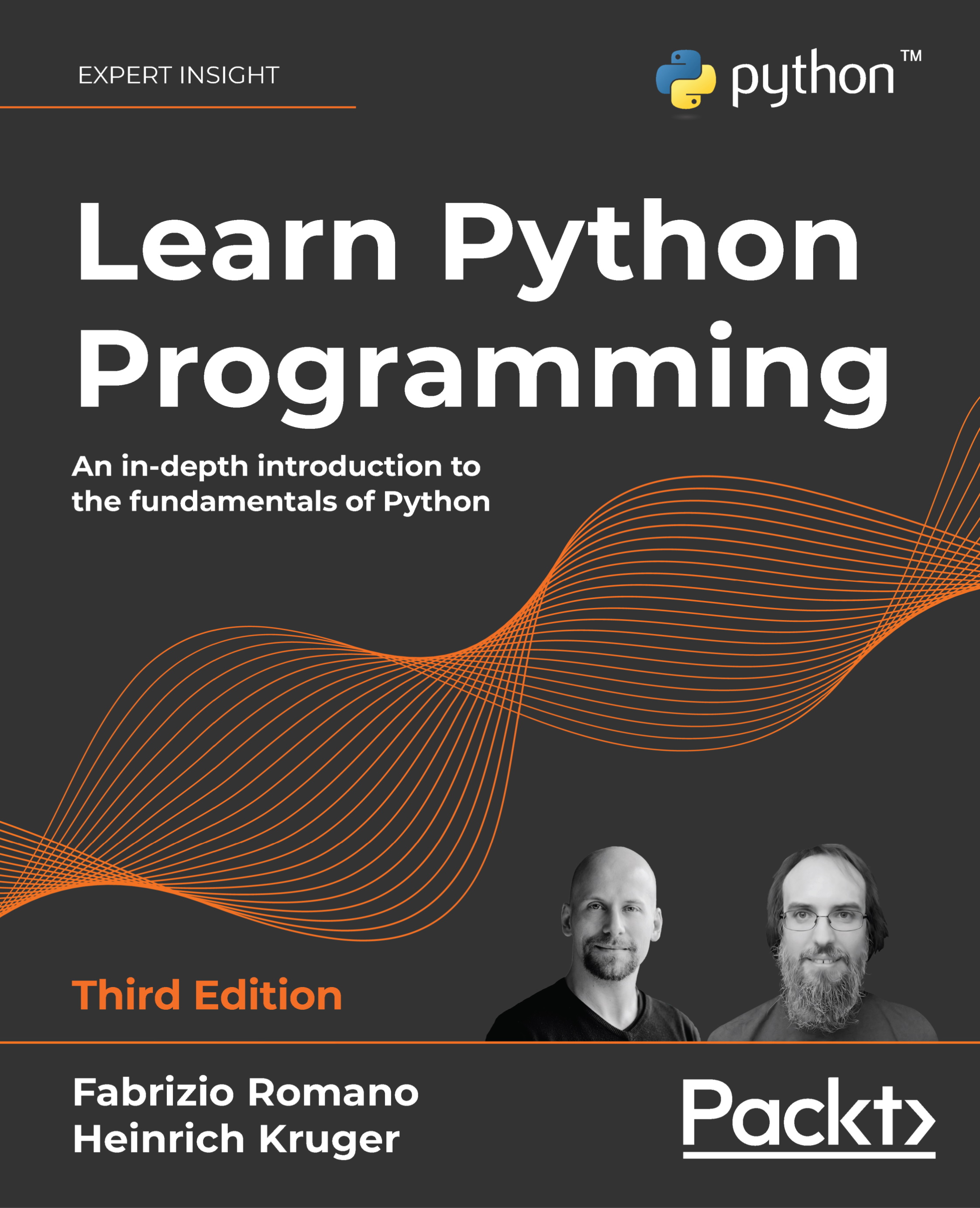
Learn Python Programming
€36.99
Computer Programming for Absolute Beginners
€30.99
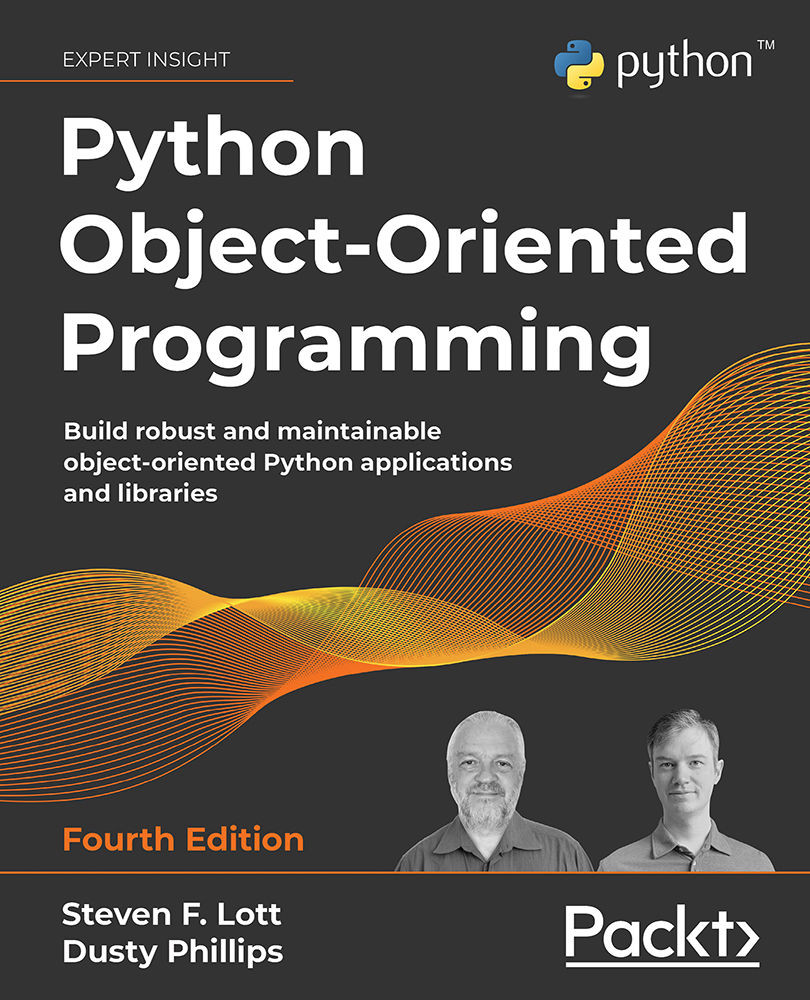
Python Object-Oriented Programming
€59.99
Total 127.97 Stars icon

Table of Contents

16 Chapters
Section 1: Introduction to Computer Programs and Computer Programming Chevron down icon Chevron up icon
Chapter 1: Introduction to Computer Programs Chevron down icon Chevron up icon
Chapter 2: Introduction to Programming Languages Chevron down icon Chevron up icon
Chapter 3: Types of Applications Chevron down icon Chevron up icon
Chapter 4: Software Projects and How We Organize Our Code Chevron down icon Chevron up icon
Section 2: Constructs of a Programming Language Chevron down icon Chevron up icon
Chapter 5: Sequence – The Basic Building Block of a Computer Program Chevron down icon Chevron up icon
Chapter 6: Working with Data – Variables Chevron down icon Chevron up icon
Chapter 7: Program Control Structures Chevron down icon Chevron up icon
Chapter 8: Understanding Functions Chevron down icon Chevron up icon
Chapter 9: When Things Go Wrong – Bugs and Exceptions Chevron down icon Chevron up icon
Chapter 10: Programming Paradigms Chevron down icon Chevron up icon
Chapter 11: Programming Tools and Methodologies Chevron down icon Chevron up icon
Section 3: Best Practices for Writing High-Quality Code Chevron down icon Chevron up icon
Chapter 12: Code Quality Chevron down icon Chevron up icon
Other Books You May Enjoy Chevron down icon Chevron up icon

Customer reviews

Top Reviews
Rating distribution
Full star icon Full star icon Full star icon Full star icon Half star icon 4.3
(8 Ratings)
5 star 75%
4 star 0%
3 star 12.5%
2 star 0%
1 star 12.5%
Filter icon Filter
Top Reviews

Filter reviews by


tyrdz Apr 24, 2021
Full star icon Full star icon Full star icon Full star icon Full star icon 5
Gave as a gift to a non-techie; the book’s content was found to be surprisingly insightful, and leading to a better understanding of computer related matters. Very thorough, though it does not include everything; as I was told.
Amazon Verified review Amazon
K. Graham May 16, 2022
Full star icon Full star icon Full star icon Full star icon Full star icon 5
This book is so well written and easy to understand. If you are in need of the introductory concepts of computer programming that you can later build on, I highly recommend this book. The author does not skip over any detail with the assumption that you "know it already." It's a great read. There was a comment that the content covered in this book is covered in the first chapter of other programming books (or something to that effect.) That comment simply isn't true. I've got the Python, C++ and Javascript books on my bookshelf. I even took an Udemy Python coding course. What I first needed was this book before jumping in blind. I work in tech - but in marketing - and this book has definitely given me tools to speak more effectively with the engineers at my job.
Amazon Verified review Amazon
jwh Oct 07, 2020
Full star icon Full star icon Full star icon Full star icon Full star icon 5
I wish I had this book years ago to prevented many false starts I had teaching myself programming.Mr. Wassberg's years of teaching programming provides a clarity not found in other programming books I have seen. I recommend this as a first book for anyone starting out in the field.Since it covers programming concepts with pseudocode. It is a excellent resource anyone needing a high level view of programming. You will not be confused by the differences between compute programming languages like Java and C.I think another Appendix showing a table of the different terms by languages such as array, vector, list, or sequence would help.I have not completed the book yet, but it is a high priority for me. If life does not interfere, I should be done in the next five to ten days.Note: I am a retired RF/radio/hardware technician working to learn "The Dark Art of Programming". I plan on doing some embedded design to stay busy.
Amazon Verified review Amazon
Matthew Emerick Aug 11, 2020
Full star icon Full star icon Full star icon Full star icon Full star icon 5
About This BookThis book teaches the reader about the fundamentals of computer programming without bogging them down with how a single language works at the same time. It uses pseudocode examples throughout that are very clear to read and understand. It starts with a high level view before giving the nuts and bolts and then backing up again for a clearer view.Who is This For?This book is for the brand new programmer who wants a deeper understanding of the concepts behind the code. The author mentions in the preface, and I fully agree, that this book is useful for students entering university to study computer science. Other use cases are brought up, but I think this is the most important one. The very first section of the preface mentions that students are learning two major aspects of programming at the same time in their introductory courses: the fundamentals of programming and the programming language. This book takes care of the first so that the student can better focus on the later.Why Was This Written?Most programming books are about how a single programming language, or maybe a single programming paradigm, works. This book takes the language out of the equation and looks at the fundamentals of programming using very clear pseudocode. There are language discussions as well as a primer for turning the pseudocode into working code, which brings readers back full circle to something that they actively can use.OrganizationThis book is organized with a preface, three sections, and two appendices. The main body of the book starts with an introduction to how programs work and how projects are typically organized, moves on to the constructs that make up any modern programming language, and finishes with programming best practices. The book ends with two very important sections on how to translate the pseudocode into one of six modern and popular languages and a dictionary/glossary.Did This Book Succeed?This book easily succeeds at its goals. The reader will have a solid understanding of how a program works and a much easier time picking up a specific programming language. Universities with computer science departments would do well to recommend this text to any of its incoming freshmen. Anyone learning how to program on their own needs this book, also, if they want an easier time with learning a language.Rating and Final ThoughtsIf I were teaching an introductory course on computer programming again, I would want to use this book as one of the required texts. It gives a great overview of computer code without drowning in the details. It easily earns a 5 out of 5.
Amazon Verified review Amazon
Happy Customer Sep 24, 2021
Full star icon Full star icon Full star icon Full star icon Full star icon 5
Many individuals who might have been good programmers never got through their first course, being overwhelmed with learning both programming logic and the rules and syntax of a complex computer language. This book concentrates on programming logic and rules that apply to all languages, using a simple pseudo-code as the programming language. Once you master this book, you will have much more success in learning an actual programming language such as Python or Java, because you will understand the logic that goes along with every programming language
Amazon Verified review Amazon
Get free access to Packt library with over 7500+ books and video courses for 7 days!
Start Free Trial

FAQs

What is the digital copy I get with my Print order? Chevron down icon Chevron up icon

When you buy any Print edition of our Books, you can redeem (for free) the eBook edition of the Print Book you’ve purchased. This gives you instant access to your book when you make an order via PDF, EPUB or our online Reader experience.

What is the delivery time and cost of print book? Chevron down icon Chevron up icon

Shipping Details

USA:

'

Economy: Delivery to most addresses in the US within 10-15 business days

Premium: Trackable Delivery to most addresses in the US within 3-8 business days

UK:

Economy: Delivery to most addresses in the U.K. within 7-9 business days.
Shipments are not trackable

Premium: Trackable delivery to most addresses in the U.K. within 3-4 business days!
Add one extra business day for deliveries to Northern Ireland and Scottish Highlands and islands

EU:

Premium: Trackable delivery to most EU destinations within 4-9 business days.

Australia:

Economy: Can deliver to P. O. Boxes and private residences.
Trackable service with delivery to addresses in Australia only.
Delivery time ranges from 7-9 business days for VIC and 8-10 business days for Interstate metro
Delivery time is up to 15 business days for remote areas of WA, NT & QLD.

Premium: Delivery to addresses in Australia only
Trackable delivery to most P. O. Boxes and private residences in Australia within 4-5 days based on the distance to a destination following dispatch.

India:

Premium: Delivery to most Indian addresses within 5-6 business days

Rest of the World:

Premium: Countries in the American continent: Trackable delivery to most countries within 4-7 business days

Asia:

Premium: Delivery to most Asian addresses within 5-9 business days

Disclaimer:
All orders received before 5 PM U.K time would start printing from the next business day. So the estimated delivery times start from the next day as well. Orders received after 5 PM U.K time (in our internal systems) on a business day or anytime on the weekend will begin printing the second to next business day. For example, an order placed at 11 AM today will begin printing tomorrow, whereas an order placed at 9 PM tonight will begin printing the day after tomorrow.


Unfortunately, due to several restrictions, we are unable to ship to the following countries:

  1. Afghanistan
  2. American Samoa
  3. Belarus
  4. Brunei Darussalam
  5. Central African Republic
  6. The Democratic Republic of Congo
  7. Eritrea
  8. Guinea-bissau
  9. Iran
  10. Lebanon
  11. Libiya Arab Jamahriya
  12. Somalia
  13. Sudan
  14. Russian Federation
  15. Syrian Arab Republic
  16. Ukraine
  17. Venezuela
What is custom duty/charge? Chevron down icon Chevron up icon

Customs duty are charges levied on goods when they cross international borders. It is a tax that is imposed on imported goods. These duties are charged by special authorities and bodies created by local governments and are meant to protect local industries, economies, and businesses.

Do I have to pay customs charges for the print book order? Chevron down icon Chevron up icon

The orders shipped to the countries that are listed under EU27 will not bear custom charges. They are paid by Packt as part of the order.

List of EU27 countries: www.gov.uk/eu-eea:

A custom duty or localized taxes may be applicable on the shipment and would be charged by the recipient country outside of the EU27 which should be paid by the customer and these duties are not included in the shipping charges been charged on the order.

How do I know my custom duty charges? Chevron down icon Chevron up icon

The amount of duty payable varies greatly depending on the imported goods, the country of origin and several other factors like the total invoice amount or dimensions like weight, and other such criteria applicable in your country.

For example:

  • If you live in Mexico, and the declared value of your ordered items is over $ 50, for you to receive a package, you will have to pay additional import tax of 19% which will be $ 9.50 to the courier service.
  • Whereas if you live in Turkey, and the declared value of your ordered items is over € 22, for you to receive a package, you will have to pay additional import tax of 18% which will be € 3.96 to the courier service.
How can I cancel my order? Chevron down icon Chevron up icon

Cancellation Policy for Published Printed Books:

You can cancel any order within 1 hour of placing the order. Simply contact customercare@packt.com with your order details or payment transaction id. If your order has already started the shipment process, we will do our best to stop it. However, if it is already on the way to you then when you receive it, you can contact us at customercare@packt.com using the returns and refund process.

Please understand that Packt Publishing cannot provide refunds or cancel any order except for the cases described in our Return Policy (i.e. Packt Publishing agrees to replace your printed book because it arrives damaged or material defect in book), Packt Publishing will not accept returns.

What is your returns and refunds policy? Chevron down icon Chevron up icon

Return Policy:

We want you to be happy with your purchase from Packtpub.com. We will not hassle you with returning print books to us. If the print book you receive from us is incorrect, damaged, doesn't work or is unacceptably late, please contact Customer Relations Team on customercare@packt.com with the order number and issue details as explained below:

  1. If you ordered (eBook, Video or Print Book) incorrectly or accidentally, please contact Customer Relations Team on customercare@packt.com within one hour of placing the order and we will replace/refund you the item cost.
  2. Sadly, if your eBook or Video file is faulty or a fault occurs during the eBook or Video being made available to you, i.e. during download then you should contact Customer Relations Team within 14 days of purchase on customercare@packt.com who will be able to resolve this issue for you.
  3. You will have a choice of replacement or refund of the problem items.(damaged, defective or incorrect)
  4. Once Customer Care Team confirms that you will be refunded, you should receive the refund within 10 to 12 working days.
  5. If you are only requesting a refund of one book from a multiple order, then we will refund you the appropriate single item.
  6. Where the items were shipped under a free shipping offer, there will be no shipping costs to refund.

On the off chance your printed book arrives damaged, with book material defect, contact our Customer Relation Team on customercare@packt.com within 14 days of receipt of the book with appropriate evidence of damage and we will work with you to secure a replacement copy, if necessary. Please note that each printed book you order from us is individually made by Packt's professional book-printing partner which is on a print-on-demand basis.

What tax is charged? Chevron down icon Chevron up icon

Currently, no tax is charged on the purchase of any print book (subject to change based on the laws and regulations). A localized VAT fee is charged only to our European and UK customers on eBooks, Video and subscriptions that they buy. GST is charged to Indian customers for eBooks and video purchases.

What payment methods can I use? Chevron down icon Chevron up icon

You can pay with the following card types:

  1. Visa Debit
  2. Visa Credit
  3. MasterCard
  4. PayPal
What is the delivery time and cost of print books? Chevron down icon Chevron up icon

Shipping Details

USA:

'

Economy: Delivery to most addresses in the US within 10-15 business days

Premium: Trackable Delivery to most addresses in the US within 3-8 business days

UK:

Economy: Delivery to most addresses in the U.K. within 7-9 business days.
Shipments are not trackable

Premium: Trackable delivery to most addresses in the U.K. within 3-4 business days!
Add one extra business day for deliveries to Northern Ireland and Scottish Highlands and islands

EU:

Premium: Trackable delivery to most EU destinations within 4-9 business days.

Australia:

Economy: Can deliver to P. O. Boxes and private residences.
Trackable service with delivery to addresses in Australia only.
Delivery time ranges from 7-9 business days for VIC and 8-10 business days for Interstate metro
Delivery time is up to 15 business days for remote areas of WA, NT & QLD.

Premium: Delivery to addresses in Australia only
Trackable delivery to most P. O. Boxes and private residences in Australia within 4-5 days based on the distance to a destination following dispatch.

India:

Premium: Delivery to most Indian addresses within 5-6 business days

Rest of the World:

Premium: Countries in the American continent: Trackable delivery to most countries within 4-7 business days

Asia:

Premium: Delivery to most Asian addresses within 5-9 business days

Disclaimer:
All orders received before 5 PM U.K time would start printing from the next business day. So the estimated delivery times start from the next day as well. Orders received after 5 PM U.K time (in our internal systems) on a business day or anytime on the weekend will begin printing the second to next business day. For example, an order placed at 11 AM today will begin printing tomorrow, whereas an order placed at 9 PM tonight will begin printing the day after tomorrow.


Unfortunately, due to several restrictions, we are unable to ship to the following countries:

  1. Afghanistan
  2. American Samoa
  3. Belarus
  4. Brunei Darussalam
  5. Central African Republic
  6. The Democratic Republic of Congo
  7. Eritrea
  8. Guinea-bissau
  9. Iran
  10. Lebanon
  11. Libiya Arab Jamahriya
  12. Somalia
  13. Sudan
  14. Russian Federation
  15. Syrian Arab Republic
  16. Ukraine
  17. Venezuela
Modal Close icon
Modal Close icon