Search icon CANCEL
Subscription
0
Cart icon
Your Cart (0 item)
Close icon
You have no products in your basket yet
Arrow left icon
Explore Products
Best Sellers
New Releases
Books
Events
Videos
Audiobooks
Packt Hub
Free Learning
Arrow right icon
timer SALE ENDS IN
0 Days
:
00 Hours
:
00 Minutes
:
00 Seconds
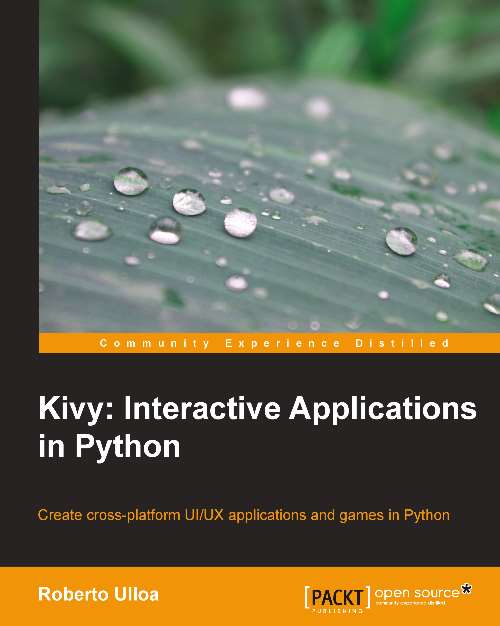
Kivy: Interactive Applications in Python

Kivy: Interactive Applications in Python: For Python developers this is the clearest guide to the interactive world of Kivi, ideal for meeting modern expectations of tablets and smartphones. From building a UI to controlling complex multi-touch events, it's all here.

eBook
£22.49 £24.99
Paperback
£30.99
eBook + Subscription
£19.99 Monthly

What do you get with eBook?

Product feature icon Instant access to your Digital eBook purchase
Product feature icon Download this book in EPUB and PDF formats
Product feature icon Access this title in our online reader with advanced features
Product feature icon DRM FREE - Read whenever, wherever and however you want
Modal Close icon
Payment Processing...
tick Completed

Billing Address

Key benefits

  • Use Kivy to implement apps and games in Python that run on multiple platforms
  • Discover how to build a User Interface (UI) through the Kivy Language
  • Glue the UI components with the logic of the applications through events and the powerful Kivy properties
  • Detect gestures, create animations, and schedule tasks
  • Control multi-touch events in order to improve the User Experience (UX)

Description

Mobiles and tablets have brought with them a dramatic change in the utility of applications. Compatibility has become essential, and this has increased the kind of interaction that users expect: gestures, multi-touches, animations, and magic pens. Kivy is an open source Python solution that covers these market needs with an easy-to-learn and rapid development approach. Kivy is growing fast and gaining attention as an alternative to the established developing platforms. Kivy: Interactive Applications in Python quickly introduces you to the Kivy development methodology. You will learn some examples of how to use many of the Kivy components, as well as understand how to integrate and combine them into big projects. This book serves as a reference guide and is organized in such a way that once finished, you will have already completed your first project. You will start by learning the Kivy Language for building User Interfaces (UI) and vector figures. We then proceed to the uses of Kivy events and properties to glue the UI with the application logic. You then go on to build an entire User Interface (UI) starting from a hand-made sketch. Furthermore, you will go on to understand how to use the canvas and drawing instructions to create different types of geometrical figures. Finally, you will be introduced to a big set of interactive and smooth features: transformations (scale, rotate, and translate), gestures, animations, scheduling tasks, and multi-touch elements. Kivy: Interactive Applications in Python expands your knowledge by introducing various components that improve the User Experience (UX). Towards the end of the book, you will be confident to utilize Kivy components and strategies to start any application or game you have in mind.

Who is this book for?

This book is aimed at Python developers who are familiar with Python and have a good understanding of concepts like inheritance, classes, and instances. No previous experience of Kivy is required, though some knowledge of event handling, scheduling, and user interfaces, in general, would boost your learning.

What you will learn

  • Build a User Interface (UI) using the Kivy Language
  • Understand and alter the order of execution of the drawing instructions
  • Use the powerful Kivy properties to keep the UI always updated with the last user interactions
  • Bind and unbind Kivy events to control widgets (UI components), touches, the mouse and keyboard, animations, and clock
  • Scale, rotate, and translate widgets
  • Control and switch between different screens
  • Develop and use your own single gestures
  • Create animations and combine them to bring widgets to life
  • Add different types of translations to the animations
  • Comprehend the main strategies to control the multi-touch events
  • Schedule single or repetitive tasks such as animations

Product Details

Country selected
Publication date, Length, Edition, Language, ISBN-13
Publication date : Sep 25, 2013
Length: 138 pages
Edition : 1st
Language : English
ISBN-13 : 9781783281602
Category :
Languages :
Tools :

What do you get with eBook?

Product feature icon Instant access to your Digital eBook purchase
Product feature icon Download this book in EPUB and PDF formats
Product feature icon Access this title in our online reader with advanced features
Product feature icon DRM FREE - Read whenever, wherever and however you want
Modal Close icon
Payment Processing...
tick Completed

Billing Address

Product Details

Publication date : Sep 25, 2013
Length: 138 pages
Edition : 1st
Language : English
ISBN-13 : 9781783281602
Category :
Languages :
Tools :

Packt Subscriptions

See our plans and pricing
Modal Close icon
£16.99 billed monthly
Feature tick icon Unlimited access to Packt's library of 7,000+ practical books and videos
Feature tick icon Constantly refreshed with 50+ new titles a month
Feature tick icon Exclusive Early access to books as they're written
Feature tick icon Solve problems while you work with advanced search and reference features
Feature tick icon Offline reading on the mobile app
Feature tick icon Simple pricing, no contract
£169.99 billed annually
Feature tick icon Unlimited access to Packt's library of 7,000+ practical books and videos
Feature tick icon Constantly refreshed with 50+ new titles a month
Feature tick icon Exclusive Early access to books as they're written
Feature tick icon Solve problems while you work with advanced search and reference features
Feature tick icon Offline reading on the mobile app
Feature tick icon Choose a DRM-free eBook or Video every month to keep
Feature tick icon PLUS own as many other DRM-free eBooks or Videos as you like for just £5 each
Feature tick icon Exclusive print discounts
£234.99 billed in 18 months
Feature tick icon Unlimited access to Packt's library of 7,000+ practical books and videos
Feature tick icon Constantly refreshed with 50+ new titles a month
Feature tick icon Exclusive Early access to books as they're written
Feature tick icon Solve problems while you work with advanced search and reference features
Feature tick icon Offline reading on the mobile app
Feature tick icon Choose a DRM-free eBook or Video every month to keep
Feature tick icon PLUS own as many other DRM-free eBooks or Videos as you like for just £5 each
Feature tick icon Exclusive print discounts

Frequently bought together


Stars icon
Total £ 113.97
Kivy Blueprints
£38.99
Kivy: Interactive Applications in Python
£30.99
Building Machine Learning Systems with Python
£43.99
Total £ 113.97 Stars icon

Customer reviews

Top Reviews
Rating distribution
Full star icon Full star icon Full star icon Full star icon Half star icon 4.1
(7 Ratings)
5 star 42.9%
4 star 42.9%
3 star 0%
2 star 14.3%
1 star 0%
Filter icon Filter
Top Reviews

Filter reviews by


Jason Crowe Dec 11, 2013
Full star icon Full star icon Full star icon Full star icon Full star icon 5
For anyone wanting to learn Kivy this book is a "must have". Even though this book isn't overly long, it takes you through everything you need to create your multi touch UI from start to finish.Before you choose a gui frontend you MUST read this book!
Amazon Verified review Amazon
Willina A. Clark Dec 15, 2013
Full star icon Full star icon Full star icon Full star icon Full star icon 5
DISCLAIMER: This book requires that you know python and are familiar with Kivy and the Kivy language.With that disclaimer out of the way, this book is essential to building games/interactive applications with Kivy. This book also provides you with tutorials to familiarize you with the language. The first is a comic drawing app and the other is a space invaders type game.Its an essential tool for understanding how the Kivy language works. It is not a book that teaches you python and that is something that needs to be reiterated. That does not take away from the vast amounts of information included in the book. Because Kivy is cross-platform, you could be running an app in no time.While this book isn't long (less than 150 pages), the Notes, the Kivy language coding examples and an in-depth index make it worth it's weight in gold. Definitely worth a read!!
Amazon Verified review Amazon
Adam Rohacs Jan 05, 2014
Full star icon Full star icon Full star icon Full star icon Full star icon 5
The long and short of it - this book is not for beginners in Python, or beginners in programming. Or operating systems.Even the author says so on page 2: "The book aims at Python developers who want to create exciting and interesting UI/UX applications. They should be already familiarized with Python and have a good understanding of some software engineering concepts, particularly inheritance, classes, and instances [...]"What he fails to mention are OS differences and install issues. The book is short, and I think it's nice to skip the obligatory 3 or 4 primary chapters of filler that many books have where you "install" the OS/platform/etc., with the instructions being largely out-of-date. Having said that, it is no easy task to get Python and Windows playing together well, and so I'm guessing that the author assumes you have your OS figured out. I'm not sure that this is the best assumption to make. Providing a short page of URLs to install instructions and such would be a nice addition.Realistically, the best idea is if the reader is using Linux (and I'm sure some friends on the Python Facebook page will disagree...), preferably a Debian spin so that packages are easily installed and there is little to no breakage on update/upgrade of the OS. Better yet is if the reader understands how to install and use Virtualenv and is a Linux user. I had a few troubles getting Pygame installed in a .virtualenv for Arch, but it all worked out in the end. Check out the extended review for more info on that.To delve a bit more into what I mean by "don't use this book if you are beginner" - to make a long story short: 1. There are some convention/typo issues in the book, 2. many things are not explained that the reader is expected to know, 3. The book is overly technical, and sometimes I like a bit of layman speak to draw me in a bit. I can read docs, otherwise - books are good for reference but it is nice to be able to enjoy them as well.If you download all of the code and don't try to type any of it in, you might be able to get around some of the issues encountered, but while typing in the code - as it happens with many web tutorials on open source software - I ended up "fixing" a few things so that I could move forward.One issue that annoyed me is the author's usage (and non-usage) of tab conventions. Python uses a 4 space forced tab style, where the .kv language can use 2 spaces or more. It would have been nice for the author to stick to 4 spaces for both types of files - for consistancey and, most importantly - readability. This isn't Ruby, and so I see no reason to use two different styles of tabulation for the same application. That's as much of a knock on Kivy as anything, but the author could adjust and make the code more clear. E.g. There are points in the book where 2 spaces can look like no spaces, and then the .kv code breaks and you get a blank canvas instead of an application (or a page of debug logs in your virtualenv console).Back to "experience":Kivy is highly based on Widgets, so if you don't have a firm grasp on that concept in Python, it's gonna be a rough road. Even an experienced Python programmer might not be great in this area. I think it is better to learn that concept somewhere else and come back to the book again with better understanding of how widgets work.Moreover, it's not necessary to use the .kv language, but it can help. All coding can be done in Python classes if you like to program that way, and some do, so it might be nice to see the code done both ways.Layout: I don't like the way the beginning examples are layed out (before we get to the Comic project.) The code is broken up into pieces which can't be run independently. Combining the code together works, but once again - it's an experience thing. Does an experienced Python programmer know how to use Linux and the cat binary? Maybe, maybe not. It's possible to use an IDE and cut and paste pieces together - but why?And so instead, the reader might fall back on completed code instead of typing in code from the book, run it, and not learn as much by that process. In my humble opinion, there's no such thing as a "visual learner" when it comes to coding. You have to do it to learn it.Line numbers:Argh! The line numbers start, and never, ever end. Line numbers should start and end at each code snippet. The line numbers in this book extend *over chapters*. Not good at all, confusing, and a horrible oversight on the part of the editors. Packtpub - fix this, and please encourage your authors to not commit an atrocity like this again.The .kv files break Pep8 coding guidelines:This is why style and code should not mix. On page 27, this is blatantly obvious. Mixing ASCI codes with neo-html formatting inside quotes is not good if you add spaces according to Pep8. It would be nice to see pure Python code examples to go around this issue.In defense of the author and Packtpub ebook style: the book is not quite 150 pages long, so it's supposed to be a quick "HOWTO" to get a Kivy programmer started. I wonder if this format can actually work without references to dependancies and requisite knowledge needed for the task at hand.In closing, I'll say that this book is generally well written, and is a fantastic guide for an experienced Python programmer who wants to get into application development. The platform itself is very advanced and well designed and can export to various OS without license fees like other App engines have.For someone new to Python who isn't at least intermediate level with an OS like Ubuntu Linux, I'd say that you could still follow along and run the code examples, but that this book should be a goal for you to reach after learning Pep8, Widgets, classes, and other concepts that are necessary to be successful with this book. The author does explain this, but I'd guess that many will jump in head-first anyway and hope/expect the internet to be a good research/cheat tool. It won't be - nothing will substitute for knowledge and experience here.I applaud the author for making a very good first text to bring Kivy to the masses. Now, the real work begins on adding install guides online and links to style guides and best practices for the emerging Python programmer. As well, pure Python code examples could be added online as extra content.Enjoy!
Amazon Verified review Amazon
stratos4 Dec 20, 2013
Full star icon Full star icon Full star icon Full star icon Empty star icon 4
A very readable book which in just five chapters summarized the main features and benefits of using Kivy framework for cross platform development.From the first chapter, the reader is gradually led to write the applications which includes all the elements needed to programming applications for mobile devices.There are two projects in the book. The first one, the comic creator, exemplifies how to build a user interface, how to draw vector shapes in the screen, how to bind user interactions with pieces codes and other components related to improve theuser experience. The second project, Invaders Revenge, is an interactive game that introduces you to the use of scheduling of tasks, keyboard events, animations, and multi-touch control.
Amazon Verified review Amazon
Ruby 'Vette Lover May 31, 2014
Full star icon Full star icon Full star icon Full star icon Empty star icon 4
This book covers several applications and touches upon a wide range of topics. While it says that it is aimed at Python developers, a deep knowledge of Python is not really required. What it doesn't cover is readily available online. Although it was published last year, the code seems to work well with the latest version of Python and Kivy.
Amazon Verified review Amazon
Get free access to Packt library with over 7500+ books and video courses for 7 days!
Start Free Trial

FAQs

How do I buy and download an eBook? Chevron down icon Chevron up icon

Where there is an eBook version of a title available, you can buy it from the book details for that title. Add either the standalone eBook or the eBook and print book bundle to your shopping cart. Your eBook will show in your cart as a product on its own. After completing checkout and payment in the normal way, you will receive your receipt on the screen containing a link to a personalised PDF download file. This link will remain active for 30 days. You can download backup copies of the file by logging in to your account at any time.

If you already have Adobe reader installed, then clicking on the link will download and open the PDF file directly. If you don't, then save the PDF file on your machine and download the Reader to view it.

Please Note: Packt eBooks are non-returnable and non-refundable.

Packt eBook and Licensing When you buy an eBook from Packt Publishing, completing your purchase means you accept the terms of our licence agreement. Please read the full text of the agreement. In it we have tried to balance the need for the ebook to be usable for you the reader with our needs to protect the rights of us as Publishers and of our authors. In summary, the agreement says:

  • You may make copies of your eBook for your own use onto any machine
  • You may not pass copies of the eBook on to anyone else
How can I make a purchase on your website? Chevron down icon Chevron up icon

If you want to purchase a video course, eBook or Bundle (Print+eBook) please follow below steps:

  1. Register on our website using your email address and the password.
  2. Search for the title by name or ISBN using the search option.
  3. Select the title you want to purchase.
  4. Choose the format you wish to purchase the title in; if you order the Print Book, you get a free eBook copy of the same title. 
  5. Proceed with the checkout process (payment to be made using Credit Card, Debit Cart, or PayPal)
Where can I access support around an eBook? Chevron down icon Chevron up icon
  • If you experience a problem with using or installing Adobe Reader, the contact Adobe directly.
  • To view the errata for the book, see www.packtpub.com/support and view the pages for the title you have.
  • To view your account details or to download a new copy of the book go to www.packtpub.com/account
  • To contact us directly if a problem is not resolved, use www.packtpub.com/contact-us
What eBook formats do Packt support? Chevron down icon Chevron up icon

Our eBooks are currently available in a variety of formats such as PDF and ePubs. In the future, this may well change with trends and development in technology, but please note that our PDFs are not Adobe eBook Reader format, which has greater restrictions on security.

You will need to use Adobe Reader v9 or later in order to read Packt's PDF eBooks.

What are the benefits of eBooks? Chevron down icon Chevron up icon
  • You can get the information you need immediately
  • You can easily take them with you on a laptop
  • You can download them an unlimited number of times
  • You can print them out
  • They are copy-paste enabled
  • They are searchable
  • There is no password protection
  • They are lower price than print
  • They save resources and space
What is an eBook? Chevron down icon Chevron up icon

Packt eBooks are a complete electronic version of the print edition, available in PDF and ePub formats. Every piece of content down to the page numbering is the same. Because we save the costs of printing and shipping the book to you, we are able to offer eBooks at a lower cost than print editions.

When you have purchased an eBook, simply login to your account and click on the link in Your Download Area. We recommend you saving the file to your hard drive before opening it.

For optimal viewing of our eBooks, we recommend you download and install the free Adobe Reader version 9.

Modal Close icon
Modal Close icon