Search icon CANCEL
Subscription
0
Cart icon
Your Cart (0 item)
Close icon
You have no products in your basket yet
Arrow left icon
Explore Products
Best Sellers
New Releases
Books
Events
Videos
Audiobooks
Packt Hub
Free Learning
Arrow right icon
timer SALE ENDS IN
0 Days
:
00 Hours
:
00 Minutes
:
00 Seconds
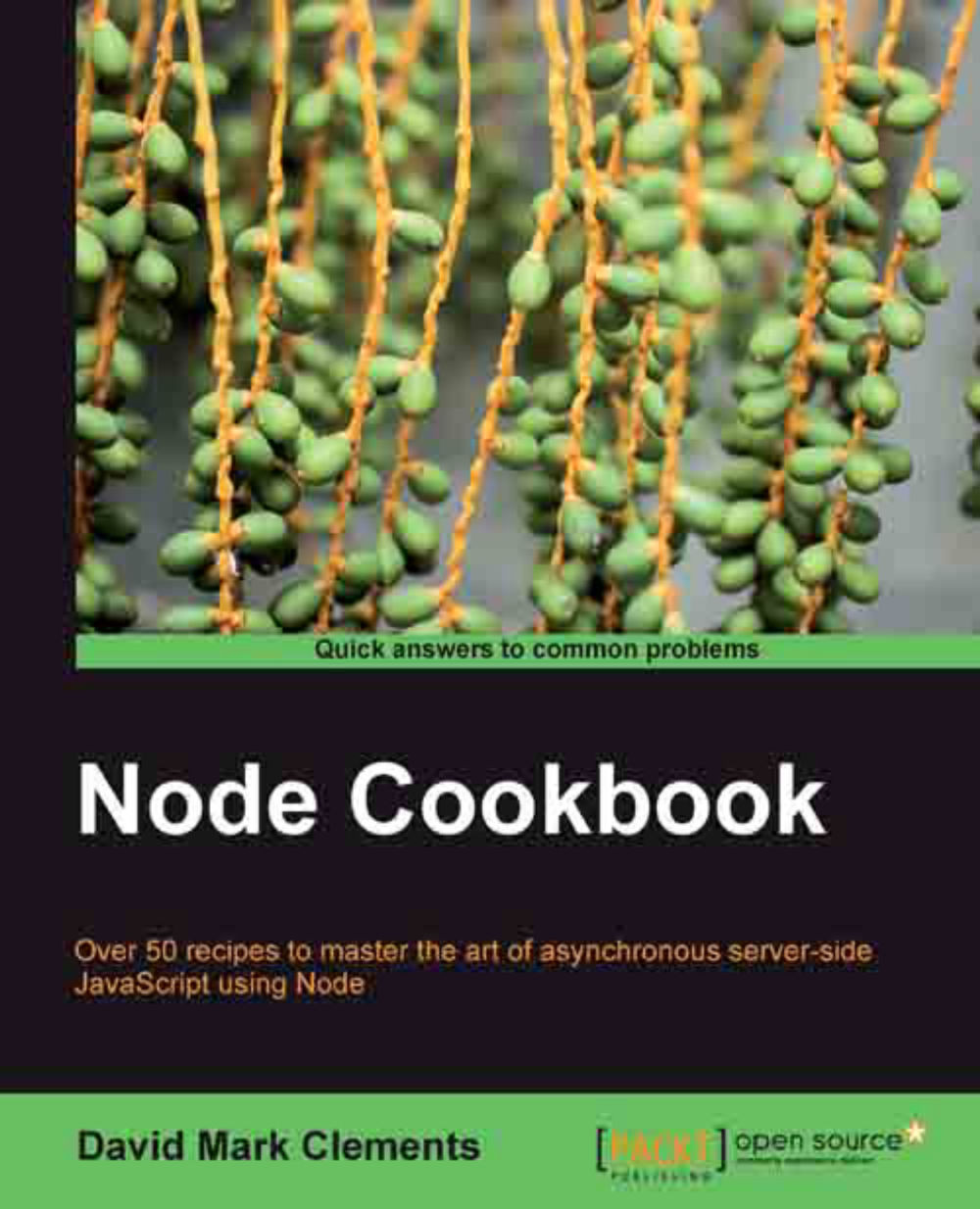
Node Cookbook
Node Cookbook

Node Cookbook: Over 50 recipes to master the art of asynchronous server-side JavaScript using Node with this book and ebook.

Arrow left icon
Profile Icon David Mark Clements
Arrow right icon
€27.89 €30.99
Full star icon Full star icon Full star icon Full star icon Empty star icon 4 (9 Ratings)
eBook Jul 2012 342 pages 1st Edition
eBook
€27.89 €30.99
Paperback
€38.99
eBook + Subscription
€21.99 Monthly
Arrow left icon
Profile Icon David Mark Clements
Arrow right icon
€27.89 €30.99
Full star icon Full star icon Full star icon Full star icon Empty star icon 4 (9 Ratings)
eBook Jul 2012 342 pages 1st Edition
eBook
€27.89 €30.99
Paperback
€38.99
eBook + Subscription
€21.99 Monthly
eBook
€27.89 €30.99
Paperback
€38.99
eBook + Subscription
€21.99 Monthly

What do you get with eBook?

Product feature icon Instant access to your Digital eBook purchase
Product feature icon Download this book in EPUB and PDF formats
Product feature icon Access this title in our online reader with advanced features
Product feature icon DRM FREE - Read whenever, wherever and however you want
Modal Close icon
Payment Processing...
tick Completed

Billing Address

Table of content icon View table of contents Preview book icon Preview Book

Node Cookbook

Chapter 1. Making a Web Server

In this chapter we will cover:

  • Setting up a router

  • Serving static files

  • Caching content in memory for immediate delivery

  • Optimizing performance with streaming

  • Securing against filesystem hacking exploits

Chapter 1. Making a Web Server

In this chapter we will cover:

  • Setting up a router
  • Serving static files
  • Caching content in memory for immediate delivery
  • Optimizing performance with streaming
  • Securing against filesystem hacking exploits

Introduction

One of the great qualities of Node is its simplicity. Unlike PHP or ASP there is no separation between the web server and code, nor do we have to customize large configuration files to get the behavior we want. With Node we can create the server, customize it, and deliver content all at the code level. This chapter demonstrates how to create a web server with Node and feed content through it, all while implementing security and performance enhancements to cater for various situations.

Setting up a router

In order to deliver web content we need to make a URI available. This recipe walks us through the creation of an HTTP server that exposes routes to the user.

Getting ready

First, let's create our server file. If our main purpose is to expose server functionality, it's general practice to call the file server.js, which we could put in a new folder. It's also a good idea to install and use hotnode:

sudo npm -g install hotnode
hotnode server.js

Hotnode will conveniently auto-restart the server when we save changes.

How to do it...

In order to create the server we need the http module, so let's load it and use the http.createServer method:

	var http = require('http');
	http.createServer(function (request, response) {
	response.writeHead(200, {'Content-Type': 'text/html'});
	response.end('Woohoo!');
	}).listen(8080);

Tip

Downloading the example code

You can download the example code files for all Packt books you have purchased from your account at http://www.PacktPub.com. If you purchased this book elsewhere, you can visit http://www.PacktPub.com/support and register to have the files emailed directly to you.

Now, if we save our file and access localhost:8080 on a web browser or using curl, our browser (or curl) will exclaim:'Woohoo!'. However, the same will occur at localhost:8080/foo. Indeed, any path will render the same behavior, so let's build in some routing. We can use the path module to extract basename of the path (the final part of the path), and reverse any URI encoding from the client with decodeURI:

	var http = require('http');
	var path = require('path');

	http.createServer(function (request, response) {
	var lookup = path.basename(decodeURI(request.url));

We now need a way to define our routes. One option is to use an array of objects:

	var pages = [
	  {route: '', output: 'Woohoo!'},
	  {route: 'about', output: 'A simple routing with Node example'},
	  {route: 'another page', output: function() {return 'Here\'s '+this.route;}},
	];

Our pages array should be placed above the http.createServer call.

Within our server, we need to loop through our array and see if the lookup variable matches any of our routes. If it does we can supply the output. We'll also implement some 404 handling:

	http.createServer(function (request, response) {
	  var lookup=path.basename(decodeURI(request.url));
	  pages.forEach(function(page) {
	    if (page.route === lookup) {
	      response.writeHead(200, {'Content-Type': 'text/html'});
	      response.end(typeof page.output === 'function' 
	                   ? page.output() : page.output);
	    }
	  });
	  if (!response.finished) {
	     response.writeHead(404);
	     response.end('Page Not Found!');
	  }
	}).listen(8080);

How it works...

The callback function we provide to http.createServer gives us all the functionality we need to interact with our server through the request and response objects. We use request to obtain the requested URL and then we acquire its basename with path. We also use decodeURI which our another page route would fail without as our code would try to match another%20page against our pages array and return false.

Once we have our basename, we can match it in any way we want. We could send it in a database query to retrieve content, use regular expressions to effectuate partial matches, or we could match it to a file name and load its contents.

We could have used a switch statement to handle routing but our pages array has several advantages. It's easier to read and extend, and it can be seamlessly converted to JSON. We loop through our pages array using forEach.

Node is built on Google's V8 engine, which provides us with a number of ECMAScript 5 features. These features can't be used in all browsers as they're not yet universally implemented, but using them in Node is no problem! forEach is an ES5 implementation, but the ES3 way is to use the less convenient for loop.

While looping through each object, we check its route property. If we get a match, we write the 200 OK status and content-type headers. We then end the response with the object's output property.

response.end allows us to pass a parameter to it, which it writes just before finishing the response. In response.end, we used a ternary operator (?:) to conditionally call page.output as a function or simply pass it as a string. Notice that the another page route contains a function instead of a string. The function has access to its parent object through the this variable, and allows for greater flexibility in assembling the output we want to provide. In the event that there is no match in our forEach loop, response.end would never be called. Therefore, the client would continue to wait for a response until it times out. To avoid this, we check the response.finished property and if it's false, we write a 404 header and end the response.

response.finished depends on the forEach callback, yet it's not nested within the callback. Callback functions are mostly used for asynchronous operations. So on the surface this looks like a potential race condition, however forEach does not operate asynchronously. It continues to block until all loops are complete.

There's more...

There are many ways to extend and alter this example. There's also some great non-core modules available that do the leg work for us.

Simple multilevel routing

So far, our routing only deals with a single-level path. A multilevel path (for example, /about/node) will simply return a 404. We can alter our object to reflect a subdirectory-like structure, remove path, and use request.url for our routes instead of path.basename:

	var http=require('http');
	var pages = [
	  {route: '/', output: 'Woohoo!'},
	  {route: '/about/this', output: 'Multilevel routing with Node'},
	  {route: '/about/node', output: 'Evented I/O for V8 JavaScript.'},
	  {route: '/another page', output: function () {return 'Here\'s ' + this.route; }}
	];
	http.createServer(function (request, response) {
	  var lookup = decodeURI(request.url);

Note

When serving static files, request.url must be cleaned prior to fetching a given file. Check out the Securing against filesystem hacking exploits section discussed in this chapter.

Multilevel routing could be taken further, allowing us to build and then traverse a more complex object.

	{route: 'about', childRoutes: [
	  {route: 'node', output: 'Evented I/O for V8 Javascript'},
	  {route: 'this', output: 'Complex Multilevel Example'}
	]}

After the third or fourth level, this object would become a leviathan to look at. We could instead create a helper function to define our routes that essentially pieces our object together for us. Alternatively, we could use one of the excellent non-core routing modules provided by the open source Node community. Excellent solutions already exist which provide helper methods to handle the increasing complexity of scalable multilevel routing (see Routing modules discussed in this chapter andChapter 6, Accelerating Development with Express).

Parsing the querystring

Two other useful core modules are url and querystring. The url.parse method allows two parameters. First the URL string (in our case, this will be request.url) and second a Boolean parameter named parseQueryString. If set to true, it lazy loads the querystring module, saving us the need to require it, to parse the query into an object. This makes it easy for us to interact with the query portion of a URL.

	var http = require('http');
	var url = require('url');
	var pages = [
		{id: '1', route: '', output: 'Woohoo!'},
		{id: '2', route: 'about', output: 'A simple routing with Node example'},
		{id: '3', route: 'another page', output: function () {return 'Here\'s ' + this.route; }},
	];
	http.createServer(function (request, response) {
		var id = url.parse(decodeURI(request.url), true).query.id;
	if (id) {
		pages.forEach(function (page) {
			if (page.id === id) {
				response.writeHead(200, {'Content-Type': 'text/html'});
				response.end(typeof page.output === 'function'
					? page.output() : page.output);
			}
		});
	}
	if (!response.finished) {
		response.writeHead(404);
		response.end('Page Not Found');
	}
}).listen(8080);

With the added id properties we can access our object data by, for instance, localhost:8080?id=2.

Routing modules

There's an up-to-date list of various routing modules for Node at https://www.github.com/joyent/node/wiki/modules#wiki-web-frameworks-routers. These community-made routers cater to various scenarios. It's important to research the activity and maturity of a module before taking it into a production environment. In Chapter 6, Accelerating Development with Express, we will go into greater detail on using the built-in Express/Connect router for more comprehensive routing solutions.

See also

  • Serving static files and Securing against filesystem hacking exploits discussed in this chapter
  • Dynamic Routing discussed In Chapter 6, Accelerating Development with Express.

Serving static files

If we have information stored on disk that we want to serve as web content, we can use the fs (filesystem) module to load our content and pass it through the createServer callback. This is a basic conceptual starting point for serving static files. As we will learn in the following recipes there are much more efficient solutions.

Getting ready

We'll need some files to serve. Let's create a directory named content, containing the following three files:

index.html:

	<html>
	<head>
	<title>Yay Node!</title>
	<link rel=stylesheet href=styles.css type=text/css>
	<script src=script.js type=text/javascript></script>
	</head>
	<body>
	<span id=yay>Yay!</span>
	</body>
	</html>

script.js:

window.onload=function() {alert('Yay Node!');};

styles.css:

#yay {font-size:5em;background:blue;color:yellow;padding:0.5em}

How to do it...

As in the previous recipe, we'll be using the core modules http and path. We'll also need to access the filesystem, so we'll require the fs module too. Let's create our server:

	var http = require('http');
	var path = require('path');
	var fs = require('fs');
	http.createServer(function (request, response) {
	  var lookup = path.basename(decodeURI(request.url)) || 'index.html',
	    f = 'content/' + lookup;
	  path.exists(f, function (exists) {
	    console.log(exists ? lookup + " is there" : lookup + " doesn't exist");
	  });
	}).listen(8080);

If we haven't already, we can initialize our server.js file:

	hotnode server.js

Try loading localhost:8080/foo and the console will say foo doesn't exist, because it doesn't. localhost:8080/script.js will tell us script.js is there, because it is. Before we can save a file, we are supposed to let the client know the content-type, which we can determine from the file extensions. So let's make a quick map using an object:

	var mimeTypes = {
	  '.js' : 'text/javascript',
	  '.html': 'text/html',
	  '.css' : 'text/css'
	};

We could extend our mimeTypes map later to support more types.

Note

Modern browsers may be able to interpret certain mime types (such as text/javascript) without the server sending a content-type header. However, older browsers or less common mime types will rely upon the correct content-type header being sent from the server.

Remember to place mimeTypes outside the server callback since we don't want to initialize the same object on every client request. If the requested file exists, we can convert our file extension into content-type by feeding path.extname into mimeTypes and then passing our retrieved content-type to response.writeHead. If the requested file doesn't exist, we'll write out a 404 and end the response.

	//requires variables, mimeType object...
	http.createServer(function (request, response) {
		var lookup = path.basename(decodeURI(request.url)) || 'index.html',
			f = 'content/' + lookup;
		fs.exists(f, function (exists) {
			if (exists) {
				fs.readFile(f, function (err, data) {
					if (err) { response.writeHead(500);
						response.end('Server Error!'); return; }
					var headers = {'Content-type': mimeTypes[path. extname(lookup)]};
					response.writeHead(200, headers);
					response.end(data);
				});
				return;
			}
			response.writeHead(404); //no such file found!
			response.end();
		});
}).listen(8080);

At the moment, there is still no content sent to the client. We have to get this content from our file, so we wrap the response handling in an fs.readFile method callback.

	//http.createServer, inside path.exists:
	if (exists) {
	  fs.readFile(f, function(err, data) {
	    var headers={'Content-type': mimeTypes[path.extname(lookup)]};
	    response.writeHead(200, headers);
	    response.end(data);
	  });
	 return;
	}

Before we finish, let's apply some error handling to our fs.readFile callback as follows:

	//requires variables, mimeType object...
	//http.createServer,  path exists, inside if(exists):  
	fs.readFile(f, function(err, data) {
	    if (err) {response.writeHead(500); response.end('Server Error!');  return; }
	    var headers = {'Content-type': mimeTypes[path.extname(lookup)]};
	    response.writeHead(200, headers);
	    response.end(data);            
	  });
	 return;
	}

Notice that return stays outside the fs.readFile callback. We are returning from the fs.exists callback to prevent further code execution (for example, sending 404). Placing a return in an if statement is similar to using an else branch. However, the if return pattern is generally preferable to using if else in Node, as it eliminates yet another set of curly braces.

So now we can navigate to localhost:8080 which will serve our index.html file. The index.html file makes calls to our script.js and styles.css files, which our server also delivers with appropriate mime types. The result can be seen in the following screenshot:

How to do it...

This recipe serves to illustrate the fundamentals of serving static files. Remember, this is not an efficient solution! In a real-world situation, we don't want to make an I/O call every time a request hits the server, this is very costly especially with larger files. In the following recipes, we'll learn better ways to serve static files.

How it works...

Our script creates a server and declares a variable called lookup. We assign a value to lookup using the double pipe (||) or operator. This defines a default route if path.basename is empty. Then we pass lookup to a new variable that we named f in order to prepend our content directory to the intended filename. Next we run f through the fs.exists method and check the exist parameter in our callback to see if the file is there. If the file exists we read it asynchronously using fs.readFile. If there is a problem accessing the file, we write a 500 server error, end the response, and return from the fs.readFile callback. We can test the error-handling functionality by removing read permissions from index.html.

chmod -r index.html

Doing so will cause the server to throw the 500 server error status code. To set things right again run the following command:

chmod +r index.html

As long as we can access the file, we grab content-type using our handy mimeTypes mapping object, write the headers, end the response with data loaded from the file, and finally return from the function. If the requested file does not exist, we bypass all this logic, write a 404, and end the response.

There's more...

Here's something to watch out for...

The favicon gotcha

When using a browser to test our server, sometimes an unexpected server hit can be observed. This is the browser requesting the default favicon.ico icon file that servers can provide. Apart from the initial confusion of seeing additional hits, this is usually not a problem. If the favicon request begins to interfere, we can handle it like this:

	if (request.url === '/favicon.ico') {
	  response.end();
	  return;
	}

If we wanted to be more polite to the client, we could also inform it of a 404 by using response.writeHead(404) before issuing response.end.

See also

  • Caching content in memory for immediate delivery discussed in this chapter
  • Optimizing performance with streaming discussed in this chapter
  • Securing against filesystem hacking exploits discussed in this chapter

Caching content in memory for immediate delivery

Directly accessing storage on each client request is not ideal. For this example, we will explore how to enhance server efficiency by accessing the disk on only the first request, caching the data from file for that first request, and serving all further requests out of the process memory.

Getting ready

We are going to improve upon the code from the previous task, so we'll be working with server.js, and in the content directory with index.html, styles.css, and script.js.

How to do it...

Let's begin by looking at our script from the previous recipe Serving static files:

	var http = require('http');
	var path = require('path');
	var fs = require('fs');  
	
	var mimeTypes = {
	  '.js' : 'text/javascript',
	  '.html': 'text/html',
	  '.css' : 'text/css'
	} ;
	
	http.createServer(function (request, response) {
	  var lookup = path.basename(decodeURI(request.url)) || 'index.html';
	  var f = 'content/'+lookup;
	  path.exists(f, function (exists) {
	    if (exists) {
	      fs.readFile(f, function(err,data) {
	      if (err) {response.writeHead(500); response.end('Server Error!'); return; }
	      var headers = {'Content-type': mimeTypes[path.extname(lookup)]};
	        response.writeHead(200, headers);
	        response.end(data);            
	      });
	      return;
	    }
	      response.writeHead(404); //no such file found!
	      response.end('Page Not Found!');
	  });

We need to modify this code to only read the file once, load its contents into memory, and afterwards respond to all requests for that file from memory. To keep things simple and preserve maintainability, we'll extract our cache handling and content delivery into a separate function. So above http.createServer, and below mimeTypes, we'll add the following:

	var cache = {};
	function cacheAndDeliver(f, cb) {
	  if (!cache[f]) {
	    fs.readFile(f, function(err, data) {
	      if (!err) {
	        cache[f] = {content: data} ;
	      }     
	      cb(err, data);
	    });
	    return;
	  }
	  console.log('loading ' + f + ' from cache');
	  cb(null, cache[f].content);
	}
	//http.createServer …..

A new cache object has been added to store our files in memory as well as a new function called cacheAndDeliver. Our function takes the same parameters as fs.readFile, so we can replace fs.readFile in the http.createServer callback while leaving the rest of the code intact:

	//...inside http.createServer:
	path.exists(f, function (exists) {
	    if (exists) {
	      cacheAndDeliver(f, function(err, data) {
	        if (err) {response.writeHead(500); response.end('Server Error!'); return; }
	        var headers = {'Content-type': mimeTypes[path.extname(f)]};
	        response.writeHead(200, headers);
	        response.end(data);      
	      });
	  return;
	    }
	//rest of path exists code (404 handling)...

When we execute our server.js file and access localhost:8080 twice consecutively, the second request causes the console to output the following:

	loading content/index.html from cache
	loading content/styles.css from cache
	loading content/script.js from cache

How it works...

We defined a function called cacheAndDeliver, which like fs.readFile, takes a filename and callback as parameters. This is great because we can pass the exact same callback of fs.readFile to cacheAndDeliver, padding the server out with caching logic without adding any extra complexity visually to the inside of the http.createServer callback. As it stands, the worth of abstracting our caching logic into an external function is arguable, but the more we build on the server's caching abilities the more feasible and useful this abstraction becomes. Our cacheAndDeliver function checks to see if the requested content is already cached, if not, we call fs.readFile and load the data from disk. Once we have this data we may as well hold onto it, so it's placed into the cache object referenced by its file path (the f variable). The next time anyone requests the file, cacheAndDeliver will see that we have the file stored in the cache object and will issue an alternative callback containing the cached data. Notice that we fill the cache[f] property with another new object containing a content property. This makes it easier to extend the caching functionality in the future since we would just need to place extra properties into our cache[f] object and supply logic that interfaces with these properties accordingly.

There's more...

If we were to modify the files we are serving, any changes wouldn't be reflected until we restart the server. We can do something about that.

Reflecting content changes

To detect whether a requested file has changed since we last cached it, we must know when the file was cached and when it was last modified. To record when the file was last cached, let's extend the cache[f] object:

	cache[f] = {content: data,
	                      timestamp: Date.now() //store a Unix time stamp
	                     };

That was easy. Now we need to find out when the file was updated last. The fs.stat method returns an object as the second parameter of its callback. This object contains the same useful information as the command-line GNU coreutils stat.fs.stat supplies three time-related properties: last accessed (atime), last modified (mtime), and last changed (ctime). The difference between mtime and ctime is that ctime will reflect any alterations to the file, whereas mtime will only reflect alterations to the content of the file. Consequently, if we changed the permissions of a file, ctime would update but mtime would stay the same. We want to pay attention to permission changes as they happen, so let's use the ctime property:

	//requires and mimeType object....
	var cache = {};
	function cacheAndDeliver(f, cb) {
		fs.stat(f, function (err, stats) {
			var lastChanged = Date.parse(stats.ctime),
				isUpdated = (cache[f]) && lastChanged > cache[f].timestamp;
			if (!cache[f] || isUpdated) {
				fs.readFile(f, function (err, data) {
					console.log('loading ' + f + ' from file');
					//rest of cacheAndDeliver
		}); //end of fs.stat
	} // end of cacheAndDeliver

The contents of cacheAndDeliver have been wrapped in an fs.stat callback. Two variables have been added and the if(!cache[f]) statement has been modified. We parse the ctime property of the second parameter, dub stats using Date.parse to convert it to milliseconds since midnight, January 1, 1970 (the Unix epoch), and assign it to our lastChanged variable. Then we check whether the requested file's last changed time is greater than when we cached the file (provided the file is indeed cached) and assign the result to our isUpdated variable. After that, it's merely a case of adding the isUpdated Boolean to the conditional if(!cache[f]) statement via the || (or) operator. If the file is newer than our cached version (or if it isn't yet cached), we load the file from the disk into the cache object.

See also

  • Optimizing performance with streaming discussed in this chapter
  • Browser-server transmission via AJAX discussed in Chapter 3, Working with Data Serialization

Optimizing performance with streaming

Caching content certainly improves upon reading a file from disk for every request. However, with fs.readFile, we are reading the whole file into memory before sending it out in response. For better performance, we can stream a file from disk and pipe it directly to the response object, sending data straight to the network socket one piece at a time.

Getting ready

We are building on our code from the last example, so let's get server.js, index.html, styles.css, and script.js ready.

How to do it...

We will be using fs.createReadStream to initialize a stream, which can be piped to the response object. In this case, implementing fs.createReadStream within our cacheAndDeliver function isn't ideal because the event listeners of fs.createReadStream will need to interface with the request and response objects. For the sake of simplicity, these would preferably be dealt within the http.createServer callback. For brevity's sake, we will discard our cacheAndDeliver function and implement basic caching within the server callback:

	//requires, mime types, createServer, lookup and f vars...
	path.exists(f, function (exists) {
	    if (exists) {  
	      var headers = {'Content-type': mimeTypes[path.extname(f)]};
	      if (cache[f]) {
	        response.writeHead(200, headers);              
	        response.end(cache[f].content);  
	        return;
	      } //...rest of server code...

Later on, we will fill cache[f].content while we're interfacing with the readStream object. Here's how we use fs.createReadStream:

var s = fs.createReadStream(f);

This will return a readStream object which streams the file that is pointed at by the f variable. readStream emits events that we need to listen to. We can listen with addEventListener or use the shorthand on:

var s = fs.createReadStream(f).on('open', function () {
//do stuff when the readStream opens
});

Since createReadStream returns the readStream object, we can latch our event listener straight onto it using method chaining with the dot notation. Each stream is only going to open once, we don't need to keep on listening to it. Therefore, we can use the once method instead of on to automatically stop listening after the first event occurrence:

var s = fs.createReadStream(f).once('open', function () {
//do stuff when the readStream opens
});

Before we fill out the open event callback, let's implement error handling as follows:

	var s = fs.createReadStream(f).once('open', function () {
	//do stuff when the readStream opens
	}).once('error', function (e) {
	    console.log(e);
	    response.writeHead(500);
	    response.end('Server Error!');
	});

The key to this entire endeavor is the stream.pipe method. This is what enables us to take our file straight from disk and stream it directly to the network socket via our response object.

	var s = fs.createReadStream(f).once('open', function () {
	    response.writeHead(200, headers);      
	    this.pipe(response);
	}).once('error', function (e) {
	    console.log(e);
	    response.writeHead(500);
	    response.end('Server Error!');
	});

What about ending the response? Conveniently, stream.pipe detects when the stream has ended and calls response.end for us. For caching purposes, there's one other event we need to listen to. Still within our fs.exists callback, underneath the createReadStream code block, we write the following code:

	 fs.stat(f, function(err, stats) {
		        var bufferOffset = 0;
	      	  cache[f] = {content: new Buffer(stats.size)};
		       s.on('data', function (chunk) {
	             chunk.copy(cache[f].content, bufferOffset);
	             bufferOffset += chunk.length;
	        });
	      }); 

We've used the data event to capture the buffer as it's being streamed, and copied it into a buffer that we supplied to cache[f].content, using fs.stat to obtain the file size for the file's cache buffer.

How it works...

Instead of the client waiting for the server to load the entire file from the disk prior to sending it to the client, we use a stream to load the file in small, ordered pieces and promptly send them to the client. With larger files this is especially useful, as there is minimal delay between the file being requested and the client starting to receive the file.

We did this by using fs.createReadStream to start streaming our file from the disk. fs.createReadStream creates readStream, which inherits from the EventEmitter class.

The EventEmitter class accomplishes the evented part of Node's tag line: Evented I/O for V8 JavaScript. Due to this, we'll use listeners instead of callbacks to control the flow of stream logic.

Then we added an open event listener using the once method since we want to stop listening for open once it has been triggered. We respond to the open event by writing the headers and using the stream.pipe method to shuffle the incoming data straight to the client.

stream.pipe handles the data flow. If the client becomes overwhelmed with processing, it sends a signal to the server which should be honored by pausing the stream. Under the hood, stream.pipe uses stream.pause and stream.resume to manage this interplay.

While the response is being piped to the client, the content cache is simultaneously being filled. To achieve this, we had to create an instance of the Buffer class for our cache[f].content property. A Buffer must be supplied with a size (or an array or string) which in our case is the size of the file. To get the size, we used the asynchronous fs.stat and captured the size property in the callback. The data event returns Buffer as its only callback parameter.

The default bufferSize for a stream is 64 KB. Any file whose size is less than the bufferSize will only trigger one data event because the entire file will fit into the first chunk of data. However, for files greater than bufferSize, we have to fill our cache[f].content property one piece at a time.

Note

Changing the default readStream buffer size:

We can change the buffer size of readStream by passing an options object with a bufferSize property as the second parameter of fs.createReadStream.

For instance, to double the buffer you could use fs.createReadStream(f,{bufferSize: 128 * 1024});

We cannot simply concatenate each chunk with cache[f].content since this will coerce binary data into string format which, though no longer in binary format, will later be interpreted as binary. Instead, we have to copy all the little binary buffer chunks into our binary cache[f].content buffer.

We created a bufferOffset variable to assist us with this. Each time we add another chunk to our cache[f].content buffer, we update our new bufferOffset by adding the length of the chunk buffer to it. When we call the Buffer.copy method on the chunk buffer, we pass bufferOffset as the second parameter so our cache[f].content buffer is filled correctly.

Moreover, operating with the Buffer class renders performance enhancements with larger files because it bypasses the V8 garbage collection methods. These tend to fragment large amounts of data thus slowing down Node's ability to process them.

There's more...

While streaming has solved a problem of waiting for files to load into memory before delivering them, we are nevertheless still loading files into memory via our cache object. With larger files, or large amounts of files, this could have potential ramifications.

Protecting against process memory overruns

There is a limited amount of process memory. By default, V8's memory is set to 1400 MB on 64-bit systems and 700 MB on 32-bit systems. This can be altered by running Node with --max-old-space-size=N where N is the amount of megabytes (the actual maximum amount that it can be set to depends upon the OS and of course the amount of physical RAM available). If we absolutely needed to be memory intensive, we could run our server on a large cloud platform, divide up the logic, and start new instances of node using the child_process class.

In this case, high memory usage isn't necessarily required and we can optimize our code to significantly reduce the potential for memory overruns. There is less benefit to caching larger files. The slight speed improvement relative to the total download time is negligible while the cost of caching them is quite significant in ratio to our available process memory. We can also improve cache efficiency by implementing an expiration time on cache objects which can then be used to clean the cache, consequently removing files in low demand and prioritizing high-demand files for faster delivery. Let's rearrange our cache object slightly:

	var cache = {
	  store: {},
	  maxSize : 26214400, //(bytes) 25mb
	}

For a clearer mental model, we're making a distinction between the cache as a functioning entity and the cache as a store (which is a part of the broader cache entity). Our first goal is to only cache files under a certain size. We've defined cache.maxSize for this purpose. All we have to do now is insert an if condition within the fs.stat callback:

	 fs.stat(f, function (err, stats) {
	        if (stats.size < cache.maxSize) {
	          var bufferOffset = 0;
	          cache.store[f] = {content: new Buffer(stats.size),
	                                     timestamp: Date.now() };
	          s.on('data', function (data) {
	            data.copy(cache.store[f].content, bufferOffset);
	            bufferOffset += data.length;
	          });
	        }  
	      });

Notice we also slipped in a new timestamp property into our cache.store[f]. This is for cleaning the cache, which is our second goal. Let's extend cache:

	var cache = {
	  store: {},
	  maxSize: 26214400, //(bytes) 25mb
	  maxAge: 5400 * 1000, //(ms) 1 and a half hours
	  clean: function(now) {
	      var that = this;
	      Object.keys(this.store).forEach(function (file) {
	        if (now > that.store[file].timestamp + that.maxAge) {
	          delete that.store[file];      
	        }
	      });
	  }
	};

So in addition to maxSize, we've created a maxAge property and added a clean method. We call cache.clean at the bottom of the server like so:

	//all of our code prior
	  cache.clean(Date.now());
	}).listen(8080); //end of the http.createServer

cache.clean loops through cache.store and checks to see if it has exceeded its specified lifetime. If it has, we remove it from store. We'll add one further improvement and then we're done. cache.clean is called on each request. This means cache.store is going to be looped through on every server hit, which is neither necessary nor efficient. It would be better if we cleaned the cache, say, every two hours or so. We'll add two more properties to cache. The first is cleanAfter to specify how long between cache cleans. The second is cleanedAt to determine how long it has been since the cache was last cleaned.

	var cache = {
	  store: {},
	  maxSize: 26214400, //(bytes) 25mb
	  maxAge : 5400 * 1000, //(ms) 1 and a half hours
	   cleanAfter: 7200 * 1000,//(ms) two hours
	  cleanedAt: 0, //to be set dynamically
	  clean: function (now) {
	     if (now - this.cleanAfter > this.cleanedAt) {
	      this.cleanedAt = now;
	      that = this;
	        Object.keys(this.store).forEach(function (file) {
	          if (now > that.store[file].timestamp + that.maxAge) {
	            delete that.store[file];      
	          }
	        });
	    }
	  }
	};

We wrap our cache.clean method in an if statement which will allow a loop through cache.store only if it has been longer than two hours (or whatever cleanAfter is set to), since the last clean.

See also

  • Handling file uploads discussed In Chapter 2, Exploring the HTTP Object
  • Securing Against Filesystem Hacking Exploits discussed in this chapter.
Left arrow icon Right arrow icon
Download code icon Download Code

Key benefits

  • Packed with practical recipes taking you from the basics to extending Node with your own modules
  • Create your own web server to see Node's features in action
  • Work with JSON, XML, web sockets, and make the most of asynchronous programming

Description

The principles of asynchronous event-driven programming are perfect for today's web, where efficient real-time applications and scalability are at the forefront. Server-side JavaScript has been here since the 90's but Node got it right. With a thriving community and interest from Internet giants, it could be the PHP of tomorrow. "Node Cookbook" shows you how to transfer your JavaScript skills to server side programming. With simple examples and supporting code, "Node Cookbook" talks you through various server side scenarios often saving you time, effort, and trouble by demonstrating best practices and showing you how to avoid security faux pas. Beginning with making your own web server, the practical recipes in this cookbook are designed to smoothly progress you to making full web applications, command line applications, and Node modules. Node Cookbook takes you through interfacing with various database backends such as MySQL, MongoDB and Redis, working with web sockets, and interfacing with network protocols, such as SMTP. Additionally, there are recipes on correctly performing heavy computations, security implementations, writing, your own Node modules and different ways to take your apps live.

Who is this book for?

If you have some knowledge of JavaScript and want to build fast, efficient, scalable client-server solutions, then Node Cookbook is for you. Experienced users of Node will improve their skills although even if you have not worked with Node before, these practical recipes will make it easy to get started.

What you will learn

  • Write and publish your own modules
  • Interface with various databases
  • Work with streams of data
  • Handle file uploads and POST data
  • Use the Express framework to accelerate the development of your applications
  • Learn about security, encryption, and authentication techniques

Product Details

Country selected
Publication date, Length, Edition, Language, ISBN-13
Publication date : Jul 25, 2012
Length: 342 pages
Edition : 1st
Language : English
ISBN-13 : 9781849517195
Languages :
Tools :

What do you get with eBook?

Product feature icon Instant access to your Digital eBook purchase
Product feature icon Download this book in EPUB and PDF formats
Product feature icon Access this title in our online reader with advanced features
Product feature icon DRM FREE - Read whenever, wherever and however you want
Modal Close icon
Payment Processing...
tick Completed

Billing Address

Product Details

Publication date : Jul 25, 2012
Length: 342 pages
Edition : 1st
Language : English
ISBN-13 : 9781849517195
Languages :
Tools :

Packt Subscriptions

See our plans and pricing
Modal Close icon
€18.99 billed monthly
Feature tick icon Unlimited access to Packt's library of 7,000+ practical books and videos
Feature tick icon Constantly refreshed with 50+ new titles a month
Feature tick icon Exclusive Early access to books as they're written
Feature tick icon Solve problems while you work with advanced search and reference features
Feature tick icon Offline reading on the mobile app
Feature tick icon Simple pricing, no contract
€189.99 billed annually
Feature tick icon Unlimited access to Packt's library of 7,000+ practical books and videos
Feature tick icon Constantly refreshed with 50+ new titles a month
Feature tick icon Exclusive Early access to books as they're written
Feature tick icon Solve problems while you work with advanced search and reference features
Feature tick icon Offline reading on the mobile app
Feature tick icon Choose a DRM-free eBook or Video every month to keep
Feature tick icon PLUS own as many other DRM-free eBooks or Videos as you like for just €5 each
Feature tick icon Exclusive print discounts
€264.99 billed in 18 months
Feature tick icon Unlimited access to Packt's library of 7,000+ practical books and videos
Feature tick icon Constantly refreshed with 50+ new titles a month
Feature tick icon Exclusive Early access to books as they're written
Feature tick icon Solve problems while you work with advanced search and reference features
Feature tick icon Offline reading on the mobile app
Feature tick icon Choose a DRM-free eBook or Video every month to keep
Feature tick icon PLUS own as many other DRM-free eBooks or Videos as you like for just €5 each
Feature tick icon Exclusive print discounts

Frequently bought together


Stars icon
Total 121.97
Mastering Node.js
€43.99
Node Web Development - Second Edition
€38.99
Node Cookbook
€38.99
Total 121.97 Stars icon

Table of Contents

10 Chapters
Making a Web Server Chevron down icon Chevron up icon
Exploring the HTTP Object Chevron down icon Chevron up icon
Working with Data Serialization Chevron down icon Chevron up icon
Interfacing with Databases Chevron down icon Chevron up icon
Transcending AJAX: Using WebSockets Chevron down icon Chevron up icon
Accelerating Development with Express Chevron down icon Chevron up icon
Implementing Security, Encryption, and Authentication Chevron down icon Chevron up icon
Integrating Network Paradigms Chevron down icon Chevron up icon
Writing Your Own Node Modules Chevron down icon Chevron up icon
Taking It Live Chevron down icon Chevron up icon

Customer reviews

Top Reviews
Rating distribution
Full star icon Full star icon Full star icon Full star icon Empty star icon 4
(9 Ratings)
5 star 44.4%
4 star 33.3%
3 star 0%
2 star 22.2%
1 star 0%
Filter icon Filter
Top Reviews

Filter reviews by


Doug Duncan Oct 21, 2012
Full star icon Full star icon Full star icon Full star icon Full star icon 5
Node Cookbook by David Mark Clements is one of the better tech books I've read recently. David writes in a way that is easy to read and follow. He takes the reader on a journey from creating their first web server to securing their application, from data serialization and storage to deploying to a production server and everything in between.This book goes beyond your typical cookbook style of here's a problem and here's your solution. David does a great job of explaining what and why you are doing something, and then he goes on and expands on the subject in the "There's more..." sections, giving you deeper insight into the topic or showing different ways of doing things. Another thing that is different in this book, compared to other cookbooks, is that some chapters have the reader build on topics from earlier sections of the chapter (or even earlier chapters) to give you a more complete solution.A couple of my favorite chapters were 5 and 8. Chapter 5 gives recipes on storing data in both traditional databases (MySQL) and newer alternative datastores (MongoDB, CouchDB and Redis). Chapter 8 shows that node is not just another web server. It gives recipes for sending email and SMS message as well as for using Node as an SMTP server and how you can set up multiple web sites on a single server.Chapter 7, which deals with security, is another important chapter in the book. It discusses not only basic and digest authentication, but also shows how to set up and communicate with Node over HTTPS. The final recipe discusses cross-site request forgery.This is a book that I wished would have been out a year and a half ago when I was setting up my first Node solution. It is a welcome addition to my library and one that I will highly recommend to coworkers.Updated for the Second Edition:David has updated the book and it's just as good, if not better than the first edition. He's updated the text and source code to use newer packages. In addition to these updates and an added recipe in a chapter or two, David has also added a new chapter covering Stream Processing with four new recipes.The book still stays at the 5 stars I gave the first edition, and I'm looking forward to reading anything else the authors puts out.
Amazon Verified review Amazon
Kevin Barnett Dec 19, 2012
Full star icon Full star icon Full star icon Full star icon Full star icon 5
I haven't finished yet but so far all examples are good and easy to follow. Would recommend to anyone looking to use Node for the first time (you must be the type that learns by example). Also, an understanding of javascript is must.
Amazon Verified review Amazon
Juanjo Fernandez Oct 28, 2012
Full star icon Full star icon Full star icon Full star icon Full star icon 5
Before starting the review, I must say that I have not read the book in depth. I have one week with it, but I feel that is enough time to write my opinion.I would also like to ask forgiveness for my bad English, I hope that despite my mistakes you can understand this text.In chapter 1 we have the most basic articles (or recipes): making a web server, simple routing, serving static files, caching, performance and a little about security. It's a good introduction for the rest of the book.Chapter 2 goes far away with HTTP communications: managing POST data, file uploads and downloads (with resume), and using Node as an HTTP client. All focused on web development. Nice.Chapter 3 is a good introduction before starting to talk about databases: JSON (and JSONP), XML and Ajax. This chapter finishes with a very interesting example about fetching trending tweets.Chapter 4 deals with databases. It's a very complete chapter that shows the use of multiple databases: from the typical MySQL to the most modern MongoDB, CouchDB and Redis, explaining the differences between them.After databases, chapter 5 talks about one of the most interesting HTML5 features: WebSockets. Starts by creating a WebSocket server with its corresponding client, to continue with socket.io, allowing WebSocket like experience to older browsers. The chapter ends with a widget example that provides a constantly update total of all users currently on site.Chapter 6 is more than just an introduction to web development with Express. It begins by explaining how to start developing your application with Express (scaffolding, defining environments), and continue with more advanced tasks like dynamic routing, templating systems (Jade, EJS), CSS engines (Stylus, LESS), and session management. Finally, shows us a not so simple application with Express, jade, stylus and mongosking.Chapter 7 discusses security. It's a very interesting chapter, because there aren't many serious articles online about Node's security and it is something vital before taking your application to production.You can find recipes about implementing several types of authentication: basic, digest, password encryption (MD5, SHA1, and more), and setting up an HTTPS server (with core Node and Express). Also includes recipes for preventing some types of vulnerabilities: CSRF and XSS.In chapter 8 we learn Node's capabilities beyond simply serving web pages: send emails (with and without attachments), send SMS and making automated phone calls (wow!), communication using TCP, making an SMTP server for sending and receive emails, and using virtual hosting for your apps (with and without Express).Chapter 9 will be one of the favourites for those who don't know the JavaScript modular and prototypical patterns. Maybe they should start the book for this chapter. The first recipe creates a test-driven module API whith core Node and then does the same using the should.js third-party module. The following recipe creates a functional module from the previous tests, then refactor this module from functional to prototypical (perfect!). The next recipe shows us how to extend to other modules: first tests are created and then implements the functionality (TDD with Node... awesome). Also integrates our module with EventEmitter, very useful for your own modules. Finally, after creating the module, shows how to share it with everyone through npm. A very complete chapter, I like it.Finally, chapter 10 deals with issues taking live your Node application, sice compress and upload to install and start the Node process. Again, a must read chapter with tons of unvaluable Linux commands.My conclusion: I think it's not a book for beginners. It's true that sometimes talks about basic issues, but it's an excuse for quickly get into more complex issues. This is good for me, a developer with experience on some programming languages like C, Java, PHP and JavaScript, but for newbies I think you should first read a good JavaScript and general web development book.There isn't a book with many pages, but each one contains much useful information for further research on your own. I have the impression that it's one of those books that require more than one reading.David Mark Clements does not waste time with long introductions trying to make reading more enjoyable, he goes straight to the point and from page 1 you will be writing code and practicing with Node.I liked it, I was surprised by the quantity and quality of code and I think it's a book that will go with me during a few months.
Amazon Verified review Amazon
Hasan Yasin Öztürk Oct 07, 2012
Full star icon Full star icon Full star icon Full star icon Full star icon 5
There are recipe books that just give you which ingredients to prepare, how to mix and cook them in a step by step fashion. There is also a different kind of books that give you a deeper idea about the ingredients chosen, why you are putting what, which pepper brings what kind of after taste, how cooking time and intensity of heat applied effects the taste. This book is one of the latter. It does not just gives a list of things to do to achieve specific results; but it takes the correct path and explains whys.The book covers topics from building your first web server to sending messages over SMS protocol. It has a complete section on Express, a popular framework which I personally don't prefer using; but know that many developers do. Connecting to and working with MySQL, MongoDB, and CouchDB are also some of the other topics that are covered.IMHO, first six chapters (Web Server, HTTP, Data Serialization, Databases, AJAX/Web Sockets) are the most useful ones for the people who are stepping into developing on Node. The last four chapters (Security, Network, Developing Node Modules, Deployment) are more for the people who have already an understanding of the system and have already been developing on Node.In last chapters there are things that, I believe, everybody would love finding in the book, such as deployment and building a server with automatic crash recovery. These chapters include system configuration and shell scripts. These are the things that will help you have a complete system, which many Node developers really need.Another interesting chapter is on building an SMTP server which will provide a lot of insights for both the beginner and developers who are not very confident with their knowledge of protocols and network systems.The language of the text is clear, simple, understandable. Some technical books have a problem of pushing it to look cool/funny by making awful jokes or extending the text unnecessarily with things that are out of the topic. This one is really mature and professionally written. Easy and fun to read without feeling awkward and having "huh?"s frequently.I wish we had more of the last sections than a section on things like Express Framework. I know 90% will disagree with me and that is probably why author did it this way; but I think those last/advanced sections are unique to the book and things covered are very hard to find online written as clearly and complete. The section on Express is pretty detailed, very complete and long (40+ pages) and it covers everything from css engines to profiling and many will love this; but later sections are much more useful for both newbies and advanced developers since they are more general and about more advanced topics.I recommend the book to everybody from beginners to active members of the Node community.
Amazon Verified review Amazon
sunil Nov 09, 2014
Full star icon Full star icon Full star icon Full star icon Empty star icon 4
This is nice book with good examples
Amazon Verified review Amazon
Get free access to Packt library with over 7500+ books and video courses for 7 days!
Start Free Trial

FAQs

How do I buy and download an eBook? Chevron down icon Chevron up icon

Where there is an eBook version of a title available, you can buy it from the book details for that title. Add either the standalone eBook or the eBook and print book bundle to your shopping cart. Your eBook will show in your cart as a product on its own. After completing checkout and payment in the normal way, you will receive your receipt on the screen containing a link to a personalised PDF download file. This link will remain active for 30 days. You can download backup copies of the file by logging in to your account at any time.

If you already have Adobe reader installed, then clicking on the link will download and open the PDF file directly. If you don't, then save the PDF file on your machine and download the Reader to view it.

Please Note: Packt eBooks are non-returnable and non-refundable.

Packt eBook and Licensing When you buy an eBook from Packt Publishing, completing your purchase means you accept the terms of our licence agreement. Please read the full text of the agreement. In it we have tried to balance the need for the ebook to be usable for you the reader with our needs to protect the rights of us as Publishers and of our authors. In summary, the agreement says:

  • You may make copies of your eBook for your own use onto any machine
  • You may not pass copies of the eBook on to anyone else
How can I make a purchase on your website? Chevron down icon Chevron up icon

If you want to purchase a video course, eBook or Bundle (Print+eBook) please follow below steps:

  1. Register on our website using your email address and the password.
  2. Search for the title by name or ISBN using the search option.
  3. Select the title you want to purchase.
  4. Choose the format you wish to purchase the title in; if you order the Print Book, you get a free eBook copy of the same title. 
  5. Proceed with the checkout process (payment to be made using Credit Card, Debit Cart, or PayPal)
Where can I access support around an eBook? Chevron down icon Chevron up icon
  • If you experience a problem with using or installing Adobe Reader, the contact Adobe directly.
  • To view the errata for the book, see www.packtpub.com/support and view the pages for the title you have.
  • To view your account details or to download a new copy of the book go to www.packtpub.com/account
  • To contact us directly if a problem is not resolved, use www.packtpub.com/contact-us
What eBook formats do Packt support? Chevron down icon Chevron up icon

Our eBooks are currently available in a variety of formats such as PDF and ePubs. In the future, this may well change with trends and development in technology, but please note that our PDFs are not Adobe eBook Reader format, which has greater restrictions on security.

You will need to use Adobe Reader v9 or later in order to read Packt's PDF eBooks.

What are the benefits of eBooks? Chevron down icon Chevron up icon
  • You can get the information you need immediately
  • You can easily take them with you on a laptop
  • You can download them an unlimited number of times
  • You can print them out
  • They are copy-paste enabled
  • They are searchable
  • There is no password protection
  • They are lower price than print
  • They save resources and space
What is an eBook? Chevron down icon Chevron up icon

Packt eBooks are a complete electronic version of the print edition, available in PDF and ePub formats. Every piece of content down to the page numbering is the same. Because we save the costs of printing and shipping the book to you, we are able to offer eBooks at a lower cost than print editions.

When you have purchased an eBook, simply login to your account and click on the link in Your Download Area. We recommend you saving the file to your hard drive before opening it.

For optimal viewing of our eBooks, we recommend you download and install the free Adobe Reader version 9.

Modal Close icon
Modal Close icon