Search icon CANCEL
Subscription
0
Cart icon
Your Cart (0 item)
Close icon
You have no products in your basket yet
Save more on your purchases! discount-offer-chevron-icon
Savings automatically calculated. No voucher code required.
Arrow left icon
Explore Products
Best Sellers
New Releases
Books
Events
Videos
Audiobooks
Packt Hub
Free Learning
Arrow right icon
timer SALE ENDS IN
0 Days
:
00 Hours
:
00 Minutes
:
00 Seconds
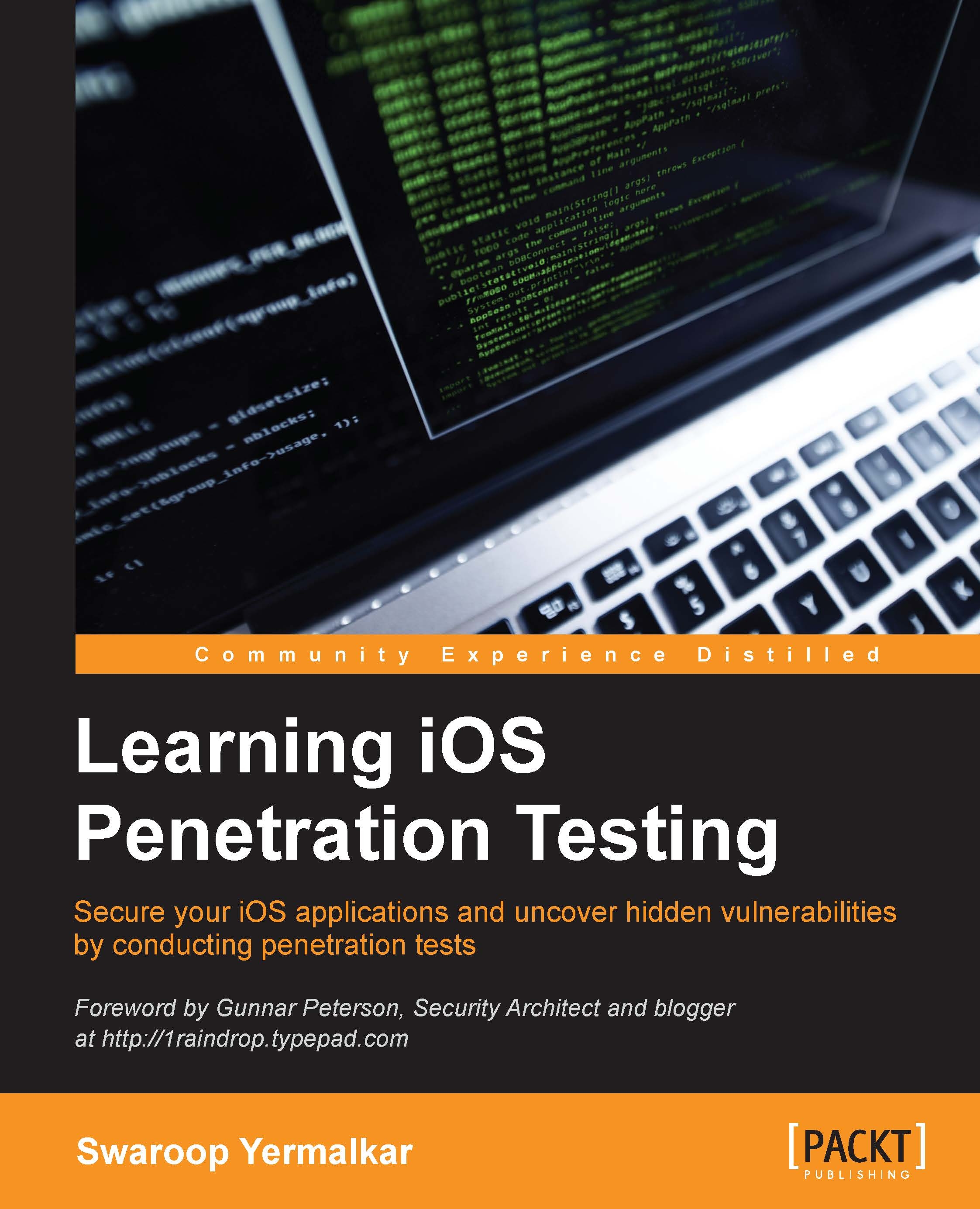
Learning iOS Penetration Testing

Learning iOS Penetration Testing: Secure your iOS applications and uncover hidden vulnerabilities by conducting penetration tests

Arrow left icon
Profile Icon Swaroop Yermalkar
Arrow right icon
€26.09 €28.99
Full star icon Full star icon Full star icon Full star icon Half star icon 4.2 (12 Ratings)
eBook Jan 2016 204 pages 1st Edition
eBook
€26.09 €28.99
Paperback
€35.99
eBook + Subscription
€21.99 Monthly
Arrow left icon
Profile Icon Swaroop Yermalkar
Arrow right icon
€26.09 €28.99
Full star icon Full star icon Full star icon Full star icon Half star icon 4.2 (12 Ratings)
eBook Jan 2016 204 pages 1st Edition
eBook
€26.09 €28.99
Paperback
€35.99
eBook + Subscription
€21.99 Monthly
eBook
€26.09 €28.99
Paperback
€35.99
eBook + Subscription
€21.99 Monthly

What do you get with eBook?

Product feature icon Instant access to your Digital eBook purchase
Product feature icon Download this book in EPUB and PDF formats
Product feature icon Access this title in our online reader with advanced features
Product feature icon DRM FREE - Read whenever, wherever and however you want
Product feature icon AI Assistant (beta) to help accelerate your learning
Modal Close icon
Payment Processing...
tick Completed

Billing Address

Table of content icon View table of contents Preview book icon Preview Book

Learning iOS Penetration Testing

Chapter 1. Introducing iOS Application Security


"The bigger and more popular you are, the more attacks you are going to receive"

 
 --Anonymous

One of the most popular mobile operating system is iOS. Currently, there are millions of iOS apps with billions of downloads. Along with popularity, there are many insecurities introduced in iOS applications. These insecurities make the user himself a threat. We will cover all the important aspects of iOS application security. We will start from basic iOS app development concepts and then move towards the concepts related to the iOS application security.

In this chapter, we will look at the following topics:

  • Basics of iOS and app development
  • Developing and deploying iOS apps
  • The iOS security model
  • The iOS security architecture
  • The iOS secure boot chain
  • The iOS application signing
  • The iOS application sandboxing
  • OWASP Top 10 Mobile Risks

Basics of iOS and application development

Apple's mobile version of OS X operating system, which is used on Apple computers, is iOS. The iOS operating system is used on a wide range of Apple devices, including iPhone, iPad, iPod, and so on. It is derived from OS X and Unix-based operating system. In the next chapter, when we will access the iOS operating system that is running on iDevice, you will find that iOS almost has the same environment as Unix-based OS, for example, the /etc directory, /home directory, and so on.

Note

iDevices: All Apple devices running iOS are known as iDevices.

The iOS apps are mainly developed in Objective-C. Recently, Apple introduced one more language called Swift. There are still millions of apps in App Store that are developed in Objective-C. For the scope of this book, we will focus on native apps (developed in Objective-C) and hybrid apps (developed in Objective-C with web view).

There are two parts of iOS app penetration testing (pentesting). One is black box security testing where we don't have access to the source code of application and second is white box security testing, where the client provide access to the source code. Most companies are very reluctant to release their source code as it is some of their most sensitive intellectual property. In some cases, if you are a part of a product development team, you may get access to the application's source code.

It's not a must requirement to know the iOS app development for the pentesting process but it's good to have at least the basic knowledge of it. Knowing the iOS app development will make it easier to work when the client has shared their Xcode project for white box and black box pentesting. So, in this chapter, you will learn some basics of iOS app development by developing and deploying a simple Hello World application.

First things first, you will require Xcode to develop an iOS application and it will run only on a Mac machine.

Note

If you are a beginner, it is good to start with the Basics of iOS and application development section. However, if you are a pro in iOS development, you may skip this section and directly jump to the iOS security model section. Note that we will just see the overview of development and not all the concepts related to app development as our focus is understanding application level security and not learning iOS app development.

We will explain all the hardware and software requirements for security assessment of iOS application in lab setup in depth. However, in order to develop and test the iOS application, you will require the following minimum hardware and software setup to start development with this section:

  • Hardware requirements:
    • Mac machine: You will require Mac machine that is running OS X Mavericks or later version
    • iDevice: iPhone 4s or later version that is running iOS 7.0 or later version
  • Software requirements:
    • Xcode 5.0 or later version

Developing your first iOS app

Developing the Hello World iOS app should be very simple. Perform the following steps and in few minutes, you will be able to see your first iOS app running:

  1. Start Xcode from your OS X. It is just as easy as clicking on the Xcode icon.
  2. Select Create a new Xcode project and choose the Single View Application project as shown in the following screenshot:
    Developing your first iOS app
  3. Provide details such as the name of your application. Here, let's say Hello World:
    Developing your first iOS app
  4. Select the location of your choice to save the project files. If you are not sure, you can simply select the Desktop location to save the files.
  5. Now, you are all set to develop your iOS app. As shown in the following screenshot, on the left side is the navigation bar. It has all the files that are used in the project. The central area is the actual editorial area, where we will design the view of app and write the backend code. The right-hand side of the area is the utility area.
  6. Select the Main.storyboard file from the left-hand side and choose the Label object from list of objects provided on the right-hand side. Refer to the following screenshot:
    Developing your first iOS app
  7. Edit the text in labels as you wish and select the run option from the left-hand side of the toolbar that has the play icon, which can be seen in the following screenshot:
    Developing your first iOS app
  8. Congratulations on your very first iOS application! You will be able to see your first running app in iOS Simulator, as follows:
    Developing your first iOS app

Developing and executing the Hello World application is very simple and straightforward process. If you are familiar with object-oriented concepts, then developing iOS applications should be easy for you.

You can also deploy this app to iDevice to test. Before introducing Xcode 7, you need to enroll in Apple Developer Program for $99 in order to run the app on iDevice. However, with Xcode 7 version, Apple allows you to deploy and run any number of apps with limited capabilities on any of your devices simply by logging in with your Apple ID. However, if you want to distribute your apps among a team or, let's say, you are an iOS security trainer and need to distribute your vulnerable apps sample among your students, you will have to enroll for the Apple Developer Program. You can visit https://developer.apple.com/programs/enroll/ for more information.

Once you have the provision profile, you are ready to run the app on iDevice. You can also download this Xcode project from online supporting files and run this app with one click.

Running apps on iDevice

In the section that we just saw, we executed the application on simulator. Now, let's run the same application on iDevice. While pentesting, we will mostly use iDevice as a target and not the simulator. The iDevice makes it easier to perform security assessment of the application.

We provided the Hello World application's Xcode project with this chapter. Download the Xcode project, connect your iDevice to Xcode, and perform the following steps:

  1. Start Xcode with the Hello World application and select your iDevice as a target, as follows:
    Running apps on iDevice

    Tip

    Downloading the example code

    You can download the example code files for all the Packt books that you have purchased from your account at http://www.packtpub.com. If you purchased this book elsewhere, you can visit http://www.packtpub.com/support and register in order to have the files e-mailed to you directly.

  2. You will notice the application icon on iDevice, as follows:
    Running apps on iDevice
  3. If you click on the icon, you will notice the same Hello World app on your own iDevice, as shown in the following screenshot:
    Running apps on iDevice

Congratulations! You have just developed a simple Hello World iOS application and executed it on the simulator and on iDevice.

If you want to install the application binary that is provided with this book directly, then your device needs to be jailbroken. We will study this concept in depth in the upcoming chapters.

iOS MVC design

While creating Xcode project, you must have observed different files, such as storyboard, controller, and so on as shown in following screenshot. The iOS applications are based on the Model-View-Controller (MVC) design. This concept is really useful while performing dynamic analysis of an iOS application:

iOS MVC design

Following is a high-level diagram of the MVC design. It mainly has three components such as Model, View, and Controller. View and Model always communicate via Controller.

iOS MVC design

Let's take a sample application as shown in the following that takes user input as password, checks with the backend value, and displays whether the password is correct or incorrect.

  • View: View displays the information that is contained in the Model. The UIkit framework contains classes to draw typical interface elements such as tables (lists), buttons, textfields, sliders, and so on.

    Remember, View and Model do not communicate directly, they work via Controller. The following is the UI part of application that is nothing but View of application:

    iOS MVC design
  • Model: Model contains the data. The Model objects obtain the data either from a database or the files that could be located locally or externally. The data can be obtained from hardcoded values or web services. Model also represents the logic that manipulates and processes the data, as follows:
    NSString *password =
    [NSStringstringWithFormat:@"secret_password"];

    Here secret_password is hardcoded value that is nothing but Model.

  • Controller: It acts as a mediator between Model and View. Now, here Enter Password is an action. So, whenever the user enters the password from View and hits enter, the request goes to Controller that checks the data in Model and if the password does not match, it informs the Controller and then Controller notifies it to View. Controller asks Model to validate the user password and once it gets the response from Model, it will notify the View whether the user has entered the correct password or not. Hence, View shows the Incorrect Password message, as shown in the following screenshot:
    iOS MVC design

    Now, if the data entered in View matches with the data in Model, then the message will be displayed as follows:

    iOS MVC design

So, if you have observed, all communication happens through Controller. Now you are proficient with some basics about iOS developments. Let's study iOS security concepts from basics.

iOS security model

In June 2015, Apple released its latest iOS security model. You can find the latest version of this guide at https://www.apple.com/business/docs/iOS_Security_Guide.pdf.

If we look at iOS security guide, iOS provides security right from the hardware level, as shown in the following figure:

iOS security model

At high level, we can divide the preceding architecture in three parts as shown in the following figure:

iOS security model

Some key features of the iOS security model are as follows:

  • Security architecture is layered as hardware level, OS level, and application level
  • Encryption right from hardware/firmware level
  • Application sandboxing
  • Data protection using encryption
  • Code signing

iOS secure boot chain

The iOS secure boot chain system uses secure boot chain mechanism to provide security in the booting process. We have seen many rootkits and malware that infect at boot level. The iOS secure boot chain ensures that low-level software is not compromised and iOS is running on validated iDevice.

The following figure is the block diagram for an iOS secure boot chain:

iOS secure boot chain

Let's study iOS secure boot chain step by step, as follows:

  • Boot ROM
    • This is implicitly trusted
    • It is known as a hardware root of trust
    • This code is contained in the processor and cannot be updated or changed
    • This also contains the Apple root certificate with authentic public key and uses it to verify that the low-level boot loader is properly signed and has not been tampered before loading
  • Low-level boot loader
    • This is the lowest level of code that can be updated
    • It also verifies the signatures of firmware of iBoot before loading it
  • iBoot
    • It verifies the signature of the iOS kernel before starting the kernel
    • This secure boot chain also prevents any malwares that can affect at the boot level

iOS application signing

The following is the overall process about how Apple publishes an iOS app on App Store:

  • All applications running on iDevice are signed by Apple
  • The developer signs the apps and submits application to Apple
  • Apple verifies it (performs some rudimentary checks, not vulnerability assessment of app)
  • If app meets with Apple requirements, Apple signs the application
  • Finally the app is available on Apple App Store

Apple's process of checking iOS apps before signing the application is not transparent. Case studies show that Apple does not perform thorough vulnerability assessment of any app. As shown in the following figure, iOS kernel loads applications signed by Apple:

iOS application signing

iOS application sandboxing

Robust sandboxing features have been built by iOS that prevent the applications from accessing the data or files of other applications.

The following figure showcases the iOS application sandboxing concept:

iOS application sandboxing

So, as shown in the preceding figure, Application 1 can't access the data of Application 2 by default.

There are certain features such as URL schemes through which they can transfer the data but with limited conditions.

OWASP Top 10 Mobile Risks

To conduct a security assessment of the iOS application, you need to follow some standard criteria from industry. Open Web Application Security Project (OWASP) Top 10 Mobile Risks is the list of vulnerabilities that are usually found in iOS applications.

You can always find latest top ten list for mobile at https://www.owasp.org/index.php/Projects/OWASP_Mobile_Security_Project_-_Top_Ten_Mobile_Risks.

The major difference between the latest OWASP Top 10 Mobile Risks and its earlier versions is the introduction of a new vulnerability in the list, that is, the lack of binary protection, which is the replacement of sensitive information disclosure.

The latest OWASP Top 10 Mobile Risks, Year 2014 list covers the following vulnerabilities:

  • Weak server-side controls
  • Insecure data storage
  • Insufficient transport layer protection
  • Side channel data leakage
  • Poor authorization and authentication
  • Broken cryptography
  • Client-side injection
  • Security decisions via untrusted input
  • Improper session handling
  • Lack of binary protections

Weak server-side controls

Nowadays, most of the apps are hybrid apps where they use native app code or web view to design UI and in backend, they use web APIs to communicate with the server. As there are web apps in backend, so almost all attacks that target web applications are applicable to iOS apps as well. If you have never checked web attacks, I would encourage you to go through OWASP Top 10 Web Application Risks at https://www.owasp.org/index.php/Top_10_2013-Top_10.

In order to explain further, I found the stored XSS in one of the top company's iOS app. They were sanitizing the user input in their web application; however, while storing and displaying, the user input was not sanitized for the web APIs used for the mobile. Thus, it allowed the attacker to store malicious JavaScripts in the database and wherever it showed the records to the user from database, it allowed the execution of JavaScripts and hence it results in the stored XSS.

Insecure data storage

Insecure data storage is all about storing the data insecurely on the device. Many times, an application uses simple plist files or unencrypted database to store sensitive information such as passwords or other user-related information.

This is the most frequent and, sometimes, very easy-to-find vulnerability. An application should never store sensitive data such as the users' personal, financial, or healthcare information in plain text format. If app developers are storing sensitive information, it may be non-compliant with various compliance standards such as Payment Card Industry Data Security Standard (PCI DSS), Health Insurance Portability and Accountability Act (HIPAA), and so on. We will look into this vulnerability in detail, such as various formats of storage, and how to look into this data in the upcoming chapters.

Insufficient transport layer protection

Insufficient transport layer protection is all about how to send your data across the network. Mobile apps are frequent victims of coffee shop attacks and if an application is sending sensitive data, such as credentials, access tokens, and so on, over HTTP, then any attacker sniffing over the network can easily catch or modify it.

Even if the developer is sending data over HTTPS; however, if he does not validate the sever-side certificates, then it is vulnerable to SSL pinning such as attacks where the attacker performs man-in-the-middle (MITM) attacks with self-signed certificates.

Side channel data leakage

Side channel data leakage arises when a developer places sensitive information or data in a location on the mobile where it is easily accessible by other application. Thus, resulting in a side channel data leakage.

In one of my financial application assessment, the application was taking credit card details from the user and had not implemented any security mechanism to deal with side channel data leakage. Now, in iOS, whenever we background the app, it takes its screenshot and stores it on the device.

An attacker having physical access can easily download application files and access the screenshot that was revealing the victim's credit card details.

Similar to application screenshots, there are various ways such as device logs, pasteboard, cookies, and so on, where the application may leak sensitive data.

Poor authorization and authentication

In my security assessment, I have reported the login bypass vulnerability in many of the top applications, where the authenticating user was only at the client side. If you put proxy and change the server-side response, you are more likely to be logged in with wrong passwords.

So, as this case study suggests, never reply only on client-side controls for authentication. If you are using OAuth-like authentication schemas, make sure you store tokens on the client device securely. Attacker can easily bypass login on the victim device with leaked tokens.

Nowadays, most of the applications use web APIs to authenticate the users rather than storing credentials locally on the device. In such a scenario, all your web application security attacks are applicable, such as:

  • Brute forcing
  • CAPTCHA bypass
  • Flaws in password recovery

Broken cryptography

Broken cryptography is all about using insecure cryptographic functions to encrypt or hash user data on a device. Are you using MD5 to hash the user's password? Are you not adding any salt to the hashed data? Is your app leaking encryption keys somewhere in the local code? These are a few examples where we need to implement secure cryptographic functions with proper implementation schemas.

Client-side injection

Have you ever done SQL injection attack in web app? If yes, then you are good to go with similar attacks in an iOS application. If the developers are not sanitizing user input, then these apps are vulnerable to injection attacks as well. We will perform a SQL injection-like attacks on iOS application in Chapter 3, Identifying the Flaws in Local Storage.

Security decisions via untrusted input

Security decisions via untrusted input is about performing actions without proper validation or authorization check of the user. Does your application have functionality to call any number? Do you prompt the user before initiating a call? Are you checking whether the caller is a logged-in user? If not, you are more likely vulnerable to security decisions via untrusted input attack.

Improper session handling

Improper session handling is managing the user's session token insecurely. Many times, the developers do not invalidate session tokens at user logout. So, the attacker can reuse these tokens for unauthorized logins.

If an attacker is able to get the victim's token, he can use his credentials to login and can assign the victim's token using proxy to log in to the victim account.

Lack of binary protections

Lack of binary protections is about checking protections of binary. Checking whether the application allows attackers to reverse engineer the application source code is very important in case of application handling, as the user's sensitive data should not allow the attackers to entirely decompile the application. We can also check whether binary has implemented any protection for stack smashing attacks or implemented address space layout randomization (ASLR) in order to prevent memory corruption attacks.

We will study these concepts practically with more details in the upcoming chapters.

Summary

Now, we have established what is meant by an iOS security. We started from absolute basics of what is an iOS operating system and where it's used? You studied the basics of an iOS app development in order to get familiar with the development process and perform code analysis. You learned how to develop a Hello World app and then stepped into some important iOS security concepts such as the iOS security model, iOS security architecture, iOS secure boot chain, iOS application signing, iOS application sandboxing, and so on. We are now good to start exploiting the vulnerabilities in iOS application. In the next chapter, we will do the lab setup that is needed for iOS app pentesting and will start looking for iOS vulnerabilities in the upcoming chapters.

Left arrow icon Right arrow icon

Key benefits

  • *Achieve your goal to secure iOS devices and applications with the help of this fast paced manual
  • Find vulnerabilities in your iOS applications and fix them with the help of this example-driven guide
  • *Acquire the key skills that will easily help you to perform iOS exploitation and forensics with greater confidence and a stronger understanding

Description

iOS has become one of the most popular mobile operating systems with more than 1.4 million apps available in the iOS App Store. Some security weaknesses in any of these applications or on the system could mean that an attacker can get access to the device and retrieve sensitive information. This book will show you how to conduct a wide range of penetration tests on iOS devices to uncover vulnerabilities and strengthen the system from attacks. Learning iOS Penetration Testing discusses the common vulnerabilities and security-related shortcomings in an iOS application and operating system, and will teach you to conduct static and dynamic analysis of iOS applications. This practical guide will help you uncover vulnerabilities in iOS phones and applications. We begin with basics of iOS security and dig deep to learn about traffic analysis, code analysis, and various other techniques. Later, we discuss the various utilities, and the process of reversing and auditing.

Who is this book for?

This book is for IT security professionals who want to conduct security testing of applications. This book will give you exposure to diverse tools to perform penetration testing. This book will also appeal to iOS developers who would like to secure their applications, as well as security professionals. It is easy to follow for anyone without experience of iOS pentesting.

What you will learn

  • *Understand the basics of iOS app development, deployment, security architecture, application signing, application sandboxing, and OWASP TOP 10 for mobile
  • *Set up your lab for iOS app pentesting and identify sensitive information stored locally
  • *Perform traffic analysis of iOS devices and catch sensitive data being leaked by side channels
  • *Modify an application's behavior using runtime analysis
  • *Analyze an application's binary for security protection
  • *Acquire the knowledge required for exploiting iOS devices
  • *Learn the basics of iOS forensics

Product Details

Country selected
Publication date, Length, Edition, Language, ISBN-13
Publication date : Jan 07, 2016
Length: 204 pages
Edition : 1st
Language : English
ISBN-13 : 9781785886799
Category :
Tools :

What do you get with eBook?

Product feature icon Instant access to your Digital eBook purchase
Product feature icon Download this book in EPUB and PDF formats
Product feature icon Access this title in our online reader with advanced features
Product feature icon DRM FREE - Read whenever, wherever and however you want
Product feature icon AI Assistant (beta) to help accelerate your learning
Modal Close icon
Payment Processing...
tick Completed

Billing Address

Product Details

Publication date : Jan 07, 2016
Length: 204 pages
Edition : 1st
Language : English
ISBN-13 : 9781785886799
Category :
Tools :

Packt Subscriptions

See our plans and pricing
Modal Close icon
€18.99 billed monthly
Feature tick icon Unlimited access to Packt's library of 7,000+ practical books and videos
Feature tick icon Constantly refreshed with 50+ new titles a month
Feature tick icon Exclusive Early access to books as they're written
Feature tick icon Solve problems while you work with advanced search and reference features
Feature tick icon Offline reading on the mobile app
Feature tick icon Simple pricing, no contract
€189.99 billed annually
Feature tick icon Unlimited access to Packt's library of 7,000+ practical books and videos
Feature tick icon Constantly refreshed with 50+ new titles a month
Feature tick icon Exclusive Early access to books as they're written
Feature tick icon Solve problems while you work with advanced search and reference features
Feature tick icon Offline reading on the mobile app
Feature tick icon Choose a DRM-free eBook or Video every month to keep
Feature tick icon PLUS own as many other DRM-free eBooks or Videos as you like for just €5 each
Feature tick icon Exclusive print discounts
€264.99 billed in 18 months
Feature tick icon Unlimited access to Packt's library of 7,000+ practical books and videos
Feature tick icon Constantly refreshed with 50+ new titles a month
Feature tick icon Exclusive Early access to books as they're written
Feature tick icon Solve problems while you work with advanced search and reference features
Feature tick icon Offline reading on the mobile app
Feature tick icon Choose a DRM-free eBook or Video every month to keep
Feature tick icon PLUS own as many other DRM-free eBooks or Videos as you like for just €5 each
Feature tick icon Exclusive print discounts

Frequently bought together


Stars icon
Total 110.97
Mobile Device Exploitation Cookbook
€32.99
Mobile Application Penetration Testing
€41.99
Learning iOS Penetration Testing
€35.99
Total 110.97 Stars icon

Table of Contents

10 Chapters
1. Introducing iOS Application Security Chevron down icon Chevron up icon
2. Setting up Lab for iOS App Pentesting Chevron down icon Chevron up icon
3. Identifying the Flaws in Local Storage Chevron down icon Chevron up icon
4. Traffic Analysis for iOS Application Chevron down icon Chevron up icon
5. Sealing up Side Channel Data Leakage Chevron down icon Chevron up icon
6. Analyzing iOS Binary Protections Chevron down icon Chevron up icon
7. The iOS App Dynamic Analysis Chevron down icon Chevron up icon
8. iOS Exploitation Chevron down icon Chevron up icon
9. Introducing iOS Forensics Chevron down icon Chevron up icon
Index Chevron down icon Chevron up icon

Customer reviews

Top Reviews
Rating distribution
Full star icon Full star icon Full star icon Full star icon Half star icon 4.2
(12 Ratings)
5 star 41.7%
4 star 33.3%
3 star 25%
2 star 0%
1 star 0%
Filter icon Filter
Top Reviews

Filter reviews by


Vinod Tiwari Mar 15, 2016
Full star icon Full star icon Full star icon Full star icon Full star icon 5
The book is structured very well. Helps you to grasp overall iOS security architecture and testing concepts. I was doing iOS security testing from last 2 years, this book helped me learning a new approach to test iOS.
Amazon Verified review Amazon
smith May 26, 2017
Full star icon Full star icon Full star icon Full star icon Full star icon 5
excellent book must read complete guide from beginner to bug hunter
Amazon Verified review Amazon
kaleemshaik Apr 13, 2016
Full star icon Full star icon Full star icon Full star icon Full star icon 5
An awesome book to learn iOS pentesting in better way. The author has comprehensive knowledge on iOS security. Covered all the OWASP Mobile Top 10 Scenarios. Explained all the scenarios with clear steps. This book will help to learn iOS pentesting in practical approach . The author has well written scenarios for run time manipulation.This book will deal many iOS pentesting tools which comes handy while doing iOS PTA must have book for iOS Pen testers.
Amazon Verified review Amazon
Kenneth R. Van Wyk Mar 01, 2016
Full star icon Full star icon Full star icon Full star icon Full star icon 5
Caveat: I was a technical reviewer of this book, but received no remuneration other than a single free copy.That said, I found the book to be technically excellent. If you need to test the security of an iOS application, I know of no more current technical text than this. You'll learn everything from the iOS security basics through manipulating the ObjectiveC runtime to trick a poorly designed app into misbehaving (with security consequences). Each chapter delves deeper and deeper into the security aspects of the insides of iOS apps, with ample screenshots and examples.This book is best read interactively, where you work hands-on through all the examples in the book as you read through it. You'll get the most out of it that way, without a doubt. If you put in that effort, though, you'll emerge with a deep understanding of iOS app security and its common pitfalls.
Amazon Verified review Amazon
Kindle Oct 13, 2020
Full star icon Full star icon Full star icon Full star icon Full star icon 5
Very nice course, i will recommend this book to my frnds thank you swaroop. . . . . . .
Amazon Verified review Amazon
Get free access to Packt library with over 7500+ books and video courses for 7 days!
Start Free Trial

FAQs

How do I buy and download an eBook? Chevron down icon Chevron up icon

Where there is an eBook version of a title available, you can buy it from the book details for that title. Add either the standalone eBook or the eBook and print book bundle to your shopping cart. Your eBook will show in your cart as a product on its own. After completing checkout and payment in the normal way, you will receive your receipt on the screen containing a link to a personalised PDF download file. This link will remain active for 30 days. You can download backup copies of the file by logging in to your account at any time.

If you already have Adobe reader installed, then clicking on the link will download and open the PDF file directly. If you don't, then save the PDF file on your machine and download the Reader to view it.

Please Note: Packt eBooks are non-returnable and non-refundable.

Packt eBook and Licensing When you buy an eBook from Packt Publishing, completing your purchase means you accept the terms of our licence agreement. Please read the full text of the agreement. In it we have tried to balance the need for the ebook to be usable for you the reader with our needs to protect the rights of us as Publishers and of our authors. In summary, the agreement says:

  • You may make copies of your eBook for your own use onto any machine
  • You may not pass copies of the eBook on to anyone else
How can I make a purchase on your website? Chevron down icon Chevron up icon

If you want to purchase a video course, eBook or Bundle (Print+eBook) please follow below steps:

  1. Register on our website using your email address and the password.
  2. Search for the title by name or ISBN using the search option.
  3. Select the title you want to purchase.
  4. Choose the format you wish to purchase the title in; if you order the Print Book, you get a free eBook copy of the same title. 
  5. Proceed with the checkout process (payment to be made using Credit Card, Debit Cart, or PayPal)
Where can I access support around an eBook? Chevron down icon Chevron up icon
  • If you experience a problem with using or installing Adobe Reader, the contact Adobe directly.
  • To view the errata for the book, see www.packtpub.com/support and view the pages for the title you have.
  • To view your account details or to download a new copy of the book go to www.packtpub.com/account
  • To contact us directly if a problem is not resolved, use www.packtpub.com/contact-us
What eBook formats do Packt support? Chevron down icon Chevron up icon

Our eBooks are currently available in a variety of formats such as PDF and ePubs. In the future, this may well change with trends and development in technology, but please note that our PDFs are not Adobe eBook Reader format, which has greater restrictions on security.

You will need to use Adobe Reader v9 or later in order to read Packt's PDF eBooks.

What are the benefits of eBooks? Chevron down icon Chevron up icon
  • You can get the information you need immediately
  • You can easily take them with you on a laptop
  • You can download them an unlimited number of times
  • You can print them out
  • They are copy-paste enabled
  • They are searchable
  • There is no password protection
  • They are lower price than print
  • They save resources and space
What is an eBook? Chevron down icon Chevron up icon

Packt eBooks are a complete electronic version of the print edition, available in PDF and ePub formats. Every piece of content down to the page numbering is the same. Because we save the costs of printing and shipping the book to you, we are able to offer eBooks at a lower cost than print editions.

When you have purchased an eBook, simply login to your account and click on the link in Your Download Area. We recommend you saving the file to your hard drive before opening it.

For optimal viewing of our eBooks, we recommend you download and install the free Adobe Reader version 9.

Modal Close icon
Modal Close icon