Search icon CANCEL
Subscription
0
Cart icon
Your Cart (0 item)
Close icon
You have no products in your basket yet
Save more on your purchases! discount-offer-chevron-icon
Savings automatically calculated. No voucher code required.
Arrow left icon
Explore Products
Best Sellers
New Releases
Books
Videos
Audiobooks
Learning Hub
Newsletter Hub
Free Learning
Arrow right icon
timer SALE ENDS IN
0 Days
:
00 Hours
:
00 Minutes
:
00 Seconds
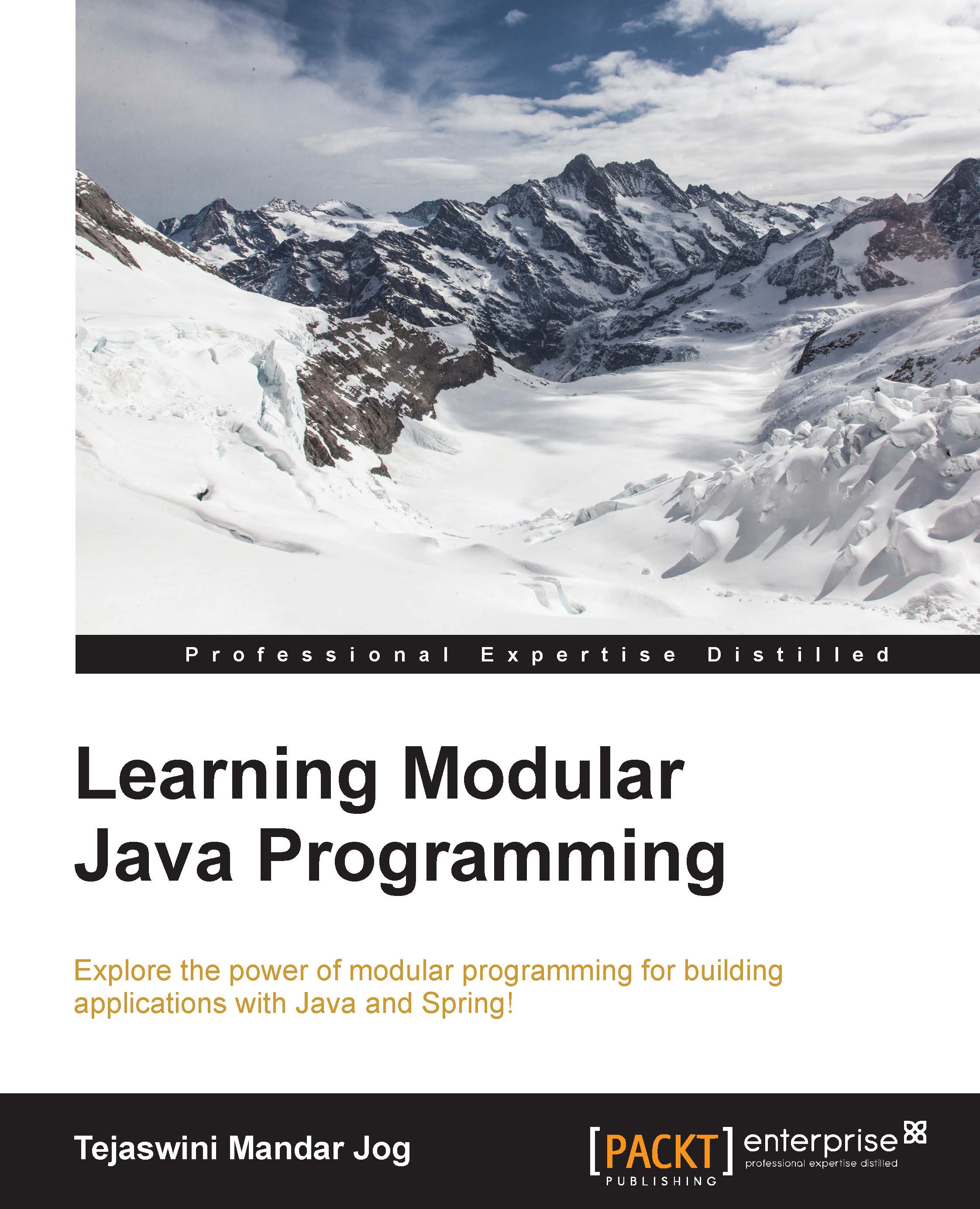
Learning Modular Java Programming

Learning Modular Java Programming: Explore the power of modular programming for building applications with Java and Spring!

eBook
$9.99 $29.99
Paperback
$38.99
Subscription
Free Trial
Renews at $19.99p/m

What do you get with Print?

Product feature icon Instant access to your digital copy whilst your Print order is Shipped
Product feature icon Paperback book shipped to your preferred address
Product feature icon Redeem a companion digital copy on all Print orders
Product feature icon Access this title in our online reader with advanced features
Product feature icon DRM FREE - Read whenever, wherever and however you want
Modal Close icon
Payment Processing...
tick Completed

Shipping Address

Billing Address

Shipping Methods
Table of content icon View table of contents Preview book icon Preview Book

Learning Modular Java Programming

Chapter 1. Introducing Modular Programming

Software development is a complex, time-consuming process, where success depends on teamwork. We keep on talking about software or software development. Sometimes we are part of the process as well. But we will be in one of the roles as architect, developer, tester, or deployer. Though we are always concentrating on a role, knowing the overall process always benefits us.

In this chapter, we will be going through the following topics:

  • What is software and software development?
  • What are enterprise applications?
  • The role of modular programming in enterprise applications
  • Introduction to and the importance of versioning

Software – the perspective

A software application is a program which enables end users to perform a specific task, for example, online money transfer, and withdrawal of money from an ATM or the use of an Eclipse to develop an application. This application is complex, scalable, and distributed, providing a complete solution to the end user. Applications known as enterprise applications are needs-based, providing solutions to business requirements rather than to an individual. The organization will use this application or integrate it within an existing application.

Enterprise applications may vary from business to business, for example, school or employee management systems, banking applications, online shopping applications, or e-commerce applications. All such enterprise applications provide displaying, processing, and storing data as their basic feature. Along with these features, the application can also provide transaction management and security services as advanced features. We access such applications typically through a network system rather than on an individual machine.

Let's briefly discuss the software development process before moving ahead:

  • The software is always a solution or part of the solution to an enterprise problem. A good start in the development process is knowing exactly what the expectations are from the software, what types of solutions need to be included, what the data input will be, and what the output from the application is. This phase will be called the requirement collection phase.
  • Once we get an idea about the requirements, now it's time to decide the hardware specification, the system requirements, the architecture to use, the design to follow, and so on. This phase is called designing.
  • Using the design document, now developers will come in action to start a very important phase called development, where the actual coding takes place.
  • Suppose we have developed a product; how do we prove that it is the right solution for the requirements which we got in the first phase? Yes, with the help of testing. We can carry out unit testing, integration testing, assembly testing, and acceptance testing to ensure that the requirement has been met.
  • After successful testing, now it's time for the user to use it. This is nothing but the deployment phase, after which it is ready for use.
  • Talking in terms of one phase after deployment, the work is over but what if any runtime issue emerges? What if the client recommends some minor or major changes? Or what if it has a bug? Because of this, post-deployment is also a very important step, which we call maintenance.

Although these phases theoretically come one after another, there can be different approaches called software development process models, such as the waterfall model, iterative model, spiral model, v model, agile model, and so on.

Modules

Application development is composed of many interconnected parts which interact with each other. To withstand high market demand and increasing competition, software should have a good look and feel, and ease of use. To develop a compatible solution, the developer has to think about compound structure as well as user perspective. It's quite difficult to develop such a product single-handed. It's teamwork, where the development is running alongside. The team members will build up separate small modules dedicated to part of the actual solution. These small modules will be clubbed together and interact with each other to form a complete solution.

What is behind and in a module?

Each module which has been developed will be performing a unique responsibility. When a module is responsible for a single task, it will be called cohesive. The cohesiveness will make the module more maintainable. Also, it will be less frequently changed. A good design perspective is to try writing a module which will be highly cohesive.

The two modules developed separately will now need to have interaction. To make them interactive, we have to introduce them. This will be done by making them dependent on each other. This dependency is termed coupling. When the code size and number of modules are small, coupling won't be a problem. But in an enterprise application, the code size is huge. Any little change makes a difference and then all of its dependencies should be changed accordingly at a number of places. This makes the code unmanageable. So it's always recommended to have loosely coupled modules.

The practical aspect

Let's take the example of a desktop, the one which we use in our routine. A desktop consists of a monitor, CPU, keyboard, and mouse. If a new monitor with some advanced features is introduced in the market, what we will do? Will we buy a new desktop or just replace the monitor?

As per the convenience and also the cost, it's feasible to just replace the monitor and not the whole desktop; how come this is possible? It's possible because the desktop is assembled with subunits, which are easily replaceable. Each subunit is cohesive for the work and they are not tightly coupled. This happens when we use modularization. When we write an application that uses similar concepts, it is called modular programming.

The gang – modular programming

Modular programming is the process of dividing a problem into smaller subunits and then making them interact with each other. Each subunit will revolve around a part of the problem. These subparts are quite easily reusable or replaceable. This designing technique gives a helping hand to the developers to develop their individual units and later combine them. Each subpart can be termed a module. The developers do not need to know what the other modules are or how they have been developed. Modularizing the problem will help the developers to achieve high cohesion.

The world of modules

The pluggable component which can be easily integrated into the application will provide the solution to a particular problem. For example, we want an Eclipse to support Subversion (SVN) (one of the versioning tools). Now, we have two choices. One, to start the development of Eclipse again from scratch or, two, to develop an SVN application. If we choose the first choice, it's very time-consuming and we already have Eclipse in a working condition. Then why start it from scratch? Yes, it's a very bad idea. But it would be great to have an SVN solution to be developed separately which is an SVN plugin; this plug-in can be easily integrated into eclipse. See how easily the two modules— eclipse, which was in working and the new SVN module—have been integrated. As SVN is a separate module, it can be integrated with NetBeans (one of the IDEs). If we had developed it in eclipse, then it would not be possible to integrate it in any other IDE. When we develop any application, from our point of view, it's always the best. But being a good developer, we need to be sure of it. How to check whether the application we have developed is working fine for the aspects or not? Yes, we need to test it, whether each part is working correctly or not. But is it really so simple? No, it's not. Not just because of complicated logic but due to its dependency. Dependency is a factor which is not under the control of the developer. For example, we need to check whether my credentials are correct or not when I am trying to login. We don't want to test the tables where the data is stored, but we want to check whether the logic of tracking the data is correct or not. As we have developed a separate data access module, the testing becomes easy. In Java, a single functionality can be tested with JUnit.

Testing helps the developer to test an application which processes the data and provides an output. If we are getting the correct result, we do not have a problem, but what if the output is wrong? The process of finding bugs in a module is called debugging. The debugging helps us to find defects in an application. That means we need to track the flow and then find out where the problem started. It's quite difficult to find the defect if the system is without modules or if the modules are tightly coupled. So it's good programming practice to write an application which consists of highly cohesive, loosely coupled modules.

There is one more fact which we need to discuss here. Sometimes, when the actual main development is progressing, we come across a point where we actually want to add a new feature. This new feature was not added while the basic discussion was going on; here, we want to do parallel development. In this case, we don't want to replace the previous development but we want to support or enhance it. As our application consists of modules, a developer can go ahead as most of these modules are independent and can be reused.

Tiers and layers in an enterprise application

An enterprise application is an application which has been developed to fulfill the requirements of a business. Being an enterprise application, it normally has huge code. Maintaining such huge code all together is a very complex task. Also, developing the code takes lots of time. So the code is been divided into small, maintainable modules which can be easily developed separately and later on combined to give a final product. All modules which provide similar kind of functionality will be grouped together to form a layer. These layers are the logical separation of modules. But sometimes, for better performance, one layer can be also spread over the network.

Layers are a logical separation of the code to increase maintainability. But when we physically move one typical layer and deploy it on another machine, then it will be called as a tier. At any one time, many users will be using the enterprise application simultaneously, so the use of a tiered application provides good performance.

Let's consider a web module for login. The user will open the browser and the login page will be rendered. The user will enter their credentials (username and password). After submitting the form, a request will be sent to the server to perform the authentication. Once the data is received on the server side, the business logic layer will process the data and put the result in the response. The result depends on whether the credentials are present in database or not.

Finally, the response will be generated and the result will be sent back to the browser. Here, the user interface, business logic, and database are the three distinct features involved. These are called as the presentation layer, business logic layer, and data storage layer, respectively.

Tiers and layers in an enterprise application

Layers in an enterprise application

Each of these layers will talk with the above layer and exchange data. The process broadly takes place as follows:

  • The user will open the browser and hit the URL.
  • A login page will be rendered on the browser. The user will fill in the form and submit it to be processed by the business logic layer.
  • To check the data, the business logic layer will communicate with the data storage layer.
  • According to the result returned from the data storage layer, the business logic layer will now send the result to the presentation layer and the client's browser will render the results page.

Now we understand the difference between a tier and a layer, let's discuss tiers in detail. Depending on how many physical separations one application is using, it will be called a one-tier, two-tier, or multi-tier application.

One-tier applications

An enterprise application where all the components reside on a single computer will be called as a one-tier application. These applications can also be called single-tier applications. So we can broadly say that these are the applications which get installed and run on a single computer.

For example, an Eclipse application as software. When we install eclipse and launch it, it will be running on our personal computer. It doesn't require any network. The presentation layer, that is, Swing GUI, business logic, and storing information in a filesystem will be done on the same computer.

One-tier applications

A one-tier application

Two-tier applications

When the enterprise application gets divided over two computers, it will be called a two-tier application. Generally the data storage, that is, the database, will be moved onto a separate, dedicated computer. This will work as a database host machine or database server. The presentation layer and business logic layer will be residing in one location and data layer will be residing in another.

An example of this is the Oracle database management system. When we want to use an Oracle database, we will install Oracle on a dedicated machine which can be called as the Oracle server. Now, on the user's machine, we can install the Oracle client. Whenever we want to fetch data from the table in Oracle, we will use the client application, which will connect to the server and give the required data.

Two-tier applications

A two-tier application

Three-tier applications

When in an application, the presentation layer, business layer, and data layer will be running on their dedicated servers and interact with each other through a network, it will be called a three-tier application. The web server is dedicated to the presentation layer, the middleware server is dedicated to the business layer, and the database server is dedicated to the database layer. The middleware server can also provide services such as transaction and connection polling.

For example, any online shopping application can be considered a three-tier application. Let's see how. In this application, the products will be displayed on a browser in presentation pages. The business logic part, such as the calculation of discounts, the total amount which the buyer has to pay, and so on, using transaction or messaging services, will be provided by the application server. The buyer's information, product information, bank details, delivery address, and so on, will be saved in the tables on the database server for further reference. That means the presentation tier, application tier and data tier are the three tiers which play roles in this application.

Three-tier applications

A three-tier application

N-tier applications

With the increase in the use of the Internet, it's very important for an application to be capable of serving many requests at the same time. This puts a burden on the server. In terms of performance, it's a better solution to take away the presentation layer from the business logic and deploy it separately. It can be deployed on one dedicated web server or may be on different servers. In the same way, the business logic and database layers can be separated on different servers partially or completely residing in one or more machines.

The client tier, presentation tier, business tier, and database tier are separated on separate machines. They interact with each other through a network and perform their services. This will be called an N-tier application.

N-tier applications

An N-tier application

Now, these tiers which consist of layers will be used to create an enterprise application. But just by making parts of application, we cannot be sure of having a complete solution. Each application has its own challenges, but if we keenly observe them we will find that numerous functionalities are common, irrespective of their problem statement. That means instead of a new team of architect designers fighting for the solution to their problem every time, it will be good to have an answer which is a generic solution for reference. These references will be used to build applications called design patterns.

Christopher Alexander says, Each pattern describes a problem which occurs over and over again in our environment, and then describes the core of the solutions to that problem, in such a way that you can use this solution a million times over without ever doing it the same way twice.

Each pattern provides a solution to a sort of problem and gives a result quickly. Let's have a quick overview of design patterns. The design patterns are normally classified as creational, structural, and behavioral patterns, which are subclassified as shown in the following table:

Creational design patterns

Structural design patterns

Behavioral design patterns

Singleton pattern

Adapter pattern

Observer pattern

Factory pattern

Composite pattern

Interpreter pattern

Builder pattern

Façade pattern

Chain of responsibility pattern

Prototype pattern

Decorator pattern

Visitor pattern


Mediator pattern

Frameworks such as Struts and Spring have been built upon these design patterns. Struts uses the front controller design pattern and Spring uses the MVC design pattern for ease of development. The use of frameworks has made the developer's life easy.

Java Enterprise architecture

High performance, faster processing, and good look and feel are the keys to success for enterprise applications. Due to dedicated servers, the tasks of designing, developing, and data storing will be leveraged to handle specialized tasks, as discussed above in the N-tier applications section. In spite of providing just basic things, the N-tier enterprise application needs a bit more. Let's have a look into what else an enterprise application may need.

It's a festive season. The bank has consecutive holidays. I need to withdraw some amount from the ATM, say, for example, x amount. I enter the password and all other required details. Now I am just waiting for the money. I get a message of withdrawal on my mobile as well but… as the ATM doesn't have any money, I haven't received it. The money has been deducted from the account but not received by me. Now what??? Am I going to be in loss? Is there any way to revert what went wrong? Yes, certainly!! Here, we need to take into consideration transaction management. A transaction is a bunch of consecutive operations which take place one after another; either all of these should be completed successfully or none of them. The transaction helps the developer to maintain data integrity. Using this transaction management, the logic has been developed to rollback all such unsuccessful operations. Using this concept, the debited amount can be reversed and credited to my account again. Thank God, I got my money back!!!!

There are many such ATM centers in the city. And the same banking application will be used by many users at the same time. So the application will have multiple requests. All these requests have to be handled in sync. This is possible only if the application supports multithreading, which technically we call concurrency.

The ATM is one of the ways to perform banking operations, but today we can even use the Web for these tasks. On the Internet, the request will be sent to the server and further processing happens. As this is a remote process, authentication and authorization is important for recognizing that the user is genuine. This is normally done by using a unique username/password pair which the user enters. The sensitive data will now be transferred through the network; this can be hacked. So such applications should provide secure service layers, which are the URLS with the prefix https. We are doing all this to achieve a very important service, that is, security. Security helps to minimize hazardous attacks on the web application.

Do all such services have to be developed by the development team? Well, not completely: in N tier applications, we do have a middleware server. This server can also be called a container. This container will provide services such as transaction management, security, connection pooling, caching, and concurrency.

Java Enterprise architecture

Enterprise architecture

Sharing the work

An enterprise application is always a team effort. It is an application where different teams of designers, developers, and testers work on their respective specialized areas. What is the guarantee that the teams are working from the same facility? No, it's not guaranteed. There is a possibility that they are working from different locations. Now, what is the chance of one team being spread over different locations and they are operating from their locations? This is also quite possible. No, we are not saying that different facilities are our problem. Not really. Our problem is different. Our problem is about the work they have completed. How will others get it? How will they pass on the files created by them or changed by them to other members of their team or to members of other teams? Right, we need to do this manually.

A share folder is a solution only in the case of a local network; for remote, it will not be feasible. If there are a couple of files, we will not face any difficulty but what if there are a number of files? One possible solution can be zipping all the files on which they have worked and mailing it to their teammates. OK, I sent five files. What will other team members do now? They will copy and paste these files in their source code and start using them. We got the solution of exchanging the files. Really??? Do you really think so? As we have seen the scenario only about one member who sent the file and others received, it's true about the reverse case. Others will also send us one or many file similarly. Does each one of us have to copy and paste these files? We are in trouble as we need to share a file to all the team members and we will be getting it from others. So our first problem is how to share files with team members.

Coordinate with the team

Let's discuss one more scenario. Suppose we developed code yesterday and have already shared it with the team. And now our teammates are using it. But now we want to change it because there is a possibility to have one more kind of solution or the client requirement has been changed, or some other reason. A change is never a problem; the problem is in keeping the old code as well as the new one; not only for the one who developed the code, but also the one who received it. Changing the code frequently and keeping it for use frequently is a big problem. It's not only a pain but also frustrating to know what changed, when, and why? We need an easy, practical solution.

The process which helps us to track a file for all of its changes and all of its revisions is called versioning. Using versioning, we can keep the original file and all of its step-by-step changes as well. Each changed file will be a new version of the old file. As all of the versions are available, any point when we feel like using a file from xxx version, we just have to get it. We not only store the file but versioning helps to distribute the files so that we will get relief from sharing them manually.

Versioning tools

As versioning has become a very important part of software development, there are many such tools available. These tools are basically divided in two categories:

  • Centralized versioning
  • Distributed versioning

Centralized versioning

In centralized versioning systems, a copy of the application will be kept on a centralized server from where the developers will take the file or commit their changes to the server. Examples include Concurrent Versioning System (CVS) and Subversion.

CVS

CVS is very old tool which was created in the Unix operating system in the 1980s. It was very famous among the developers of Linux and other Unix-based systems; cvslut was developed for Windows servers. CVS uses a central repository of files to record the changes done in any file by the developer in separator directory. If the developer wants his changes be made available to other developers, he will commit the code to the repository. Now, along with the previous version file, the new version also will be recorded.

Though maintaining the main flow of development has made things easy but the branching is not. Sometimes the developers can do parallel development of the products with unique features which they can combine later. This process is called branching.

When we rename a file due to some reason or even the location of the file changes, then it is supposed to be tracked by the SCM (supply chain management) but CVS cannot update the version in these cases, which is not good.

CVS supports a first come, first served basis, so it's quite possible that some changes will not be reflected or conflicted.

Apache Subversion

Apache Subversion was developed to provide an alternative to CVS. The aim was to fix up the bugs in CVS to maintain high compatibility. It's an open source, where either all the changes will be made or none of them. This feature helps the developers to get the correct, latest revision of the file from the repository. Branching is well supported in SVN.

The best thing about SVN is that a wide range of plugins has been developed, which can be integrated with numerous IDEs to support SVN. The problem of keeping a history of renamed or relocated files has been removed in SVN.

Along with these good things, there are some problems. The biggest problem is what if the SVN server is down? No one will have access and then versioning is not possible. One more issue is about the speed associated with SVN.

Let's now have a discussion in depth about SVN as we are going to use it throughout the book.

As we already know, SVN is an open source version control system which can operate across the network. Its development was started in early 2000 by Collabnet. In initial development, the base was CVS but without the bugs in CVS. This development was started by a team of Karl, Jim, Jason Robbins, and Greg Stein to name a few. This development finished in 2001, from when the developers started using it. Though in the beginning, developers started with CVS as a base, later they started from scratch and developed a fully-fledged new product. In 2009, Collabnet started working with developers to add it to the Apache Software Foundation. They succeeded in 2010.

The architecture of SVN

There are two consistent parts of Subversion: one is the repository which stores all of the versioned data and the other is the client program that manages the local reflections.

The architecture of SVN

The architecture of Subversion

The repository

The central store where all the versioned data is stored is called the repository. The repository normally stores the data in the form of a filesystem tree. A number of clients can get connected with this repository to pass the data in the repository so as to make it available for other teammates. If any teammates want to get the data, they just have to read the repository and the data will be available. The repository keeps a record of each and every version of a file. The repository doesn't only give the reflection of the changes but helps the developer to check what changes have been made, who made them and when. Also, if they are interested in any specific version, they can read it from the repository.

So a version is nothing but a new state of the file where the changes took place.

The repository

The repository and the sharing of files

Now, we need to understand here the stages of a file.

If any developer creates a new file in his local system, it's not yet known to SVN. So the first task of the developer is to copy this file in SVN, which is called as svn add. Whenever we write the file (new or modified) to SVN, the process is called as committing. Once the file is committed, it's under SVN and now can be available to other team members. But to use this file, other team members have to take this file into their local system; this will be called as checkout. Once any developer gets their file, they are free to use it the way they want. Now, this local copy file will be known as a working copy.

The client program

We can use SVN through the command line. But then we need to remember all the commands for different operations. So instead of using the command line, a UI application can be used. This can be used to commit, checkout, and update the working copy. One such free application with an easy UI is Tortoise SVN, which has been implemented as a Windows shell extension. Using Tortoise SVN, developers can get rid of the command line. Tortoise SVN can easily be integrated in IDEs such as eclipse and Visual Studio.

Distributed versioning

Opposite to centralized versioning, in distributed versioning all the copies of an application will be kept on the developer's machine, for example, GitHub.

GitHub

In opposition with CVS and subversion, GitHub uses a radial approach. The basic idea behind GitHub is to speed up versioning. GitHub is also developed on Linux. But it is also available on Unix native ports of GitHub and Windows operating systems. This being a non-central server, it doesn't lend itself to single developer projects or small projects.

A good thing about GitHub is that it helps the user to navigate through the history of the file. Each instance of the source contains the entire history tree so as to track the changes even when they are not connected to the Internet.

Due to the availability of the tracking of files, branching is well supported by GitHub, but it has limited support for Windows.

Summary

In this chapter, we covered that enterprise applications are the applications which provide solutions to enterprises. These applications consist of huge code. To increase maintainability, performance, and testability, such applications will be developed in tiers. These tiers consist of logical separation of code using layers. Though each layer provides specific functionalities, they have been divided into separate modules. These modules will be developed by a team of developers. To establish coordination, easy sharing and maintaining the history of the files will be done using a versioning tool.

In the next chapter, we will be covering the basics of web applications and developing a sample application using JSP and Servlet. Also, we will be covering the basics of developing a Spring MVC application.

Left arrow icon Right arrow icon
Download code icon Download Code

Key benefits

  • Understand the basic concepts of Modular Programming to build enterprise applications with Java
  • Create short and precise code and eliminate recursion
  • The book follows a step-by-step approach that makes implementing Modular Programming easy

Description

Modular programming means dividing an application into small parts and then developing it. It is an approach taken by developers to build applications and helps them add efficiency in their development process, thus making it more effective. The book starts with the fundamentals of Modular Programming. Then we move on to the actual implementation, where we teach developers how to divide an application into different modules or layers (such as presentation, execution, security, lifecycle, services, and so on) for better management. Once readers are well-versed in these modules and their development, the book shows how to create bindings in order to join these different modules and form a complete application. Next, the readers will learn how to manage these modules through dependency injection. Later, we move on to testing; readers will learn how to test the different modules of an application. The book ends by teaching readers how to maintain different versions of their application and how to modify it. By the end of the book, readers will have a good understanding of modular programming and will be able to use it to build applications with Java.

Who is this book for?

This book targets Java developers who have a basic knowledge of application development with Java and are interested in learning the Modular Programming approach for building reusable applications that are easy to test, and thus improve overall project management.

What you will learn

  • * Learn about Modular Programming and what modules an enterprise application can be divided into.
  • * Set up a development environment and create a "Hello World" application.
  • * Start implementing a sample application from the presentation layer.
  • * Implement the persistence layer.
  • * Implement the business layer, wrapping up all of the modules with Contexts and Dependency Injection (CDI).
  • * Manage an application s life cycle.
  • * Learn how to secure Web applications.
  • * Test enterprise applications and their automation.
  • * Understand how to version source code using Source Code Management (SCM) systems such as GIT and SVN.
Estimated delivery fee Deliver to Ecuador

Standard delivery 10 - 13 business days

$19.95

Premium delivery 3 - 6 business days

$40.95
(Includes tracking information)

Product Details

Country selected
Publication date, Length, Edition, Language, ISBN-13
Publication date : Jun 30, 2016
Length: 226 pages
Edition : 1st
Language : English
ISBN-13 : 9781785888823
Vendor :
Pivotal
Category :
Languages :
Tools :

What do you get with Print?

Product feature icon Instant access to your digital copy whilst your Print order is Shipped
Product feature icon Paperback book shipped to your preferred address
Product feature icon Redeem a companion digital copy on all Print orders
Product feature icon Access this title in our online reader with advanced features
Product feature icon DRM FREE - Read whenever, wherever and however you want
Modal Close icon
Payment Processing...
tick Completed

Shipping Address

Billing Address

Shipping Methods
Estimated delivery fee Deliver to Ecuador

Standard delivery 10 - 13 business days

$19.95

Premium delivery 3 - 6 business days

$40.95
(Includes tracking information)

Product Details

Publication date : Jun 30, 2016
Length: 226 pages
Edition : 1st
Language : English
ISBN-13 : 9781785888823
Vendor :
Pivotal
Category :
Languages :
Tools :

Packt Subscriptions

See our plans and pricing
Modal Close icon
$19.99 billed monthly
Feature tick icon Unlimited access to Packt's library of 7,000+ practical books and videos
Feature tick icon Constantly refreshed with 50+ new titles a month
Feature tick icon Exclusive Early access to books as they're written
Feature tick icon Solve problems while you work with advanced search and reference features
Feature tick icon Offline reading on the mobile app
Feature tick icon Simple pricing, no contract
$199.99 billed annually
Feature tick icon Unlimited access to Packt's library of 7,000+ practical books and videos
Feature tick icon Constantly refreshed with 50+ new titles a month
Feature tick icon Exclusive Early access to books as they're written
Feature tick icon Solve problems while you work with advanced search and reference features
Feature tick icon Offline reading on the mobile app
Feature tick icon Choose a DRM-free eBook or Video every month to keep
Feature tick icon PLUS own as many other DRM-free eBooks or Videos as you like for just $5 each
Feature tick icon Exclusive print discounts
$279.99 billed in 18 months
Feature tick icon Unlimited access to Packt's library of 7,000+ practical books and videos
Feature tick icon Constantly refreshed with 50+ new titles a month
Feature tick icon Exclusive Early access to books as they're written
Feature tick icon Solve problems while you work with advanced search and reference features
Feature tick icon Offline reading on the mobile app
Feature tick icon Choose a DRM-free eBook or Video every month to keep
Feature tick icon PLUS own as many other DRM-free eBooks or Videos as you like for just $5 each
Feature tick icon Exclusive print discounts

Frequently bought together


Stars icon
Total $ 160.97
Mastering Concurrency Programming with Java 8
$60.99
Learning Modular Java Programming
$38.99
Learning Java Functional Programming
$60.99
Total $ 160.97 Stars icon

Table of Contents

9 Chapters
1. Introducing Modular Programming Chevron down icon Chevron up icon
2. Saying Hello to Java EE Chevron down icon Chevron up icon
3. Implementing the Presentation Layer Chevron down icon Chevron up icon
4. Talking to the Database Chevron down icon Chevron up icon
5. Developing the Business Layer Chevron down icon Chevron up icon
6. Testing Your Application Chevron down icon Chevron up icon
7. Securing the Application Chevron down icon Chevron up icon
8. Versioning and Deploying Chevron down icon Chevron up icon
Index Chevron down icon Chevron up icon

Customer reviews

Rating distribution
Full star icon Full star icon Full star icon Empty star icon Empty star icon 3
(4 Ratings)
5 star 25%
4 star 25%
3 star 0%
2 star 25%
1 star 25%
Java_Guy Jan 28, 2017
Full star icon Full star icon Full star icon Full star icon Full star icon 5
Excelling book for beginners in Java Modular programming with Spring Framework. Would recommend this for newbies who wish to learn Spring Framework from scratch.
Amazon Verified review Amazon
Dionisios Petrakopoulos Jul 31, 2016
Full star icon Full star icon Full star icon Full star icon Empty star icon 4
A good introductory book on modular Java programming with emphasis on the Spring framework. It explains how an application is divided into modules and how these modules interact with each other. The various layers of an application (presentation, persistence, business) are presented in different chapters with source code examples. There are also separate chapters on testing the application, securing it with Spring security and source code management with SVN.
Amazon Verified review Amazon
Brad Parker Sep 17, 2016
Full star icon Full star icon Empty star icon Empty star icon Empty star icon 2
Not enough detail. Returning book.
Amazon Verified review Amazon
Jayakumar Jan 12, 2017
Full star icon Empty star icon Empty star icon Empty star icon Empty star icon 1
Doesn't worth the money
Amazon Verified review Amazon
Get free access to Packt library with over 7500+ books and video courses for 7 days!
Start Free Trial

FAQs

What is the digital copy I get with my Print order? Chevron down icon Chevron up icon

When you buy any Print edition of our Books, you can redeem (for free) the eBook edition of the Print Book you’ve purchased. This gives you instant access to your book when you make an order via PDF, EPUB or our online Reader experience.

What is the delivery time and cost of print book? Chevron down icon Chevron up icon

Shipping Details

USA:

'

Economy: Delivery to most addresses in the US within 10-15 business days

Premium: Trackable Delivery to most addresses in the US within 3-8 business days

UK:

Economy: Delivery to most addresses in the U.K. within 7-9 business days.
Shipments are not trackable

Premium: Trackable delivery to most addresses in the U.K. within 3-4 business days!
Add one extra business day for deliveries to Northern Ireland and Scottish Highlands and islands


EU:

Premium: Trackable delivery to most EU destinations within 4-9 business days.

Australia:

Economy: Can deliver to P. O. Boxes and private residences.

Trackable service with delivery to addresses in Australia only.
Delivery time ranges from 7-9 business days for VIC and 8-10 business days for Interstate metro
Delivery time is up to 15 business days for remote areas of WA, NT & QLD.

Premium: Delivery to addresses in Australia only
Trackable delivery to most P. O. Boxes and private residences in Australia within 4-5 days based on the distance to a destination following dispatch.

India:

Premium: Delivery to most Indian addresses within 5-6 business days

Rest of the World:

Premium: Countries in the American continent: Trackable delivery to most countries within 4-7 business days

Asia:

Premium: Delivery to most Asian addresses within 5-9 business days

Disclaimer:
All orders received before 5 PM U.K time would start printing from the next business day. So the estimated delivery times start from the next day as well. Orders received after 5 PM U.K time (in our internal systems) on a business day or anytime on the weekend will begin printing the second to next business day. For example, an order placed at 11 AM today will begin printing tomorrow, whereas an order placed at 9 PM tonight will begin printing the day after tomorrow.


Unfortunately, due to several restrictions, we are unable to ship to the following countries:

  1. Afghanistan
  2. American Samoa
  3. Belarus
  4. Brunei Darussalam
  5. Central African Republic
  6. The Democratic Republic of Congo
  7. Eritrea
  8. Guinea-bissau
  9. Iran
  10. Lebanon
  11. Libiya Arab Jamahriya
  12. Somalia
  13. Sudan
  14. Russian Federation
  15. Syrian Arab Republic
  16. Ukraine
  17. Venezuela
What is custom duty/charge? Chevron down icon Chevron up icon

Customs duty are charges levied on goods when they cross international borders. It is a tax that is imposed on imported goods. These duties are charged by special authorities and bodies created by local governments and are meant to protect local industries, economies, and businesses.

Do I have to pay customs charges for the print book order? Chevron down icon Chevron up icon

The orders shipped to the countries that are listed under EU27 will not bear custom charges. They are paid by Packt as part of the order.

List of EU27 countries: www.gov.uk/eu-eea:

A custom duty or localized taxes may be applicable on the shipment and would be charged by the recipient country outside of the EU27 which should be paid by the customer and these duties are not included in the shipping charges been charged on the order.

How do I know my custom duty charges? Chevron down icon Chevron up icon

The amount of duty payable varies greatly depending on the imported goods, the country of origin and several other factors like the total invoice amount or dimensions like weight, and other such criteria applicable in your country.

For example:

  • If you live in Mexico, and the declared value of your ordered items is over $ 50, for you to receive a package, you will have to pay additional import tax of 19% which will be $ 9.50 to the courier service.
  • Whereas if you live in Turkey, and the declared value of your ordered items is over € 22, for you to receive a package, you will have to pay additional import tax of 18% which will be € 3.96 to the courier service.
How can I cancel my order? Chevron down icon Chevron up icon

Cancellation Policy for Published Printed Books:

You can cancel any order within 1 hour of placing the order. Simply contact customercare@packt.com with your order details or payment transaction id. If your order has already started the shipment process, we will do our best to stop it. However, if it is already on the way to you then when you receive it, you can contact us at customercare@packt.com using the returns and refund process.

Please understand that Packt Publishing cannot provide refunds or cancel any order except for the cases described in our Return Policy (i.e. Packt Publishing agrees to replace your printed book because it arrives damaged or material defect in book), Packt Publishing will not accept returns.

What is your returns and refunds policy? Chevron down icon Chevron up icon

Return Policy:

We want you to be happy with your purchase from Packtpub.com. We will not hassle you with returning print books to us. If the print book you receive from us is incorrect, damaged, doesn't work or is unacceptably late, please contact Customer Relations Team on customercare@packt.com with the order number and issue details as explained below:

  1. If you ordered (eBook, Video or Print Book) incorrectly or accidentally, please contact Customer Relations Team on customercare@packt.com within one hour of placing the order and we will replace/refund you the item cost.
  2. Sadly, if your eBook or Video file is faulty or a fault occurs during the eBook or Video being made available to you, i.e. during download then you should contact Customer Relations Team within 14 days of purchase on customercare@packt.com who will be able to resolve this issue for you.
  3. You will have a choice of replacement or refund of the problem items.(damaged, defective or incorrect)
  4. Once Customer Care Team confirms that you will be refunded, you should receive the refund within 10 to 12 working days.
  5. If you are only requesting a refund of one book from a multiple order, then we will refund you the appropriate single item.
  6. Where the items were shipped under a free shipping offer, there will be no shipping costs to refund.

On the off chance your printed book arrives damaged, with book material defect, contact our Customer Relation Team on customercare@packt.com within 14 days of receipt of the book with appropriate evidence of damage and we will work with you to secure a replacement copy, if necessary. Please note that each printed book you order from us is individually made by Packt's professional book-printing partner which is on a print-on-demand basis.

What tax is charged? Chevron down icon Chevron up icon

Currently, no tax is charged on the purchase of any print book (subject to change based on the laws and regulations). A localized VAT fee is charged only to our European and UK customers on eBooks, Video and subscriptions that they buy. GST is charged to Indian customers for eBooks and video purchases.

What payment methods can I use? Chevron down icon Chevron up icon

You can pay with the following card types:

  1. Visa Debit
  2. Visa Credit
  3. MasterCard
  4. PayPal
What is the delivery time and cost of print books? Chevron down icon Chevron up icon

Shipping Details

USA:

'

Economy: Delivery to most addresses in the US within 10-15 business days

Premium: Trackable Delivery to most addresses in the US within 3-8 business days

UK:

Economy: Delivery to most addresses in the U.K. within 7-9 business days.
Shipments are not trackable

Premium: Trackable delivery to most addresses in the U.K. within 3-4 business days!
Add one extra business day for deliveries to Northern Ireland and Scottish Highlands and islands

EU:

Premium: Trackable delivery to most EU destinations within 4-9 business days.

Australia:

Economy: Can deliver to P. O. Boxes and private residences.
Trackable service with delivery to addresses in Australia only.
Delivery time ranges from 7-9 business days for VIC and 8-10 business days for Interstate metro
Delivery time is up to 15 business days for remote areas of WA, NT & QLD.

Premium: Delivery to addresses in Australia only
Trackable delivery to most P. O. Boxes and private residences in Australia within 4-5 days based on the distance to a destination following dispatch.

India:

Premium: Delivery to most Indian addresses within 5-6 business days

Rest of the World:

Premium: Countries in the American continent: Trackable delivery to most countries within 4-7 business days

Asia:

Premium: Delivery to most Asian addresses within 5-9 business days

Disclaimer:
All orders received before 5 PM U.K time would start printing from the next business day. So the estimated delivery times start from the next day as well. Orders received after 5 PM U.K time (in our internal systems) on a business day or anytime on the weekend will begin printing the second to next business day. For example, an order placed at 11 AM today will begin printing tomorrow, whereas an order placed at 9 PM tonight will begin printing the day after tomorrow.


Unfortunately, due to several restrictions, we are unable to ship to the following countries:

  1. Afghanistan
  2. American Samoa
  3. Belarus
  4. Brunei Darussalam
  5. Central African Republic
  6. The Democratic Republic of Congo
  7. Eritrea
  8. Guinea-bissau
  9. Iran
  10. Lebanon
  11. Libiya Arab Jamahriya
  12. Somalia
  13. Sudan
  14. Russian Federation
  15. Syrian Arab Republic
  16. Ukraine
  17. Venezuela
Modal Close icon
Modal Close icon