Search icon CANCEL
Subscription
0
Cart icon
Your Cart (0 item)
Close icon
You have no products in your basket yet
Save more on your purchases! discount-offer-chevron-icon
Savings automatically calculated. No voucher code required.
Arrow left icon
Explore Products
Best Sellers
New Releases
Books
Videos
Audiobooks
Learning Hub
Newsletter Hub
Free Learning
Arrow right icon
timer SALE ENDS IN
0 Days
:
00 Hours
:
00 Minutes
:
00 Seconds
Getting Started with React

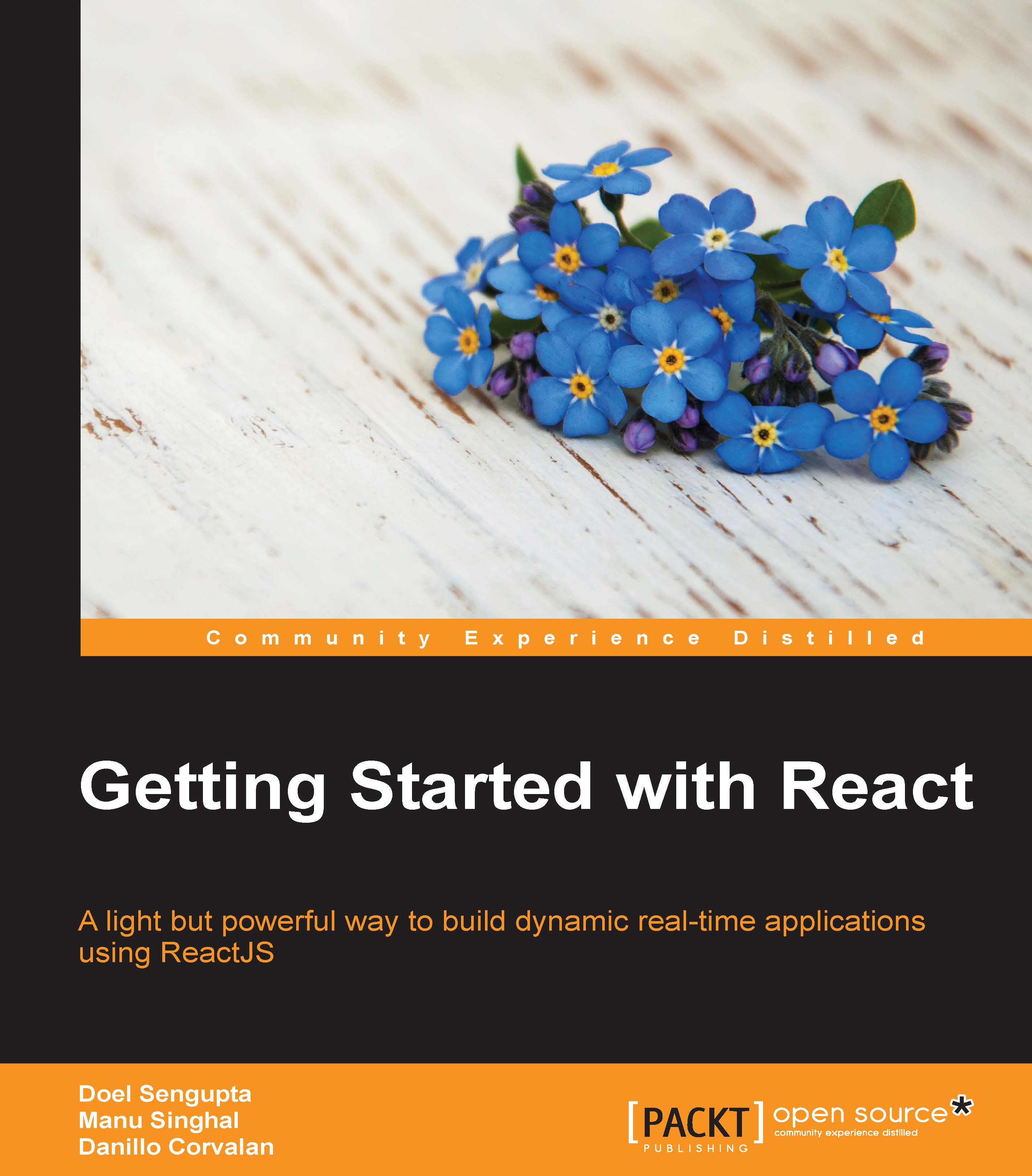
Getting Started with React: A light but powerful way to build dynamic real-time applications using ReactJS

Arrow left icon
Profile Icon Danillo Corvalan Profile Icon Sengupta Profile Icon Singhal
Arrow right icon
$26.99 $29.99
Full star icon Full star icon Full star icon Full star icon Empty star icon 4 (9 Ratings)
eBook Apr 2016 212 pages 1st Edition
eBook
$26.99 $29.99
Paperback
$38.99
Subscription
Free Trial
Renews at $19.99p/m
Arrow left icon
Profile Icon Danillo Corvalan Profile Icon Sengupta Profile Icon Singhal
Arrow right icon
$26.99 $29.99
Full star icon Full star icon Full star icon Full star icon Empty star icon 4 (9 Ratings)
eBook Apr 2016 212 pages 1st Edition
eBook
$26.99 $29.99
Paperback
$38.99
Subscription
Free Trial
Renews at $19.99p/m
eBook
$26.99 $29.99
Paperback
$38.99
Subscription
Free Trial
Renews at $19.99p/m

What do you get with eBook?

Product feature icon Instant access to your Digital eBook purchase
Product feature icon Download this book in EPUB and PDF formats
Product feature icon Access this title in our online reader with advanced features
Product feature icon DRM FREE - Read whenever, wherever and however you want
Modal Close icon
Payment Processing...
tick Completed

Billing Address

Table of content icon View table of contents Preview book icon Preview Book

Getting Started with React

Chapter 2. Exploring JSX and the ReactJS Anatomy

In this chapter, you are going to explore the JSX syntax and learn what it is and why it makes it easier for us to understand UI components. You will learn about the ReactJS anatomy and code some common scenarios in order to demonstrate this efficient syntax so that we can step forward in next chapters and build a full application. This chapter will walk you through the following topics:

  • What is JSX?
  • The ReactJS anatomy
  • JSX Gotchas

What is JSX?

JSX is a JavaScript syntax extension that looks similar to XML. It is used to build UI components in ReactJS. It's very similar to HTML with some subtle differences. JSX extends JavaScript in such a way that you can easily build ReactJS components with the same understanding as building HTML pages. It's commonly mixed with your JavaScript code because ReactJS thinks about UI in a different way. This paradigm will be explained later in the chapter.

It's wrong to say that you are mixing up your HTML with JavaScript. As already said, JSX extends JavaScript. Actually, you're not writing HTML tags, but you're writing JavaScript objects in the JSX syntax. Of course, it has to be transformed into plain JavaScript first.

When you write this example:

var HelloWorld = React.createClass({
  render: function () {
    return <h1>Hello World from Learning ReactJS</h1>;
  }
});

It's transformed into this:

var HelloWorld = React.createClass({
  render...

Why JSX?

In general, HTML and JavaScript are segregated in frameworks by defining UI or a view to represent their mutable data, which normally is a template language and/or a display logic interpreter. The following is some jQuery code:

<html>
  <head>
    <title>Just an example</title>
  </head>
  <body>
    <div id="my-awesome-app">
      <!-- Here go my rendered template -->
    </div>
    
    <script id="my-list" type="text/html">
      <ul>
        {{each items}}
          <li>
            ${name}
          </li>
        {{/each}}
      </ul>
    </script>
  </body>
</html>

The script element represents a template component that will be rendered in the my-awesome-app div element. The code here is a JavaScript file that pushes data to that template and asks jQuery to do the job and render the UI:

$("#my-list").tmpl(serverData).appendTo("#my...

The ReactJS anatomy

Before going any further into JSX, we need to understand some basic rules to build ReactJS components. First, we're going to detail the basic methods that you've already used to create and render components. Then, we'll move to some rules to create them, and finally, we'll talk about children components.

Creating a component

In order to create a component, we need to use the React.createClass function. ReactJS components are basically classes. This method returns a ReactJS component definition that has a method named render, which is mandatory to implement. There are many other methods to configure your component and change its behavior that we are going to cover throughout the book.

This is an example of how to use the createClass and render method:

var HelloMessage = React.createClass({
  render: function() {
    return (
      <h1>Have a good day!</h1>
    );
  }
});

Note

It's a good practice to name all the classes and components in...

Learning JSX and Gotchas

Now it's time to master JSX and learn some Gotchas. You're going to learn some basic concepts to build ReactJS UI components using JSX. It includes practices when writing expressions, conditions, and creating lists of components. It will also walk you through how JSX differs from HTML (because it's not HTML) in some aspects.

Expressions

Consider the following code:

var Clock = React.createClass({
  render: function () {
    var today = new Date();
    return <h1>The time is { today.toLocaleTimeString() }</h1>;
  }
});

React.render(<Clock />, document.body);

JSX understands the curly braces {} whenever you want to put JavaScript code within your presentation code.

In the next example, let's improve our Clock component by supporting greetings depending on what the time is.

In the highlighted code mentioned later, if the current hour is lesser than 4, it should return day, and if the hour is greater than 4 but less than 18, it should...

Summary

In this chapter, you learned what JSX is, its syntax, and why it is necessary. We looked into some examples and how to build them using JSX. We covered very basic principles of ReactJS and how JSX helps you build components faster, easy to read, and reasonable.

In the next chapter, we are going to dive into ReactJS properties and how to break the UI into smaller components. You are going to learn it by creating a small application that will consume the Facebook Open Graph API and list your liked pages.

Left arrow icon Right arrow icon

Key benefits

  • Learn how to develop powerful JavaScript applications using ReactJS
  • Integrate a React-based app with an external API (Facebook login) while using React components, with the Facebook developer app
  • Implement the Reactive paradigm to build stateless and asynchronous apps with React

Description

ReactJS, popularly known as the V (view) of the MVC architecture, was developed by the Facebook and Instagram developers. It follows a unidirectional data flow, virtual DOM, and DOM difference that are generously leveraged in order to increase the performance of the UI. Getting Started with React will help you implement the Reactive paradigm to build stateless and asynchronous apps with React. We will begin with an overview of ReactJS and its evolution over the years, followed by building a simple React component. We will then build the same react component with JSX syntax to demystify its usage. You will see how to configure the Facebook Graph API, get your likes list, and render it using React. Following this, we will break the UI into components and you’ll learn how to establish communication between them and respond to users input/events in order to have the UI reflect their state. You’ll also get to grips with the ES6 syntaxes. Moving ahead, we will delve into the FLUX and its architecture, which is used to build client-side web applications and complements React’s composable view components by utilizing a unidirectional data flow. Towards the end, you’ll find out how to make your components reusable, and test and deploy them into a production environment. Finally, we’ll briefly touch on other topics such as React on the server side, Redux and some advanced concepts.

Who is this book for?

This book is for any front-end web or mobile-app developer who wants to learn ReactJS. Knowledge of basic JavaScript will give you a good head start with the book.

What you will learn

  • * Understand the ReactJS basics through an overview
  • * Install and create your first React component
  • * Refactor the ReactJS component using JSX
  • * Integrate your React application with the Facebook login and Graph API, then fetch data from your liked pages in Facebook and display them in a browser
  • * Handle UI elements events with React, respond to users input, and create stateful components
  • * Use some core lifecycle events for integration and find out about ES6 syntaxes in the React world
  • * Understand the FLUX architecture and create an application using FLUX with React
  • * Make a component more reusable with mixins and validation helpers and structure your components properly
  • * Explore techniques to test your ReactJS code
  • * Deploy your code using webpack and Gulp

Product Details

Country selected
Publication date, Length, Edition, Language, ISBN-13
Publication date : Apr 29, 2016
Length: 212 pages
Edition : 1st
Language : English
ISBN-13 : 9781785284106
Vendor :
Facebook
Languages :
Tools :

What do you get with eBook?

Product feature icon Instant access to your Digital eBook purchase
Product feature icon Download this book in EPUB and PDF formats
Product feature icon Access this title in our online reader with advanced features
Product feature icon DRM FREE - Read whenever, wherever and however you want
Modal Close icon
Payment Processing...
tick Completed

Billing Address

Product Details

Publication date : Apr 29, 2016
Length: 212 pages
Edition : 1st
Language : English
ISBN-13 : 9781785284106
Vendor :
Facebook
Languages :
Tools :

Packt Subscriptions

See our plans and pricing
Modal Close icon
$19.99 billed monthly
Feature tick icon Unlimited access to Packt's library of 7,000+ practical books and videos
Feature tick icon Constantly refreshed with 50+ new titles a month
Feature tick icon Exclusive Early access to books as they're written
Feature tick icon Solve problems while you work with advanced search and reference features
Feature tick icon Offline reading on the mobile app
Feature tick icon Simple pricing, no contract
$199.99 billed annually
Feature tick icon Unlimited access to Packt's library of 7,000+ practical books and videos
Feature tick icon Constantly refreshed with 50+ new titles a month
Feature tick icon Exclusive Early access to books as they're written
Feature tick icon Solve problems while you work with advanced search and reference features
Feature tick icon Offline reading on the mobile app
Feature tick icon Choose a DRM-free eBook or Video every month to keep
Feature tick icon PLUS own as many other DRM-free eBooks or Videos as you like for just $5 each
Feature tick icon Exclusive print discounts
$279.99 billed in 18 months
Feature tick icon Unlimited access to Packt's library of 7,000+ practical books and videos
Feature tick icon Constantly refreshed with 50+ new titles a month
Feature tick icon Exclusive Early access to books as they're written
Feature tick icon Solve problems while you work with advanced search and reference features
Feature tick icon Offline reading on the mobile app
Feature tick icon Choose a DRM-free eBook or Video every month to keep
Feature tick icon PLUS own as many other DRM-free eBooks or Videos as you like for just $5 each
Feature tick icon Exclusive print discounts

Frequently bought together


Stars icon
Total $ 110.97
Getting Started with React
$38.99
React Components
$38.99
Getting Started with React Native
$32.99
Total $ 110.97 Stars icon

Table of Contents

11 Chapters
1. Getting Started with ReactJS Chevron down icon Chevron up icon
2. Exploring JSX and the ReactJS Anatomy Chevron down icon Chevron up icon
3. Working with Properties Chevron down icon Chevron up icon
4. Stateful Components and Events Chevron down icon Chevron up icon
5. Component Life cycle and Newer ECMAScript in React Chevron down icon Chevron up icon
6. Reacting with Flux Chevron down icon Chevron up icon
7. Making Your Component Reusable Chevron down icon Chevron up icon
8. Testing React Components Chevron down icon Chevron up icon
9. Preparing Your Code for Deployment Chevron down icon Chevron up icon
10. What's Next Chevron down icon Chevron up icon
Index Chevron down icon Chevron up icon

Customer reviews

Top Reviews
Rating distribution
Full star icon Full star icon Full star icon Full star icon Empty star icon 4
(9 Ratings)
5 star 55.6%
4 star 11.1%
3 star 11.1%
2 star 22.2%
1 star 0%
Filter icon Filter
Top Reviews

Filter reviews by


Amazon Customer Aug 27, 2016
Full star icon Full star icon Full star icon Full star icon Full star icon 5
This book covers all the basic concepts in React.js and is very good for beginners.I would recommend this for any one who wants to start by learning the concepts andthen build the applications.
Amazon Verified review Amazon
Amazon Customer May 15, 2016
Full star icon Full star icon Full star icon Full star icon Full star icon 5
This book allows the reader to fully immerse themselves into the world of ReactJS and grasp a solid foundation on how to build responsive applications with the newest release of React! I would definitely recommend as a technical read!
Amazon Verified review Amazon
simantini Jul 11, 2016
Full star icon Full star icon Full star icon Full star icon Full star icon 5
This book explains the basics of ReactJs in a simple and articulate manner. This is a great book for beginners who are looking to learn and experiment with the different properties of ReactJS. The best part of this book is that it doesn’t bog you down with unnecessary terms and it’s precise and to the point. Would definitely recommend this to anyone who is looking to learn ReactJs.
Amazon Verified review Amazon
Didier Kebreau Sep 13, 2016
Full star icon Full star icon Full star icon Full star icon Full star icon 5
Just fine
Amazon Verified review Amazon
Amazon Customer Jul 07, 2016
Full star icon Full star icon Full star icon Full star icon Full star icon 5
The book has touched the fundamentals of ReactJs in the most simple way.It is easy to understand even to the person who is new to ReactJs.This is a great way to start experimenting with Interactive UI.I would definitely recommend this book .
Amazon Verified review Amazon
Get free access to Packt library with over 7500+ books and video courses for 7 days!
Start Free Trial

FAQs

How do I buy and download an eBook? Chevron down icon Chevron up icon

Where there is an eBook version of a title available, you can buy it from the book details for that title. Add either the standalone eBook or the eBook and print book bundle to your shopping cart. Your eBook will show in your cart as a product on its own. After completing checkout and payment in the normal way, you will receive your receipt on the screen containing a link to a personalised PDF download file. This link will remain active for 30 days. You can download backup copies of the file by logging in to your account at any time.

If you already have Adobe reader installed, then clicking on the link will download and open the PDF file directly. If you don't, then save the PDF file on your machine and download the Reader to view it.

Please Note: Packt eBooks are non-returnable and non-refundable.

Packt eBook and Licensing When you buy an eBook from Packt Publishing, completing your purchase means you accept the terms of our licence agreement. Please read the full text of the agreement. In it we have tried to balance the need for the ebook to be usable for you the reader with our needs to protect the rights of us as Publishers and of our authors. In summary, the agreement says:

  • You may make copies of your eBook for your own use onto any machine
  • You may not pass copies of the eBook on to anyone else
How can I make a purchase on your website? Chevron down icon Chevron up icon

If you want to purchase a video course, eBook or Bundle (Print+eBook) please follow below steps:

  1. Register on our website using your email address and the password.
  2. Search for the title by name or ISBN using the search option.
  3. Select the title you want to purchase.
  4. Choose the format you wish to purchase the title in; if you order the Print Book, you get a free eBook copy of the same title. 
  5. Proceed with the checkout process (payment to be made using Credit Card, Debit Cart, or PayPal)
Where can I access support around an eBook? Chevron down icon Chevron up icon
  • If you experience a problem with using or installing Adobe Reader, the contact Adobe directly.
  • To view the errata for the book, see www.packtpub.com/support and view the pages for the title you have.
  • To view your account details or to download a new copy of the book go to www.packtpub.com/account
  • To contact us directly if a problem is not resolved, use www.packtpub.com/contact-us
What eBook formats do Packt support? Chevron down icon Chevron up icon

Our eBooks are currently available in a variety of formats such as PDF and ePubs. In the future, this may well change with trends and development in technology, but please note that our PDFs are not Adobe eBook Reader format, which has greater restrictions on security.

You will need to use Adobe Reader v9 or later in order to read Packt's PDF eBooks.

What are the benefits of eBooks? Chevron down icon Chevron up icon
  • You can get the information you need immediately
  • You can easily take them with you on a laptop
  • You can download them an unlimited number of times
  • You can print them out
  • They are copy-paste enabled
  • They are searchable
  • There is no password protection
  • They are lower price than print
  • They save resources and space
What is an eBook? Chevron down icon Chevron up icon

Packt eBooks are a complete electronic version of the print edition, available in PDF and ePub formats. Every piece of content down to the page numbering is the same. Because we save the costs of printing and shipping the book to you, we are able to offer eBooks at a lower cost than print editions.

When you have purchased an eBook, simply login to your account and click on the link in Your Download Area. We recommend you saving the file to your hard drive before opening it.

For optimal viewing of our eBooks, we recommend you download and install the free Adobe Reader version 9.

Modal Close icon
Modal Close icon