Search icon CANCEL
Subscription
0
Cart icon
Your Cart (0 item)
Close icon
You have no products in your basket yet
Arrow left icon
Explore Products
Best Sellers
New Releases
Books
Events
Videos
Audiobooks
Packt Hub
Free Learning
Arrow right icon
timer SALE ENDS IN
0 Days
:
00 Hours
:
00 Minutes
:
00 Seconds
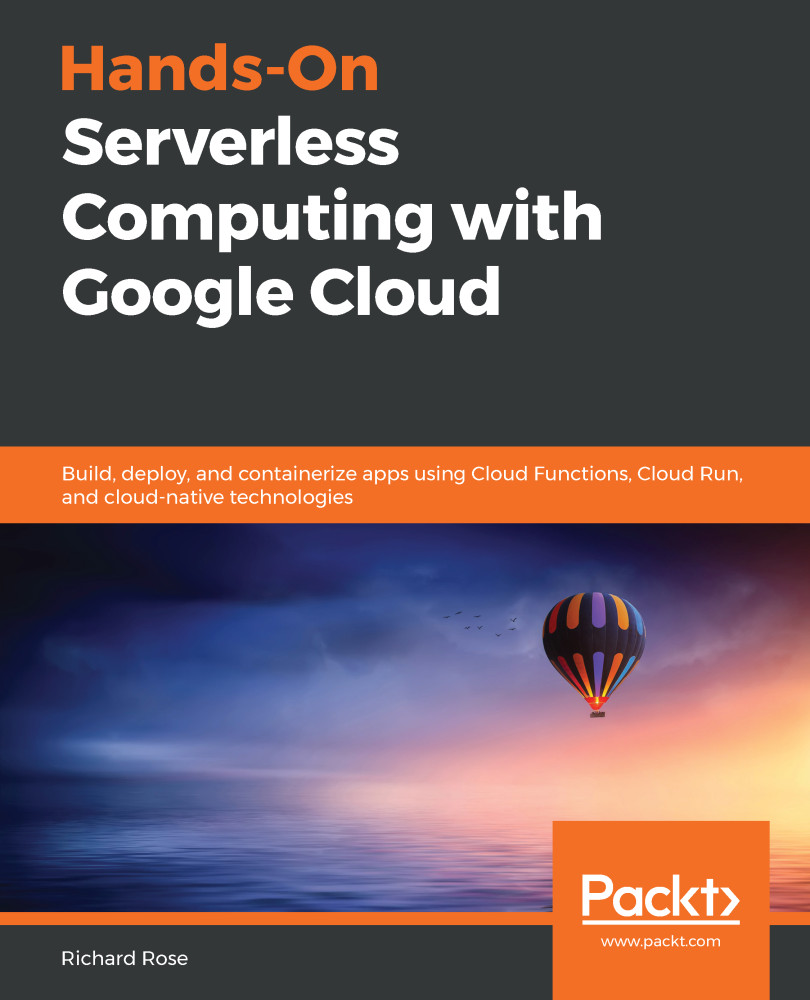
Hands-On Serverless Computing with Google Cloud

Hands-On Serverless Computing with Google Cloud: Build, deploy, and containerize apps using Cloud Functions, Cloud Run, and cloud-native technologies

eBook
€31.49 €34.99
Paperback
€43.99
eBook + Subscription
€21.99 Monthly

What do you get with eBook?

Product feature icon Instant access to your Digital eBook purchase
Product feature icon Download this book in EPUB and PDF formats
Product feature icon Access this title in our online reader with advanced features
Product feature icon DRM FREE - Read whenever, wherever and however you want
Product feature icon AI Assistant (beta) to help accelerate your learning
Modal Close icon
Payment Processing...
tick Completed

Billing Address

Table of content icon View table of contents Preview book icon Preview Book

Hands-On Serverless Computing with Google Cloud

Introducing App Engine

In this first chapter, we will discuss the main properties of Google App Engine (GAE) and its Platform-as-a-Service (PaaS) approach. Available since 2008, GAE provides a serverless environment in which to deploy HTTP/web-based applications.

Throughout this chapter, we will explore GAE's framework and structure to see how highly scalable applications are made possible on this platform. As part of this, we will consider how to integrate standard web primitives such as traffic splitting and API management on GAE. By the end of this chapter, you should have a solid foundation to help you build web-based applications using GAE quickly.

In a nutshell, we will cover the following topics in this chapter:

  • Introducing GAE
  • Understanding the GAE framework
  • Defining App Engine components
  • Understanding GAE's features

Introducing GAE

When it comes to software engineering innovation, it is clear that Google has a rich history. This innovation has been evident across many successful projects, including several billion-user products brought to market, such as Google Search, Android, and YouTube. Google Cloud and its vibrant ecosystem of services provide tools built to serve these critical projects, and now you can host your application on the same platform.

GAE is designed to host web-based applications and elegantly handle request/response communications. Understanding how to achieve this on Google Cloud will be central to building consistent and efficient applications that can delight end users with their responsiveness.

Before delving into the details of GAE, let's spend some time discussing the rationale behind the application platform. For the following paragraphs, we will outline the main elements of GAE, which will provide us with sufficient knowledge to make intelligent decisions around what types of application would benefit from being run on GAE and, conversely, what applications would not.

To begin our journey, let's commence by answering the following questions to build a shared understanding of what the GAE application platform provides:

  • Why go serverless with App Engine?
  • What is the underlying App Engine framework?
  • How does App Engine handle auto-scaling?
  • Who is the target audience?

Why go serverless with App Engine?

Making a service available on the internet requires a lot of thought to minimize the potential for system compromise and associated security risks. All application traffic to App Engine is propagated via the Google Front End (GFE) service to mitigate access protocol compromise.

GFE provides a Transport Layer Security (TLS) termination for all GAE-registered routed web traffic. Acting as a protection layer, GFE is capable of performing several essential security services for a Google Cloud project. From a security perspective, it provides the public IP hosting of a public DNS name and Denial of Service (DoS) protection. Besides, GFE can also be used by internal services as a scalable reverse proxy.

When working on Google Cloud, a term commonly mentioned is security in depth. An approach such as this provides multiple concurrent safeguards for your environment that work against bad actors wishing to misuse your service. Many of these security safeguards are built into the platform, so no additional effort is required on the part of the developer.

GAE provides a fully managed application platform that enables developers to only concern themselves with building their application. Concerns regarding the management of lower-level infrastructures, such as compute and storage, are automatically managed by the service. In this respect, serverless solutions such as GAE offer the ability to devote focus to the development process and leave operational matters to the provider of the service.

GAE enables developers to take advantage of a simplified serverless environment that addresses hosting the web application and API services on Google Cloud. By providing a significantly simplified environment, the intent is to increase the adoption of the cloud platform by bringing more developers to the cloud. In most instances, when a developer uses such a system, they can immediately see the vast potential for efficiency to be gained by working within an environment such as this.

In the following diagram, we outline a logical view of the typical workflow of an environment based on GAE. From the illustration, we can see that all external communication is performed using the HTTP(S) protocol and is routed via Cloud Load Balancer (provided by GFE). In this scenario, the frontend device exposes a single service name that encapsulates the application resource deployed. The service enables GAE to direct traffic received to multiple backend resource components dynamically. GAE maintains responsibility for establishing which role these components performed and ensures that each of them remains distinct for the purposes of identification:
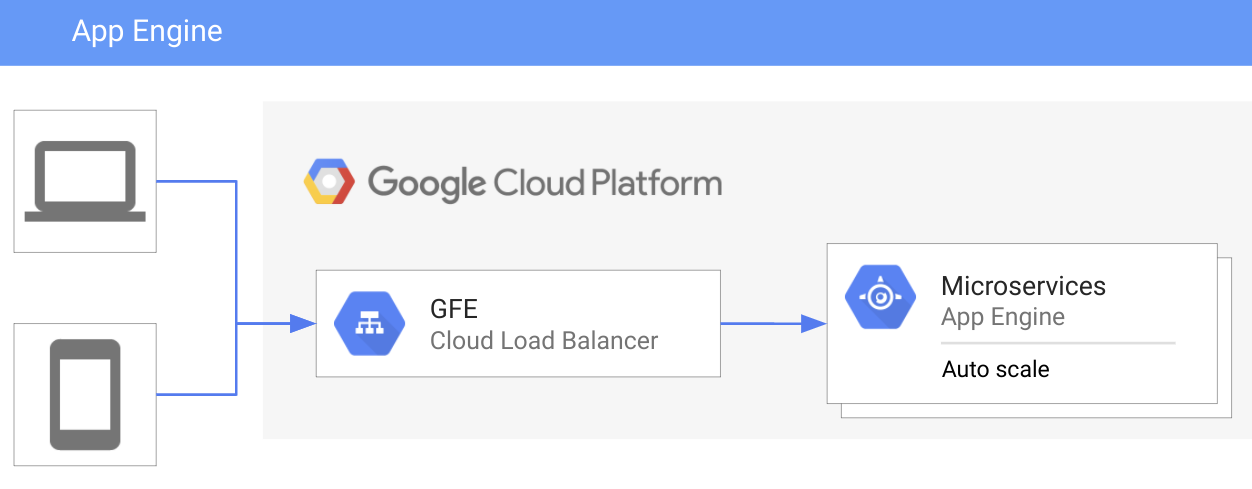
Backend service communication use the HTTP/HTTPS protocol, which means that GAE assumes an internet-based environment (that is, it assumes that you have access to a public-facing internet connection). Application request processing is performed by the default instance that's deployed, and this instance is subject to autoscaling based on system workload thresholds.

Taking the described approach enables workloads to be seamlessly load balanced across application instances, again without any additional configuration needed from the developer. Standard workload operational activities such as TLS termination and DNS resolution require no further user configuration. The addition of these activities provides a significant benefit to the developer. Application workloads being subject to isolated instances means the application is also capable of massive scale without any substantive work.

In addition to standard protection, the addition of GFE also provides seamless compatibility with secure delivery protocols such as gRPC (https://grpc.io/blog/principles/). The gRPC protocol uses the RPC framework to provide layer isolation when forwarding requests for the service. Also, communication remains encrypted by default to avoid the nuisance of communication eavesdropping or device compromise when performing inter-service communication.

The more recent adoption by the industry has seen broader adoption of gRPC developing more extensive compatibility across a range of services. The RPC security protocol is used extensively at Google, for example, to secure API access. When working with communication protocols across the internet, many standards exist. Having all service-related traffic routed through GFE means an incredibly flexible and scalable frontend is available without any additional work.

There are two versions of the App Engine available:

  • App Engine Standard
  • App Engine Flex

Both versions share many commonalities, and the majority of what's outlined in this chapter will apply to both equally. However, there are some key attributes to call out when thinking about the two environments, highlighted in the following diagram:

One of the main things to call out in the preceding diagram is that App Engine Standard scales down to zero. However, an App Engine Flex environment scales down to a minimum of one instance. Therefore, if your primary consideration is cost, use App Engine Standard. Being able to scale down to zero provides a real advantage over the App Engine Flex environment, which will always have a cost associated with it.

The ability of GAE Standard to scale to zero is due to the use of a sandbox environment. Using a dedicated sandbox provides quicker responses, that is, quicker start-up times and auto-scaling responses. Having deployment time measured in seconds may also be an advantage that appeals when considering the level of flexibility that may be required by different application growth patterns.

Unlike the standard environment, GAE Flex uses Google Compute Engine (GCE), more specifically Managed Instance Groups (MIGs), to enable auto-scaling. An overhead of one compute instance is always present for GAE Flex when working within this environment. Resultant costs also need to factor in how many compute resources GAE Flex requires. Maintaining an application in this environment will also mean a slower initialization time (that is, cold boot) due to the requirement to spin up a GCE instance plus a container environment for any flexible-based deployed application.

There are further differences evident in the application environments. However, the preceding characteristics are the ones that commonly impact decision making when starting to build an application on GAE.

Who is the target audience?

Working on the GAE fully managed serverless application platform removes many of the historical constraints associated with building internet-scale applications. Using this new paradigm, developers can focus on building sophisticated web applications and APIs without needing to learn about backend services and low-level networking or infrastructure.
Building serverless applications means that agile code is quickly deployed to the cloud. Web apps (for examples, see the following list) are most definitely the sweet spot for this type of solution:

  • Web applications
  • Mobile backends
  • HTTP APIs
  • Line of Business Applications (LOB) applications

If that sounds like an area that your workload would benefit from, then you are the target audience. Working in an environment where it is not necessary to concern yourself with creating or maintaining infrastructure is highly desirable to most developers. GAE is built on this premise and provides an excellent experience for developers to develop and deploy without reference to underlying technologies.

Having outlined the differences in the environments provided for App Engine, we can start to explore what makes this such a fascinating product.

Understanding the App Engine framework

Exploring the general architecture of App Engine brings to light how much of the underlying framework has been put in place to deliver integrated workflows for web application development.

Google has bundled many internal services to minimize the effort needed by developers to make their applications cloud-native. Added to that is the innate ability of the GAE service to automatically scale without any additional actions required on the part of the service creator.

Creating a web application on this platform can be as simple as deploying your code to the App Engine environment. However, behind the scenes, there are several activities taking place to ensure that the application is deployed successfully, the infrastructure is provisioned, and the whole thing is ultimately able to scale intelligently. So, what is happening in the underlying App Engine framework is illustrated in the following diagram, in which we introduce the optional components supporting App Engine:

Examining GAE from a broader perspective shows that there are many high-level components used to establish the fully managed application platform. Of course, being a serverless environment, there is no real need for you to understand what is happening behind the scenes.

Having a conceptual understanding of what is occurring on any platform is useful during the development process. No matter how much a service tries to abstract information from you, it is immeasurably easier to resolve technical issues when you have some understanding of how the various components integrate.

In addition to the standard environment, GAE Flex supports custom container runtime environments. Custom containers are deployed on GCE and enable the developer to build their environments. In doing this, a higher level of customization was suddenly available and significantly broadened the appeal of GAE to a broader audience. The ubiquity of containers has made the introduction of the GAE Flex environment a compelling option where greater control is required.

There are, however, some performance and cost implications to using GAE Flex over the standard environment. Understanding these constraints is crucial for the application developer and they are clearly outlined in the specification for GAE. Having clarity regarding the various advantages and disadvantages of design considerations will help address any concerns and make the selection of the most appropriate environment easier. For more details on the differences, refer to the Runtime languages supported section of this chapter.

In addition to the GAE environment outlined previously, some other essential constituent components are working in the background. A service layer adds to the compute function of GAE and provides the ability to store, queue, cache, and perform authenticated communication with the Google Cloud API.

App Engine components

Over the next couple of sub-sections, we will explore the main points related to these service layer components.

Task queues

Systems remain responsive through the use of additional decoupling algorithms that manage the flow of information. GAE uses message queues to maintain a sub-second response rate for web traffic. Long-lived processing is handed off to the task queue system to free up the request/response cycle.

At a more granular level, task queues use two approaches to manage the asynchronous processing of information associated with a web request/response cycle:

Service dispatch

Description

Push Queue (HTTP request)

Dispatch requests.

Guaranteed task execution.

Use case: En-queue a short-lived task that can be fulfilled over time or in a situation that involves a time-specific action, similar to a diarized event task execution.

Pull Queue (Request handler)

Lease mechanism.

Provides additional flexibility beyond dispatch requests.

Provides a lifecycle for tasks.

Use case: Batch processing that can be used to achieve an outcome at once, without needing to process information one item at a time.

Task queues provide a dispatch mechanism that is isolated from the web traffic transaction. In this service, we segregate the processing element of information related to the web request to minimize the time to complete between request and response. Adding a task queue provides the HTTP request/response cycle with the ability to maintain a high level of efficiency.

Memcache

A vital feature of the GAE environment is the inclusion of memcache. Memcache is abstracted from persistent storage to provide a buffer for fast data access. Adding a low-latency data tier for applications establishes a consistent mechanism for repeatable access requests. Memcache provides a convenient data access tier based on the memory-resident (in-memory) temporary storage of transient data.

There are two levels of the memcache service defined for the service layer:

  • A shared memcache: This is the default setting for GAE. Shared memcache provides a default access mode. In most situations, there is no requirement to change the cache level applied to your application as the default will suffice for the majority of work to be performed.
  • A dedicated memcache: This is an advanced setting used to reserve a dedicated application memory pool.

A dedicated memcache service provides additional scope for getting greater efficiency in an application. As a cache represents a quick data retrieval mechanism to access temporary data, if data access is central to an application, it may well be useful to investigate this option.

Be aware that this latter option is a paid offering, unlike the default cache setting. However, this option guarantees the reservation of a larger memory footprint for applications that might require high-frequency data access.

When working with an application primarily used in read mode, on the data to be consumed, it is beneficial to keep both memcache and the data storage in sync. Read mode is perhaps the most common use case that most GAE developers will encounter and, for this type of scenario, GAE is more than capable of meeting most of the application demands faced.

More sophisticated use cases exist, such as database modes requiring both read and write synchronization. Between the cache layer and backend database, there needs to be consideration of how to manage the cache layer and Datastore integration. For situations where interaction with the Datastore is a priority, Cloud NDB caching provides a configuration for more advanced requirements. An element of the investigation will be beneficial in this use case to optimize the data management and refreshing of data. In this situation, the underlying system will only be able to provide limited optimizations, and further efficiencies will need additional design as part of the iterative application development life cycle.

Data storage

GAE has multiple options for data storage, including schemaless and relational database storage. Backend data storage, such as Datastore/Firestore or Cloud SQL, enables developers to deliver consistent access across a wide range of use cases that integrate seamlessly with GAE.

The following table provides a high-level overview of the mapping between schemaless and relational databases:

Cloud SQL (relational)

Cloud Datastore (schemaless)

Table

Kind

Row

Entity

Column

Property

Primary key

Key

App Engine provides multiple options to give developers the ability to work with backend storage that suits the purpose of the application. In most instances, it is also essential to consider how to store information within the Datastore selected. As with any development, it is also crucial to understand the underlying data and how it will be accessed.

Cloud Datastore

Cloud Datastore will be a standard component for any GAE development performed. As per the rest of the application platform, very little understanding of database management is required upfront. Datastore, as a managed schemaless (NoSQL) document database, will be sufficient in most instances.

The following high-level points are most pertinent to using Datastore with GAE:

  • Datastore is a NoSQL schemaless database.
  • App Engine API access.
  • Designed to auto-scale to massive datasets (that is, low-latency reads/writes).
  • Stores information concerning the handling of requests.
  • All queries are served by previous build indexes.

As a core component of App Engine, Cloud Datastore caters to high performance, application development, and automatic scaling. Once the Datastore has initialized, it is ready for data. Working with data persisted in Cloud Datastore is very easy as no upfront work is required to attach the data to the backend. However, this may be potentially off-putting if you are from a relational database background.

When creating a database, it is worth considering how to index information to ensure that access remains performant regardless of the use. There are many good references on building suitable mechanisms for accessing data, for example, how to create fundamental indexes and composite indexes. Becoming familiar with this will provide ongoing benefits should issues arise, for example, performance latency with an application hosted on GAE.

It is essential to consider how the information within Datastore will be stored. In the instance where your Datastore is not central to your application, the data management question will not be relevant when creating a data-centric application. Datastore performance degradation resulting from an inefficient data layout requires consideration of how the data representation may save the significant effort of refactoring at a later stage.

At this point, knowing that schemaless databases are a good match for most App Engine requirements and that Cloud Datastore is a document database, provide a massive clue to their use cases. Going beyond the initial conditions of storing document data (for example, entities and kinds) is where putting some thought into the proper access methods will yield benefits as the application increases in complexity.

Cloud SQL

When working with Cloud SQL, there are two products currently available on Google Cloud, that is, MySQL and Postgres. Both options provide managed relational databases used in conjunction with GAE. To clarify, managed in this context means the service provider is responsible for the maintenance of backups and updates without requiring user interaction.

Cloud SQL provides a relational model that supports transactions. If you have a relational requirement for your application deployed to App Engine, then consider using Cloud SQL. Working with multiple database types can be confusing, so, before development activities begin, aim to be clear as to how the Datastore selected is to be used. A key priority is to ensure that the design is representative of how the application uses information.

Attempting to make Datastore into an Online Transactional Processing (OLTP) backend is an unnecessary task. Similarly, trying to utilize schemaless data in a Cloud SQL database without a relevant schema or normalization will not result in optimal performance.

While it is vital to invest time to define the correct normalization for the schema to be applied, this requirement may change over time. Working with data is never as simple as uploading content and then forgetting about it, so pay particular attention to this part of your application development life cycle to generate the most benefit.

Handling auto-scaling on App Engine

In this section, we look at how App Engine handles autoscaling. In most instances, GAE will handle any workload using its distributed architecture. Of course, if you have more advanced requirements, then it is worth the effort to understand how GAE performs instance auto-scaling.

Within GAE, instance scaling definitions are within the configuration files. Two configuration items are specifically relevant and outlined here (that is, scaling type and instance class):

Scaling type

Instance class

Description

Manual

Resident

Several upfront instances are available. Amending the number of instances would require manual intervention by the system administrator.

Auto-scaling

Dynamic

In response to telemetry data (for example, response latency, and request rate) gathered from the system, autoscaling decides whether it should increase/decrease the number of instances.

When thinking about auto-scaling a service, it is imperative to consider how to design your application to take advantage of the constituent components. Here are some considerations concerning building a scalable solution:

  • Load testing is essential to establish the best performance design for your application. In most instances, working with real-world traffic provides the best scenario for testing system bottlenecks.
  • Google Cloud imposes quota limits on all projects, so be mindful of this when creating an application. Quota limits apply to API calls as well as compute-based resources.
  • In most instances, a single task queue will be sufficient. However, GAE does provide the ability to shard task queues when long-lived tasks require higher processing throughput.

In the next section, we move away from the general architecture of App Engine to discuss the specifics of implementation. As part of this discussion, there will be an overview of the languages supported.

Defining App Engine components

The objective of this section is to describe the details of GAE. The nature of the GAE application platform is to provide a serverless application environment that is capable of supporting multiple language runtimes. Runtime support requires that there are two versions of App Engine in existence. A critical difference between these environments relates to the language runtimes supported.

Runtime languages supported

Historically, the GAE runtime only supported a limited number of languages, but this has expanded over time to provide a broader range. A limitation on runtime languages was one of the most common criticisms of the original version of GAE when it was released over a decade ago. This situation has improved significantly in the intervening years, and today an expanded range of runtimes are now supported, including the following:

  • Python 2.7/3.7
  • Java, Node.js 8/10
  • PHP 5.5/7.2
  • Go 1.9/1.11/1.12

App Engine – Standard

In this environment, a sandbox wrapper provides application isolation and constrains access to specific external resources. Depending on the runtime selected, security measures enforce the sandbox environment, for example, the application of access control lists, and the replacement of language libraries.

In the following diagram, GAE Standard uses a sandbox environment, supporting 0-N instances within a single availability zone:

When working with applications that require a runtime language such as Python, Java, Node.js, or Go, GAE Standard is the optimal choice. GAE Standard works within a sandbox environment and ensures instances can scale down to zero. Scaling to zero means a meager cost is incurred with this type of situation.

App Engine – Flexible

In the GAE Flex environment, a container resides on a GCE instance. While in certain respects, this provides the same service access as GAE Standard, there are some disadvantages associated with moving from the sandbox to GCE, specifically instance warm-up speed and cost.

In the following diagram, GAE Flex uses a container environment for the creation of resources to support 1-N instances within a regional MIG:

The container residing on GCE is based on a Docker image and provides an alternative to the sandbox environment mentioned earlier. Using GAE Flex requires some compromise on both speed and cost. The speed sacrifice is attributed to initiating the container through the Cloud Build process necessary to deploy the code into the GAE environment. As at least one instance needs to be active at any point in time, this means this type of situation will always incur some degree of cost.

Although GAE hides the build process from you, the associated lead time for building a custom runtime versus the sandbox approach is not insignificant. On completion of the build process, the image is posted to Google Cloud Build and is ready for deployment within the application. So, what are the main characteristics of GAE? The following sections will cover the main attributes of GAE.

Understanding App Engine features

Throughout the next few sub-sections, we will describe some of the critical facets of GAE, starting with application versioning.

Application versioning

GAE uses a configuration file to manage application versions to deploy. The configuration file for the runtime selected, for example, app.yaml for Python deployments, contains the version ID associated with your application. In addition to the version, an application default denotes the primary instance to the system.

Each application version deployed will maintain its distinct URL so that the developer can view multiple versions at the same time. Similarly, releases can be upgraded or rolled back depending on the deployment scheme selected. As new code deploys, a unique index is applied to the configuration code to ensure that each application revision can successfully distinguish between the old and new version deployed.

In the following diagram, three versions of the application have deployed on GAE. However, traffic will only be routed to the default version, unless otherwise stated by the application administrator:

The approach taken by GAE means that deployments are straightforward to manage as the administrator of the system can make updates at the touch of a button. Similarly, they can also perform more complex deployments via the console without losing access to previous revisions of the application.

In addition to the built-in tools, App Engine supports source version control. Working with code stored in version control happens in much the same way as using local files. Deciding where system code access resolves is up to the developer; for example, they may choose to have code deployed using Cloud Source Repositories.

If you are unfamiliar with Google Cloud Source Repositories, it is essentially a Git repository directly associated with the project environment. If you are familiar with Git, then you will be able to get up and running using Google Source Repositories quickly. From here, it is entirely possible to mirror code from external sources such as Bitbucket, GitLab, or GitHub.

For more uncomplicated use cases, deploying from a local file may be satisfactory for most instances. However, moving to a more consistent approach can help with the management of code across a project. Once the application successfully deploys, a decision on how to manage the traffic flow to this new deployment is the next step in the process.

Traffic splitting

Traffic splitting provides a useful way to move between versions. GAE offers several options to make this process easier. Also, you don't need to keep track of the application version that is currently deployed.

The options available for GAE traffic splitting are these:

  • IP traffic: Using the source IP to determine which instance to serve responses from
  • Cookie splitting: Applying session affinity to the web transaction based on a cookie named GOOGAPPUID with a value between 0-999
  • Random: Using a randomization algorithm to serve content found with the preceding options

In the following diagram, traffic routed to GAE is split between two instances. In this case, a 50% split is evident based on IP addresses:

The command to deploy ensures that a simple process is available that enables moving from one version to another. As a fully managed application platform, the onus is on App Engine to simplify how the application will be deployed based on defined traffic splitting preferences observed.

In an instance where a new deployment takes place, it is possible to tell App Engine how much of the traffic should be sent to the updated application deployment. A technique such as this is useful, for example, to perform A/B testing against two different deployed versions. Using this capability enables many different deployment and testing approaches to become available when looking to deploy a new release. Should there be an issue with the code that is implemented, there are numerous tools available to assist with this investigation. One such tool is Stackdriver, and we will be looking at the product more closely in the next section.

Monitoring, logging, and diagnostics

Stackdriver is the default monitoring solution for Google Cloud. When observing information relating to GAE, in Stackdriver, the resource type gae_app can be used to filter information specifically associated with the environment data. In the following diagram, we see traffic to the project is managed by GCE, and it is this that is responsible for connectivity to other services such as Task Queues, Memcache, and Stackdriver:

Stackdriver logging is available as standard for any GAE environment, providing the ability to see what operations are being performed in your application in real time. Logs generated via the application are available to interrogate as required. This logging process does not require any additional configuration and is available for all the application-related logs that are made available. For reference, when using records with GAE, it is essential to note the following data sources available in Stackdriver:

  • Request logs: These provide the default information associated with requests made to the application. The resource for this log is named request_log. You can observe this in the Stackdriver Logs Viewer under the appengine.googleapis.com/request_log filter.
  • App logs: These provide additional application information supplemental to the request log.
  • Third-party logs: These are application-specific and in addition to the preceding logs. There may be package-specific information sent to the system logs. Where present, there will be an entry available via the API accessible via the Logs Viewer.

Stackdriver Trace also doesn't require any additional instrumentation to work with App Engine. Working with this solution is automatically enabled to allow the monitoring of application trace data. The data is incorporated into the default GAE settings and will be accessible within the Stackdriver environment.

When working with App Engine Flex environments, logs use either Google Cloud Client Libraries or stdout/stderr to capture application-related information and push it to the centralized Stackdriver logging system.

Summary

In this chapter, we covered a high-level introduction into the fully managed application platform App Engine. Working in this environment illustrates many of the usual infrastructure tasks related to development are performed automatically without recourse to the developer.

In general, GAE deployment is a fully managed activity that requires very little interaction to build, host, or execute code. The environment typically consists of a load balancer, a compute tier, and a services layer, all working in tandem to provide an integrated application platform. GAE provides a low-effort development environment built to do much of the heavy lifting for developers.

Now we have a general understanding of the App Engine environment. The next chapter will focus on introducing code samples to flesh out our experience and skill level.

Questions

  1. What type of service dispatch is supported by task queues?
  2. What are the two levels of service supported by memcache?
  3. What type of database is Cloud Datastore?
  4. Name a runtime language supported by GAE.
  5. What forms of traffic-splitting algorithms are supported on GAE?
  6. What is the purpose of GFE in relation to GAE?
  7. Name the three types of scaling supported by GAE.
  8. What mechanism is used to isolate long-lived workloads for efficiency purposes from the HTTP request/response life cycle?
Left arrow icon Right arrow icon
Download code icon Download Code

Key benefits

  • Use real-world use cases to understand the core functionalities of Functions as a Service
  • Explore the potential of Cloud Run, Knative, Cloud Build, Google Kubernetes Engine, and Cloud Storage
  • Get to grips with architectural decisions, seamless deployments, containerization, and serverless solutions

Description

Google Cloud's serverless platform allows organizations to scale fully managed solutions without worrying about the underlying infrastructure. With this book, you will learn how to design, develop, and deploy full stack serverless apps on Google Cloud. The book starts with a quick overview of the Google Cloud console, its features, user interface (UI), and capabilities. After getting to grips with the Google Cloud interface and its features, you will explore the core aspects of serverless products such as Cloud Run, Cloud Functions and App Engine. You will also learn essential features such as version control, containerization, and identity and access management with the help of real-world use cases. Later, you will understand how to incorporate continuous integration and continuous deployment (CI/CD) techniques for serverless applications. Toward the concluding chapters, you will get to grips with how key technologies such as Knative enable Cloud Run to be hosted on multiple platforms including Kubernetes and VMware. By the end of this book, you will have become proficient in confidently developing, managing, and deploying containerized applications on Google Cloud.

Who is this book for?

If you are a cloud administrator, architect, or developer who wants to build scalable systems and deploy serverless workloads on Google Cloud, then this book is for you. To get the most out of this book, a basic understanding of the serverless ecosystem and cloud computing will be beneficial.

What you will learn

  • Explore the various options for deploying serverless workloads on Google Cloud
  • Determine the appropriate serverless product for your application use case
  • Integrate multiple lightweight functions to build scalable and resilient services
  • Increase productivity through build process automation
  • Understand how to secure serverless workloads using service accounts
  • Build a scalable architecture with Google Cloud Functions and Cloud Run

Product Details

Country selected
Publication date, Length, Edition, Language, ISBN-13
Publication date : Feb 14, 2020
Length: 320 pages
Edition : 1st
Language : English
ISBN-13 : 9781838826840
Vendor :
Google
Concepts :

What do you get with eBook?

Product feature icon Instant access to your Digital eBook purchase
Product feature icon Download this book in EPUB and PDF formats
Product feature icon Access this title in our online reader with advanced features
Product feature icon DRM FREE - Read whenever, wherever and however you want
Product feature icon AI Assistant (beta) to help accelerate your learning
Modal Close icon
Payment Processing...
tick Completed

Billing Address

Product Details

Publication date : Feb 14, 2020
Length: 320 pages
Edition : 1st
Language : English
ISBN-13 : 9781838826840
Vendor :
Google
Concepts :

Packt Subscriptions

See our plans and pricing
Modal Close icon
€18.99 billed monthly
Feature tick icon Unlimited access to Packt's library of 7,000+ practical books and videos
Feature tick icon Constantly refreshed with 50+ new titles a month
Feature tick icon Exclusive Early access to books as they're written
Feature tick icon Solve problems while you work with advanced search and reference features
Feature tick icon Offline reading on the mobile app
Feature tick icon Simple pricing, no contract
€189.99 billed annually
Feature tick icon Unlimited access to Packt's library of 7,000+ practical books and videos
Feature tick icon Constantly refreshed with 50+ new titles a month
Feature tick icon Exclusive Early access to books as they're written
Feature tick icon Solve problems while you work with advanced search and reference features
Feature tick icon Offline reading on the mobile app
Feature tick icon Choose a DRM-free eBook or Video every month to keep
Feature tick icon PLUS own as many other DRM-free eBooks or Videos as you like for just €5 each
Feature tick icon Exclusive print discounts
€264.99 billed in 18 months
Feature tick icon Unlimited access to Packt's library of 7,000+ practical books and videos
Feature tick icon Constantly refreshed with 50+ new titles a month
Feature tick icon Exclusive Early access to books as they're written
Feature tick icon Solve problems while you work with advanced search and reference features
Feature tick icon Offline reading on the mobile app
Feature tick icon Choose a DRM-free eBook or Video every month to keep
Feature tick icon PLUS own as many other DRM-free eBooks or Videos as you like for just €5 each
Feature tick icon Exclusive print discounts

Frequently bought together


Stars icon
Total 117.97
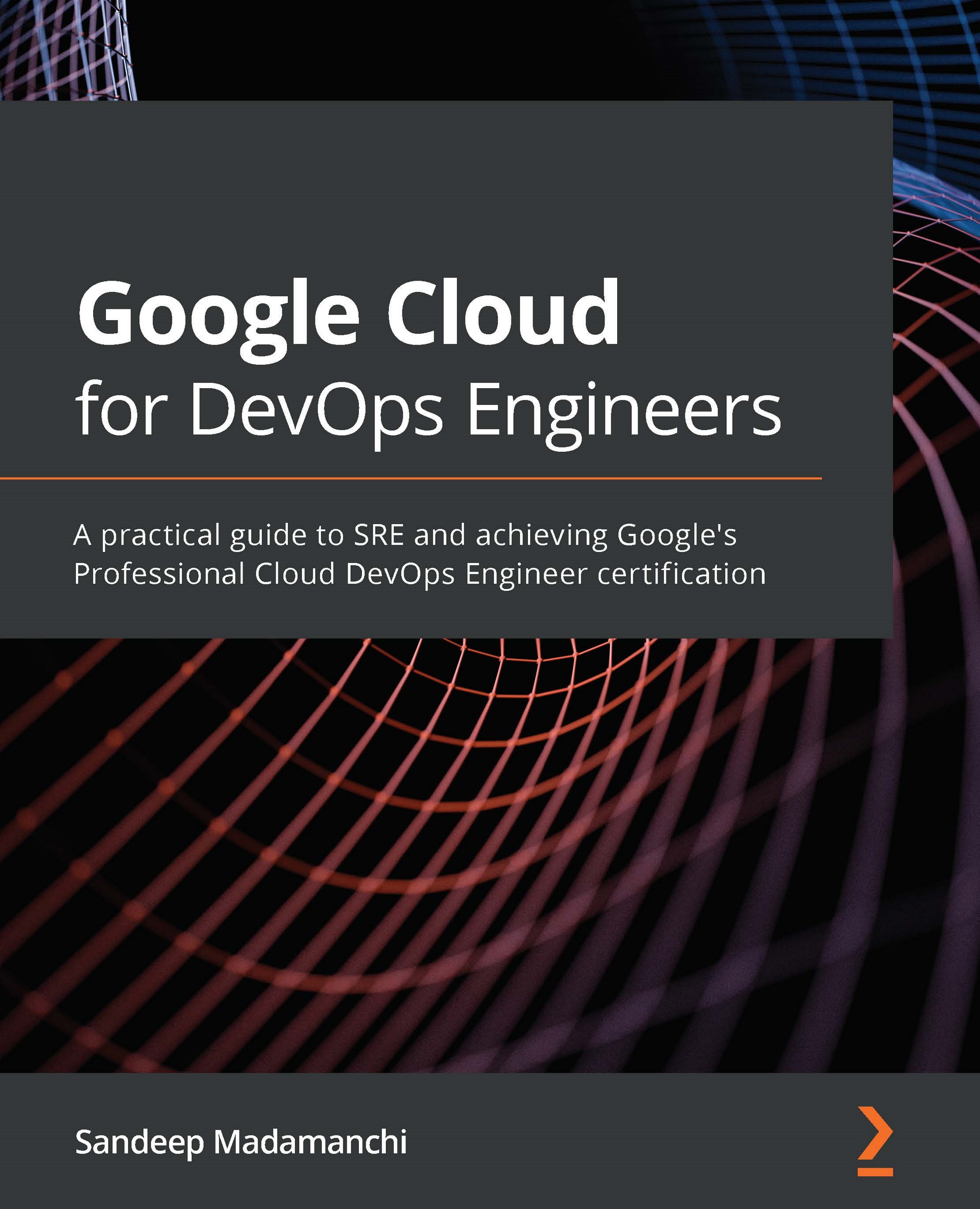
Google Cloud for DevOps Engineers
€38.99
Hands-On Serverless Computing with Google Cloud
€43.99
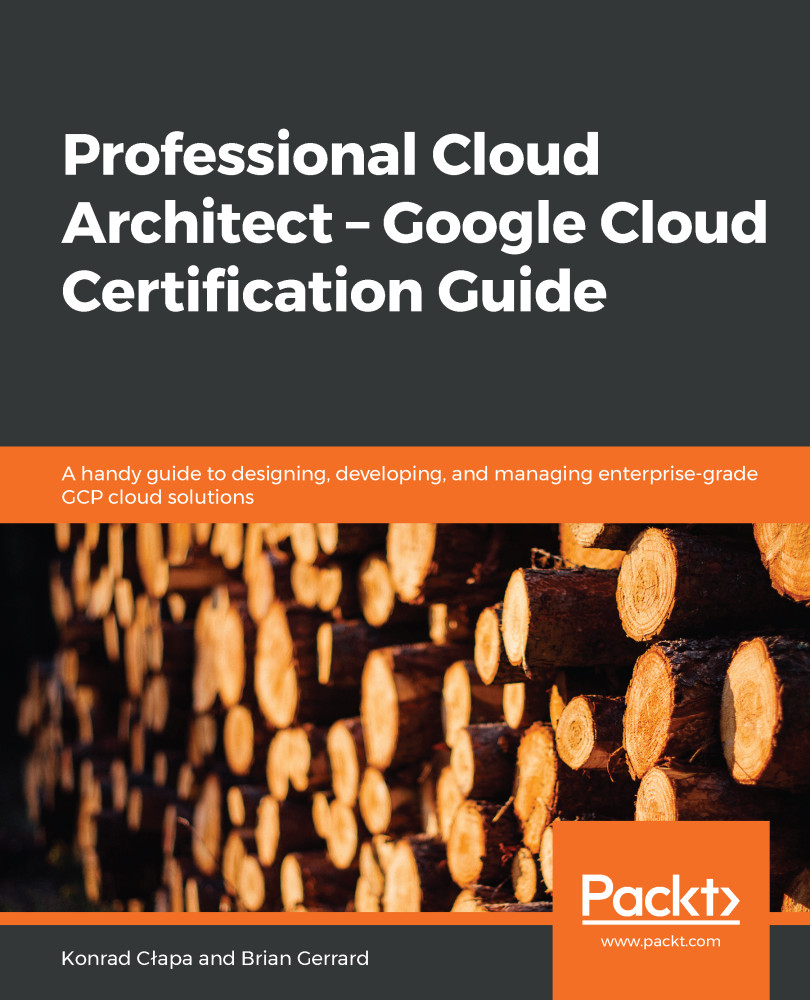
Professional Cloud Architect –  Google Cloud Certification Guide
€34.99
Total 117.97 Stars icon

Table of Contents

18 Chapters
Section 1: App Engine Chevron down icon Chevron up icon
Introducing App Engine Chevron down icon Chevron up icon
Developing with App Engine Chevron down icon Chevron up icon
Section 2: Google Cloud Functions Chevron down icon Chevron up icon
Introducing Lightweight Functions Chevron down icon Chevron up icon
Developing Cloud Functions Chevron down icon Chevron up icon
Exploring Functions as a Service Chevron down icon Chevron up icon
Cloud Functions Labs Chevron down icon Chevron up icon
Section 3: Google Cloud Run Chevron down icon Chevron up icon
Introducing Cloud Run Chevron down icon Chevron up icon
Developing with Cloud Run Chevron down icon Chevron up icon
Developing with Cloud Run for Anthos Chevron down icon Chevron up icon
Cloud Run Labs Chevron down icon Chevron up icon
Section 4: Building a Serverless Workload Chevron down icon Chevron up icon
Building a PDF Conversion Service Chevron down icon Chevron up icon
Consuming Third-Party Data via a REST API Chevron down icon Chevron up icon
Assessments Chevron down icon Chevron up icon
Other Books You May Enjoy Chevron down icon Chevron up icon

Customer reviews

Rating distribution
Full star icon Full star icon Full star icon Full star icon Full star icon 5
(1 Ratings)
5 star 100%
4 star 0%
3 star 0%
2 star 0%
1 star 0%
David Renton Jun 10, 2021
Full star icon Full star icon Full star icon Full star icon Full star icon 5
Great book, great to follow allong and as a reference
Amazon Verified review Amazon
Get free access to Packt library with over 7500+ books and video courses for 7 days!
Start Free Trial

FAQs

How do I buy and download an eBook? Chevron down icon Chevron up icon

Where there is an eBook version of a title available, you can buy it from the book details for that title. Add either the standalone eBook or the eBook and print book bundle to your shopping cart. Your eBook will show in your cart as a product on its own. After completing checkout and payment in the normal way, you will receive your receipt on the screen containing a link to a personalised PDF download file. This link will remain active for 30 days. You can download backup copies of the file by logging in to your account at any time.

If you already have Adobe reader installed, then clicking on the link will download and open the PDF file directly. If you don't, then save the PDF file on your machine and download the Reader to view it.

Please Note: Packt eBooks are non-returnable and non-refundable.

Packt eBook and Licensing When you buy an eBook from Packt Publishing, completing your purchase means you accept the terms of our licence agreement. Please read the full text of the agreement. In it we have tried to balance the need for the ebook to be usable for you the reader with our needs to protect the rights of us as Publishers and of our authors. In summary, the agreement says:

  • You may make copies of your eBook for your own use onto any machine
  • You may not pass copies of the eBook on to anyone else
How can I make a purchase on your website? Chevron down icon Chevron up icon

If you want to purchase a video course, eBook or Bundle (Print+eBook) please follow below steps:

  1. Register on our website using your email address and the password.
  2. Search for the title by name or ISBN using the search option.
  3. Select the title you want to purchase.
  4. Choose the format you wish to purchase the title in; if you order the Print Book, you get a free eBook copy of the same title. 
  5. Proceed with the checkout process (payment to be made using Credit Card, Debit Cart, or PayPal)
Where can I access support around an eBook? Chevron down icon Chevron up icon
  • If you experience a problem with using or installing Adobe Reader, the contact Adobe directly.
  • To view the errata for the book, see www.packtpub.com/support and view the pages for the title you have.
  • To view your account details or to download a new copy of the book go to www.packtpub.com/account
  • To contact us directly if a problem is not resolved, use www.packtpub.com/contact-us
What eBook formats do Packt support? Chevron down icon Chevron up icon

Our eBooks are currently available in a variety of formats such as PDF and ePubs. In the future, this may well change with trends and development in technology, but please note that our PDFs are not Adobe eBook Reader format, which has greater restrictions on security.

You will need to use Adobe Reader v9 or later in order to read Packt's PDF eBooks.

What are the benefits of eBooks? Chevron down icon Chevron up icon
  • You can get the information you need immediately
  • You can easily take them with you on a laptop
  • You can download them an unlimited number of times
  • You can print them out
  • They are copy-paste enabled
  • They are searchable
  • There is no password protection
  • They are lower price than print
  • They save resources and space
What is an eBook? Chevron down icon Chevron up icon

Packt eBooks are a complete electronic version of the print edition, available in PDF and ePub formats. Every piece of content down to the page numbering is the same. Because we save the costs of printing and shipping the book to you, we are able to offer eBooks at a lower cost than print editions.

When you have purchased an eBook, simply login to your account and click on the link in Your Download Area. We recommend you saving the file to your hard drive before opening it.

For optimal viewing of our eBooks, we recommend you download and install the free Adobe Reader version 9.

Modal Close icon
Modal Close icon