Search icon CANCEL
Subscription
0
Cart icon
Your Cart (0 item)
Close icon
You have no products in your basket yet
Save more on your purchases! discount-offer-chevron-icon
Savings automatically calculated. No voucher code required.
Arrow left icon
Explore Products
Best Sellers
New Releases
Books
Videos
Audiobooks
Learning Hub
Newsletter Hub
Free Learning
Arrow right icon
timer SALE ENDS IN
0 Days
:
00 Hours
:
00 Minutes
:
00 Seconds
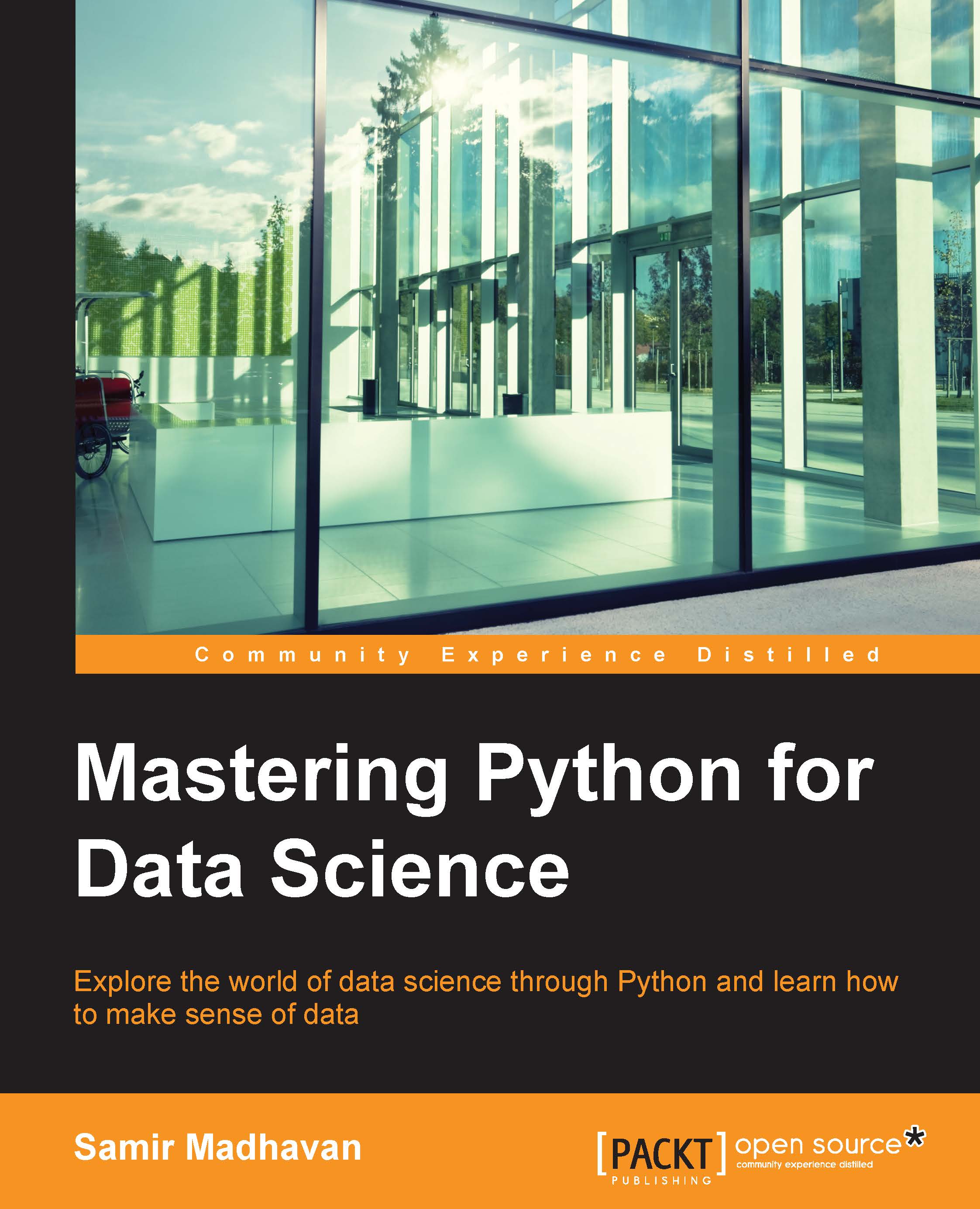
Mastering Python for Data Science

Mastering Python for Data Science: Explore the world of data science through Python and learn how to make sense of data

Arrow left icon
Profile Icon Samir Madhavan
Arrow right icon
Can$83.99
Full star icon Full star icon Full star icon Half star icon Empty star icon 3.6 (10 Ratings)
Paperback Aug 2015 294 pages 1st Edition
eBook
Can$13.99 Can$66.99
Paperback
Can$83.99
Subscription
Free Trial
Arrow left icon
Profile Icon Samir Madhavan
Arrow right icon
Can$83.99
Full star icon Full star icon Full star icon Half star icon Empty star icon 3.6 (10 Ratings)
Paperback Aug 2015 294 pages 1st Edition
eBook
Can$13.99 Can$66.99
Paperback
Can$83.99
Subscription
Free Trial
eBook
Can$13.99 Can$66.99
Paperback
Can$83.99
Subscription
Free Trial

What do you get with Print?

Product feature icon Instant access to your digital copy whilst your Print order is Shipped
Product feature icon Paperback book shipped to your preferred address
Product feature icon Redeem a companion digital copy on all Print orders
Product feature icon Access this title in our online reader with advanced features
Product feature icon DRM FREE - Read whenever, wherever and however you want
Modal Close icon
Payment Processing...
tick Completed

Shipping Address

Billing Address

Shipping Methods
Table of content icon View table of contents Preview book icon Preview Book

Mastering Python for Data Science

Chapter 1. Getting Started with Raw Data

In the world of data science, raw data comes in many forms and sizes. There is a lot of information that can be extracted from this raw data. To give an example, Amazon collects click stream data that records each and every click of the user on the website. This data can be utilized to understand if a user is a price-sensitive customer or prefer more popularly rated products. You must have noticed recommended products in Amazon; they are derived using such data.

The first step towards such an analysis would be to parse raw data. The parsing of the data involves the following steps:

  • Extracting data from the source: Data can come in many forms, such as Excel, CSV, JSON, databases, and so on. Python makes it very easy to read data from these sources with the help of some useful packages, which will be covered in this chapter.
  • Cleaning the data: Once a sanity check has been done, one needs to clean the data appropriately so that it can be utilized for analysis. You may have a dataset about students of a class and details about their height, weight, and marks. There may also be certain rows with the height or weight missing. Depending on the analysis being performed, these rows with missing values can either be ignored or replaced with the average height or weight.

In this chapter we will cover the following topics:

  • Exploring arrays with NumPy
  • Handling data with pandas
  • Reading and writing data from various formats
  • Handling missing data
  • Manipulating data

The world of arrays with NumPy

Python, by default, comes with a data structure, such as List, which can be utilized for array operations, but a Python list on its own is not suitable to perform heavy mathematical operations, as it is not optimized for it.

NumPy is a wonderful Python package produced by Travis Oliphant, which has been created fundamentally for scientific computing. It helps handle large multidimensional arrays and matrices, along with a large library of high-level mathematical functions to operate on these arrays.

A NumPy array would require much less memory to store the same amount of data compared to a Python list, which helps in reading and writing from the array in a faster manner.

Creating an array

A list of numbers can be passed to the following array function to create a NumPy array object:

>>> import numpy as np

>>> n_array = np.array([[0, 1, 2, 3],
                 [4, 5, 6, 7],
                 [8, 9, 10, 11]])

A NumPy array object has a number of attributes, which help in giving information about the array. Here are its important attributes:

  • ndim: This gives the number of dimensions of the array. The following shows that the array that we defined had two dimensions:
    >>> n_array.ndim
    2
    

    n_array has a rank of 2, which is a 2D array.

  • shape: This gives the size of each dimension of the array:
    >>> n_array.shape
    (3, 4)
    

    The first dimension of n_array has a size of 3 and the second dimension has a size of 4. This can be also visualized as three rows and four columns.

  • size: This gives the number of elements:
    >>> n_array.size
    12
    

    The total number of elements in n_array is 12.

  • dtype: This gives the datatype of the elements in the array:
    >>> n_array.dtype.name
    int64
    

    The number is stored as int64 in n_array.

Mathematical operations

When you have an array of data, you would like to perform certain mathematical operations on it. We will now discuss a few of the important ones in the following sections.

Array subtraction

The following commands subtract the a array from the b array to get the resultant c array. The subtraction happens element by element:

>>> a = np.array( [11, 12, 13, 14])
>>> b = np.array( [ 1, 2, 3, 4])
>>> c = a - b
>>> c
Array[10 10 10 10]

Do note that when you subtract two arrays, they should be of equal dimensions.

Squaring an array

The following command raises each element to the power of 2 to obtain this result:

>>> b**2
[1  4  9 16]

A trigonometric function performed on the array

The following command applies cosine to each of the values in the b array to obtain the following result:

>>> np.cos(b)
[ 0.54030231 -0.41614684 -0.9899925  -0.65364362]

Conditional operations

The following command will apply a conditional operation to each of the elements of the b array, in order to generate the respective Boolean values:

>>> b<2
[ True False False False]

Matrix multiplication

Two matrices can be multiplied element by element or in a dot product. The following commands will perform the element-by-element multiplication:

>>> A1 = np.array([[1, 1],
            [0, 1]])

>>> A2 = np.array([[2, 0],
            [3, 4]])

>>> A1 * A2
[[2 0]
[0 4]]

The dot product can be performed with the following command:

>>> np.dot(A1, A2)
[[5 4]
[3 4]]

Indexing and slicing

If you want to select a particular element of an array, it can be achieved using indexes:

>>> n_array[0,1]
1

The preceding command will select the first array and then select the second value in the array. It can also be seen as an intersection of the first row and the second column of the matrix.

If a range of values has to be selected on a row, then we can use the following command:

>>> n_array[ 0 , 0:3 ]
[0 1 2]

The 0:3 value selects the first three values of the first row.

The whole row of values can be selected with the following command:

>>> n_array[ 0 , : ]
[0 1 2 3]

Using the following command, an entire column of values need to be selected:

>>> n_array[ : , 1 ]
[1 5 9]

Shape manipulation

Once the array has been created, we can change the shape of it too. The following command flattens the array:

>>> n_array.ravel()
[ 0  1  2  3  4  5  6  7  8  9 10 11]

The following command reshapes the array in to a six rows and two columns format. Also, note that when reshaping, the new shape should have the same number of elements as the previous one:

>>> n_array.shape = (6,2)
>>> n_array
[[ 0  1]
[ 2  3]
[ 4  5]
[ 6  7]
[ 8  9]
[10 11]]

The array can be transposed too:

>>> n_array.transpose()
[[ 0  2  4  6  8 10]
[ 1  3  5  7  9 11]]

Empowering data analysis with pandas

The pandas library was developed by Wes McKinny when he was working at AQR Capital Management. He wanted a tool that was flexible enough to perform quantitative analysis on financial data. Later, Chang She joined him and helped develop the package further.

The pandas library is an open source Python library, specially designed for data analysis. It has been built on NumPy and makes it easy to handle data. NumPy is a fairly low-level tool that handles matrices really well.

The pandas library brings the richness of R in the world of Python to handle data. It's has efficient data structures to process data, perform fast joins, and read data from various sources, to name a few.

The data structure of pandas

The pandas library essentially has three data structures:

  1. Series
  2. DataFrame
  3. Panel

Series

Series is a one-dimensional array, which can hold any type of data, such as integers, floats, strings, and Python objects too. A series can be created by calling the following:

>>> import pandas as pd
>>> pd.Series(np.random.randn(5))

0    0.733810
1   -1.274658
2   -1.602298
3    0.460944
4   -0.632756
dtype: float64

The random.randn parameter is part of the NumPy package and it generates random numbers. The series function creates a pandas series that consists of an index, which is the first column, and the second column consists of random values. At the bottom of the output is the datatype of the series.

The index of the series can be customized by calling the following:

>>> pd.Series(np.random.randn(5), index=['a', 'b', 'c', 'd', 'e'])

a   -0.929494
b   -0.571423
c   -1.197866
d    0.081107
e   -0.035091
dtype: float64

A series can be derived from a Python dict too:

>>> d = {'A': 10, 'B': 20, 'C': 30}
>>> pd.Series(d)

A    10
B    20
C    30
dtype: int64

DataFrame

DataFrame is a 2D data structure with columns that can be of different datatypes. It can be seen as a table. A DataFrame can be formed from the following data structures:

  • A NumPy array
  • Lists
  • Dicts
  • Series
  • A 2D NumPy array

A DataFrame can be created from a dict of series by calling the following commands:

>>> d = {'c1': pd.Series(['A', 'B', 'C']),
        'c2': pd.Series([1, 2., 3., 4.])}
>>> df = pd.DataFrame(d)
>>> df

   c1  c2
0    A   1
1    B   2
2    C   3
3  NaN   4

The DataFrame can be created using a dict of lists too:

>>> d = {'c1': ['A', 'B', 'C', 'D'],
    'c2': [1, 2.0, 3.0, 4.0]}
>>> df = pd.DataFrame(d)
>>> print df
 c1  c2
0  A   1
1  B   2
2  C   3
3  D   4

Panel

A Panel is a data structure that handles 3D data. The following command is an example of panel data:

>>> d = {'Item1': pd.DataFrame(np.random.randn(4, 3)),
    'Item2': pd.DataFrame(np.random.randn(4, 2))}
>>> pd.Panel(d)

<class 'pandas.core.panel.Panel'>
Dimensions: 2 (items) x 4 (major_axis) x 3 (minor_axis)
Items axis: Item1 to Item2
Major_axis axis: 0 to 3
Minor_axis axis: 0 to 2

The preceding command shows that there are 2 DataFrames represented by two items. There are four rows represented by four major axes and three columns represented by three minor axes.

Inserting and exporting data

The data is stored in various forms, such as CSV, TSV, databases, and so on. The pandas library makes it convenient to read data from these formats or to export to these formats. We'll use a dataset that contains the weight statistics of the school students from the U.S..

We'll be using a file with the following structure:

Column

Description

LOCATION CODE

Unique location code

COUNTY

The county the school belongs to

AREA NAME

The district the school belongs to

REGION

The region the school belongs to

SCHOOL YEARS

The school year the data is addressing

NO. OVERWEIGHT

The number of overweight students

PCT OVERWEIGHT

The percentage of overweight students

NO. OBESE

The number of obese students

PCT OBESE

The percentage of obese students

NO. OVERWEIGHT OR OBESE

The number of students who are overweight or obese

PCT OVERWEIGHT OR OBESE

The percentage of students who are overweight or obese

GRADE LEVEL

Whether they belong to elementary or high school

AREA TYPE

The type of area

STREET ADDRESS

The address of the school

CITY

The city the school belongs to

STATE

The state the school belongs to

ZIP CODE

The zip code of the school

Location 1

The address with longitude and latitude

CSV

To read data from a .csv file, the following read_csv function can be used:

>>> d = pd.read_csv('Data/Student_Weight_Status_Category_Reporting_Results__Beginning_2010.csv')
>>> d[0:5]['AREA NAME']

0    RAVENA COEYMANS SELKIRK CENTRAL SCHOOL DISTRICT
1    RAVENA COEYMANS SELKIRK CENTRAL SCHOOL DISTRICT
2    RAVENA COEYMANS SELKIRK CENTRAL SCHOOL DISTRICT
3                        COHOES CITY SCHOOL DISTRICT
4                        COHOES CITY SCHOOL DISTRICT

The read_csv function takes the path of the .csv file to input the data. The command after this prints the first five rows of the Location column in the data.

To write a data to the .csv file, the following to_csv function can be used:

>>> d = {'c1': pd.Series(['A', 'B', 'C']),
    'c2': pd.Series([1, 2., 3., 4.])}
>>> df = pd.DataFrame(d)
>>> df.to_csv('sample_data.csv')

The DataFrame is written to a .csv file by using the to_csv method. The path and the filename where the file needs to be created should be mentioned.

XLS

In addition to the pandas package, the xlrd package needs to be installed for pandas to read the data from an Excel file:

>>> d=pd.read_excel('Data/Student_Weight_Status_Category_Reporting_Results__Beginning_2010.xls')

The preceding function is similar to the CSV reading command. To write to an Excel file, the xlwt package needs to be installed:

>>> df.to_excel('sample_data.xls')

JSON

To read the data from a JSON file, Python's standard json package can be used. The following commands help in reading the file:

>>> import json
>>> json_data = open('Data/Student_Weight_Status_Category_Reporting_Results__Beginning_2010.json')
>>> data = json.load(json_data)
>>> json_data.close()

In the preceding command, the open() function opens a connection to the file. The json.load() function loads the data into Python. The json_data.close() function closes the connection to the file.

The pandas library also provides a function to read the JSON file, which can be accessed using pd.read_json().

Database

To read data from a database, the following function can be used:

>>> pd.read_sql_table(table_name, con)

The preceding command generates a DataFrame. If a table name and an SQLAlchemy engine are given, they return a DataFrame. This function does not support the DBAPI connection. The following are the description of the parameters used:

  • table_name: This refers to the name of the SQL table in a database
  • con: This refers to the SQLAlchemy engine

The following command reads SQL query into a DataFrame:

>>> pd.read_sql_query(sql, con)

The following are the description of the parameters used:

  • sql: This refers to the SQL query that is to be executed
  • con: This refers to the SQLAlchemy engine

Data cleansing

The data in its raw form generally requires some cleaning so that it can be analyzed or a dashboard can be created on it. There are many reasons that data might have issues. For example, the Point of Sale system at a retail shop might have malfunctioned and inputted some data with missing values. We'll be learning how to handle such data in the following section.

Checking the missing data

Generally, most data will have some missing values. There could be various reasons for this: the source system which collects the data might not have collected the values or the values may never have existed. Once you have the data loaded, it is essential to check the missing elements in the data. Depending on the requirements, the missing data needs to be handled. It can be handled by removing a row or replacing a missing value with an alternative value.

In the Student Weight data, to check if the location column has missing value, the following command can be utilized:

>>> d['Location 1'].isnull()
0       False
1       False
2       False
3       False
4       False
5       False
6       False

The notnull() method will output each row of the value as TRUE or FALSE. If it's False, then there is a missing value. This data can be aggregated to find the number of instances of the missing value:

>>> d['Location 1'].isnull().value_counts()
False    3246
True       24
dtype: int64

The preceding command shows that the Location 1 column has 24 instances of missing values. These missing values can be handled by either removing the rows with the missing values or replacing it with some values. To remove the rows, execute the following command:

>>> d = d['Location 1'].dropna()

To remove all the rows with an instance of missing values, use the following command:

>>> d = d.dropna(how='any')

Filling the missing data

Let's define some DataFrames to work with:

>>> df = pd.DataFrame(np.random.randn(5, 3), index=['a0', 'a10', 'a20', 'a30', 'a40'],
                  columns=['X', 'Y', 'Z'])
>>> df
            X         Y         Z
a0  -0.854269  0.117540  1.515373
a10 -0.483923 -0.379934  0.484155
a20 -0.038317  0.196770 -0.564176
a30  0.752686  1.329661 -0.056649
a40 -1.383379  0.632615  1.274481

We'll now add some extra row indexes, which will create null values in our DataFrame:

>>> df2 = df2.reindex(['a0', 'a1', 'a10', 'a11', 'a20', 'a21', 'a30', 'a31', 'a40', 'a41'])
>>> df2

            X         Y         Z
a0  -1.193371  0.912654 -0.780461
a1        NaN       NaN       NaN
a10  1.413044  0.615997  0.947334
a11       NaN       NaN       NaN
a20  1.583516  1.388921  0.458771
a21       NaN       NaN       NaN
a30  0.479579  1.427625  1.407924
a31       NaN       NaN       NaN
a40  0.455510 -0.880937  1.375555
a41       NaN       NaN       NaN

If you want to replace the null values in the df2 DataFrame with a value of zero in the following case, execute the following command:

>>> df2.fillna(0)

            X         Y         Z
a0  -1.193371  0.912654 -0.780461
a1   0.000000  0.000000  0.000000
a10  1.413044  0.615997  0.947334
a11  0.000000  0.000000  0.000000
a20  1.583516  1.388921  0.458771
a21  0.000000  0.000000  0.000000
a30  0.479579  1.427625  1.407924
a31  0.000000  0.000000  0.000000
a40  0.455510 -0.880937  1.375555
a41  0.000000  0.000000  0.000000

If you want to fill the value with forward propagation, which means that the value previous to the null value in the column will be used to fill the null value, the following command can be used:

>>> df2.fillna(method='pad') #filling with forward propagation

            X         Y         Z
a0  -1.193371  0.912654 -0.780461
a1  -1.193371  0.912654 -0.780461
a10  1.413044  0.615997  0.947334
a11  1.413044  0.615997  0.947334
a20  1.583516  1.388921  0.458771
a21  1.583516  1.388921  0.458771
a30  0.479579  1.427625  1.407924
a31  0.479579  1.427625  1.407924
a40  0.455510 -0.880937  1.375555
a41  0.455510 -0.880937  1.375555

If you want to fill the null values of the column with the column mean, then the following command can be utilized:

>>> df2.fillna(df2.mean())

            X         Y         Z
a0  -1.193371  0.912654 -0.780461
a1   0.547655  0.692852  0.681825
a10  1.413044  0.615997  0.947334
a11  0.547655  0.692852  0.681825
a20  1.583516  1.388921  0.458771
a21  0.547655  0.692852  0.681825
a30  0.479579  1.427625  1.407924
a31  0.547655  0.692852  0.681825
a40  0.455510 -0.880937  1.375555
a41  0.547655  0.692852  0.681825

String operations

Sometimes, you would want to modify the string field column in your data. The following technique explains some of the string operations:

  • Substring: Let's start by choosing the first five rows of the AREA NAME column in the data as our sample data to modify:
    >>> df = pd.read_csv('Data/Student_Weight_Status_Category_Reporting_Results__Beginning_2010.csv')
    >>> df['AREA NAME'][0:5]
    
    0    RAVENA COEYMANS SELKIRK CENTRAL SCHOOL DISTRICT
    1    RAVENA COEYMANS SELKIRK CENTRAL SCHOOL DISTRICT
    2    RAVENA COEYMANS SELKIRK CENTRAL SCHOOL DISTRICT
    3                        COHOES CITY SCHOOL DISTRICT
    4                        COHOES CITY SCHOOL DISTRICT
    Name: AREA NAME, dtype: object
    

    In order to extract the first word from the Area Name column, we'll use the extract function as shown in the following command:

    >>> df['AREA NAME'][0:5].str.extract('(\w+)')
    
    0    RAVENA
    1    RAVENA
    2    RAVENA
    3    COHOES
    4    COHOES
    Name: AREA NAME, dtype: object
    

    In the preceding command, the str attribute of the series is utilized. The str class contains an extract method, where a regular expression could be fed to extract data, which is very powerful. It is also possible to extract a second word in AREA NAME as a separate column:

    >>> df['AREA NAME'][0:5].str.extract('(\w+)\s(\w+)')
            0         1
    0  RAVENA  COEYMANS
    1  RAVENA  COEYMANS
    2  RAVENA  COEYMANS
    3  COHOES      CITY
    4  COHOES      CITY
    

    To extract data in different columns, the respective regular expression needs to be enclosed in separate parentheses.

  • Filtering: If we want to filter rows with data on ELEMENTARY school, then the following command can be used:
    >>> df[df['GRADE LEVEL'] == 'ELEMENTARY']
    
  • Uppercase: To convert the area name to uppercase, we'll use the following command:
    >>> df['AREA NAME'][0:5].str.upper()
    0    RAVENA COEYMANS SELKIRK CENTRAL SCHOOL DISTRICT
    1    RAVENA COEYMANS SELKIRK CENTRAL SCHOOL DISTRICT
    2    RAVENA COEYMANS SELKIRK CENTRAL SCHOOL DISTRICT
    3                        COHOES CITY SCHOOL DISTRICT
    4                        COHOES CITY SCHOOL DISTRICT
    Name: AREA NAME, dtype: object
    

    Since the data strings are in uppercase already, there won't be any difference seen.

  • Lowercase: To convert Area Name to lowercase, we'll use the following command:
    >>> df['AREA NAME'][0:5].str.lower()
    0    ravena coeymans selkirk central school district
    1    ravena coeymans selkirk central school district
    2    ravena coeymans selkirk central school district
    3                        cohoes city school district
    4                        cohoes city school district
    Name: AREA NAME, dtype: object
    
  • Length: To find the length of each element of the Area Name column, we'll use the following command:
    >>> df['AREA NAME'][0:5].str.len()
    0    47
    1    47
    2    47
    3    27
    4    27
    Name: AREA NAME, dtype: int64
    
  • Split: To split Area Name based on a whitespace, we'll use the following command:
    >>> df['AREA NAME'][0:5].str.split(' ')
    
    0    [RAVENA, COEYMANS, SELKIRK, CENTRAL, SCHOOL, D...
    1    [RAVENA, COEYMANS, SELKIRK, CENTRAL, SCHOOL, D...
    2    [RAVENA, COEYMANS, SELKIRK, CENTRAL, SCHOOL, D...
    3                     [COHOES, CITY, SCHOOL, DISTRICT]
    4                     [COHOES, CITY, SCHOOL, DISTRICT]
    Name: AREA NAME, dtype: object
    
  • Replace: If we want to replace all the area names ending with DISTRICT to DIST, then the following command can be used:
    >>> df['AREA NAME'][0:5].str.replace('DISTRICT$', 'DIST')
    
    0    RAVENA COEYMANS SELKIRK CENTRAL SCHOOL DIST
    1    RAVENA COEYMANS SELKIRK CENTRAL SCHOOL DIST
    2    RAVENA COEYMANS SELKIRK CENTRAL SCHOOL DIST
    3                        COHOES CITY SCHOOL DIST
    4                        COHOES CITY SCHOOL DIST
    Name: AREA NAME, dtype: object
    

    The first argument in the replace method is the regular expression used to identify the portion of the string to replace. The second argument is the value for it to be replaced with.

Merging data

To combine datasets together, the concat function of pandas can be utilized. Let's take the Area Name and the County columns with its first five rows:

>>> d[['AREA NAME', 'COUNTY']][0:5]

                                 AREA NAME            COUNTY
0  RAVENA COEYMANS SELKIRK CENTRAL SCHOOL DISTRICT    ALBANY
1  RAVENA COEYMANS SELKIRK CENTRAL SCHOOL DISTRICT    ALBANY
2  RAVENA COEYMANS SELKIRK CENTRAL SCHOOL DISTRICT    ALBANY
3                      COHOES CITY SCHOOL DISTRICT    ALBANY
4                      COHOES CITY SCHOOL DISTRICT    ALBANY

We can divide the data as follows:

>>> p1 = d[['AREA NAME', 'COUNTY']][0:2]
>>> p2 = d[['AREA NAME', 'COUNTY']][2:5]

The first two rows of the data are in p1 and the last three rows are in p2. These pieces can be combined using the concat() function:

>>> pd.concat([p1,p2])

                                 AREA NAME            COUNTY
0  RAVENA COEYMANS SELKIRK CENTRAL SCHOOL DISTRICT    ALBANY
1  RAVENA COEYMANS SELKIRK CENTRAL SCHOOL DISTRICT    ALBANY
2  RAVENA COEYMANS SELKIRK CENTRAL SCHOOL DISTRICT    ALBANY
3                      COHOES CITY SCHOOL DISTRICT    ALBANY
4                      COHOES CITY SCHOOL DISTRICT    ALBANY

The combined pieces can be identified by assigning a key:

>>> concatenated = pd.concat([p1,p2], keys = ['p1','p2'])
>>> concatenated
                     AREA NAME           COUNTY
p1 0  RAVENA COEYMANS SELKIRK CENTRAL SCHOOL DISTRICT      ALBANY
    1  RAVENA COEYMANS SELKIRK CENTRAL SCHOOL DISTRICT     ALBANY
p2 2  RAVENA COEYMANS SELKIRK CENTRAL SCHOOL DISTRICT      ALBANY
    3                      COHOES CITY SCHOOL DISTRICT    ALBANY
    4                      COHOES CITY SCHOOL DISTRICT    ALBANY

Using the keys, the pieces can be extracted back from the concatenated data:

>>> concatenated.ix['p1']

                                        AREA NAME     COUNTY
0  RAVENA COEYMANS SELKIRK CENTRAL SCHOOL DISTRICT    ALBANY
1  RAVENA COEYMANS SELKIRK CENTRAL SCHOOL DISTRICT    ALBANY

Data operations

Once the missing data is handled, various operations can be performed on the data.

Aggregation operations

There are a number of aggregation operations, such as average, sum, and so on, which you would like to perform on a numerical field. These are the methods used to perform it:

  • Average: To find out the average number of students in the ELEMENTARY school who are obese, we'll first filter the ELEMENTARY data with the following command:
    >>> data = d[d['GRADE LEVEL'] == 'ELEMENTARY']
    213.41593780369291
    

    Now, we'll find the mean using the following command:

    >>> data['NO. OBESE'].mean()
    

    The elementary grade level data is filtered and stored in the data object. The NO. OBESE column is selected, which contains the number of obese students and using the mean() method, the average is taken out.

  • SUM: To find out the total number of elementary students who are obese across all the school, use the following command:
    >>> data['NO. OBESE'].sum()
    219605.0
    
  • MAX: To get the maximum number of students that are obese in an elementary school, use the following command:
    >>> data['NO. OBESE'].max()
    48843.0
    
  • MIN: To get the minimum number of students that are obese in an elementary school, use the following command:
    >>> data['NO. OBESE'].min()
    5.0
    
  • STD: To get the standard deviation of the number of obese students, use the following command:

    >>> data['NO. OBESE'].std()
    1690.3831128098113
    
  • COUNT: To count the total number of schools with the ELEMENTARY grade in the DELAWARE county, use the following command:
    >>> data = df[(d['GRADE LEVEL'] == 'ELEMENTARY') & (d['COUNTY'] == 'DELAWARE')]
    >>> data['COUNTY'].count()
    19
    

    The table is filtered for the ELEMENTARY grade and the DELAWARE county. Notice that the conditions are enclosed in parentheses. This is to ensure that individual conditions are evaluated and if the parentheses are not provided, then Python will throw an error.

Joins

SQL-like joins can be performed on the DataFrame using pandas. Let's define a lookup DataFrame, which assigns levels to each of the grades using the following command:

>>> grade_lookup = {'GRADE LEVEL': pd.Series(['ELEMENTARY', 'MIDDLE/HIGH', 'MISC']),
               'LEVEL': pd.Series([1, 2, 3])}

>>> grade_lookup = DataFrame(grade_lookup)

Let's take the first five rows of the GRADE data column as an example for performing the joins:

>>> df[['GRADE LEVEL']][0:5]
     GRADE LEVEL
0  DISTRICT TOTAL
1      ELEMENTARY
2     MIDDLE/HIGH
3  DISTRICT TOTAL
4      ELEMENTARY

The inner join

The following image is a sample of an inner join:

The inner join

An inner join can be performed with the following command:

>>> d_sub = df[0:5].join(grade_lookup.set_index(['GRADE LEVEL']), on=['GRADE LEVEL'], how='inner')
>>> d_sub[['GRADE LEVEL', 'LEVEL']]

  GRADE LEVEL  LEVEL
1   ELEMENTARY      1
4   ELEMENTARY      1
2  MIDDLE/HIGH      2

The join takes place with the join() method. The first argument takes the DataFrame on which the lookup takes place. Note that the grade_lookup DataFrame's index is being set by the set_index() method. This is essential for a join, as without it, the join method won't know on which column to join the DataFrame to.

The second argument takes a column of the d DataFrame to join the data. The third argument defines the join as an inner join.

The left outer join

The following image is a sample of a left outer join:

The left outer join

A left outer join can be performed with the following commands:

>>> d_sub = df[0:5].join(grade_lookup.set_index(['GRADE LEVEL']), on=['GRADE LEVEL'], how='left')
>>> d_sub[['GRADE LEVEL', 'LEVEL']]

      GRADE LEVEL  LEVEL
0  DISTRICT TOTAL    NaN
1      ELEMENTARY      1
2     MIDDLE/HIGH      2
3  DISTRICT TOTAL    NaN
4      ELEMENTARY      1

You can notice that DISTRICT TOTAL has missing values for a level column, as the grade_lookup DataFrame does not have an instance for DISTRICT TOTAL.

The full outer join

The following image is a sample of a full outer join:

The full outer join

The full outer join can be performed with the following commands:

>>> d_sub = df[0:5].join(grade_lookup.set_index(['GRADE LEVEL']), on=['GRADE LEVEL'], how='outer')
>>> d_sub[['GRADE LEVEL', 'LEVEL']]

     GRADE LEVEL  LEVEL
0  DISTRICT TOTAL    NaN
3  DISTRICT TOTAL    NaN
1      ELEMENTARY      1
4      ELEMENTARY      1
2     MIDDLE/HIGH      2
4            MISC      3

The groupby function

It's easy to do an SQL-like group by operation with pandas. Let's say, if you want to find the sum of the number of obese students in each of the grades, then you can use the following command:

>>> df['NO. OBESE'].groupby(d['GRADE LEVEL']).sum()
GRADE LEVEL
DISTRICT TOTAL    127101
ELEMENTARY         72880
MIDDLE/HIGH        53089

This command chooses the number of obese students column, then uses the group by method to group the data-based group level, and finally, the sum method sums up the number. The same can be achieved by the following function too:

>>> d['NO. OBESE'].groupby(d['GRADE LEVEL']).aggregate(sum)

Here, the aggregate method is utilized. The sum function is passed to obtain the required results.

It's also possible to obtain multiple kinds of aggregations on the same metric. This can be achieved by the following command:

>>> df['NO. OBESE'].groupby(d['GRADE LEVEL']).aggregate([sum, mean, std])
                  sum        mean         std
GRADE LEVEL                                   
DISTRICT TOTAL  127101  128.384848  158.933263
ELEMENTARY       72880   76.958817  100.289578
MIDDLE/HIGH      53089   59.251116   65.905591

Summary

In this chapter, we got familiarized with the NumPy and pandas packages. We understood the different datatypes in pandas and how to utilize them. We learned how to perform data cleansing and manipulation, in which we handled missing values and performed string operations. This chapter gives us a foundation for data science and you can dive deeper into NumPy and pandas by clicking on the following links:

In the next chapter, we'll learn about the meaning of inferential statistics and what they do, and also how to make sense of the different concepts in inferential statistics.

Left arrow icon Right arrow icon

Description

Data science is a relatively new knowledge domain which is used by various organizations to make data driven decisions. Data scientists have to wear various hats to work with data and to derive value from it. The Python programming language, beyond having conquered the scientific community in the last decade, is now an indispensable tool for the data science practitioner and a must-know tool for every aspiring data scientist. Using Python will offer you a fast, reliable, cross-platform, and mature environment for data analysis, machine learning, and algorithmic problem solving. This comprehensive guide helps you move beyond the hype and transcend the theory by providing you with a hands-on, advanced study of data science. Beginning with the essentials of Python in data science, you will learn to manage data and perform linear algebra in Python. You will move on to deriving inferences from the analysis by performing inferential statistics, and mining data to reveal hidden patterns and trends. You will use the matplot library to create high-end visualizations in Python and uncover the fundamentals of machine learning. Next, you will apply the linear regression technique and also learn to apply the logistic regression technique to your applications, before creating recommendation engines with various collaborative filtering algorithms and improving your predictions by applying the ensemble methods. Finally, you will perform K-means clustering, along with an analysis of unstructured data with different text mining techniques and leveraging the power of Python in big data analytics.

Who is this book for?

If you are a Python developer who wants to master the world of data science then this book is for you. Some knowledge of data science is assumed.

What you will learn

  • Manage data and perform linear algebra in Python
  • Derive inferences from the analysis by performing inferential statistics
  • Solve data science problems in Python
  • Create highend visualizations using Python
  • Evaluate and apply the linear regression technique to estimate the relationships among variables.
  • Build recommendation engines with the various collaborative filtering algorithms
  • Apply the ensemble methods to improve your predictions
  • Work with big data technologies to handle data at scale
Estimated delivery fee Deliver to Canada

Economy delivery 10 - 13 business days

Can$24.95

Product Details

Country selected
Publication date, Length, Edition, Language, ISBN-13
Publication date : Aug 31, 2015
Length: 294 pages
Edition : 1st
Language : English
ISBN-13 : 9781784390150
Category :
Languages :
Concepts :
Tools :

What do you get with Print?

Product feature icon Instant access to your digital copy whilst your Print order is Shipped
Product feature icon Paperback book shipped to your preferred address
Product feature icon Redeem a companion digital copy on all Print orders
Product feature icon Access this title in our online reader with advanced features
Product feature icon DRM FREE - Read whenever, wherever and however you want
Modal Close icon
Payment Processing...
tick Completed

Shipping Address

Billing Address

Shipping Methods
Estimated delivery fee Deliver to Canada

Economy delivery 10 - 13 business days

Can$24.95

Product Details

Publication date : Aug 31, 2015
Length: 294 pages
Edition : 1st
Language : English
ISBN-13 : 9781784390150
Category :
Languages :
Concepts :
Tools :

Packt Subscriptions

See our plans and pricing
Modal Close icon
$19.99 billed monthly
Feature tick icon Unlimited access to Packt's library of 7,000+ practical books and videos
Feature tick icon Constantly refreshed with 50+ new titles a month
Feature tick icon Exclusive Early access to books as they're written
Feature tick icon Solve problems while you work with advanced search and reference features
Feature tick icon Offline reading on the mobile app
Feature tick icon Simple pricing, no contract
$199.99 billed annually
Feature tick icon Unlimited access to Packt's library of 7,000+ practical books and videos
Feature tick icon Constantly refreshed with 50+ new titles a month
Feature tick icon Exclusive Early access to books as they're written
Feature tick icon Solve problems while you work with advanced search and reference features
Feature tick icon Offline reading on the mobile app
Feature tick icon Choose a DRM-free eBook or Video every month to keep
Feature tick icon PLUS own as many other DRM-free eBooks or Videos as you like for just Can$6 each
Feature tick icon Exclusive print discounts
$279.99 billed in 18 months
Feature tick icon Unlimited access to Packt's library of 7,000+ practical books and videos
Feature tick icon Constantly refreshed with 50+ new titles a month
Feature tick icon Exclusive Early access to books as they're written
Feature tick icon Solve problems while you work with advanced search and reference features
Feature tick icon Offline reading on the mobile app
Feature tick icon Choose a DRM-free eBook or Video every month to keep
Feature tick icon PLUS own as many other DRM-free eBooks or Videos as you like for just Can$6 each
Feature tick icon Exclusive print discounts

Frequently bought together


Stars icon
Total Can$ 207.97
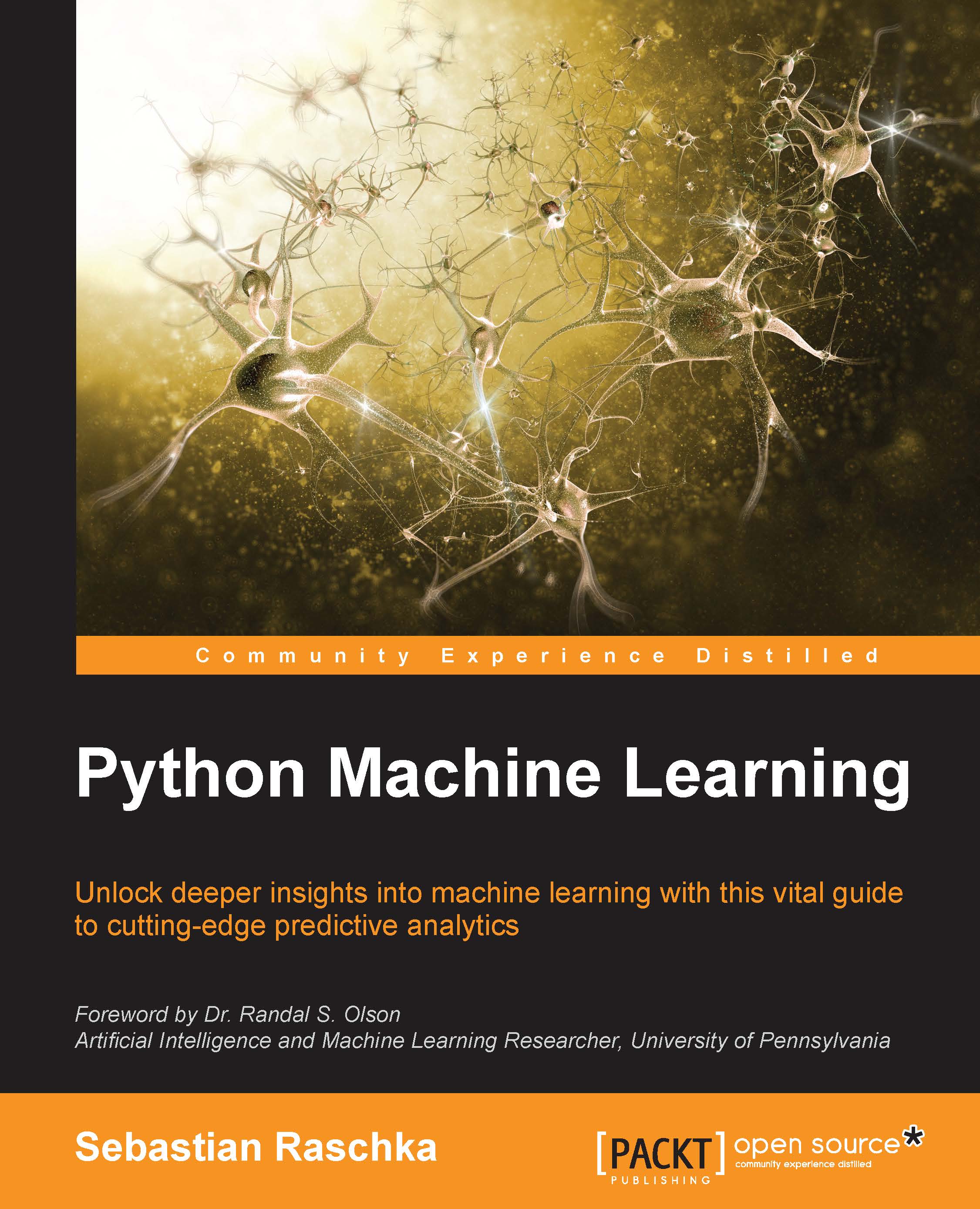
Python Machine Learning
Can$61.99
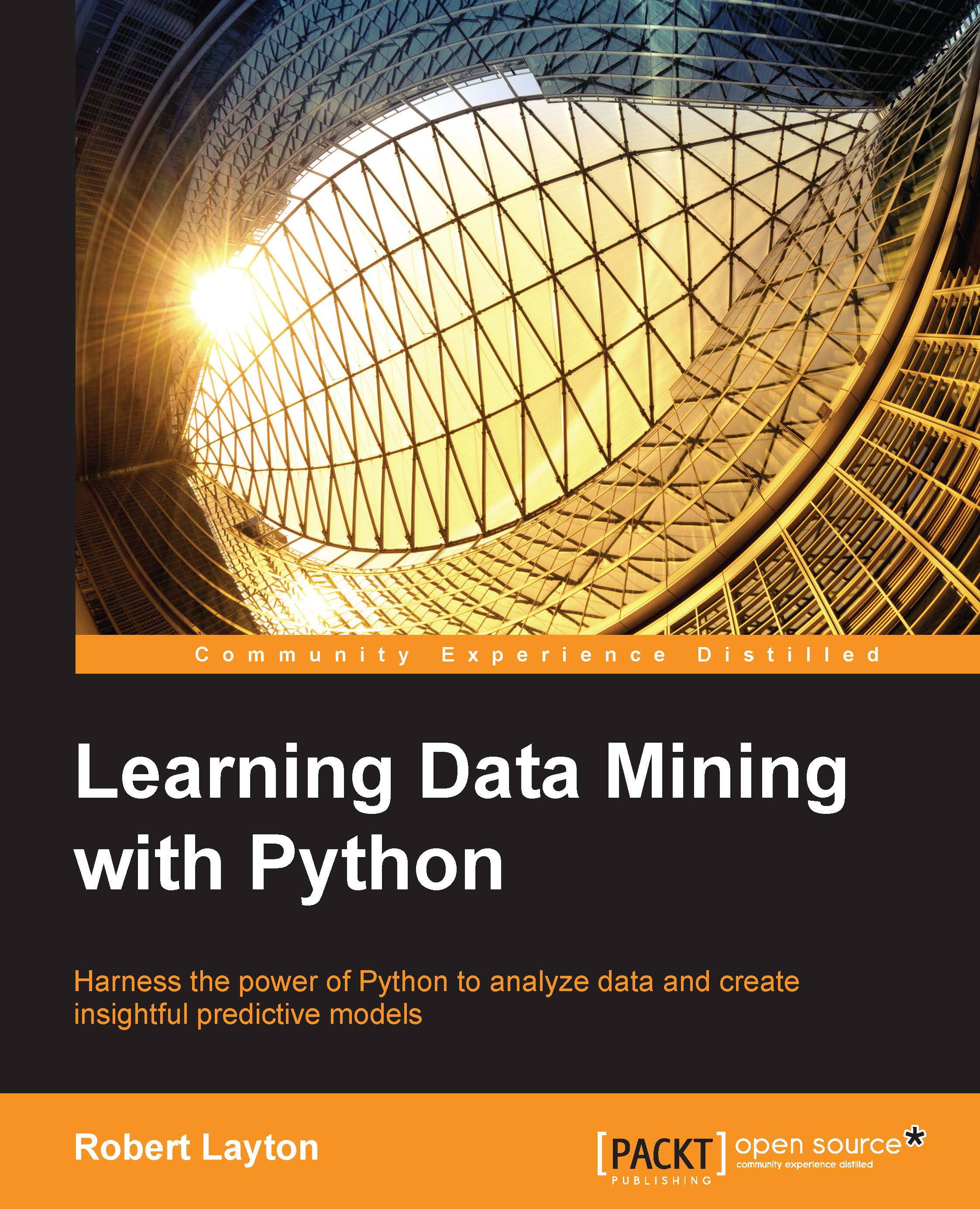
Learning Data Mining with Python
Can$61.99
Mastering Python for Data Science
Can$83.99
Total Can$ 207.97 Stars icon

Table of Contents

13 Chapters
1. Getting Started with Raw Data Chevron down icon Chevron up icon
2. Inferential Statistics Chevron down icon Chevron up icon
3. Finding a Needle in a Haystack Chevron down icon Chevron up icon
4. Making Sense of Data through Advanced Visualization Chevron down icon Chevron up icon
5. Uncovering Machine Learning Chevron down icon Chevron up icon
6. Performing Predictions with a Linear Regression Chevron down icon Chevron up icon
7. Estimating the Likelihood of Events Chevron down icon Chevron up icon
8. Generating Recommendations with Collaborative Filtering Chevron down icon Chevron up icon
9. Pushing Boundaries with Ensemble Models Chevron down icon Chevron up icon
10. Applying Segmentation with k-means Clustering Chevron down icon Chevron up icon
11. Analyzing Unstructured Data with Text Mining Chevron down icon Chevron up icon
12. Leveraging Python in the World of Big Data Chevron down icon Chevron up icon
Index Chevron down icon Chevron up icon

Customer reviews

Top Reviews
Rating distribution
Full star icon Full star icon Full star icon Half star icon Empty star icon 3.6
(10 Ratings)
5 star 40%
4 star 30%
3 star 0%
2 star 10%
1 star 20%
Filter icon Filter
Top Reviews

Filter reviews by


ruben Oct 13, 2015
Full star icon Full star icon Full star icon Full star icon Full star icon 5
Hello I would like to recommend this book I like this book because its content is about Python with appliations in Science and has very interesting programs that we can develop using this language. It explains since the beginning to the most interesting projects. in order to apply them.Beginning with the essentials of Python in data science, you will learn to manage data and perform linear algebra in Python.
Amazon Verified review Amazon
Arunkumar S Jan 25, 2019
Full star icon Full star icon Full star icon Full star icon Full star icon 5
Good book with right content
Amazon Verified review Amazon
Natester Oct 12, 2015
Full star icon Full star icon Full star icon Full star icon Full star icon 5
Madhavan's book has proven useful for some of the projects I'm working on.The first chapter includes a brief primer on Numpy and Pandas--useful for someone that is new to the Python ecosystem, but assuming you are already familiar with those packages, it should be okay to skip to the second chapter. The second chapter includes some Python statistical examples that I have not seen in other texts, but are important when looking at different types of distributions. These distribution examples and explanations are a must-have in my collection of Python recipes. There are also data visualization tweaks that I've not seen in other Data Science + Python texts.The book also provides an intro to some of the canonical machine learning algorithms (Chapter 5). These examples are great for becoming familiarized with some of the ML algorithms out there without being overwhelmed by all the other algorithms out there.If you are looking for a good primer on Data Science with Python, this is a good book. I'm using the book as a reference more than a primer and the book is also useful.
Amazon Verified review Amazon
jamie May 28, 2016
Full star icon Full star icon Full star icon Full star icon Full star icon 5
Good
Amazon Verified review Amazon
Jonathan Brett Crawley Oct 09, 2015
Full star icon Full star icon Full star icon Full star icon Empty star icon 4
The pace of the book is quite quick, so you will be up to speed in no time. The book gives a nice introduction to the algorithms used in data science, explained well and backed up with source code examples of how to implement them in the Python language. My only criticism would be that there are a number of grammatical errors in the text but they do not obstruct the reader from understanding the material. Overall a good beginners book for getting to know the world of data science
Amazon Verified review Amazon
Get free access to Packt library with over 7500+ books and video courses for 7 days!
Start Free Trial

FAQs

What is the digital copy I get with my Print order? Chevron down icon Chevron up icon

When you buy any Print edition of our Books, you can redeem (for free) the eBook edition of the Print Book you’ve purchased. This gives you instant access to your book when you make an order via PDF, EPUB or our online Reader experience.

What is the delivery time and cost of print book? Chevron down icon Chevron up icon

Shipping Details

USA:

'

Economy: Delivery to most addresses in the US within 10-15 business days

Premium: Trackable Delivery to most addresses in the US within 3-8 business days

UK:

Economy: Delivery to most addresses in the U.K. within 7-9 business days.
Shipments are not trackable

Premium: Trackable delivery to most addresses in the U.K. within 3-4 business days!
Add one extra business day for deliveries to Northern Ireland and Scottish Highlands and islands

EU:

Premium: Trackable delivery to most EU destinations within 4-9 business days.

Australia:

Economy: Can deliver to P. O. Boxes and private residences.
Trackable service with delivery to addresses in Australia only.
Delivery time ranges from 7-9 business days for VIC and 8-10 business days for Interstate metro
Delivery time is up to 15 business days for remote areas of WA, NT & QLD.

Premium: Delivery to addresses in Australia only
Trackable delivery to most P. O. Boxes and private residences in Australia within 4-5 days based on the distance to a destination following dispatch.

India:

Premium: Delivery to most Indian addresses within 5-6 business days

Rest of the World:

Premium: Countries in the American continent: Trackable delivery to most countries within 4-7 business days

Asia:

Premium: Delivery to most Asian addresses within 5-9 business days

Disclaimer:
All orders received before 5 PM U.K time would start printing from the next business day. So the estimated delivery times start from the next day as well. Orders received after 5 PM U.K time (in our internal systems) on a business day or anytime on the weekend will begin printing the second to next business day. For example, an order placed at 11 AM today will begin printing tomorrow, whereas an order placed at 9 PM tonight will begin printing the day after tomorrow.


Unfortunately, due to several restrictions, we are unable to ship to the following countries:

  1. Afghanistan
  2. American Samoa
  3. Belarus
  4. Brunei Darussalam
  5. Central African Republic
  6. The Democratic Republic of Congo
  7. Eritrea
  8. Guinea-bissau
  9. Iran
  10. Lebanon
  11. Libiya Arab Jamahriya
  12. Somalia
  13. Sudan
  14. Russian Federation
  15. Syrian Arab Republic
  16. Ukraine
  17. Venezuela
What is custom duty/charge? Chevron down icon Chevron up icon

Customs duty are charges levied on goods when they cross international borders. It is a tax that is imposed on imported goods. These duties are charged by special authorities and bodies created by local governments and are meant to protect local industries, economies, and businesses.

Do I have to pay customs charges for the print book order? Chevron down icon Chevron up icon

The orders shipped to the countries that are listed under EU27 will not bear custom charges. They are paid by Packt as part of the order.

List of EU27 countries: www.gov.uk/eu-eea:

A custom duty or localized taxes may be applicable on the shipment and would be charged by the recipient country outside of the EU27 which should be paid by the customer and these duties are not included in the shipping charges been charged on the order.

How do I know my custom duty charges? Chevron down icon Chevron up icon

The amount of duty payable varies greatly depending on the imported goods, the country of origin and several other factors like the total invoice amount or dimensions like weight, and other such criteria applicable in your country.

For example:

  • If you live in Mexico, and the declared value of your ordered items is over $ 50, for you to receive a package, you will have to pay additional import tax of 19% which will be $ 9.50 to the courier service.
  • Whereas if you live in Turkey, and the declared value of your ordered items is over € 22, for you to receive a package, you will have to pay additional import tax of 18% which will be € 3.96 to the courier service.
How can I cancel my order? Chevron down icon Chevron up icon

Cancellation Policy for Published Printed Books:

You can cancel any order within 1 hour of placing the order. Simply contact customercare@packt.com with your order details or payment transaction id. If your order has already started the shipment process, we will do our best to stop it. However, if it is already on the way to you then when you receive it, you can contact us at customercare@packt.com using the returns and refund process.

Please understand that Packt Publishing cannot provide refunds or cancel any order except for the cases described in our Return Policy (i.e. Packt Publishing agrees to replace your printed book because it arrives damaged or material defect in book), Packt Publishing will not accept returns.

What is your returns and refunds policy? Chevron down icon Chevron up icon

Return Policy:

We want you to be happy with your purchase from Packtpub.com. We will not hassle you with returning print books to us. If the print book you receive from us is incorrect, damaged, doesn't work or is unacceptably late, please contact Customer Relations Team on customercare@packt.com with the order number and issue details as explained below:

  1. If you ordered (eBook, Video or Print Book) incorrectly or accidentally, please contact Customer Relations Team on customercare@packt.com within one hour of placing the order and we will replace/refund you the item cost.
  2. Sadly, if your eBook or Video file is faulty or a fault occurs during the eBook or Video being made available to you, i.e. during download then you should contact Customer Relations Team within 14 days of purchase on customercare@packt.com who will be able to resolve this issue for you.
  3. You will have a choice of replacement or refund of the problem items.(damaged, defective or incorrect)
  4. Once Customer Care Team confirms that you will be refunded, you should receive the refund within 10 to 12 working days.
  5. If you are only requesting a refund of one book from a multiple order, then we will refund you the appropriate single item.
  6. Where the items were shipped under a free shipping offer, there will be no shipping costs to refund.

On the off chance your printed book arrives damaged, with book material defect, contact our Customer Relation Team on customercare@packt.com within 14 days of receipt of the book with appropriate evidence of damage and we will work with you to secure a replacement copy, if necessary. Please note that each printed book you order from us is individually made by Packt's professional book-printing partner which is on a print-on-demand basis.

What tax is charged? Chevron down icon Chevron up icon

Currently, no tax is charged on the purchase of any print book (subject to change based on the laws and regulations). A localized VAT fee is charged only to our European and UK customers on eBooks, Video and subscriptions that they buy. GST is charged to Indian customers for eBooks and video purchases.

What payment methods can I use? Chevron down icon Chevron up icon

You can pay with the following card types:

  1. Visa Debit
  2. Visa Credit
  3. MasterCard
  4. PayPal
What is the delivery time and cost of print books? Chevron down icon Chevron up icon

Shipping Details

USA:

'

Economy: Delivery to most addresses in the US within 10-15 business days

Premium: Trackable Delivery to most addresses in the US within 3-8 business days

UK:

Economy: Delivery to most addresses in the U.K. within 7-9 business days.
Shipments are not trackable

Premium: Trackable delivery to most addresses in the U.K. within 3-4 business days!
Add one extra business day for deliveries to Northern Ireland and Scottish Highlands and islands

EU:

Premium: Trackable delivery to most EU destinations within 4-9 business days.

Australia:

Economy: Can deliver to P. O. Boxes and private residences.
Trackable service with delivery to addresses in Australia only.
Delivery time ranges from 7-9 business days for VIC and 8-10 business days for Interstate metro
Delivery time is up to 15 business days for remote areas of WA, NT & QLD.

Premium: Delivery to addresses in Australia only
Trackable delivery to most P. O. Boxes and private residences in Australia within 4-5 days based on the distance to a destination following dispatch.

India:

Premium: Delivery to most Indian addresses within 5-6 business days

Rest of the World:

Premium: Countries in the American continent: Trackable delivery to most countries within 4-7 business days

Asia:

Premium: Delivery to most Asian addresses within 5-9 business days

Disclaimer:
All orders received before 5 PM U.K time would start printing from the next business day. So the estimated delivery times start from the next day as well. Orders received after 5 PM U.K time (in our internal systems) on a business day or anytime on the weekend will begin printing the second to next business day. For example, an order placed at 11 AM today will begin printing tomorrow, whereas an order placed at 9 PM tonight will begin printing the day after tomorrow.


Unfortunately, due to several restrictions, we are unable to ship to the following countries:

  1. Afghanistan
  2. American Samoa
  3. Belarus
  4. Brunei Darussalam
  5. Central African Republic
  6. The Democratic Republic of Congo
  7. Eritrea
  8. Guinea-bissau
  9. Iran
  10. Lebanon
  11. Libiya Arab Jamahriya
  12. Somalia
  13. Sudan
  14. Russian Federation
  15. Syrian Arab Republic
  16. Ukraine
  17. Venezuela
Modal Close icon
Modal Close icon