Search icon CANCEL
Subscription
0
Cart icon
Your Cart (0 item)
Close icon
You have no products in your basket yet
Save more on your purchases! discount-offer-chevron-icon
Savings automatically calculated. No voucher code required.
Arrow left icon
Explore Products
Best Sellers
New Releases
Books
Events
Videos
Audiobooks
Packt Hub
Free Learning
Arrow right icon
timer SALE ENDS IN
0 Days
:
00 Hours
:
00 Minutes
:
00 Seconds
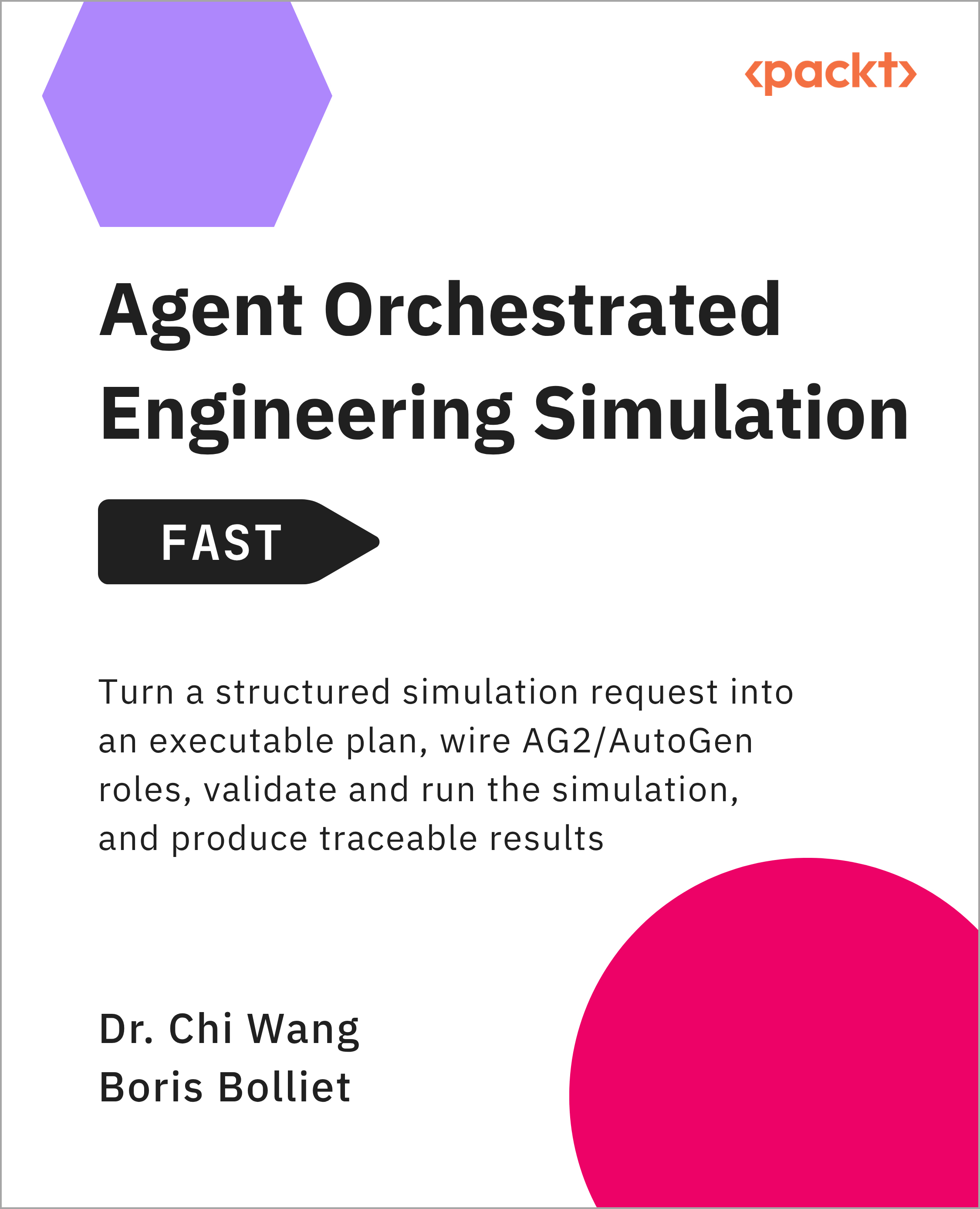
Agent Orchestrated Engineering Simulation - FAST

Agent Orchestrated Engineering Simulation - FAST: Turn a structured simulation request into an executable plan, wire AG2/AutoGen roles, validate and run the simulation, and produce traceable results

Arrow left icon
Profile Icon Dr. Chi Wang Profile Icon Boris Bolliet
Arrow right icon
Can$18.89 Can$20.99
eBook Sep 2026 98 pages 1st Edition
eBook
Can$18.89 Can$20.99
eBook + Subscription
Free Trial
Arrow left icon
Profile Icon Dr. Chi Wang Profile Icon Boris Bolliet
Arrow right icon
Can$18.89 Can$20.99
eBook Sep 2026 98 pages 1st Edition
eBook
Can$18.89 Can$20.99
eBook + Subscription
Free Trial
eBook
Can$18.89 Can$20.99
eBook + Subscription
Free Trial

What do you get with eBook?

Product feature icon Instant access to your Digital eBook purchase
Product feature icon Download this book in EPUB and PDF formats
Product feature icon Access this title in our online reader with advanced features
Product feature icon DRM FREE - Read whenever, wherever and however you want
Modal Close icon
Payment Processing...
tick Completed

Billing Address

Table of content icon View table of contents Preview book icon Preview Book

Agent Orchestrated Engineering Simulation - FAST

1

Why Agent-Orchestrated Engineering Simulation Matters

Engineering simulation workflows are becoming increasingly sophisticated, yet the challenges they face are often less about computation than about coordination. Teams spend significant time gathering inputs, validating assumptions, managing handoffs, and tracing decisions across multiple tools and stakeholders. While modern solvers continue to improve in speed and capability, the workflows surrounding them frequently remain fragmented, manual, and difficult to audit. As simulations become larger and more collaborative, these coordination costs can rival the computational effort itself.

Agent orchestration frameworks such as AG2/AutoGen provide a practical way to coordinate these workflows. Instead of relying on a single AI assistant, they allow multiple specialized agents to collaborate by taking on distinct responsibilities, such as planning, reviewing, controlling, and executing tasks while sharing context and using external tools where appropriate. This creates a structured coordination layer around existing simulation software rather than replacing the simulation tools themselves.

This chapter introduces the motivation for an agent-orchestrated approach to engineering simulation. You'll examine where coordination drag originates, identify the workflow that will serve as the running example throughout this book, define what successful orchestration should achieve, and explore the high-level operating model that makes those improvements possible. By the end of the chapter, you'll understand not only why orchestration matters, but also when it is the right approach—and when it isn't.

The operational pain today

If you own a multi-step engineering simulation, your biggest bottleneck is often not the solver itself—it is everything that happens around it. Inputs need to be gathered, assumptions verified, jobs submitted, results reviewed, and decisions communicated. Each individual activity is reasonable. Together, they create a workflow that is slower, more fragile, and harder to manage than it appears on paper.

The challenge is not computation alone; it is coordination. A simulation may take hours to run, but teams often lose just as much time waiting for information, reconstructing context, or figuring out who is responsible for the next step. As workflows become more complex, these delays accumulate into what we can think of as coordination drag.

Three patterns create most of that drag.

Manual handoffs and queue time

Simulation workflows frequently cross organizational and technical boundaries. A request moves from a domain expert to an analyst, from an analyst to a simulation engineer, and eventually to a reviewer or decision-maker. At each boundary, information must be interpreted, reformatted, or re-entered.

A colleague reads an email and manually updates boundary conditions. A job waits for approval before it can be submitted. A failed run must be restarted when compute resources become available again. These delays are not merely administrative overhead. Every handoff introduces waiting, context switching, and opportunities for misunderstanding.

Context loss across steps

Even when work moves quickly, the information behind it does not always travel intact.

File names drift from one version to the next. Units are assumed rather than verified. Solver settings are copied forward without recording why they were chosen. The intent behind earlier decisions gradually disappears as work progresses through the pipeline.

Most simulation failures are not caused by dramatic mistakes. They emerge from small mismatches that compound over time. A stale mesh, an incorrect unit conversion, or an outdated parameter set can quietly undermine confidence in the final result.

Unclear ownership and traceability

When results look wrong, teams often discover that understanding what happened is harder than fixing the problem itself.

Which parameter changed? Who approved the change? Which validation checks ran before the job was submitted? Which version of the input data produced the reported result?

Without a clear record of decisions and ownership, investigations turn into forensic exercises. Engineers search through chat messages, emails, spreadsheets, and scripts to reconstruct events that should already be visible.

Why these problems persist

None of these issues originate from bad tools or poor engineering practices. They emerge because simulation workflows are typically optimized around execution rather than coordination. Solvers, post-processing tools, and compute platforms may be highly efficient, while the decisions connecting them remain informal, distributed, and difficult to audit. An agent-structured workflow addresses these pains by making intent legible and decisions reviewable. A planner proposes a plan, a reviewer critiques it, a control role enforces constraints, and an executor drives tools with logs you can actually audit. The propose - critique loop stabilizes plans before expensive work starts, and explicit breakpoints keep long runs from drifting. You still use your existing solvers and post-processing tools; the change is that coordination stops being brittle and invisible.

Figure 1.1 highlights where these friction points emerge. Notice that the most significant delays occur at the boundaries where responsibility changes hands and information must move between people, tools, or systems:

Figure 1.1 – Multi-step engineering simulation as it exists today – where the drag is created

Figure 1.1 – Multi-step engineering simulation as it exists today – where the drag is created

The flagship workflow you will automate

Reducing coordination drag starts with making the workflow itself explicit. Before discussing agents, reviews, or control gates, you need a clear picture of the process you are trying to improve. Most engineering simulation workflows follow the same broad pattern: prepare inputs, execute a simulation, and turn the results into a decision.

Throughout this book, you will apply that pattern to a small two-dimensional heat-diffusion simulation. The example represents a square metal plate that begins at a uniform temperature, with a hotter point introduced at its center. The simulation calculates how the heat spreads across the plate over a fixed number of time steps.

The numerical model is intentionally simple. It is not intended to replace a validated heat-transfer solver or reproduce the complexity of a production CFD or finite element analysis workflow. Its purpose is to provide a reproducible example in which you can see how orchestration handles inputs, plans, validation gates, execution, outputs, and recovery. The same coordination pattern can later be applied to more sophisticated engineering tools.

The workflow follows three stages:

  1. Take well-formed inputs – The request defines values such as the grid size, initial temperature, boundary temperature, hotspot temperature, number of time steps, and diffusion rate. Before execution, these inputs must be complete, correctly typed, and within permitted ranges.
  2. Run the simulation kernel – A small Python function calculates how the temperature at each point on the plate changes over time. The function acts as the trusted simulation kernel for the worked example. In a production workflow, the same orchestration layer could call a CFD solver, an FEA package, a remote simulation service, or another established tool.
  3. Turn results into a decision without losing context – After the run, the workflow records measurements such as the minimum, maximum, average, and center temperatures. It then compares the peak temperature with a configured review threshold and produces a concise recommendation.

Orchestration adds leverage at the boundaries between these stages. The planner converts the request into an ordered set of steps and names the artifacts each step will produce. The reviewer checks whether the plan is complete and whether its assumptions are plausible. Control enforces hard limits, such as the maximum grid size, number of time steps, and permitted diffusion rate. The executor runs the approved simulation and records the result without changing the plan.

The workflow also preserves its state through a small set of artifacts:

  • simulation_request.json contains the requested simulation parameters.
  • plan.json records the approved execution steps and constraints.
  • gate_pre.json records whether the request passed pre-execution validation.
  • results.json contains the numerical output.
  • report.json converts the output into a short decision-facing summary.

Here's a visual workflow to show this progression:

Figure 1.2 – Artifacts workflow

Figure 1.2 – Artifacts workflow

These artifacts will be introduced gradually in later chapters. For now, the important point is that every handoff produces visible evidence. If a request fails validation, the workflow records why it stopped. If a simulation completes, the result can be traced back to the request and approved plan that produced it.

You continue to rely on the simulation kernel for the numerical calculation. Orchestration sits above it as a coordination layer: explicit, reviewable, and capable of refusing to proceed when a gate fails. The aim is not to let an AI system make unbounded physics decisions. It is to make the steps surrounding a trusted simulation more predictable and auditable.

What success looks like

Before changing your workflow, it's worth defining what success actually looks like. Otherwise, it's easy to automate more work without improving the process itself.

Shorter turnaround time

Turnaround time comes first—focus on the end-to-end clock from "new simulation request arrives" to "reviewable report produced." Agents help by reducing delays between planning, validation, execution, and reporting, while early gates prevent avoidable reruns. Do not guess a target improvement. Record the current workflow for one representative case, choose a small and realistic improvement, and compare it with the orchestrated run. If the workflow is not reducing coordination or catching invalid requests earlier, the orchestration is not yet adding value.

Improved quality, safety, and auditability

The second measure of success is whether important decisions can be validated, explained, and reproduced. Gates should be explicit, readable, and easy to run in isolation. In the heat-diffusion example, the first gates verify that all required fields are present, numeric values are valid, the grid and time-step counts remain within configured limits, and the diffusion rate falls within the permitted range. Each gate produces a clear "pass" or "fail with reason" result. When a gate fails, the workflow stops with a small, actionable message instead of passing an invalid request to the simulation kernel.

Reliable rollback and fallback

Rollback closes the loop by making failure recoverable rather than expensive. If a revised simulation request fails a gate or produces an unacceptable result, the workflow should preserve the previous approved request and plan so that the last valid configuration can be restored and rerun. Fallback becomes important when an agent lacks confidence, exceeds its review-round limit, or cannot produce a conforming plan. In those cases, the workflow should escalate to a human reviewer or return to a simpler, previously approved configuration rather than guessing.

Keep these two behaviors visible in your logs so you can defend decisions in design reviews and audits.

Checklist

Define success for the first heat-diffusion workflow:

  1. Record the turnaround time for one baseline run, from receiving the request to producing a reviewable result.
  2. Define the pre-execution gates for required fields, grid size, time steps, temperature values, and diffusion rate.
  3. Write a clear "fail with reason" message for each gate.
  4. Define which approved request and plan should be restored when a revised configuration fails.
  5. Define when repeated planning or review failures should be escalated to a human.

Use this checklist to limit the first implementation. Additional parameters, visualizations, and domain checks can be added after the core workflow runs reliably.

Roles that structure progress

The workflow you've seen so far still leaves one important question unanswered: who is responsible for each decision? As engineering workflows become more automated, simply connecting tools together is not enough. Someone—or something—still needs to plan the work, challenge assumptions, ensure constraints are met, and execute the approved tasks.

Rather than assigning all of these responsibilities to a single agent, this book uses a four-role operating model that separates planning, review, control, and execution. Each role has a distinct responsibility, making decisions easier to understand, validate, and audit.

  1. Planner – Develops the execution plan by identifying the required inputs, transformations, and simulation steps.
  2. Reviewer – Examines the proposed plan, checking for missing assumptions, unnecessary work, or opportunities to simplify the workflow.
  3. Control – Ensures the proposed workflow satisfies engineering constraints and validation requirements before execution begins.
  4. Executor – Runs the approved workflow using the appropriate simulation and post-processing tools while recording the resulting artifacts.

Together, these roles create a simple operating pattern: plan, review, validate, and execute. Instead of relying on informal communication or manual checkpoints, every important decision follows a clear sequence before expensive simulation work begins. The result is a workflow that is easier to understand, easier to reproduce, and more resilient to coordination errors.

A simple example shows how these roles work together. Suppose a request asks the heat-diffusion simulation to use a grid size of 20, run for 100 time steps, and apply a diffusion rate of 0.5. The planner converts the request into a sequence covering validation, simulation, result checking, and reporting. The reviewer confirms that the required inputs are present but flags the diffusion rate as potentially invalid. Control checks the value against the configured maximum of 0.25 and blocks the run. The executor therefore never calls the simulation kernel, and the workflow records a precise reason for the rejection.

After the diffusion rate is corrected to 0.1, the planner updates the plan, the reviewer confirms the correction, and control approves execution. The executor runs the simulation and records the resulting temperatures and runtime. This sequence demonstrates the purpose of separating the roles: the planner organizes the work, the reviewer challenges it, control makes the enforceable decision, and the executor runs only an approved request.

What this approach can and can't solve

This approach shines when the pipeline is multi-step, repeatable, and already bounded by engineering rules. Strong fit signals include: well-defined inputs and transforms; a simulation kernel you trust; a need to coordinate decisions and gates more than to invent new physics; and frequent reruns where context loss costs you hours. You get leverage by making intent explicit, enforcing gates before expensive steps, and keeping a clean audit trail.

It is a weaker fit when the objective is open-ended research, when the kernel behavior is itself unstable, or when your environment cannot tolerate any orchestration latency (for example, a real-time control loop). It's also not a cure-all for bad inputs: agents can refuse to proceed and help you see the problem sooner, but they do not conjure missing data or fix broken geometry by magic. Finally, if every run is a bespoke experiment with different rules, you won't find enough repeatable structure for roles and gates to bite.

If you see the weak-fit signs but still want to explore the approach, defer complexity. Start with a checkpointed flow rather than autonomy-first. The heat-diffusion example used in this book follows that principle: it limits the initial workflow to one bounded simulation, a small set of explicit inputs, and a few high-value gates. Expand the scope only after the workflow produces stable artifacts, predictable failures, and measurable coordination improvements.

Figure 1.3 – What this approach can and can't do

Figure 1.3 – What this approach can and can't do

Left arrow icon Right arrow icon

Key benefits

  • Build planner-reviewer-controller-executor workflows with AG2/AutoGen
  • Apply validation gates, audit trails, and fail-fast recovery to simulations
  • Follow a runnable heat-diffusion example from request to traceable report

Description

Engineering simulation workflows often lose more time to coordination than computation. Inputs are gathered across tools, assumptions drift between handoffs, and decisions become difficult to reconstruct. This practical FAST guide shows you how to add an agent-orchestration layer around trusted simulation tools without replacing the solver itself. Using a single two-dimensional heat-diffusion example, you will build a planner-reviewer-controller-executor workflow with AG2/AutoGen. You will define input contracts, create auditable artifacts such as simulation_request.json and plan.json, enforce validation gates before execution, run the simulation, validate results, and turn them into a decision-facing report. You will also work through failure modes, diagnostics, recovery paths, auditability, and orchestration variants. By the end of the book, you will understand how to make simulation workflows more predictable, traceable, and resilient, and how to extend the same pattern to parameter studies, CFD, FEA, cloud, and HPC environments.

Who is this book for?

This book is for ML/AI engineers, simulation engineers, and technical workflow owners who want to coordinate multi-step engineering simulations with agentic AI. Familiarity with Python and basic simulation workflows will help you follow the runnable examples. No prior AG2/AutoGen experience is required.

What you will learn

  • Map engineering simulations into explicit orchestration stages
  • Define planner, reviewer, controller, and executor roles
  • Implement an AG2/AutoGen workflow around a trusted simulation
  • Validate requests, plans, tool calls, and simulation outputs
  • Diagnose failures and apply repair, re-planning, or escalation
  • Extend the pattern to CFD, FEA, parameter sweeps, cloud, and HPC

Product Details

Country selected
Publication date, Length, Edition, Language, ISBN-13
Publication date : Sep 09, 2026
Length: 98 pages
Edition : 1st
Language : English
ISBN-13 : 9781808653025
Category :
Languages :
Concepts :

What do you get with eBook?

Product feature icon Instant access to your Digital eBook purchase
Product feature icon Download this book in EPUB and PDF formats
Product feature icon Access this title in our online reader with advanced features
Product feature icon DRM FREE - Read whenever, wherever and however you want
Modal Close icon
Payment Processing...
tick Completed

Billing Address

Product Details

Publication date : Sep 09, 2026
Length: 98 pages
Edition : 1st
Language : English
ISBN-13 : 9781808653025
Category :
Languages :
Concepts :

Packt Subscriptions

See our plans and pricing
Modal Close icon
$19.99 billed monthly
Feature tick icon Unlimited access to Packt's library of 7,000+ practical books and videos
Feature tick icon Constantly refreshed with 50+ new titles a month
Feature tick icon Exclusive Early access to books as they're written
Feature tick icon Solve problems while you work with advanced search and reference features
Feature tick icon Offline reading on the mobile app
Feature tick icon Simple pricing, no contract
$199.99 billed annually
Feature tick icon Unlimited access to Packt's library of 7,000+ practical books and videos
Feature tick icon Constantly refreshed with 50+ new titles a month
Feature tick icon Exclusive Early access to books as they're written
Feature tick icon Solve problems while you work with advanced search and reference features
Feature tick icon Offline reading on the mobile app
Feature tick icon Choose a DRM-free eBook or Video every month to keep
Feature tick icon PLUS own as many other DRM-free eBooks or Videos as you like for just Can$6 each
Feature tick icon Exclusive print discounts
$279.99 billed in 18 months
Feature tick icon Unlimited access to Packt's library of 7,000+ practical books and videos
Feature tick icon Constantly refreshed with 50+ new titles a month
Feature tick icon Exclusive Early access to books as they're written
Feature tick icon Solve problems while you work with advanced search and reference features
Feature tick icon Offline reading on the mobile app
Feature tick icon Choose a DRM-free eBook or Video every month to keep
Feature tick icon PLUS own as many other DRM-free eBooks or Videos as you like for just Can$6 each
Feature tick icon Exclusive print discounts

Table of Contents

9 Chapters
Chapter 1: Why Agent-Orchestrated Engineering Simulation Matters Chevron down icon Chevron up icon
Chapter 2: The Operating Model: From Roles to Orchestration Chevron down icon Chevron up icon
Chapter 3: Prepare the Ground: Prerequisites, Inputs, and Baselines Chevron down icon Chevron up icon
Chapter 4: Build the Core Workflow in AG2/AutoGen Chevron down icon Chevron up icon
Chapter 5: Worked Example: Mapping a Known Pipeline Chevron down icon Chevron up icon
Chapter 6: Quality Checks and Failure Modes Chevron down icon Chevron up icon
Chapter 7: Variants, Edge Cases, and Extensions Chevron down icon Chevron up icon
Conclusion Chevron down icon Chevron up icon
Index Chevron down icon Chevron up icon
Get free access to Packt library with over 7500+ books and video courses for 7 days!
Start Free Trial

FAQs

How do I buy and download an eBook? Chevron down icon Chevron up icon

Where there is an eBook version of a title available, you can buy it from the book details for that title. Add either the standalone eBook or the eBook and print book bundle to your shopping cart. Your eBook will show in your cart as a product on its own. After completing checkout and payment in the normal way, you will receive your receipt on the screen containing a link to a personalised PDF download file. This link will remain active for 30 days. You can download backup copies of the file by logging in to your account at any time.

If you already have Adobe reader installed, then clicking on the link will download and open the PDF file directly. If you don't, then save the PDF file on your machine and download the Reader to view it.

Please Note: Packt eBooks are non-returnable and non-refundable.

Packt eBook and Licensing When you buy an eBook from Packt Publishing, completing your purchase means you accept the terms of our licence agreement. Please read the full text of the agreement. In it we have tried to balance the need for the ebook to be usable for you the reader with our needs to protect the rights of us as Publishers and of our authors. In summary, the agreement says:

  • You may make copies of your eBook for your own use onto any machine
  • You may not pass copies of the eBook on to anyone else
How can I make a purchase on your website? Chevron down icon Chevron up icon

If you want to purchase a video course, eBook or Bundle (Print+eBook) please follow below steps:

  1. Register on our website using your email address and the password.
  2. Search for the title by name or ISBN using the search option.
  3. Select the title you want to purchase.
  4. Choose the format you wish to purchase the title in; if you order the Print Book, you get a free eBook copy of the same title. 
  5. Proceed with the checkout process (payment to be made using Credit Card, Debit Cart, or PayPal)
Where can I access support around an eBook? Chevron down icon Chevron up icon
  • If you experience a problem with using or installing Adobe Reader, the contact Adobe directly.
  • To view the errata for the book, see www.packtpub.com/support and view the pages for the title you have.
  • To view your account details or to download a new copy of the book go to www.packtpub.com/account
  • To contact us directly if a problem is not resolved, use www.packtpub.com/contact-us
What eBook formats do Packt support? Chevron down icon Chevron up icon

Our eBooks are currently available in a variety of formats such as PDF and ePubs. In the future, this may well change with trends and development in technology, but please note that our PDFs are not Adobe eBook Reader format, which has greater restrictions on security.

You will need to use Adobe Reader v9 or later in order to read Packt's PDF eBooks.

What are the benefits of eBooks? Chevron down icon Chevron up icon
  • You can get the information you need immediately
  • You can easily take them with you on a laptop
  • You can download them an unlimited number of times
  • You can print them out
  • They are copy-paste enabled
  • They are searchable
  • There is no password protection
  • They are lower price than print
  • They save resources and space
What is an eBook? Chevron down icon Chevron up icon

Packt eBooks are a complete electronic version of the print edition, available in PDF and ePub formats. Every piece of content down to the page numbering is the same. Because we save the costs of printing and shipping the book to you, we are able to offer eBooks at a lower cost than print editions.

When you have purchased an eBook, simply login to your account and click on the link in Your Download Area. We recommend you saving the file to your hard drive before opening it.

For optimal viewing of our eBooks, we recommend you download and install the free Adobe Reader version 9.

Modal Close icon
Modal Close icon