Search icon CANCEL
Subscription
0
Cart icon
Your Cart (0 item)
Close icon
You have no products in your basket yet
Arrow left icon
Explore Products
Best Sellers
New Releases
Books
Events
Videos
Audiobooks
Packt Hub
Free Learning
Arrow right icon
timer SALE ENDS IN
0 Days
:
00 Hours
:
00 Minutes
:
00 Seconds
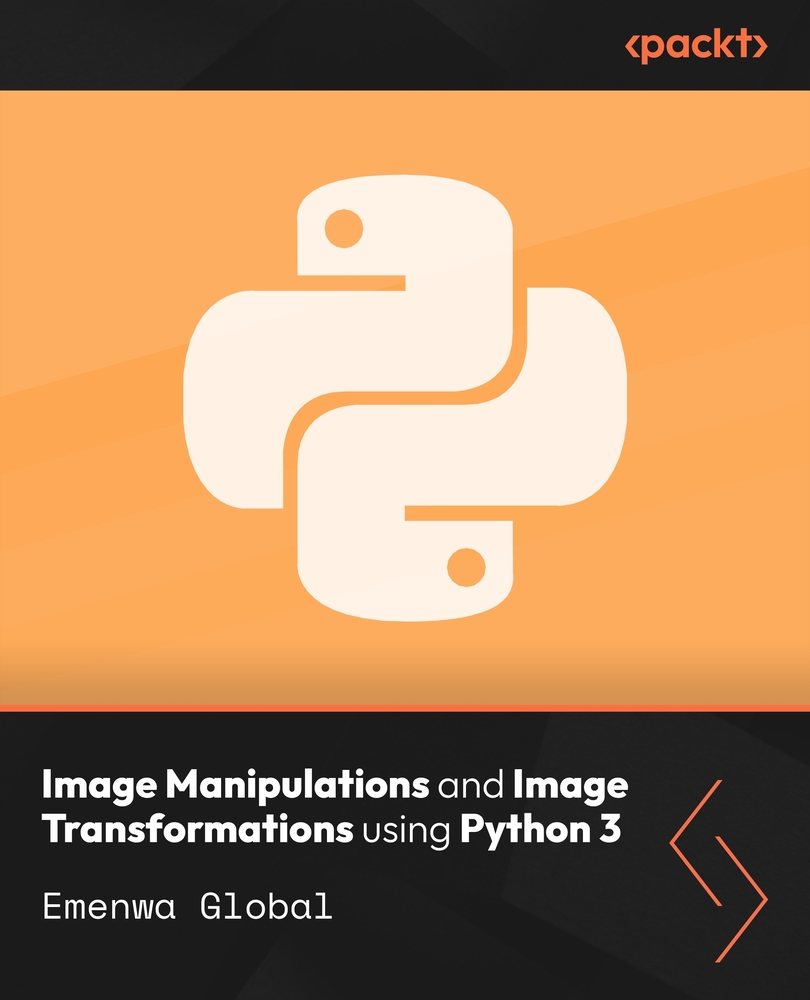
Image Manipulations and Image Transformations using Python 3

Image Manipulations and Image Transformations using Python 3: Transform, resize, filter, and convert images with Python and Pillow

Arrow left icon
Profile Icon Emenwa Global
Arrow right icon
R$111.99
Video Jul 2026 1hr 55mins 1st Edition
Video
R$111.99
Video + Subscription
Free Trial
Arrow left icon
Profile Icon Emenwa Global
Arrow right icon
R$111.99
Video Jul 2026 1hr 55mins 1st Edition
Video
R$111.99
Video + Subscription
Free Trial
Video
R$111.99
Video + Subscription
Free Trial

What do you get with a video?

Product feature icon Download this video in MP4 format
Product feature icon Access this title in our online reader with advanced features
Product feature icon DRM FREE - Read whenever, wherever and however you want
Modal Close icon
Payment Processing...
tick Completed

Billing Address

Key benefits

  • A focused introduction to Python image processing through the practical Pillow library toolkit
  • Clear demonstrations of cropping, resizing, filtering, channel mixing, and format conversion
  • Batch-processing techniques for multiple images, thumbnails, extensions, and size adjustments

Description

Image processing with Python provides a repeatable way to prepare, transform, and convert visual assets. Learners begin by installing Pillow and examining image modes and color channels before practicing essential operations such as opening, cropping, resizing, splitting, and overlapping images. The workflow expands into channel mixing, transformations, filters, mode changes, and conversion between JPEG and PNG formats. Batch techniques demonstrate how to convert or resize multiple files and create thumbnail sets, helping learners apply consistent processing steps across collections of images rather than handling every file separately. By the end of this course, learners can build clear Python workflows for common image-manipulation tasks. They gain practical experience preparing, transforming, filtering, and converting image assets, along with a stronger foundation for developing additional image-processing projects.

Who is this book for?

Python learners, developers, and image-processing beginners who want practical skills with Pillow and common transformation workflows. Basic Python programming and basic Adobe Photoshop knowledge are required.

What you will learn

  • Install and configure the Pillow library
  • Crop, resize, and split digital images
  • Combine images and mix color channels
  • Convert images between JPEG and PNG formats
  • Apply filters and basic image transformations
  • Automate batch resizing and thumbnail creation

Product Details

Country selected
Publication date, Length, Edition, Language, ISBN-13
Last updated date : Aug 03, 2026
Publication date : Jul 29, 2026
Length: 1hr 55mins
Edition : 1st
Language : English
ISBN-13 : 9781808653339
Languages :
Concepts :
Tools :

What do you get with a video?

Product feature icon Download this video in MP4 format
Product feature icon Access this title in our online reader with advanced features
Product feature icon DRM FREE - Read whenever, wherever and however you want
Modal Close icon
Payment Processing...
tick Completed

Billing Address

Product Details

Last updated date : Aug 03, 2026
Publication date : Jul 29, 2026
Length: 1hr 55mins
Edition : 1st
Language : English
ISBN-13 : 9781808653339
Languages :
Concepts :
Tools :

Packt Subscriptions

See our plans and pricing
Modal Close icon
R$50 billed monthly
Feature tick icon Unlimited access to Packt's library of 7,000+ practical books and videos
Feature tick icon Constantly refreshed with 50+ new titles a month
Feature tick icon Exclusive Early access to books as they're written
Feature tick icon Solve problems while you work with advanced search and reference features
Feature tick icon Offline reading on the mobile app
Feature tick icon Simple pricing, no contract
R$500 billed annually
Feature tick icon Unlimited access to Packt's library of 7,000+ practical books and videos
Feature tick icon Constantly refreshed with 50+ new titles a month
Feature tick icon Exclusive Early access to books as they're written
Feature tick icon Solve problems while you work with advanced search and reference features
Feature tick icon Offline reading on the mobile app
Feature tick icon Choose a DRM-free eBook or Video every month to keep
Feature tick icon PLUS own as many other DRM-free eBooks or Videos as you like for just R$25 each
Feature tick icon Exclusive print discounts
R$800 billed in 18 months
Feature tick icon Unlimited access to Packt's library of 7,000+ practical books and videos
Feature tick icon Constantly refreshed with 50+ new titles a month
Feature tick icon Exclusive Early access to books as they're written
Feature tick icon Solve problems while you work with advanced search and reference features
Feature tick icon Offline reading on the mobile app
Feature tick icon Choose a DRM-free eBook or Video every month to keep
Feature tick icon PLUS own as many other DRM-free eBooks or Videos as you like for just R$25 each
Feature tick icon Exclusive print discounts

Table of Contents

1 Chapters
Getting Started with Image Manipulations and Transformations in Python Chevron down icon Chevron up icon
Get free access to Packt library with over 7500+ books and video courses for 7 days!
Start Free Trial

FAQs

How can I download a video package for offline viewing? Chevron down icon Chevron up icon
  1. Login to your account at Packtpub.com.
  2. Click on "My Account" and then click on the "My Videos" tab to access your videos.
  3. Click on the "Download Now" link to start your video download.
How can I extract my video file? Chevron down icon Chevron up icon

All modern operating systems ship with ZIP file extraction built in. If you'd prefer to use a dedicated compression application, we've tested WinRAR / 7-Zip for Windows, Zipeg / iZip / UnRarX for Mac and 7-Zip / PeaZip for Linux. These applications support all extension files.

How can I get help and support around my video package? Chevron down icon Chevron up icon

If your video course doesn't give you what you were expecting, either because of functionality problems or because the content isn't up to scratch, please mail customercare@packt.com with details of the problem. In addition, so that we can best provide the support you need, please include the following information for our support team.

  1. Video
  2. Format watched (HTML, MP4, streaming)
  3. Chapter or section that issue relates to (if relevant)
  4. System being played on
  5. Browser used (if relevant)
  6. Details of support
Why can’t I download my video package? Chevron down icon Chevron up icon

In the even that you are having issues downloading your video package then please follow these instructions:

  1. Disable all your browser plugins and extensions: Some security and download manager extensions can cause issues during the download.
  2. Download the video course using a different browser: We've tested downloads operate correctly in current versions of Chrome, Firefox, Internet Explorer, and Safari.
Modal Close icon
Modal Close icon