Search icon CANCEL
Subscription
0
Cart icon
Your Cart (0 item)
Close icon
You have no products in your basket yet
Arrow left icon
Explore Products
Best Sellers
New Releases
Books
Events
Videos
Audiobooks
Packt Hub
Free Learning
Arrow right icon
timer SALE ENDS IN
0 Days
:
00 Hours
:
00 Minutes
:
00 Seconds
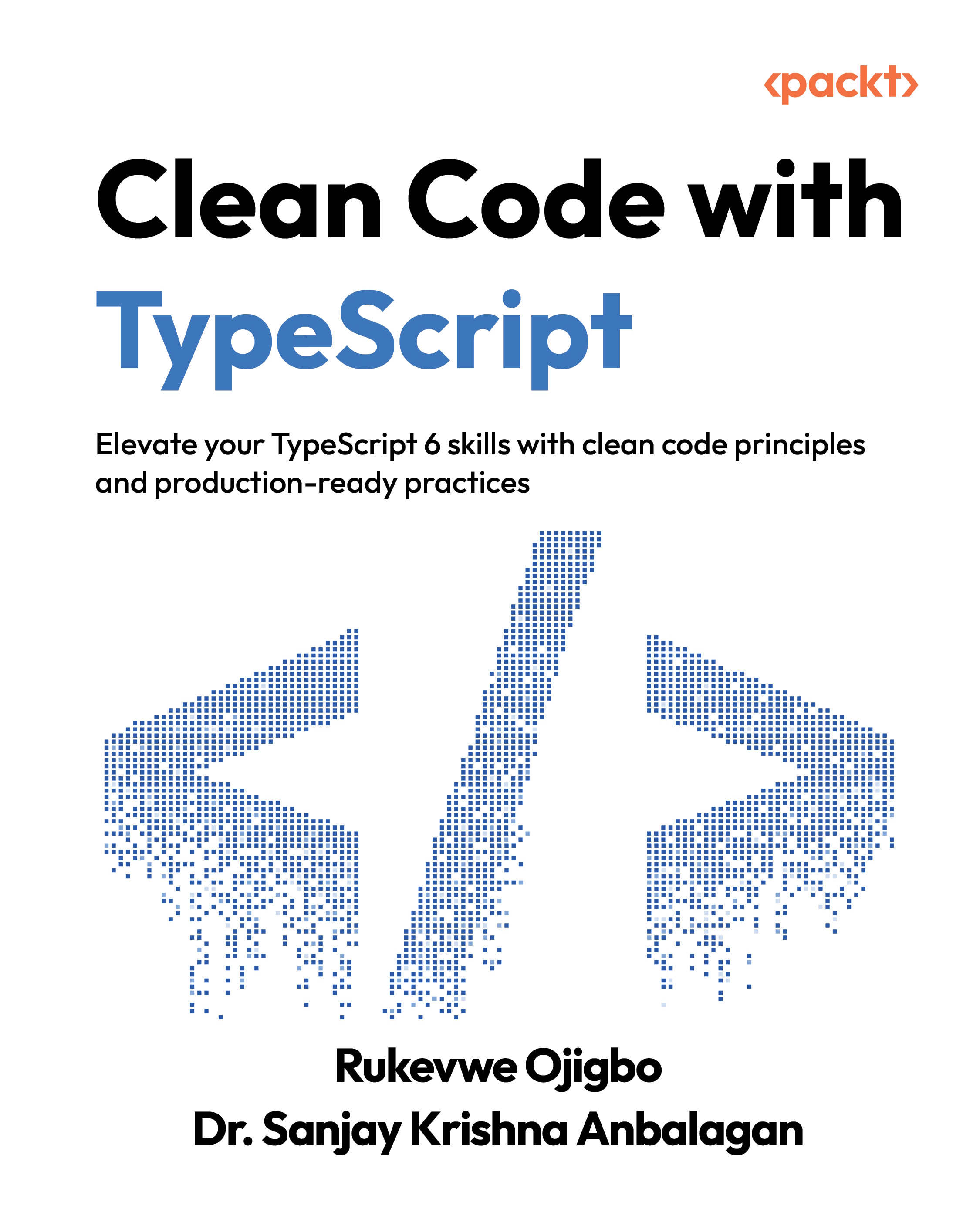
Clean Code with TypeScript

Clean Code with TypeScript: Elevate your TypeScript 6 skills with clean code principles and production-ready practices

Arrow left icon
Profile Icon Rukevwe Ojigbo Profile Icon Dr. Sanjay Krishna Anbalagan
Arrow right icon
R$278.99
Paperback Mar 2026 438 pages 1st Edition
eBook
R$99.99 R$222.99
Paperback
R$278.99
Arrow left icon
Profile Icon Rukevwe Ojigbo Profile Icon Dr. Sanjay Krishna Anbalagan
Arrow right icon
R$278.99
Paperback Mar 2026 438 pages 1st Edition
eBook
R$99.99 R$222.99
Paperback
R$278.99
eBook
R$99.99 R$222.99
Paperback
R$278.99

What do you get with Print?

Product feature icon Instant access to your digital copy whilst your Print order is Shipped
Product feature icon Paperback book shipped to your preferred address
Product feature icon Redeem a companion digital copy on all Print orders
Product feature icon Access this title in our online reader with advanced features
Product feature icon DRM FREE - Read whenever, wherever and however you want
Product feature icon AI Assistant (beta) to help accelerate your learning
Modal Close icon
Payment Processing...
tick Completed

Shipping Address

Billing Address

Shipping Methods
Table of content icon View table of contents Preview book icon Preview Book

Clean Code with TypeScript

1

Introducing TypeScript

In the ever-evolving world of web development, TypeScript has emerged as a powerful tool for creating robust, maintainable, and error-free code. In this chapter, we will explore the benefits of using TypeScript in modern web development and provide practical examples of how it can be used to enhance code quality, readability, and maintainability.

We will begin by discussing the rationale for using TypeScript and identifying scenarios where it can be most effective. Next, we will provide a step-by-step guide to setting up a basic TypeScript project and installing TypeScript. We will then dive into the foundational types of TypeScript, including strings, numbers, and Booleans, and provide practical examples of how they can be used in real-world scenarios. We will also explore more complex types, such as arrays and tuples, and discuss how they can be used to manipulate data in TypeScript.

Additionally, we will cover the use of enums for better code readability. Finally, we will introduce advanced types, such as union types and intersection types, and explain how they can be used to create dynamic and adaptable types.

As part of our comprehensive coverage, we'll walk through the most crucial aspects of the tsconfig.json file, providing a clear understanding of its configuration options.

By the end of this chapter, you will have a solid understanding of TypeScript and will be able to use it to write more efficient and maintainable code.

In this chapter, we're going to cover the following main topics:

  • Why TypeScript
  • Getting started with TypeScript
  • Understanding basic types
  • Working with complex types
  • Mastering advanced types
  • Configuring tsconfig.json

Your purchase includes a free PDF copy + code bundle

Your purchase includes a DRM-free PDF copy of this book, the code bundle, and additional exclusive extras. See the Free benefits with your book section in the Preface to unlock them instantly and maximize your learning.

Technical requirements

To maximize your engagement with this chapter and actively participate in the hands-on exercises, ensure that you have the following technical requirements:

  • A basic understanding of the JavaScript programming language.
  • Node.js and npm: Node.js must be installed on your system to execute the TypeScript compiler (tsc). You can download and install Node.js from the official website: https://nodejs.org/en.
  • A text editor or an integrated development environment (IDE) that supports TypeScript. We recommend using Visual Studio Code (VS Code), which is a free and open source code editor developed by Microsoft. You can download VS Code here: https://code.visualstudio.com/. You can also use CodeSandbox to experiment with TypeScript (https://codesandbox.io/s/vanilla-typescript-vanilla-ts).
  • tsc: TypeScript is a superset of JavaScript that adds optional static typing. tsc converts TypeScript code into JavaScript code that can run in any JavaScript environment. You can install tsc using npm install –g typescript.
  • Code repository: You can download the example project and code for this book by following the instructions in the Download the example code files section in the Preface of this book. This chapter's code files are included in the downloadable code bundle. To clone the repository using HTTPS, you would use the following command:
    $ git clone https://github.com/Rukeeo1/Clean-Code-in-TypeScript.git

With the technical prerequisites in place, you're now ready to dive into the core concepts of TypeScript. But before we begin, it's important to understand why TypeScript has become such a popular choice among developers. In the next section, we'll explore the key advantages of using TypeScript and how it enhances the development process.

Why TypeScript?

JavaScript was originally designed as a lightweight scripting language for small browser interactions such as handling button clicks, validating forms, or adding simple UI behavior. For many years, it was never intended to manage large, long-lived applications.

As web applications grew richer and more complex, more logic moved into the browser and server-side JavaScript environments. Code bases expanded from a few scripts into hundreds of interconnected files maintained by large teams. This growth exposed several challenges: runtime errors caused by unexpected data, difficulty understanding and refactoring code safely, and limited tooling support for reasoning about large systems.

At the core of these problems was a fundamental limitation: JavaScript provides no built-in way to verify correctness before code runs. Errors are often discovered only at runtime, sometimes long after deployment.

TypeScript was created to address this gap. By adding optional static typing and improved tooling to JavaScript, TypeScript enables developers to catch errors earlier, reason about code more effectively, and scale applications with greater confidence.

Advantages of using TypeScript

TypeScript's core feature is its static type system, which allows developers to define types for variables, function parameters, return values, classes, and namespaces. Not only do we benefit from enhanced code readability by being able to explicitly define these types, but runtime errors are reduced, and potential bugs are caught during the development phase itself. Real-world applications benefit from fewer unexpected runtime errors, leading to more reliable and stable software.

In collaborative development environments, TypeScript's type annotations serve as documentation for developers working on the same code base. Type definitions clarify the expected input and output of functions, reducing confusion and improving code comprehension. As projects grow, maintaining and extending code becomes more manageable due to the additional layer of information provided by TypeScript.

When refactoring or modifying existing code, TypeScript provides a safety net by identifying places in the code base that need to be updated due to changes in types or signatures. This minimizes the risk of introducing bugs during refactoring and encourages developers to make changes without fear of breaking existing functionality.

TypeScript's integration with modern development tools, such as VS Code, provides IntelliSense for code completion, intelligent suggestions, and real-time error checking. These features lead to faster coding, reduced cognitive load, and improved productivity for developers.

Real-world applications of TypeScript

TypeScript is widely adopted in popular frontend frameworks and libraries such as Angular, React, and Vue.js. By adding static type checking to these frameworks, TypeScript helps developers build more reliable and maintainable applications when creating complex user interfaces, managing state, and handling data flow. TypeScript's type system provides structure and catches errors early in the development process, making frontend applications more scalable and easier to maintain.

TypeScript is not limited to frontend development. It's also gaining traction in backend development using technologies such as Node.js and Deno. The ability to define types and interfaces makes working with APIs and databases more intuitive and error-resistant.

TypeScript's type annotations ensure that requests and responses adhere to defined structures when building middleware or RESTful APIs using frameworks such as Express.js, resulting in less error-prone code and improved API documentation. Third-party libraries and modules can also benefit from TypeScript's type system, with type definitions for popular libraries available on DefinitelyTyped. The DefinitelyTyped repository provides type definitions for popular libraries, bridging the gap between untyped JavaScript and type-safe TypeScript projects. You can find the repository here: https://github.com/DefinitelyTyped.

Now that we have explored TypeScript, its rationale, and the benefits it provides, the upcoming section will guide you through the process of setting up and configuring a TypeScript project, offering a step-by-step approach for seamless implementation.

Getting started with TypeScript: installation and project setup

Before delving into the intricacies of TypeScript, let's establish a solid foundation by installing the essential tools and configuring a basic project structure.

We will start by installing tsc. This can be accomplished using the following command in your terminal (either the integrated terminal in VS Code or the default one that comes with your computer):

$ npm install -g typescript

This will install tsc globally, allowing you to access it from anywhere on your system.

Congratulations, you just succeeded in installing TypeScript. Now, we can proceed with setting up our first TypeScript project.

To do that, follow these steps:

  1. Start by creating a directory for your project. This will be the folder where all your project files will be stored. You can name it clean-code-with-typescript or choose a different name if you prefer. Here's how to do this in VS Code:
    1. Open VS Code.
    2. Click on File in the menu bar, then select Open Folder.
    3. In the dialog box that appears, navigate to the location where you want to create your new directory.
    4. Click on New Folder at the bottom of the dialog box.
    5. Enter clean-code-with-typescript (or your preferred name) as the name of the new folder.
    6. Click Create, and then OK.
  2. Run the following command to initialize a new, empty npm project in your project directory (in your integrated VS Code terminal):
    $ npm init –y

    This command generates a package.json file with default settings. The -y flag automatically selects default settings, skipping the interactive setup process. You can customize these settings as needed by editing the package.json file later. Your directory should look like Figure 1.1.

    Image 1

    Figure 1.1 — Generated package.json and project directory structure

  3. Install TypeScript as a development dependency in your project, with the following command:
    $ npm install --save-dev typescript

    If you installed TypeScript globally on your machine, then it's possible to skip this step if you are working on something basic, but it's great to do it on a project where you are collaborating with others, so that you can have the same versions, for example.

  4. Create a tsconfig.json file by using the following command:
    $ npm tsc --init

    The tsconfig.json file contains the configuration for your TypeScript project. The preceding command should generate a file like the one in the following figure:

    Image 2

    Figure 1.2 — Generated tsconfig.json file with default settings

  5. Create your first TypeScript file and name it index.ts. Open a text editor and add the following content:
    $ console.log("Hello, TypeScript!");
  6. To compile your TypeScript code to JavaScript, run the following command in the terminal:
    $ npx tsc

    This will generate a JavaScript file called index.js in the same directory, which can be run using Node.js:

    $ node index.js

    You should notice the message "Hello, TypeScript!" printed to the console.

Congratulations! You have successfully installed TypeScript and set up a fundamental TypeScript project. The following figure gives you an overview of what the final result should look like:

Image 3

Figure 1.3 — Result of creating and compiling the first TypeScript file (index.ts)

Fantastic! We've created our first TypeScript project and compiled the code into JavaScript. Now, we'll continue our adventure. Before we proceed, let's discuss the tsconfig.json file. While we'll explore it in depth later, it's helpful to understand some of its default settings now.

Let's break down the configuration options in the tsconfig.json file:

  • target: This specifies the ECMAScript version that TypeScript should aim to compile to. In this instance, we are targeting ES5, which is the fifth major version of JavaScript released in 2009. This means that TypeScript will generate JavaScript code compatible with most web browsers and Node.js installations.
  • module: This specifies the module format for the generated JavaScript code. In this case, the module format is set to commonjs, which is a module format used by Node.js.
  • strict: This activates strict mode, which is a set of rules that helps to improve the security and maintainability of TypeScript code. For instance, strict mode will prevent you from using undeclared variables or failing to close parentheses correctly.
  • esModuleInterop: This enables compatibility with modern JavaScript features, such as the import and export keywords. This option is crucial for TypeScript to work with JavaScript libraries that utilize these newer features.
  • skipLibCheck: This informs TypeScript to skip checking the type definitions for the TypeScript library. This is a beneficial option if you are employing a custom version of the TypeScript library. It instructs the TypeScript compiler to bypass type checking for the TypeScript library itself (the lib.d.ts file). This can speed up compilation times, especially in large projects with many dependencies. skipLibCheck should be used with care, as it potentially conceals errors within the TypeScript library or its interaction with your code.
  • allowJs: This permits the use of JavaScript files in your TypeScript project. This can be useful if you need to include code written in JavaScript or if you want to gradually migrate your project to TypeScript.

Now that our TypeScript project is set up, let's delve deeper. In the next section, we'll explore basic types in TypeScript and begin to understand how to use them.

Understanding basic types in TypeScript

In TypeScript, basic types serve as the building blocks for crafting meaningful data representations. They establish a shared understanding between you, the developer, and the TypeScript compiler, ensuring clarity and precision within your code.

Throughout this section, you will gain insights into the basic types in TypeScript, how to effectively utilize them in your code, and discover practical examples and use cases for each type.

What are basic types in TypeScript?

In TypeScript, basic types are used to represent the most fundamental data types in the language. The following are the basic types in TypeScript:

  • string: Represents a sequence of characters
  • number: Represents a numeric value
  • boolean: Represents a logical value that can be either true or false
  • null: Represents a null value
  • undefined: Represents an undefined value
  • symbol: Represents a unique identifier

How to use basic types in TypeScript

To use basic types in TypeScript, you can declare a variable with a specific type. Here are some examples:

  • String type:
    let  fullName: string = "John Doe";

    Practical example/use case: Used to represent text data, such as names, addresses, and messages

  • Number type:
    let age: number = 30;

    Practical example/use case: Used to represent numeric data, such as ages, prices, and quantities

  • Boolean type:
    let isStudent: boolean = true;

    Practical example/use case: Used to represent logical data, such as whether a user is logged in or not

  • Null type:
    let nothing: null = null;

    Practical example/use case: Used to represent the absence of a value

  • Undefined type:
    let something: undefined = undefined;

    Practical example/use case: Used to represent a variable that has not been assigned a value

  • Symbol type:
    let id: symbol = Symbol("id");

    Practical example/use case: Used to represent a unique identifier, such as object keys

We've just listed common basic types in TypeScript. If you choose one of these variables, such as the fullName variable, and attempt to reassign it to a different type that doesn't match the expected type, TypeScript will show an error. For instance, in the following figure, we've tried to reassign the fullName variable to a number on line 4:

Image 4

Figure 1.4 —The squiggly red line under the fullName variable indicates a TypeScript error

If you look closely at line 3, where the reassignment is happening, you will notice the red line. If you hover on the red line, you will notice what the issue is:

Error: Type 'number' is not assignable to type 'string'.

See the following figure for more clarity:

Image 5

Figure 1.5 — The error details when you hover over the fullName variable

While this example may appear trivial, the implications become crucial in real-world scenarios. Imagine building a financial application in plain JavaScript where precise data types are essential for mathematical operations. In such scenarios, TypeScript's type checking catches potential type errors early, reducing the risk of bugs, such as unintended arithmetic operations between incompatible types (e.g., a string and a number).

Arrays

Think of a shopping list, a sequence of items you need to buy. In TypeScript, arrays provide similar functionality, serving as ordered collections of values. Just like your list items, each element within an array can be accessed using its index position.

In the following example, we declare a shoppingList array with a type annotation specifying that it should contain strings. We initialize the array with some initial items – "Apples", "Bananas", and "Milk":

const shoppingList: string[] = ["Apples", "Bananas", "Milk"];

If we attempt to add a number (123) into the shoppingList array using the push method, we get a TypeScript error:

"Argument of type 'number' is not assignable to parameter of type 'string'."

In a previous section (on types and interfaces), we discussed objects and types. As an example, we defined the Person type:

type Person = {
  name: string;
  age: number;
  greet: () => void;
};

Now, let's combine this Person type with an array to create a list of individuals, each represented by an object. For instance, we'll include two people, Alice and Bob:

const persons: Person[] = [
 {
   name: "Alice",
   age: 30,
   greet() {
    console.log(
`Hello, my name is ${this.name} and I'm 	${this.age} years old.`
    );
   },
  },
 {
   name: "Bob",
   age: 25,
   greet() {
    console.log(
`Hello, my name is ${this.name} and I'm 	${this.age} years old.`);
   },
  },
];

In this example, we're already assembling these building blocks to create more robust and type-safe code. If you were to add a value to the persons array that doesn't conform to the structure defined by the Person type, TypeScript would raise an error.

As demonstrated earlier, we continue to reap the benefits of type inference. For instance, if we attempt to add a new person object to our list, TypeScript provides a helpful hint in our code editor regarding the expected property types. Take a look at the following figure:

Image 6

Figure 1.9 — Code editor displaying type hints for the expected properties

Type inference

In the examples we've just seen regarding basic types, we explicitly specified the type of the variable. However, TypeScript's type system can infer types automatically. For instance, if we use the fullName variable again without explicitly specifying its type, TypeScript will still complain if we attempt to reassign the variable to a value of the number type:

Image 7

Figure 1.6 — TypeScript inferring types, even when they are not explicitly stated

Now that we've explored the basics of TypeScript types, let's delve into more complex types in the next section.

Working with complex types

In the previous section, we discussed the basic types in TypeScript. In the realm of TypeScript, data representation extends beyond simple types such as strings and numbers. This section delves into objects, arrays, tuples, and enums, empowering you to structure and represent more complex data collections and enhance code readability.

We will begin with objects.

Objects

Objects in TypeScript allow you to encapsulate related data and functionality into a single entity. You can define object properties and methods, providing a clear structure to your code. In the following code snippet, we have created a person object:

const person: { name: string; age: number; greet: () => void } = {
  name: "Alice",
  age: 30,
  greet() {
    console.log(
      `Hello, my name is ${this.name} and I'm ${this.age} years old.`
    );
  },
};

We have specified the expected structure of our object (the expected type). Let's see what happens when I remove one of the properties. Refer to the code snippet in the following figure; I have omitted the age property:

Image 8

Figure 1.7 — TypeScript error when the object contains incomplete details

You will notice the red line under the person variable. If we hover over that line, we see more details about what the issue is. To get a better understanding, refer to the following figure:

Image 9

Figure 1.8 — TypeScript shows error details when we hover over the person object

TypeScript once again is coming in handy, highlighting errors and giving us immediate feedback.

Types/interfaces

In the previous example, we defined the structure of an object (type) in the same line as our variable declaration. However, for improved reusability and organization, it's advantageous to extract the type definition into a separate block:

type Person = {
  name: string; 
  age: number; 
  greet: () => void 
}

And then we can use the defined type with the object as follows:

const person: Person = {
  name: "Alice",
  age: 25,
  greet() {
    console.log(
      `Hello, my name is ${this.name} and I'm ${this.age} years old.`);
  },
};

This approach is beneficial because it enables code reuse. You can combine types to form even more complex types and reuse them across different locations in your application.

Interfaces in TypeScript serve a similar purpose to types but with additional capabilities, allowing you to define contracts for object shapes and behavior. We'll delve into interfaces in more detail later, exploring their nuances and practical applications.

"Argument of type 'number' is not assignable to parameter of type 'string'."
`Hello, my name is ${this.name} and I'm ${this.age} years old.`
`Hello, my name is ${this.name} and I'm ${this.age} years old.`);

Tuples

Tuples are similar to arrays, but have a fixed, predefined length and specific types for each element.

Imagine modeling a product with an ID, name, and price:

type Product = [number, string, number];

const product: Product = [123, "T-Shirt", 19.99];

You can access this as a normal array, so for example, if I wanted to see the price (third element in the array or second index), I could type something like this:

console.log(product[2]);

You can see in your console or terminal that the output is as follows:

19.99;

But I declared a different variable, say invalidProducts, and specified its type as Product:

const invalidProduct: Product = [123, "T-Shirt"];

The preceding code results in a type error. See the following figure for details:

Image 10

Figure 1.10 — Code editor displaying type hints for the expected properties

The error message states the following:

Type '[number, string]' is not assignable to type 'Product'.
  Source has 2 element(s) but target requires 3.

Enums

Enums allow you to define named constants for a set of related values with a clear, predefined list of choices. This structure makes code more consistent and reduces the chance of invalid values.

Let's start with a simple example to demonstrate how enums work:

enum Direction {
  Up,
  Down,
  Left,
  Right
}
 
let playerDirection: Direction = Direction.Up;
console.log("Player is facing:", playerDirection); 
Output: Player is facing: 0 (Up)

In this example, we define a Direction enum with four members: Up, Down, Left, and Right. By default, Up is assigned the value of 0, Down is 1, Left is 2, and Right is 3. We then assign Direction.Up to a variable, playerDirection, and log its value, which outputs 0, indicating that the player is facing upward.

You can also explicitly set values for enum members:

enum ErrorCode {
  NotFound = 404,
  Unauthorized = 401,
  InternalServerError = 500
}
 
let error: ErrorCode = ErrorCode.NotFound;
console.log("Error code:", error); // Output: Error code: 404 (NotFound)

In this example, we define an ErrorCode enum with three members: NotFound, Unauthorized, and InternalServerError. We assign custom HTTP status code values to each member. When we assign ErrorCode.NotFound to the error variable, it holds the value of 404.

Enums are especially useful when defining functions that operate on a fixed set of values. Here is an example:

enum DayOfWeek {
  Sunday,
  Monday,
  Tuesday,
  Wednesday,
  Thursday,
  Friday,
  Saturday
}
 
function isWeekend(day: DayOfWeek): boolean {
  return day === DayOfWeek.Saturday || day === DayOfWeek.Sunday;
}
 
let today: DayOfWeek = DayOfWeek.Saturday;
console.log("Is today a weekend?", isWeekend(today));

In this example, we define a DayOfWeek enum representing the days of the week. We then define an isWeekend function that takes a DayOfWeek parameter and returns true if it is a weekend (Saturday or Sunday), and false otherwise. Finally, we call the function with DayOfWeek.Saturday, which outputs true.

Enums in TypeScript provide a powerful way to represent fixed sets of values. By utilizing enums effectively, you can make your code more expressive and self-documenting, leading to better overall code quality. Experiment with enums in your TypeScript projects to see how they can simplify your development process.

In this section, we've broadened our TypeScript skills by diving into objects, arrays, tuples, and enums, enhancing our ability to handle complex data. Moving forward, we'll explore advanced types such as unions, intersections, generics, and conditionals, further refining our coding capabilities.

Mastering advanced types

In this section, you will delve deeper into TypeScript's advanced type system. You'll learn about powerful features such as union types, intersection types, generics, and conditional types. These advanced types enable you to create more flexible, dynamic, and adaptable type definitions in your TypeScript code. By mastering these concepts, you'll be equipped to handle complex scenarios and write more robust and maintainable code. Let's begin.

Union types: the power of OR

Union types allow you to define a type that can hold values of multiple types. This flexibility is particularly useful when a function or variable can accept different types of values. Imagine representing user input that could be a string or a number:

type Input = string | number;

function processInput(value: Input) {
  if (typeof value === "string") {
    console.log(value.toUpperCase());
  } else {
    console.log(value.toFixed(2), "number");
  }
}

In the preceding code, we have defined a type called Input that can be either a string or a number.

We have a function that accepts this input and performs an operation depending on the value passed to the function.

Let's call the processInput function with a string, as follows:

processInput("hello");

The preceding call prints the capitalized string "HELLO" to the console.

Let's now call the processInput function with a number, as follows:

processInput(3.14121);

The preceding call prints the output to two decimal places: 3.14.

Union types allow for flexible data handling and prevent runtime errors by ensuring that the assigned value matches one of the allowed types.

Intersection types: merging strengths

In TypeScript, intersection types provide a way to merge the strengths of multiple types into a single, cohesive type. Imagine combining the properties and methods from different sources to create a more expressive type. Let's explore this concept using an example related to an organization's employees.

Suppose you're building a simple application to manage an organization's employees. Each employee has specific properties such as name, age, and a unique badge number. Additionally, they can greet others with a custom message.

Initially, you might define an Employee type directly, including all the necessary properties:

type Employee = {
  name: string;
  age: number;
  greet: () => void;
  badgeNumber: number;
};

However, if you look closely, some of these properties are quite familiar. The name, age, and greet properties are essentially the same as those in a Person type. Instead of duplicating ourselves, let's create a more elegant solution.

We'll create an EmployeeBase type that contains only the badgeNumber property:

type EmployeeBase = {
  badgeNumber: number;
};

Now, the magic happens. We'll combine the existing Person type with our EmployeeBase type using an intersection type:

type Employee = EmployeeBase&Person

The resulting Employee type inherits all properties from both the Person type and EmployeeBase. It's like merging two worlds into one!

Let's define an employee named John:

const john: Employee = {
  name: "John",
  age: 30,
  greet() {
    console.log(
      `Hello, my name is ${this.name} and I'm ${this.age} years old.`,
    );
  },
  badgeNumber: 2342342,
}

Now, John is a fully-fledged employee with all the necessary properties.

By using intersection types, we avoid redundancy and keep our code DRY, which stands for don't repeat yourself. We express relationships between types more precisely, making our code cleaner and more maintainable.

Generics: one tool, many types

Generics in TypeScript enable you to create functions, classes, and interfaces that can work with different data types. They provide flexibility and reusability by allowing types to be specified dynamically. Let's see some applications of generics.

Applications of generics

One of the primary uses of generics in TypeScript is to make functions more flexible and reusable. Generics allow functions to handle multiple types without needing to rewrite the same function for each type. Let's explore this with an example.

Consider a function that reverses an array. You want this function to work with any type of array (for example, string or numbers) without having to rewrite the function for each type. Here's how you can achieve this with generics:

function reverseArray<T>(array: T[]): T[] {
  return array.reverse();
}

Let's explain the preceding code block:

  • Function declaration: We declare a function named reverseArray. Inside the parentheses, we use <T> to declare a generic type, T. This means the function can work with any type of array.
  • Function implementation: The function takes an array of the T type as its parameter. T could represent a string, number, Boolean, and so on. It reverses the array using the reverse() method and returns the reversed array.

Now, let's put our function to the test. How do we do that? See the following figure:

Image 11

Figure 1.11 — TypeScript error in generic reverse array function

Let's go over each part of the code in detail and see what's happening.

Firstly, we invoke the reverseArray function and specify its type, T, as number.

Then, we pass in a mixed array of numbers and strings. If you inspect closely, you will observe the red line under "some random string". Let's see what the error is in the following figure:

Image 12

Figure 1.12 — Error details of the generic reverse array function

As you can see, we are dynamically specifying what the type of the array should be.

You could specify that the reverseArray function should accept an array of strings, as follows:

reverseArray<string>(['hello', 'world'])

Explicitly defining the type (as we've done in this case with string) provides several advantages. It ensures that only arrays of strings can be passed to the function, which prevents potential errors if, for example, a number is mistakenly included. Additionally, specifying the type improves code readability, making it immediately clear to other developers (or to yourself later on) what kind of data the function is intended to handle.

In essence, generics allow us to write a single function that can work with different types of arrays, making our code more flexible and reusable. We don't have to write separate functions for arrays of numbers, strings, or any other type; the same function works for all types.

At this point, you are probably wondering what happens if we fail to pass in the type. If we don't pass in a type, TypeScript infers the type from the values (an array in this case). To get a clear picture, see the following figure:

Image 13

Figure 1.13 — Demonstrating TypeScript's type inference with the reverseArray function

In the preceding example, we have not explicitly passed in the type, yet TypeScript detects from the array passed in what the type should be—in this case, an array of numbers. Now that we understand how generic functions work, let's see how to use generics with classes.

Generic classes: flexible object structures

We're going to illustrate this using a stack. Imagine building a Stack class that can hold items of any type:

class Stack<T> {
  private items: T[] = [];
 
  push(item: T): void {
    this.items.push(item);
  }
 
  pop(): T | undefined {
    return this.items.pop();
  }
}

Let's go through the code and see what it does:

  • Generic class: We declare a class named Stack with a generic type, <T>. This T type acts like a placeholder, allowing the class to work with any data type.
  • Adaptable storage: Internally, Stack uses an array to store items, but these items can be of the T type. So, stringStack can hold strings, and numberStack can hold numbers, all within the same Stack class.
  • push and pop methods: The class provides methods such as push to add items and pop to remove them, both working seamlessly with the generic type, T.

Now, let's put our generic Stack class to use:

const stringStack = new Stack<string>();
stringStack.push("hello");
stringStack.push("world");
const numberStack = new Stack<number>();
numberStack.push(10);
numberStack.push(20);

The preceding code demonstrates how to use the generic Stack class with different data types:

  • const stringStack = new Stack<string>();: Here, we're creating a new instance of the Stack class that will hold string values. The <string> syntax is how we specify the type for this particular Stack instance.
  • stringStack.push("hello"); and stringStack.push("world");: Here, we're using the push method of the Stack class to add the strings "hello" and "world" to stringStack.
  • const numberStack = new Stack<number>();: Similar to stringStack, we're creating numberStack that will hold number values.
  • numberStack.push(10); and numberStack.push(20);: Here, we're adding the numbers 10 and 20 to numberStack using the push method.

So, in this code snippet, we've created two stacks: one for strings and one for numbers. We've then added items to each stack using the push method. This demonstrates the flexibility and reusability of the generic Stack class, as it can handle stacks of any type.

Next, let's look at using generics with interfaces.

Generic interfaces

In this example, we would create a generic Car interface that allows one of its properties to be of a dynamic type. We'll use a type variable to achieve this flexibility. Here's how you can define the generic Car interface:

interface Car<T> {
    make: string;
    model: string;
    year: number;
    data: T; // Dynamic property that can hold any type
}

Let's create some car objects using this generic interface:

Here's example 1 – car with string data:

const stringCar: Car<string> = {
    make: "Toyota",
    model: "Camry",
    year: 2022,
    data: "Some string data",
};

Here's example 2 – car with numeric data:

const numberCar: Car<number> = {
    make: "Tesla",
    model: "Model 3",
    year: 2023,
    data: 42,
};

Here's example 3 – car with warranty information:

interface WarrantyInfo {
    warrantyType: string;
    coverageMonths: number;
    expirationDate: Date;
}
const warrantyCar: Car<WarrantyInfo> = {
    make: "Chevrolet",
    model: "Cruze",
    year: 2021,
    data: {
        warrantyType: "Powertrain",
        coverageMonths: 36,
        expirationDate: new Date("2024-02-28"),
    },
};

In this case, warrantyCar represents a 2021 Chevrolet Cruze.

The data property contains warranty-related information, such as the warranty type, coverage duration, and expiration date.

By using generics, we've made our Car interface adaptable to various data types, including insurance policies, warranties, and more. TypeScript ensures type safety, allowing us to create versatile car objects.

Understanding conditional types in TypeScript

Conditional types in TypeScript allow us to create types that adapt based on other types. They're like chameleons for our type system. This allows you to create more flexible and adaptable type definitions in your code.

The basic idea is this: you define a type with a condition. If the condition is true, the type resolves to one type; if the condition is false, it resolves to a different type.

The basic syntax of a conditional type is as follows:

type MyConditionalType<T> = T extends U ? X : Y;

Let's break down the code:

  • T: This is like a placeholder for any type of data
  • extends U: This checks whether T is the same type as U (or a subtype of U)
  • X: If the check is true, the type becomes X
  • Y: If the check is false, the type becomes Y

Conditional types are commonly used in scenarios where the resulting type depends on the characteristics of the input type.

Let's look at an example.

Let's say we have an Animal type that can be either 'cat' or 'dog':

type Animal = 'cat' | 'dog';

Now, we create a Sound type that represents the sound each animal makes. If it's a cat, the sound is 'meow'; if it's a dog, the sound is 'woof':

type Sound<T extends Animal> = T extends 'cat' ? 'meow' : 'woof';

Let's test our Sound type:

let sound1: Sound<'cat'>; // sound1 is 'meow' (because 'cat' extends 'cat')
let sound2: Sound<'dog'>; // sound2 is 'woof' (because 'dog' doesn't extend 'ca ')

In this example, Sound is a conditional type. It checks whether the Animal type (T) is 'cat'. If it is, the sound becomes 'meow'. Otherwise, it becomes 'woof'.

In the next section, we are going over the tsconfig.json file, what it is, and how it impacts your project.

Configuring tsconfig.json

In this section, we'll explore the critical aspects of tsconfig.json, the configuration file for TypeScript projects. We'll explain its importance and how it controls project behavior. You'll learn how to customize compiler options to optimize your build process and type checking. As your project grows, we'll provide tips for maintaining and expanding tsconfig.json.

So, what exactly is tsconfig.json?

tsconfig.json is a file that sets up your TypeScript project. It tells the TypeScript compiler which files to use and how to turn them into JavaScript. Making a tsconfig.json file is easy. Just run "tsc --init" in your project's main folder. This will create a tsconfig.json file with default settings. You can then change these settings as needed.

Diving into compilerOptions

In your tsconfig.json file, the "compilerOptions" section provides extensive control over the compilation process. To lay a strong basis for your project, we prioritize essential compiler configurations and explain how each one affects your work. We will break this down into sections to help you understand better:

  • Essential compiler options: These options directly influence the quality and compatibility of your generated code. They include the following:
    • target: Defines the ECMAScript target version for the compiled JavaScript (e.g., es5, es2017, or esnext). This directly affects browser compatibility and the available features in your generated code.
    • strict: Activates stricter type-checking rules to enhance code quality. This mode enforces more stringent checks to detect potential errors at an early stage of development.
    • sourceMap: Generates source maps that map the compiled JavaScript code back to the original TypeScript source code. This is crucial for easier debugging, allowing you to step through your code in the debugger and see the original TypeScript lines instead of the compiled JavaScript.
  • Module system configuration: These options determine how modules are defined, loaded, and resolved in your project:
    • module: Determines the module system used in your project (e.g., commonjs, amd, or systemjs). This influences how modules are defined and loaded, impacting project structure and dependency management.
    • moduleResolution: Configures how the compiler resolves module imports. This option specifies the strategy for locating and bundling dependencies within your project.
  • Type checking: These options enforce stricter type safety and null-checking:
    • noImplicitAny: Prevents variables and parameters from being implicitly assigned the any type. This enforces explicit typing, improves code maintainability, and reduces the risk of runtime errors.
    • strictNullChecks: Enables stricter null checking, differentiating between nullable and non-nullable references. This helps catch potential null reference errors early on.
    • esModuleInterop: Facilitates compatibility with CommonJS modules when using ES modules. This allows for smoother integration of different module types within your project.
  • Advanced compiler options: Beyond the essential settings, TypeScript offers advanced options to handle specific syntaxes and provide more control over the compilation process. These options are not always required for every project, but they are essential when working with more complex setups, such as integrating external libraries, using JSX with React, or managing large code bases. Let's explore some of these advanced options and understand when and why you might need them:
    • lib: Includes additional library files containing type definitions for built-in objects and functionalities. This expands the available types that you can use in your project.
    • declaration: Generates corresponding .d.ts type declaration files for external modules or libraries used in your project. This aids in type checking and auto-completion for developers using those modules.
  • Build options: These options help manage your build process and organize your project structure:
    • compilerOptions.paths: Allows you to define custom module resolution paths, simplifying long or repetitive import statements.
    • compilerOptions.types: Enables including or excluding specific type definitions, allowing you to control the ambient type scope available in your project. This can be useful for managing dependencies and avoiding potential conflicts.
    • compilerOptions.baseUrl: Sets the base directory for resolving module imports. This can be helpful for organizing projects with complex folder structures and ensuring modules are located correctly.
    • compilerOptions.outDir: Specifies the output directory for the compiled JavaScript files. This helps organize your build artifacts and separates compiled code from your source code.
  • Other compiler options to consider: These options provide additional functionalities and warnings for cleaner code:
    • allowJs: Allows compilation of plain JavaScript files alongside TypeScript files within the same project.
    • noUnusedLocals: Warns about unused local variables, helping to identify potential code cleanup opportunities.
    • noUnusedParameters: Warns about unused function parameters, helping to promote cleaner code.
    • preserveConstEnums: Maintains the const enum behavior from older versions of TypeScript, if needed for compatibility.

Keep in mind that the configuration of your tsconfig.json file will vary based on your project's specific needs and preferences. By familiarizing yourself with the available options and their impact on the build process and code behavior, you can tailor tsconfig.json to enhance your TypeScript development experience.

In the upcoming section, we will discuss and review some highly recommended guidelines for effectively managing your tsconfig.json configuration file.

Best practices for tsconfig.json maintenance

Effective management of your tsconfig.json file is essential for maintaining a well-structured and extensible TypeScript project. Here are some practical tips to ensure that your tsconfig.json file remains organized and functional:

  • Focus on essentials: Prioritize core options for clarity and easy maintenance. Don't clutter your configuration with unnecessary settings.
  • Explain non-obvious settings: Use clear comments to explain settings that aren't immediately self-explanatory. This aids future reference and understanding.
  • Leverage extends: Consider extending from base configurations to inherit common settings across multiple projects. This promotes consistency and allows project-specific overrides when needed.
  • Validate with tools: Utilize linters or dedicated validators to ensure that your tsconfig.json file is syntactically correct and adheres to best practices. By following these practices, you'll ensure that your tsconfig.json file remains clean, efficient, and scalable, contributing to a well-structured and maintainable TypeScript project.

Summary

This chapter has equipped you with essential skills for effective TypeScript development. You've learned about the rationale for using TypeScript, including its benefits and usage scenarios. We covered the practical setup process, including installation and basic project configuration. The chapter delved into foundational types, helping you master working with strings, numbers, Booleans, and the any type. You explored working with complex types such as arrays, tuples, and enums. Additionally, the chapter introduced advanced concepts such as union/intersection types, aliases/interfaces, generics, and conditional types. As a bonus, we briefly touched on tsconfig.json configuration and best practices.

The next chapter focuses on writing clean and maintainable functions in TypeScript. You'll delve into the Single Responsibility Principle (SRP), function signatures, parameter types, return types, optional and default parameters, and best practices for function naming and documentation using JSDoc and TypeScript. This chapter will further enhance your TypeScript proficiency, empowering you to produce high-quality code with clarity and ease.

Get this book's PDF copy, code bundle, and more

Scan the QR code (or go to packtpub.com/unlock). Search for this book by name, confirm the edition, and then follow the steps on the page.

Image

Image

Note: Have your invoice handy. Purchases made directly from the Packt website don't require an invoice.

Left arrow icon Right arrow icon
Download code icon Download Code

Key benefits

  • Apply clean code to create maintainable, high-quality TypeScript applications.
  • Leverage TypeScript’s type system for expressive, self-documenting code.
  • Architect scalable systems that grow across teams and codebases.
  • Purchase of the print or Kindle book includes a free PDF eBook.

Description

Clean Code with TypeScript is a practical guide to writing maintainable, efficient, and elegant TypeScript code. It equips developers with the essential principles and techniques to produce code that is both functional and easy to read and maintain. Written by Rukevwe Ojigbo and Dr. Sanjay Krishna Anbalagan, expert software engineers with extensive experience in building scalable, high-performance applications across industries, this book reflects practical lessons from their real-world projects. Throughout the book, you’ll work through hands-on implementations, including an LLM integration project and a full-stack TypeScript application, ensuring the concepts are grounded, relevant, and applicable to real development environments. What sets this book apart is its example-driven approach rooted in real-world scenarios. It goes beyond TypeScript best practices by developing your architectural thinking, enhancing team collaboration, and fostering long-term code quality. Whether you're new to TypeScript or an experienced developer, this guide will improve your TypeScript programming skills and help you deliver cleaner, more robust code. *Email sign-up and proof of purchase required

Who is this book for?

The book is for JavaScript developers who want to master TypeScript to build scalable and maintainable applications. Frontend, backend, and full-stack developers, as well as software architects looking to leverage TypeScript for robust application design, will find practical value in this book. A basic understanding of JavaScript, including ES6+ features, functions, and asynchronous programming is assumed. Although not required, familiarity with TypeScript fundamentals, OOP principles, and Git is helpful.

What you will learn

  • Master types, configuration, and foundational TypeScript concepts
  • Apply clean code principles for better readability and consistency
  • Implement classes, inheritance, and interfaces in TypeScript
  • Work with interfaces, generics, and advanced types for flexible code
  • Apply unit testing, integration testing, and test-driven development
  • Handle errors effectively and use debugging tools in TypeScript
  • Identify bottlenecks and apply performance optimization techniques
  • Build applications with TypeScript in Next.js and Node.js
Estimated delivery fee Deliver to Brazil

Standard delivery 10 - 13 business days

R$63.95

Product Details

Country selected
Publication date, Length, Edition, Language, ISBN-13
Publication date : Mar 23, 2026
Length: 438 pages
Edition : 1st
Language : English
ISBN-13 : 9781835889565
Languages :

What do you get with Print?

Product feature icon Instant access to your digital copy whilst your Print order is Shipped
Product feature icon Paperback book shipped to your preferred address
Product feature icon Redeem a companion digital copy on all Print orders
Product feature icon Access this title in our online reader with advanced features
Product feature icon DRM FREE - Read whenever, wherever and however you want
Product feature icon AI Assistant (beta) to help accelerate your learning
Modal Close icon
Payment Processing...
tick Completed

Shipping Address

Billing Address

Shipping Methods
Estimated delivery fee Deliver to Brazil

Standard delivery 10 - 13 business days

R$63.95

Product Details

Publication date : Mar 23, 2026
Length: 438 pages
Edition : 1st
Language : English
ISBN-13 : 9781835889565
Languages :

Packt Subscriptions

See our plans and pricing
Modal Close icon
R$50 billed monthly
Feature tick icon Unlimited access to Packt's library of 7,000+ practical books and videos
Feature tick icon Constantly refreshed with 50+ new titles a month
Feature tick icon Exclusive Early access to books as they're written
Feature tick icon Solve problems while you work with advanced search and reference features
Feature tick icon Offline reading on the mobile app
Feature tick icon Simple pricing, no contract
R$500 billed annually
Feature tick icon Unlimited access to Packt's library of 7,000+ practical books and videos
Feature tick icon Constantly refreshed with 50+ new titles a month
Feature tick icon Exclusive Early access to books as they're written
Feature tick icon Solve problems while you work with advanced search and reference features
Feature tick icon Offline reading on the mobile app
Feature tick icon Choose a DRM-free eBook or Video every month to keep
Feature tick icon PLUS own as many other DRM-free eBooks or Videos as you like for just R$25 each
Feature tick icon Exclusive print discounts
R$800 billed in 18 months
Feature tick icon Unlimited access to Packt's library of 7,000+ practical books and videos
Feature tick icon Constantly refreshed with 50+ new titles a month
Feature tick icon Exclusive Early access to books as they're written
Feature tick icon Solve problems while you work with advanced search and reference features
Feature tick icon Offline reading on the mobile app
Feature tick icon Choose a DRM-free eBook or Video every month to keep
Feature tick icon PLUS own as many other DRM-free eBooks or Videos as you like for just R$25 each
Feature tick icon Exclusive print discounts

Table of Contents

15 Chapters
Chapter 1: Introducing TypeScript Chevron down icon Chevron up icon
Chapter 2: Writing Clean Functions Chevron down icon Chevron up icon
Chapter 3: Object-Oriented Programming with TypeScript Chevron down icon Chevron up icon
Chapter 4: Clean Code in TypeScript Projects Chevron down icon Chevron up icon
Chapter 5: Testing and Test-Driven Development Chevron down icon Chevron up icon
Chapter 6: Error Handling, Debugging, and Security Best Practices Chevron down icon Chevron up icon
Chapter 7: Maximizing Performance Optimization Chevron down icon Chevron up icon
Chapter 8: Mastering Design Patterns in TypeScript Chevron down icon Chevron up icon
Chapter 9: Understanding Advanced TypeScript Features Chevron down icon Chevron up icon
Chapter 10: Setting Up Scalable TypeScript Projects Chevron down icon Chevron up icon
Chapter 11: TypeScript in Action: Building Full Stack Applications Chevron down icon Chevron up icon
Chapter 12: TypeScript in Evolving Systems Chevron down icon Chevron up icon
Chapter 13: Unlock Your Exclusive Benefits Chevron down icon Chevron up icon
Other Books You May Enjoy Chevron down icon Chevron up icon
Index Chevron down icon Chevron up icon
Get free access to Packt library with over 7500+ books and video courses for 7 days!
Start Free Trial

FAQs

What is the digital copy I get with my Print order? Chevron down icon Chevron up icon

When you buy any Print edition of our Books, you can redeem (for free) the eBook edition of the Print Book you’ve purchased. This gives you instant access to your book when you make an order via PDF, EPUB or our online Reader experience.

What is the delivery time and cost of print book? Chevron down icon Chevron up icon

Shipping Details

USA:

'

Economy: Delivery to most addresses in the US within 10-15 business days

Premium: Trackable Delivery to most addresses in the US within 3-8 business days

UK:

Economy: Delivery to most addresses in the U.K. within 7-9 business days.
Shipments are not trackable

Premium: Trackable delivery to most addresses in the U.K. within 3-4 business days!
Add one extra business day for deliveries to Northern Ireland and Scottish Highlands and islands

EU:

Premium: Trackable delivery to most EU destinations within 4-9 business days.

Australia:

Economy: Can deliver to P. O. Boxes and private residences.
Trackable service with delivery to addresses in Australia only.
Delivery time ranges from 7-9 business days for VIC and 8-10 business days for Interstate metro
Delivery time is up to 15 business days for remote areas of WA, NT & QLD.

Premium: Delivery to addresses in Australia only
Trackable delivery to most P. O. Boxes and private residences in Australia within 4-5 days based on the distance to a destination following dispatch.

India:

Premium: Delivery to most Indian addresses within 5-6 business days

Rest of the World:

Premium: Countries in the American continent: Trackable delivery to most countries within 4-7 business days

Asia:

Premium: Delivery to most Asian addresses within 5-9 business days

Disclaimer:
All orders received before 5 PM U.K time would start printing from the next business day. So the estimated delivery times start from the next day as well. Orders received after 5 PM U.K time (in our internal systems) on a business day or anytime on the weekend will begin printing the second to next business day. For example, an order placed at 11 AM today will begin printing tomorrow, whereas an order placed at 9 PM tonight will begin printing the day after tomorrow.


Unfortunately, due to several restrictions, we are unable to ship to the following countries:

  1. Afghanistan
  2. American Samoa
  3. Belarus
  4. Brunei Darussalam
  5. Central African Republic
  6. The Democratic Republic of Congo
  7. Eritrea
  8. Guinea-bissau
  9. Iran
  10. Lebanon
  11. Libiya Arab Jamahriya
  12. Somalia
  13. Sudan
  14. Russian Federation
  15. Syrian Arab Republic
  16. Ukraine
  17. Venezuela
What is custom duty/charge? Chevron down icon Chevron up icon

Customs duty are charges levied on goods when they cross international borders. It is a tax that is imposed on imported goods. These duties are charged by special authorities and bodies created by local governments and are meant to protect local industries, economies, and businesses.

Do I have to pay customs charges for the print book order? Chevron down icon Chevron up icon

The orders shipped to the countries that are listed under EU27 will not bear custom charges. They are paid by Packt as part of the order.

List of EU27 countries: www.gov.uk/eu-eea:

A custom duty or localized taxes may be applicable on the shipment and would be charged by the recipient country outside of the EU27 which should be paid by the customer and these duties are not included in the shipping charges been charged on the order.

How do I know my custom duty charges? Chevron down icon Chevron up icon

The amount of duty payable varies greatly depending on the imported goods, the country of origin and several other factors like the total invoice amount or dimensions like weight, and other such criteria applicable in your country.

For example:

  • If you live in Mexico, and the declared value of your ordered items is over $ 50, for you to receive a package, you will have to pay additional import tax of 19% which will be $ 9.50 to the courier service.
  • Whereas if you live in Turkey, and the declared value of your ordered items is over € 22, for you to receive a package, you will have to pay additional import tax of 18% which will be € 3.96 to the courier service.
How can I cancel my order? Chevron down icon Chevron up icon

Cancellation Policy for Published Printed Books:

You can cancel any order within 1 hour of placing the order. Simply contact customercare@packt.com with your order details or payment transaction id. If your order has already started the shipment process, we will do our best to stop it. However, if it is already on the way to you then when you receive it, you can contact us at customercare@packt.com using the returns and refund process.

Please understand that Packt Publishing cannot provide refunds or cancel any order except for the cases described in our Return Policy (i.e. Packt Publishing agrees to replace your printed book because it arrives damaged or material defect in book), Packt Publishing will not accept returns.

What is your returns and refunds policy? Chevron down icon Chevron up icon

Return Policy:

We want you to be happy with your purchase from Packtpub.com. We will not hassle you with returning print books to us. If the print book you receive from us is incorrect, damaged, doesn't work or is unacceptably late, please contact Customer Relations Team on customercare@packt.com with the order number and issue details as explained below:

  1. If you ordered (eBook, Video or Print Book) incorrectly or accidentally, please contact Customer Relations Team on customercare@packt.com within one hour of placing the order and we will replace/refund you the item cost.
  2. Sadly, if your eBook or Video file is faulty or a fault occurs during the eBook or Video being made available to you, i.e. during download then you should contact Customer Relations Team within 14 days of purchase on customercare@packt.com who will be able to resolve this issue for you.
  3. You will have a choice of replacement or refund of the problem items.(damaged, defective or incorrect)
  4. Once Customer Care Team confirms that you will be refunded, you should receive the refund within 10 to 12 working days.
  5. If you are only requesting a refund of one book from a multiple order, then we will refund you the appropriate single item.
  6. Where the items were shipped under a free shipping offer, there will be no shipping costs to refund.

On the off chance your printed book arrives damaged, with book material defect, contact our Customer Relation Team on customercare@packt.com within 14 days of receipt of the book with appropriate evidence of damage and we will work with you to secure a replacement copy, if necessary. Please note that each printed book you order from us is individually made by Packt's professional book-printing partner which is on a print-on-demand basis.

What tax is charged? Chevron down icon Chevron up icon

Currently, no tax is charged on the purchase of any print book (subject to change based on the laws and regulations). A localized VAT fee is charged only to our European and UK customers on eBooks, Video and subscriptions that they buy. GST is charged to Indian customers for eBooks and video purchases.

What payment methods can I use? Chevron down icon Chevron up icon

You can pay with the following card types:

  1. Visa Debit
  2. Visa Credit
  3. MasterCard
  4. PayPal
What is the delivery time and cost of print books? Chevron down icon Chevron up icon

Shipping Details

USA:

'

Economy: Delivery to most addresses in the US within 10-15 business days

Premium: Trackable Delivery to most addresses in the US within 3-8 business days

UK:

Economy: Delivery to most addresses in the U.K. within 7-9 business days.
Shipments are not trackable

Premium: Trackable delivery to most addresses in the U.K. within 3-4 business days!
Add one extra business day for deliveries to Northern Ireland and Scottish Highlands and islands

EU:

Premium: Trackable delivery to most EU destinations within 4-9 business days.

Australia:

Economy: Can deliver to P. O. Boxes and private residences.
Trackable service with delivery to addresses in Australia only.
Delivery time ranges from 7-9 business days for VIC and 8-10 business days for Interstate metro
Delivery time is up to 15 business days for remote areas of WA, NT & QLD.

Premium: Delivery to addresses in Australia only
Trackable delivery to most P. O. Boxes and private residences in Australia within 4-5 days based on the distance to a destination following dispatch.

India:

Premium: Delivery to most Indian addresses within 5-6 business days

Rest of the World:

Premium: Countries in the American continent: Trackable delivery to most countries within 4-7 business days

Asia:

Premium: Delivery to most Asian addresses within 5-9 business days

Disclaimer:
All orders received before 5 PM U.K time would start printing from the next business day. So the estimated delivery times start from the next day as well. Orders received after 5 PM U.K time (in our internal systems) on a business day or anytime on the weekend will begin printing the second to next business day. For example, an order placed at 11 AM today will begin printing tomorrow, whereas an order placed at 9 PM tonight will begin printing the day after tomorrow.


Unfortunately, due to several restrictions, we are unable to ship to the following countries:

  1. Afghanistan
  2. American Samoa
  3. Belarus
  4. Brunei Darussalam
  5. Central African Republic
  6. The Democratic Republic of Congo
  7. Eritrea
  8. Guinea-bissau
  9. Iran
  10. Lebanon
  11. Libiya Arab Jamahriya
  12. Somalia
  13. Sudan
  14. Russian Federation
  15. Syrian Arab Republic
  16. Ukraine
  17. Venezuela
Modal Close icon
Modal Close icon