Search icon CANCEL
Subscription
0
Cart icon
Your Cart (0 item)
Close icon
You have no products in your basket yet
Save more on your purchases! discount-offer-chevron-icon
Savings automatically calculated. No voucher code required.
Arrow left icon
Explore Products
Best Sellers
New Releases
Books
Videos
Audiobooks
Learning Hub
Newsletter Hub
Free Learning
Arrow right icon
timer SALE ENDS IN
0 Days
:
00 Hours
:
00 Minutes
:
00 Seconds
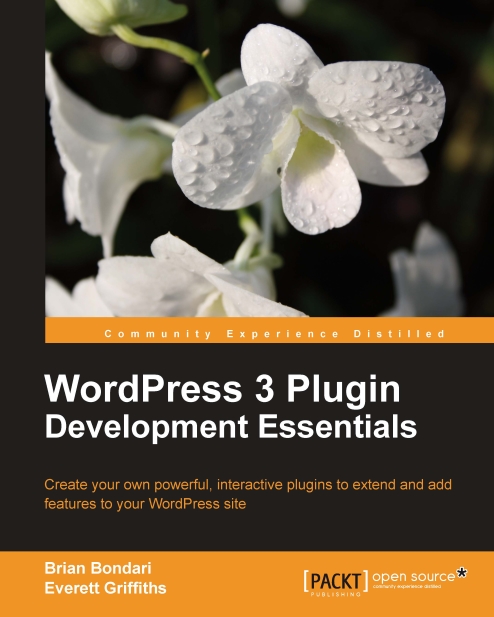
WordPress 3 Plugin Development Essentials

WordPress 3 Plugin Development Essentials: Create your own powerful, interactive plugins to extend and add features to your WordPress site

eBook
€23.39 €25.99
Paperback
€32.99
Subscription
Free Trial
Renews at €18.99p/m

What do you get with Print?

Product feature icon Instant access to your digital copy whilst your Print order is Shipped
Product feature icon Paperback book shipped to your preferred address
Product feature icon Redeem a companion digital copy on all Print orders
Product feature icon Access this title in our online reader with advanced features
Product feature icon DRM FREE - Read whenever, wherever and however you want
Modal Close icon
Payment Processing...
tick Completed

Shipping Address

Billing Address

Shipping Methods
Table of content icon View table of contents Preview book icon Preview Book

WordPress 3 Plugin Development Essentials

Chapter 2. Anatomy of a Plugin

Before we develop any substantial plugins of our own, let's take a few moments to look at what other people have done, so we get an idea of what the final product might look like. By this point, you should have a fresh version of WordPress installed and running somewhere for you to play with. It is important that your installation of WordPress is one with which you can tinker—in this chapter we will purposely break a few things to help see how they work, so please don't try anything in this chapter on a live production site.

Deconstructing an existing plugin: "Hello Dolly"


WordPress ships with a simple plugin named "Hello Dolly". Its name is a whimsical take on the programmer's obligatory "Hello, World!", and it is trotted out only for pedantic explanations like the one that follows (unless, of course, you really do want random lyrics by Jerry Herman to grace your administration screens).

Activating the plugin

Let's activate this plugin so we can have a look at what it does:

  1. Browse to your WordPress Dashboard at http://yoursite.com/wp-admin/.

  2. Navigate to the Plugins section.

  3. Under the Hello Dolly title, click on the Activate link.

You should now see a random lyric appear in the top-right portion of the Dashboard. Refresh the page a few times to get the full effect.

Examining the hello.php file

Now that we've tried out the "Hello Dolly" plugin, let's have a closer look. In your favorite text editor, open up the /wp-content/plugins/hello.php file. Can you identify the following integral parts?

  • The Information Header which...

Information header


Don't just skim this section thinking it's a waste of breath on the self-explanatory header fields. Unlike a normal PHP file in which the comments are purely optional, in WordPress plugin and theme files, the Information Header is required! It is this block of text that causes a file to show up on WordPress' radar so that you can activate it or deactivate it. If your plugin is missing a valid information header, you cannot use it!

Exercise—breaking the header

To reinforce that the information header is an integral part of a plugin, try the following exercise:

  1. In your WordPress Dashboard, ensure that the "Hello Dolly" plugin has been activated.

  2. If applicable, use your preferred (s)FTP program to connect to your WordPress installation.

  3. Using your text editor, temporarily delete the information header from wp-content/plugins/hello.php and save the file (you can save the header elsewhere for now). Save the file.

  4. Refresh the Plugins page in your browser.

  5. You should get a warning from...

Understanding the Includes


When you activate a plugin, the name of the file containing the information header is stored in the WordPress database. Each time a page is requested, WordPress goes through a laundry list of PHP files it needs to load, so activating a plugin ensures that your own files are on that list. To help illustrate this concept, let's break WordPress again.

Exercise – parse errors

Try the following exercise:

  1. Ensure that the "Hello Dolly" plugin is active.

  2. Open the /wp-content/plugins/hello.php file in your text editor.

  3. Immediately before the line that contains function hello_dolly_get_lyric, type in some gibberish text, such as "asdfasdf" and save the file.

  4. Reload the plugins page in your browser.

  5. This should generate a parse error, something like:

    Parse error: syntax error, unexpected T_FUNCTION in /path/to/wordpress/html/wp-content/plugins/hello.php on line 16

Yikes! Your site is now broken. Why did this happen? We introduced errors into the plugin's main file (hello.php), so...

Bonus for the curious


In case you're wondering exactly where and how WordPress stores the information about activated plugins, have a look in the database. Using your MySQL client, you can browse the wp_options table or execute the following query:

SELECT option_value FROM wp_options WHERE option_name='active_plugins';

The active plugins are stored as a serialized PHP hash, referencing the file containing the header. The following is an example of what the serialized hash might contain if you had activated a plugin named "Bad Example". You can use PHP's unserialize() function to parse the contents of this string into a PHP variable as in the following script:

<?php
   $active_plugin_str = 'a:1:{i:0;s:27:"bad-example/bad-example.php";}';
   print_r( unserialize($active_plugin_str) );
?>

And here's its output:

Array
(
    [0] => bad-example/bad-example.php
)

User-defined functions


Each plugin will store the majority of its code inside functions that you define. While it is technically possible to have a plugin that has nothing but a header, or to have a plugin that does not use user-defined functions, it is highly unlikely you would ever write such a plugin outside of a purely academic exercise.

Ready to proceed? Let's make a doomed plugin.

Exercise—an evil functionless plugin

You may not be used to writing your own functions in your code, especially for trivial tasks. However, when you are writing WordPress plugins, it is virtually impossible to get away with having all your code naked in the main code block. Let's take a closer look at how WordPress works and you will see why you need to shepherd your code into functions.

Normal users will use the Add New button in the Dashboard to search the WordPress repository for published plugins, but we as developers will be creating our own plugins from scratch. To do this, all we need is our trusty text...

Referencing hooks via add_action() and add_filter()


The final vital component in a WordPress plugin is the hook, which defines when the plugin is executed. This is arguably the most confusing component of a plugin, so we will be thorough in our explanations. Just as in pop-music, the term "hook" is sometimes ambiguous—different people use the term to refer to different things. Technically, the term "hook" should refer to a WordPress event, such as get_header or the_content, but sometimes it is used generally to refer to the add_action() or add_filter() functions which reference the hook. Pay attention to the context, and it should be clear which meaning was intended. The most important thing to understand here is that you determine when your functions execute by attaching them to a WordPress event by using the add_action() or add_filter() functions. Remember: hooks are events.

The syntax for both functions is exactly the same. We'll discuss the reasoning for this shortly, but for now, just...

Actions versus Filters


This is another confusing area in the land of WordPress plugins. What exactly is the difference between an action and a filter? Well, even if you've read through the forums and official documentation, the answers there likely left you more confused, so let's get this clarified once and for all.

Actions and filters are simply two different types of events. Remember that WordPress refers to events as "hooks". The difference between them is predicated on how WordPress handles the hook in question. Some hooks are designated as action hooks, others as filter hooks. When you link one of your functions to a filter hook, your function must accept an input and return an output because it is intended to modify or "filter" output. When you link a function to an action hook, your function is not passed input parameters, and any value returned is simply ignored. It is all a matter of how WordPress handles a given hook. On his site, Adam Brown maintains lists of all available WordPress...

Summary


After completing this chapter, you should know how to create a simplistic WordPress plugin and you should know where you have to put the file in order for it to show up in the WordPress Dashboard. You should have learned a couple debugging techniques that will apply to your work as a plugin developer. We've learned the differences between filters and actions and seen how WordPress sends data to your functions in each case. You should now have a working understanding of the most common plugin patterns and you should now be ready to write a couple of your own.

Up next, we're going to create our first full and functional plugin: Social Bookmarking.

Left arrow icon Right arrow icon

Key benefits

  • Everything you need to know to develop your own plugins for WordPress
  • Walk through the development of five plugins from ground up
  • Prepare and release your plugins to the WordPress community
  • Avoid common mistakes made by most plugin developers by learning more advanced development patterns

Description

WordPress is one of the most popular platforms for building blogs and general websites. By learning how to develop and integrate your own plugins, you can add functionality and extend WordPress in any way imaginable. By tapping into the additional power and functionality that plugins provide, you can make your site easier to administer, add new features, or even alter the very nature of how WordPress works. Covering WordPress version 3, this book makes it super easy for you to build a variety of plugins.WordPress 3 Plugin Development Essentials is a practical hands-on tutorial for learning how to create your own plugins for WordPress. Using best coding practices, this book will walk you through the design and creation of a variety of original plugins.WordPress 3 Plugin Development Essentials focuses on teaching you all aspects of modern WordPress development. The book uses real and published WordPress plugins and follows their creation from the idea to the finishing touches in a series of easy-to-follow and informative steps. You will discover how to deconstruct an existing plugin, use the WordPress API in typical scenarios, hook into the database, version your code with SVN, and deploy your new plugin to the world.Each new chapter introduces different features of WordPress and how to put them to good use, allowing you to gradually advance your knowledge. WordPress 3 Plugin Development Essentials is packed with information, tips, and examples that will help you gain comfort and confidence in your ability to harness and extend the power of WordPress via plugins.

Who is this book for?

This book is for WordPress users who want to learn how to create their own plugins and for developers who are new to the WordPress platform. Basic knowledge of PHP and HTML is expected, as well as a functional knowledge of how WordPress works from a user standpoint.

What you will learn

  • Get to know the WordPress code base, WordPress plugin architecture, and the application programming interface (API)
  • Integrate with third-party APIs and web services
  • Hook into the WordPress internals using actions and filters
  • Customize your WordPress Dashboard with menus and administration panels for your plugin
  • Streamline user interactions by using jQuery to make AJAX requests
  • Expand your understanding of WordPress as a CMS
  • Implement localization support for users of other languages
  • Maintain and manage your plugin using SVN and publish it to the WordPress Plugin Repository
  • Write tests into your code to ensure that it is always deployed properly
Estimated delivery fee Deliver to Belgium

Premium delivery 7 - 10 business days

€17.95
(Includes tracking information)

Product Details

Country selected
Publication date, Length, Edition, Language, ISBN-13
Publication date : Mar 24, 2011
Length: 300 pages
Edition : 1st
Language : English
ISBN-13 : 9781849513524
Languages :
Concepts :
Tools :

What do you get with Print?

Product feature icon Instant access to your digital copy whilst your Print order is Shipped
Product feature icon Paperback book shipped to your preferred address
Product feature icon Redeem a companion digital copy on all Print orders
Product feature icon Access this title in our online reader with advanced features
Product feature icon DRM FREE - Read whenever, wherever and however you want
Modal Close icon
Payment Processing...
tick Completed

Shipping Address

Billing Address

Shipping Methods
Estimated delivery fee Deliver to Belgium

Premium delivery 7 - 10 business days

€17.95
(Includes tracking information)

Product Details

Publication date : Mar 24, 2011
Length: 300 pages
Edition : 1st
Language : English
ISBN-13 : 9781849513524
Languages :
Concepts :
Tools :

Packt Subscriptions

See our plans and pricing
Modal Close icon
€18.99 billed monthly
Feature tick icon Unlimited access to Packt's library of 7,000+ practical books and videos
Feature tick icon Constantly refreshed with 50+ new titles a month
Feature tick icon Exclusive Early access to books as they're written
Feature tick icon Solve problems while you work with advanced search and reference features
Feature tick icon Offline reading on the mobile app
Feature tick icon Simple pricing, no contract
€189.99 billed annually
Feature tick icon Unlimited access to Packt's library of 7,000+ practical books and videos
Feature tick icon Constantly refreshed with 50+ new titles a month
Feature tick icon Exclusive Early access to books as they're written
Feature tick icon Solve problems while you work with advanced search and reference features
Feature tick icon Offline reading on the mobile app
Feature tick icon Choose a DRM-free eBook or Video every month to keep
Feature tick icon PLUS own as many other DRM-free eBooks or Videos as you like for just €5 each
Feature tick icon Exclusive print discounts
€264.99 billed in 18 months
Feature tick icon Unlimited access to Packt's library of 7,000+ practical books and videos
Feature tick icon Constantly refreshed with 50+ new titles a month
Feature tick icon Exclusive Early access to books as they're written
Feature tick icon Solve problems while you work with advanced search and reference features
Feature tick icon Offline reading on the mobile app
Feature tick icon Choose a DRM-free eBook or Video every month to keep
Feature tick icon PLUS own as many other DRM-free eBooks or Videos as you like for just €5 each
Feature tick icon Exclusive print discounts

Frequently bought together


Stars icon
Total 69.98
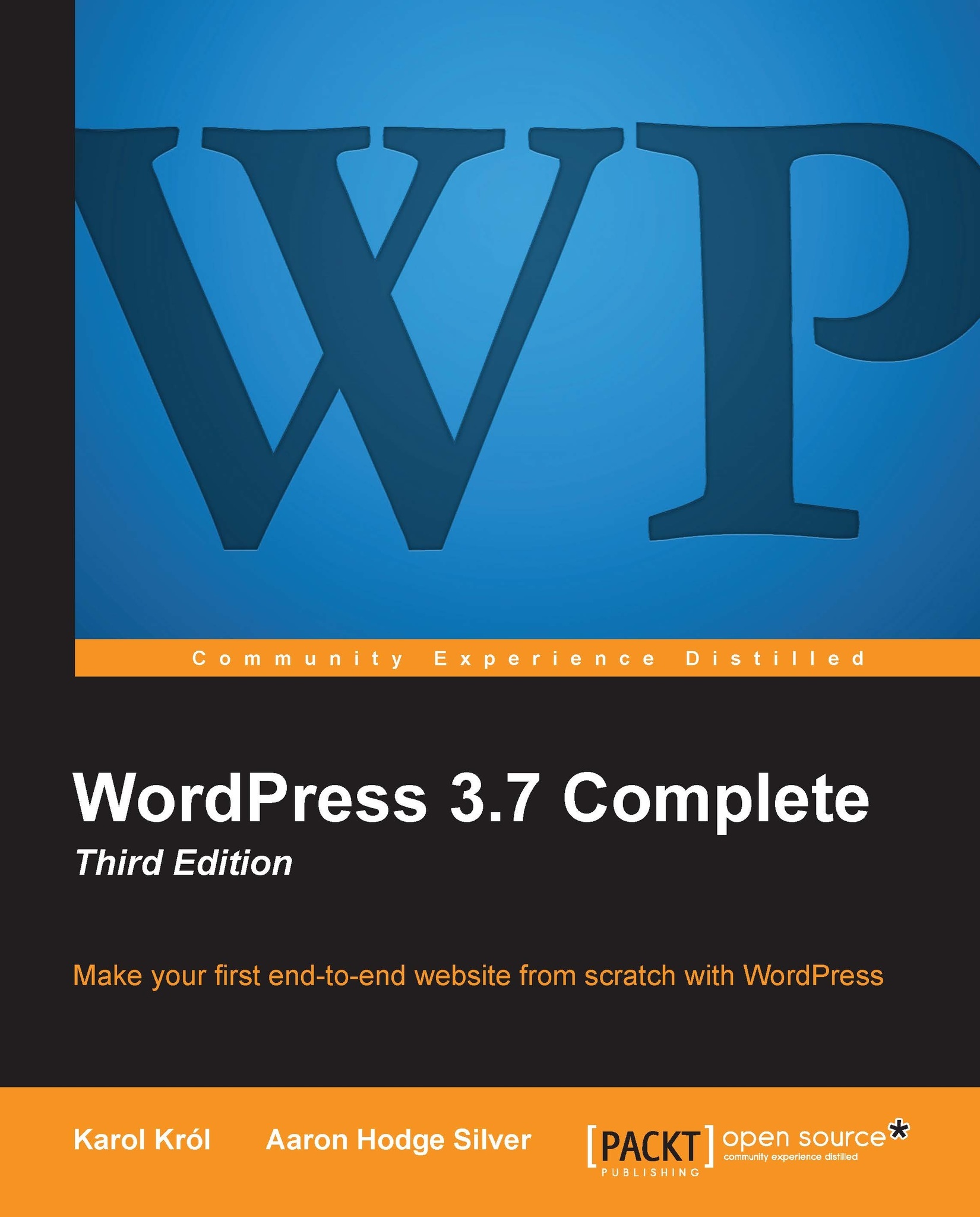
WordPress 3.7 Complete: Third Edition
€36.99
WordPress 3 Plugin Development Essentials
€32.99
Total 69.98 Stars icon

Table of Contents

10 Chapters
Preparing for WordPress Development Chevron down icon Chevron up icon
Anatomy of a Plugin Chevron down icon Chevron up icon
Social Bookmarking Chevron down icon Chevron up icon
Ajax Search Chevron down icon Chevron up icon
Content Rotator Chevron down icon Chevron up icon
Standardized Custom Content Chevron down icon Chevron up icon
Custom Post Types Chevron down icon Chevron up icon
Versioning Your Code with Subversion (SVN) Chevron down icon Chevron up icon
Preparing Your Plugin for Distribution Chevron down icon Chevron up icon
Publishing Your Plugin Chevron down icon Chevron up icon

Customer reviews

Top Reviews
Rating distribution
Full star icon Full star icon Full star icon Full star icon Empty star icon 4
(10 Ratings)
5 star 40%
4 star 40%
3 star 10%
2 star 0%
1 star 10%
Filter icon Filter
Top Reviews

Filter reviews by


Dave H Mar 28, 2012
Full star icon Full star icon Full star icon Full star icon Full star icon 5
I'd underline something a few other reviewers have mentioned - this book is rich with many tips and techniques 'beyond the WordPress specific scope' If you happen to be like me, trying to learn advanced Wordpress, PHP, and jQuery all at once, this author has a clear grip on the big picture and really pulls it together with practical exercises that (for me at least) really turn on the light bulbs. Things like setting up a development environment with Firebug, Firefox web developer toolbar, jQuery, etc are covered better than I'd seen anywhere. The 'pedagogy' is sound, as each chapter is a new plugin built step by step, where each step includes things like testing what will become a complex thing in small stages, starting, say, in a static HTML page using the Firebug console. Having made the foundation points, with hands-on 'aha's - the author helps you build up the complexity in a way that you can really see how it all works (and you've learned some valuable 'test-first' practices).We've all seen lots of these how-to books -- in my experience this one stands in that very very top tier - very much worth your consideration.
Amazon Verified review Amazon
Joseph Dolson Jul 11, 2011
Full star icon Full star icon Full star icon Full star icon Full star icon 5
At root, this book is an excellent overview of the techniques and issues which will be encountered by any developer -- however experienced -- when they are authorizing a plug-in using the WordPress plug-in API in WordPress 3. In particular, I appreciated the emphasis on organization and coding best practices. I've worked with plenty of plug-ins, and there's a lot of ugly, unmaintainable code out there. (And I've written some of it, too!) The fact that anybody looking to develop a plug-in who uses this book as a major reference will also get a guide to some best practices in writing software is a <strong>definite</strong> bonus.The authors are very realistic about the limitations and benefits of the WordPress plug-in system. They observe that WordPress has a great deal of flexibility when it comes to coding style and organization -- and the result is that there's a low resistance to entry. Great for beginners, but it does mean that trusting the code you find is something you shouldn't do blindly. Clearly the authors want to emphasize that anybody looking to begin developing plug-ins should give some significant thought to the sustainability and quality of their work. Kudos to them!The book doesn't cover an enormous number of different API functions, but it does give a good overview of the key hooks that are needed to get started programming for WordPress. Given the scope of what can be done in WordPress, it's really a better solution to solidly introduce some of the core techniques rather than try and cram a huge number of concepts down the throats of their readers.I found the systematic approach taken by the book to be extremely effective -- I appreciated that the book intentionally had the reader introduce common errors into their plug-ins. Having encountered most of those issues by accident somewhere along the line, it's tremendously valuable to already have been made aware of some key elements.I do think that this is a good book, and very worthwhile for the beginning plug-in developer. There are a few additional areas which I would have liked to have seen covered, however.Although the book is very thorough in addressing programming best practices, it doesn't address the quality of output code at all. Valid HTML, consistent use of elements, semantics, and accessibility are all issues which deserve a significant mention in the programming of a WordPress extension -- however easily the plug-in can be maintained, if it doesn't produce high-quality output, this can be a major disadvantage for the plug-in. It is very dissatisfying to install a plug-in which does exactly what you need it to, but produces output which can't easily be styled or doesn't meet the standards required for your web site.Nonetheless, there are no other issues which I felt were truly missed -- the book is well-written, thorough, and methodical. I can highly recommend it to anybody looking to start authoring WordPress plug-ins.
Amazon Verified review Amazon
Brandeline Dec 02, 2012
Full star icon Full star icon Full star icon Full star icon Full star icon 5
WordPress 3 Plugin Development Essentials is a fantastic little book that will really open your eyes to just how simple and easy basic plugins can be to develop. Even if you don't really want to make your own plugins, but occasionally find yourself up to your elbows in theme code trying to bend wordpress to your will on your site, this book has something for you.The first couple of chapters are dedicated to showing how plugins work in wordpress, and the discussion on hooks is very easy to understand. Later chapters go much deeper into the guts of programming plugins. The book is step by step with many demo projects, and never requires the learner to leap across a chasm mentally from one point to another to make the journey and understand how everything works. Very well written and clear.
Amazon Verified review Amazon
Robert Morris Jun 07, 2011
Full star icon Full star icon Full star icon Full star icon Full star icon 5
As is also true of other Packt publications, this book has prepared me well to work with technical and graphics specialists whom I have retained to develop for me a "fully-functional, dynamic" WordPress website. That is to say, Brian Bondari, Everett Griffiths, and their colleagues have provided a comprehensive and cohesive briefing on how I can work effectively with the specialists to create or select appropriate plugins to extend and add features to my WordPress site.I do not fully understand all of the material provided in Chapter 6 ("Standardized Custom Content"), for example, that begins the process of extending WordPress usage as a content management system. However, given the volume of content that I continue to create or adapt, it has been immensely helpful to me to know (and understand) which questions to ask throughout the website development process, one that will probably be never-ending. But at least I can express my wishes and intentions as various modifications are made in weeks and months ahead.This book comes as close as any single volume can to be a practical, hands-on tutorial for non-technicians such as I as well as for those developers with limited experience with the WP platform. Readers will especially appreciate the direct and personal rapport that Bondari and Griffiths establish with them as well as the summaries that appear at the conclusion of the 10 chapters (Pages 26, 44, 66,102, 135, 165, 190, 211, 235, and 258), the two appendices ("Recommended Resources" that really are valuable and a "WordPress API Reference" section to which most readers will frequently refer.
Amazon Verified review Amazon
M. Mendonca Feb 17, 2016
Full star icon Full star icon Full star icon Full star icon Empty star icon 4
Good book.Before it, I wasted my time surfing and reading messy stuff on the web, feeling like a dog hunting the own tail.The examples makes WP a lab, being you the scientist.I recommend it.
Amazon Verified review Amazon
Get free access to Packt library with over 7500+ books and video courses for 7 days!
Start Free Trial

FAQs

What is the digital copy I get with my Print order? Chevron down icon Chevron up icon

When you buy any Print edition of our Books, you can redeem (for free) the eBook edition of the Print Book you’ve purchased. This gives you instant access to your book when you make an order via PDF, EPUB or our online Reader experience.

What is the delivery time and cost of print book? Chevron down icon Chevron up icon

Shipping Details

USA:

'

Economy: Delivery to most addresses in the US within 10-15 business days

Premium: Trackable Delivery to most addresses in the US within 3-8 business days

UK:

Economy: Delivery to most addresses in the U.K. within 7-9 business days.
Shipments are not trackable

Premium: Trackable delivery to most addresses in the U.K. within 3-4 business days!
Add one extra business day for deliveries to Northern Ireland and Scottish Highlands and islands

EU:

Premium: Trackable delivery to most EU destinations within 4-9 business days.

Australia:

Economy: Can deliver to P. O. Boxes and private residences.
Trackable service with delivery to addresses in Australia only.
Delivery time ranges from 7-9 business days for VIC and 8-10 business days for Interstate metro
Delivery time is up to 15 business days for remote areas of WA, NT & QLD.

Premium: Delivery to addresses in Australia only
Trackable delivery to most P. O. Boxes and private residences in Australia within 4-5 days based on the distance to a destination following dispatch.

India:

Premium: Delivery to most Indian addresses within 5-6 business days

Rest of the World:

Premium: Countries in the American continent: Trackable delivery to most countries within 4-7 business days

Asia:

Premium: Delivery to most Asian addresses within 5-9 business days

Disclaimer:
All orders received before 5 PM U.K time would start printing from the next business day. So the estimated delivery times start from the next day as well. Orders received after 5 PM U.K time (in our internal systems) on a business day or anytime on the weekend will begin printing the second to next business day. For example, an order placed at 11 AM today will begin printing tomorrow, whereas an order placed at 9 PM tonight will begin printing the day after tomorrow.


Unfortunately, due to several restrictions, we are unable to ship to the following countries:

  1. Afghanistan
  2. American Samoa
  3. Belarus
  4. Brunei Darussalam
  5. Central African Republic
  6. The Democratic Republic of Congo
  7. Eritrea
  8. Guinea-bissau
  9. Iran
  10. Lebanon
  11. Libiya Arab Jamahriya
  12. Somalia
  13. Sudan
  14. Russian Federation
  15. Syrian Arab Republic
  16. Ukraine
  17. Venezuela
What is custom duty/charge? Chevron down icon Chevron up icon

Customs duty are charges levied on goods when they cross international borders. It is a tax that is imposed on imported goods. These duties are charged by special authorities and bodies created by local governments and are meant to protect local industries, economies, and businesses.

Do I have to pay customs charges for the print book order? Chevron down icon Chevron up icon

The orders shipped to the countries that are listed under EU27 will not bear custom charges. They are paid by Packt as part of the order.

List of EU27 countries: www.gov.uk/eu-eea:

A custom duty or localized taxes may be applicable on the shipment and would be charged by the recipient country outside of the EU27 which should be paid by the customer and these duties are not included in the shipping charges been charged on the order.

How do I know my custom duty charges? Chevron down icon Chevron up icon

The amount of duty payable varies greatly depending on the imported goods, the country of origin and several other factors like the total invoice amount or dimensions like weight, and other such criteria applicable in your country.

For example:

  • If you live in Mexico, and the declared value of your ordered items is over $ 50, for you to receive a package, you will have to pay additional import tax of 19% which will be $ 9.50 to the courier service.
  • Whereas if you live in Turkey, and the declared value of your ordered items is over € 22, for you to receive a package, you will have to pay additional import tax of 18% which will be € 3.96 to the courier service.
How can I cancel my order? Chevron down icon Chevron up icon

Cancellation Policy for Published Printed Books:

You can cancel any order within 1 hour of placing the order. Simply contact customercare@packt.com with your order details or payment transaction id. If your order has already started the shipment process, we will do our best to stop it. However, if it is already on the way to you then when you receive it, you can contact us at customercare@packt.com using the returns and refund process.

Please understand that Packt Publishing cannot provide refunds or cancel any order except for the cases described in our Return Policy (i.e. Packt Publishing agrees to replace your printed book because it arrives damaged or material defect in book), Packt Publishing will not accept returns.

What is your returns and refunds policy? Chevron down icon Chevron up icon

Return Policy:

We want you to be happy with your purchase from Packtpub.com. We will not hassle you with returning print books to us. If the print book you receive from us is incorrect, damaged, doesn't work or is unacceptably late, please contact Customer Relations Team on customercare@packt.com with the order number and issue details as explained below:

  1. If you ordered (eBook, Video or Print Book) incorrectly or accidentally, please contact Customer Relations Team on customercare@packt.com within one hour of placing the order and we will replace/refund you the item cost.
  2. Sadly, if your eBook or Video file is faulty or a fault occurs during the eBook or Video being made available to you, i.e. during download then you should contact Customer Relations Team within 14 days of purchase on customercare@packt.com who will be able to resolve this issue for you.
  3. You will have a choice of replacement or refund of the problem items.(damaged, defective or incorrect)
  4. Once Customer Care Team confirms that you will be refunded, you should receive the refund within 10 to 12 working days.
  5. If you are only requesting a refund of one book from a multiple order, then we will refund you the appropriate single item.
  6. Where the items were shipped under a free shipping offer, there will be no shipping costs to refund.

On the off chance your printed book arrives damaged, with book material defect, contact our Customer Relation Team on customercare@packt.com within 14 days of receipt of the book with appropriate evidence of damage and we will work with you to secure a replacement copy, if necessary. Please note that each printed book you order from us is individually made by Packt's professional book-printing partner which is on a print-on-demand basis.

What tax is charged? Chevron down icon Chevron up icon

Currently, no tax is charged on the purchase of any print book (subject to change based on the laws and regulations). A localized VAT fee is charged only to our European and UK customers on eBooks, Video and subscriptions that they buy. GST is charged to Indian customers for eBooks and video purchases.

What payment methods can I use? Chevron down icon Chevron up icon

You can pay with the following card types:

  1. Visa Debit
  2. Visa Credit
  3. MasterCard
  4. PayPal
What is the delivery time and cost of print books? Chevron down icon Chevron up icon

Shipping Details

USA:

'

Economy: Delivery to most addresses in the US within 10-15 business days

Premium: Trackable Delivery to most addresses in the US within 3-8 business days

UK:

Economy: Delivery to most addresses in the U.K. within 7-9 business days.
Shipments are not trackable

Premium: Trackable delivery to most addresses in the U.K. within 3-4 business days!
Add one extra business day for deliveries to Northern Ireland and Scottish Highlands and islands

EU:

Premium: Trackable delivery to most EU destinations within 4-9 business days.

Australia:

Economy: Can deliver to P. O. Boxes and private residences.
Trackable service with delivery to addresses in Australia only.
Delivery time ranges from 7-9 business days for VIC and 8-10 business days for Interstate metro
Delivery time is up to 15 business days for remote areas of WA, NT & QLD.

Premium: Delivery to addresses in Australia only
Trackable delivery to most P. O. Boxes and private residences in Australia within 4-5 days based on the distance to a destination following dispatch.

India:

Premium: Delivery to most Indian addresses within 5-6 business days

Rest of the World:

Premium: Countries in the American continent: Trackable delivery to most countries within 4-7 business days

Asia:

Premium: Delivery to most Asian addresses within 5-9 business days

Disclaimer:
All orders received before 5 PM U.K time would start printing from the next business day. So the estimated delivery times start from the next day as well. Orders received after 5 PM U.K time (in our internal systems) on a business day or anytime on the weekend will begin printing the second to next business day. For example, an order placed at 11 AM today will begin printing tomorrow, whereas an order placed at 9 PM tonight will begin printing the day after tomorrow.


Unfortunately, due to several restrictions, we are unable to ship to the following countries:

  1. Afghanistan
  2. American Samoa
  3. Belarus
  4. Brunei Darussalam
  5. Central African Republic
  6. The Democratic Republic of Congo
  7. Eritrea
  8. Guinea-bissau
  9. Iran
  10. Lebanon
  11. Libiya Arab Jamahriya
  12. Somalia
  13. Sudan
  14. Russian Federation
  15. Syrian Arab Republic
  16. Ukraine
  17. Venezuela
Modal Close icon
Modal Close icon