Using lists
Zii lists is a good tool to display data from any data provider to end users while handling pagination and sorting automatically. CListView is very customizable so it allows the building of any type of list page.
Let's use Gii to generate a list, see how it works, and how we can customize it.
Getting ready
Create a new application using
yiic webappas described in the official guide.Download the Sakila database from http://dev.mysql.com/doc/index-other.html. Execute the downloaded SQLs (first schema then data).
Configure the database connection in
protected/config/main.php.Use Gii to create models for
customer,store,address, andcitytables.
How to do it...
Open Gii, select Crud Generator, and enter
Customerinto the Model Class field. Press Preview and then Generate.Gii will generate a controller in
protected/controllers/CustomerController.phpand a group of views underprotected/views/customer/.Run the
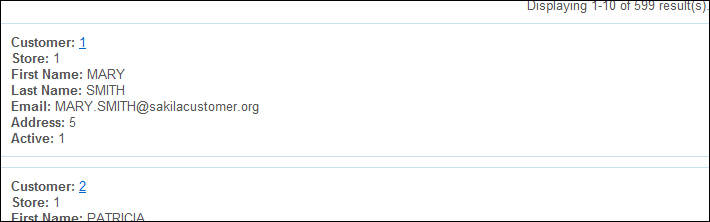
indexaction of customer controller to see the customer list in action.