Search icon CANCEL
Subscription
0
Cart icon
Your Cart (0 item)
Close icon
You have no products in your basket yet
Save more on your purchases! discount-offer-chevron-icon
Savings automatically calculated. No voucher code required.
Arrow left icon
Explore Products
Best Sellers
New Releases
Books
Videos
Audiobooks
Learning Hub
Newsletter Hub
Free Learning
Arrow right icon
timer SALE ENDS IN
0 Days
:
00 Hours
:
00 Minutes
:
00 Seconds
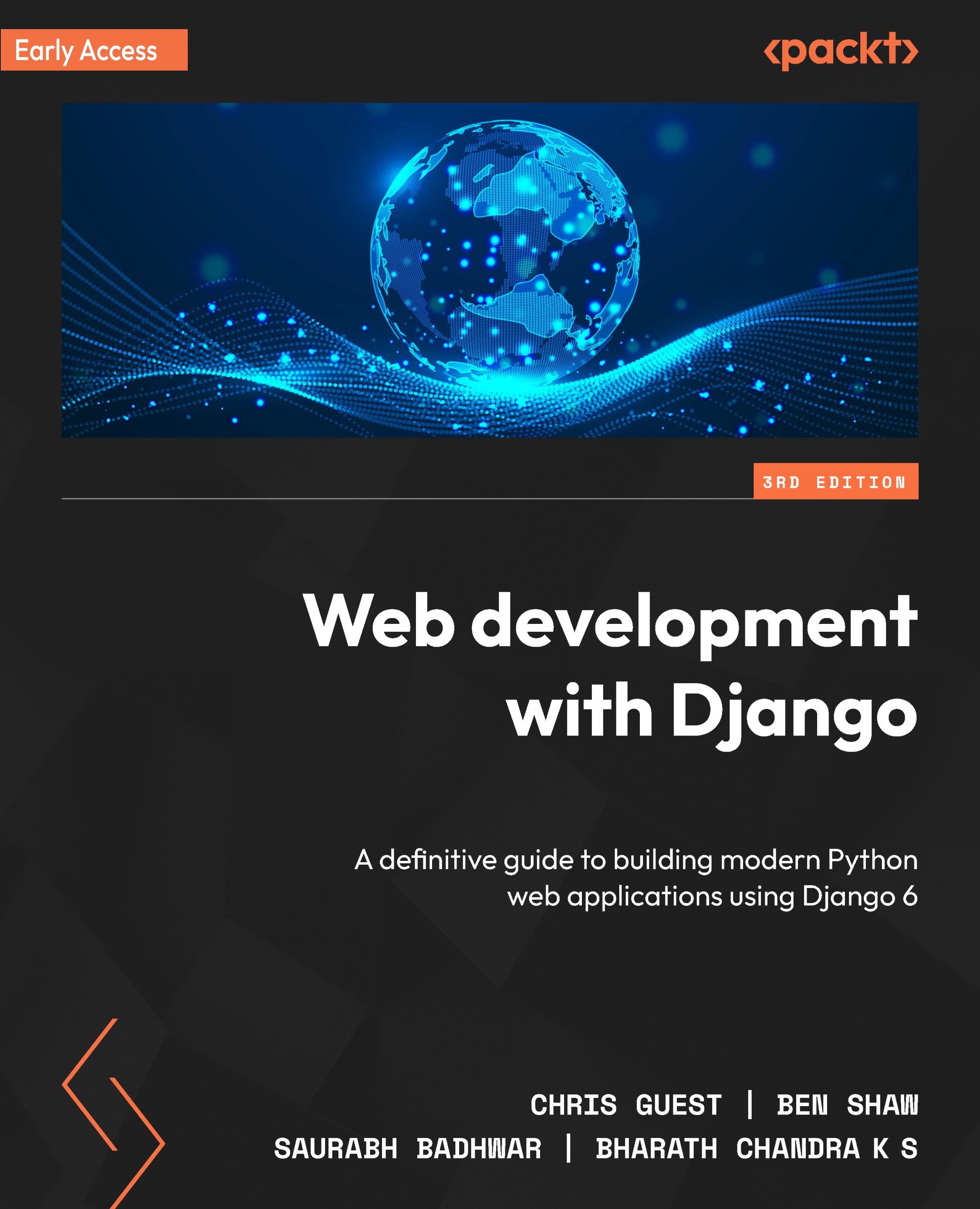
Web development with Django

Web development with Django: A definitive guide to building modern Python web applications using Django 6 , Third Edition

Arrow left icon
Profile Icon Chris Guest Profile Icon Saurabh Badhwar Profile Icon Bharath Chandra K S Profile Icon Ben Shaw
Arrow right icon
Early Access Early Access Publishing in Mar 2026
$54.99
Paperback Mar 2026 810 pages 3rd Edition
eBook
$9.99 $43.99
Paperback
$54.99
Subscription
Free Trial
Renews at $19.99p/m
Arrow left icon
Profile Icon Chris Guest Profile Icon Saurabh Badhwar Profile Icon Bharath Chandra K S Profile Icon Ben Shaw
Arrow right icon
Early Access Early Access Publishing in Mar 2026
$54.99
Paperback Mar 2026 810 pages 3rd Edition
eBook
$9.99 $43.99
Paperback
$54.99
Subscription
Free Trial
Renews at $19.99p/m
eBook
$9.99 $43.99
Paperback
$54.99
Subscription
Free Trial
Renews at $19.99p/m

What do you get with Print?

Product feature icon Instant access to your digital copy whilst your Print order is Shipped
Product feature icon Paperback book shipped to your preferred address
Product feature icon Redeem a companion digital copy on all Print orders
Product feature icon Access this title in our online reader with advanced features
Product feature icon DRM FREE - Read whenever, wherever and however you want
Modal Close icon
Payment Processing...
tick Completed

Shipping Address

Billing Address

Shipping Methods
Table of content icon View table of contents Preview book icon Preview Book

Web development with Django

1

Introduction to Django

"The web framework for perfectionists with deadlines." It’s a tagline that aptly describes Django, a framework that has been around for nearly 20 years. It is battle-tested and widely used, with more and more people using it every day. All this might make you think that Django is old and no longer relevant. On the contrary – its longevity has proved that its API is reliable and consistent, and even those who learned Django v1.0 in 2007 can mostly write the same code for Django 5 today. Django is still in active development, with bug fixes and security patches being released monthly.

Like Python, the language in which it is written, Django is easy to learn, yet powerful and flexible enough to grow with your needs. It is a "batteries-included" framework – in other words, you do not have to find and install many other libraries or components to get your application up and running. Other frameworks, such as Flask or Pylons...

Technical requirements

Throughout this book, you will be writing code. If you need to refer to the completed code for this chapter, you can find it in this GitHub repository: https://github.com/PacktPublishing/Web-Development-with-Django-Third-Edition/tree/main/Chapter01.

Creating a Virtual Environment with pyenv

Before diving deeply into the theory behind Django paradigms and HTTP requests, we’ll show you how easy it is to get a Django project up and running. After this first section and exercise, you will have created a Django project, made a request to it with your browser, and seen the response.

As a Python developer you may be working with many applications on your system that have different and even conflicting dependencies. The examples in this book use Python 3.12 and Django 5.1. However you may need to maintain other versions of Python for your other projects that may not even be compatible with Django 5.1.

In addition operating systems such as MacOS and Linux ship with Python installed and it is frequently used as a scripting language by the operating system. For this reason it is best practise to develop with a different python installation that will not disrupt operating system functionality if conflicts are introduced.

For these reasons...

Scaffolding a Django project and app

Before diving deeply into the theory behind Django paradigms and HTTP requests, we’ll show you how easy it is to get a Django project up and running. After this first section and exercise, you will have created a Django project, made a request to it with your browser, and seen the response.

A Django project is a directory that contains all the data for your project – code, settings, templates, and assets. It is created and scaffolded by running the django-admin command on the command line with the startproject argument and providing the project name. For example, to create a Django project with the name myproject, the command that is run is as follows:

django-admin startproject myproject

This will create the myproject directory, which Django populates with the necessary files to run the project. Inside the myproject directory are two files (shown in Figure 1.1):

Image 1

Figure 1.1 – The project directory for myproject

manage.py is a Python...

Understanding the model-view-template paradigm

A common design pattern in application design is the Model View Controller (MVC), where the model of an application (its data) is displayed in one or more views, and a controller marshals interaction between the model and view. Django follows a different, yet similar, paradigm called the Model-View-Template (MVT).

Like MVC, MVT also uses models for storing data. However, with MVT, a view will query a model and then render it with a template. Usually, with MVC languages, all three components need to be developed with the same language. With MVT, the template can be in a different language. In the case of Django, models and views are written in Python, and the template is written in HTML. This means that a Python developer could work on the models and views, while a specialist HTML developer works on the HTML. We’ll first explain models, views, and templates in more detail and then look at some example scenarios where they are used.

...

Exploring the Django project structure

We already introduced Django projects in the Scaffolding a Django project and app section. Let’s remind ourselves of what happens when we run startproject (for a project named myproject) – the command creates a myproject directory with one file called manage.py, and a directory called myproject (this matches the project name; in Exercise 1.01 – creating a project and app, and starting the development server, this folder was called bookr, the same as the project). The directory layout is shown in Figure 1.8. We’ll now examine the manage.py file and myproject package contents in more detail.

Image 8

Figure 1.8 – The project directory for myproject

As the name suggests, manage.py is a script that is used to manage your Django project. Most of the commands that are used to interact with your project will be supplied to this script on the command line. The commands are supplied as an argument to this script – for example...

Introducing Django views

You now have everything set up to start writing your own Django views and configure the URLs that will map to them. As we saw earlier in this chapter, a view is simply a function that takes an HttpRequest instance (built by Django) and (optionally) some parameters from the URL. It will then perform some operations, such as fetching data from a database. Finally, it returns HttpResponse.

To use our bookr project as an example, we might have a view that receives a request for a certain book. It queries the database for this book, and then returns a response containing an HTML page, showing information about the book. Another view could receive a request to list all the books, and then return a response with another HTML page containing this list. Views can also create or modify data; another view could receive a request to create a new book, and it would then add the book to the database and return a response with HTML that displays the new book’s information...

Exploring URL mapping detail

We briefly mentioned URL maps earlier in the Processing a request section. Django does not automatically know which view function should be executed when it receives a request for a particular URL. The role of URL mapping is to build a link between a URL and a view. For example, in Bookr, you might want to map the /books/ URL to a books_list view that you have created.

The URL-to-view mapping is defined in the file that Django automatically created called urls.py, inside the bookr package directory (although a different file can be set in settings.py; there’ll be more on that later).

This file contains a variable, urlpatterns, which is a list of paths that Django evaluates in turn until it finds a match for the URL being requested. The match will either resolve to a view function or another urls.py file, also containing a urlpatterns variable, which will be resolved in the same manner. URL files can be chained in this manner for as long as you want...

Working with GET, POST, and QueryDict objects

Data can come through an HTTP request as parameters on a URL or inside the body of a POST request. You might have noticed parameters in a URL when browsing the web – the text after ? – for example, http://www.example.com/?parameter1=value1&parameter2=value2. We also saw earlier in this chapter an example of form data in a . We also saw earlier in this chapter an example of form data in a POST request to log in a user (the request body was username=user&password=password1).

Django automatically parses these parameter strings into QueryDict objects. The data is then available on the HttpRequest object that is passed to your view – specifically, in the HttpRequest.GET and HttpRequest.POST attributes for URL parameters and body parameters respectively. QueryDict objects mostly behave like dictionaries, except that they can contain multiple values for a key.

To show different methods of accessing items in, we’...

Exploring Django settings

We haven't yet looked at how Django stores its settings. Now that we’ve seen the different parts of Django, it is a good time to examine the settings.py file. There are many settings Django contains that can be used to customize it. A default settings.py file was created for you when you started the bookr project. We will discuss some of the more important settings in the file now, and a few others that might be useful as you become more fluent with Django. You should open your settings.py file in PyCharm and follow along so that you can see where and what the values are for your project.

Each setting in this file is just a file-global variable. The order in which we will discuss the settings is the same order in which they appear in this file, although we may skip over some – for example, there is the ALLOWED_HOSTS setting between DEBUG and INSTALLED_APPS, which we won’t cover in this part of the book (you’ll see it in Chapter...

Finding HTML templates in app directories

There are many options that are available to tell Django how to find templates, which can be set in the TEMPLATES setting of settings.py, but the easiest one (for now) is to create a templates directory inside the reviews directory. Django will look in this (and in other apps' templates directories) because of APP_DIRS being True in the settings.py file, as we saw in the previous section. However, for Django to know that the reviews directory is an app, we need to configure it in the settings. We’ll do that in the next exercise.

Exercise 1.05 – creating a templates directory and a base template

In this exercise, you will create a templates directory for the reviews app. Then, you will add an HTML template file that Django will be able to render to an HTTP response.

We discussed settings.py and its INSTALLED_APPS setting in the Exploring Django settings section. We need to add the reviews app to INSTALLED_APPS for Django to be...

Debugging and dealing with errors

When programming, unless you’re the perfect programmer who never makes mistakes, you’ll probably have to deal with errors or debug your code at some point. When there is an error in your program, there are usually two ways to tell – either your code will raise an exception, or you will get unexpected output or results when viewing the page. You will probably see exceptions more often, as there are many accidental ways to cause them. If your code is generating unexpected output but not raising any exceptions, you will probably want to use the PyCharm debugger to find out why.

We’ll start with an overview of some Python exceptions and how to handle them, along with an exercise that demonstrates how Django shows exceptions. Then, we’ll look at running Django inside the PyCharm debugger so that you can peek inside your program while it executes.

Exceptions

If you have worked with Python or other programming languages before...

Activity 1.01 – creating a site welcome screen

The Bookr website that we are building needs to have a splash page that welcomes users and lets them know what site they are on. It will also contain links to other parts of the site, but these will be added in later chapters. For now, you will create a page with a welcome message.

These steps will help you complete the activity:

  1. In your index view, render the base.html template.
  2. Update the base.html template to contain the welcome message. It should be in both the <title> tag in <head> and in a new <h1> tag in the body.

    After completing the activity, you should be able to see something like this:

Image 41

Figure 1.52 – The Bookr welcome page

In the next activity, you will build a basic page to show the results of a book search in Bookr.

Activity 1.02 – a book search scaffold

A useful feature of a site such as Bookr is the ability to search through data to find something on the site quickly. Bookr will implement book searching to allow users to find a particular book by part of its title. While we don’t have any books to find yet, we can still implement a page that shows the text a user searched for. The user enters the search string as part of the URL parameters. We will implement searching and a form for easy text entry in Chapter 6, Forms.

These steps will help you complete the activity:

  1. Create a search result HTML template. It should include a variable placeholder to show the search word(s) that were passed in through the render context. Show the passed-in variable in the <title> and <h1> tags. Use an <em> tag around the search text in the body to make it italic.
  2. Add a search view function in views.py. The view should read a search string from the URL parameters (in the request’...

Summary

This chapter was a quick introduction to Django. You first got up to speed on the HTTP protocol and the structure of HTTP requests and responses. We then saw how Django uses the MVT paradigm, and then how it parses a URL, generates an HTTP request, and sends it to a view to get an HTTP response. We scaffolded the bookr project and then created the reviews app for it. We then built two example views to illustrate how to get data from a request and use it when rendering templates. You also experimented to see how Django escapes output in HTML when rendering a template.

We did all this with the PyCharm IDE, and you learned how to set it up to debug your application. The debugger will help you find out why things aren’t working as they should.

In the next chapter, you will start to learn about Django’s database integration and its model system, so you can start storing and retrieving real data for your application.

Left arrow icon Right arrow icon

Key benefits

  • Get to grips with Django 6 functionality, the MVT paradigm, and its new async-powered features
  • Build and extend a book-review site using updated templates, forms, async features, and ORM tools
  • Explore REST APIs, async views, third-party integrations, testing, and modern deployment options
  • Purchase of the print or Kindle book includes a free PDF eBook

Description

Tired of spending hours on boilerplate code when you should be building features? Django 6 transforms your workflow with major improvements to the Python web ecosystem—from expanded async support to improved form rendering, stronger security, and modern template and ORM capabilities. This book shows you how to take full advantage of these upgrades to build reliable, secure, and high-performance web applications in a structured, hands-on way. You’ll discover Django 6’s power by building an end-to-end case study of developing a website called Bookr, a repository for book reviews that mirrors real development workflows. Through guided practical exercises, you'll learn how to serve static files, implement forms using Django 6’s improved rendering system, handle async views and ORM operations, and manage sessions to create a seamless user experience. You’ll also tackle essential tasks such as authentication, security best practices, and integrating modern front-end tools. By the end of this Django book, you’ll be ready to build and deploy your own scalable, modern Python web applications using Django 6.

Who is this book for?

This book is for programmers who want to enhance their web development skills with Django 6. You’ll get the most out of it if you already know Python programming and are familiar with JavaScript, HTML, and CSS. This book is especially useful for anyone looking to understand Django’s new async capabilities, modern security features, and production-ready web development patterns.

What you will learn

  • Start a new Django 6 project and define models using the improved ORM
  • Work with async and class-based views using templates to control application behavior
  • Implement authentication, permissions, and modern session handling techniques
  • Create practical forms using Django 6's updated rendering API
  • Build RESTful APIs and the JavaScript features that integrate with them
  • Connect to PostgreSQL and run async-ready queries where supported
Estimated delivery fee Deliver to Turkey

Standard delivery 10 - 13 business days

$12.95

Premium delivery 3 - 6 business days

$34.95
(Includes tracking information)

Product Details

Country selected
Publication date, Length, Edition, Language, ISBN-13
Publication date : Mar 20, 2026
Length: 810 pages
Edition : 3rd
Language : English
ISBN-13 : 9781836202073
Languages :
Tools :

What do you get with Print?

Product feature icon Instant access to your digital copy whilst your Print order is Shipped
Product feature icon Paperback book shipped to your preferred address
Product feature icon Redeem a companion digital copy on all Print orders
Product feature icon Access this title in our online reader with advanced features
Product feature icon DRM FREE - Read whenever, wherever and however you want
Modal Close icon
Payment Processing...
tick Completed

Shipping Address

Billing Address

Shipping Methods
Estimated delivery fee Deliver to Turkey

Standard delivery 10 - 13 business days

$12.95

Premium delivery 3 - 6 business days

$34.95
(Includes tracking information)

Product Details

Publication date : Mar 20, 2026
Length: 810 pages
Edition : 3rd
Language : English
ISBN-13 : 9781836202073
Languages :
Tools :

Packt Subscriptions

See our plans and pricing
Modal Close icon
$19.99 billed monthly
Feature tick icon Unlimited access to Packt's library of 7,000+ practical books and videos
Feature tick icon Constantly refreshed with 50+ new titles a month
Feature tick icon Exclusive Early access to books as they're written
Feature tick icon Solve problems while you work with advanced search and reference features
Feature tick icon Offline reading on the mobile app
Feature tick icon Simple pricing, no contract
$199.99 billed annually
Feature tick icon Unlimited access to Packt's library of 7,000+ practical books and videos
Feature tick icon Constantly refreshed with 50+ new titles a month
Feature tick icon Exclusive Early access to books as they're written
Feature tick icon Solve problems while you work with advanced search and reference features
Feature tick icon Offline reading on the mobile app
Feature tick icon Choose a DRM-free eBook or Video every month to keep
Feature tick icon PLUS own as many other DRM-free eBooks or Videos as you like for just $5 each
Feature tick icon Exclusive print discounts
$279.99 billed in 18 months
Feature tick icon Unlimited access to Packt's library of 7,000+ practical books and videos
Feature tick icon Constantly refreshed with 50+ new titles a month
Feature tick icon Exclusive Early access to books as they're written
Feature tick icon Solve problems while you work with advanced search and reference features
Feature tick icon Offline reading on the mobile app
Feature tick icon Choose a DRM-free eBook or Video every month to keep
Feature tick icon PLUS own as many other DRM-free eBooks or Videos as you like for just $5 each
Feature tick icon Exclusive print discounts

Table of Contents

4 Chapters
Welcome to Packt Early Access Chevron down icon Chevron up icon
Chapter 1: Introduction to Django Chevron down icon Chevron up icon
Chapter 2: Models and Migrations Chevron down icon Chevron up icon
Chapter 3: Django Views, URL Configuration, and Templates Chevron down icon Chevron up icon
Get free access to Packt library with over 7500+ books and video courses for 7 days!
Start Free Trial

FAQs

What is the digital copy I get with my Print order? Chevron down icon Chevron up icon

When you buy any Print edition of our Books, you can redeem (for free) the eBook edition of the Print Book you’ve purchased. This gives you instant access to your book when you make an order via PDF, EPUB or our online Reader experience.

What is the delivery time and cost of print book? Chevron down icon Chevron up icon

Shipping Details

USA:

'

Economy: Delivery to most addresses in the US within 10-15 business days

Premium: Trackable Delivery to most addresses in the US within 3-8 business days

UK:

Economy: Delivery to most addresses in the U.K. within 7-9 business days.
Shipments are not trackable

Premium: Trackable delivery to most addresses in the U.K. within 3-4 business days!
Add one extra business day for deliveries to Northern Ireland and Scottish Highlands and islands

EU:

Premium: Trackable delivery to most EU destinations within 4-9 business days.

Australia:

Economy: Can deliver to P. O. Boxes and private residences.
Trackable service with delivery to addresses in Australia only.
Delivery time ranges from 7-9 business days for VIC and 8-10 business days for Interstate metro
Delivery time is up to 15 business days for remote areas of WA, NT & QLD.

Premium: Delivery to addresses in Australia only
Trackable delivery to most P. O. Boxes and private residences in Australia within 4-5 days based on the distance to a destination following dispatch.

India:

Premium: Delivery to most Indian addresses within 5-6 business days

Rest of the World:

Premium: Countries in the American continent: Trackable delivery to most countries within 4-7 business days

Asia:

Premium: Delivery to most Asian addresses within 5-9 business days

Disclaimer:
All orders received before 5 PM U.K time would start printing from the next business day. So the estimated delivery times start from the next day as well. Orders received after 5 PM U.K time (in our internal systems) on a business day or anytime on the weekend will begin printing the second to next business day. For example, an order placed at 11 AM today will begin printing tomorrow, whereas an order placed at 9 PM tonight will begin printing the day after tomorrow.


Unfortunately, due to several restrictions, we are unable to ship to the following countries:

  1. Afghanistan
  2. American Samoa
  3. Belarus
  4. Brunei Darussalam
  5. Central African Republic
  6. The Democratic Republic of Congo
  7. Eritrea
  8. Guinea-bissau
  9. Iran
  10. Lebanon
  11. Libiya Arab Jamahriya
  12. Somalia
  13. Sudan
  14. Russian Federation
  15. Syrian Arab Republic
  16. Ukraine
  17. Venezuela
What is custom duty/charge? Chevron down icon Chevron up icon

Customs duty are charges levied on goods when they cross international borders. It is a tax that is imposed on imported goods. These duties are charged by special authorities and bodies created by local governments and are meant to protect local industries, economies, and businesses.

Do I have to pay customs charges for the print book order? Chevron down icon Chevron up icon

The orders shipped to the countries that are listed under EU27 will not bear custom charges. They are paid by Packt as part of the order.

List of EU27 countries: www.gov.uk/eu-eea:

A custom duty or localized taxes may be applicable on the shipment and would be charged by the recipient country outside of the EU27 which should be paid by the customer and these duties are not included in the shipping charges been charged on the order.

How do I know my custom duty charges? Chevron down icon Chevron up icon

The amount of duty payable varies greatly depending on the imported goods, the country of origin and several other factors like the total invoice amount or dimensions like weight, and other such criteria applicable in your country.

For example:

  • If you live in Mexico, and the declared value of your ordered items is over $ 50, for you to receive a package, you will have to pay additional import tax of 19% which will be $ 9.50 to the courier service.
  • Whereas if you live in Turkey, and the declared value of your ordered items is over € 22, for you to receive a package, you will have to pay additional import tax of 18% which will be € 3.96 to the courier service.
How can I cancel my order? Chevron down icon Chevron up icon

Cancellation Policy for Published Printed Books:

You can cancel any order within 1 hour of placing the order. Simply contact customercare@packt.com with your order details or payment transaction id. If your order has already started the shipment process, we will do our best to stop it. However, if it is already on the way to you then when you receive it, you can contact us at customercare@packt.com using the returns and refund process.

Please understand that Packt Publishing cannot provide refunds or cancel any order except for the cases described in our Return Policy (i.e. Packt Publishing agrees to replace your printed book because it arrives damaged or material defect in book), Packt Publishing will not accept returns.

What is your returns and refunds policy? Chevron down icon Chevron up icon

Return Policy:

We want you to be happy with your purchase from Packtpub.com. We will not hassle you with returning print books to us. If the print book you receive from us is incorrect, damaged, doesn't work or is unacceptably late, please contact Customer Relations Team on customercare@packt.com with the order number and issue details as explained below:

  1. If you ordered (eBook, Video or Print Book) incorrectly or accidentally, please contact Customer Relations Team on customercare@packt.com within one hour of placing the order and we will replace/refund you the item cost.
  2. Sadly, if your eBook or Video file is faulty or a fault occurs during the eBook or Video being made available to you, i.e. during download then you should contact Customer Relations Team within 14 days of purchase on customercare@packt.com who will be able to resolve this issue for you.
  3. You will have a choice of replacement or refund of the problem items.(damaged, defective or incorrect)
  4. Once Customer Care Team confirms that you will be refunded, you should receive the refund within 10 to 12 working days.
  5. If you are only requesting a refund of one book from a multiple order, then we will refund you the appropriate single item.
  6. Where the items were shipped under a free shipping offer, there will be no shipping costs to refund.

On the off chance your printed book arrives damaged, with book material defect, contact our Customer Relation Team on customercare@packt.com within 14 days of receipt of the book with appropriate evidence of damage and we will work with you to secure a replacement copy, if necessary. Please note that each printed book you order from us is individually made by Packt's professional book-printing partner which is on a print-on-demand basis.

What tax is charged? Chevron down icon Chevron up icon

Currently, no tax is charged on the purchase of any print book (subject to change based on the laws and regulations). A localized VAT fee is charged only to our European and UK customers on eBooks, Video and subscriptions that they buy. GST is charged to Indian customers for eBooks and video purchases.

What payment methods can I use? Chevron down icon Chevron up icon

You can pay with the following card types:

  1. Visa Debit
  2. Visa Credit
  3. MasterCard
  4. PayPal
What is the delivery time and cost of print books? Chevron down icon Chevron up icon

Shipping Details

USA:

'

Economy: Delivery to most addresses in the US within 10-15 business days

Premium: Trackable Delivery to most addresses in the US within 3-8 business days

UK:

Economy: Delivery to most addresses in the U.K. within 7-9 business days.
Shipments are not trackable

Premium: Trackable delivery to most addresses in the U.K. within 3-4 business days!
Add one extra business day for deliveries to Northern Ireland and Scottish Highlands and islands

EU:

Premium: Trackable delivery to most EU destinations within 4-9 business days.

Australia:

Economy: Can deliver to P. O. Boxes and private residences.
Trackable service with delivery to addresses in Australia only.
Delivery time ranges from 7-9 business days for VIC and 8-10 business days for Interstate metro
Delivery time is up to 15 business days for remote areas of WA, NT & QLD.

Premium: Delivery to addresses in Australia only
Trackable delivery to most P. O. Boxes and private residences in Australia within 4-5 days based on the distance to a destination following dispatch.

India:

Premium: Delivery to most Indian addresses within 5-6 business days

Rest of the World:

Premium: Countries in the American continent: Trackable delivery to most countries within 4-7 business days

Asia:

Premium: Delivery to most Asian addresses within 5-9 business days

Disclaimer:
All orders received before 5 PM U.K time would start printing from the next business day. So the estimated delivery times start from the next day as well. Orders received after 5 PM U.K time (in our internal systems) on a business day or anytime on the weekend will begin printing the second to next business day. For example, an order placed at 11 AM today will begin printing tomorrow, whereas an order placed at 9 PM tonight will begin printing the day after tomorrow.


Unfortunately, due to several restrictions, we are unable to ship to the following countries:

  1. Afghanistan
  2. American Samoa
  3. Belarus
  4. Brunei Darussalam
  5. Central African Republic
  6. The Democratic Republic of Congo
  7. Eritrea
  8. Guinea-bissau
  9. Iran
  10. Lebanon
  11. Libiya Arab Jamahriya
  12. Somalia
  13. Sudan
  14. Russian Federation
  15. Syrian Arab Republic
  16. Ukraine
  17. Venezuela
Modal Close icon
Modal Close icon