Search icon CANCEL
Subscription
0
Cart icon
Your Cart (0 item)
Close icon
You have no products in your basket yet
Save more on your purchases! discount-offer-chevron-icon
Savings automatically calculated. No voucher code required.
Arrow left icon
Explore Products
Best Sellers
New Releases
Books
Videos
Audiobooks
Learning Hub
Newsletter Hub
Free Learning
Arrow right icon
timer SALE ENDS IN
0 Days
:
00 Hours
:
00 Minutes
:
00 Seconds
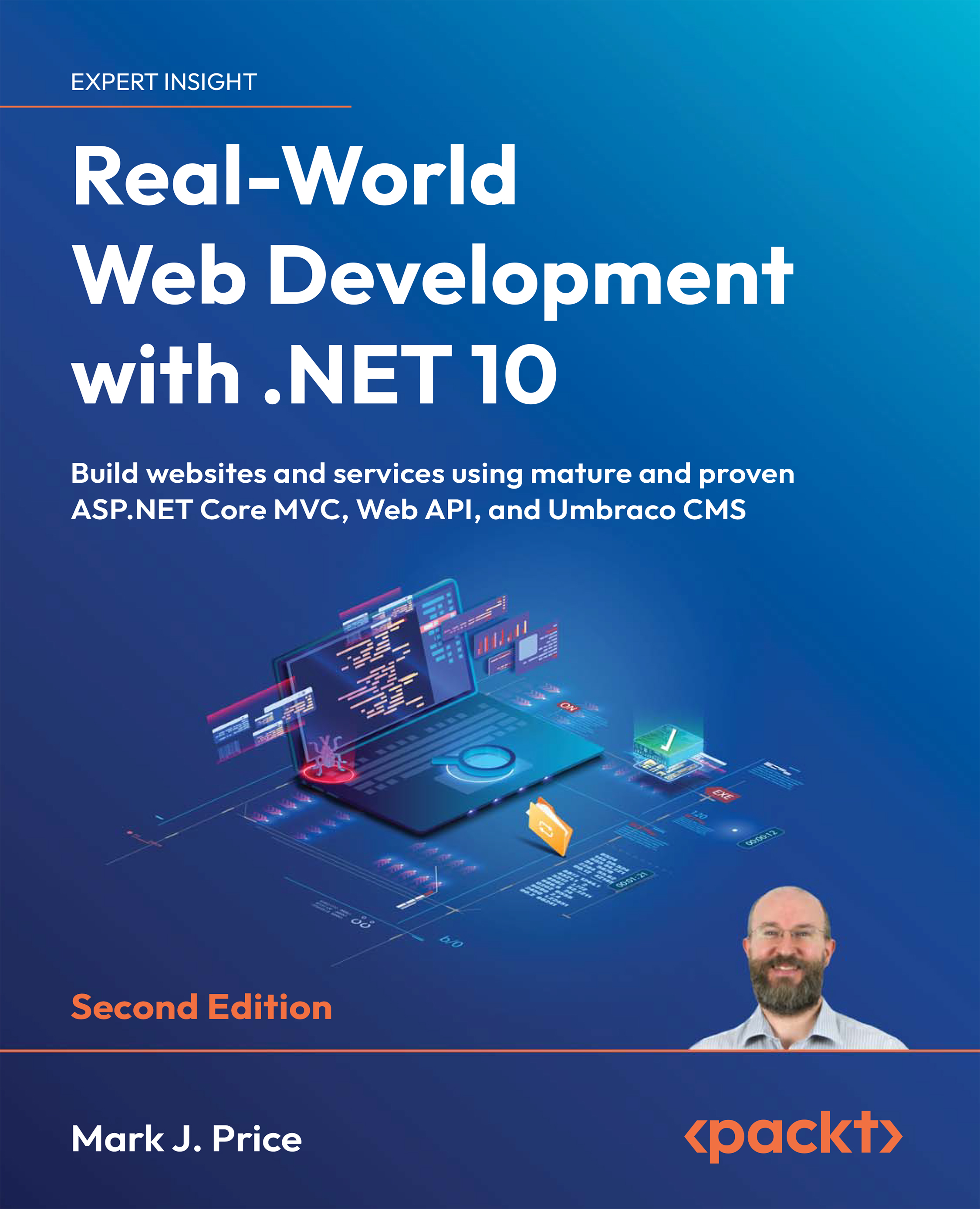
Real-World Web Development with .NET 10

Real-World Web Development with .NET 10: Build websites and services using mature and proven ASP.NET Core MVC, Web API, and Umbraco CMS , Second Edition

Arrow left icon
Profile Icon Mark J. Price
Arrow right icon
$39.59 $43.99
eBook Dec 2025 744 pages 2nd Edition
eBook
$39.59 $43.99
Paperback
$54.99
Subscription
Free Trial
Renews at $19.99p/m
Arrow left icon
Profile Icon Mark J. Price
Arrow right icon
$39.59 $43.99
eBook Dec 2025 744 pages 2nd Edition
eBook
$39.59 $43.99
Paperback
$54.99
Subscription
Free Trial
Renews at $19.99p/m
eBook
$39.59 $43.99
Paperback
$54.99
Subscription
Free Trial
Renews at $19.99p/m

What do you get with eBook?

Product feature icon Instant access to your Digital eBook purchase
Product feature icon Download this book in EPUB and PDF formats
Product feature icon Access this title in our online reader with advanced features
Product feature icon DRM FREE - Read whenever, wherever and however you want
OR
Modal Close icon
Payment Processing...
tick Completed

Billing Address

Table of content icon View table of contents Preview book icon Preview Book

Real-World Web Development with .NET 10

Learn more on Discord

To join the Discord community for this book – where you can share feedback, ask questions to the author, and learn about new releases – follow this QR code:https://packt.link/RWWD10

Join .NET Pro – It’s Free

Staying sharp in .NET takes more than reading release notes. It requires real-world tips, proven patterns, and scalable solutions. That’s what .NETPro, Packt’s new newsletter, is all about. Scan the QR code or visit the link to subscribe:https://landing.packtpub.com/dotnetpronewsletter/

1 Introducing Real-World Web Development Using .NET

A qr code with a square and a white symbol AI-generated content may be incorrect.

https://packt.link/EarlyAccess

This book is about mature and proven web development with .NET. This means a set of technologies that have been refined over a decade or more with plenty of documentation, support forums, and third-party investment. These technologies are:

  • .NET: A free, open-source developer platform from Microsoft for building and running cross-platform apps, including web, desktop, mobile, cloud, and games, using languages like C#, F#, and Visual Basic.
  • ASP.NET Core: A set of shared components for building websites and services using .NET. This book covers a subset of its features, including the following:
    • ASP.NET Core MVC: An implementation of the model-view-controller design pattern for complex yet well-structured website development
    • ASP.NET Core Web API: For building controller-based web services that conform to the HTTP/REST service architecture conventions
    • ASP.NET Core OData: For building data access web services...

Exploring an ASP.NET Core MVC website

Let’s walk through the parts that make up a modern ASP.NET Core MVC website.

.NET 5 and earlier ASP.NET Core project templates used both a Program class and a Startup class to separate initialization and configuration, but with .NET 6 and later, Microsoft encourages putting everything in a single Program.cs file. I mention this because you might work on existing projects that use the older style. At the end of this chapter, you will find an online section that explains how this works.

ASP.NET Core MVC initialization

Appropriately enough, we will start by exploring the MVC website’s default initialization and configuration:

  1. In Program.cs, note that it can be divided into four important sections from top to bottom. As you review the sections, you might want to add regions and comments to remind yourself of what each section is used for.
  2. The first section imports some namespaces (and optionally...

Customizing an ASP.NET Core MVC website

Now that you’ve reviewed the structure of a basic MVC website, you will customize and extend it. You have already registered an EF Core model for the Northwind database, so the next task is to output some of that data on the home page.

Defining a custom style

The home page will show a list of the 77 products in the Northwind database. To make efficient use of space, we want to show the list in three columns. To do this, we need to customize the stylesheet for the website:

  1. In the wwwroot\css folder, open the site.css file.
  2. At the bottom of the file, add a new style that will apply to an element with the product-columns ID, as shown in the following code:
    #product-columns
    {
      column-count: 3;
    }
    

Setting up the category images

The Northwind database includes a table of eight categories, but they do not have images, and websites look better with some colorful pictures:

  1. In the...

Practicing and exploring

Test your knowledge and understanding by answering some questions, getting some hands-on practice, and exploring this chapter’s topics with deeper research.

Exercise 2.1 – Online material

If you need to maintain ASP.NET Core projects that were built using .NET 5 or earlier, then they will use an additional file along with Program.cs: a file named Startup.cs. I have written an online section about this, found at the following link: https://github.com/markjprice/web-dev-net10/blob/main/docs/ch02-startup.md.

The official documentation for ASP.NET Core MVC is found at the following link: https://learn.microsoft.com/en-us/aspnet/core/mvc/overview.

Exercise 2.2 – Practice exercises

The following practice exercises help you to explore the topics in this chapter more deeply.

Practice unit testing MVC controllers

Controllers are where the business logic of your website runs, so it is important to test the correctness...

Summary

In this chapter, you learned how to build simple ASP.NET Core MVC websites using the HTTP pipeline, routes, models, views, and controllers, as summarized in the following list:

  • HTTP pipeline: A sequence of middleware components that process HTTP requests and responses, allowing for handling tasks like routing, authentication, and exception handling. You will learn more details about customizing the HTTP pipeline in Chapter 8, Configuring and Containerizing ASP.NET Core Projects.
  • Routes: These define URL patterns in ASP.NET Core that map incoming HTTP requests to corresponding controllers and actions for processing.
  • Controllers: These act as intermediaries between models and views in ASP.NET Core, handling user input, updating models, and returning views or other types of responses like JSON.
  • Models: These represent the data in ASP.NET Core applications and are used to manage and manipulate data, often interacting with a database.
  • Views: These...
Left arrow icon Right arrow icon
Download code icon Download Code

Key benefits

  • Master ASP.NET Core MVC, Web API, and OData to build robust web services
  • Gain hands-on experience with web testing, security, and containerization techniques
  • Learn how to implement Umbraco CMS for content management websites

Description

Using .NET for web development is a powerful way to build professional-grade websites and services. But moving from a basic project to a full-scale, production-ready system takes more than just business logic and views—it requires a deep understanding of architecture, maintainability, and scalability. Real-World Web Development with .NET 10 bridges that gap, guiding developers who want to build robust, secure, and maintainable web solutions using battle-tested .NET technologies. You’ll start by designing structured websites using ASP.NET Core MVC, separating concerns, managing dependencies, and writing clean, testable code. From there, you’ll build RESTful services with Web API and use OData for rich, queryable endpoints. The book walks you through testing strategies and containerizing your applications. The final section introduces Umbraco CMS, showing you how to integrate content management into your site so end users can manage content independently. By the end of the book, you'll be ready to build controller-based websites and services that are scalable, secure, and ready for real-world use while mastering Umbraco’s flexible, content-driven solutions—skills that are increasingly in demand across organizations and industries. *Email sign-up and proof of purchase required

Who is this book for?

This book is for intermediate .NET developers with a solid grasp of C# and .NET fundamentals. It is ideal for developers looking to expand their skills in building professional controller-based web applications.

What you will learn

  • Build web applications using ASP.NET Core MVC with well-structured, maintainable code
  • Develop secure and scalable RESTful services using Web API and OData
  • Implement authentication and authorization for your applications
  • Test and containerize your ASP .NET Core projects for smooth deployment
  • Optimize application performance using caching and other techniques
  • Use and implement Umbraco CMS effectively

Product Details

Country selected
Publication date, Length, Edition, Language, ISBN-13
Publication date : Dec 03, 2025
Length: 744 pages
Edition : 2nd
Language : English
ISBN-13 : 9781835888933
Languages :
Tools :

What do you get with eBook?

Product feature icon Instant access to your Digital eBook purchase
Product feature icon Download this book in EPUB and PDF formats
Product feature icon Access this title in our online reader with advanced features
Product feature icon DRM FREE - Read whenever, wherever and however you want
OR
Modal Close icon
Payment Processing...
tick Completed

Billing Address

Product Details

Publication date : Dec 03, 2025
Length: 744 pages
Edition : 2nd
Language : English
ISBN-13 : 9781835888933
Languages :
Tools :

Packt Subscriptions

See our plans and pricing
Modal Close icon
$19.99 billed monthly
Feature tick icon Unlimited access to Packt's library of 7,000+ practical books and videos
Feature tick icon Constantly refreshed with 50+ new titles a month
Feature tick icon Exclusive Early access to books as they're written
Feature tick icon Solve problems while you work with advanced search and reference features
Feature tick icon Offline reading on the mobile app
Feature tick icon Simple pricing, no contract
$199.99 billed annually
Feature tick icon Unlimited access to Packt's library of 7,000+ practical books and videos
Feature tick icon Constantly refreshed with 50+ new titles a month
Feature tick icon Exclusive Early access to books as they're written
Feature tick icon Solve problems while you work with advanced search and reference features
Feature tick icon Offline reading on the mobile app
Feature tick icon Choose a DRM-free eBook or Video every month to keep
Feature tick icon PLUS own as many other DRM-free eBooks or Videos as you like for just $5 each
Feature tick icon Exclusive print discounts
$279.99 billed in 18 months
Feature tick icon Unlimited access to Packt's library of 7,000+ practical books and videos
Feature tick icon Constantly refreshed with 50+ new titles a month
Feature tick icon Exclusive Early access to books as they're written
Feature tick icon Solve problems while you work with advanced search and reference features
Feature tick icon Offline reading on the mobile app
Feature tick icon Choose a DRM-free eBook or Video every month to keep
Feature tick icon PLUS own as many other DRM-free eBooks or Videos as you like for just $5 each
Feature tick icon Exclusive print discounts

Table of Contents

18 Chapters
Introducing Real-World Web Development Using .NET Chevron down icon Chevron up icon
Building Websites Using ASP.NET Core MVC Chevron down icon Chevron up icon
Model Binding, Validation, and Data Using EF Core Chevron down icon Chevron up icon
Building and Localizing Web User Interfaces Chevron down icon Chevron up icon
Authentication and Authorization Chevron down icon Chevron up icon
Performance and Scalability Optimization Using Caching Chevron down icon Chevron up icon
Web User Interface Testing Using Playwright Chevron down icon Chevron up icon
Configuring and Containerizing ASP.NET Core Projects Chevron down icon Chevron up icon
Building Web Services Using ASP.NET Core Web API Chevron down icon Chevron up icon
Building Clients for Web Services Chevron down icon Chevron up icon
Testing and Debugging Web Services Chevron down icon Chevron up icon
Building Web Services Using ASP.NET Core OData Chevron down icon Chevron up icon
Building Web Services Using FastEndpoints Chevron down icon Chevron up icon
Web Content Management Using Umbraco CMS Chevron down icon Chevron up icon
Customizing and Extending Umbraco CMS Chevron down icon Chevron up icon
Epilogue Chevron down icon Chevron up icon
Unlock Your Exclusive Benefits Chevron down icon Chevron up icon
Index Chevron down icon Chevron up icon
Get free access to Packt library with over 7500+ books and video courses for 7 days!
Start Free Trial

FAQs

How do I buy and download an eBook? Chevron down icon Chevron up icon

Where there is an eBook version of a title available, you can buy it from the book details for that title. Add either the standalone eBook or the eBook and print book bundle to your shopping cart. Your eBook will show in your cart as a product on its own. After completing checkout and payment in the normal way, you will receive your receipt on the screen containing a link to a personalised PDF download file. This link will remain active for 30 days. You can download backup copies of the file by logging in to your account at any time.

If you already have Adobe reader installed, then clicking on the link will download and open the PDF file directly. If you don't, then save the PDF file on your machine and download the Reader to view it.

Please Note: Packt eBooks are non-returnable and non-refundable.

Packt eBook and Licensing When you buy an eBook from Packt Publishing, completing your purchase means you accept the terms of our licence agreement. Please read the full text of the agreement. In it we have tried to balance the need for the ebook to be usable for you the reader with our needs to protect the rights of us as Publishers and of our authors. In summary, the agreement says:

  • You may make copies of your eBook for your own use onto any machine
  • You may not pass copies of the eBook on to anyone else
How can I make a purchase on your website? Chevron down icon Chevron up icon

If you want to purchase a video course, eBook or Bundle (Print+eBook) please follow below steps:

  1. Register on our website using your email address and the password.
  2. Search for the title by name or ISBN using the search option.
  3. Select the title you want to purchase.
  4. Choose the format you wish to purchase the title in; if you order the Print Book, you get a free eBook copy of the same title. 
  5. Proceed with the checkout process (payment to be made using Credit Card, Debit Cart, or PayPal)
Where can I access support around an eBook? Chevron down icon Chevron up icon
  • If you experience a problem with using or installing Adobe Reader, the contact Adobe directly.
  • To view the errata for the book, see www.packtpub.com/support and view the pages for the title you have.
  • To view your account details or to download a new copy of the book go to www.packtpub.com/account
  • To contact us directly if a problem is not resolved, use www.packtpub.com/contact-us
What eBook formats do Packt support? Chevron down icon Chevron up icon

Our eBooks are currently available in a variety of formats such as PDF and ePubs. In the future, this may well change with trends and development in technology, but please note that our PDFs are not Adobe eBook Reader format, which has greater restrictions on security.

You will need to use Adobe Reader v9 or later in order to read Packt's PDF eBooks.

What are the benefits of eBooks? Chevron down icon Chevron up icon
  • You can get the information you need immediately
  • You can easily take them with you on a laptop
  • You can download them an unlimited number of times
  • You can print them out
  • They are copy-paste enabled
  • They are searchable
  • There is no password protection
  • They are lower price than print
  • They save resources and space
What is an eBook? Chevron down icon Chevron up icon

Packt eBooks are a complete electronic version of the print edition, available in PDF and ePub formats. Every piece of content down to the page numbering is the same. Because we save the costs of printing and shipping the book to you, we are able to offer eBooks at a lower cost than print editions.

When you have purchased an eBook, simply login to your account and click on the link in Your Download Area. We recommend you saving the file to your hard drive before opening it.

For optimal viewing of our eBooks, we recommend you download and install the free Adobe Reader version 9.

Modal Close icon
Modal Close icon