Search icon CANCEL
Subscription
0
Cart icon
Your Cart (0 item)
Close icon
You have no products in your basket yet
Arrow left icon
Explore Products
Best Sellers
New Releases
Books
Events
Videos
Audiobooks
Packt Hub
Free Learning
Arrow right icon
timer SALE ENDS IN
0 Days
:
00 Hours
:
00 Minutes
:
00 Seconds
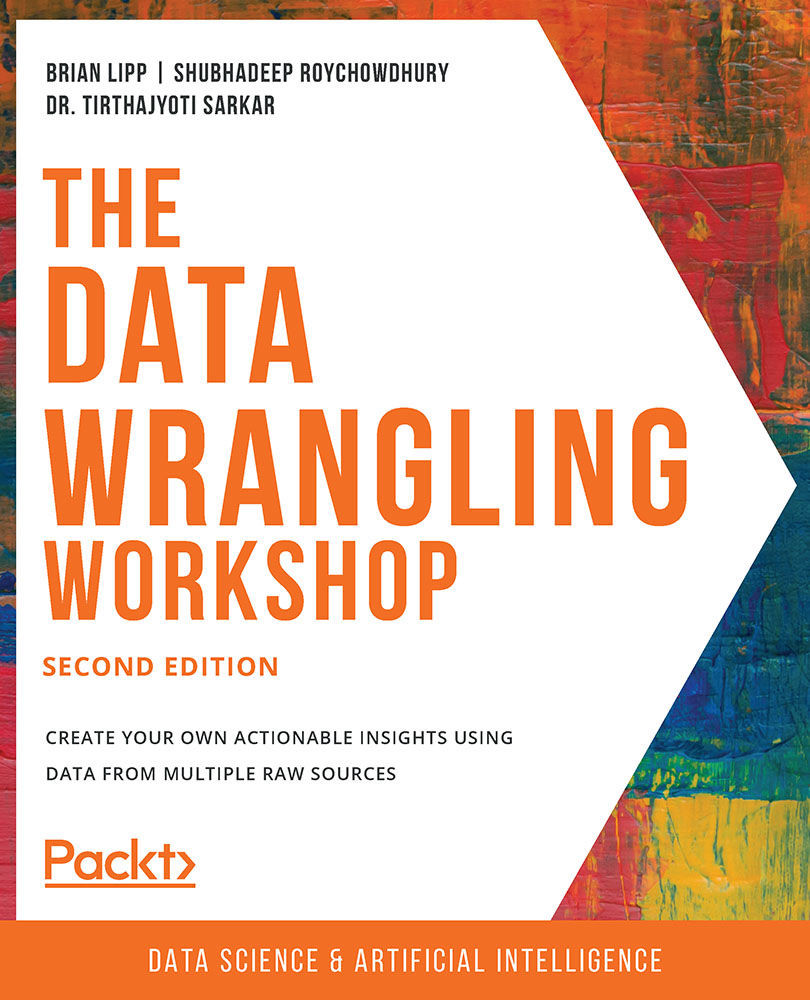
The Data Wrangling Workshop

The Data Wrangling Workshop: Create your own actionable insights using data from multiple raw sources , Second Edition

Arrow left icon
Profile Icon Brian Lipp Profile Icon Shubhadeep Roychowdhury Profile Icon Dr. Tirthajyoti Sarkar Profile Icon John Wesley Doyle Profile Icon Harshil Jain Profile Icon Robert Thas John Profile Icon Akshay Khare Profile Icon Nagendra Nagaraj Profile Icon Samik Sen Profile Icon Dr. Vlad Sebastian Ionescu +6 more Show less
Arrow right icon
$40.99
Full star icon Full star icon Full star icon Full star icon Half star icon 4.8 (11 Ratings)
Paperback Jul 2020 576 pages 2nd Edition
eBook
$25.19 $27.99
Paperback
$40.99
Paperback
$38.99
Arrow left icon
Profile Icon Brian Lipp Profile Icon Shubhadeep Roychowdhury Profile Icon Dr. Tirthajyoti Sarkar Profile Icon John Wesley Doyle Profile Icon Harshil Jain Profile Icon Robert Thas John Profile Icon Akshay Khare Profile Icon Nagendra Nagaraj Profile Icon Samik Sen Profile Icon Dr. Vlad Sebastian Ionescu +6 more Show less
Arrow right icon
$40.99
Full star icon Full star icon Full star icon Full star icon Half star icon 4.8 (11 Ratings)
Paperback Jul 2020 576 pages 2nd Edition
eBook
$25.19 $27.99
Paperback
$40.99
Paperback
$38.99
eBook
$25.19 $27.99
Paperback
$40.99
Paperback
$38.99

What do you get with Print?

Product feature icon Instant access to your digital copy whilst your Print order is Shipped
Product feature icon Paperback book shipped to your preferred address
Product feature icon Redeem a companion digital copy on all Print orders
Product feature icon Access this title in our online reader with advanced features
Product feature icon DRM FREE - Read whenever, wherever and however you want
Product feature icon AI Assistant (beta) to help accelerate your learning
Modal Close icon
Payment Processing...
tick Completed

Shipping Address

Billing Address

Shipping Methods
Table of content icon View table of contents Preview book icon Preview Book

The Data Wrangling Workshop

2. Advanced Operations on Built-In Data Structures

Overview

This chapter will introduce advanced data operations on built-in data structures. You can utilize these data structures to solve data-wrangling problems. After reading this chapter, you will be able to compare Python's advanced data structures and make use of the Operating System (OS) file-handling operations. This chapter focuses on the data structures in Python and the OS functions that are the foundation of this book. By the end of this chapter, you will have learned how to handle advanced data structures.

Introduction

We were introduced to the basic concepts of different fundamental data structures in the previous chapter. We learned about lists, sets, dictionaries, tuples, and strings. However, what we have covered so far were only basic operations on those data structures. They have much more to offer once you learn how to utilize them effectively. In this chapter, we will venture further into the land of data structures. We will learn about advanced operations and manipulations and use fundamental data structures to represent more complex and higher-level data structures; this is often handy while wrangling data in real life. These higher-level topics will include stacks, queues, interiors, and file operations.

In this chapter, we will also learn how to open a file using built-in Python methods and about the many different file operations, such as reading and writing data, and safely closing files once we are done. We will also take a look at some of the problems to avoid while dealing with files.

Advanced Data Structures

We will start this chapter by discussing advanced data structures. Initially, we will be revisiting lists. Then, we will construct a stack and a queue, explore multiple-element membership checking to check whether the data is accurate, and throw a bit of functional programming in for good measure. Don't worry if all of this sounds intimidating. We will take things step by step, and you will feel confident about handling advanced data structures once you have finished this chapter.

Before we jump into constructing data structures, we'll look at a few methods to manipulate them.

Iterator

Iterators in Python are very useful when dealing with data as they allow you to parse the data one unit at a time. Iterators are stateful, which means it will be helpful to keep track of the previous state. An iterator is an object that implements the next method—meaning an iterator can iterate over collections such as lists, tuples, dictionaries, and more. Practically, this means that each time we call the method, it gives us the next element from the collection; if there is no further element in the list, then it raises a StopIteration exception.

Note

A StopIteration exception occurs with the iterator's next method when there are no further values to iterate.

If you are familiar with a programming language such as C, C++, Java, JavaScript, or PHP, you may have noticed the difference between the for loop implementation in those languages, which consists of three distinct parts (the initiation, the increment, and the termination condition), and the for loop in Python. In Python, we do not use that kind of a for loop. What we use in Python is more like a foreach loop:

for i in list_1 

This is because, under the hood, the for loop is using an iterator, and thus we do not need to do all the extra steps. The iterator does them for us.

Let's learn about the various functions we can use with itertools. As you execute each line of the code after the import statement, you will be able to see details about what that particular function does and how to use it:

from itertools import (permutations, combinations, \
                       dropwhile, repeat, zip_longest)
permutations?
combinations?
dropwhile?
repeat?
zip_longest?

For example, after executing zip_longest?, we'll see the following output:

Figure 2.1: Help file for the zip_longest function

Figure 2.1: Help file for the zip_longest function

The preceding screenshot shows how the zip_longest function could be used from the itertools module.

Note

To look up the definition of any function, type the function name, followed by ?, and then press Shift + Enter in a Jupyter Notebook.

Let's go through the following exercise to understand how to use an iterator to iterate through a list.

Exercise 2.01: Introducing to the Iterator

In this exercise, we're going to generate a long list containing numbers. We will first check the memory occupied by the generated list. We will then check how we can use the iterator module to reduce memory utilization, and finally, we will use this iterator to loop over the list. To do this, let's go through the following steps:

  1. Open a new Jupyter Notebook and generate a list that will contain 10000000 ones. Then, store this list in a variable called big_list_of_numbers:
    big_list_of_numbers = [1 for x in range (0, 10000000)] 
    big_list_of_numbers

    The output (partially shown) is as follows:

    [1,
     1,
     1,
     1,
     1,
     1,
     1,
     1,
     1,
     1,
  2. Check the size of this variable:
    from sys import getsizeof
    getsizeof(big_list_of_numbers)

    The output should be as follows:

    81528056

    The value shown is 81528056 (in bytes). This is a huge chunk of memory occupied by the list. And the big_list_of_numbers variable is only available once the list comprehension is over. It can also overflow the available system memory if you try too big a number.

  3. Let's use the repeat() method from itertools to get the same number but with less memory:
    from itertools import repeat
    small_list_of_numbers = repeat(1, times=10000000)
    getsizeof(small_list_of_numbers)

    The output should be:

    56

    The last line shows that our list small_list_of_numbers is only 56 bytes in size. Also, it is a lazy method, a technique used in functional programming that will delay the execution of a method or a function by a few seconds. In this case, Python will not generate all the elements initially. It will, instead, generate them one by one when asked, thus saving us time. In fact, if you omit the times keyword argument in the repeat() method in the preceding code, then you can practically generate an infinite number of ones.

  4. Loop over the newly generated iterator:
    for i, x in enumerate(small_list_of_numbers): 
        print(x)
        if i > 10:
            break

    The output is as follows:

    1
    1
    1
    1
    1
    1
    1
    1
    1
    1
    1
    1

We use the enumerate function so that we get the loop counter, along with the values. This will help us break the loop once we reach a certain number (10, for example).

Note

To access the source code for this specific section, please refer to https://packt.live/2N8odTH.

You can also run this example online at https://packt.live/3fAPFGa.

In this exercise, we first learned how to use the iterator function to reduce memory usage. Then, we used an iterator to loop over a list. Now, we'll see how to create stacks.

Stacks

A stack is a very useful data structure. If you know a bit about CPU internals and how a program gets executed, then you will know that a stack is present in many such cases. It is simply a list with one restriction, Last In First Out (LIFO), meaning an element that comes in last goes out first when a value is read from a stack. The following illustration will make this a bit clearer:

Figure 2.2: A stack with two insert elements and one pop operation

Figure 2.2: A stack with two insert elements and one pop operation

As you can see, we have a LIFO strategy to read values from a stack. We will implement a stack using a Python list. Python lists have a method called pop, which does the exact same pop operation that you can see in the preceding illustration. Basically, the pop function will take an element off the stack, using the Last in First Out (LIFO) rules. We will use that to implement a stack in the following exercise.

Exercise 2.02: Implementing a Stack in Python

In this exercise, we'll implement a stack in Python. We will first create an empty stack and add new elements to it using the append method. Next, we'll take out elements from the stack using the pop method. Let's go through the following steps:

  1. Import the necessary Python library and define an empty stack:
    import pandas as pd
    stack = []

    Note

    pandas is an open source data analysis library in Python.

  2. Use the append method to add multiple elements to the stack. Thanks to the append method, the element will always be appended at the end of the list:
    stack.append('my_test@test.edu')
    stack.append('rahul.subhramanian@test.edu')
    stack.append('sania.test@test.edu')
    stack.append('alec_baldwin@test.edu')
    stack.append('albert90@test.edu')
    stack.append('stewartj@test.edu')
    stack

    The output is as follows:

    ['my_test@test.edu',
     'rahul.subhramanian@test.edu',
     'sania.test@test.edu',
     'alec_baldwin@test.edu',
     'albert90@test.edu',
     'stewartj@test.edu']
  3. Let's read a value from our stack using the pop method. This method reads the current last index of the list and returns it to us. It also deletes the index once the read is done:
    tos = stack.pop()
    tos

    The output is as follows:

    'stewartj@test.edu'

    As you can see, the last value of the stack has been retrieved. Now, if we add another value to the stack, the new value will be appended at the end of the stack.

  4. Append Hello@test.com to the stack:
    stack.append("Hello@test.com")
    stack

    The output is as follows:

    ['my_test@test.edu',
     'rahul.subhramanian@test.edu',
     'sania.test@test.edu',
     'alec_baldwin@test.edu',
     'albert90@test.edu',
     'Hello@test.com']

    Note

    To access the source code for this specific section, please refer to https://packt.live/3hACc2B.

    You can also run this example online at https://packt.live/2Yb4uct.

From the exercise, we can see that the basic stack operations, append and pop, are pretty easy to perform.

Let's visualize a problem where you are scraping a web page and you want to follow each URL present there (backlinks). Let's split the solution to this problem into three parts. In the first part, we would append all the URLs scraped off the page into the stack. In the second part, we would pop each element in the stack, and then lastly, we would examine every URL, repeating the same process for each page. We will examine a part of this task in the next exercise.

Exercise 2.03: Implementing a Stack Using User-Defined Methods

In this exercise, we will continue the topic of stacks from the last exercise. This time, we will implement the append and pop functions by creating user-defined methods. We will implement a stack, and this time with a business use case example (taking Wikipedia as a source). The aim of this exercise is twofold. In the first few steps, we will extract and append the URLs scraped off a web page in a stack, which also involves the string methods discussed in the last chapter. In the next few steps, we will use the stack_pop function to iterate over the stack and print them. This exercise will show us a subtle feature of Python and how it handles passing list variables to functions. Let's go through the following steps:

  1. First, define two functions: stack_push and stack_pop. We renamed them so that we do not have a namespace conflict. Also, create a stack called url_stack for later use:
    def stack_push(s, value):
        return s + [value]
    def stack_pop(s):
        tos = s[-1]
        del s[-1]
        return tos
    url_stack = []
    url_stack

    The output is as follows:

    []

    The first function takes the already existing stack and adds the value at the end of it.

    Note

    Notice the square brackets around the value to convert it into a one-element list using the + operation. The second function reads the value that's currently at the -1 index of the stack, then uses the del operator to delete that index, and finally returns the value it read earlier.

    Now, we are going to have a string with a few URLs in it.

  2. Analyze the string so that we push the URLs in the stack one by one as we encounter them, and then use a for loop to pop them one by one. Let's take the first line from the Wikipedia article (https://en.wikipedia.org/wiki/Data_mining) about data science:
    wikipedia_datascience = """Data science is an interdisciplinary field that uses scientific methods, processes, algorithms and systems to extract knowledge [https://en.wikipedia.org/wiki/Knowledge] and insights from data [https://en.wikipedia.org/wiki/Data] in various forms, both structured and unstructured,similar to data mining [https://en.wikipedia.org/wiki/Data_mining]""" 

    For the sake of the simplicity of this exercise, we have kept the links in square brackets beside the target words.

  3. Find the length of the string:
    len(wikipedia_datascience) 

    The output is as follows:

    347
  4. Convert this string into a list by using the split method from the string, and then calculate its length:
    wd_list = wikipedia_datascience.split()
    wd_list

    The output is as follows (partial output):

    ['Data',
     'science',
     'is',
     'an',
     'interdisciplinary',
     'field',
     'that',
     'uses',
     'scientific',
     'methods,',
  5. Check the length of the list:
    len(wd_list)

    The output is as follows:

    34
  6. Use a for loop to go over each word and check whether it is a URL. To do that, we will use the startswith method from the string, and if it is a URL, then we push it into the stack:
    for word in wd_list:
        if word.startswith("[https://"):
            url_stack = stack_push(url_stack, word[1:-1])  
            print(word[1:-1])

    The output is as follows:

    https://en.wikipedia.org/wiki/Knowledge
    https://en.wikipedia.org/wiki/Data
    https://en.wikipedia.org/wiki/Data_mining

    Notice the use of string slicing to remove the surrounding double quotes "[" "]".

  7. Print the value in url_stack:
    print(url_stack) 

    The output is as follows:

    ['https://en.wikipedia.org/wiki/Knowledge',
     'https://en.wikipedia.org/wiki/Data',
     'https://en.wikipedia.org/wiki/Data_mining']
  8. Iterate over the list and print the URLs one by one by using the stack_popz function:
    for i in range(0, len(url_stack)):
        print(stack_pop(url_stack)) 

    The output is as follows:

    Figure 2.3: Output of the URLs that are printed using a stack

    Figure 2.3: Output of the URLs that are printed using a stack

  9. Print it again to make sure that the stack is empty after the final for loop:
    print(url_stack) 

    The output is as follows:

    []

    Note

    To access the source code for this specific section, please refer to https://packt.live/2Y7oXyT.

    You can also run this example online at https://packt.live/3e9Smhz.

In this exercise, we have noticed a strange phenomenon in the stack_pop method. We passed the list variable there, and we used the del operator inside the function in step 1, but it changed the original variable by deleting the last index each time we called the function. If you use languages like C, C++, and Java, then this is a completely unexpected behavior as, in those languages, this can only happen if we pass the variable by reference, and it can lead to subtle bugs in Python code. So, be careful when using the user-defined methods.

Lambda Expressions

In general, it is not a good idea to change a variable's value inside a function. Any variable that is passed to the function should be considered and treated as immutable. This is close to the principles of functional programming. However, in that case, we could use unnamed functions that are neither immutable nor mutable and are typically not stored in a variable. Such an expression or function, called a lambda expression in Python, is a way to construct one-line, nameless functions that are, by convention, side-effect-free and are loosely considered as implementing functional programming.

Let's look at the following exercise to understand how we use a lambda expression.

Exercise 2.04: Implementing a Lambda Expression

In this exercise, we will use a lambda expression to prove the famous trigonometric identity:

Figure 2.4: Trigonometric identity

Figure 2.4: Trigonometric identity

Let's go through the following steps to do this:

  1. Import the math package:
    import math 
  2. Define two functions, my_sine and my_cosine, using the def keyword. The reason we are declaring these functions is the original sin and cos functions from the math package take radians as input, but we are more familiar with degrees. So, we will use a lambda expression to define a wrapper function for sine and cosine, then use it. This lambda function will automatically convert our degree input to radians and then apply sin or cos on it and return the value:
    def my_sine():
        return lambda x: math.sin(math.radians(x))
    def my_cosine():
        return lambda x: math.cos(math.radians(x)) 
  3. Define sine and cosine for our purpose:
    sine = my_sine()
    cosine = my_cosine()
    math.pow(sine(30), 2) + math.pow(cosine(30), 2) 

    The output is as follows:

    1.0

Notice that we have assigned the return value from both my_sine and my_cosine to two variables, and then used them directly as the functions. It is a much cleaner approach than using them explicitly. Notice that we did not explicitly write a return statement inside the lambda function; it is assumed.

Note

To access the source code for this specific section, please refer to https://packt.live/3fJW9mb.

You can also run this example online at https://packt.live/30Pn8by.

Now, in the next section, we will be using lambda functions, also known as anonymous functions, which come from lambda calculus. Lambda functions are useful for creating temporary functions that are not named. The lambda expression will take an input and then return the first character of that input.

Exercise 2.05: Lambda Expression for Sorting

In this exercise, we will be exploring the sort function to take advantage of the lambda function. What makes this exercise useful is that you will be learning how to create any unique algorithm that could be used for sorting a dataset. The syntax for a lambda function is as follows:

lambda x  :   <do something with x>

A lambda expression can take one or more inputs. A lambda expression can also be used to reverse sort by using the parameter of reverse as True. We'll use the reverse functionality as well in this exercise. Let's go through the following steps:

  1. Let's store the list of tuples we want to sort in a variable called capitals:
    capitals = [("USA", "Washington"), ("India", "Delhi"), ("France", "Paris"), ("UK", "London")]
  2. Print the output of this list:
    capitals 

    The output will be as follows:

    [('USA', 'Washington'),
     ('India', 'Delhi'),
     ('France', 'Paris'),
     ('UK', 'London')]
  3. Sort this list by the name of the capitals of each country, using a simple lambda expression. The following code uses a lambda function as the sort function. It will sort based on the first element in each tuple:
    capitals.sort(key=lambda item: item[1])
    capitals 

    The output will be as follows:

    [('India', 'Delhi'),
     ('UK', 'London'),
     ('France', 'Paris'),
     ('USA', 'Washington')]

As we can see, lambda expressions are powerful if we master them and use them in our data wrangling jobs. They are also side-effect-free—meaning that they do not change the values of the variables that are passed to them in place.

Note

To access the source code for this specific section, please refer to https://packt.live/2AzcTxv.

You can also run this example online at https://packt.live/3hDpe4o.

We will now move on to the next section, where we will discuss membership checking for each element. Membership checking is commonly used terminology in qualitative research and describes the process of checking that the data present in a dataset is accurate.

Exercise 2.06: Multi-Element Membership Checking

In this exercise, we will create a list of words using for loop to validate that all the elements in the first list are present in the second list. Let's see how:

  1. Create a list_of_words list with words scraped from a text corpus:
    list_of_words = ["Hello", "there.", "How", "are", "you", "doing?"] 
    list_of_words

    The output is as follows:

    ['Hello', 'there.', 'How', 'are', 'you', 'doing?']
  2. Define a check_for list, which will contain two similar elements of list_of_words:
    check_for = ["How", "are"] 
    check_for

    The output is as follows:

    ['How', 'are']

    There is an elaborate solution, which involves a for loop and a few if/else conditions (and you should try to write it), but there is also an elegant Pythonic solution to this problem, which takes one line and uses the all function. The all function returns True if all elements of the iterable are True.

  3. Use the in keyword to check membership of the elements in the check_for list in list_of_words:
    all(w in list_of_words for w in check_for) 

    The output is as follows:

    True

    Note

    To access the source code for this specific section, please refer to https://packt.live/3d5pyVT.

    You can also run this example online at https://packt.live/2C7GPB1.

It is indeed elegant and simple to reason about, and this neat trick is very important while dealing with lists. Basically, what we are doing is looping over the first list with the comprehension and then looping over the second list using the for loop. What makes this elegant is how compactly we can represent this complex process. Caution should be taken when using very complex list comprehension—the more complex you make it, the harder it is to read.

Let's look at the next data structure: a queue.

Queue

Apart from stacks, another high-level data structure type that we are interested in is queues. A queue is like a stack, which means that you continue adding elements one by one. With a queue, the reading of elements obeys the First in First Out (FIFO) strategy. Check out the following diagram to understand this better:

Figure 2.5: Pictorial representation of a queue

Figure 2.5: Pictorial representation of a queue

We will accomplish this first using list methods and will show you that, for this purpose, they are inefficient. Then, we will learn about the dequeue data structure from the collections module of Python. A queue is a very important data structure. We can think of a scenario on a producer-consumer system design. When doing data wrangling, you will often come across a problem where you must process very big files. One of the ways to deal with this problem is to split the chunk the contents of the file into smaller parts and then push them into a queue while creating small, dedicated worker processes, to read off the queue and process one small chunk at a time. This is a very powerful design, and you can even use it efficiently to design huge multi-node data wrangling pipelines.

Exercise 2.07: Implementing a Queue in Python

In this exercise, we'll implement a queue in Python. We'll use the append function to add elements to the queue and use the pop function to take elements out of the queue. We'll also use the deque data structure and compare it with the queue in order to understand the wall time required to complete the execution of an operation. To do so, perform the following steps:

  1. Create a Python queue with the plain list methods. To record the time the append operation in the queue data structure takes, we use the %%time command:
    %%time
    queue = []
    for i in range(0, 100000):
        queue.append(i)
    print("Queue created")
    queue 

    Note

    %%time is a regular built-in magic command in Python to capture the time required for an operation to execute.

    The output (partially shown) is as follows:

    Figure 2.6: Wall time recorded for the append function in the queue

    Figure 2.6: Wall time recorded for the append function in the queue

  2. If we were to use the pop function to empty the queue and check the items in it:
    for i in range(0, 100000):
        queue.pop(0)
    print("Queue emptied") 

    The output would be as follows:

    Queue emptied

    However, this time, we'll use the %%time magic command while executing the preceding code to see that it takes a while to finish:

    %%time
    for i in range(0, 100000):
        queue.pop(0)
    print("Queue emptied") 
    queue

    The output is as follows:

    Figure 2.7: Wall time recorded for the pop function in the queue

    Figure 2.7: Wall time recorded for the pop function in the queue

    Note

    If you are working on Google Colab or other virtual environments, you will see an additional line indicating the CPU time present in the output. This is the CPU time of the server on which Google Colab (or any other virtual environment) is running on. However, if you are working on your local system, this information will not be a part of the output.

    In a modern MacBook, with a quad-core processor and 8 GB of RAM, it took around 1.20 seconds to finish. With Windows 10, it took around 2.24 seconds to finish. It takes this amount of time because of the pop(0) operation, which means every time we pop a value from the left of the list (the current 0 index), Python has to rearrange all the other elements of the list by shifting them one space left. Indeed, it is not a very optimized implementation.

  3. Implement the same queue using the deque data structure from Python's collections package and perform the append and pop functions on this data structure:
    %%time
    from collections import deque
    queue2 = deque()
    for i in range(0, 100000):
        queue2.append(i)
    print("Queue created")
    for i in range(0, 100000):
        queue2.popleft()
    print("Queue emptied") 

    The output is as follows:

    Figure 2.8: Wall time measured for deque

Figure 2.8: Wall time measured for deque

With the specialized and optimized queue implementation from Python's standard library, the time that this should take for both the operations is only approximately 27.9 milliseconds. This is a huge improvement on the previous one.

Note

To access the source code for this specific section, please refer to https://packt.live/30R69Wc.

You can also run this example online at https://packt.live/3dazIEL.

We will end the discussion on data structures here. What we discussed here is just the tip of the iceberg. Data structures are a fascinating subject. There are many other data structures that we did not touch on and that, when used efficiently, can offer enormous added value. We strongly encourage you to explore data structures more. Try to learn about linked lists, trees, graphs, and all the different variations of them as much as you can; you will find there are many similarities between them and you will benefit greatly from studying them. Not only do they offer the joy of learning, but they are also the secret mega-weapons in the arsenal of a data practitioner that you can bring out every time you are challenged with a difficult data wrangling job.

Activity 2.01: Permutation, Iterator, Lambda, and List

In this activity, we will be using permutations to generate all possible three-digit numbers that can be generated using 0, 1, and 2. A permutation is a mathematical way to represent all possible outcomes. Then, we'll loop over this iterator and also use isinstance and assert to make sure that the return types are tuples. Use a single line of code involving dropwhile and lambda expressions to convert all the tuples to lists while dropping any leading zeros (for example, (0, 1, 2) becomes [1, 2]). Finally, we will write a function that takes a list like before and returns the actual number contained in it.

These steps will guide you as to how to solve this activity:

  1. Look up the definition of permutations and dropwhile from itertools.
  2. Write an expression to generate all the possible three-digit numbers, using 0, 1, and 2.
  3. Loop over the iterator expression you generated before. Print each element returned by the iterator. Use assert and isinstance to make sure that the elements are of the tuple type.
  4. Write the loop again, using dropwhile, with a lambda expression to drop any leading zeros from the tuples. As an example, (0, 1, 2) will become [0, 2]. Also, cast the output of dropwhile to a list.
  5. Check the actual type that dropwhile returns.
  6. Combine the preceding code into one block; this time, write a separate function where you will pass the list generated from dropwhile and the function will return the whole number contained in the list. As an example, if you pass [1, 2] to the function, it will return 12. Make sure that the return type is indeed a number and not a string. Although this task can be achieved using other tricks, treat the incoming list as a stack in the function and generate the number by reading the individual digits from the stack.

    The final output should look like this:

    12.0
    21.0
    102.0
    120.0
    201.0
    210.0

    Note

    The solution for this activity can be found via this link.

With this activity, we have finished this topic and will move on to the next topic, which involves basic file-level operations.

Note

We encourage you to think about a solution to the preceding problem without using all the advanced operations and data structures we have used here. You will soon realize how complex the solution is, and how much more detailed it must be. Then, you will understand how much value these data structures and operations bring.

Basic File Operations in Python

In the previous topic, we investigated a few advanced data structures and also learned neat and useful functional programming methods to manipulate them without side effects. In this topic, we will learn about a few OS-level functions in Python, such as working with files, but these could also include working with printers, and even the internet. We will concentrate mainly on file-related functions and learn how to open a file, read the data line by line or all at once, and finally, how to cleanly close the file we opened. The closing operation of a file should be done cautiously, which is ignored most of the time by developers. When handling file operations, we often run into very strange and hard-to-track-down bugs because a process opened a file and did not close it properly. We will apply a few of the techniques we have learned about to a file that we will read to practice our data wrangling skills further.

Exercise 2.08: File Operations

In this exercise, we will learn about the OS module of Python, and we will also look at two very useful ways to write and read environment variables. The power of writing and reading environment variables is often very important when designing and developing data-wrangling pipelines.

Note

In fact, one of the factors of the famous 12-factor app design is the very idea of storing configuration in the environment. You can check it out at this URL: https://12factor.net/config.

The purpose of the OS module is to give you ways to interact with OS-dependent functionalities. In general, it is pretty low-level and most of the functions from there are not useful on a day-to-day basis; however, some are worth learning. os.environ is the collection Python maintains with all the present environment variables in your OS. It gives you the power to create new ones. The os.getenv function gives you the ability to read an environment variable:

  1. Import the os module.
    import os 
  2. Set a few environment variables:
    os.environ['MY_KEY'] = "MY_VAL"
    os.getenv('MY_KEY') 

    The output is as follows:

    'MY_VAL'
  3. Print the environment variable when it is not set:
    print(os.getenv('MY_KEY_NOT_SET')) 

    The output is as follows:

    None
  4. Print the os environment:
    print(os.environ) 

    Note

    The output has not been added for security reasons.

    To access the source code for this specific section, please refer to https://packt.live/2YCZAnC.

    You can also run this example online at https://packt.live/3fCqnaB.

After executing the preceding code, you will be able to see that you have successfully printed the value of MY_KEY, and when you tried to print MY_KEY_NOT_SET, it printed None. Therefore, utilizing the OS module, you will be able to set the value of environment variables in your system.

File Handling

In this section, we will learn about how to open a file in Python. We will learn about the different modes that we can use and what they stand for when opening a file. Python has a built-in open function that we will use to open a file. The open function takes a few arguments as input. Among them, the first one, which stands for the name of the file you want to open, is the only one that's mandatory. Everything else has a default value. When you call open, Python uses underlying system-level calls to open a file handler and return it to the caller.

Usually, a file can be opened either for reading or writing. If we open a file in one mode, the other operation is not supported. Whereas reading usually means we start to read from the beginning of an existing file, writing can mean either starting a new file and writing from the beginning or opening an existing file and appending to it.

Here is a table showing you all the different modes Python supports for opening a file:

Figure 2.9: Modes to read a file

Figure 2.9: Modes to read a file

There is also a deprecated mode, U, which does nothing in a Python 3 environment. One thing we must remember here is that Python will always differentiate between t and b modes, even if the underlying OS doesn't. This is because, in b mode, Python does not try to decode what it is reading and gives us back the byteobject instead, whereas, in t mode, it does try to decode the stream and gives us back the string representation.

You can open a file for reading with the command that follows. The path (highlighted) would need to be changed based on the location of the file on your system.

fd = open("../datasets/data_temporary_files.txt")

We will discuss some more functions in the following section.

Note

The file can be found here https://packt.live/2YGpbfv.

This is opened in rt mode (opened for the reading+text mode). You can open the same file in binary mode if you want. To open the file in binary mode, use the rb (read, byte) mode:

fd = open('AA.txt',"rb")
fd

The output is as follows:

<_io.BufferedReader name='../datasets/AA.txt'>

Note

The file can be found here: https://packt.live/30OSkaP.

This is how we open a file for writing:

fd = open("../datasets/data_temporary_files.txt ", "w")
fd

The output is as follows:

<_io.TextIOWrapper name='../datasets/data_temporary_files.txt ' mode='w' encoding='cp1252'>

Let's practice this concept in the following exercise.

Exercise 2.09: Opening and Closing a File

In this exercise, we will learn how to close a file after opening it.

Note

The file we will be working on can be found here: https://packt.live/30OSkaP.

We must close a file once we have opened it. A lot of system-level bugs can occur due to a dangling file handler, which means the file is still being modified, even though the application is done using it. Once we close a file, no further operations can be performed on that file using that specific file handler.

  1. Open a file in binary mode:
    fd = open("../datasets/AA.txt", "rb")

    Note

    Change the highlighted path based on the location of the file on your system. The video of this exercise shows how to use the same function on a different file. There, you'll also get a glimpse of the function used to write to files, which is something you'll learn about later in the chapter.

  2. Close a file using close():
    fd.close()

Python also gives us a closed flag with the file handler. If we print it before closing, then we will see False, whereas if we print it after closing, then we will see True. If our logic checks whether a file is properly closed or not, then this is the flag we want to use.

Note

To access the source code for this specific section, please refer to https://packt.live/30R6FDC.

You can also run this example online at https://packt.live/3edLoI8.

The with Statement

In this section, we will learn about the with statement in Python and how we can effectively use it in the context of opening and closing files.

The with command is a compound statement in Python, like if and for, designed to combine multiple lines. Like any compound statement, with also affects the execution of the code enclosed by it. In the case of with, it is used to wrap a block of code in the scope of what we call a Context Manager in Python. A context manager is a convenient way to work with resources and will help avoid forgetting to close the resource. A detailed discussion of context managers is out of the scope of this exercise and this topic in general, but it is sufficient to say that if a context manager is implemented inside the open call for opening a file in Python, it is guaranteed that a close call will automatically be made if we wrap it inside a with statement.

Note

There is an entire PEP for with at https://www.python.org/dev/peps/pep-0343/. We encourage you to look into it.

Opening a File Using the with Statement

Open a file using the with statement:

with open("../datasets/AA.txt") as fd:
    print(fd.closed)
print(fd.closed) 

The output is as follows:

False
True

If we execute the preceding code, we will see that the first print will end up printing False, whereas the second one will print True. This means that as soon as the control goes out of the with block, the file descriptor is automatically closed.

Note

This is by far the cleanest and most Pythonic way to open a file and obtain a file descriptor for it. We encourage you to use this pattern whenever you need to open a file by yourself.

Exercise 2.10: Reading a File Line by Line

In this exercise, we'll read a file line by line. Let's go through the following steps to do so:

  1. Open a file and then read the file line by line and print it as we read it:
    with open("../datasets/Alice`s Adventures in Wonderland, "\
              "by Lewis Carroll", encoding="utf8") as fd: 
        for line in fd: 
            print(line)

    Note

    Do not forget to change the path (highlighted) of the file based on its location on your system.

    The output (partially shown) is as follows:

    Figure 2.10: Screenshot from the Jupyter notebook

    Figure 2.10: Screenshot from the Jupyter notebook

    Looking at the preceding code, we can see why it is important. With this short snippet of code, you can even open and read files that are many gigabytes in size, line by line, and without flooding or overrunning the system memory. There is another explicit method in the file descriptor object, called readline, which reads one line at a time from a file.

  2. Duplicate the same for loop, just after the first one:
    with open("../datasets/Alice`s Adventures in Wonderland, "\
              "by Lewis Carroll", encoding="utf8") as fd: 
        for line in fd:
            print(line)
        print("Ended first loop")
        for line in fd:
            print(line)

    Note

    Do not forget to change the path (highlighted) of the file based on its location on your system.

    The output (partially shown) is as follows:

    Figure 2.11: Section of the open file

Figure 2.11: Section of the open file

Note

To access the source code for this specific section, please refer to https://packt.live/37B7aTX.

You can also run this example online at https://packt.live/3fCqWBf.

Let's look at the last exercise of this chapter.

Exercise 2.11: Writing to a File

In this exercise, we'll look into file operations by showing you how to read from a dictionary and write to a file. We will write a few lines to a file and read the file:

Note

data_temporary_files.txt can be found at https://packt.live/2YGpbfv.

Let's go through the following steps:

  1. Use the write function from the file descriptor object:
    data_dict = {"India": "Delhi", "France": "Paris",\
                 "UK": "London", "USA": "Washington"}
    with open("../datasets/data_temporary_files.txt", "w") as fd:
        for country, capital in data_dict.items():
            fd.write("The capital of {} is {}\n"\
                     .format(country, capital))

    Note

    Throughout this exercise, don't forget to change the path (highlighted) based on where you have stored the text file.

  2. Read the file using the following command:
    with open("../datasets/data_temporary_files.txt", "r") as fd:
        for line in fd:
            print(line)

    The output is as follows:

    The capital of India is Delhi
    The capital of France is Paris
    The capital of UK is London
    The capital of USA is Washington
  3. Use the print function to write to a file using the following command:
    data_dict_2 = {"China": "Beijing", "Japan": "Tokyo"}
    with open("../datasets/data_temporary_files.txt", "a") as fd:
        for country, capital in data_dict_2.items():
            print("The capital of {} is {}"\
                  .format(country, capital), file=fd)
  4. Read the file using the following command:
    with open("../datasets/data_temporary_files.txt", "r") as fd:
        for line in fd:
            print(line)

    The output is as follows:

    The capital of India is Delhi
    The capital of France is Paris
    The capital of UK is London
    The capital of USA is Washington
    The capital of China is Beijing
    The capital of Japan is Tokyo

    Note

    In the second case, we did not add an extra newline character, \n, at the end of the string to be written. The print function does that automatically for us.

    To access the source code for this specific section, please refer to https://packt.live/2BkVh8j.

    You can also run this example online at https://packt.live/3hB7xT0.

With this, we will end this topic. Just like the previous topics, we have designed an activity for you to practice your newly acquired skills.

Activity 2.02: Designing Your Own CSV Parser

A CSV file is something you will encounter a lot in your life as a data practitioner. A CSV file is a comma-separated file where data from a tabular format is generally stored and separated using commas, although other characters can also be used, such as tab or *. Here's an example CSV file:

Figure 2.12: Partial output of a CSV file

Figure 2.12: Partial output of a CSV file

In this activity, we will be tasked with building our own CSV reader and parser. Although it is a big task if we try to cover all use cases and edge cases, along with escape characters, for the sake of this short activity, we will keep our requirements small. We will assume that there is no escape character—meaning that if you use a comma at any place in your row, you are starting a new column. We will also assume that the only function we are interested in is to be able to read a CSV file line by line, where each read will generate a new dictionary with the column names as keys and row names as values.

Here is an example:

Figure 2.13: Table with sample data

Figure 2.13: Table with sample data

We can convert the data in the preceding table into a Python dictionary, which would look as follows: {"Name": "Bob", "Age": "24", "Location": "California"}:

  1. Import zip_longest from itertools. Create a function to zip header, line, and fillvalue=None.

    Open the accompanying sales_record.csv file from the GitHub link (https://packt.live/2Yb6iCh) by using r mode inside a with block and check that it is opened.

  2. Read the first line and use string methods to generate a list of all the column names.
  3. Start reading the file. Read it line by line.
  4. Read each line and pass that line to a function, along with the list of the headers. The work of the function is to construct a dictionary out of these two and fill up the key:values variables. Keep in mind that a missing value should result in None.

    The partial output of this should look like this:

Figure 2.14: Partial output of the sales_record file

Figure 2.14: Partial output of the sales_record file

Note

The solution for this activity can be found via this link.

With this, we conclude the chapter.

Summary

This chapter covered manipulation techniques of advanced data structures such as stacks and queues. We then focused on different methods of functional programming, including iterators, and combined lists and functions together. Later, we looked at OS-level functions and the management of environment variables. We examined how, using Python, we can open, close, and even write to local files in a variety of ways. Knowing how to deal with files in a clean way is a critical skill in a data wrangler's repertoire. Toward the end, we tested our newly learned skills by creating our own CSV parser.

In the next chapter, we will be dealing with the three most important libraries, namely NumPy, pandas, and matplotlib.

Left arrow icon Right arrow icon
Download code icon Download Code

Key benefits

  • Explore data wrangling with the help of real-world examples and business use cases
  • Study various ways to extract the most value from your data in minimal time
  • Boost your knowledge with bonus topics, such as random data generation and data integrity checks

Description

While a huge amount of data is readily available to us, it is not useful in its raw form. For data to be meaningful, it must be curated and refined. If you’re a beginner, then The Data Wrangling Workshop will help to break down the process for you. You’ll start with the basics and build your knowledge, progressing from the core aspects behind data wrangling, to using the most popular tools and techniques. This book starts by showing you how to work with data structures using Python. Through examples and activities, you’ll understand why you should stay away from traditional methods of data cleaning used in other languages and take advantage of the specialized pre-built routines in Python. Later, you’ll learn how to use the same Python backend to extract and transform data from an array of sources, including the internet, large database vaults, and Excel financial tables. To help you prepare for more challenging scenarios, the book teaches you how to handle missing or incorrect data, and reformat it based on the requirements from your downstream analytics tool. By the end of this book, you will have developed a solid understanding of how to perform data wrangling with Python, and learned several techniques and best practices to extract, clean, transform, and format your data efficiently, from a diverse array of sources.

Who is this book for?

The Data Wrangling Workshop is designed for developers, data analysts, and business analysts who are looking to pursue a career as a full-fledged data scientist or analytics expert. Although this book is for beginners who want to start data wrangling, prior working knowledge of the Python programming language is necessary to easily grasp the concepts covered here. It will also help to have a rudimentary knowledge of relational databases and SQL.

What you will learn

  • Get to grips with the fundamentals of data wrangling
  • Understand how to model data with random data generation and data integrity checks
  • Discover how to examine data with descriptive statistics and plotting techniques
  • Explore how to search and retrieve information with regular expressions
  • Delve into commonly-used Python data science libraries
  • Become well-versed with how to handle and compensate for missing data
Estimated delivery fee Deliver to Russia

Economy delivery 10 - 13 business days

$6.95

Premium delivery 6 - 9 business days

$21.95
(Includes tracking information)

Product Details

Country selected
Publication date, Length, Edition, Language, ISBN-13
Publication date : Jul 29, 2020
Length: 576 pages
Edition : 2nd
Language : English
ISBN-13 : 9781839215001
Category :
Languages :
Tools :

What do you get with Print?

Product feature icon Instant access to your digital copy whilst your Print order is Shipped
Product feature icon Paperback book shipped to your preferred address
Product feature icon Redeem a companion digital copy on all Print orders
Product feature icon Access this title in our online reader with advanced features
Product feature icon DRM FREE - Read whenever, wherever and however you want
Product feature icon AI Assistant (beta) to help accelerate your learning
Modal Close icon
Payment Processing...
tick Completed

Shipping Address

Billing Address

Shipping Methods
Estimated delivery fee Deliver to Russia

Economy delivery 10 - 13 business days

$6.95

Premium delivery 6 - 9 business days

$21.95
(Includes tracking information)

Product Details

Publication date : Jul 29, 2020
Length: 576 pages
Edition : 2nd
Language : English
ISBN-13 : 9781839215001
Category :
Languages :
Tools :

Packt Subscriptions

See our plans and pricing
Modal Close icon
$19.99 billed monthly
Feature tick icon Unlimited access to Packt's library of 7,000+ practical books and videos
Feature tick icon Constantly refreshed with 50+ new titles a month
Feature tick icon Exclusive Early access to books as they're written
Feature tick icon Solve problems while you work with advanced search and reference features
Feature tick icon Offline reading on the mobile app
Feature tick icon Simple pricing, no contract
$199.99 billed annually
Feature tick icon Unlimited access to Packt's library of 7,000+ practical books and videos
Feature tick icon Constantly refreshed with 50+ new titles a month
Feature tick icon Exclusive Early access to books as they're written
Feature tick icon Solve problems while you work with advanced search and reference features
Feature tick icon Offline reading on the mobile app
Feature tick icon Choose a DRM-free eBook or Video every month to keep
Feature tick icon PLUS own as many other DRM-free eBooks or Videos as you like for just $5 each
Feature tick icon Exclusive print discounts
$279.99 billed in 18 months
Feature tick icon Unlimited access to Packt's library of 7,000+ practical books and videos
Feature tick icon Constantly refreshed with 50+ new titles a month
Feature tick icon Exclusive Early access to books as they're written
Feature tick icon Solve problems while you work with advanced search and reference features
Feature tick icon Offline reading on the mobile app
Feature tick icon Choose a DRM-free eBook or Video every month to keep
Feature tick icon PLUS own as many other DRM-free eBooks or Videos as you like for just $5 each
Feature tick icon Exclusive print discounts

Frequently bought together


Stars icon
Total $ 132.97
The Data Analysis Workshop
$40.99
The Data Visualization Workshop
$50.99
The Data Wrangling Workshop
$40.99
Total $ 132.97 Stars icon

Table of Contents

9 Chapters
1. Introduction to Data Wrangling with Python Chevron down icon Chevron up icon
2. Advanced Operations on Built-In Data Structures Chevron down icon Chevron up icon
3. Introduction to NumPy, Pandas, and Matplotlib Chevron down icon Chevron up icon
4. A Deep Dive into Data Wrangling with Python Chevron down icon Chevron up icon
5. Getting Comfortable with Different Kinds of Data Sources Chevron down icon Chevron up icon
6. Learning the Hidden Secrets of Data Wrangling Chevron down icon Chevron up icon
7. Advanced Web Scraping and Data Gathering Chevron down icon Chevron up icon
8. RDBMS and SQL Chevron down icon Chevron up icon
9. Applications in Business Use Cases and Conclusion of the Course Chevron down icon Chevron up icon

Customer reviews

Top Reviews
Rating distribution
Full star icon Full star icon Full star icon Full star icon Half star icon 4.8
(11 Ratings)
5 star 81.8%
4 star 18.2%
3 star 0%
2 star 0%
1 star 0%
Filter icon Filter
Top Reviews

Filter reviews by


Prime Shopper Jan 10, 2021
Full star icon Full star icon Full star icon Full star icon Full star icon 5
This book has tons of information jam-packed in such a way that any level of expertise can understand the idea being conveyed. I would recommend you get this book if you are starting data science or you are looking to practice data cleaning. This book is great to learn from and refer to in case of a problem.
Amazon Verified review Amazon
sp May 29, 2021
Full star icon Full star icon Full star icon Full star icon Full star icon 5
Really good book to get you started with data wrangling. Covers a wide range of data structures and wrangling techniques. I also appreciated the last chapter with business use cases, as a means to consolidate the content of previous chapters in real world applications.
Amazon Verified review Amazon
Oliver Dixon Jun 24, 2021
Full star icon Full star icon Full star icon Full star icon Full star icon 5
Unlike other books in this field, this book is very clear and gives you the skills to apply data wrangling immediately. Other books that I've read are so boring and bland that I have to reread the chapter multiple times just do try and understand what the author was trying to say but this book made it seem super easy and I walked away with the same skill in half the time! Highly recommend it!

Amazon Verified review Amazon
Alexandre Henrique Dec 22, 2020
Full star icon Full star icon Full star icon Full star icon Full star icon 5
This book is amazing for beginners and data science practitioners. At this point in my career, I've read some books and chapters on data wrangling strategies, methods, and techniques. However, when it comes to learning how to handle data in python AND build a mindset on how to approach data, this title is a masterpiece.The section on built-in data structures exceeded my expectations because even though there is extensive documentation on this topic on the internet, the experiments are captivating and instructive. Particularly, I can tell the same about Chapter 7 (Advanced Web Scraping and Data Gathering) and Chapter 9 (Applications in Business Use Cases and Conclusion of the Course).Finally, as in other workshops, this book approaches many data science subjects from a very practical point of view. This means that it not only takes you into the theoretical aspects of data analysis but it also equips you with a broad overview of possible solutions to various problems that you may encounter during data analysis.
Amazon Verified review Amazon
SUJOY DEB BARMA Jan 17, 2021
Full star icon Full star icon Full star icon Full star icon Full star icon 5
As a Data Engineer myself, it is my everyday job to wrangle data and this book has been compiled very efficiently to convey the contents. I have used this book to brush up my skills in the weekends and the experience and time put into this has been worth it. The best part of this book is after every step there is a snippet of image of what we should expect in our screens which turns out to be very helpful. For students starting to learn the way of having good practices of data wrangling, I highly recommend this book.
Amazon Verified review Amazon
Get free access to Packt library with over 7500+ books and video courses for 7 days!
Start Free Trial

FAQs

What is the digital copy I get with my Print order? Chevron down icon Chevron up icon

When you buy any Print edition of our Books, you can redeem (for free) the eBook edition of the Print Book you’ve purchased. This gives you instant access to your book when you make an order via PDF, EPUB or our online Reader experience.

What is the delivery time and cost of print book? Chevron down icon Chevron up icon

Shipping Details

USA:

'

Economy: Delivery to most addresses in the US within 10-15 business days

Premium: Trackable Delivery to most addresses in the US within 3-8 business days

UK:

Economy: Delivery to most addresses in the U.K. within 7-9 business days.
Shipments are not trackable

Premium: Trackable delivery to most addresses in the U.K. within 3-4 business days!
Add one extra business day for deliveries to Northern Ireland and Scottish Highlands and islands

EU:

Premium: Trackable delivery to most EU destinations within 4-9 business days.

Australia:

Economy: Can deliver to P. O. Boxes and private residences.
Trackable service with delivery to addresses in Australia only.
Delivery time ranges from 7-9 business days for VIC and 8-10 business days for Interstate metro
Delivery time is up to 15 business days for remote areas of WA, NT & QLD.

Premium: Delivery to addresses in Australia only
Trackable delivery to most P. O. Boxes and private residences in Australia within 4-5 days based on the distance to a destination following dispatch.

India:

Premium: Delivery to most Indian addresses within 5-6 business days

Rest of the World:

Premium: Countries in the American continent: Trackable delivery to most countries within 4-7 business days

Asia:

Premium: Delivery to most Asian addresses within 5-9 business days

Disclaimer:
All orders received before 5 PM U.K time would start printing from the next business day. So the estimated delivery times start from the next day as well. Orders received after 5 PM U.K time (in our internal systems) on a business day or anytime on the weekend will begin printing the second to next business day. For example, an order placed at 11 AM today will begin printing tomorrow, whereas an order placed at 9 PM tonight will begin printing the day after tomorrow.


Unfortunately, due to several restrictions, we are unable to ship to the following countries:

  1. Afghanistan
  2. American Samoa
  3. Belarus
  4. Brunei Darussalam
  5. Central African Republic
  6. The Democratic Republic of Congo
  7. Eritrea
  8. Guinea-bissau
  9. Iran
  10. Lebanon
  11. Libiya Arab Jamahriya
  12. Somalia
  13. Sudan
  14. Russian Federation
  15. Syrian Arab Republic
  16. Ukraine
  17. Venezuela
What is custom duty/charge? Chevron down icon Chevron up icon

Customs duty are charges levied on goods when they cross international borders. It is a tax that is imposed on imported goods. These duties are charged by special authorities and bodies created by local governments and are meant to protect local industries, economies, and businesses.

Do I have to pay customs charges for the print book order? Chevron down icon Chevron up icon

The orders shipped to the countries that are listed under EU27 will not bear custom charges. They are paid by Packt as part of the order.

List of EU27 countries: www.gov.uk/eu-eea:

A custom duty or localized taxes may be applicable on the shipment and would be charged by the recipient country outside of the EU27 which should be paid by the customer and these duties are not included in the shipping charges been charged on the order.

How do I know my custom duty charges? Chevron down icon Chevron up icon

The amount of duty payable varies greatly depending on the imported goods, the country of origin and several other factors like the total invoice amount or dimensions like weight, and other such criteria applicable in your country.

For example:

  • If you live in Mexico, and the declared value of your ordered items is over $ 50, for you to receive a package, you will have to pay additional import tax of 19% which will be $ 9.50 to the courier service.
  • Whereas if you live in Turkey, and the declared value of your ordered items is over € 22, for you to receive a package, you will have to pay additional import tax of 18% which will be € 3.96 to the courier service.
How can I cancel my order? Chevron down icon Chevron up icon

Cancellation Policy for Published Printed Books:

You can cancel any order within 1 hour of placing the order. Simply contact customercare@packt.com with your order details or payment transaction id. If your order has already started the shipment process, we will do our best to stop it. However, if it is already on the way to you then when you receive it, you can contact us at customercare@packt.com using the returns and refund process.

Please understand that Packt Publishing cannot provide refunds or cancel any order except for the cases described in our Return Policy (i.e. Packt Publishing agrees to replace your printed book because it arrives damaged or material defect in book), Packt Publishing will not accept returns.

What is your returns and refunds policy? Chevron down icon Chevron up icon

Return Policy:

We want you to be happy with your purchase from Packtpub.com. We will not hassle you with returning print books to us. If the print book you receive from us is incorrect, damaged, doesn't work or is unacceptably late, please contact Customer Relations Team on customercare@packt.com with the order number and issue details as explained below:

  1. If you ordered (eBook, Video or Print Book) incorrectly or accidentally, please contact Customer Relations Team on customercare@packt.com within one hour of placing the order and we will replace/refund you the item cost.
  2. Sadly, if your eBook or Video file is faulty or a fault occurs during the eBook or Video being made available to you, i.e. during download then you should contact Customer Relations Team within 14 days of purchase on customercare@packt.com who will be able to resolve this issue for you.
  3. You will have a choice of replacement or refund of the problem items.(damaged, defective or incorrect)
  4. Once Customer Care Team confirms that you will be refunded, you should receive the refund within 10 to 12 working days.
  5. If you are only requesting a refund of one book from a multiple order, then we will refund you the appropriate single item.
  6. Where the items were shipped under a free shipping offer, there will be no shipping costs to refund.

On the off chance your printed book arrives damaged, with book material defect, contact our Customer Relation Team on customercare@packt.com within 14 days of receipt of the book with appropriate evidence of damage and we will work with you to secure a replacement copy, if necessary. Please note that each printed book you order from us is individually made by Packt's professional book-printing partner which is on a print-on-demand basis.

What tax is charged? Chevron down icon Chevron up icon

Currently, no tax is charged on the purchase of any print book (subject to change based on the laws and regulations). A localized VAT fee is charged only to our European and UK customers on eBooks, Video and subscriptions that they buy. GST is charged to Indian customers for eBooks and video purchases.

What payment methods can I use? Chevron down icon Chevron up icon

You can pay with the following card types:

  1. Visa Debit
  2. Visa Credit
  3. MasterCard
  4. PayPal
What is the delivery time and cost of print books? Chevron down icon Chevron up icon

Shipping Details

USA:

'

Economy: Delivery to most addresses in the US within 10-15 business days

Premium: Trackable Delivery to most addresses in the US within 3-8 business days

UK:

Economy: Delivery to most addresses in the U.K. within 7-9 business days.
Shipments are not trackable

Premium: Trackable delivery to most addresses in the U.K. within 3-4 business days!
Add one extra business day for deliveries to Northern Ireland and Scottish Highlands and islands

EU:

Premium: Trackable delivery to most EU destinations within 4-9 business days.

Australia:

Economy: Can deliver to P. O. Boxes and private residences.
Trackable service with delivery to addresses in Australia only.
Delivery time ranges from 7-9 business days for VIC and 8-10 business days for Interstate metro
Delivery time is up to 15 business days for remote areas of WA, NT & QLD.

Premium: Delivery to addresses in Australia only
Trackable delivery to most P. O. Boxes and private residences in Australia within 4-5 days based on the distance to a destination following dispatch.

India:

Premium: Delivery to most Indian addresses within 5-6 business days

Rest of the World:

Premium: Countries in the American continent: Trackable delivery to most countries within 4-7 business days

Asia:

Premium: Delivery to most Asian addresses within 5-9 business days

Disclaimer:
All orders received before 5 PM U.K time would start printing from the next business day. So the estimated delivery times start from the next day as well. Orders received after 5 PM U.K time (in our internal systems) on a business day or anytime on the weekend will begin printing the second to next business day. For example, an order placed at 11 AM today will begin printing tomorrow, whereas an order placed at 9 PM tonight will begin printing the day after tomorrow.


Unfortunately, due to several restrictions, we are unable to ship to the following countries:

  1. Afghanistan
  2. American Samoa
  3. Belarus
  4. Brunei Darussalam
  5. Central African Republic
  6. The Democratic Republic of Congo
  7. Eritrea
  8. Guinea-bissau
  9. Iran
  10. Lebanon
  11. Libiya Arab Jamahriya
  12. Somalia
  13. Sudan
  14. Russian Federation
  15. Syrian Arab Republic
  16. Ukraine
  17. Venezuela
Modal Close icon
Modal Close icon