Search icon CANCEL
Subscription
0
Cart icon
Your Cart (0 item)
Close icon
You have no products in your basket yet
Save more on your purchases! discount-offer-chevron-icon
Savings automatically calculated. No voucher code required.
Arrow left icon
Explore Products
Best Sellers
New Releases
Books
Videos
Audiobooks
Learning Hub
Newsletter Hub
Free Learning
Arrow right icon
timer SALE ENDS IN
0 Days
:
00 Hours
:
00 Minutes
:
00 Seconds
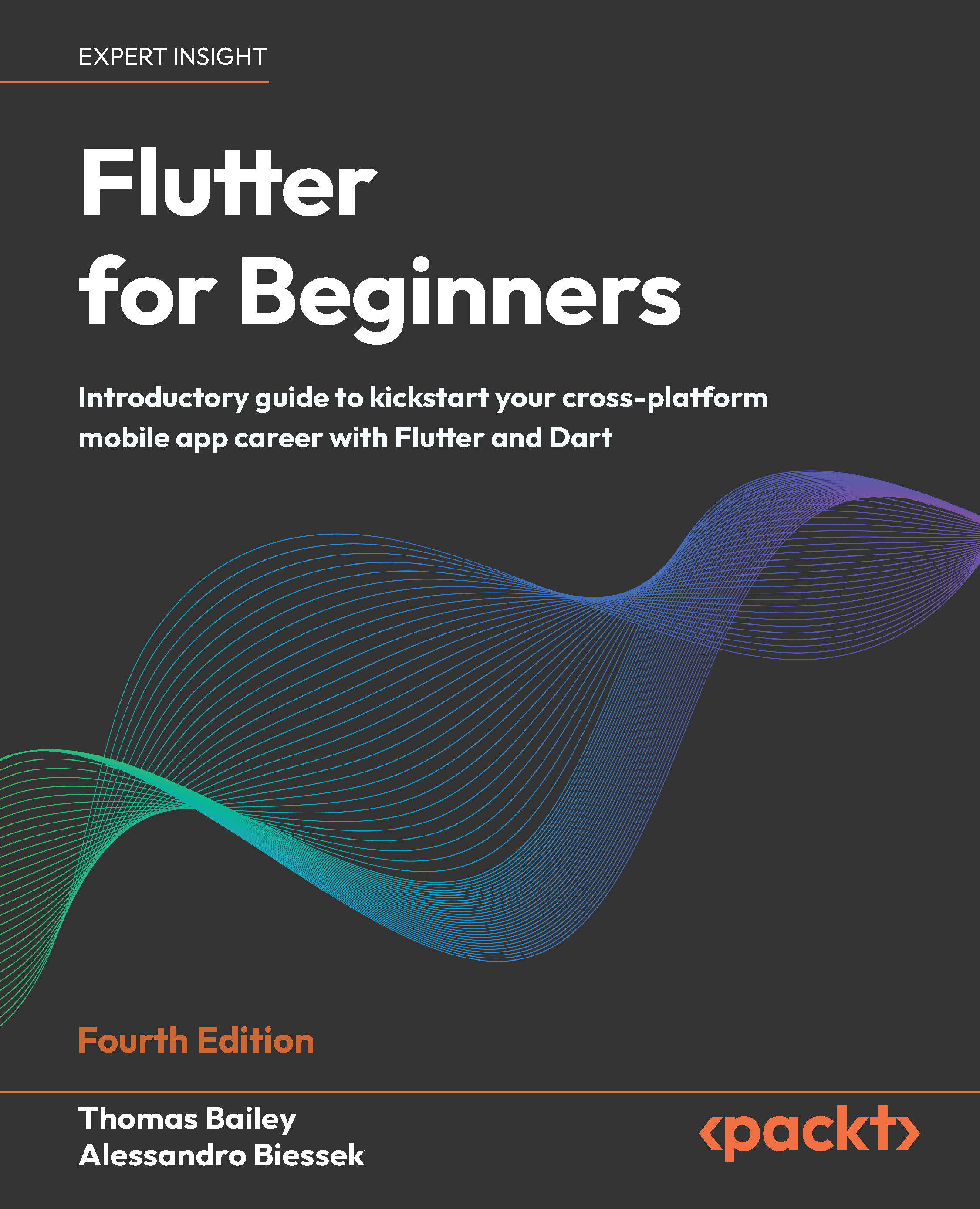
Flutter for Beginners

Flutter for Beginners: Introductory guide to kickstart your cross-platform mobile app career with Flutter and Dart , Fourth Edition

Arrow left icon
Profile Icon Thomas Bailey Profile Icon Alessandro Biessek
Arrow right icon
Early Access Early Access Publishing in Feb 2026
$32.39 $35.99
eBook Feb 2026 4th Edition
eBook
$32.39 $35.99
Paperback
$44.99
Subscription
Free Trial
Renews at $19.99p/m
Arrow left icon
Profile Icon Thomas Bailey Profile Icon Alessandro Biessek
Arrow right icon
Early Access Early Access Publishing in Feb 2026
$32.39 $35.99
eBook Feb 2026 4th Edition
eBook
$32.39 $35.99
Paperback
$44.99
Subscription
Free Trial
Renews at $19.99p/m
eBook
$32.39 $35.99
Paperback
$44.99
Subscription
Free Trial
Renews at $19.99p/m

What do you get with eBook?

Product feature icon Instant access to your Digital eBook purchase
Product feature icon Download this book in EPUB and PDF formats
Product feature icon Access this title in our online reader with advanced features
Product feature icon DRM FREE - Read whenever, wherever and however you want
Modal Close icon
Payment Processing...
tick Completed

Billing Address

Table of content icon View table of contents Preview book icon Preview Book

Flutter for Beginners

1

What Is Flutter and Why Should I Use It?

In this chapter, you will learn the basics of the Flutter framework, the reasons for its creation, and what the future of Flutter may hold. You will learn about the thriving Flutter community, how it is contributing to the continued evolution of Flutter, and how and why Flutter has grown so quickly in the last few years. Along the way, you will see how to build (and run!) your first Flutter project, experience the excellent Flutter documentation, and see how Flutter is designed to work across a range of platforms, including web, iOS, Android, Windows, Linux, and macOS.

The following topics will be covered in this chapter:

  • What is Flutter?
  • Hello Flutter – a first glimpse of Flutter
  • Widgets, widgets, everywhere
  • Building and running Flutter

1 What Is Flutter and Why Should I Use It?

In this chapter, you will learn the basics of the Flutter framework, the reasons for its creation, and what the future of Flutter may hold. You will learn about the thriving Flutter community, how it is contributing to the continued evolution of Flutter, and how and why Flutter has grown so quickly in the last few years. Along the way, you will see how to build (and run!) your first Flutter project, experience the excellent Flutter documentation, and see how Flutter is designed to work across a range of platforms, including web, iOS, Android, Windows, Linux, and macOS.The following topics will be covered in this chapter:

  • What is Flutter?
  • Hello Flutter – a first glimpse of Flutter
  • Widgets, widgets, everywhere
  • Building and running Flutter

Technical requirements

In this chapter, we will create, build, and run a Flutter application. The first step is to set up your system so that it can do this.Specifically, you will need to set up your system so that it has the following:

  • The latest stable Flutter software development kit (SDK) installed and added to your path
  • An integrated development environment (IDE) where you can view and edit Flutter code

Additionally, to run Flutter on a specific platform, there are certain requirements:

  • For web, you only need a web browser. This is why developing on web is a great way to start your Flutter journey.
  • For Android you will need to install Android Studio which includes the relevant Android emulators
  • For iOS you will need to run your development on a Mac and install Xcode which includes the relevant iOS simulators.

The chapter will give you some guidance on how to set up your system, but as you will discover, the Flutter documentation is excellent and includes very accurate and up...

What is Flutter?

Since the advent of the Apple App Store (and subsequently, the Google Play Store), there has been a way for organizations to share programs with mobile users in a very controlled and managed way. Much like websites on the internet, mobile apps have proliferated to encompass all aspects of our lives. And much like websites, over the years, developers have iteratively discovered and learned the best ways to create reliable, scalable, and intuitive mobile apps.As developers have learned to work within the mobile ecosystem, they have followed similar design patterns and framework ideas that were created to deal with the web ecosystem. Much like the complications of developing code for multiple browsers on the web, in the mobile ecosystem, there has been the challenge of developing code that can work on both iOS and Android devices, with the dream always being to have one code base that works across all devices, and even the web.Flutter is a framework that is the culmination...

Hello Flutter – a first glimpse of Flutter

It’s about time we started getting our hands dirty with some code. Over the course of this book, we will create an app where users can record information about their travels with a football club, such as quality of food, view of the pitch, and transportation links. We will start working on this app in earnest in Chapter 5, Building Your User Interface through Widgets. However, before we start on that, Flutter comes with a simple Hello World app that we will get running and then investigate. First of all, though, we need to get your system ready for some Flutter action!. First of all, though, we need to get your system ready for some Flutter action!

Installing Flutter

Flutter is very easy to install. Rather than recreate the installation instructions in this book, I recommend you head over to the Flutter docs web pages to install Flutter and Dart for your OS: https://flutter.dev/docs/get-started/installThe installation documentation...

Widgets, widgets, everywhere

Flutter widgets are a core part of the framework and are used constantly throughout your code. You will hear the saying “Everything is a widget,” and that is almost true in Flutter. In this section, we will see how Flutter renders the user interface and then how Flutter applies the widgets idea to app development to create awesome UIs.Widgets can be understood as the visual (but not only that) representation of parts of the application. Many widgets are put together to compose the UI of an application. Imagine it as a puzzle in which you define the pieces.Widgets intend to provide a way for your application to be modular, scalable, and expressive with less code and without imposing limitations. The main characteristics of the widgets UI in Flutter are composability and immutability.

Flutter rendering

One of the main aspects that makes Flutter unique is the way that it draws the visual components to the screen. A key differentiator to existing...

Building and running Flutter

The way an application is built is fundamental to how it will perform on the target platform. This is an important step regarding performance. Even though you do not necessarily need to know this for every kind of application, knowing how the application is built helps you understand and measure possible improvements.As we have already pointed out, Flutter relies on the AOT compilation of Dart for release mode and the JIT compilation of Dart for development/debug mode. Dart is one of only a few languages that are capable of being compiled to both AOT and JIT, and Flutter makes the most of this advantage. Let’s look at the different build options available, why you should use each one, and how the capabilities of Dart lead to an optimal developer and user experience.

Debug mode

During development, Flutter uses JIT compilation in debug mode. Debug mode compilation is optimized for fast feedback, and therefore sacrifices execution speed and binary size...

Summary

In this chapter, we started playing with the Flutter framework. First, we learned some important concepts about Flutter, mainly the concepts of widgets. We saw that widgets are the central part of the Flutter world. This is because the widget concept is everywhere, from rendering performance to the final result on the screen.We also saw how to start a Flutter application project with the framework tools, the basic project structure of files, and the peculiarities of the pubspec.yaml file. We also started exploring the main.dart file, our first foray into the world of Dart coding. In the end, we saw how to run a project on an emulator or simulator.In the next chapter, we will dive deeper into Dart. You had a sneak peek when we looked at widgets, and you saw how similar it is to other common programming languages, such as Java, C#, and Swift. Dart is a great language, and I must confess it is my favorite language to work with. Hopefully, you will share some of this love by the end...

Questions

At the end of each chapter, you’ll find a set of questions like the ones in this section. These will focus on key pieces of information shared within each chapter to ensure you have retained the relevant knowledge.If you are unable to answer any questions, then look back through this chapter for the relevant answers to refresh your knowledge:

  1. Which programming language is used for Flutter apps?
  2. Which company is the predominant backer of Flutter?
  3. What are the two types of compilation available in Dart?
  4. Which platforms does Flutter support for production ready applications?
  5. What is the tool that checks your Flutter setup is correct?
  6. Which command will generate a new Flutter project?
  7. What is the purpose of the pubspec.yaml file?
  8. Name the three build modes available when building a Flutter app.
Left arrow icon Right arrow icon
Download code icon Download Code

Key benefits

  • Familiarize yourself with Dart and Flutter fundamentals through practical, real-world examples
  • Explore widgets, animations, and plugins to craft intuitive UIs
  • Package and deploy your Flutter apps to achieve native-like performance
  • Purchase of the print or Kindle book includes a free PDF eBook

Description

The Fourth edition of Flutter for Beginners is fully updated for the latest Flutter and Dart releases, ready to guide you from taking your first steps in Flutter to publishing your first cross-platform app. Designed for new developers and those transitioning from other technologies, this practical guide shows you how to build, test, and release high-quality mobile apps for iOS, Android, and the web. With a project-based approach, this book will help you master the fundamentals of Dart and Flutter’s widget-driven architecture while building a complete app from scratch. Each chapter builds on the last with step-by-step explanations that will teach you how to design beautiful interfaces, manage state, handle navigation and user input, and add animations that bring your UI to life. You’ll explore popular third-party plugins such as Firebase and Google Maps, learn to debug and test your code effectively, and prepare your app for release on multiple platforms. By the end of this book, you’ll have the hands-on experience and confidence to design, build, and publish your own Flutter apps using the latest best practices.

Who is this book for?

This book is for developers looking to learn Google's revolutionary framework Flutter from scratch. No prior knowledge of Flutter or Dart is required.

What you will learn

  • Explore Flutter core concepts and use for cross-platform development
  • Gain a solid understanding of the fundamentals of Dart
  • Work with Flutter widgets and learn about stateful/stateless widgets
  • Take on advanced fundamentals such as navigation and state management
  • Add animation using animated widgets and advanced animation techniques
  • Manage the entire development lifecycle, including testing and debugging
  • Release your app to both mobile stores and the web

Product Details

Country selected
Publication date, Length, Edition, Language, ISBN-13
Publication date : Feb 24, 2026
Edition : 4th
Language : English
ISBN-13 : 9781805803645
Category :
Languages :

What do you get with eBook?

Product feature icon Instant access to your Digital eBook purchase
Product feature icon Download this book in EPUB and PDF formats
Product feature icon Access this title in our online reader with advanced features
Product feature icon DRM FREE - Read whenever, wherever and however you want
Modal Close icon
Payment Processing...
tick Completed

Billing Address

Product Details

Publication date : Feb 24, 2026
Edition : 4th
Language : English
ISBN-13 : 9781805803645
Category :
Languages :

Packt Subscriptions

See our plans and pricing
Modal Close icon
$19.99 billed monthly
Feature tick icon Unlimited access to Packt's library of 7,000+ practical books and videos
Feature tick icon Constantly refreshed with 50+ new titles a month
Feature tick icon Exclusive Early access to books as they're written
Feature tick icon Solve problems while you work with advanced search and reference features
Feature tick icon Offline reading on the mobile app
Feature tick icon Simple pricing, no contract
$199.99 billed annually
Feature tick icon Unlimited access to Packt's library of 7,000+ practical books and videos
Feature tick icon Constantly refreshed with 50+ new titles a month
Feature tick icon Exclusive Early access to books as they're written
Feature tick icon Solve problems while you work with advanced search and reference features
Feature tick icon Offline reading on the mobile app
Feature tick icon Choose a DRM-free eBook or Video every month to keep
Feature tick icon PLUS own as many other DRM-free eBooks or Videos as you like for just $5 each
Feature tick icon Exclusive print discounts
$279.99 billed in 18 months
Feature tick icon Unlimited access to Packt's library of 7,000+ practical books and videos
Feature tick icon Constantly refreshed with 50+ new titles a month
Feature tick icon Exclusive Early access to books as they're written
Feature tick icon Solve problems while you work with advanced search and reference features
Feature tick icon Offline reading on the mobile app
Feature tick icon Choose a DRM-free eBook or Video every month to keep
Feature tick icon PLUS own as many other DRM-free eBooks or Videos as you like for just $5 each
Feature tick icon Exclusive print discounts

Table of Contents

7 Chapters
Welcome to Packt Early Access Chevron down icon Chevron up icon
Chapter 1: What Is Flutter and Why Should I Use It? Chevron down icon Chevron up icon
Chapter 2: An Introduction to Dart Chevron down icon Chevron up icon
Chapter 3: Flutter versus Other Frameworks Chevron down icon Chevron up icon
Chapter 4: Dart Classes and Constructs Chevron down icon Chevron up icon
Chapter 5: Building Your User Interface through Widgets Chevron down icon Chevron up icon
Chapter 7: Let’s Get Graphical! Chevron down icon Chevron up icon
Get free access to Packt library with over 7500+ books and video courses for 7 days!
Start Free Trial

FAQs

How do I buy and download an eBook? Chevron down icon Chevron up icon

Where there is an eBook version of a title available, you can buy it from the book details for that title. Add either the standalone eBook or the eBook and print book bundle to your shopping cart. Your eBook will show in your cart as a product on its own. After completing checkout and payment in the normal way, you will receive your receipt on the screen containing a link to a personalised PDF download file. This link will remain active for 30 days. You can download backup copies of the file by logging in to your account at any time.

If you already have Adobe reader installed, then clicking on the link will download and open the PDF file directly. If you don't, then save the PDF file on your machine and download the Reader to view it.

Please Note: Packt eBooks are non-returnable and non-refundable.

Packt eBook and Licensing When you buy an eBook from Packt Publishing, completing your purchase means you accept the terms of our licence agreement. Please read the full text of the agreement. In it we have tried to balance the need for the ebook to be usable for you the reader with our needs to protect the rights of us as Publishers and of our authors. In summary, the agreement says:

  • You may make copies of your eBook for your own use onto any machine
  • You may not pass copies of the eBook on to anyone else
How can I make a purchase on your website? Chevron down icon Chevron up icon

If you want to purchase a video course, eBook or Bundle (Print+eBook) please follow below steps:

  1. Register on our website using your email address and the password.
  2. Search for the title by name or ISBN using the search option.
  3. Select the title you want to purchase.
  4. Choose the format you wish to purchase the title in; if you order the Print Book, you get a free eBook copy of the same title. 
  5. Proceed with the checkout process (payment to be made using Credit Card, Debit Cart, or PayPal)
Where can I access support around an eBook? Chevron down icon Chevron up icon
  • If you experience a problem with using or installing Adobe Reader, the contact Adobe directly.
  • To view the errata for the book, see www.packtpub.com/support and view the pages for the title you have.
  • To view your account details or to download a new copy of the book go to www.packtpub.com/account
  • To contact us directly if a problem is not resolved, use www.packtpub.com/contact-us
What eBook formats do Packt support? Chevron down icon Chevron up icon

Our eBooks are currently available in a variety of formats such as PDF and ePubs. In the future, this may well change with trends and development in technology, but please note that our PDFs are not Adobe eBook Reader format, which has greater restrictions on security.

You will need to use Adobe Reader v9 or later in order to read Packt's PDF eBooks.

What are the benefits of eBooks? Chevron down icon Chevron up icon
  • You can get the information you need immediately
  • You can easily take them with you on a laptop
  • You can download them an unlimited number of times
  • You can print them out
  • They are copy-paste enabled
  • They are searchable
  • There is no password protection
  • They are lower price than print
  • They save resources and space
What is an eBook? Chevron down icon Chevron up icon

Packt eBooks are a complete electronic version of the print edition, available in PDF and ePub formats. Every piece of content down to the page numbering is the same. Because we save the costs of printing and shipping the book to you, we are able to offer eBooks at a lower cost than print editions.

When you have purchased an eBook, simply login to your account and click on the link in Your Download Area. We recommend you saving the file to your hard drive before opening it.

For optimal viewing of our eBooks, we recommend you download and install the free Adobe Reader version 9.

Modal Close icon
Modal Close icon